New Features & Improvements - July 29th, 2025
We've been busy cooking up some fantastic new features to make your workflow even smoother. Let's dive into what's fresh off the development line!
📦 Asset Tracking Gets a Major Upgrade
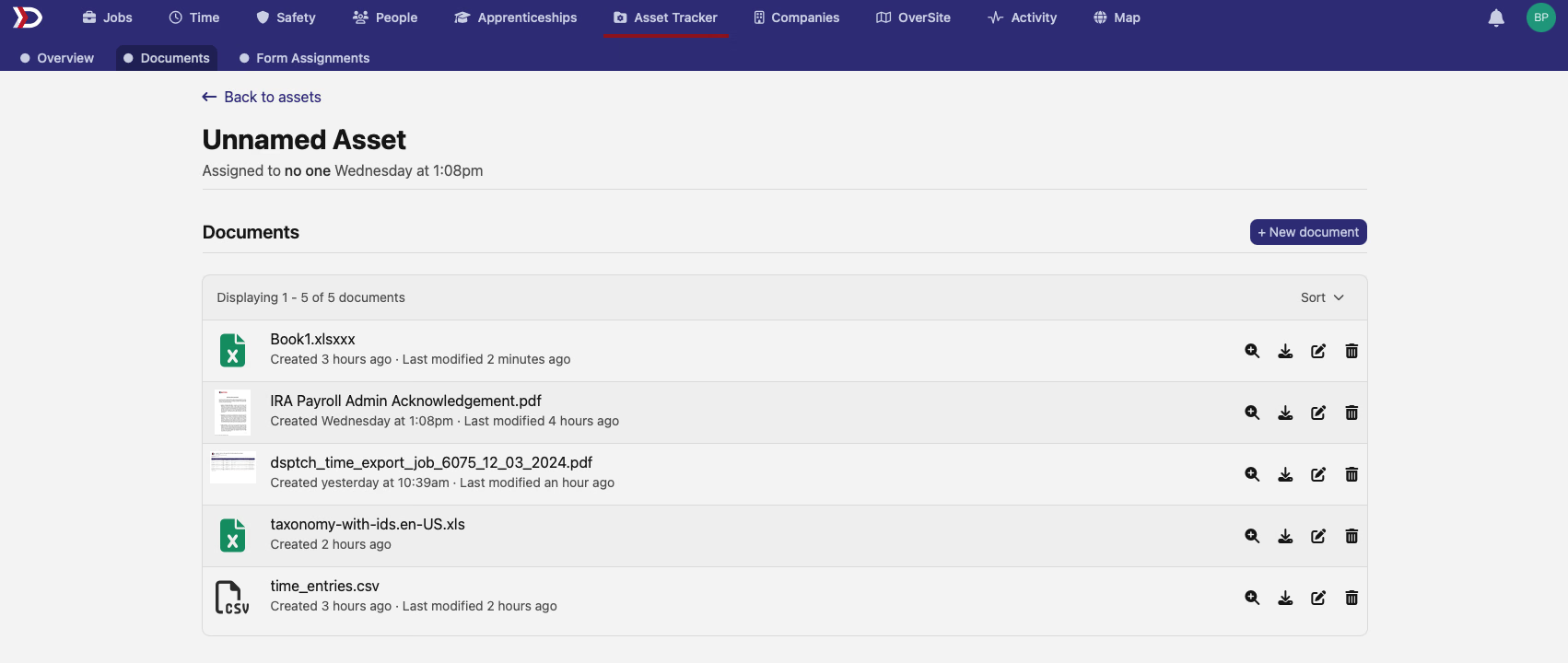
Document Management for Assets
Ever wished you could attach important documents directly to your assets? Well, wish granted! You can now upload, manage, and track documents for each asset. Whether it's warranties, maintenance records, or compliance certificates - everything stays organized in one place. Plus, we've added full version history so you can see who changed what and when.
Site Assignment for Assets
Your assets can now be assigned to specific sites! This makes it super easy to track where your equipment is located at any given time. No more guessing games about which excavator is at which job site. 🏗️
🏛️ Prevailing Wage Compliance
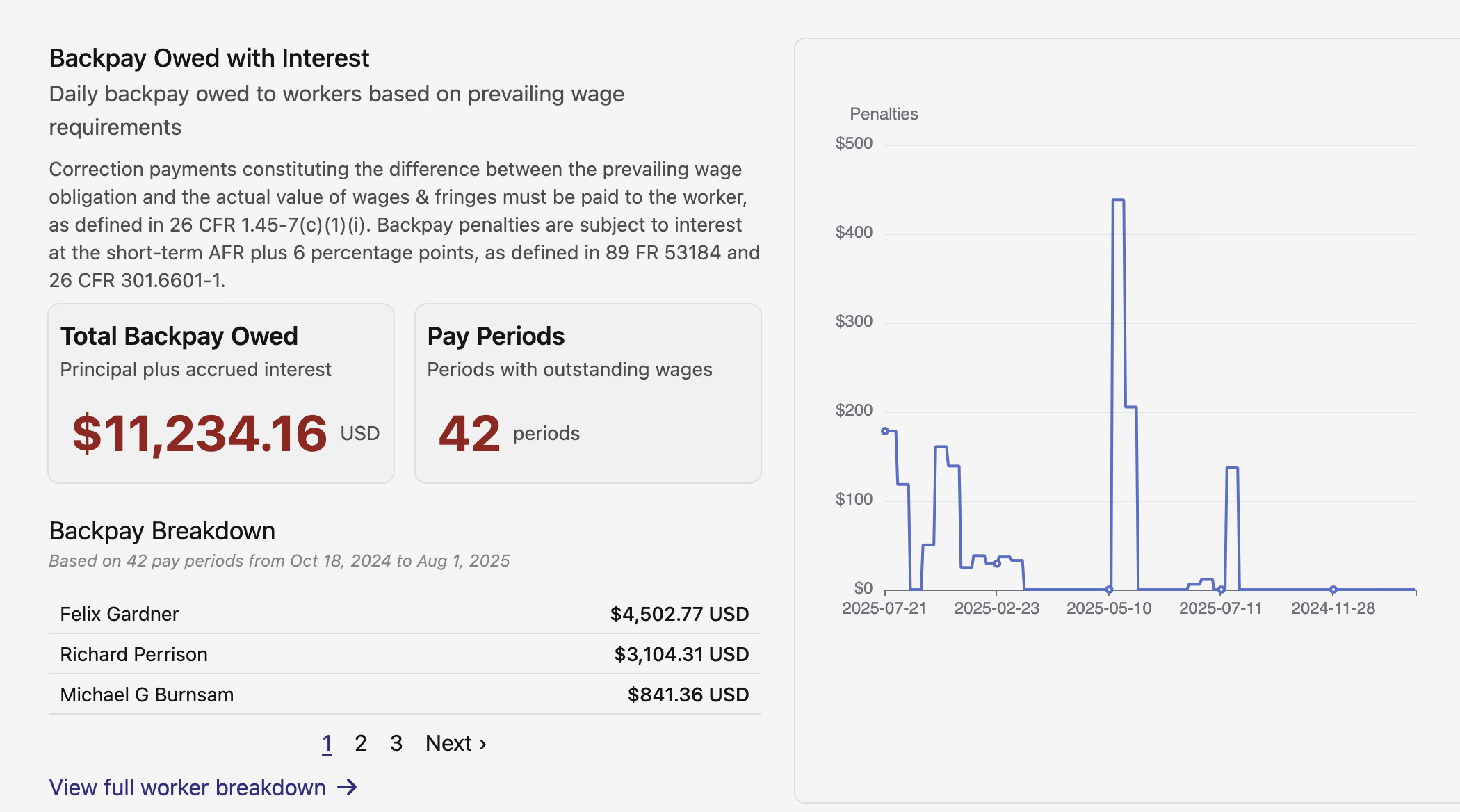
Pay Period-Based Penalty Calculations
Managing prevailing wage compliance just got easier with our new pay period-based penalty calculations. View penalties by individual pay periods, see detailed breakdowns, and navigate between periods with ease. Plus, our new backpay calculator helps ensure your workers receive every penny they're owed, including interest calculations.
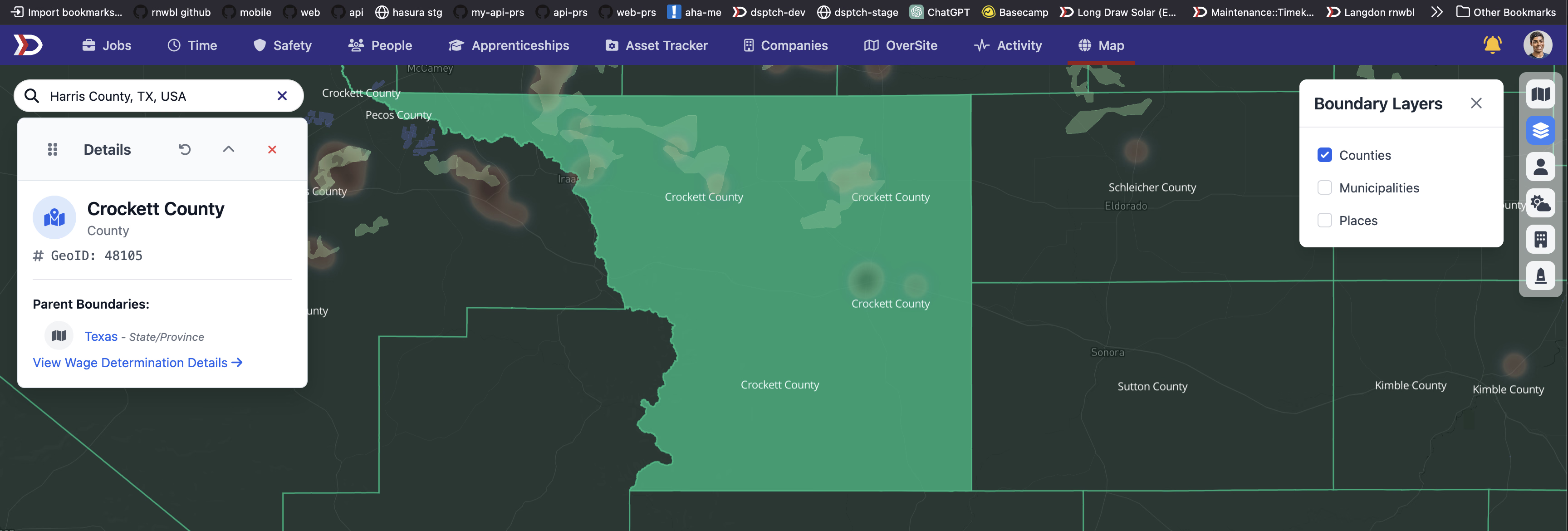
Wage Determination Management
Access and manage wage determinations with our new streamlined interface. Rapidly identify the administrative units of interest via DSPTCH's map, allowing quick identification of pertinent areas and rates.
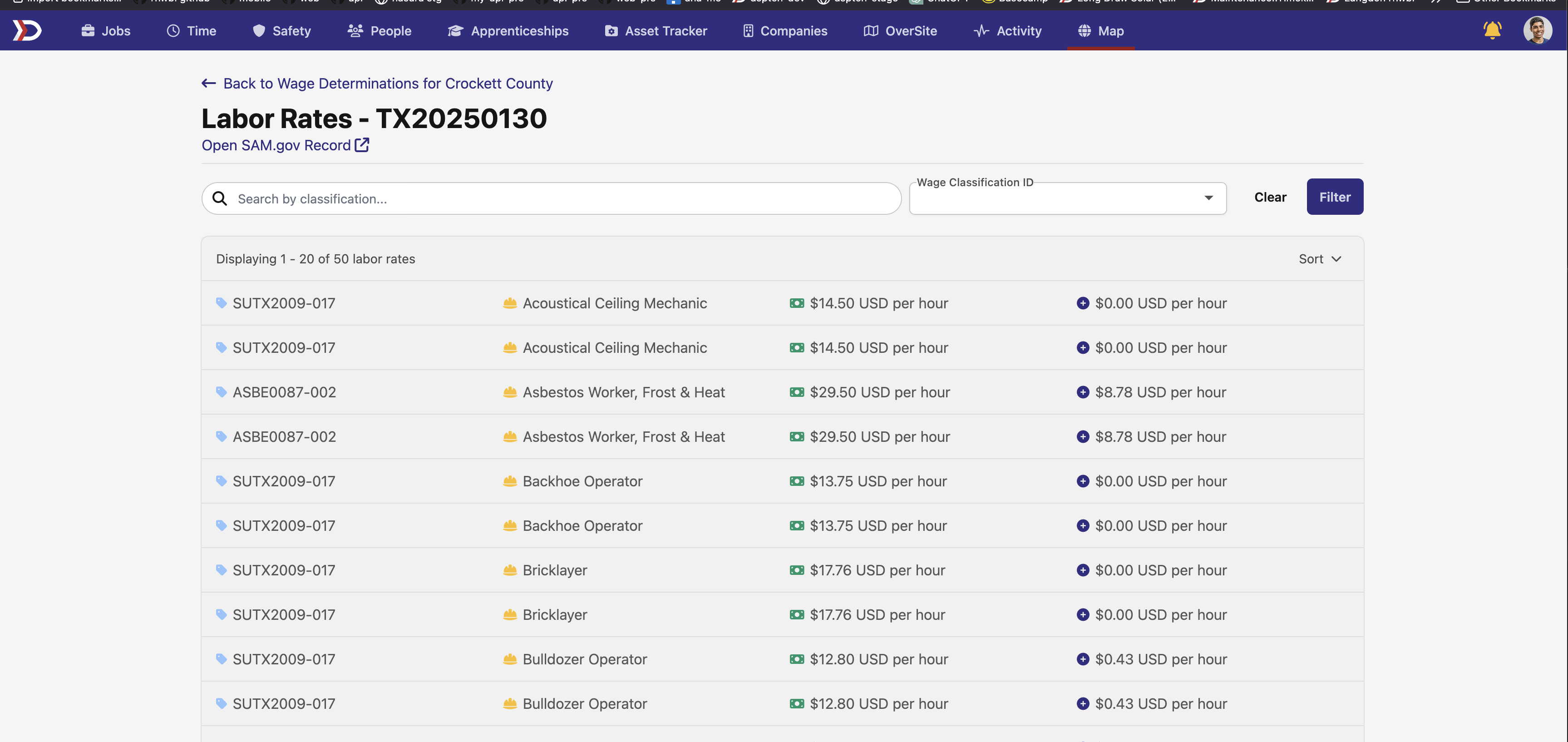
Plus, dig deeper into the posted wage determination rates by filtering by applicable date range, modification numbers, construction type, and more - everything you need to stay compliant is now at your fingertips.
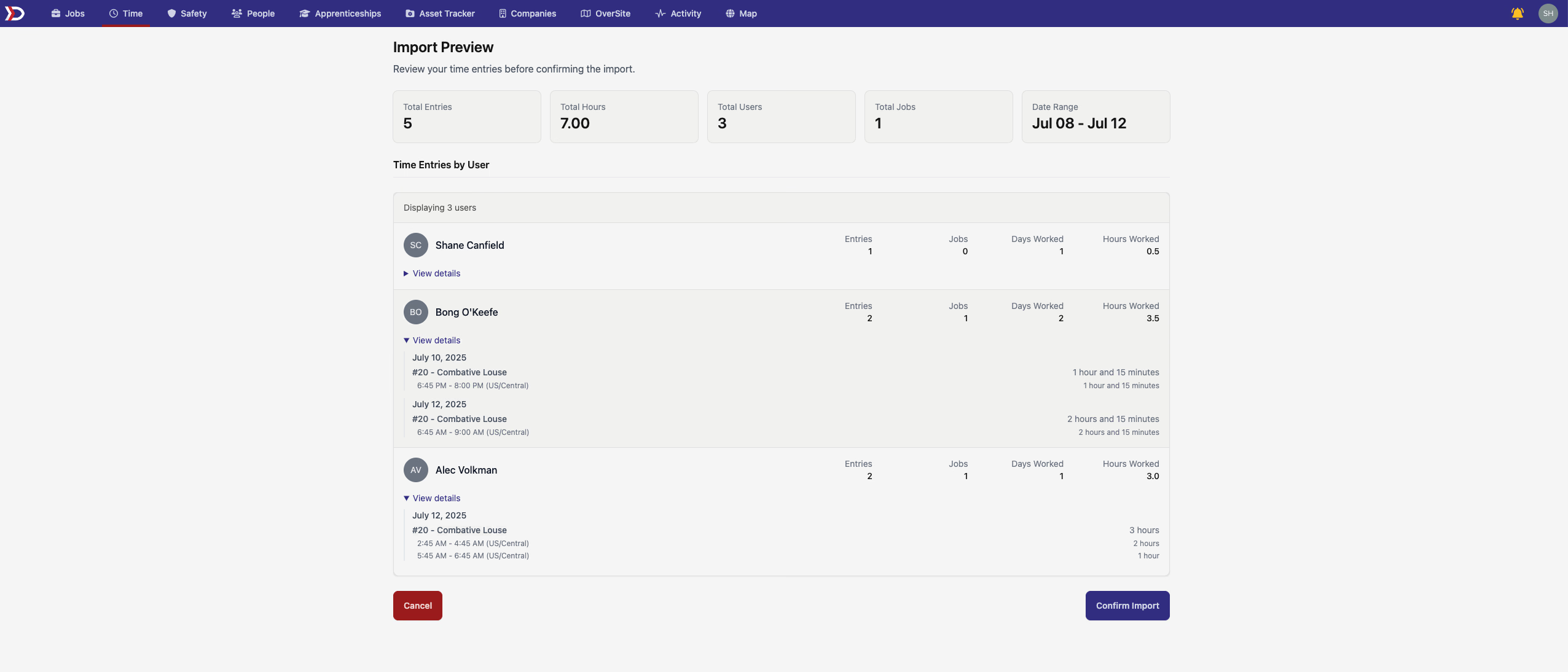
⏰ Time Entry Import Just Got Smarter
We heard you loud and clear - nobody likes importing data blind! Our new time entry import preview lets you review everything before it hits your system. See exactly how your data will look, catch any issues, and make sure everything's perfect before clicking that final import button. It's like having a safety net for your payroll data!
💰 Enhanced Payroll Integration
Choose Your Payroll Provider
Our Finch integration now shows you all available payroll providers in a clean, searchable interface. Pick the one that works best for your company and connect with confidence. We'll even show you which features each provider supports!
🗺️ Map Features Get More Powerful
Manufacturer Filtering
Looking for all map features from a specific manufacturer? Our new map filter has you covered! Filter features by manufacturer to quickly find all GE turbines, Enphase inverters, or any other brand across all your sites.
Improved Site Search
Site search results now display more intuitive site type descriptions, making it easier to distinguish between different types of locations at a glance.
📋 Safety & Compliance Enhancements
Better Form Tracking
We've revamped the safety forms checklist with improved filtering options. Now you can filter by task assignments, making it easier to track who needs to complete what and when. The new interface is cleaner and more intuitive than ever!
Auto-Submit for Quick Actions
Form fields with autocompletes now support auto-submit functionality. Select a value and watch the form automatically update - perfect for those quick status updates and simple form submissions. Less clicking, more doing!
That's a wrap on this month's updates! We're always working to make DSPTCH better for you. Got feedback or feature requests? Hit us up - we're all ears!
The DSPTCH Team 💪