July 14, 2026 Release Notes

Per-feature apprenticeship ratio tracking now runs from a job-level daily matrix through a ranked feature list and into worker details. Search expands across more of the lists you already filter, and the Scheduler shows how long it has been since each worker's last R&R. 📊
📊 Apprenticeship ratios by feature
Jobs using per-feature apprenticeship ratios now get a Per-Feature Ratio section under Compliance → Apprenticeship. The daily matrix shows each feature's advisory status as In Ratio, Out of Ratio, Pending, or Journeyworkers Only, with a tooltip that breaks down the trades, worker counts, and hours behind each day.
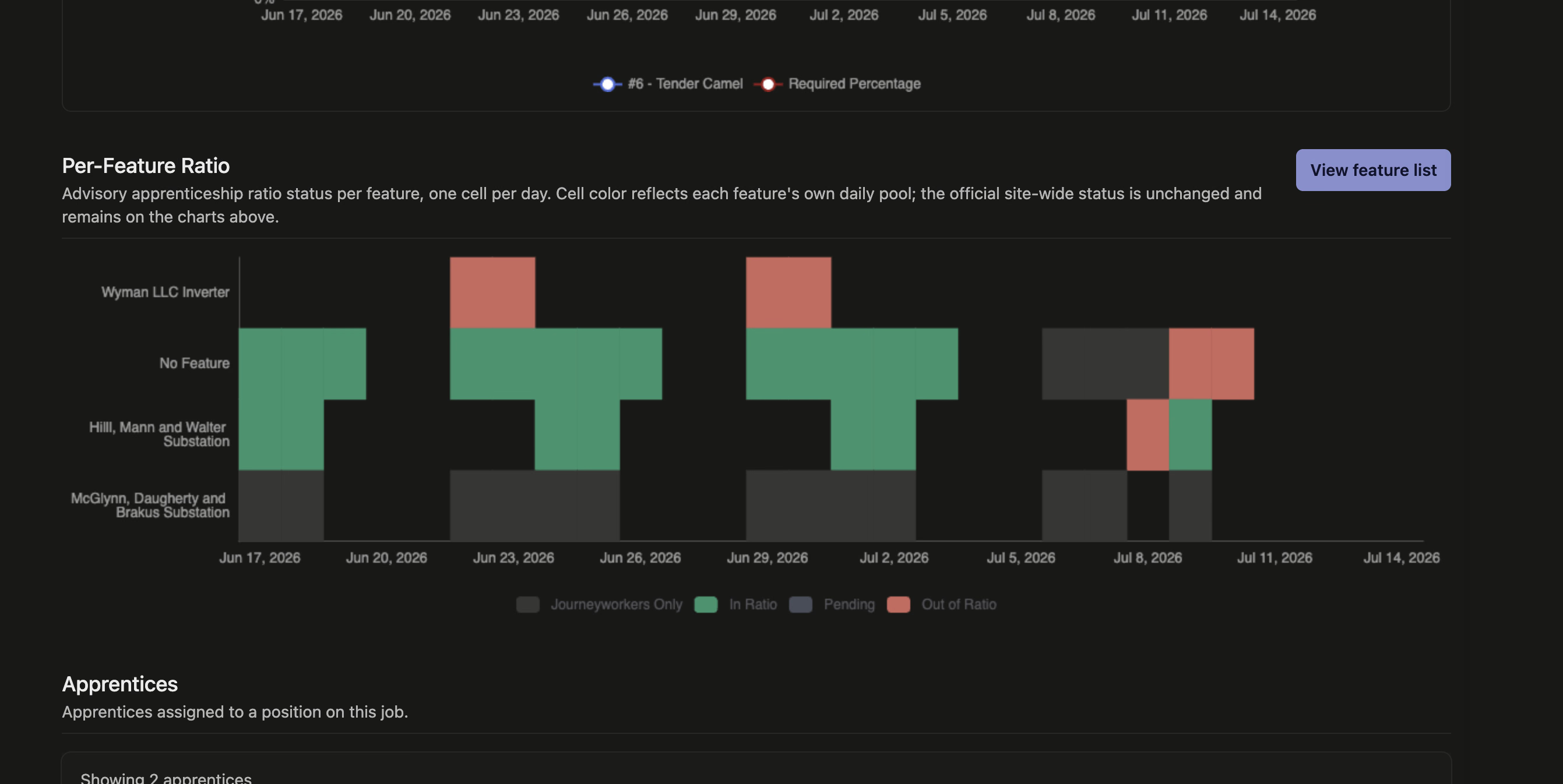
Choose View feature list to compare the full date range in one place. Features are ordered with the most urgent ratio issues first, and each row shows its status, days out of ratio, total hours, out-of-ratio apprentice hours, and labor-hours percentage. You can change the date range or narrow the table to out-of-ratio features only.
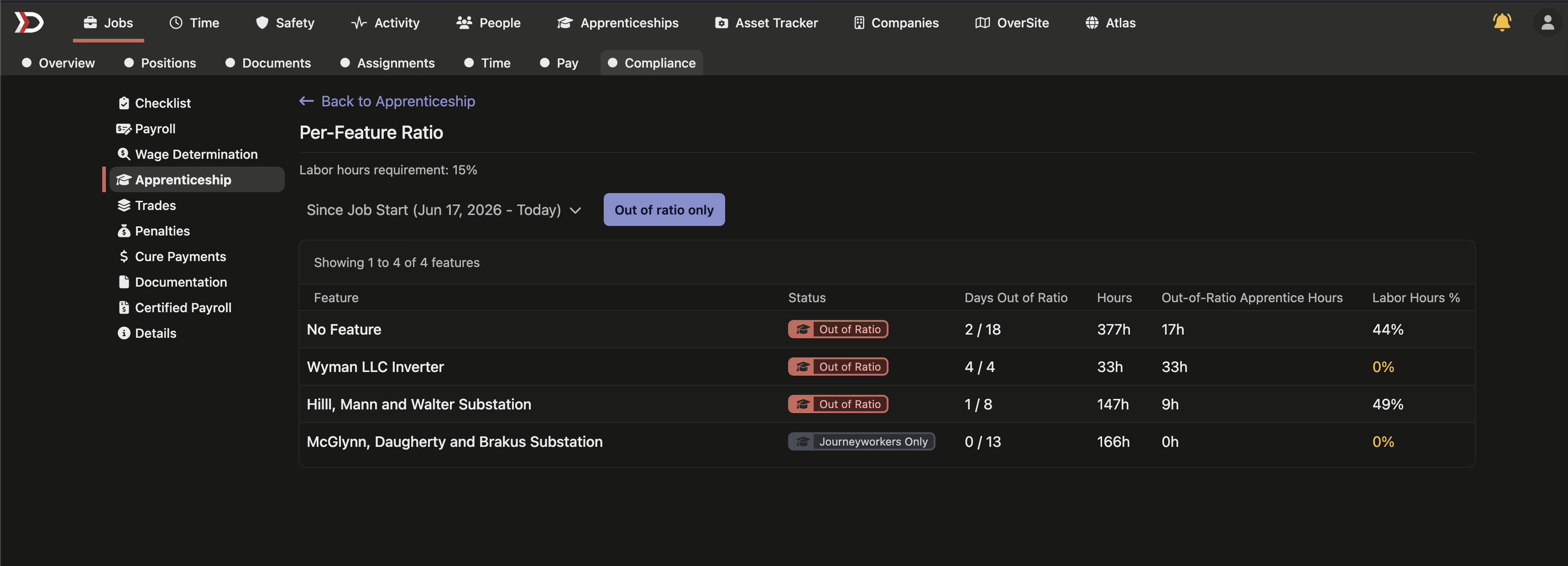
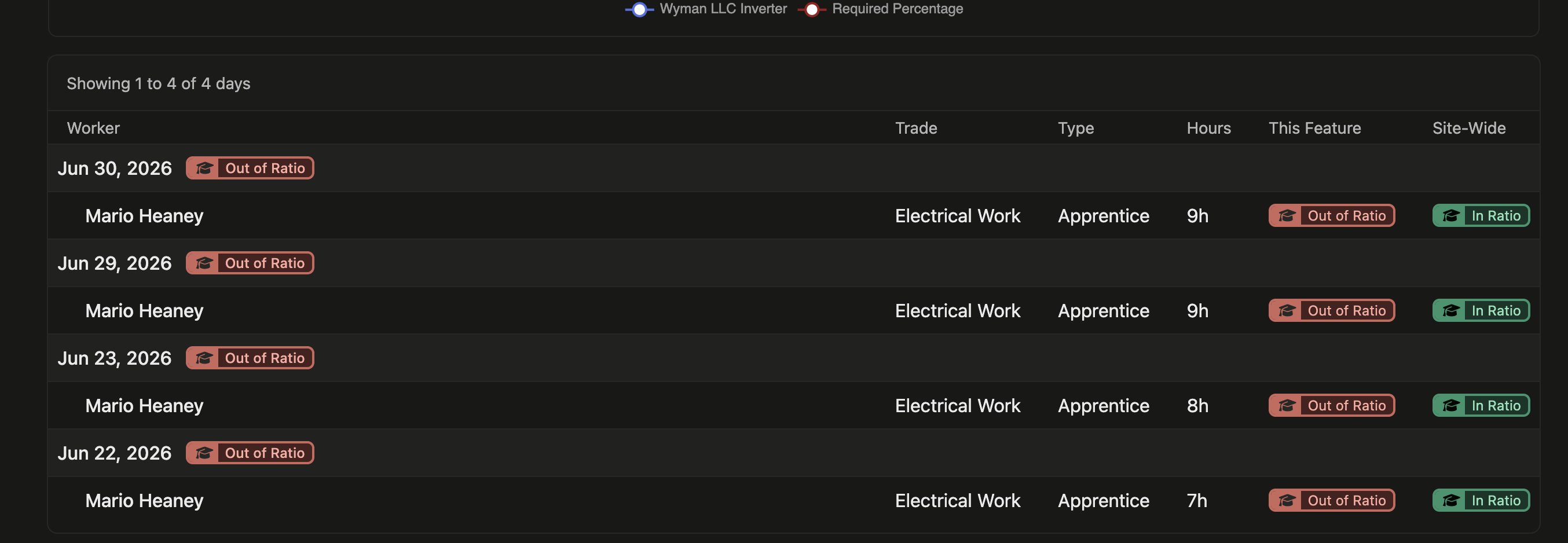
Click a feature row or a cell in the matrix to see the workers and dates behind that result. The detail table places This Feature beside Site-Wide, making it clear when an apprentice was out of ratio on one inverter even though the job's official site-wide ratio remained in compliance. Feature-level charts show cumulative apprentice labor hours and journeyworkers per apprentice over the selected range.
🔎 Search the lists you already filter
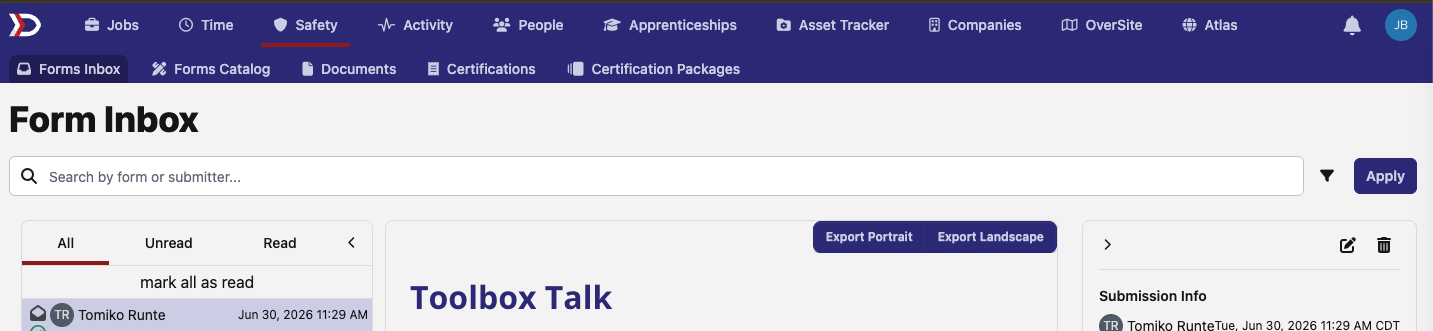
More filter bars now include a search field, so you can narrow a list before reaching for individual filter chips. The added search reaches people pages for time cards, positions, form submissions, and check-ins; compliance checklists and form inboxes; Form Completions; and pay-schedule pages for pay periods, payroll runs, holidays, overtime rules, export previews, and adjustable line items.
Search follows the page you're on: look up a requirement by title, a form by form or submitter, a pay period by date, a holiday by name, an overtime rule by region, or an export row by worker.
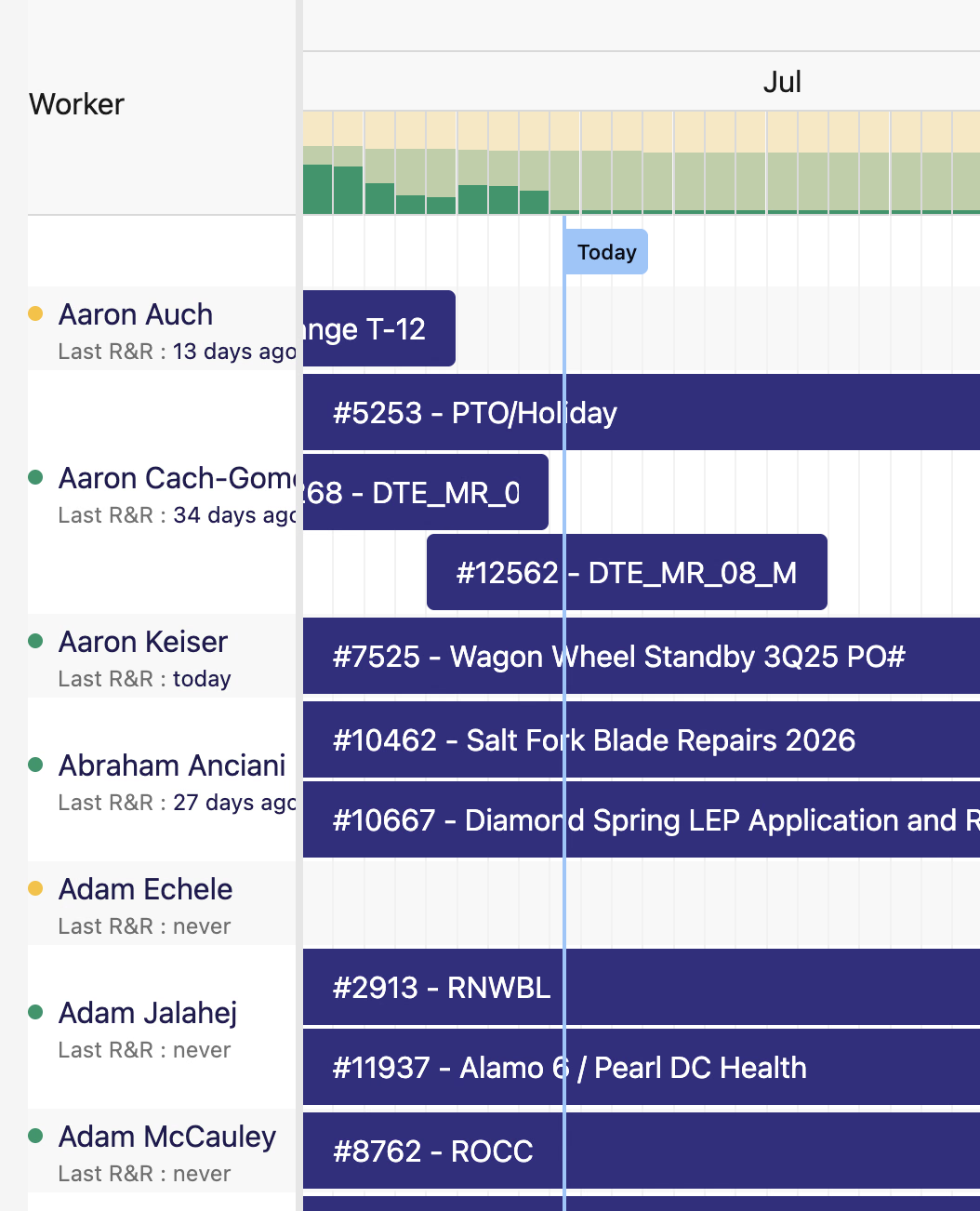
📅 See each worker's last R&R on the Scheduler
The Scheduler now shows Last R&R beneath each worker's name, whether that was today, a number of days ago, or never. When a prior rest-and-recuperation entry exists, the age links directly to its time card so you can review the source without searching for it separately.
🔌 API additions
- Project creator attribution —
POST /api/v1/projectsnow accepts and requirescreated_by_user_id. The creator must be a member of the project's owning company, and the attribution cannot be changed after creation.
🛠️ Fixes
- Company and site document downloads now keep the original uploaded filename instead of falling back to a generic document name.
- Regional certified-payroll export warnings remain readable in dark mode, including their links, requirement details, and checklist button.
- Filter dropdowns and pickers close reliably when you click elsewhere, stay open while you make a selection, and clear their search when dismissed.
That's it for this release — as always, reach out with questions or feedback. 🚀
The DSPTCH Team