July 6, 2026 Release Notes

The scheduler beta stretches to the full width of your screen and picks up filters for departments and bench time, the chip-style filter bar reaches another batch of lists across the app, and the public API adds certification packages, production pricing, and payroll mappings. 📅
📅 Scheduler updates (beta)
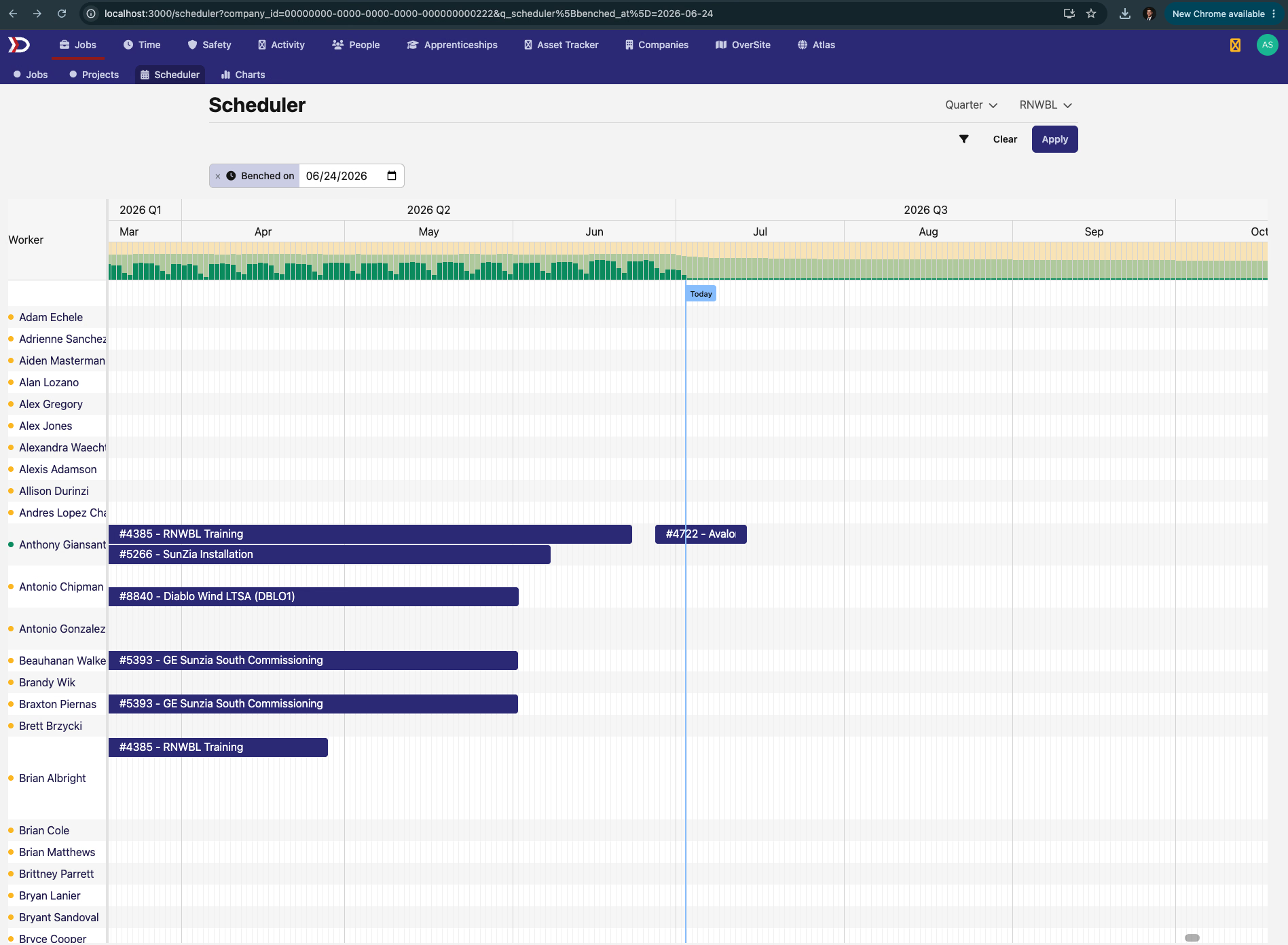
The scheduler board now uses the full width of your screen, and rows are more compact, so more workers and assignments fit on screen at once.
Two new filters help answer "who's available?". Department narrows the board to one department and starts on your own, so you land on your own crew by default. Benched on shows who has no assignment on a given date — type the date into the filter chip, or hover a day in the utilization bar at the top of the board and click through to see who's benched that day. The utilization bar keeps showing the whole board's numbers even while you're filtered down to the bench, so the percentages don't shift under you.

🧰 More lists switch to chip filters
The chip-style filter bar keeps rolling out. This release it reaches:
- Prevailing wage — the labor rate pages you use when setting up a job's wage determinations, and the wage determination listings on Atlas region, place, and municipality pages.
- Check-ins — the check-in lists on the Activity, OverSite, and Sites pages, the check list on a compliance requirement, and a person's check-ins page.
- Certified payroll exports — the WH-347, CA eCPR, and NY DOL export dashboards, where you choose which time cards to include.
- Production — the completions list on a job, with filters for feature, crew, who filed it, and date.
- Asset Tracker — the Products and Items pages and vendor settings.
- Elsewhere — a pay schedule's payroll runs, a person's form submissions, the Activity to-dos list, and site feature listings in Atlas.
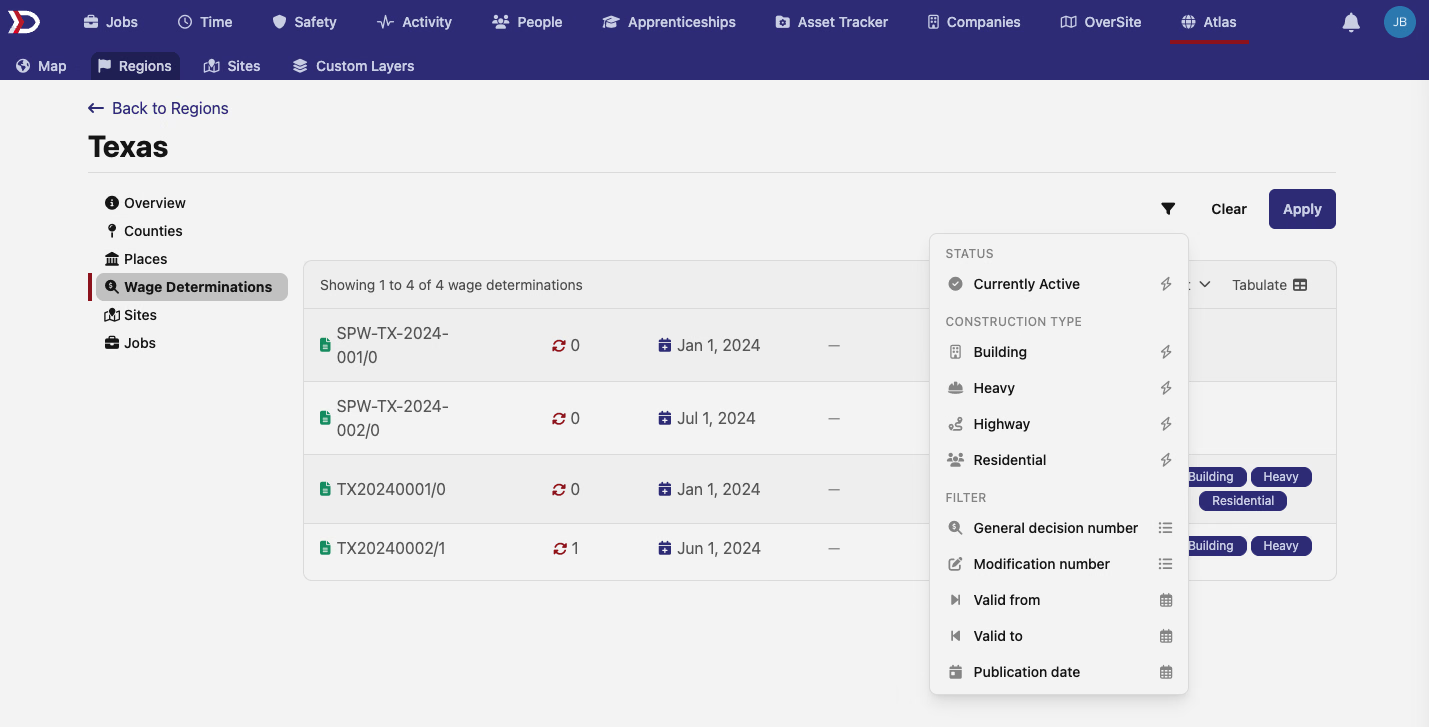
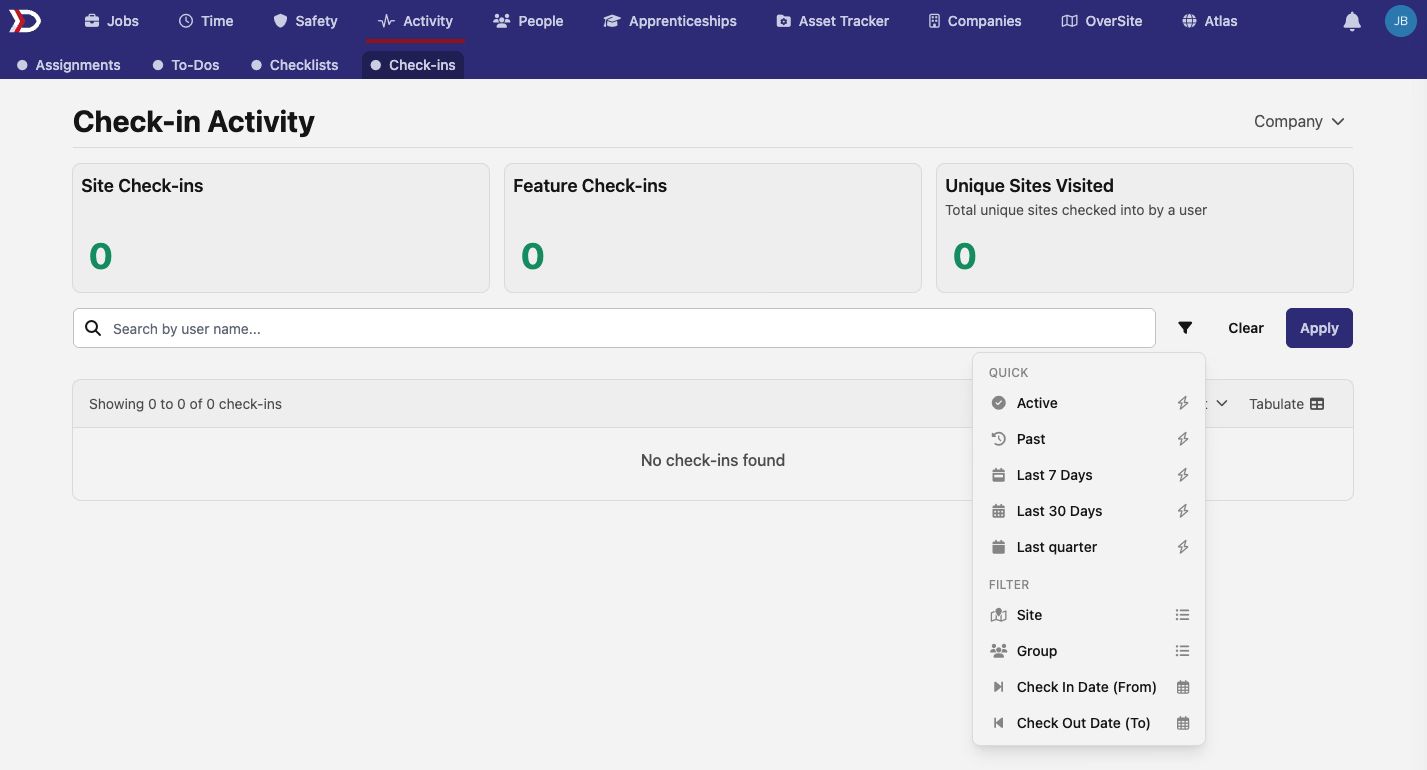
One extra touch across the new date filters: enter a range backwards — a start date after the end date — and the filters swap the two for you instead of returning an empty list.
🔌 API additions
- Payroll external maps — list and look up the mappings that link your payroll provider's pay items to pay categories in DSPTCH at
/api/v1/payrolls/external_maps, including the global maps shared across companies. These are the ids that paystub line items reference, so paystub imports over the API can now discover them directly. - Job scope prices — create, update, and delete a job's production scope prices — the per-unit prices completions bill against — under
/api/v1/jobs/{job_id}/production/job_scope_prices. A price can't be deleted while completions still bill against it. - Certification packages — manage certification packages — named bundles of certifications, like everything a wind tech needs on a GWO site — at
/api/v1/certifications/packages: list, create, rename, replace the certification list, and delete. - Job wage determinations — remove a wage determination from a job with
DELETE /api/v1/jobs/{job_id}/wage_determinations/{id}. Removal is blocked while a position or apprentice rate schedule still depends on it, matching the web app.
🛠️ Fixes
- Site previews in OverSite no longer offer the Claim button on sites that belong to another company — instead of an authorization error after the click, a notice explains up front that the site is already claimed and how to request access.
- Time-entry imports no longer require a labor classification on rows for non-prevailing-wage time — travel or show-up time, for example — logged against a prevailing-wage job. One such row previously failed the whole import.
- My Reports on time cards — with the My Reports filter active on a pay period, the header dropdown and previous/next arrows inside a time card now move through only your direct reports, matching the list, instead of every worker in the pay period. The checklist phase counts line up with the filtered list too.
That's it for this release — as always, reach out with questions or feedback. 🚀
The DSPTCH Team