July 1, 2026 Release Notes

You'll notice this one right away: the filter bar on nearly every list page in DSPTCH has been rebuilt into a cleaner, chip-based layout. Underneath, apprenticeship compliance goes deeper — apprentice wage determinations can carry their own rate schedules, working supervisors can be left out of the ratio, and trades pick up a history page — while time-entry imports get more precise and a new Rippling payroll export lands. 🧰
🧰 A fresh filter bar across nearly every list
If you spend time in DSPTCH's list pages, this is the change you'll feel most. Filters have been rebuilt into a tidier, chip-based layout — related filters gathered under labeled groups, quick toggles shown as chips, and a cleaner search box — and it now reaches nearly every list in the app.
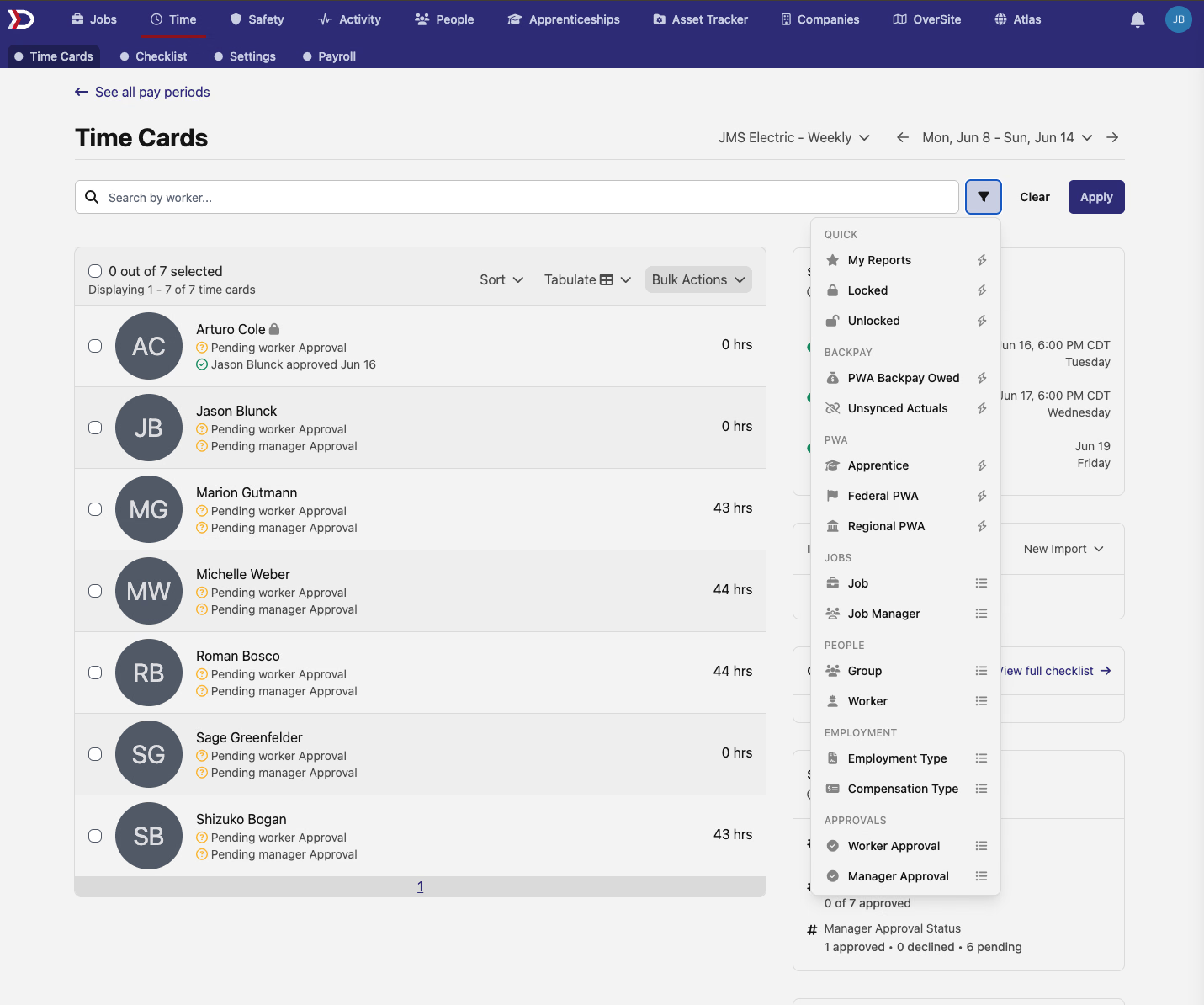
You'll see the new layout on time cards and the payroll checklist; across the Safety area (certifications, certification packages, and form definitions); on job and project checklists and their requirements; on Atlas job and site listings; on apprenticeship hour allocations; on pay schedule holidays, pay periods, overtime packages, and payroll adjustments; and on people, projects, paystubs, per diems, companies, regions, and users. Wherever you filter a list, it now looks and works the same way.
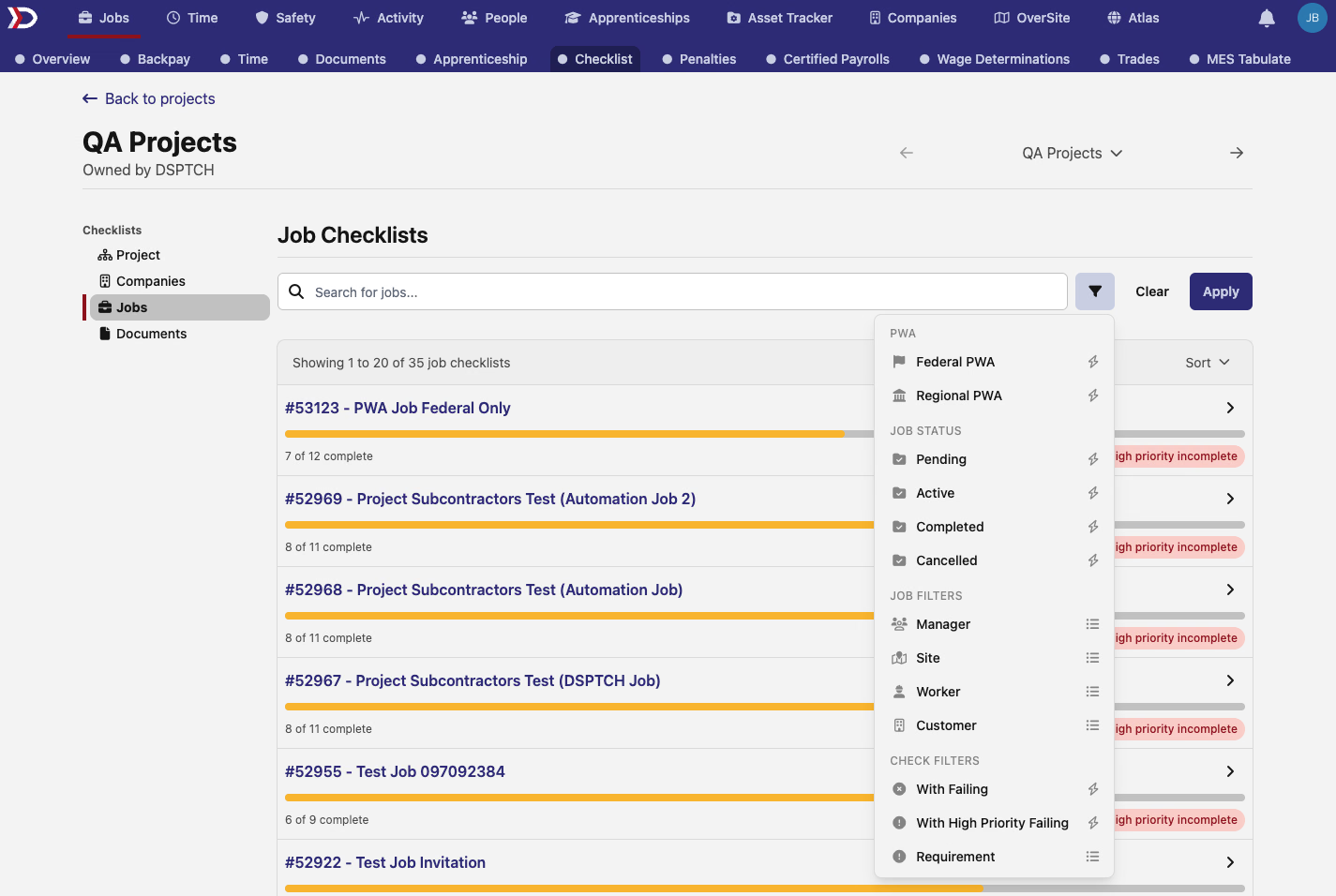
A few pages gain new filtering along the way. On the pay-period time card list, the Worker Approval and Manager Approval filters — and Check Status on the checklist — move from on/off buttons to dropdowns, so you can pick a specific status directly. The requirements list picks up a Type grouping, and apprenticeship hour allocations can now be filtered by work process category, overtime eligibility, and whether time has been allocated. On Atlas, selecting more than one site type at once now correctly keeps all of your selections highlighted.
🎓 Apprentice wage determinations can hold their own rates
When you set the prevailing wages for a job, an apprentice classification can now carry its own rate schedule. On a new wage determination, check Separate apprentice rate schedule and the determination keeps its own apprentice base and fringe — useful when a program spells out an apprentice fringe that isn't simply a step down from the journeyworker rate.
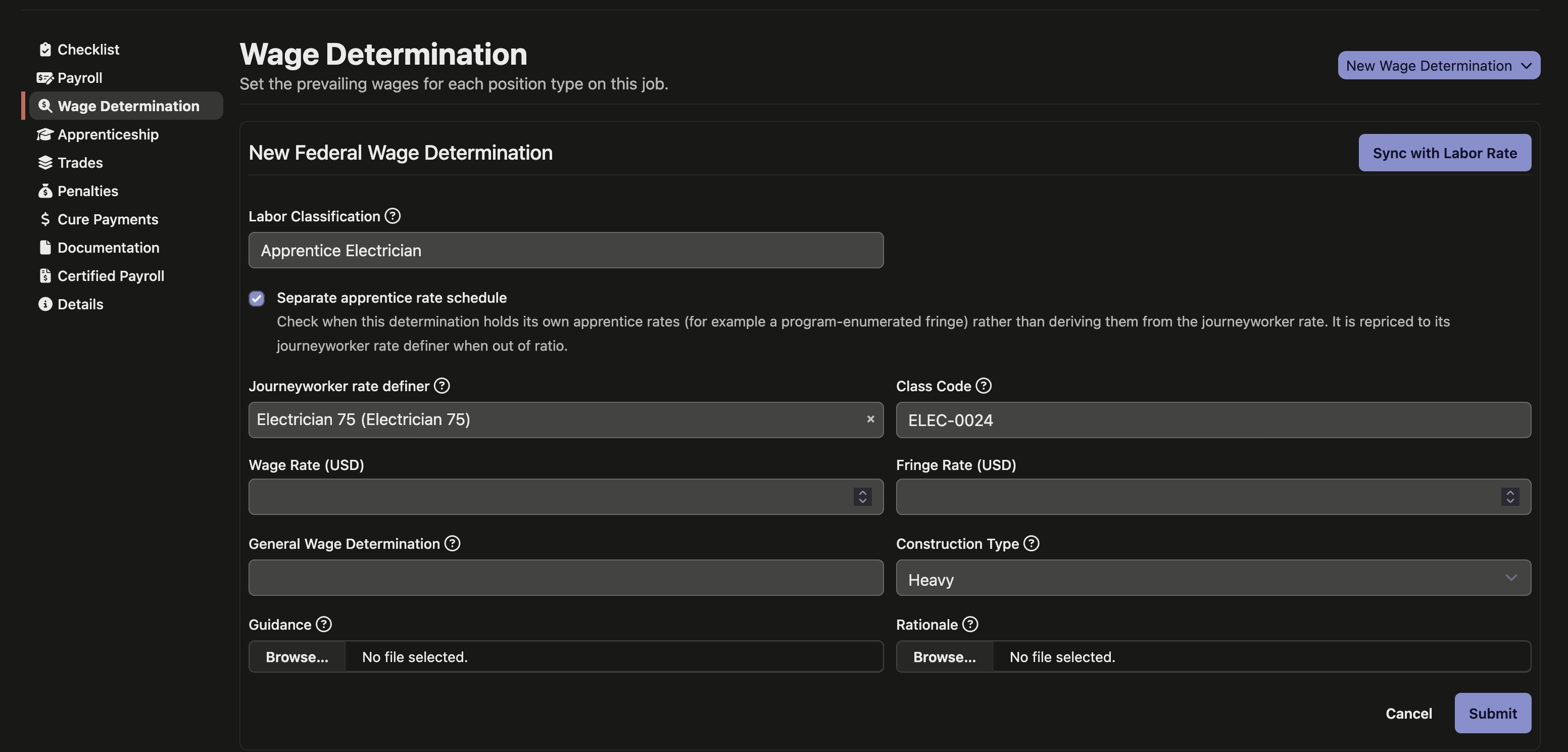
Pair it with the Journeyworker rate definer picker to choose which journeyworker determination the apprentice is repaid at when a crew falls out of ratio. That journeyworker's craft also becomes the apprentice's ratio pool, so the two stay grouped for supervision tracking.
Once you've saved it, those choices no longer disappear from view: a determination now shows its rate basis, journeyworker rate definer, and trade on both its detail and edit pages, each one linking through to the record it points at. You still set the rate basis, rate definer, and trade when you first create the determination — changing them afterward, and support for project-linked determinations, are still on the way.
👷 Leave working supervisors out of the ratio
Adding a worker to a prevailing-wage job that tracks apprenticeship now includes a Counts toward apprenticeship ratio checkbox. Leave it checked for anyone doing craft work; uncheck it for a working supervisor who oversees the crew but doesn't perform craft work themselves, so they no longer pad the journeyworker count your ratio is measured against.

Excluded workers are easy to spot — they carry an Excluded from ratio pill on the job's positions list and a matching row on their position page, and the change is recorded in that position's history. Every worker counts toward the ratio by default, so nothing changes until you opt someone out.
🧵 A history page for every trade
Trades — the craft groupings that pool your prevailing-wage determinations — now have a detail page of their own. Click a trade's name from the Trades tab on a job or project to open it. The page lists the wage determinations grouped under that trade and, below them, a running history of every time the trade was renamed, with who made each change and when.
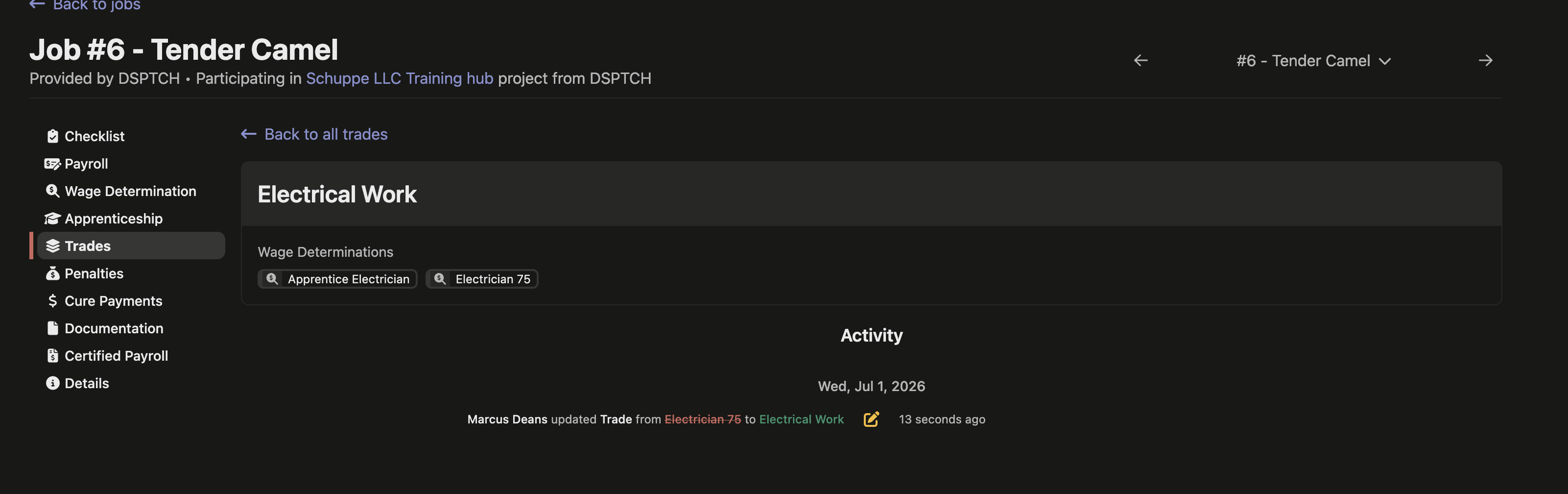
Renaming a craft grouping used to leave no trace anywhere in the app; now there's a clear record of how a trade got to its current name.
📥 Per-row classification on time-entry imports
If you bring time in by spreadsheet, the import template now lets each row name the exact prevailing-wage classification it should count under. This matters when a worker's role spans more than one classification — say an electrician who also logs some laborer hours on the same job.
Before, rows that didn't specify a classification fell back to the highest-paying one. The pay came out right either way, but the classification is what drives apprenticeship-ratio tracking and certified payroll reports — so leaving it implicit could misstate those. Naming it per row keeps your ratio and certified payroll figures accurate.
📅 Scheduler updates (beta)
The job scheduler — still in beta — keeps filling out. A worker utilization row now sits at the top of the board with a hover breakdown of how much of each stretch is scheduled, idle, or unscheduled, so you can read capacity at a glance. Hovering a scheduled block shows a tooltip with the job's key details, and blocks now label themselves with the job name rather than the worker's role, making it easier to see what's on the board.
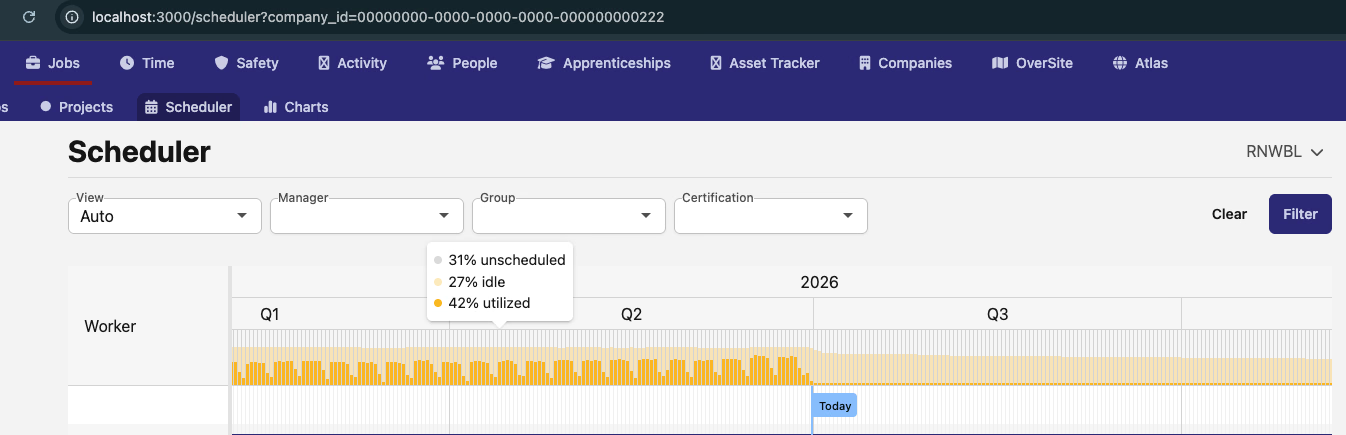
Creating an assignment now opens a searchable job picker, pre-filtered to jobs active in that time slot and searchable by name, ID, or purchase order, and you can hide unassigned positions to focus the view. These pieces are early and still evolving — expect the flow to keep changing as the scheduler matures.
📤 Export payroll to Rippling
Companies that run payroll through Rippling can now generate a Rippling-ready payroll file straight from a pay period. Choose Export Rippling Payroll from the pay period's export options to produce a CSV of time-card pay data formatted for Rippling's payroll import — and when your setup splits payroll across groupings, you'll get a ZIP with one file per grouping. Each export shows up in the pay period's export history with who ran it, the workers and pay period covered, and a download link.

This one is enabled per company, so reach out if you'd like it turned on for your Rippling workflow.
🔌 API additions
- Payroll — create, update, and delete fringe benefit plans under
/api/v1/payrolls/fringe_benefit_plans, completing the read endpoints added last release. - Company settings — create, update, and delete a company's custom position functions (role labels like "Crane Operator") at
/api/v1/position_functions; the built-in default functions stay read-only. - Jobs — set a job's structured street address (number, city, region, postal code) when creating or updating a job, where the API could previously only read a legacy free-text address.
- Timekeeping — read a worker's daily hours and pay for a job on a given date via
/api/v1/timekeeping/job_time_card_days, for pay schedules that track time at the day level.
🛠️ Fixes
- Overtime and rate packages attached to a wage determination now keep applying as that determination advances into new rate steps — previously an attached overtime fringe adder could quietly stop calculating once a determination reached a later step.
- Project apprenticeship penalties no longer fold in advisory per-employer labor-hours shortfalls when the project as a whole meets the federal labor-hours threshold, so the total reflects only what's actually collectible.
- Trade wage-rate history now names the person who changed which wage rate a trade is linked to, instead of attributing the change to an unknown user.
- The API reference points its example requests at the correct API host (
api.dsptch.work), so the docs' interactive calls reach the right endpoint.
That's it for this release — as always, reach out with questions or feedback. 🚀
The DSPTCH Team