June 19, 2026 Release Notes

Asset tracking gets the headline this release with recurring service schedules — keep maintenance and calibration on a cadence and see what's overdue at a glance. Time entry picks up upgrades too: jobs can require an asset on every entry in beta, and the bulk form gains search and asset tagging. The job scheduler rounds things out with drag-to-reassign. 🛠️
🔧 Asset service schedules
Serialized asset items can now stay on a service cadence. A new Service Schedules section on the item lets you set recurring maintenance and calibration, each with its own interval — every so many days, weeks, months, or years — and a next-due date. The section flags overdue schedules and shows each one's next service date at a glance. Set those schedules once on a product and every new item of that product inherits them, so you're not configuring each tool by hand.
When service happens, log a service event from the item: who performed it, when, plus notes and attachments. Linking an event to a schedule advances its next-due date automatically, and one-off repairs can be logged the same way without tying to a schedule. The item's history is now the Event Log — every service event lands there alongside the rest of the item's activity.
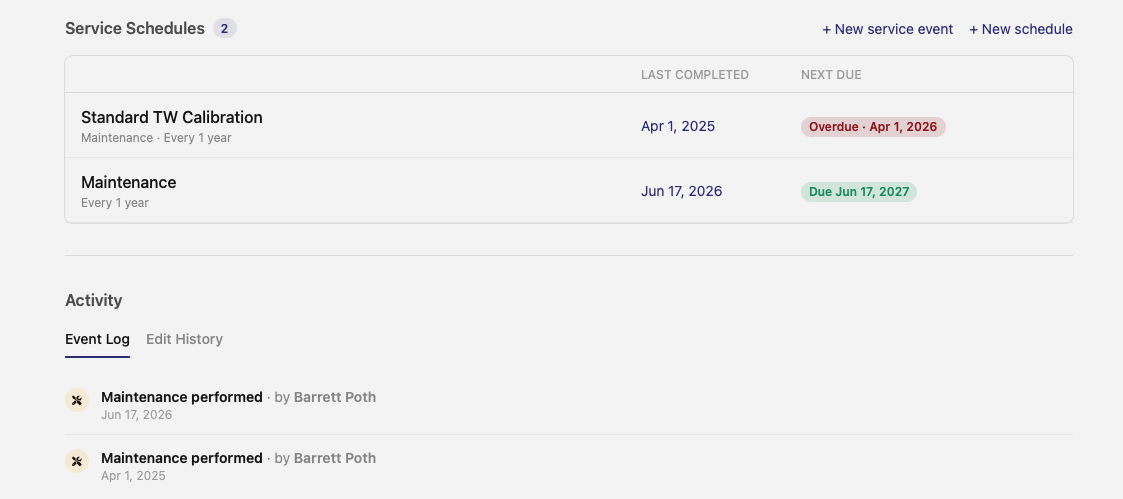
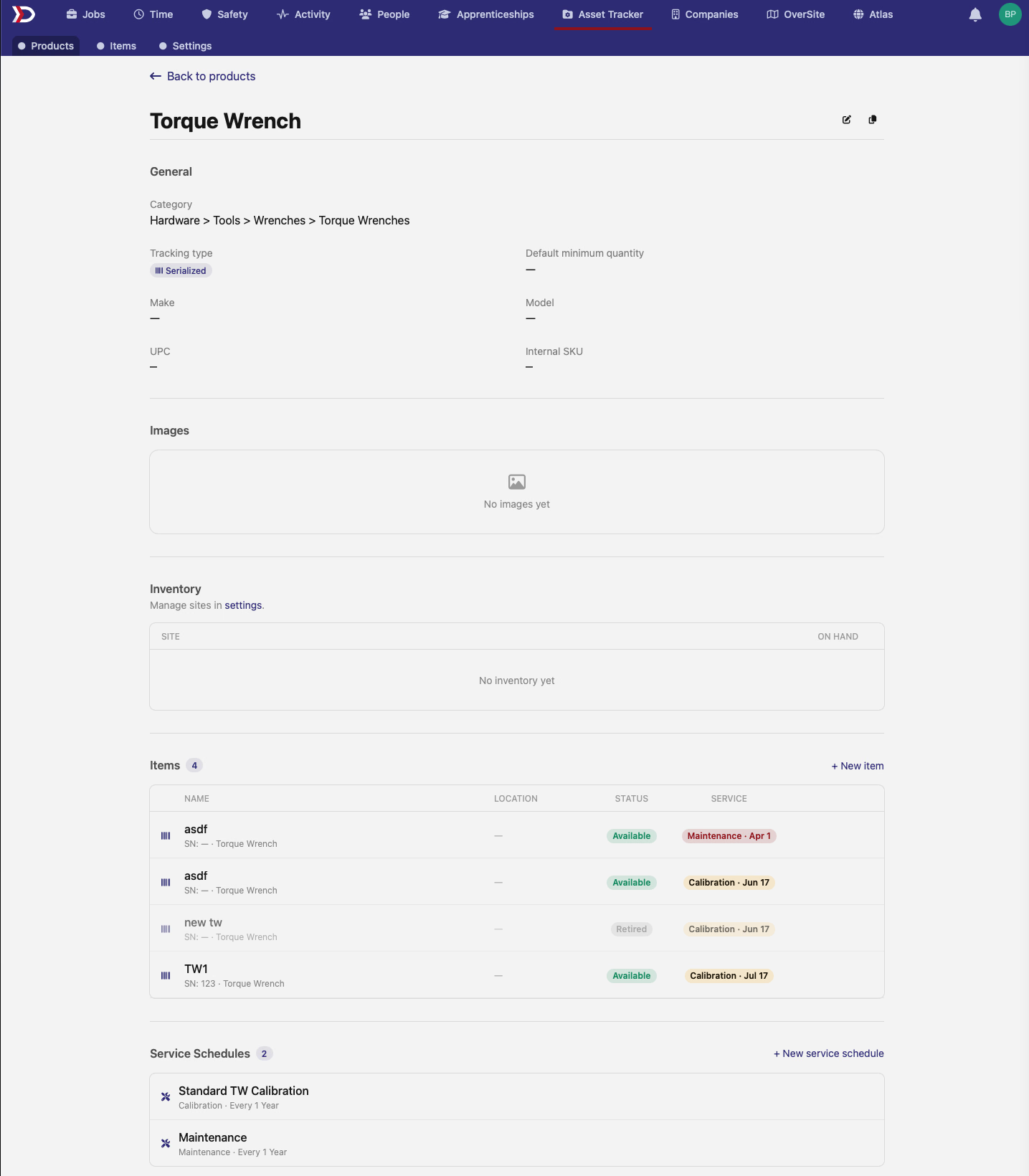
Schedules surface on the product page too: each item lists its next service, with the product's default schedules below.
🧩 Per-job asset rules on time entries (beta)
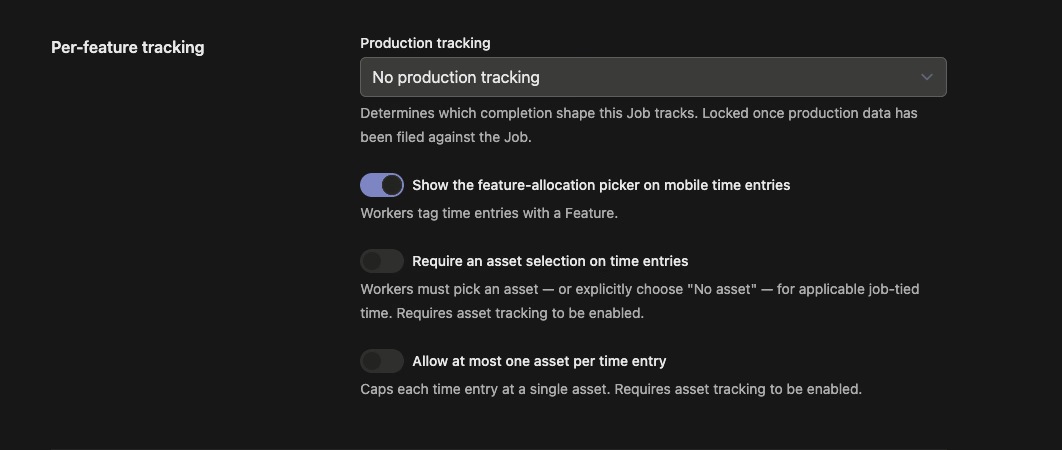
Jobs that track features can now hold workers to two new rules, set per job in the Per-feature tracking section of the job form:
- Require an asset selection on time entries — every applicable time entry must either name an asset or explicitly check No asset for this entry. No more time slipping through without a choice.
- Allow at most one asset per time entry — caps each entry at a single asset, so the asset picker swaps your selection instead of stacking a second one.
The rules apply on both the single and bulk time-entry web forms, matching how they already behaved on mobile. Both switches require asset tracking to be on for the job.
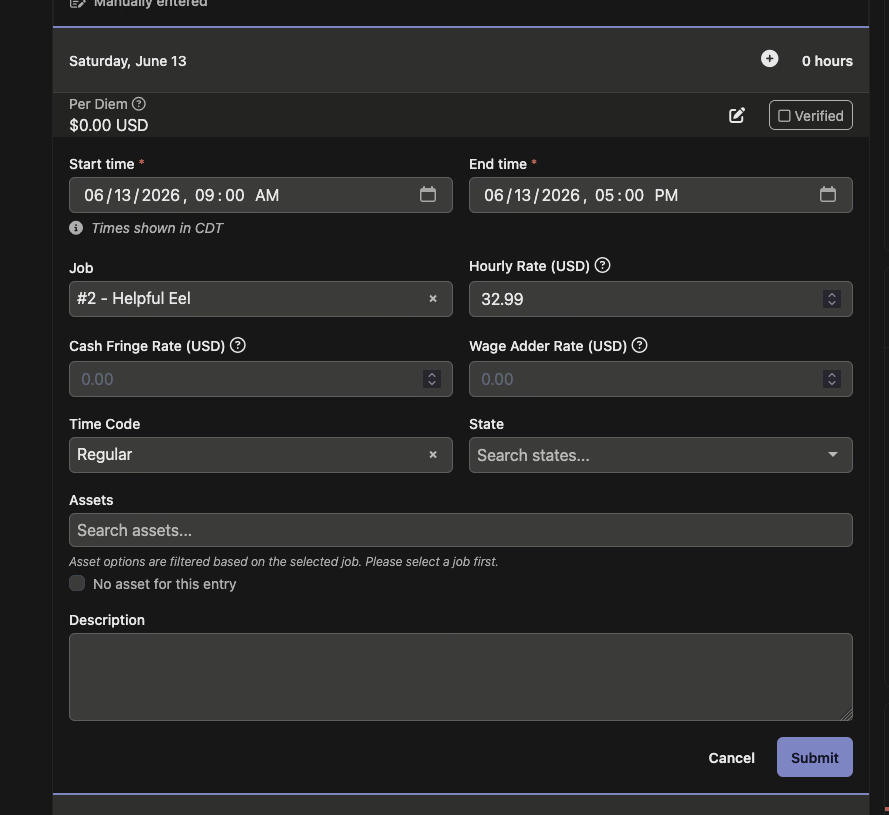
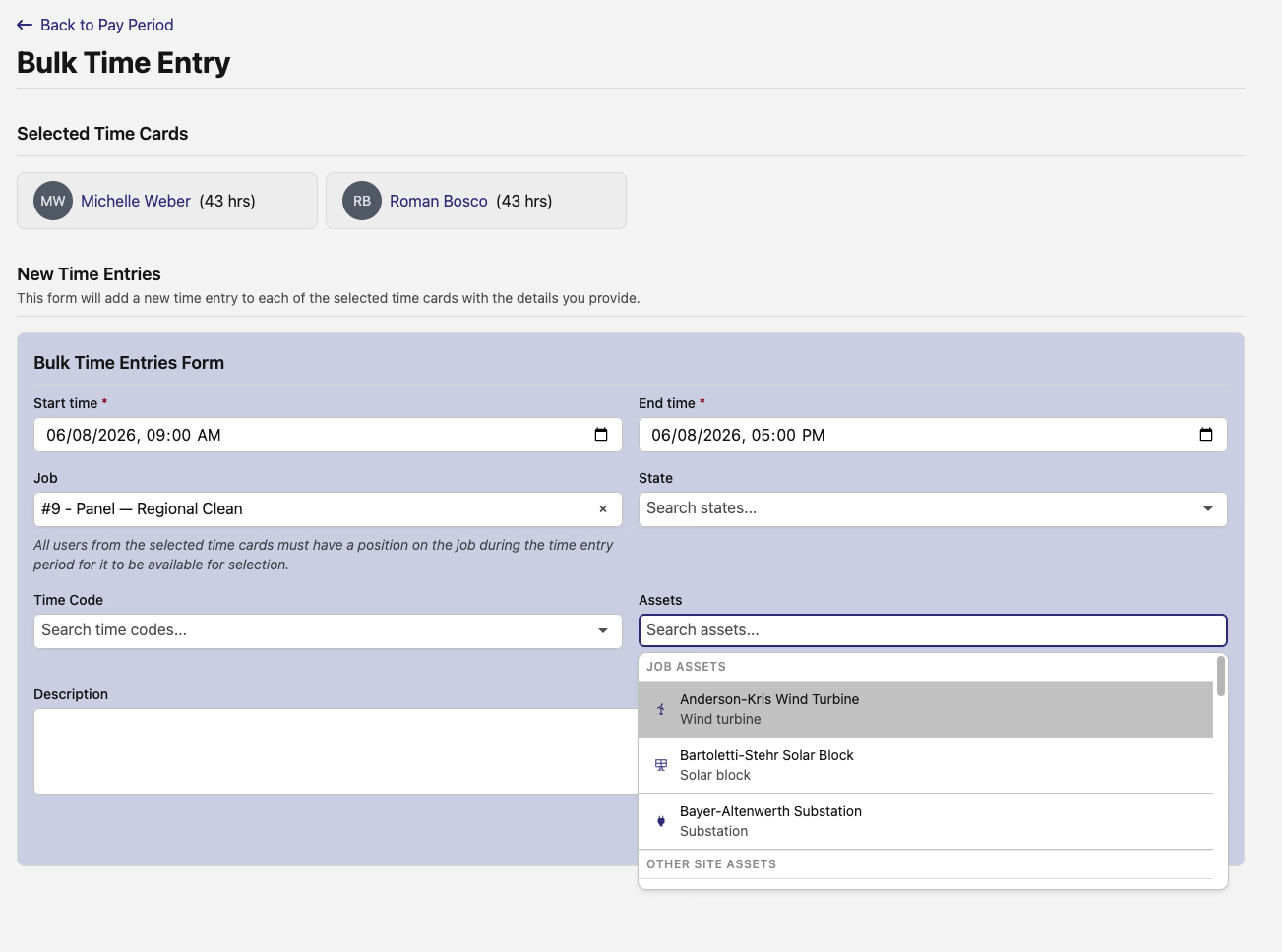
On a time entry, that shows up as the Assets picker with a No asset for this entry option right beneath it — so even time with no asset is an explicit answer, not a blank.
These rules are in beta — reach out if you'd like them switched on for your team.
⏱️ A faster bulk time entry form
The Bulk Time Entry page — reached from a pay period, for adding the same entry across several workers' time cards at once — gets a refresh. The Job, State, and Time Code fields are now searchable type-aheads, and the State and Time Code options narrow to match the job you pick.
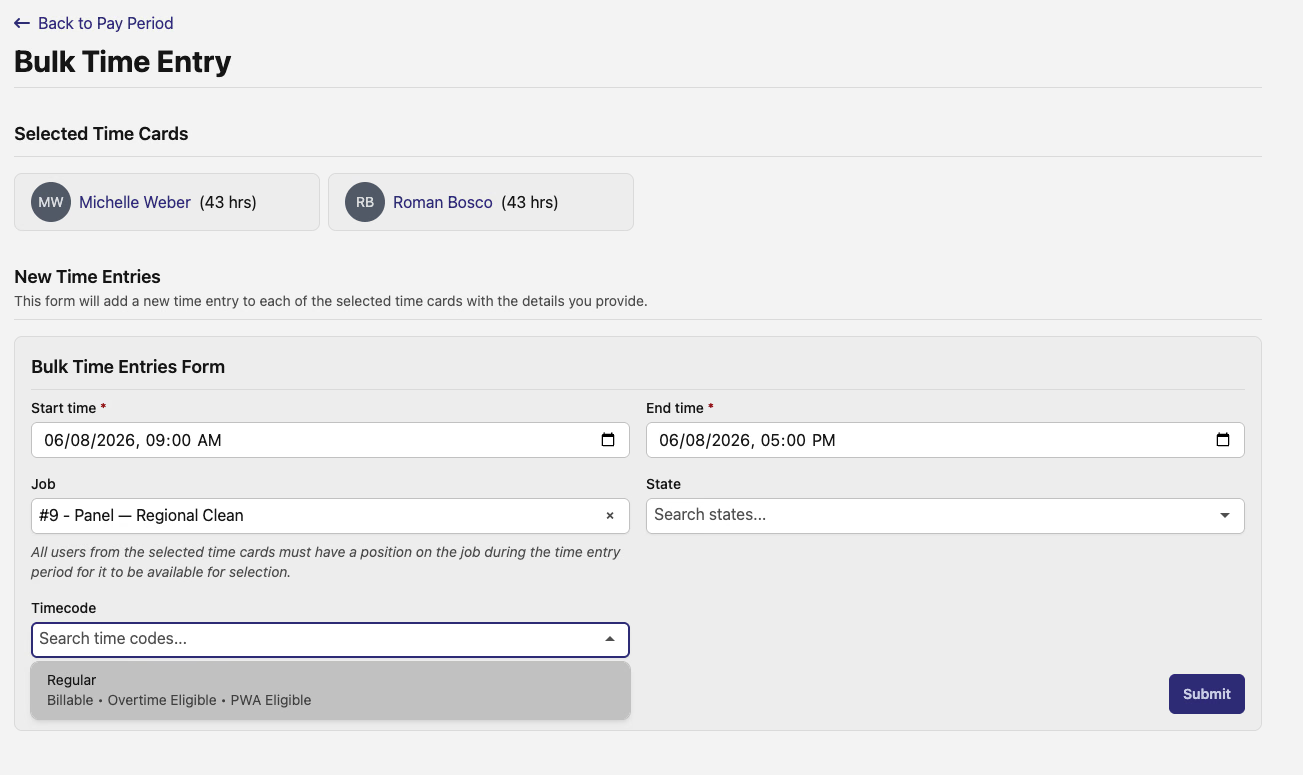
Two fields join the form: a Description, and an Assets picker grouped into Job assets and Other site assets so the right asset is easy to find. Both carry through to every entry the form creates, and the confirmation now lists the description and assets you chose.
📆 Scheduler: drag to reassign
The job scheduler — open it from the Scheduler button on a job's Positions tab — now lets you reassign a position by dragging. Drop a position bar onto a different worker's row and that worker takes it over. It pairs with last release's worker filtering, so you can narrow to the right people and hand off work without leaving the timeline. Still in beta.
🛠️ Fixes
- Job wage determinations now show on jobs whose dates fall in the past or future, not only on jobs running right now — and the same fix applies to projects. Links that point to a determination that no longer applies redirect to the most relevant one instead of dead-ending.
- Compliance requirements filters keep your selected company when you clear filters, instead of dropping the company along with everything else.
Service schedules to keep your assets in good standing, a tighter grip on what gets logged against each job, and easier reassignment on the schedule. Let us know what you'd like next!
The DSPTCH Team