June 10, 2026 Release Notes

This release leans into PWA compliance: a new check catches underpaid cash fringe before payroll locks, federal apprenticeship ratios are computed more accurately, and pay summaries now name regional interest and damages by state. Alongside that, a beta rate-sheet manager, collapsible panes in the form inbox, a faster site search in OverSite, asset site types, and five new REST API resources. ⚖️
⚠️ Catch underpaid cash fringe before payroll
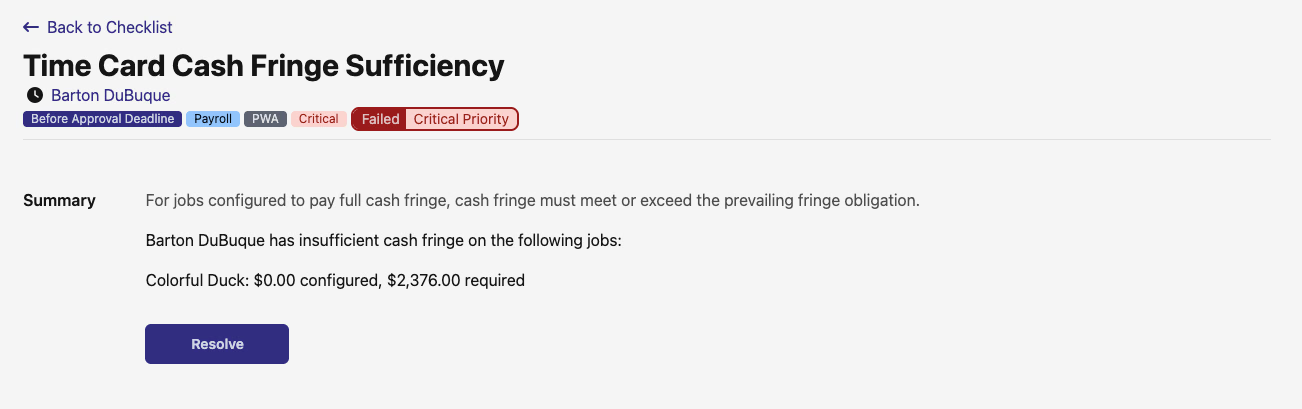
DSPTCH now runs a Time Card Cash Fringe Sufficiency check that flags any time card where a full-cash-fringe job is set to pay less cash fringe than its prevailing fringe obligation. It runs before the approval deadline, so you can correct the rate before workers are underpaid and the period is certified. The check compares each job's configured cash fringe against the higher of its federal and regional fringe obligation — overtime fringe included — and spells out which job falls short and by how much.
🎓 More accurate federal apprenticeship ratios
Federal apprenticeship ratio checks are sharper on jobs that span multiple trades or use a registered program whose apprentice-to-journeyworker ratio isn't one-to-one. DSPTCH now evaluates each worker against their own registered program's ratio, grouped by trade and classification, when deciding who counts as in-ratio. That carries through to more accurate apprentice counts and back-pay treatment when a job mixes trades or programs.
🏛️ Regional interest and damages, labeled by state
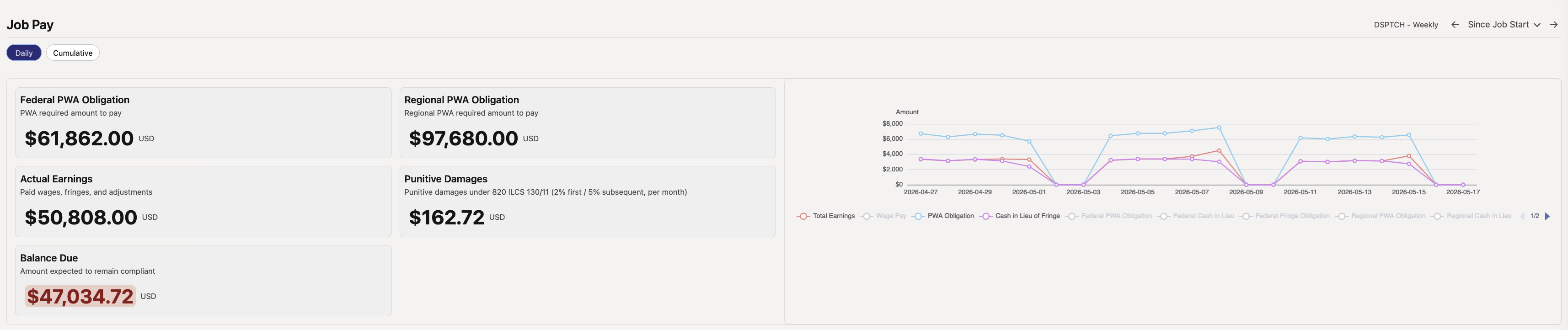
Regional prevailing-wage interest and damages now carry state-specific labels and tooltips on pay summaries. On an Illinois job the amount shows as Punitive Damages with the statute it's drawn from; California, New York, Oregon, and Washington each get their own wording, and anything unsupported falls back to a plain "Interest" label. A dedicated regional interest and damages card appears on the Job Pay summary whenever a regional PWA job has a positive amount, and the time card's PWA pay section uses the same state-aware labeling.
💵 Rate sheets in Settings (beta)
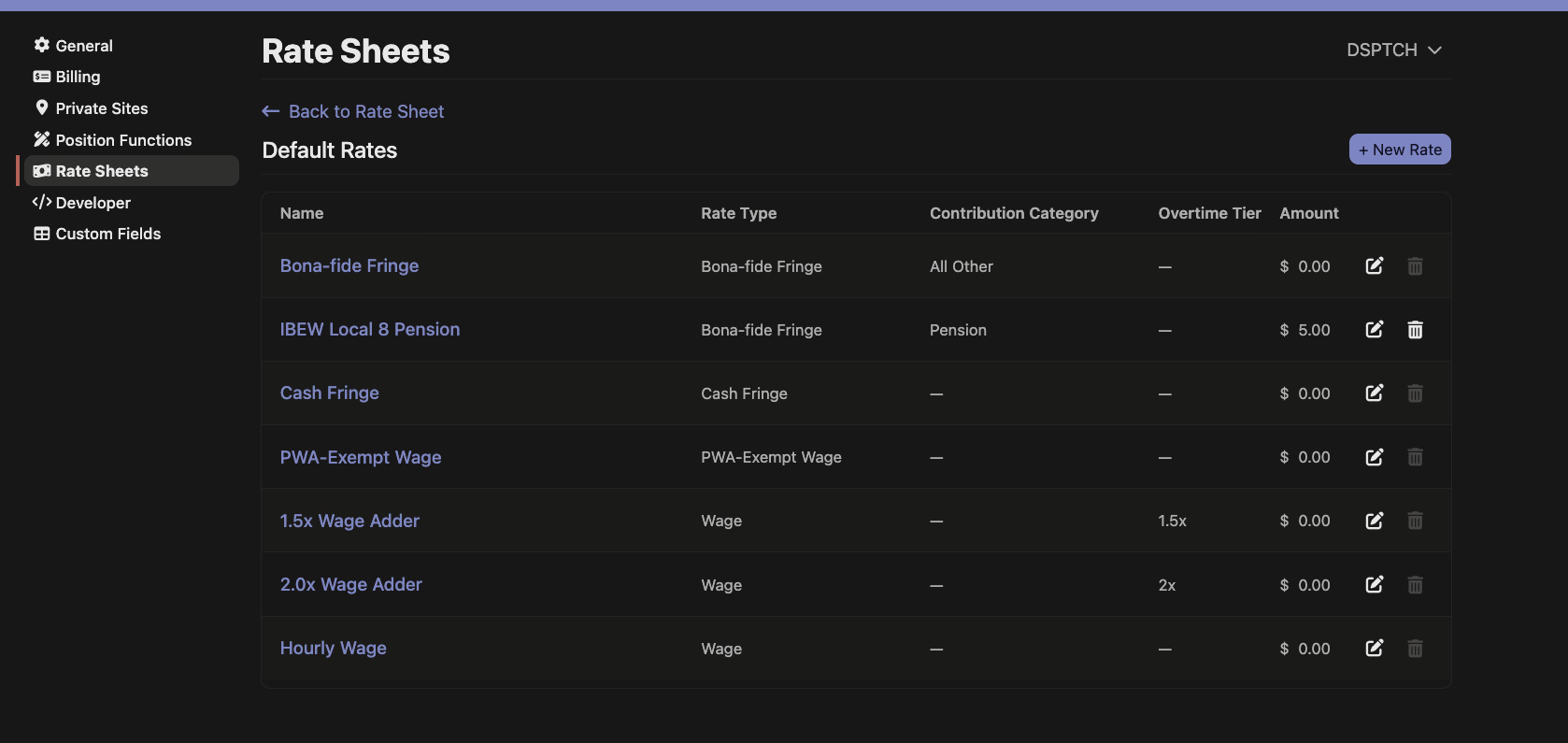
Admins in the beta can now manage company pay rates as rate sheets under Settings. Each sheet lists its rates — hourly wage, cash fringe, bona-fide fringe, overtime adders, and PWA-exempt wage — with the rate type, contribution category, overtime tier, and amount, and you can add, edit, or remove rates right from the sheet. This is behind a beta flag, so it isn't visible to everyone yet.
🗂️ Collapse panes in the form inbox
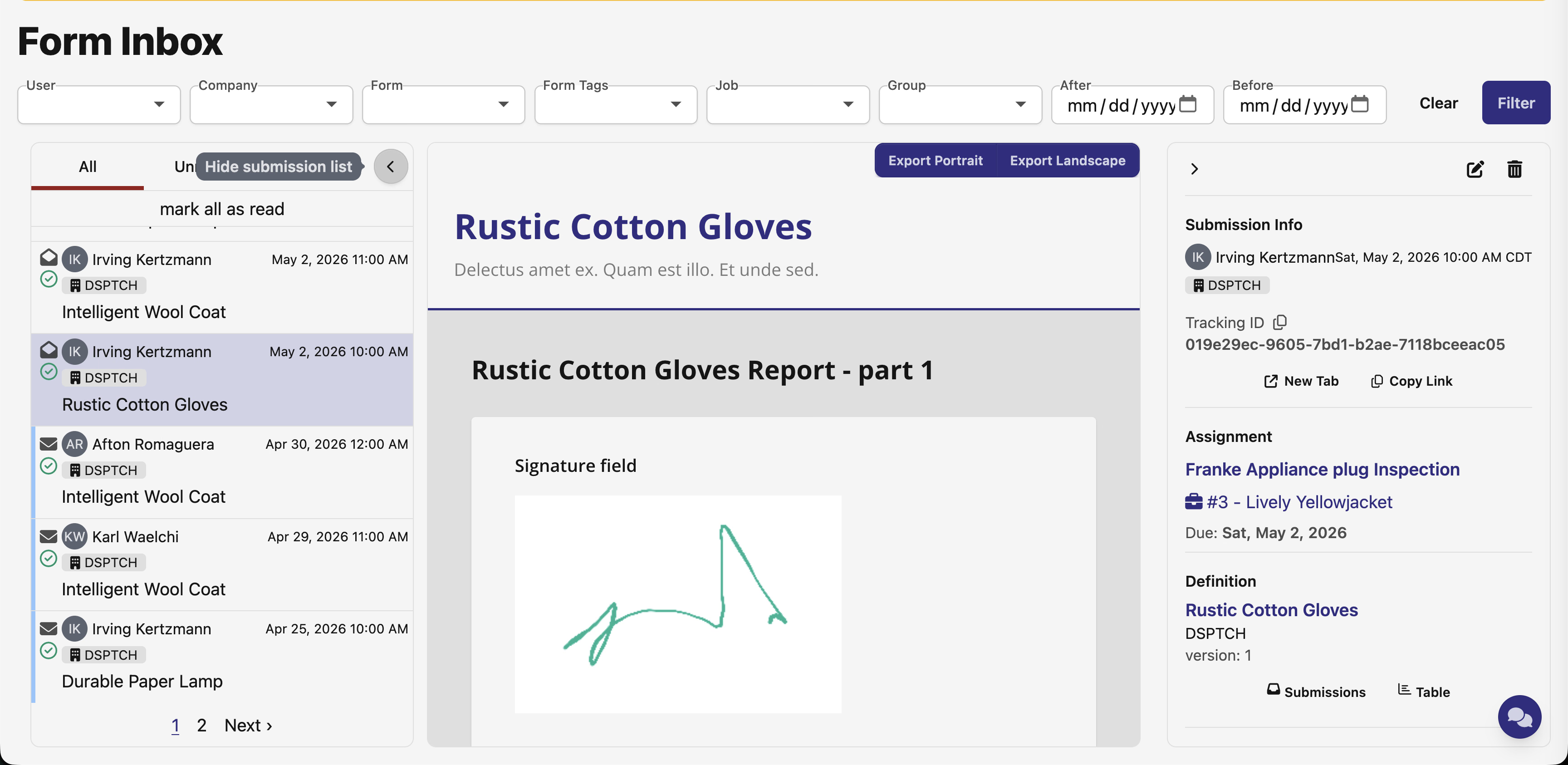
The form submission inbox now lets you collapse the left submission list and the right details panel, giving long or wide forms more room on screen. Each inbox remembers which panes you've collapsed, and the state stays put as you click between submissions.
🗺️ Faster site search in OverSite
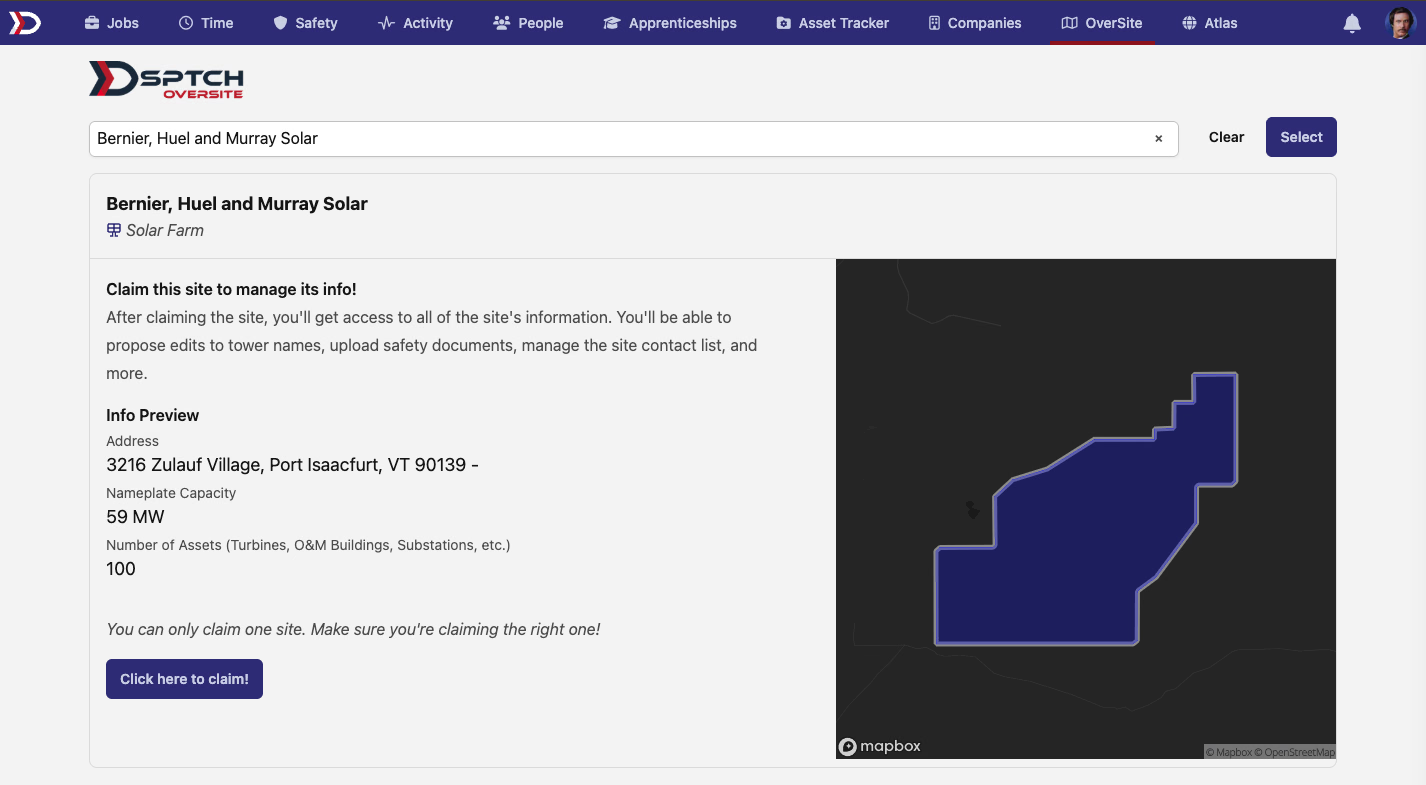
Claiming a site in OverSite starts with finding it, and that search is now a type-ahead. Start typing on the Find a site to claim page and matching sites appear as you go — only sites with a mapped boundary show up — and picking one jumps straight to its preview, with the address, nameplate capacity, asset count, and a map of the site before you claim it.
📦 Asset site types
Asset sites can now be categorized by type — warehouse, yard, trailer, conex, and more — so you can tell a fixed location apart from mobile or temporary storage when tracking where your assets live.
🔗 Integrations
- Motive integration status — if your company is connected to Motive, the company settings page now shows whether that connection is healthy and prompts you to reconnect when it needs re-authentication, so a stalled fleet sync no longer fails silently. Setup stays managed for you — the status only appears once a connection exists.
🔌 API additions
- Projects — full create, read, update, and list for projects, with filters for federal and regional PWA mode and external ID. Writes flow through the same PWA mode cascade to child jobs as the web app.
- Compliance checks — list and read PWA compliance checks across companies, jobs, projects, time cards, and people, and update a check's status and due date. Filter by status, type, job, project, requirement, or due date.
- Apprenticeship programs — read the apprenticeship programs your company sponsors or is enrolled in, along with each program's occupations, wage schedules and pay periods, and its apprentices (filterable by status or worker).
- Time card lock/unlock — lock or unlock a time card over the API — the same post-payroll freeze the web app enforces — and read a time card's lock state from the time cards endpoints.
- Departments — list, create, and update company departments.
🛠️ Fixes
- Password managers and browser autofill no longer offer to fill ordinary form and filter fields — only genuine credential fields like email, password, and one-time codes invite autofill.
- Form fields are easier to see while filling out a form — editable inputs now show a distinct surface and visible edge in both light and dark mode, instead of blending into the page background.
A PWA-heavy release, with a new safeguard against underpaid fringe and clearer penalty reporting up front. As always, reach out if you have any questions!
The DSPTCH Team