June 2, 2026 Release Notes

New York joins Illinois on the prevailing-wage penalties page this release, and a new first-versus-subsequent-violation toggle lets you assess Illinois penalties at either rate. Multi-year jobs and projects can now total their exposure across every work year at once, a new Project Time tab rolls up hours across all the jobs in a project, and custom wage-determination rates can be changed or ended on a future date.
⚖️ New York prevailing-wage penalties, plus a first/subsequent-violation toggle
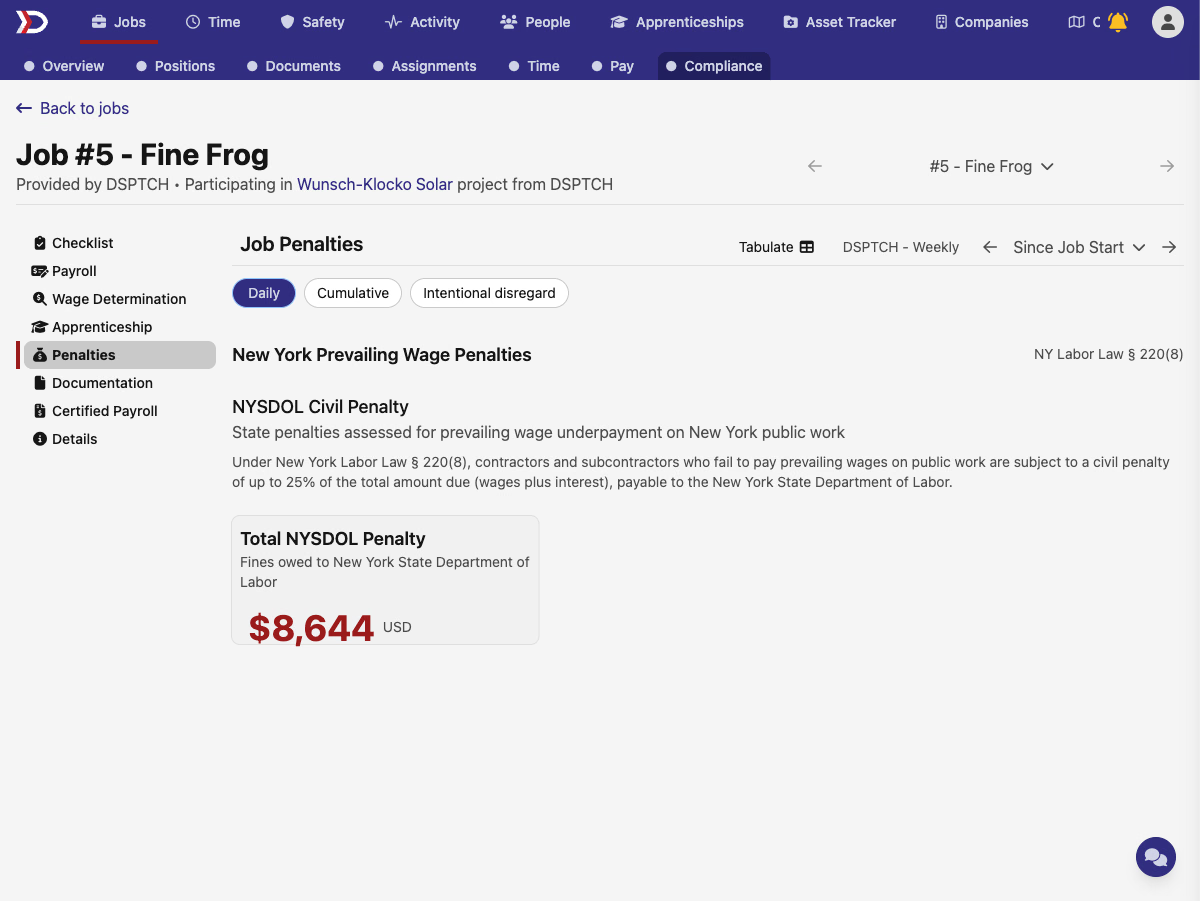
New York joins Illinois as a supported civil-penalty jurisdiction. Any job or project with New York prevailing-wage work now shows a dedicated New York Prevailing Wage Penalties section on the Penalties page, citing NY Labor Law § 220(8) and calculating the NYSDOL civil penalty at up to 25% of the outstanding wages plus interest. Jobs and projects that span more than one state get a separate penalty section per state, so Illinois and New York exposure sit side by side.
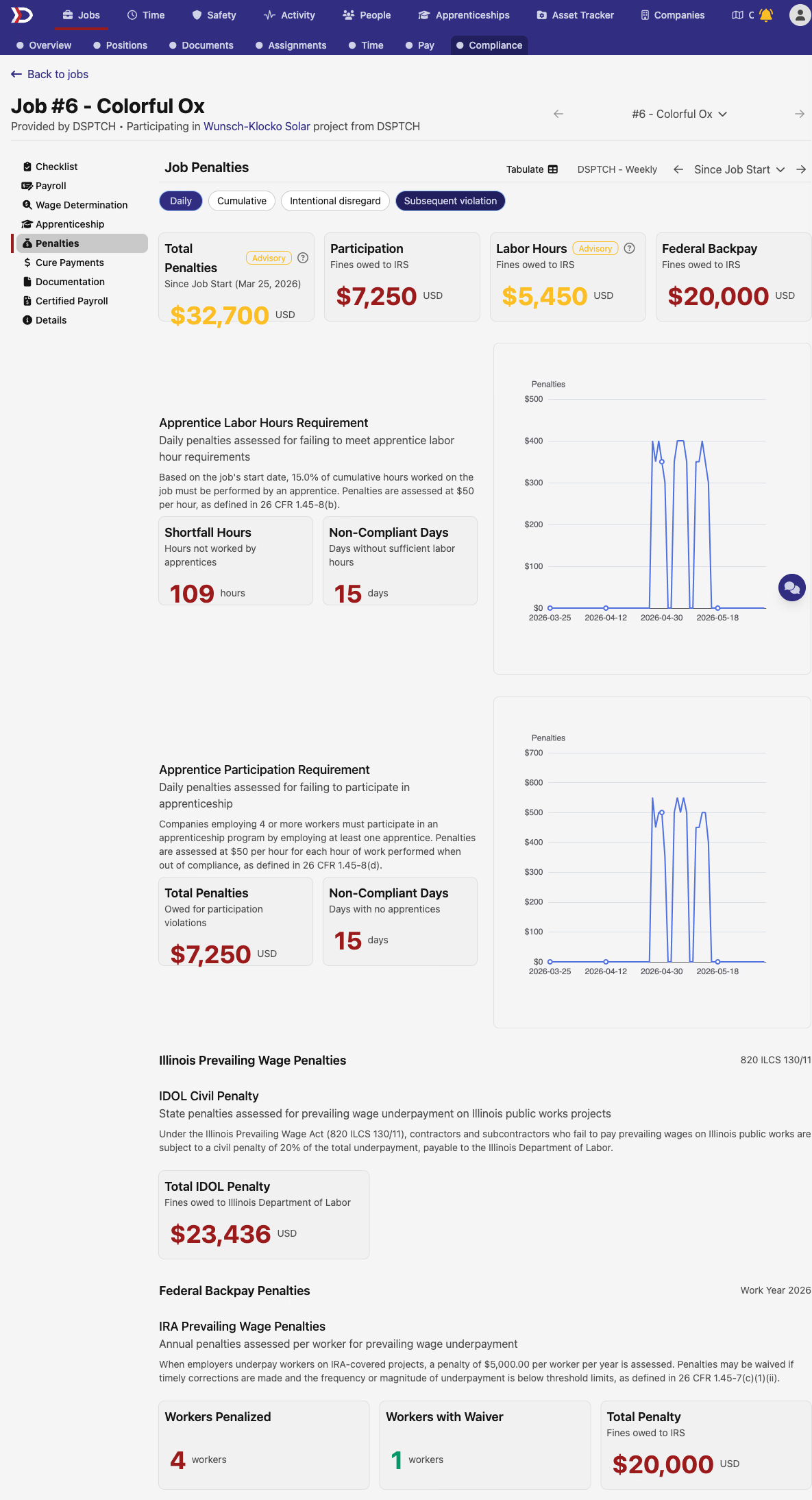
Illinois penalties also pick up a Subsequent violation filter. Toggle it on and the IDOL civil penalty switches from the first-violation rate (20%) to the subsequent-violation rate (50%) under 820 ILCS 130/11, so you can see exposure at either severity. The filter only appears where it applies — states with a single statutory rate, like New York, don't show it.
📅 See exposure across all work years at once
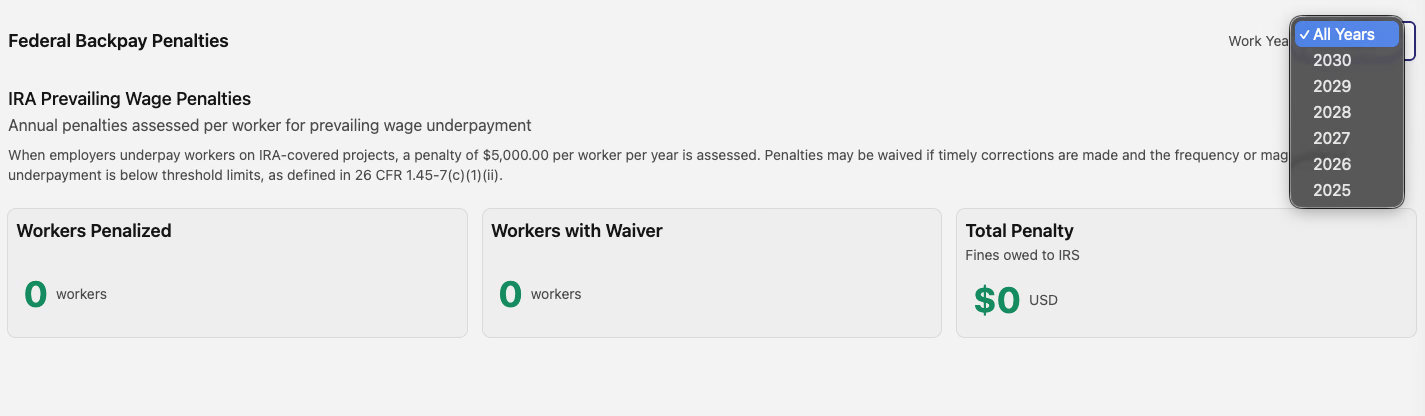
Multi-year prevailing-wage jobs and projects no longer make you pick a single year to see your backpay exposure. The work-year selector now leads with an All Years option, and multi-year work defaults to it — so the financial-exposure and backpay-penalty totals add up every work year in one view. Choose a specific year from the same dropdown whenever you want to narrow back down.
🗂️ A new Project Time tab
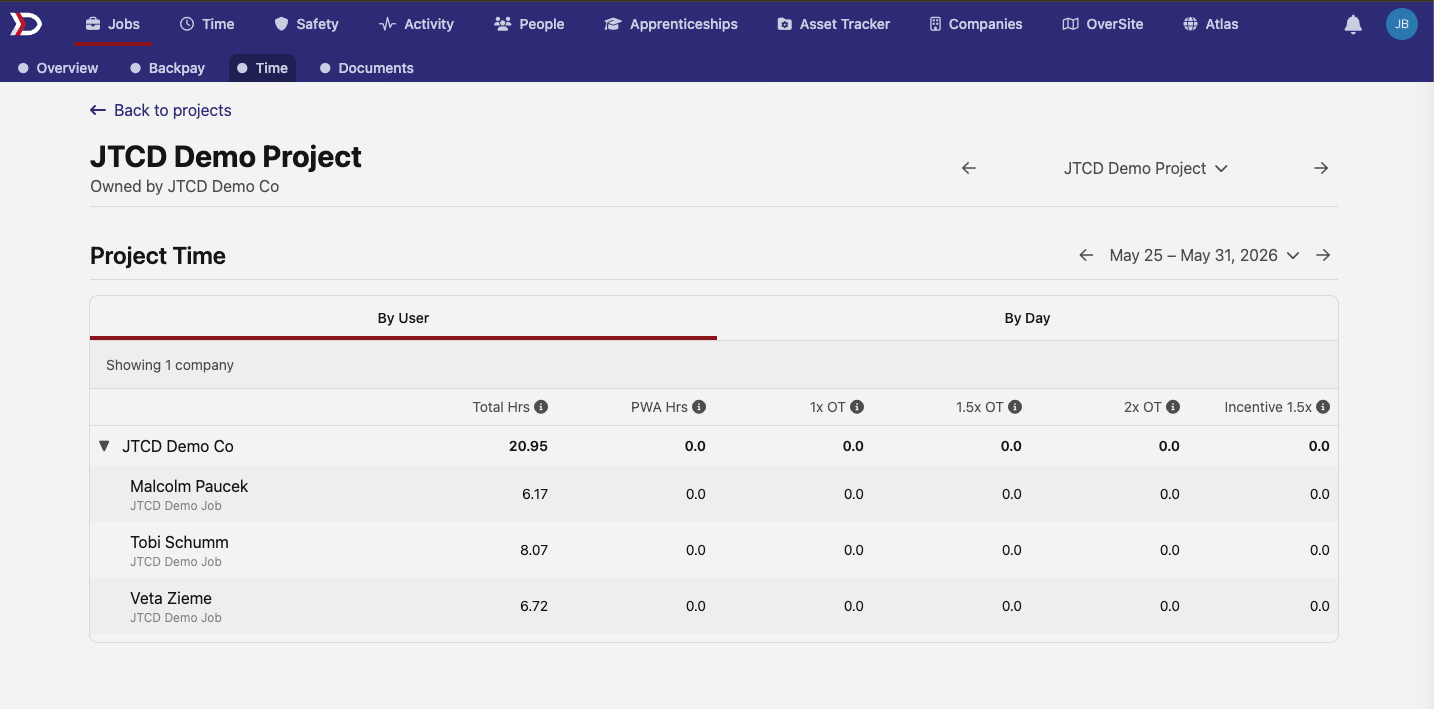
Projects get a new Time tab that rolls up time across every job in the project. Switch between By User and By Day views, and use the week picker to step through the project's weeks. Hours are grouped by company and then broken down per worker — with the job each entry came from — alongside totals for regular, prevailing-wage, overtime, and incentive hours.
⏱️ A refreshed Job Time page and a consistent pay-period selector
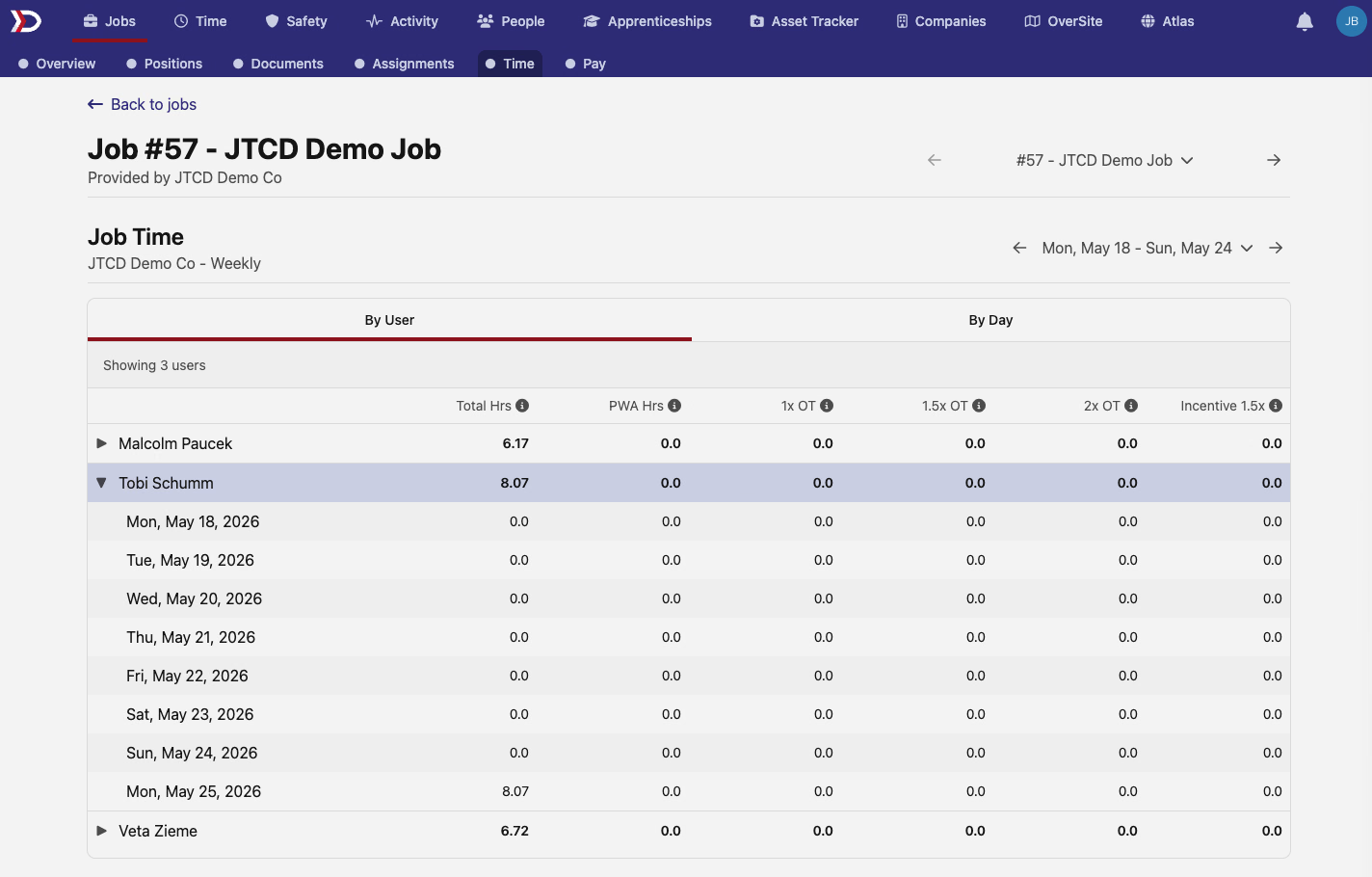
For jobs whose time is imported as daily totals — rather than tracked entry-by-entry in DSPTCH — the Job Time page gets a cleaner layout: By User and By Day views, rows you can expand to drill into the day-by-day breakdown, full dates on every row, and tightened column headers (Total Hrs, PWA Hrs, 1x / 1.5x / 2x OT, and Incentive 1.5x).
The pay-period selector got standardized across the board, too. The dropdown for jumping between pay periods is now the same searchable control — with previous/next arrows and a Since Job Start option — on the Job Pay, Penalties, and Time pages.
🛂 Schedule changes and terminations for custom wage-determination rates
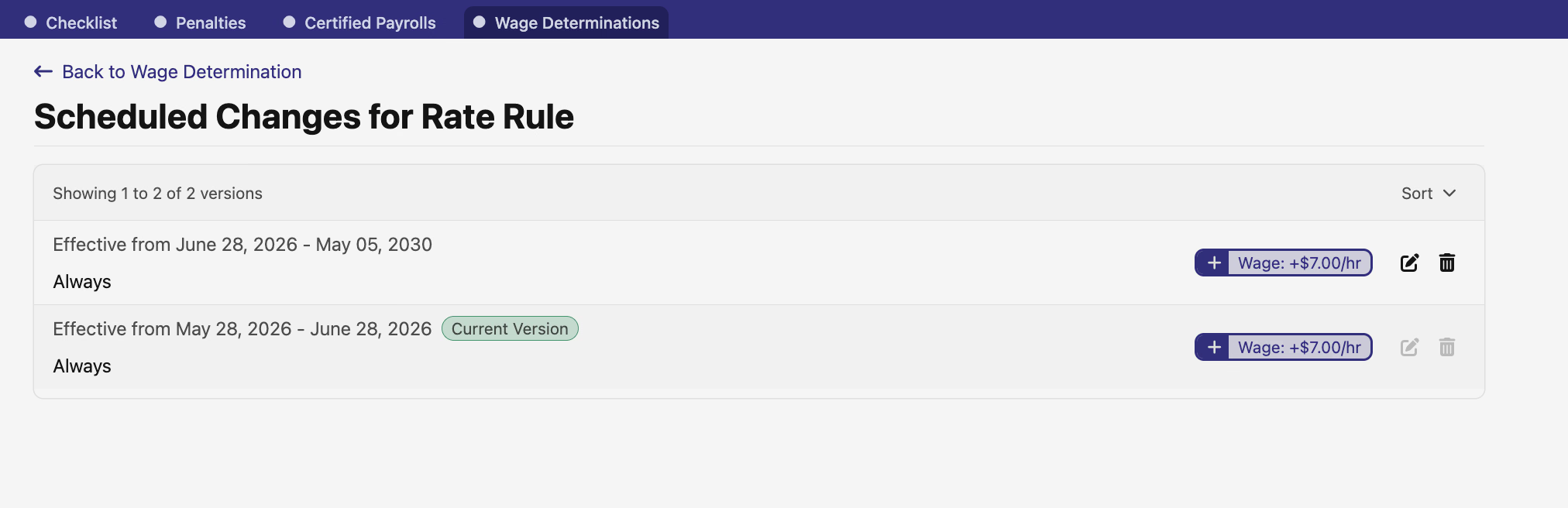
Custom prevailing-wage rates on a project's wage determination can now change on a schedule. Add a Schedule Change to have a rate take effect on a future date, or a Schedule Termination to end a rate on a set date — each rate keeps a clear timeline of its current and upcoming versions with their effective-date ranges. Job-level wage determinations show these scheduled changes too, read-only.
📚 The API reference is now public
Our API reference is now public. The API link in the top navigation — and everything under the support docs — no longer sits behind a login, so anyone evaluating an integration can browse the endpoints without an account. The reference covers the public v1 API (jobs, time entries, payroll, users, certifications, wage determinations, and more); an API key is still required to make real calls, and the docs themselves can't issue them.
🛠️ Fixes
- Apprenticeship penalties for small contractors no longer appear for contractors below the federal four-worker apprenticeship-participation exemption — they were previously showing exposure that didn't apply.
- Project schedule date limits now reflect work nested at any depth in a project, not just its direct jobs and sub-projects, so the range you can set on the project schedule form (and the Earliest / Latest date suggestions) covers the whole hierarchy.
- Certified-payroll earnings exports now include regional prevailing-wage obligations, matching the balance shown on the time card; previously these exports counted only the federal obligation.
Questions or feedback on anything here? We're always glad to hear from you.
The DSPTCH Team