July 15, 2026 Release Notes

Scheduling and field reporting lead this release. The Scheduler can now organize work by job, time exports carry federal labor details, and map and timekeeping pages gain quicker controls. The API can also create, update, and delete production completions.
📅 Schedule by job
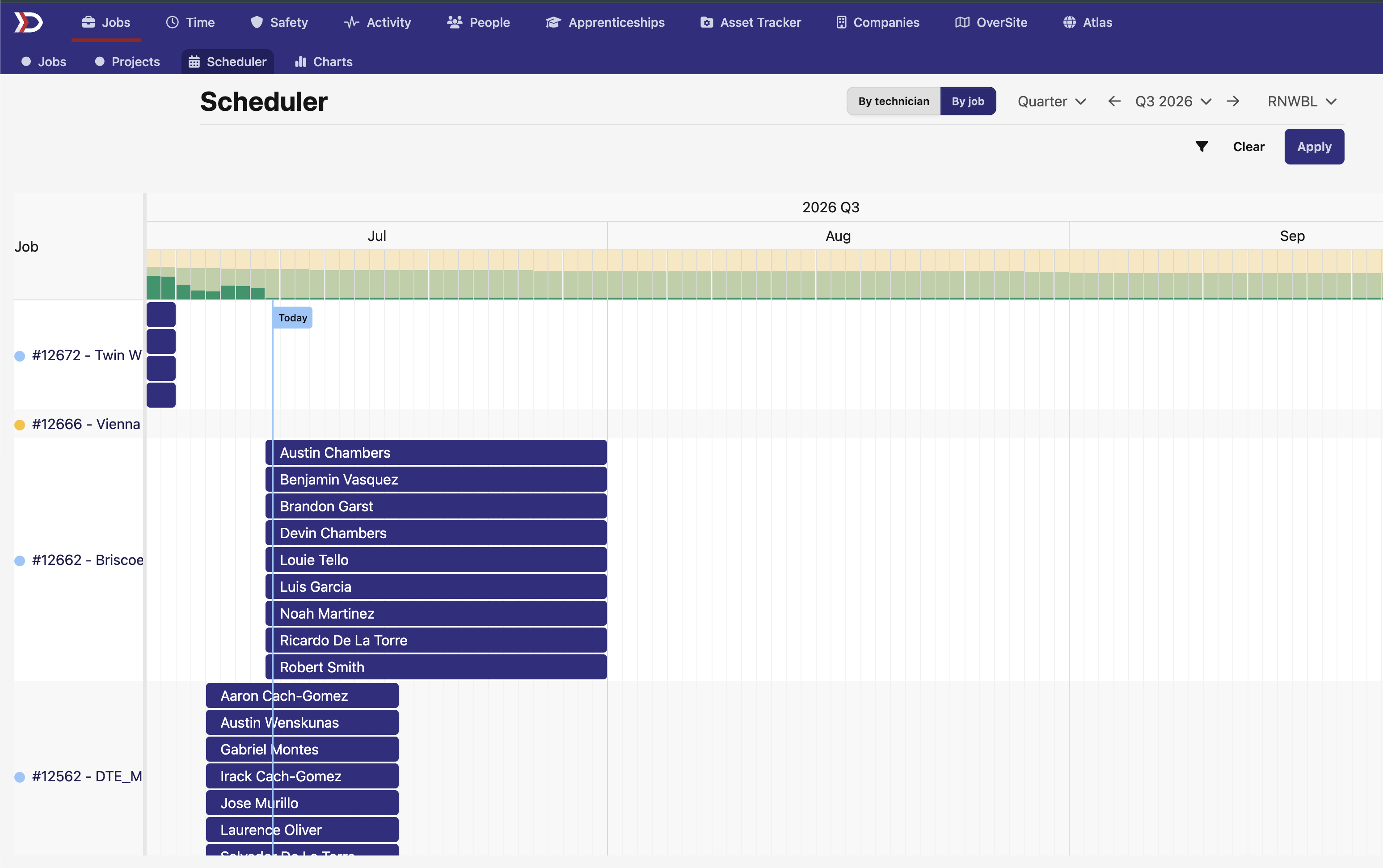
The Scheduler now lets you switch between By technician and By job. The job view organizes each row around a job and shows assigned technicians across the timeline, making it easier to review staffing one job at a time.
The view initially filters to jobs managed by you. Manager, Work Types, and Customer filters help you focus the schedule on the work you need to review.
📤 Include labor details in time exports
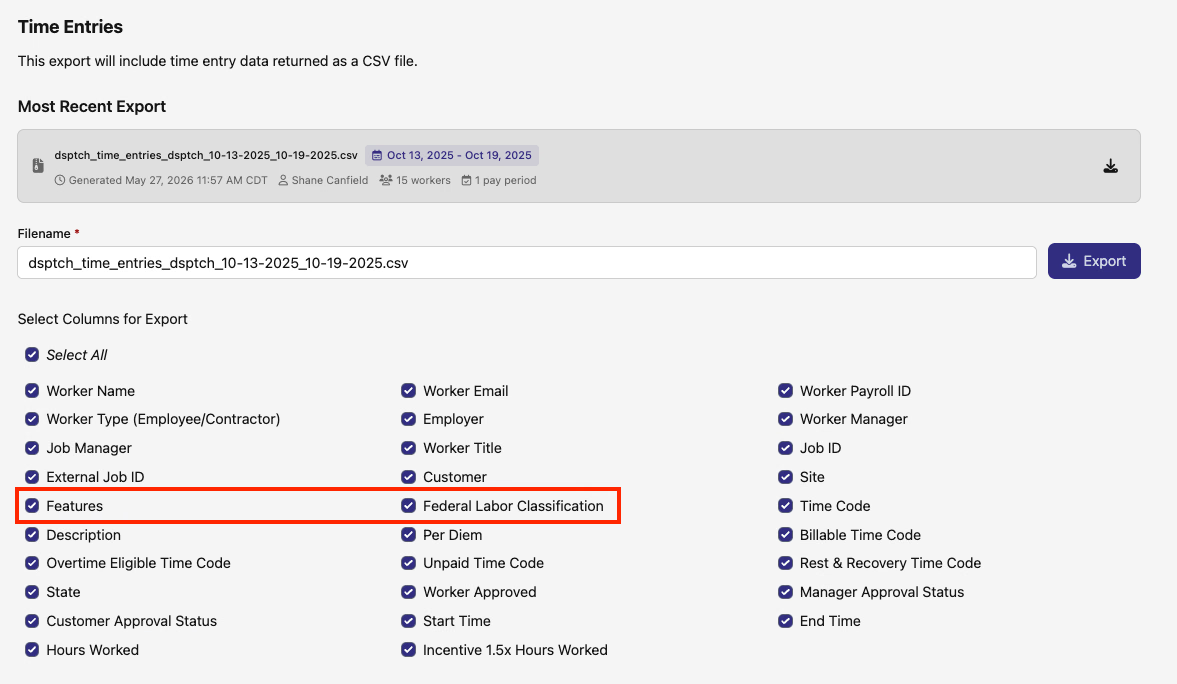
The Time Entries export now offers Federal Labor Classification as a selectable CSV column alongside the existing Features column. This keeps the labor classification attached to each detailed time-entry row when you prepare payroll or compliance data.
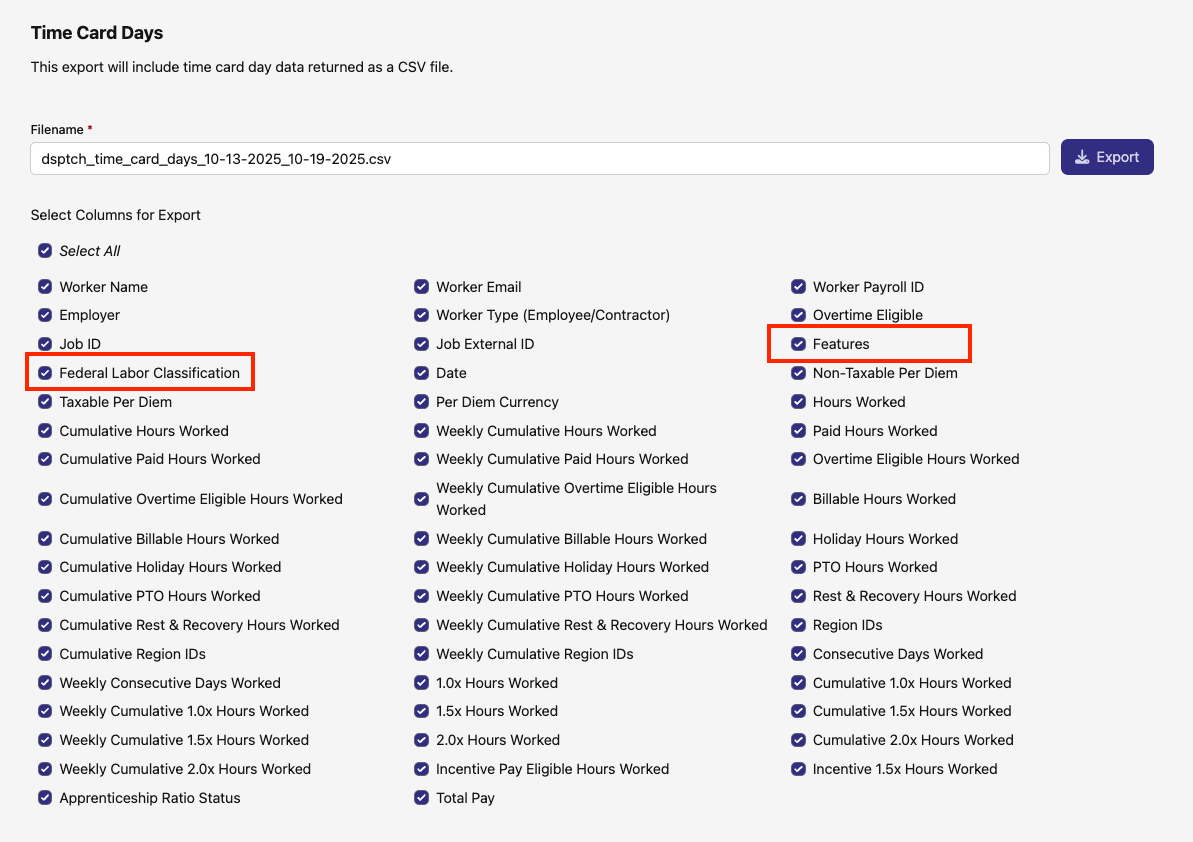
The Time Card Days export now offers both Federal Labor Classification and Features. Select either column to include the classifications and job features represented in each daily aggregate.
🗺️ Keep map styles in reach
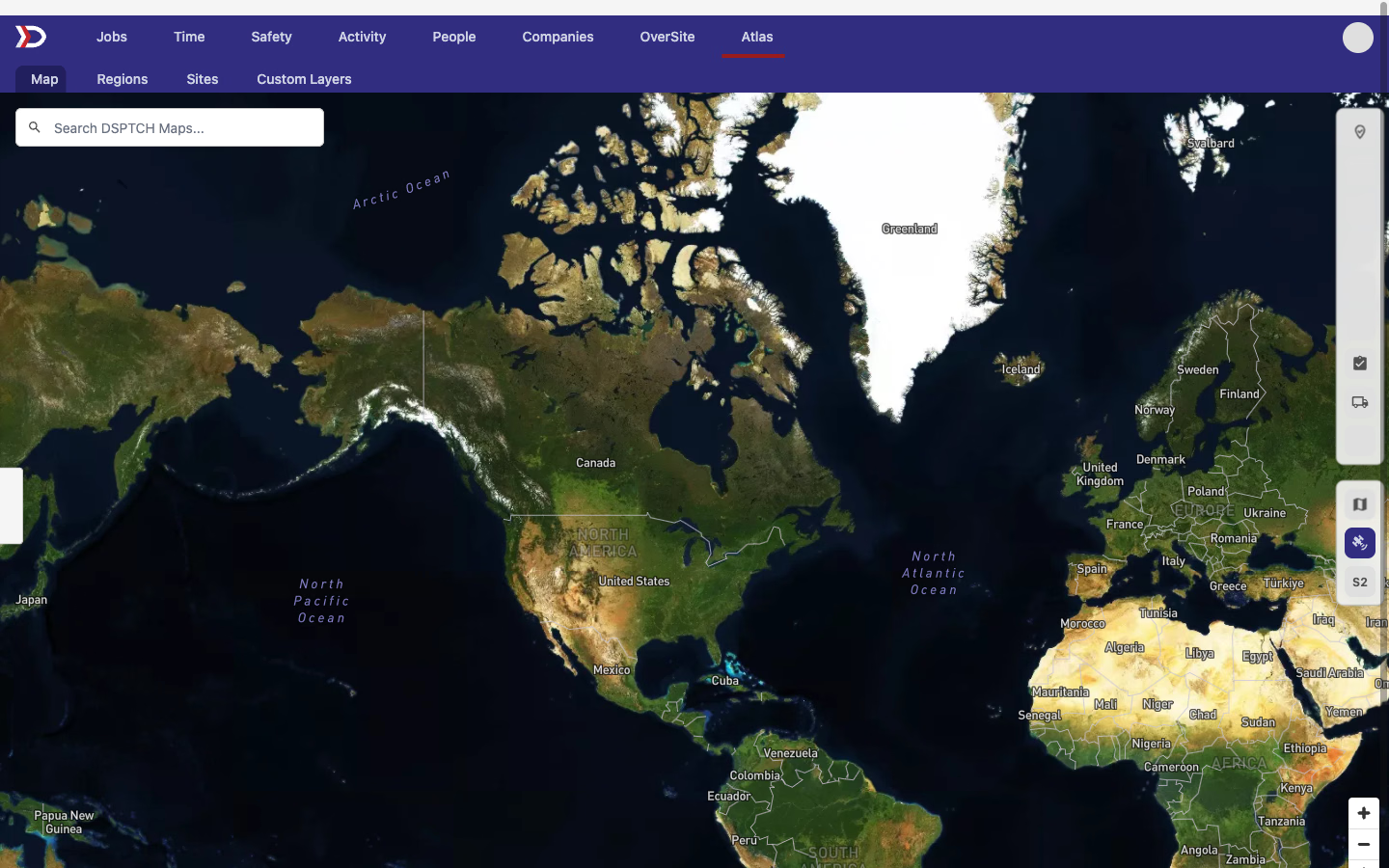
The Default, Satellite, and Sentinel map styles now stay visible along the map's right edge, with the active style highlighted. Full maps use a vertical selector, while smaller maps use a compact horizontal layout that stays within the available space.
🔗 Share clean timekeeping links
Pay-period Time Cards and individual Time Card headers now include a Share button. It opens your device's share sheet when supported or copies a clean link without the filters and navigation details from your current URL.
The pay-period button is available from both the Time Cards and Checklist tabs, so you can share the same pay period from either view.


🔌 API additions
- Production completions —
POST /api/v1/production/completions,PATCH /api/v1/production/completions/{id}, andDELETE /api/v1/production/completions/{id}now let integrations record, revise, and remove completed production work. Creates support the work date, quantity, notes, crew positions, and the user who performed the entry; updates can revise the editable details and replace the crew.
Have feedback or a feature request? Reach out — we'd love to hear from you.
The DSPTCH Team