July 16, 2026 Release Notes

This release brings project-wide production visibility, more flexible asset catalog organization, and clearer payroll exports. It also tightens up form filtering and satellite coverage in Atlas.
🎯 Review production completions across a project
Projects with production tracking now have a Production tab that brings completion activity from their jobs into one view. See total completed quantities and total billed amounts, then filter the list by job, scope, crew member, person who filed the completion, or work date. Create and edit completions from the individual job where the work is recorded.
Project completion lists and job Scope Prices now use the same clear headers, summary cards, and table layout as other DSPTCH index pages. When you move between jobs or projects with the navigation controls, DSPTCH keeps you on the same production tab whenever that destination supports it.
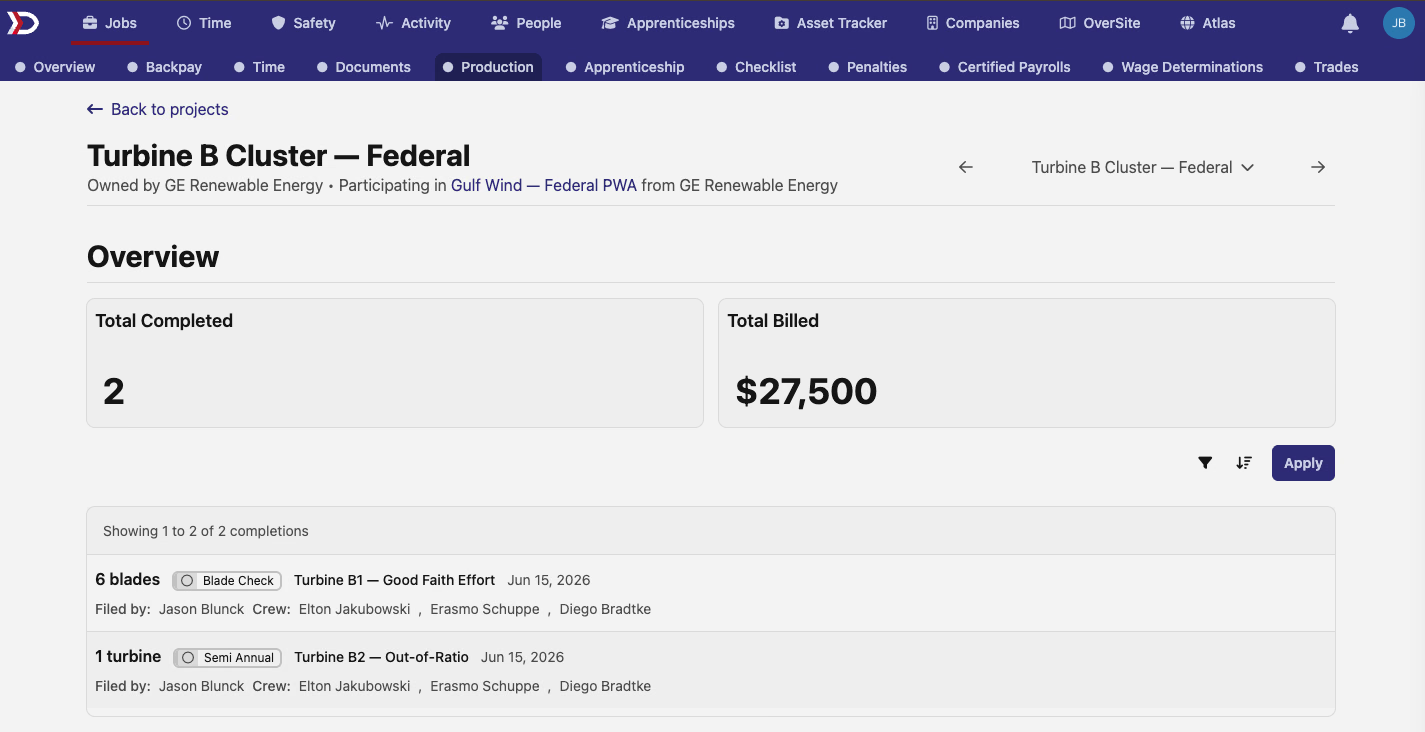
The list also includes quick filters and sorting options, so you can focus on the work that needs review.


🧰 Organize your asset catalog and review assigned items
Asset Tracker now supports company-specific category trees and reusable attributes. Set up categories such as Tools, Power Tools, and Drills; assign the attributes that apply to each category; and choose whether each value belongs on the product or the individual tracked item. Required fields and inherited category attributes help keep catalog details consistent.
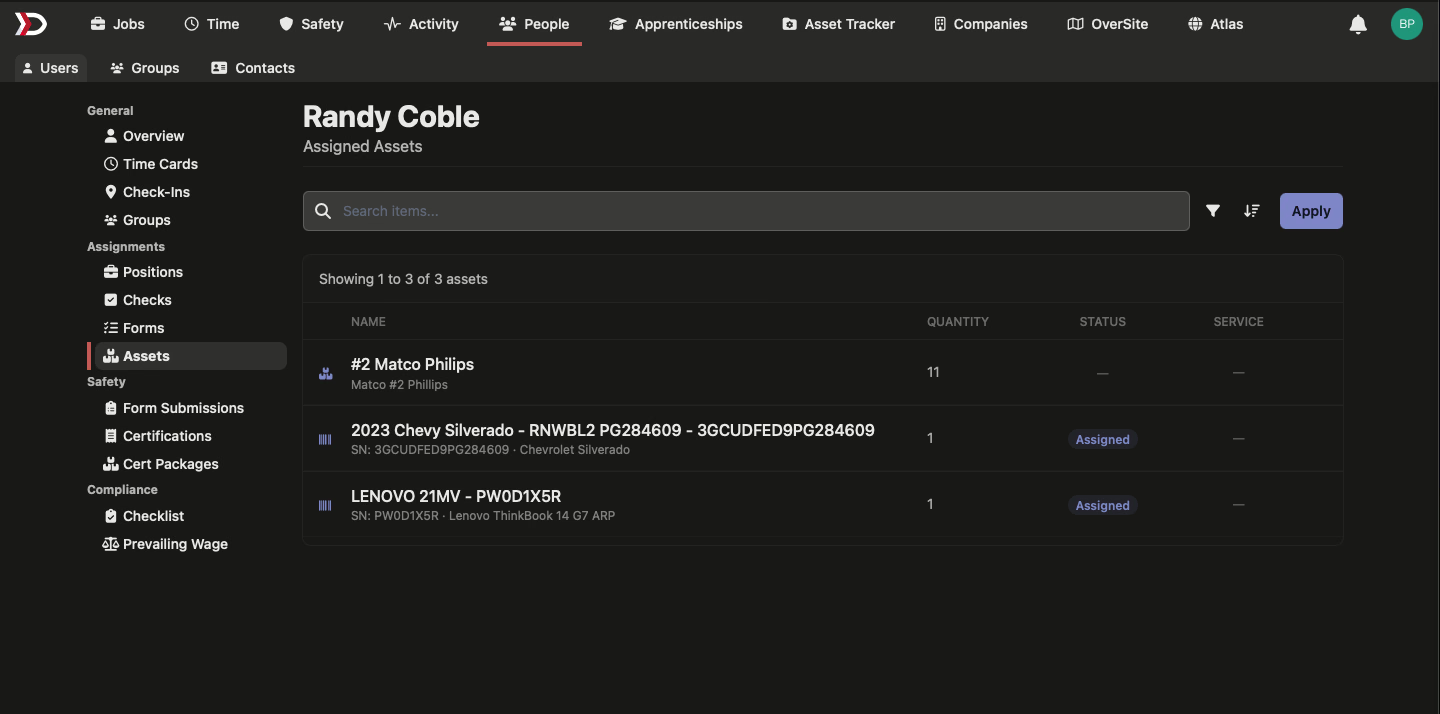
People profiles now have an Assets tab that lists the items in each person's possession. Search and filter the list to review quantities and assignment status without leaving the person's record.
📤 Include regional labor classifications in time exports
Time exports can now include a Regional Labor Classification column alongside the federal classification. Turn the new export option on when your reporting needs both classifications.


🧾 Separate double-time rows on California WH-347s
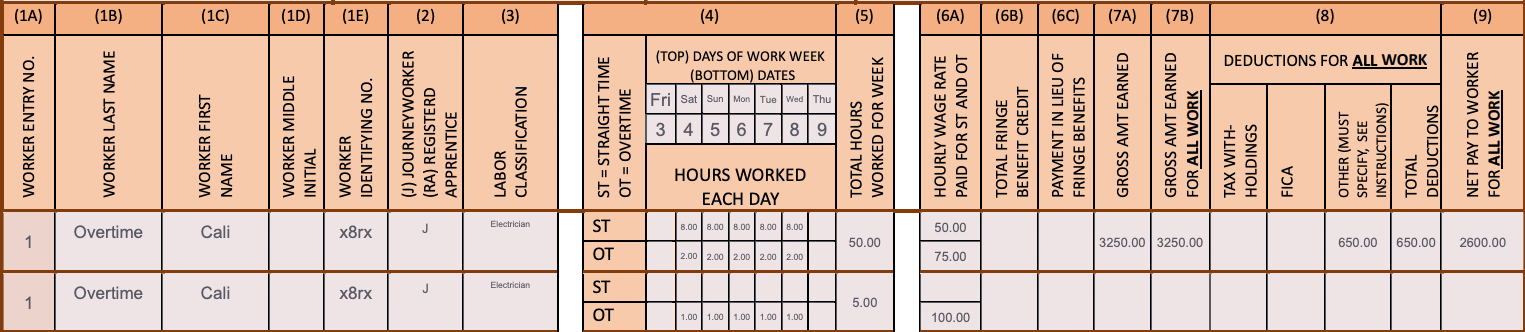
California WH-347 exports now show double-time hours on their own continuation row instead of blending them with overtime. Each overtime tier has its own hours and rate, making the report easier to review.
🛠️ Fixes
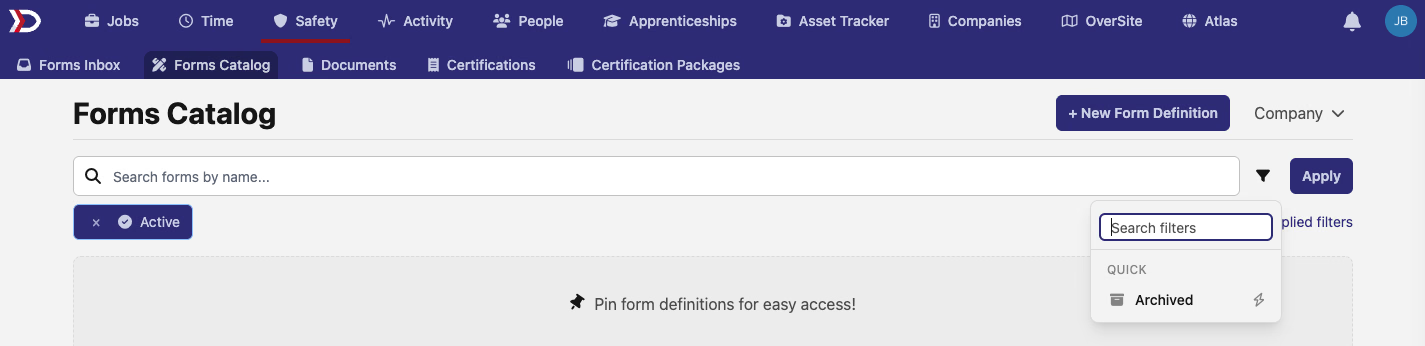
- Forms Catalog filters now use clear Active and Archived controls, while keeping Active selected by default for a fresh search.
-
Production editing now returns safely to the list when you cancel an edit.
-
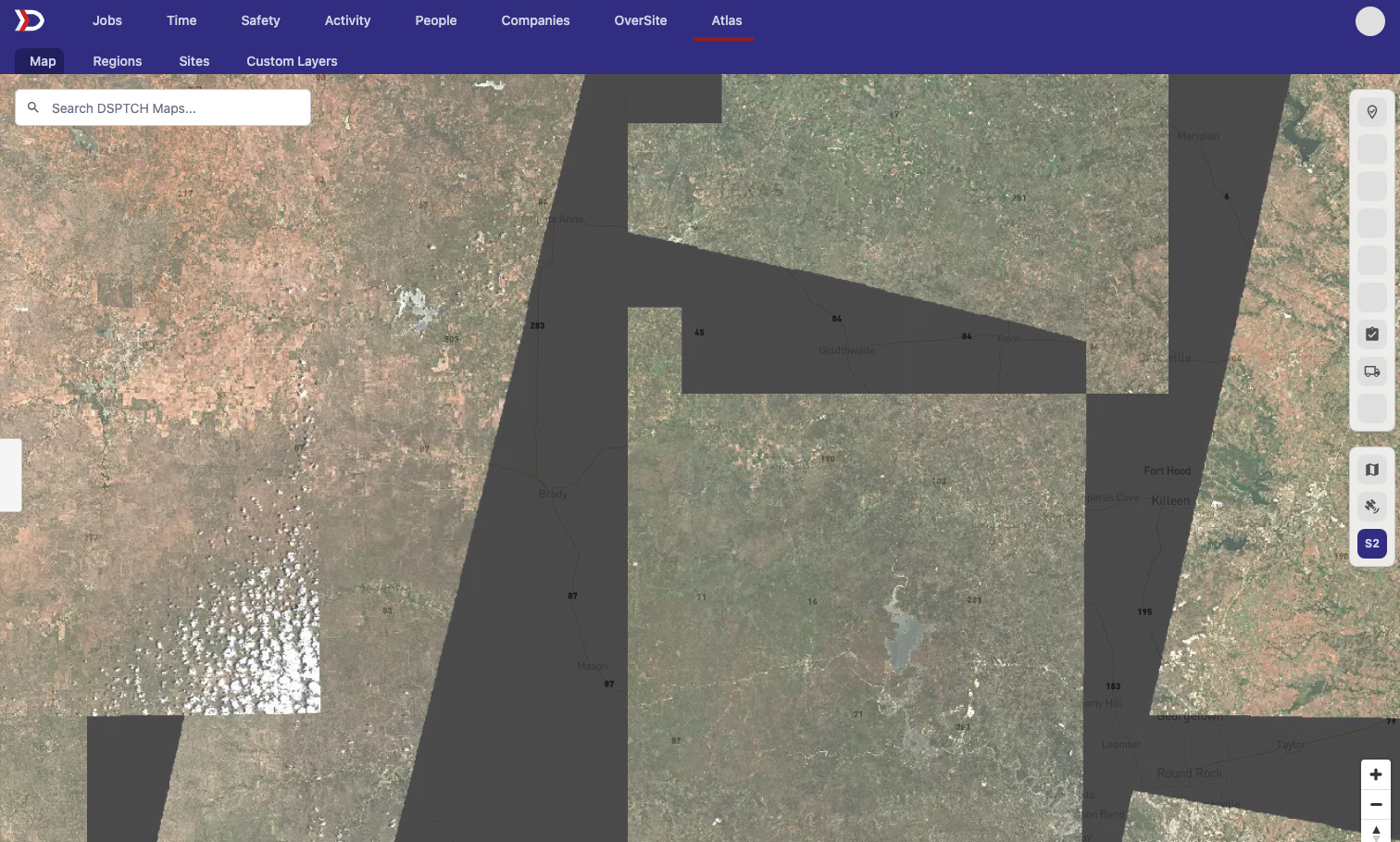
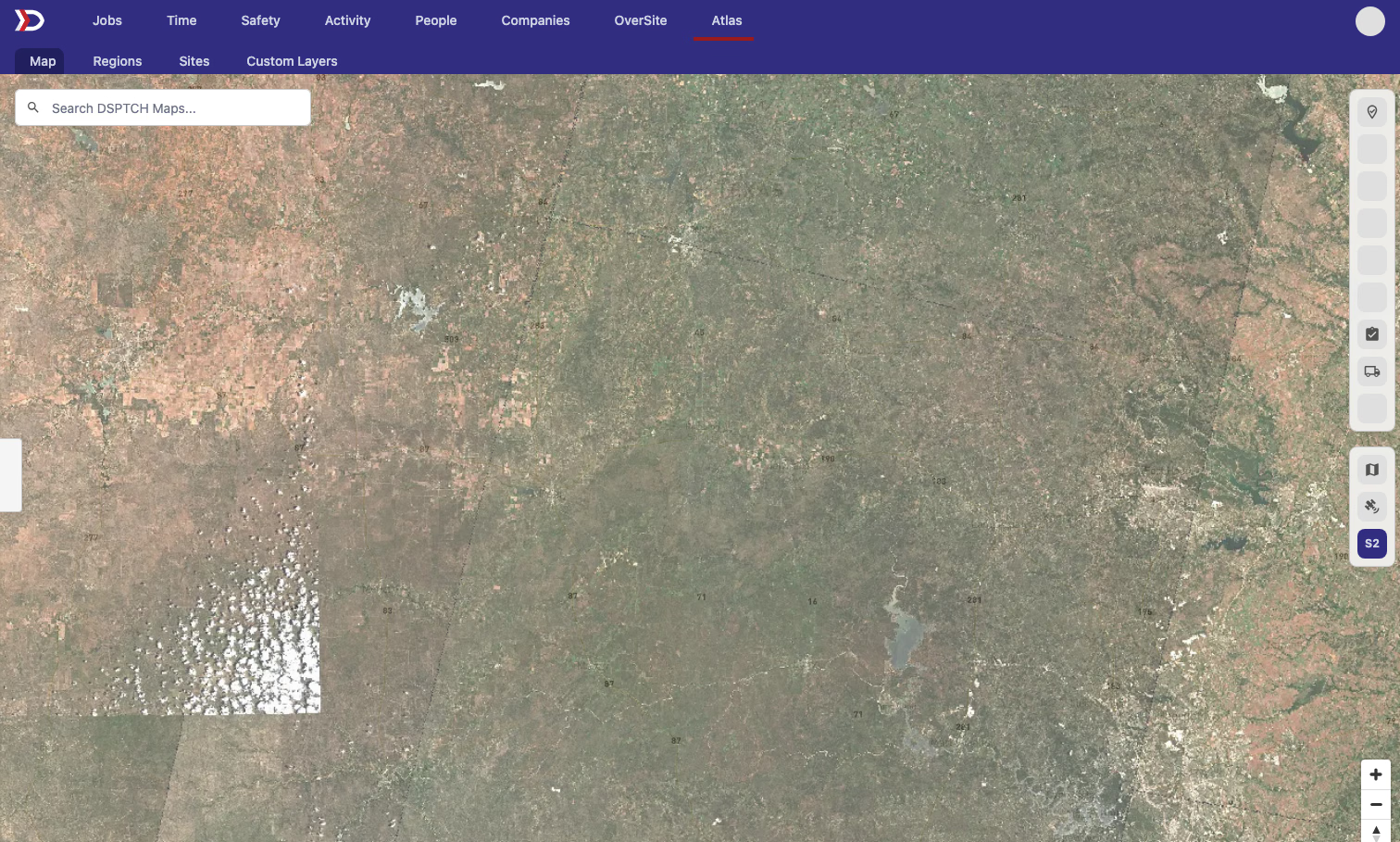
Atlas satellite imagery now fills covered areas instead of showing dark gaps between scenes.
More of your project, payroll, and field data is now easier to review in one place.
The DSPTCH Team