July 7, 2026 Release Notes

WH-347 certified payroll exports now split back pay into its own revised report, the Pay Dashboard's compliance view reaches aggregate payroll pay periods, and Asset Tracker search gets a lot sharper. The chip-style filter bar — now with a built-in sort control — keeps rolling out, reaching Form Completions, compliance checklists, and task lists. 🧾
🧾 WH-347 back pay gets its own revised report
When a worker on a WH-347 certified payroll has back pay — a prevailing-wage retroactive increase paid out for a prior period — that form now generates two PDFs instead of one merged report. The original report excludes the back pay entirely, as if it was never paid. A second REVISED report merges the back pay into gross pay, deductions, and net pay, includes its supporting back-pay document, and annotates the payroll number (for example, "5 - REVISED") to match the DOL's convention for resubmitted certified payrolls. Forms without back pay are unaffected.


🧰 The filter refresh reaches more lists
The chip-style filter bar keeps rolling out. This release it reaches:
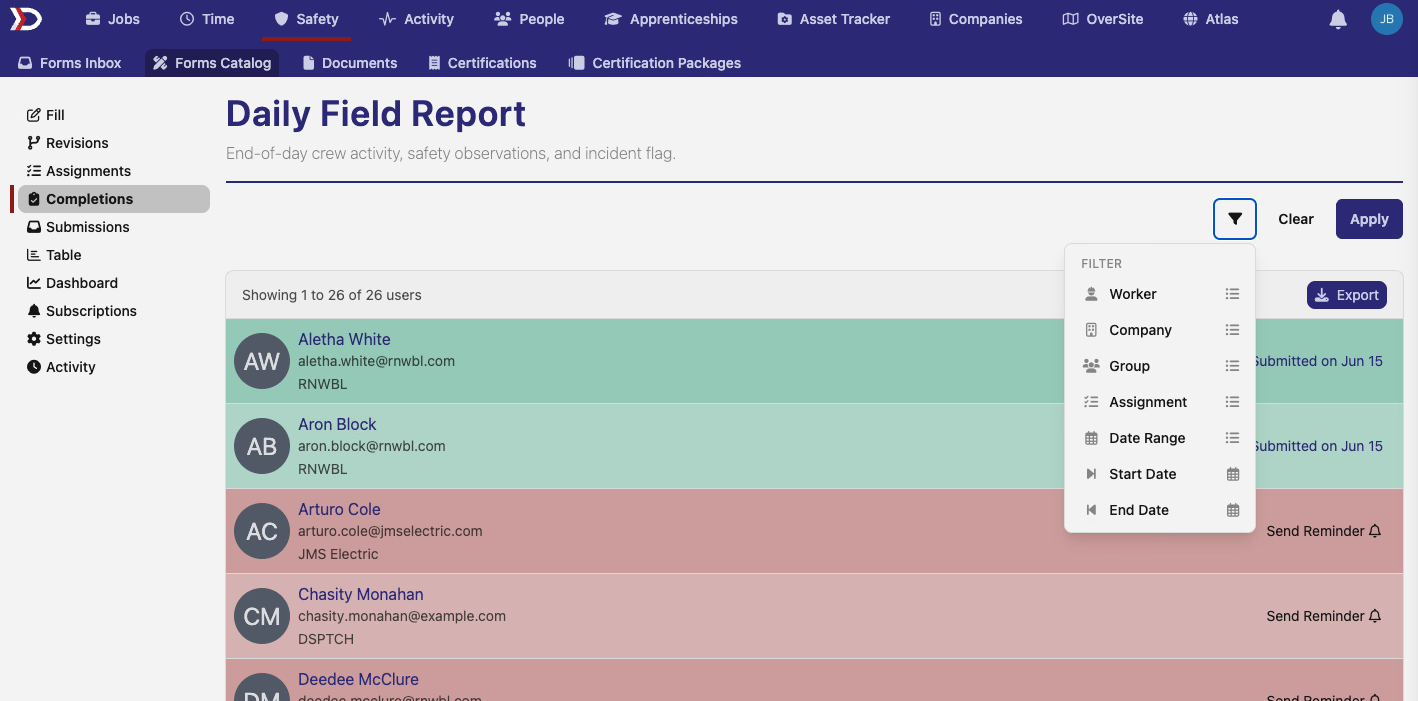
- Form Completions — the page formerly called Checklist (renamed to avoid confusion with the separate compliance Checklist feature below) picks up filter chips for worker, company, group, task, and date range.
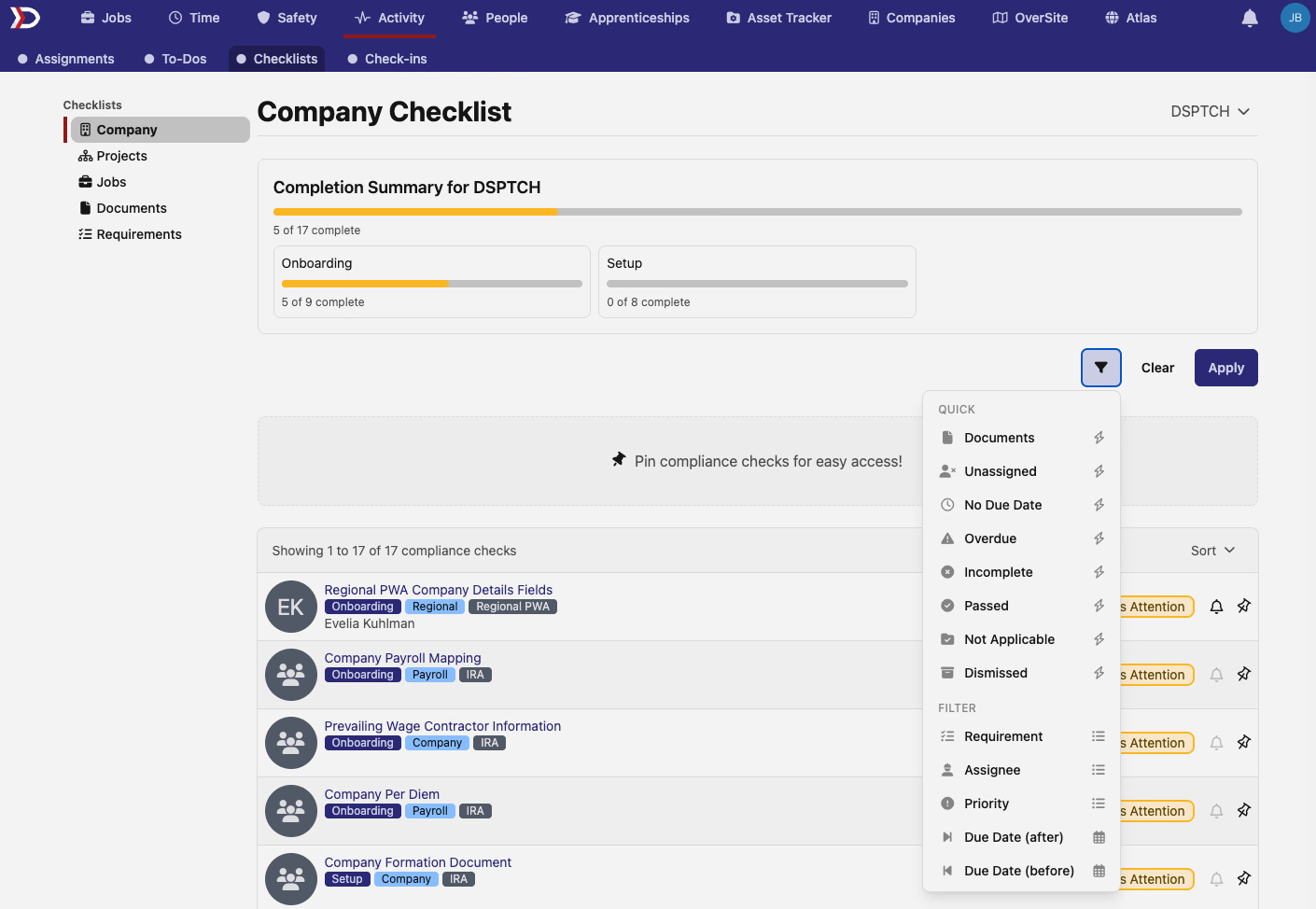
- Compliance checklists — the company, project, job, and individual checklist pages get quick filters like unassigned, overdue, incomplete, and passed, plus requirement, assignee, priority, and due-date filters.
- Tasks — assignments and their detail pages get filters for completion status, due date, worker, and scope.
Index pages that use the new filter bar also pick up a sort control next to Clear and Apply, so you can change how a list is ordered without leaving the filter panel.
📊 Pay Dashboard comes to aggregate payroll
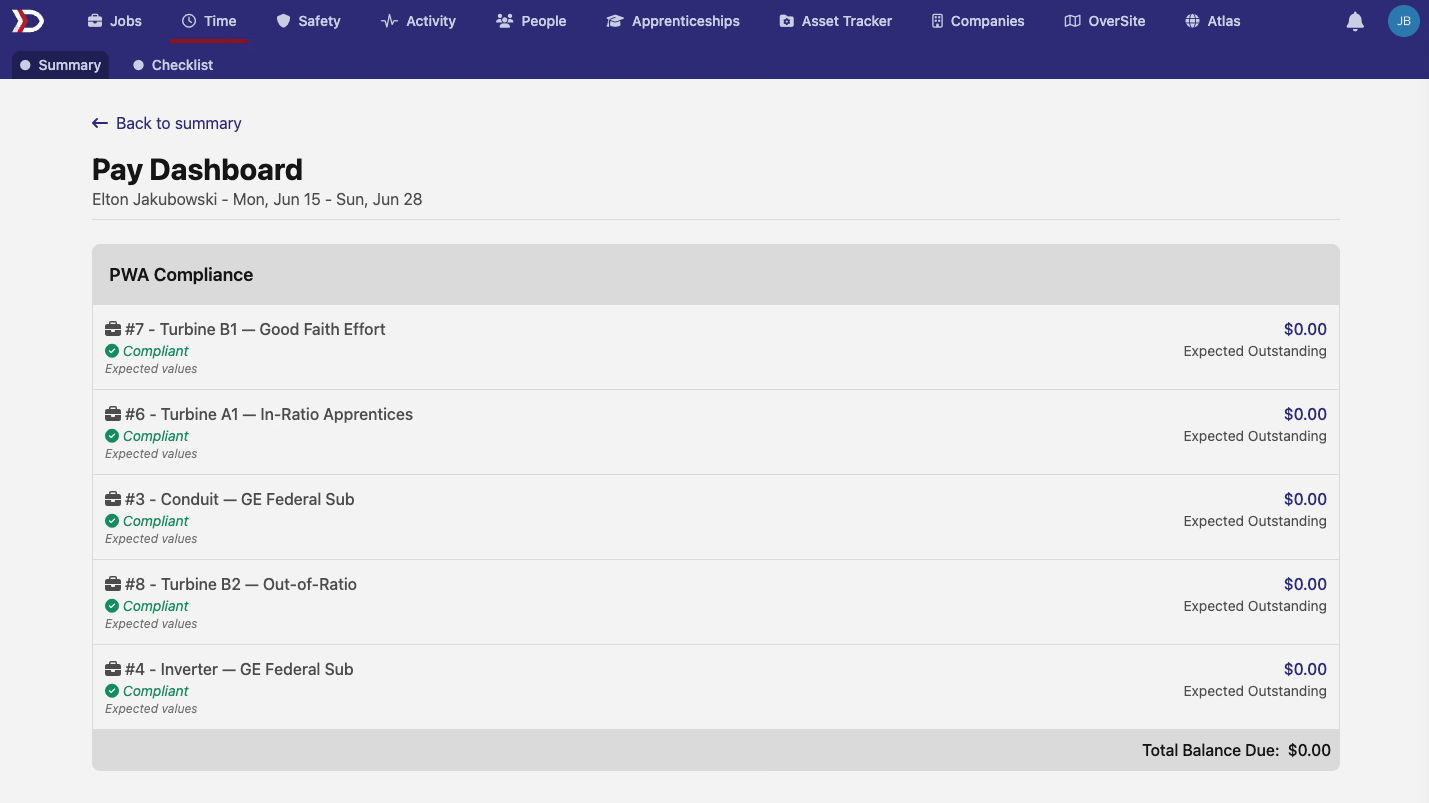
The Pay Dashboard — the per-time-card breakdown of PWA compliance, reachable from a time card's Summary page — previously opened only for base payroll pay periods. It now opens for aggregate payroll pay periods too, showing the same compliance card (obligations, actuals, and balance due) without the paystub, back-pay, and adjustment sections that only apply to base payroll.
📋 Wage-determination details on the aggregate time card
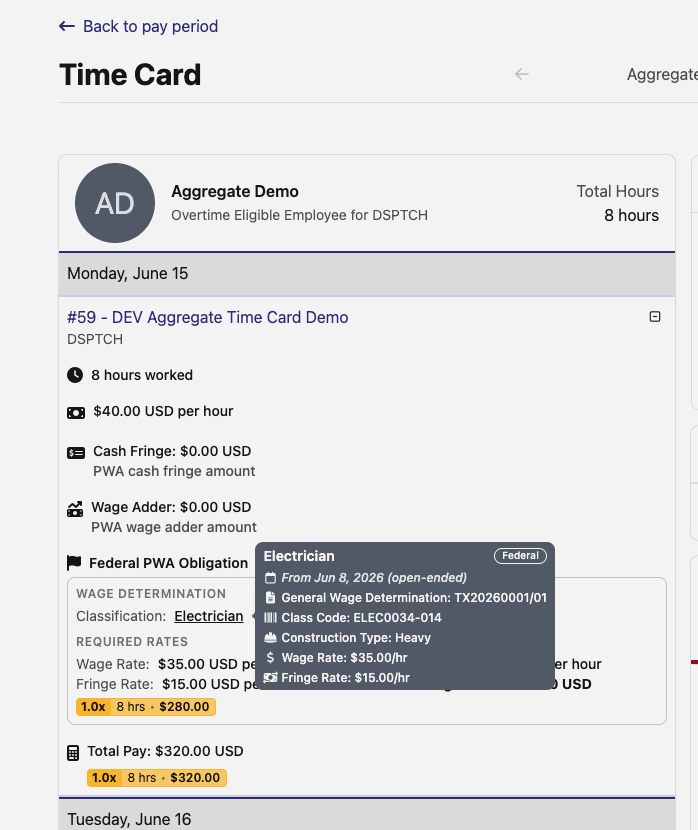
A job-day's time card detail view now shows the wage determination behind its prevailing-wage obligation. Hover a classification link to see the wage determination number, class code, construction type, and the required wage and fringe rates that produced the obligation.
🔍 Asset Tracker search gets smarter
Search on the Asset Tracker Items and Products pages now matches a lot more than a name. Both search bars fuzzy-match descriptions, categories, and vendor names, and exact-match makes, models, serial numbers, and SKUs — so searching a vendor name or a partial model number turns up the right item even when the item's own name wouldn't.
🛠️ Fixes
- WH-347 fringe totals (Column 6B) now report the exact contribution amount instead of quietly under-reporting it from rounding each benefit down.
- Switching a job's provider company on a job form no longer throws an error when the form doesn't display PWA sections.
- Map layer filters — industry groups sort alphabetically again instead of reversed.
- Map popups for features, form submissions, users, check-ins, and boundaries render correctly in dark mode instead of showing unreadable dark-on-dark text.
- Deleting a Feature with time-entry or check-in history now shows a clear error message instead of silently discarding that history or failing with a server error.
- The filter picker button gets refined hover states and spacing.
- "No Site" / "No Worker" style filter chips can be removed again instead of getting stuck.
- Scheduler event tooltips load about three seconds faster and match the light background used elsewhere.
That's it for this release — as always, reach out with questions or feedback. 🚀
The DSPTCH Team