May 29, 2026 Release Notes

Illinois compliance work takes the spotlight this release: contractors on public works projects can now see their Illinois Department of Labor civil-penalty exposure directly on Job and Project PWA dashboards, and the Illinois Shines workforce statistics grid lands in time for the 2025-26 Master Election Sheet upload. The OverSite map picks up live check-ins, the Job time entries page gets a structural refresh with smarter filters, and any saved grid view can now be charted with a single click.
⚖️ Illinois IDOL civil-penalty exposure
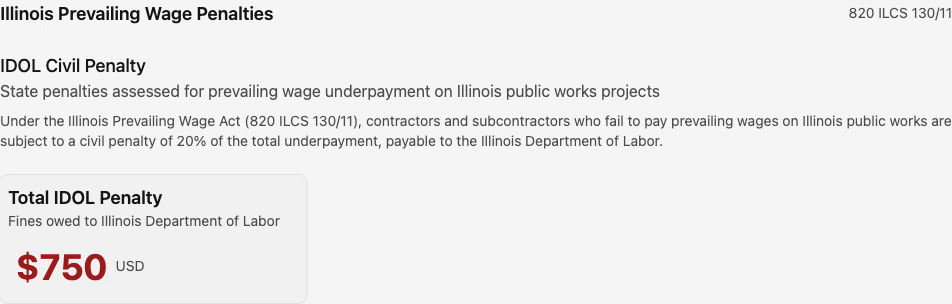
Illinois contractors working on public works projects now see their exposure to Illinois Department of Labor civil penalties directly on the PWA Penalties page for both Jobs and Projects. A new Illinois Prevailing Wage Penalties section sits below the federal penalties, cites the statutory basis (820 ILCS 130/11), and shows the calculated 20% civil penalty on outstanding underpayments owed to the Illinois Department of Labor.
The Job and Project overview financial-exposure widgets roll the Illinois figure into the Backpay Penalties total, and the tooltip explains both the federal IRA penalty and the new Illinois penalty so it's clear what's driving the number.
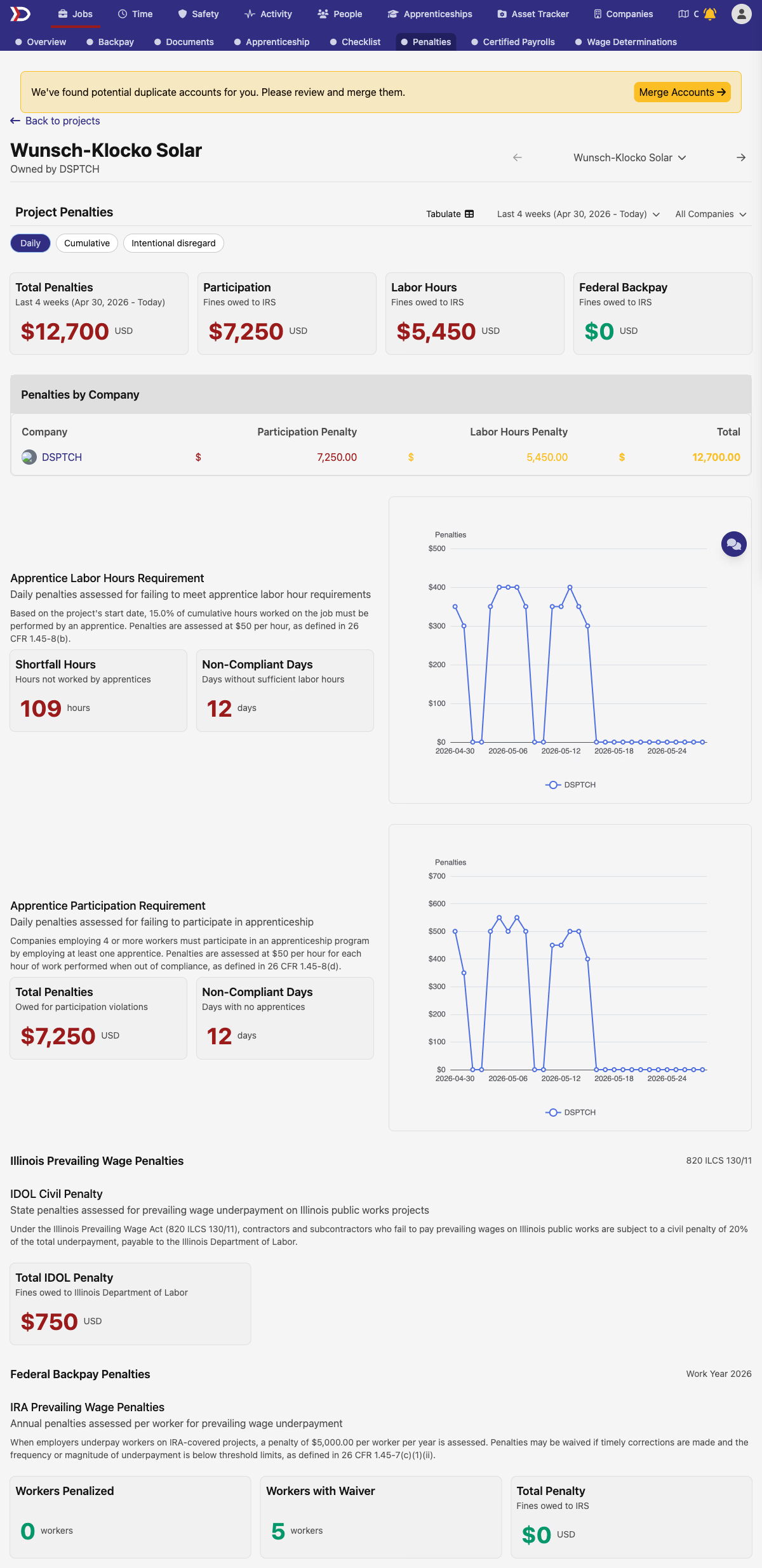
This is the first state-specific penalty surface — Illinois is live now; other states have the underlying calculator plumbing in place but no dashboard surface yet.
📋 Illinois Shines workforce statistics
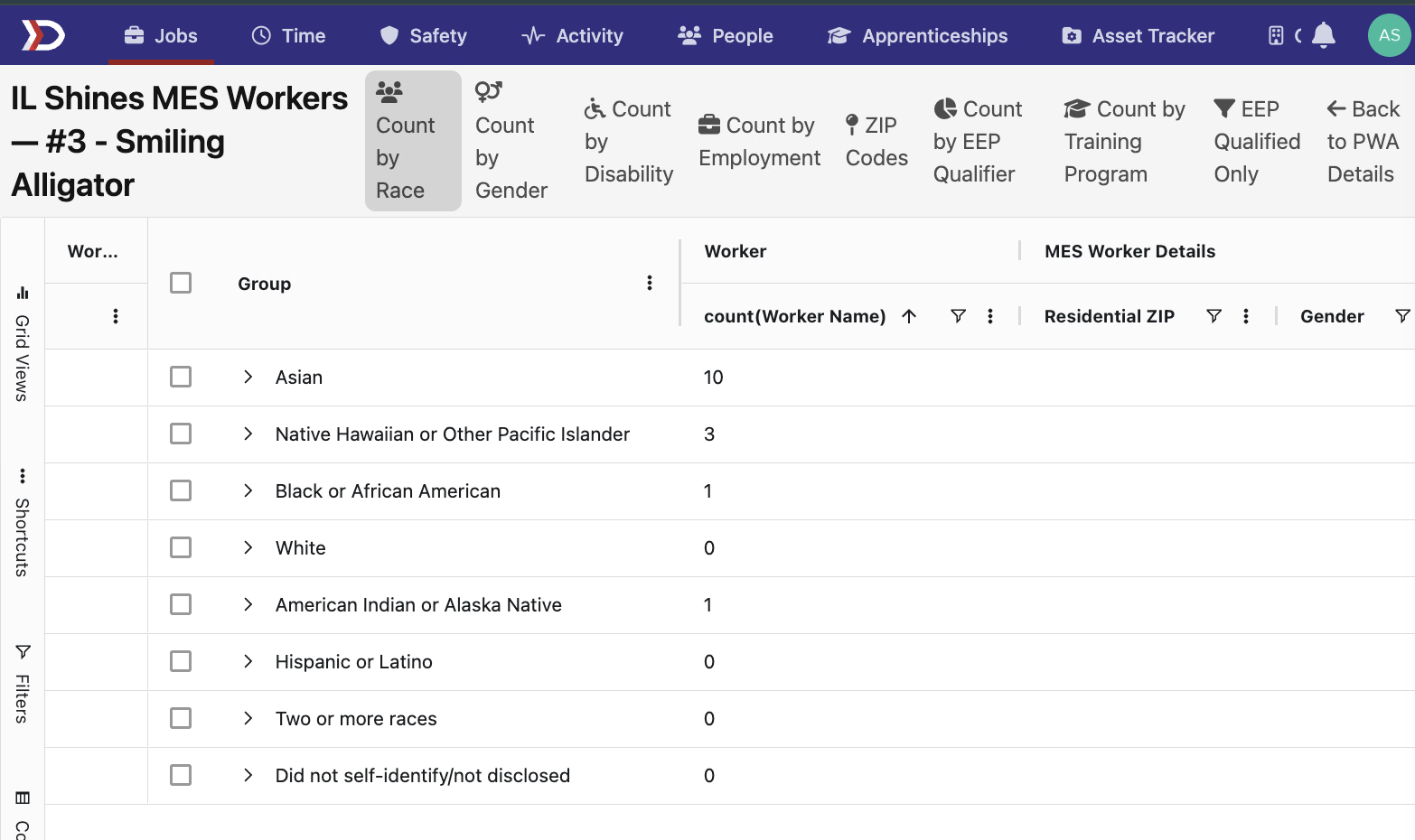
Illinois Shines contractors get a dedicated workforce statistics grid to compile the data required for the 2025-26 Master Election Sheet annual upload. The grid answers the diversity demographics the MES requires — race, gender identity, disability, employment status, ZIP codes, EEP qualifier, training programs — for the full workforce, and an EEP Qualified Only filter narrows the view to just Equity Eligible Persons across every breakdown.
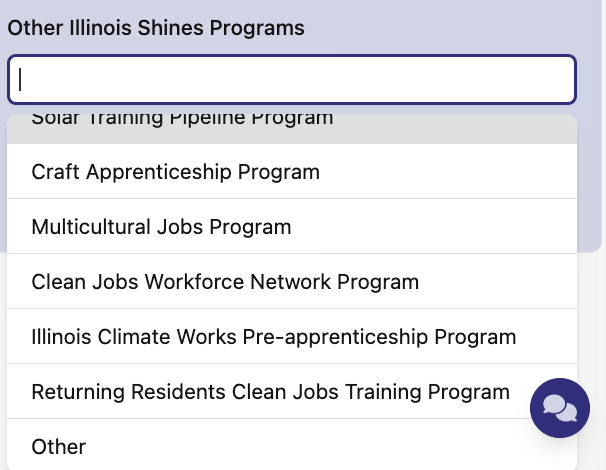
The Employment Details form for Illinois Shines also picks up the option set the 2025-26 spec requires. The Other Illinois Shines Programs dropdown adds Illinois Climate Works Pre-apprenticeship Program, Returning Residents Clean Jobs Training Program, and Other; the EEP Qualifiers dropdown adds "Self Registered or Unknown."
📍 OverSite live check-ins on the map
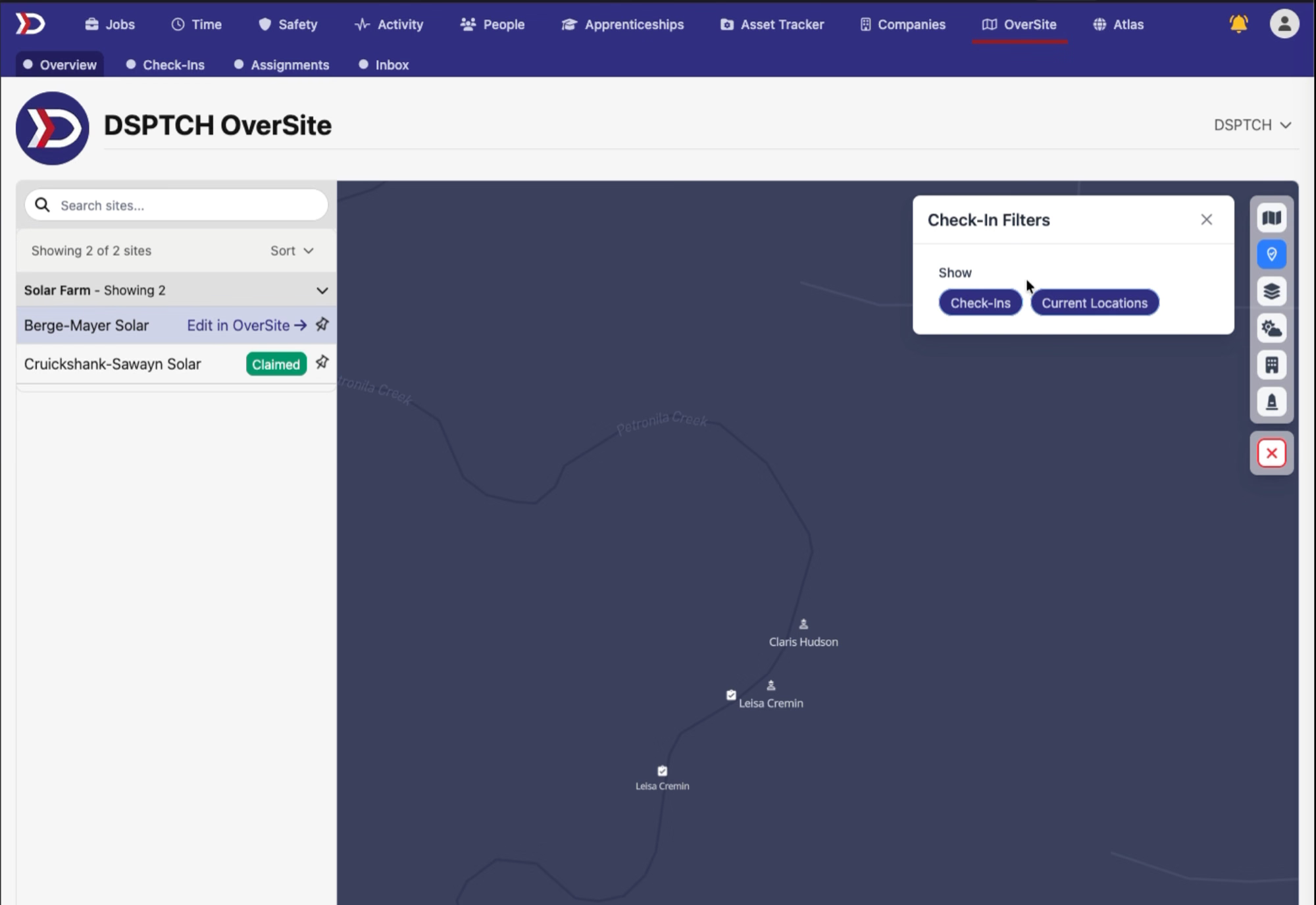
The OverSite map now shows live check-ins directly on the Sites index and site detail views. When workers check in, clipboard pins appear at the check-in location and person markers show each worker's current site. A new Check-In Filters panel in the map toolbar lets you toggle the Check-Ins and Current Locations layers independently, and a person search narrows the map to a specific worker. The Clear All reset on the map now wipes these new layers cleanly alongside the existing ones.
⏱️ Job time entries page refresh
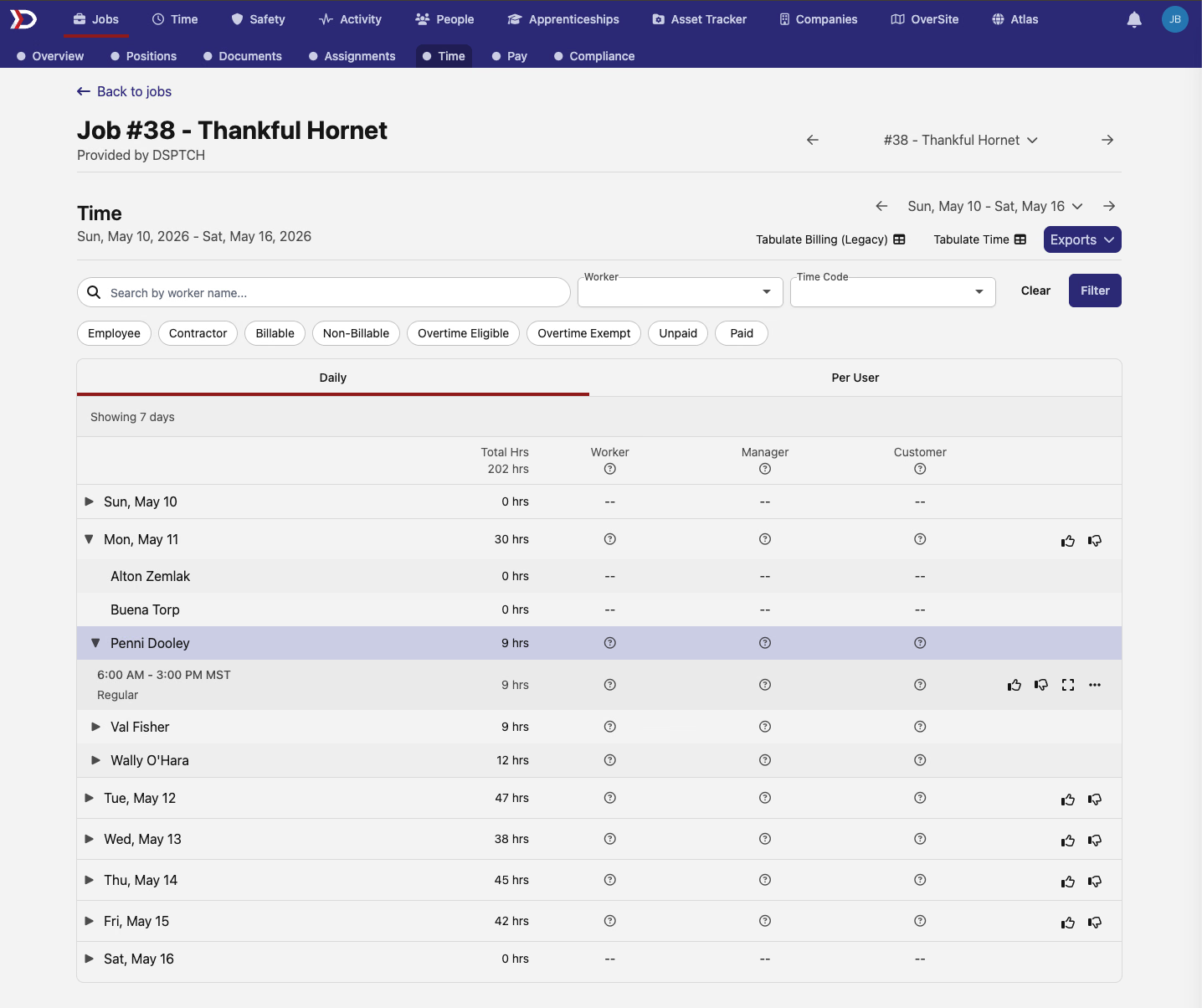
The time entries table on a Job's Time page has been rebuilt with a cleaner layout. Both the Daily and Per User tabs display data in a more structured format, and the export and download actions only appear when there are rows to act on. The underlying hours and calculations are unchanged — this is a visual refresh.
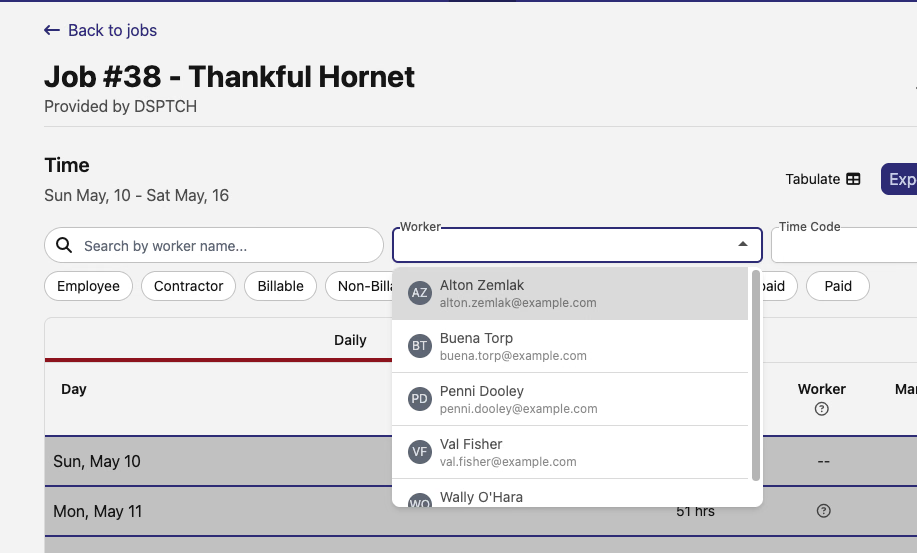
The worker and timecode filters on the same page also got an upgrade. The timecode filter now respects the selected date range — it only surfaces timecodes that actually have entries in the period you're looking at, cutting noise on long-running jobs. Both filters show richer match details (user avatars, timecode context) when you type.
📈 Graph any saved grid view
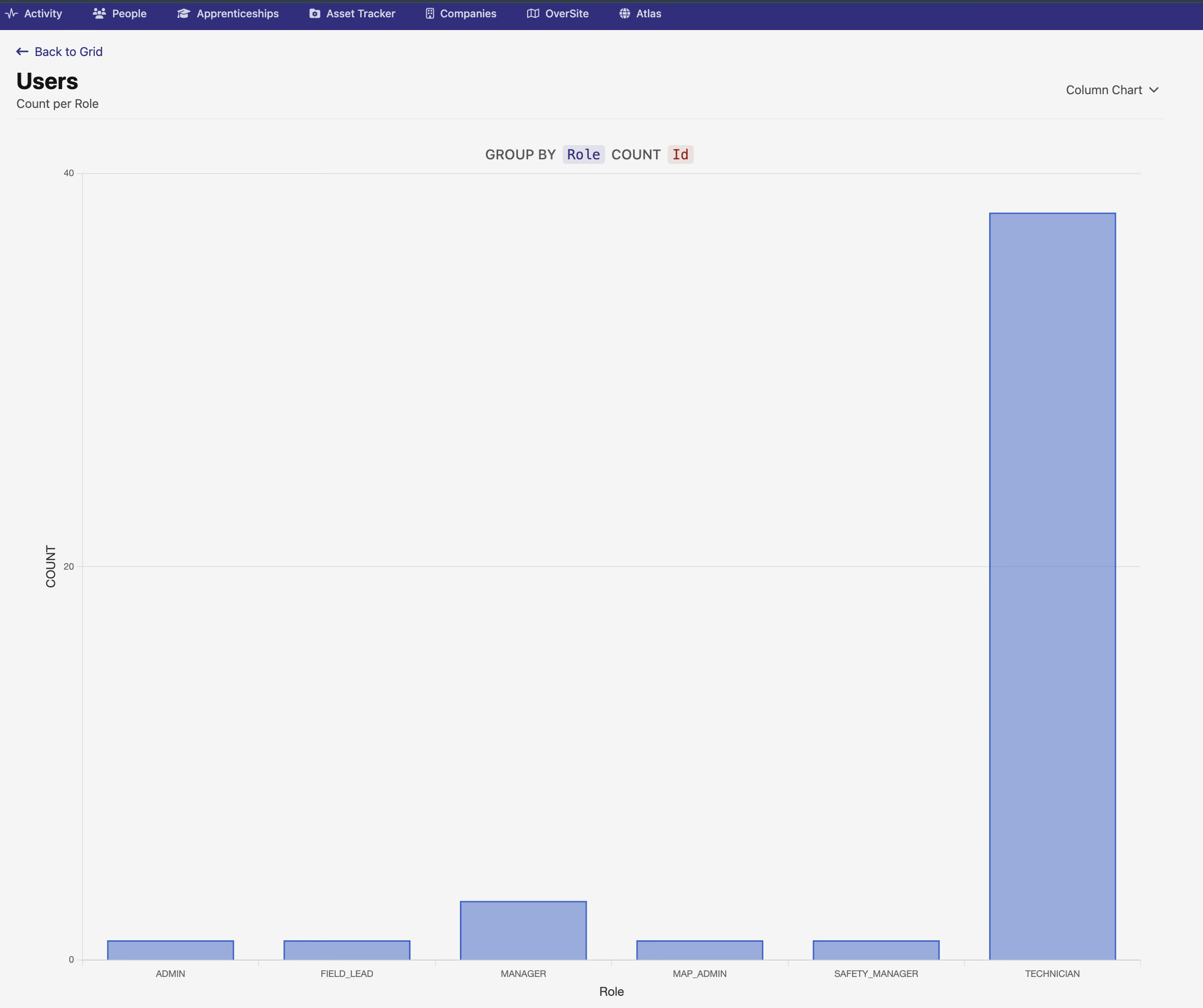
Any saved grid view can now be turned into a chart — previously the graph action was only available on specific grids. When you open a saved view and choose to graph it, DSPTCH uses the saved view's column header names to label the chart axes, so the output reads naturally without manual renaming.
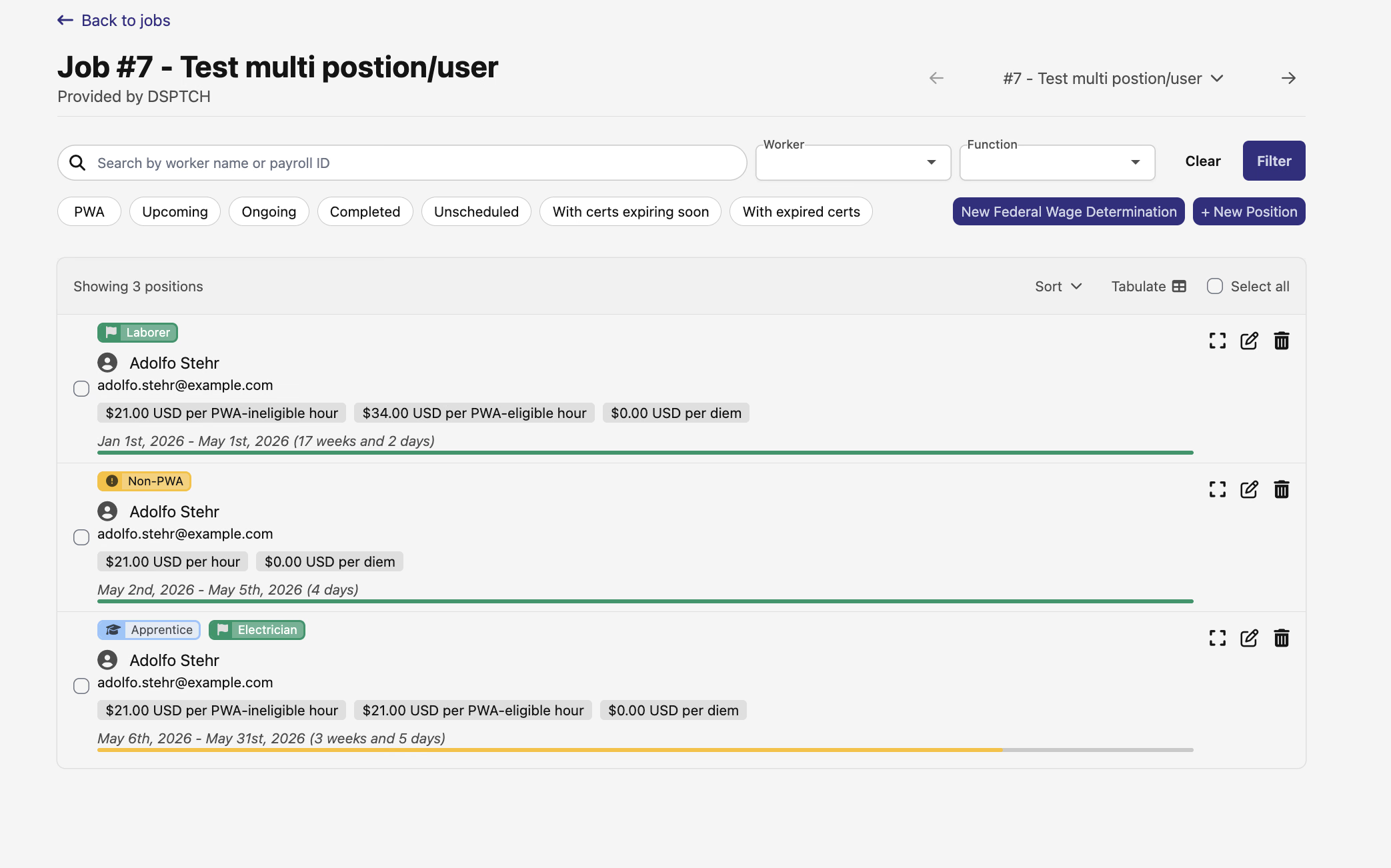
👷 Multiple positions for the same worker on a job
A worker can now be added to the same job in more than one position — useful when someone fills multiple roles on a single job. The position search no longer blocks adding someone who's already on the job in another role; pick a different position type and add them again.
🔌 Timecode API — breaking change
The GET /api/v1/timecodes endpoint moves to the canonical paginated envelope used by the rest of API v1. Responses now wrap the array in { data, meta, links } and support keyset pagination via page[cursor] and page[limit]. The custom ?since= parameter is removed — switch to filter[updated_at][gte]=<iso8601> for equivalent behavior, and the new filter[created_at][gte/lte] and filter[updated_at][gte/lte] parameters let you bound results in either direction. API integration consumers should update before this lands in their environment.
🛠️ Fixes
- Job billable hours charts now report accurate totals — the customer, provider, and available-workers charts were silently under-counting hours on jobs that had migrated to the newer timecode model
- Effective-date floor on new OT and rate rule forms now correctly matches the wage determination's start date — OT rules were defaulting to the company's creation date (sometimes too restrictive), and rate rules had no floor at all
Have feedback or a feature request? Reach out — we'd love to hear from you.
The DSPTCH Team