New Features & Improvements - July 21st, 2025
Hey there, DSPTCH community! We've been busy building some fantastic new features to make your workflow even smoother. This release brings major enhancements to document management and introduces a powerful new asset tracking system. Let's dive in!
Asset Tracking: Manage Your Equipment Like a Pro 🛠️
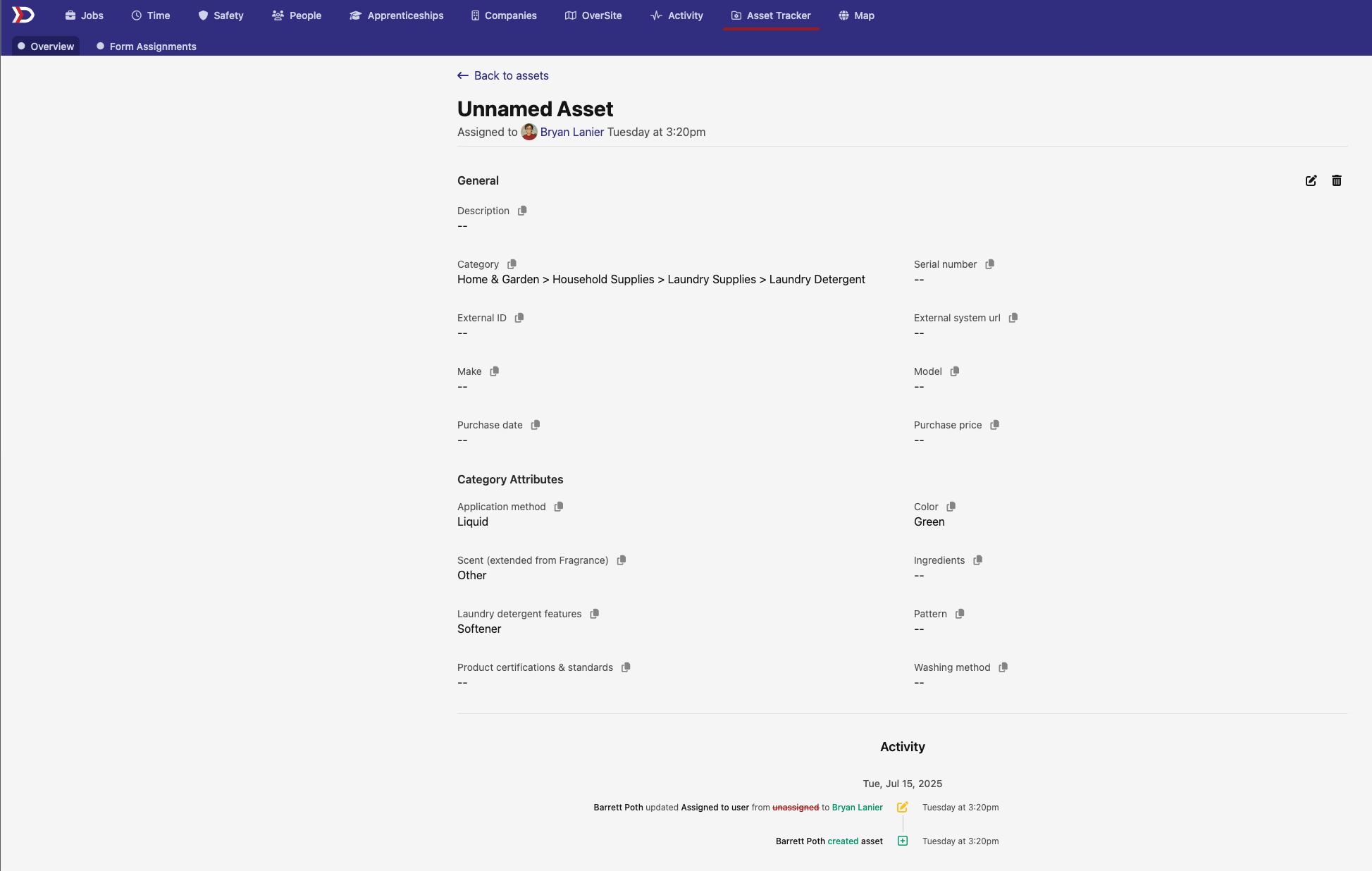
Say hello to our brand new Asset Tracking feature! Whether you're managing vehicles, tools, equipment, or any other company assets, we've built a comprehensive system to keep everything organized.
Key Features:
- Smart Categorization: Assets are organized using an intelligent taxonomy system with category-specific attributes
- User Assignment: Easily assign assets to team members and track who has what
- Custom Forms: Asset form assignments work just like JFATs, giving you the flexibility you need
- Company Settings: Prioritize your most-used categories for quick access
But Wait, There's More! 🎯
We've also added automatic form assignment triggers for assets. Now when you select a category for an asset, the system can automatically assign the appropriate forms based on your configured rules. No more manual form assignments – just set it up once and let dsptch handle the rest!
Document Versioning: Never Lose Track of Changes Again 📄
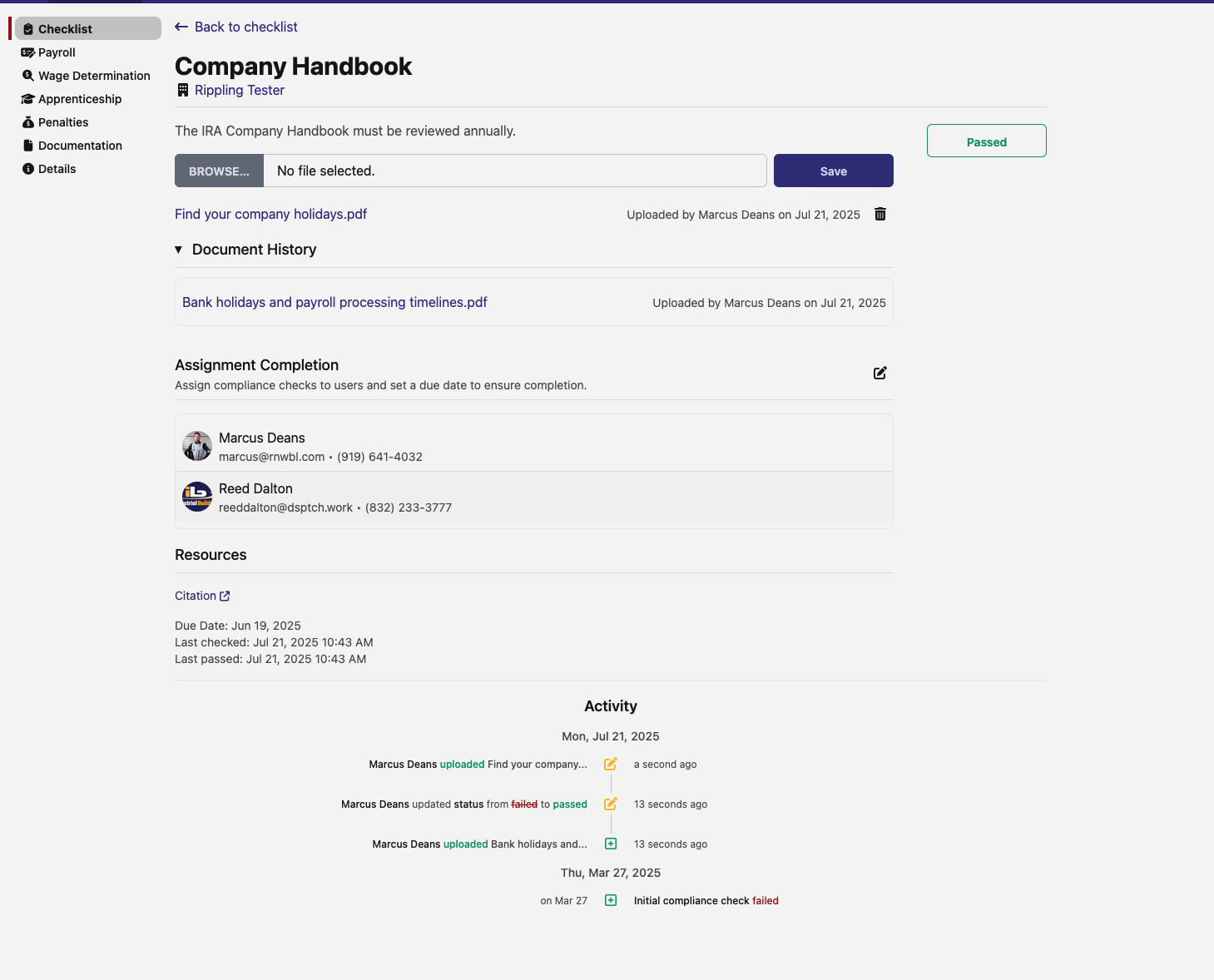
We're excited to introduce Versioned Documents, a game-changing feature for managing compliance documentation. No more worrying about which version of a document was uploaded when – we've got you covered!
What's New:
- Full Version History: Every document upload now maintains a complete version history, showing you exactly who uploaded what and when
- Enhanced Compliance Tracking: See document changes right in your compliance check timeline, making audits a breeze
- Smart Document Management: Documents are now intelligently versioned, with proper timestamps and user attribution for each change
Where You'll See It:
- Company handbook requirements now use the new versioned document system
- Project interconnection agreements support multiple versioned documents
- All document uploads in compliance checks now show detailed history with upload/delete actions
Activity Tab: Global Check-ins View 📍
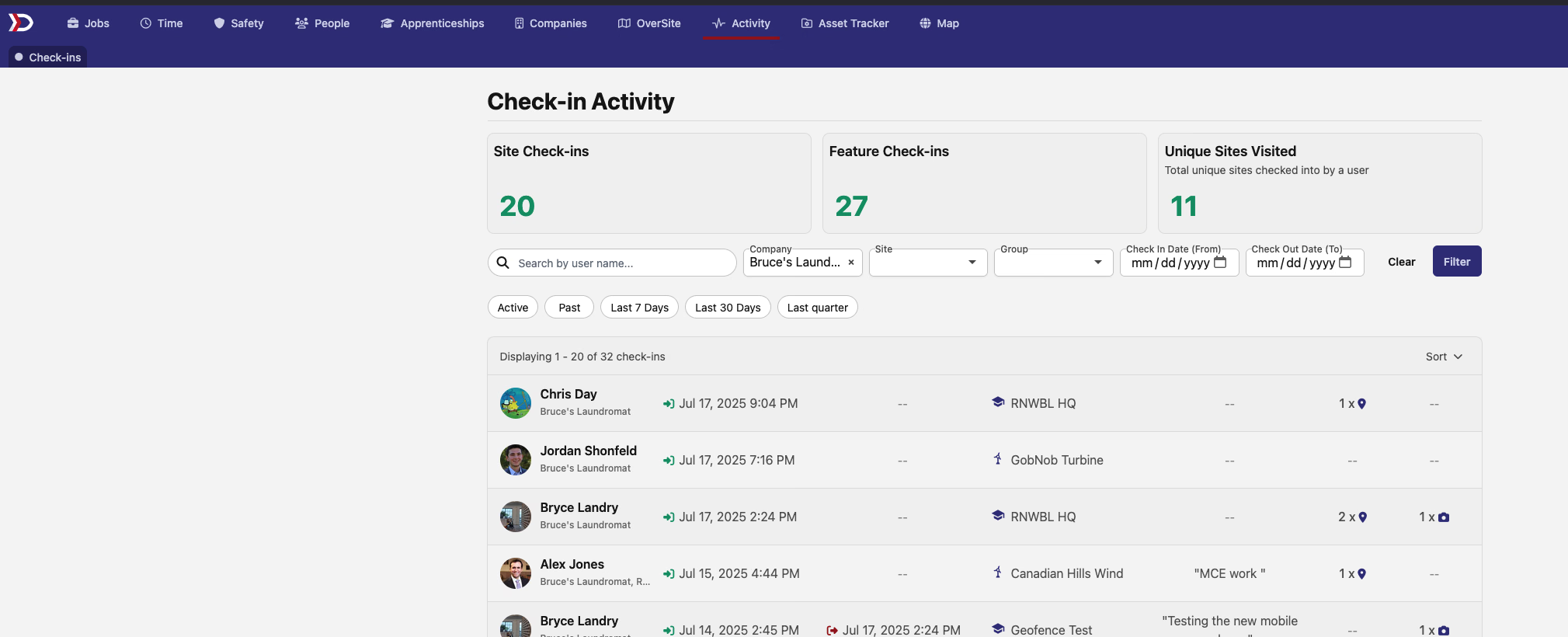
We've added a new Activity tab that gives you a comprehensive view of all your check-ins across the platform. No more jumping between projects to see where your team has been – now you can view all authorized check-ins in one place, complete with uploaded photos. The new view includes handy site and group filters to help you find exactly what you're looking for.
Payroll Transparency 💰
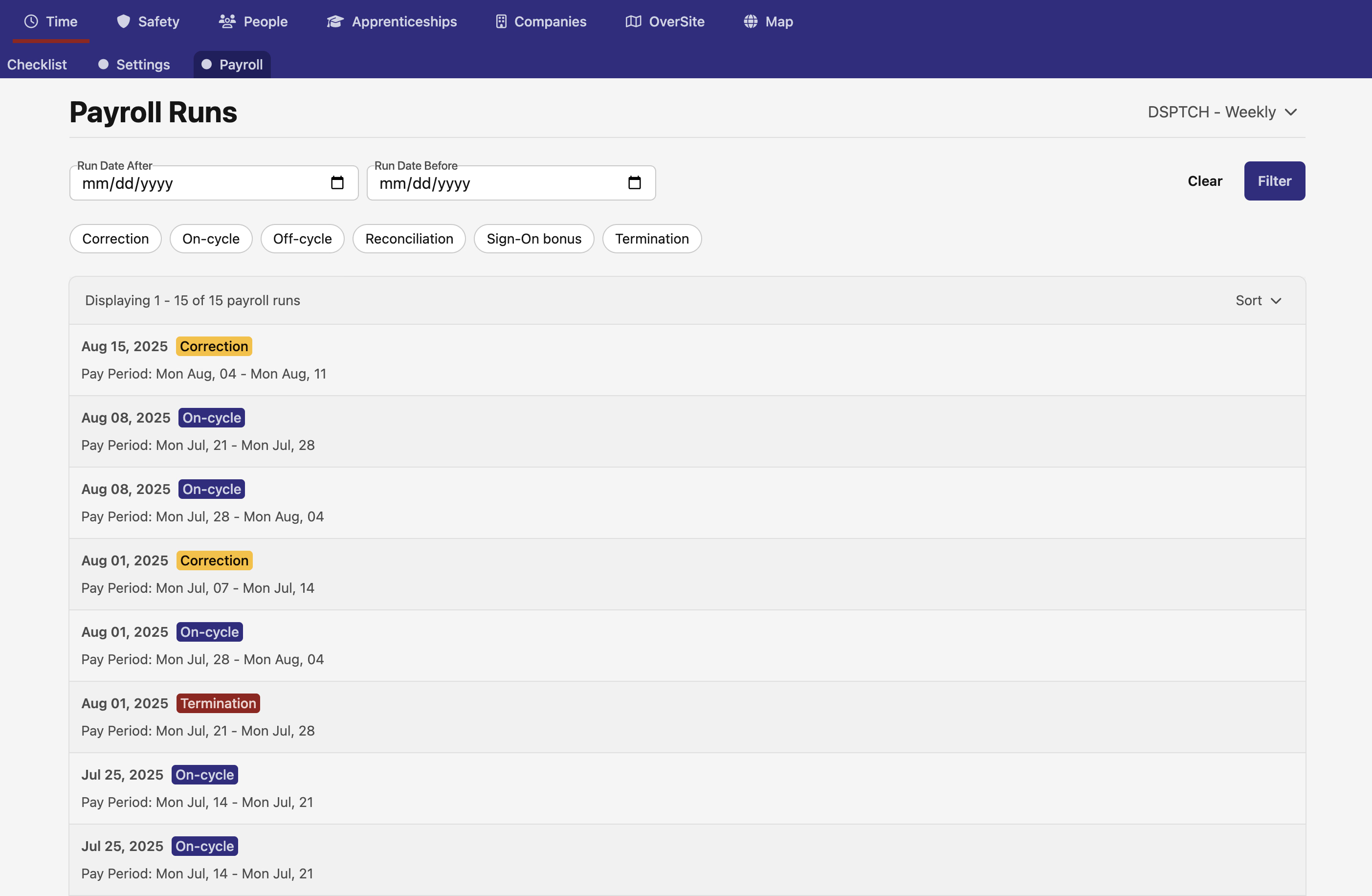
Managing payroll just got easier! We've introduced new pages for viewing your payroll runs and pay stubs:
- Payroll Runs Overview: See all your payroll runs at a glance
- Pay Stubs List: Browse through all pay stubs with easy filtering
- Detailed Pay Stub View: Click into any pay stub to see complete details
Enhanced Site Filtering with Clear Descriptions 🔍
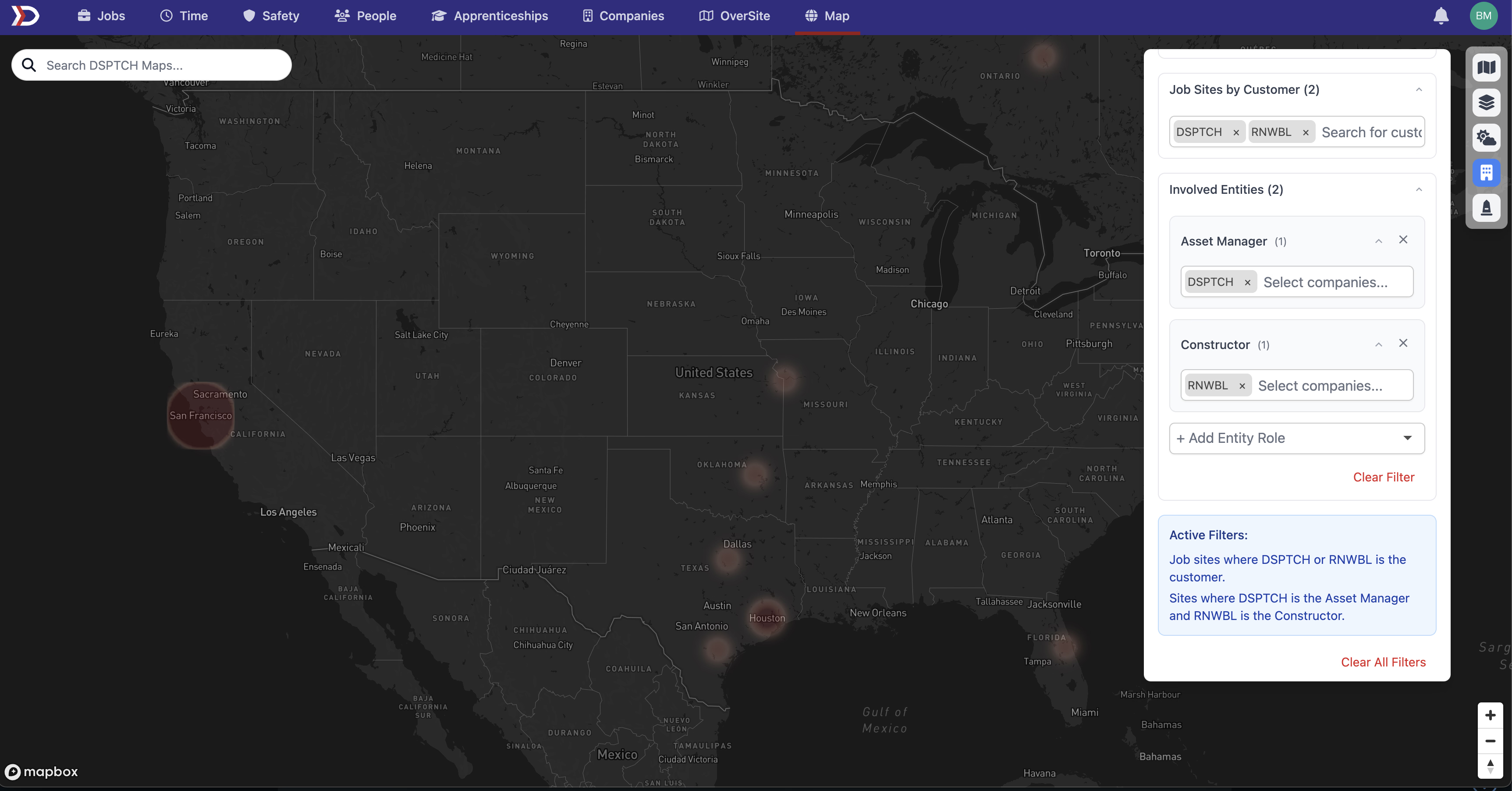
We've made site filtering more intuitive by adding a blue info box that clearly shows your active filters in plain English. No more guessing what filters you've applied – the new filter sentence display makes it crystal clear which customers and entities you're viewing.
Interactive Map Boundaries 🗺️
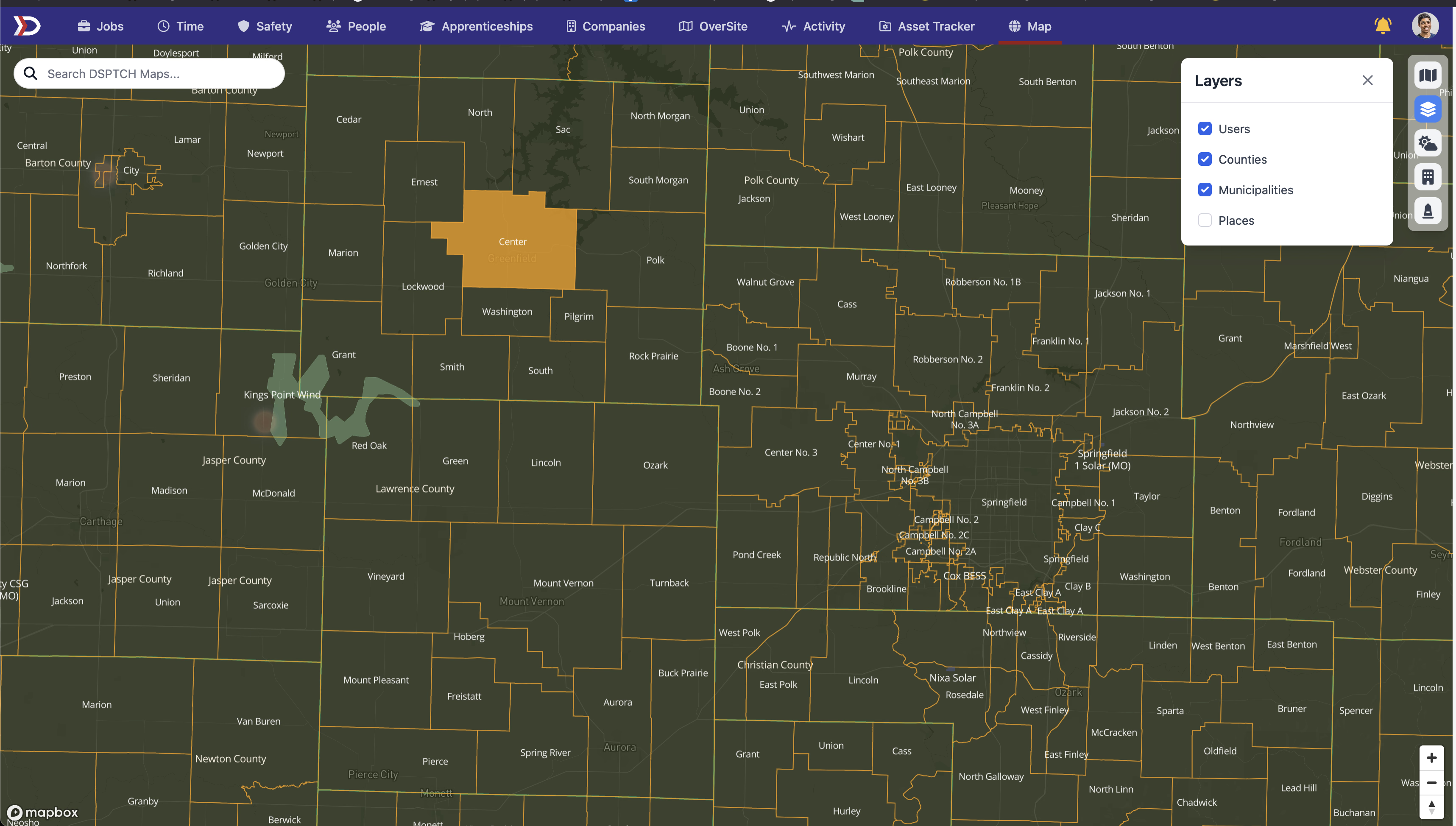
Our maps just got smarter! We've added administrative boundary layers that show states, counties, municipalities, and places right on your map. These boundaries are:
- Fully interactive: Click on any boundary to highlight and select it
- Customizable: Toggle different boundary types on and off from the layer manager
- Visually distinct: Each boundary type has its own styling with fills, outlines, and labels
Form Assignment Status Indicators ✅
Tracking form completions is now easier with our new submission view improvements. You'll now see a success icon next to completed form assignments, making it simple to spot which submissions have all their required forms filled out at a glance.
API Improvements
The DSPTCH API continues to grow in strength and capabilities, with support for new endpoints and features to help you integrate DSPTCH into your existing workflows.
In this release, we've added:
- Certifications: New endpoints for managing certifications, including creation, updates, and retrieval
- User Permissions: User roles can now be programmatically managed through the API, allowing for dynamic permission adjustments
- Wage Determinations: DSPTCH's API now supports wage determinations, enabling you to retrieve prevailing wage information directly through your applications
As always, we're grateful for your feedback and suggestions. These features were built based on your needs, and we're excited to see how they help streamline your operations.
Questions or feedback? Reach out to our support team – we're here to help!
The DSPTCH Team