New Features & Improvements - August 4th, 2025
Hey there DSPTCH users! We've been hard at work rolling out some exciting new features and improvements to make your workflow even smoother. Let's dive into what's new!
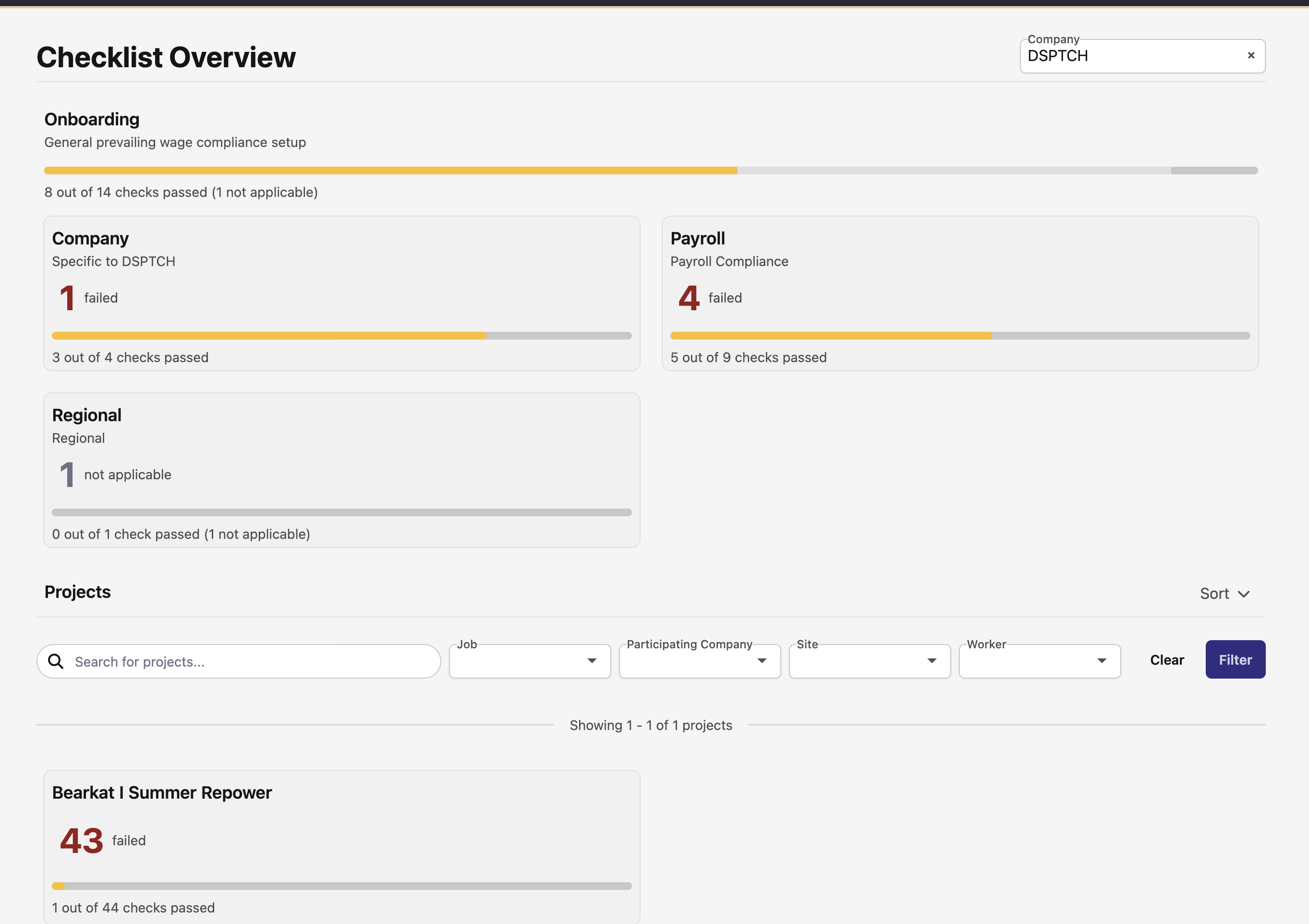
📋 New Activity Tab: Compliance Checklist
We're thrilled to introduce a brand new section in your Activity tab - the Compliance Checklist! This powerful feature helps you stay on top of all your compliance requirements across companies, projects, and jobs.
The new Compliance Checklist gives you:
- A hierarchical overview showing compliance status at company, project, and job levels
- Advanced filtering capabilities to quickly find what you need
- Visual progress bars that make it easy to see compliance status at a glance
- Quick filters to focus on specific compliance states
This is perfect for keeping track of all your regulatory requirements in one organized place!
⏰ Custom Overtime Packages for Individual Users
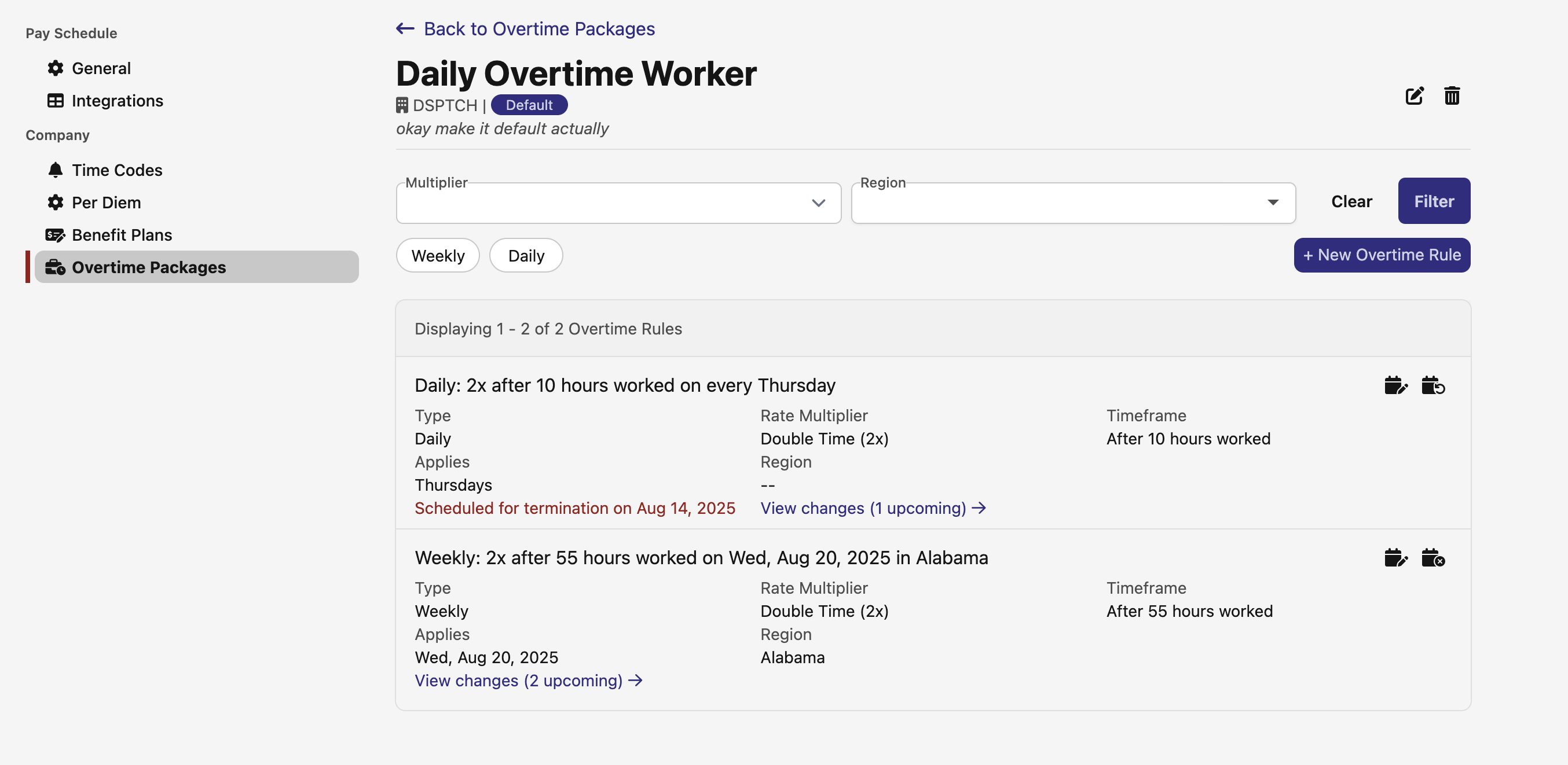
Managing overtime just got a whole lot more flexible! You can now assign custom overtime packages to individual employees, giving you granular control over overtime calculations.
Here's what's new:
- When creating a new user, the company's default overtime packages are pre-selected
- You can customize overtime packages for each employee immediately after creation
- Schedule future changes to overtime packages with ease
- If a user doesn't have a custom package, the system intelligently defaults to the company's overtime package
This feature is perfect for companies with employees who have different overtime agreements or special arrangements.
📸 Enhanced Check-in Details with Photo Galleries
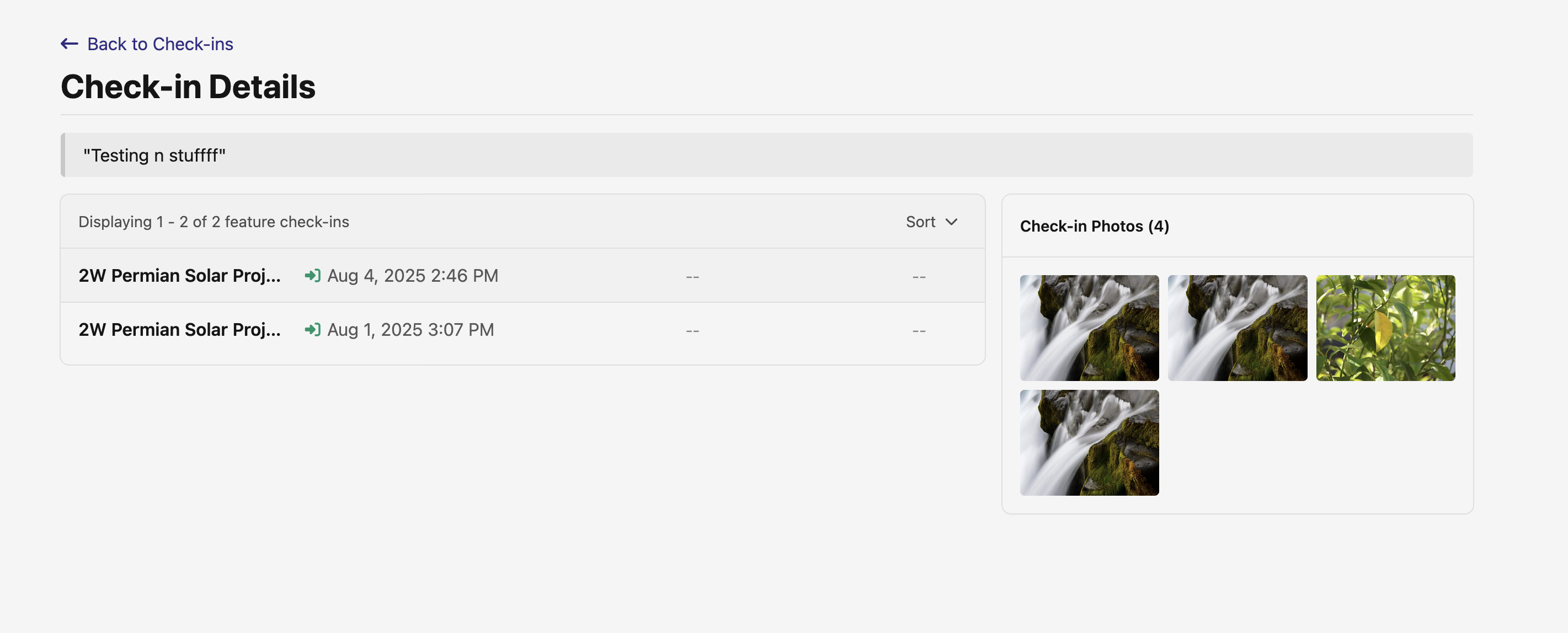
Site check-ins now have a detailed view that brings all your inspection data together! Click on any check-in to see:
- Full check-in descriptions and notes
- All associated feature check-ins in one place
- A beautiful photo gallery combining images from both site and feature check-ins
- Information about who uploaded each photo and when
This makes it super easy to review site inspections and share comprehensive documentation with your team.
🎯 New Tasks Management in Activity Tab
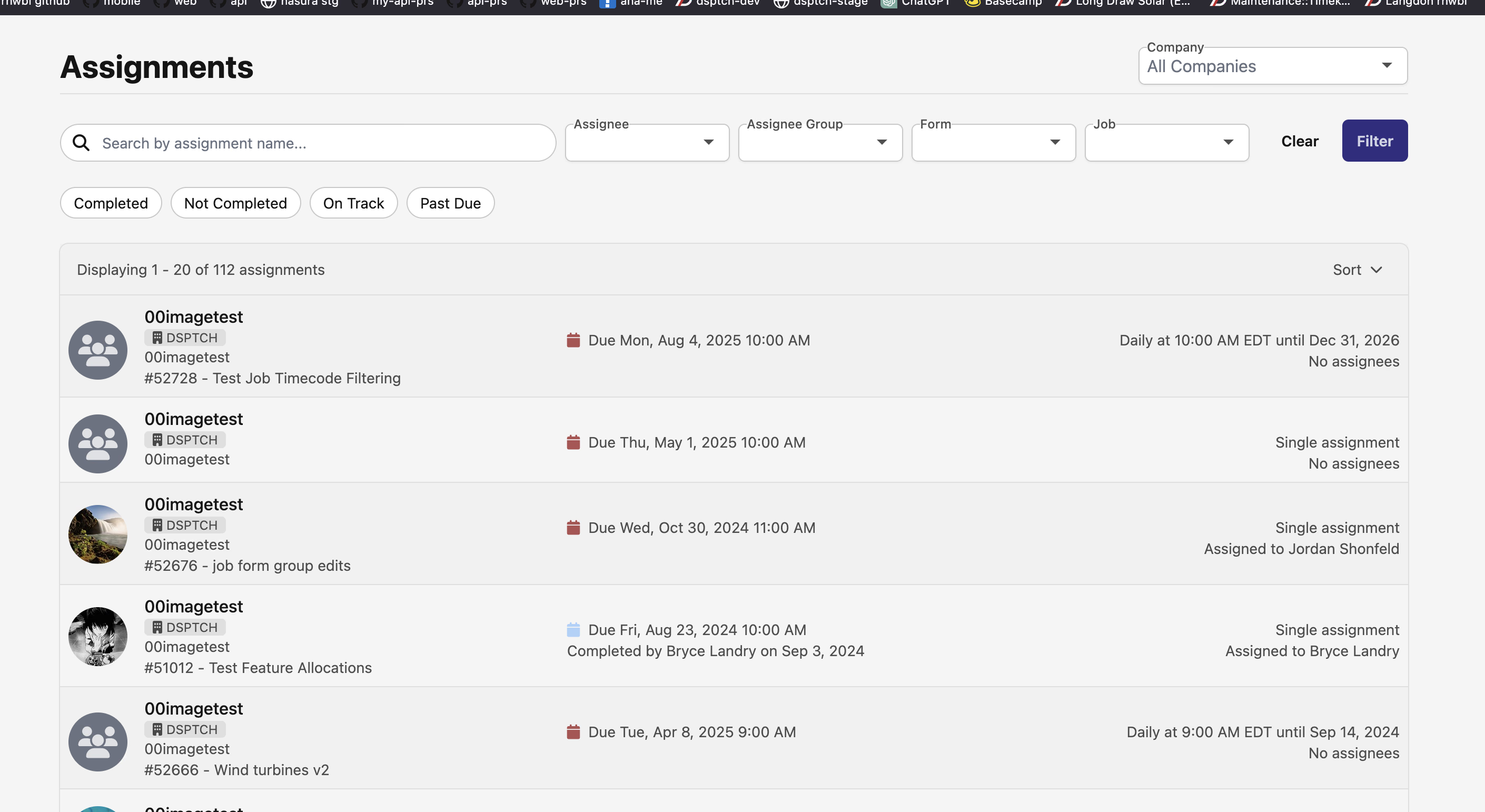
Keep your team organized with the new Tasks section in the Activity tab! This centralized task management system helps you:
- View all tasks across your organization
- Filter by completion status, assignee, group, or job
- Quick filters to see what's on track vs past due
- See task assignments at a glance
Never lose track of important assignments again!
💰 Retroactive Pay Adjustments
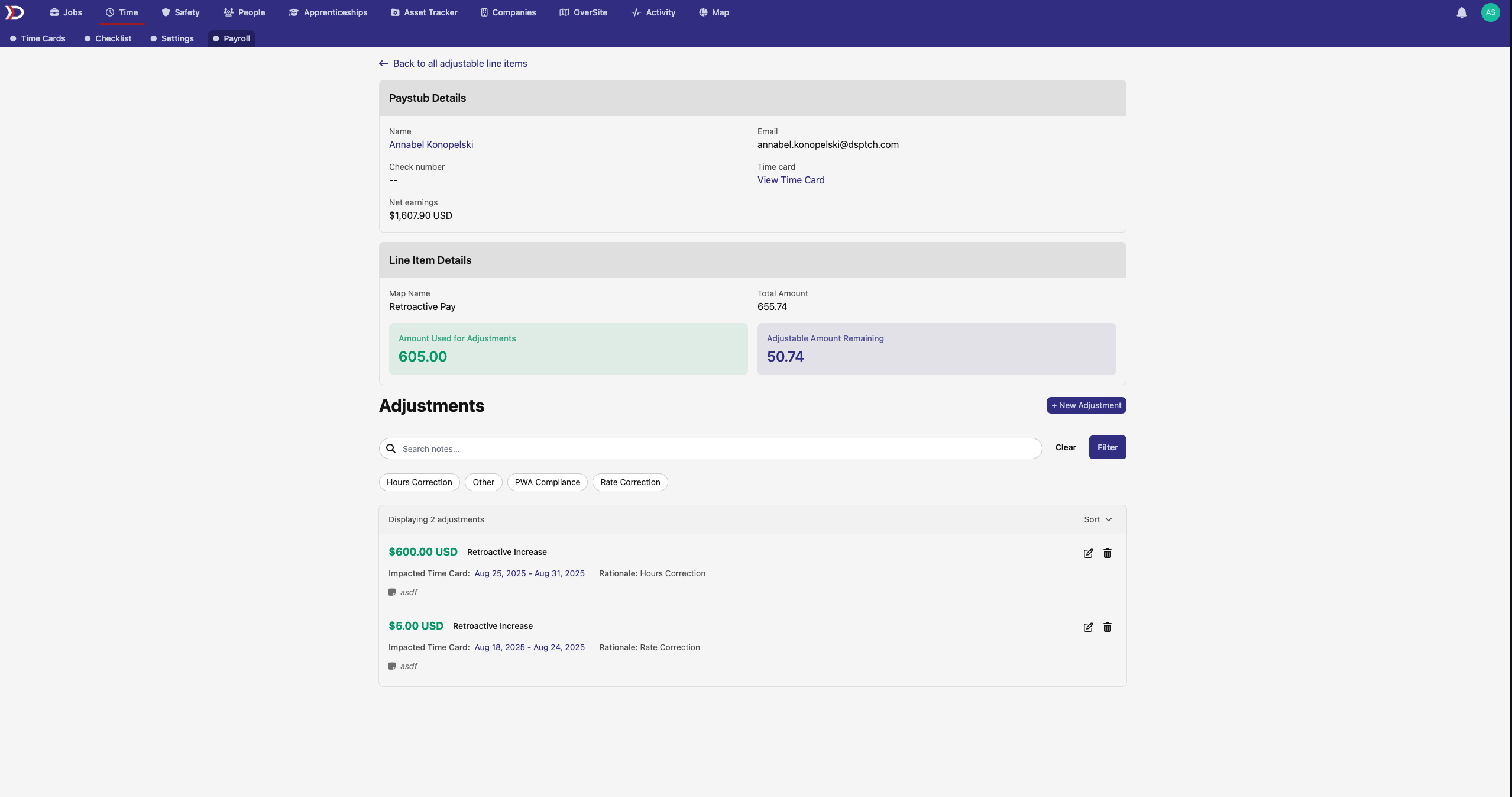
We've completely revamped the payroll interface and added the ability to handle prior period adjustments (aka backpay)! The new layout makes it easier to review paystubs, and you can now:
- View and filter adjustable line items across pay periods
- Create prior period adjustments for retroactive pay changes
- See a dedicated "Adjustable Items" button on paystubs that have retro adjustments
- Access a comprehensive Prior Period Adjustments page to manage all historical corrections
This makes handling pay corrections, retroactive raises, and other adjustments much more transparent and manageable for both admins and employees.
Map Improvements
We've seriously leveled up the map experience!
🗺️ Popup Improvements
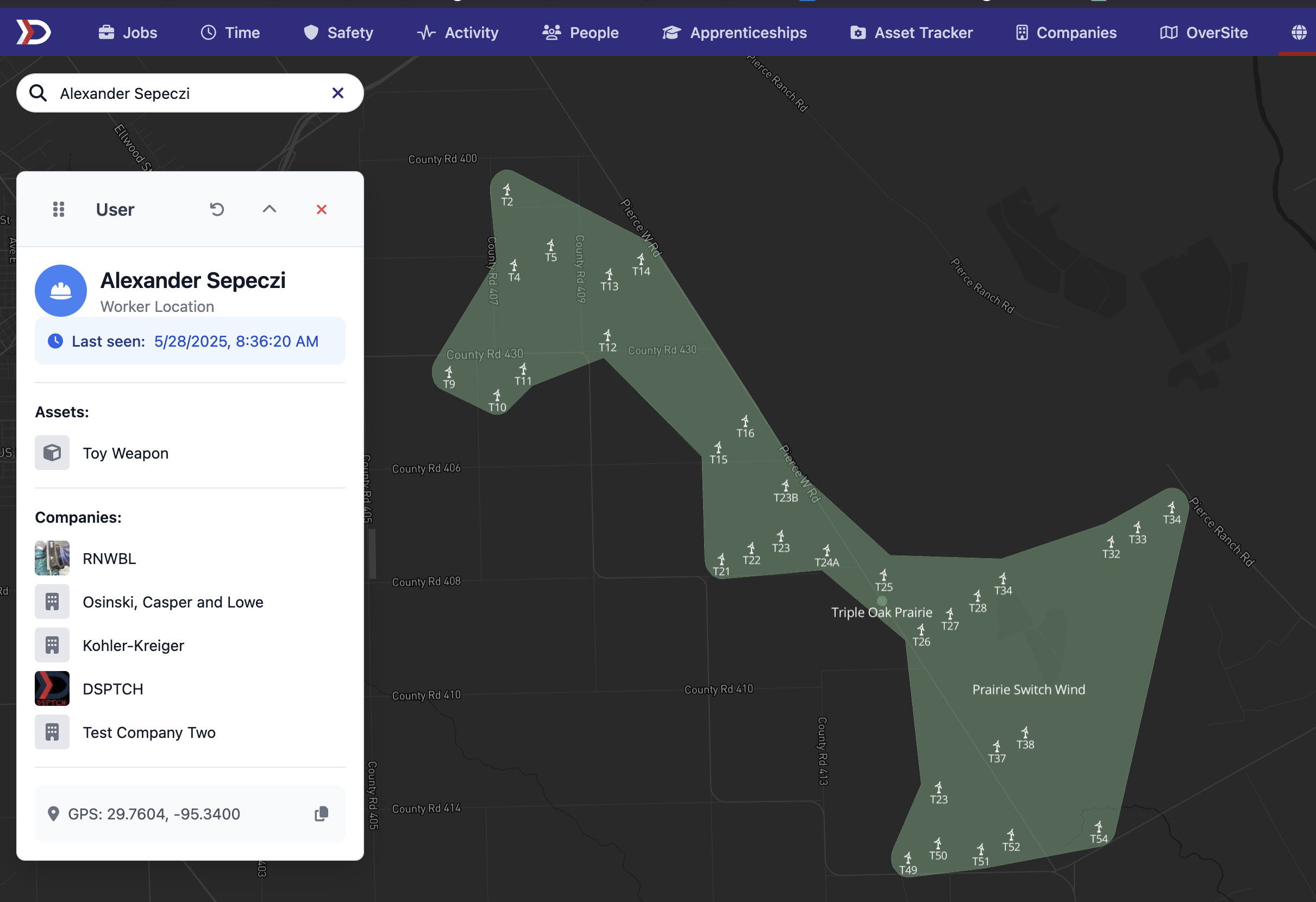
When you click on users or sites, you'll now see way more useful information at a glance. User popups now show company logos, clickable links to profiles, and a complete list of their assets with icons. Site popups got some love too - they now have a dedicated Assets tab showing all equipment details (make, model, and more). Everything's clickable, so you can quickly jump to any profile or asset page you need.
📊 Census Tract Boundaries
Need more granular geographic data? We've added Census Tract boundaries as a new layer option on the map! Toggle them on to see these detailed boundaries overlaid on your map view - super useful for demographic analysis and territory planning.
🔍 Advanced Feature Filtering
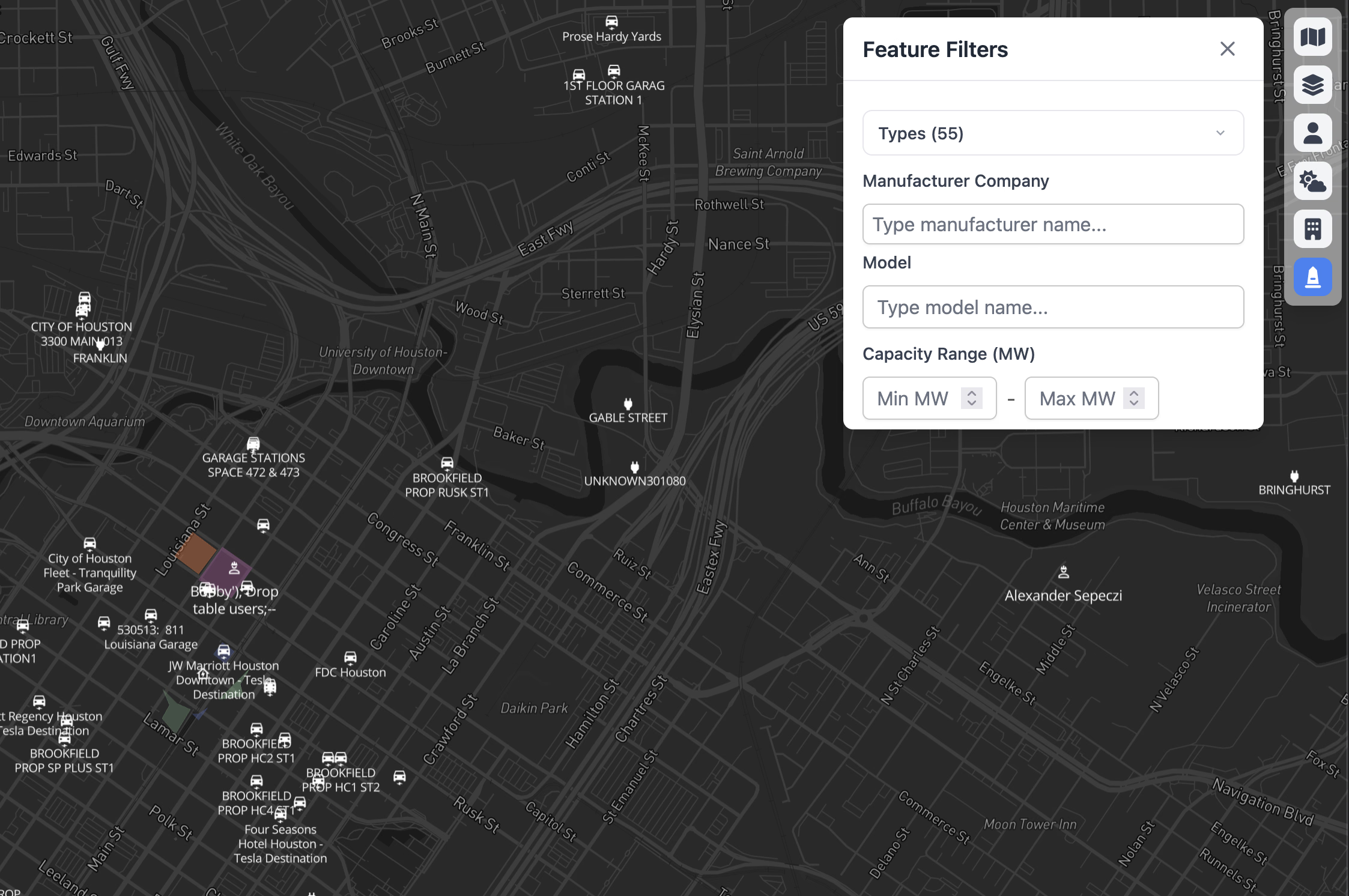
Finding specific equipment just got easier! The Feature Filter now includes model search and capacity range filters. You can search for specific equipment models by name, or filter by MW capacity ranges (min/max). Perfect for quickly finding all your 2.5MW turbines or equipment from a specific manufacturer.
🗺️ Asset Tracking API (For Developers)
For our developer friends, we've launched the first set of Asset Tracker API endpoints! You can now programmatically:
- List all assets with filtering options
- Create new assets
- Update existing asset information
- Delete assets when needed
Check out our API documentation for all the details on integrating asset tracking into your workflows.
That's all for this release! We're constantly working to make DSPTCH better for you. As always, if you have any questions or feedback, don't hesitate to reach out to our support team.
Happy dispatching! 🎉