May 19, 2026 Release Notes

This release lights up Production Tracking in early access — a new tab on jobs that lets managers set a priced schedule of work, watch completions roll in from the field, and slice the data interactively. Federal prevailing-wage projects and jobs pick up financial exposure dashboards, holiday incentive pay becomes visible across the time card, and a new Pay Rates section in Settings opens up named fringe-fund management.
⚡ Production Tracking — early access
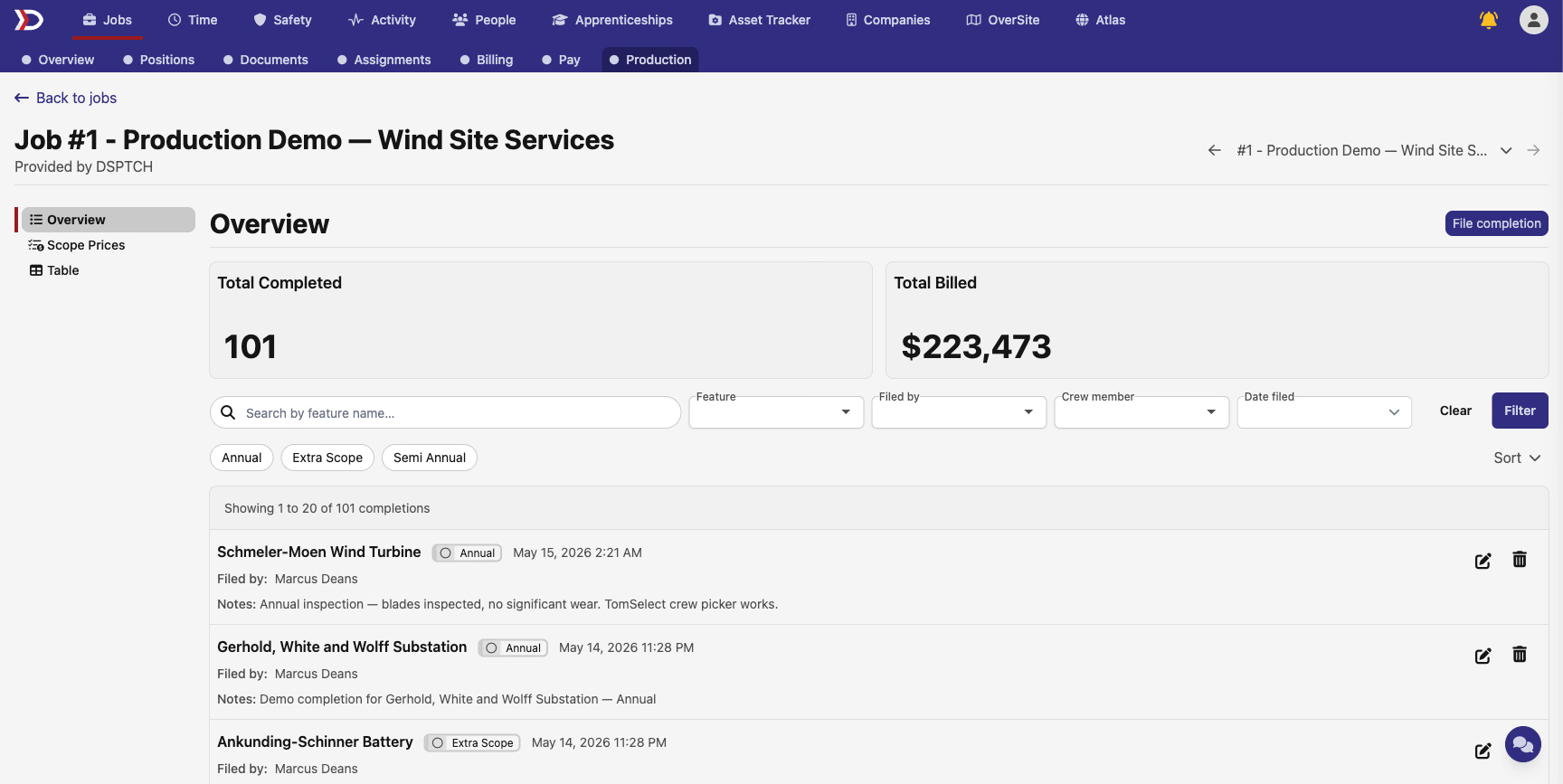
A new Production tab is now available on jobs as an early-access beta. Managers configure a priced schedule — each scope of work (e.g., "Annual Inspection," "Semi-Annual"), the contracted count, and the price per completion — then watch crews file completions from the mobile app as work gets done. Each completion captures the feature, who filed it, the crew on site, and notes. Enabling it per job is self-serve: a "Track completions for this Job" toggle appears in the Production Tracking section of the Job edit form for users with beta access.
The Production tab is organized into three sidebar surfaces: an Overview with live-filtered Total Completed and Total Billed cards plus the full completion list, Scope Prices for managing the priced schedule, and Table — a fully interactive data grid for managers who want to sort, group, and analyze. The completion list supports search by feature name, filters by feature, crew member, who filed it, and date range, plus per-scope quick filters; the summary cards update live as you apply filters so the numbers always match the rows below.
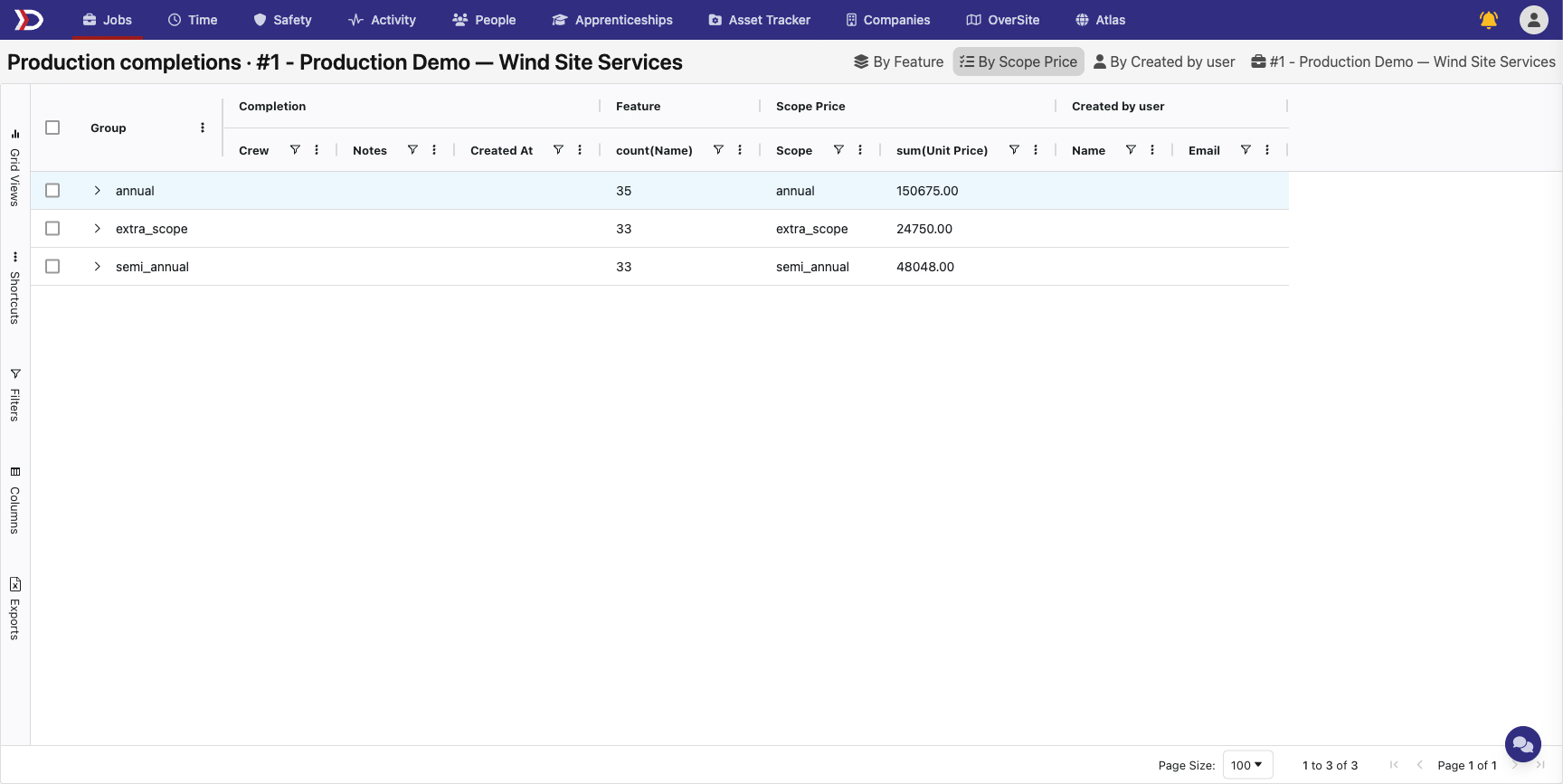
Pivot views in one click. From the Table view, three preset chips — By Feature, By Scope, and By Filer — instantly group and aggregate the data so managers can answer questions like "how many Annuals did we file this quarter" or "what's each crew member's contribution" without configuring grouping by hand.
Edit and backfill from the web. Managers can create, edit, and delete completion records directly from the web — useful for fixing a typo, backfilling a missed completion on behalf of a technician, or removing an erroneous filing. Scope and feature are locked once a completion is filed; notes and crew can be updated. Crew and feature pickers are searchable type-aheads with avatars and contact details.
💰 Holiday incentive pay, end-to-end visibility
Holiday incentive pay is now visible everywhere it accrues. The time card hours breakdown surfaces an Incentive 1.5x row alongside regular and overtime totals, time entries show holiday hours in the daily grid, and a holiday badge marks each company-holiday day with a tooltip explaining why hours are landing in incentive pay rather than regular pay. The job's Time tab and certified payroll exports also report incentive hours.

Time codes (work types) gain an Incentive Pay Eligible setting that controls whether hours under that code count toward incentive pay on holidays. The setting is editable on the time code edit form and visible in the time code list and detail tooltip.
🏗️ Project Overview — federal PWA exposure
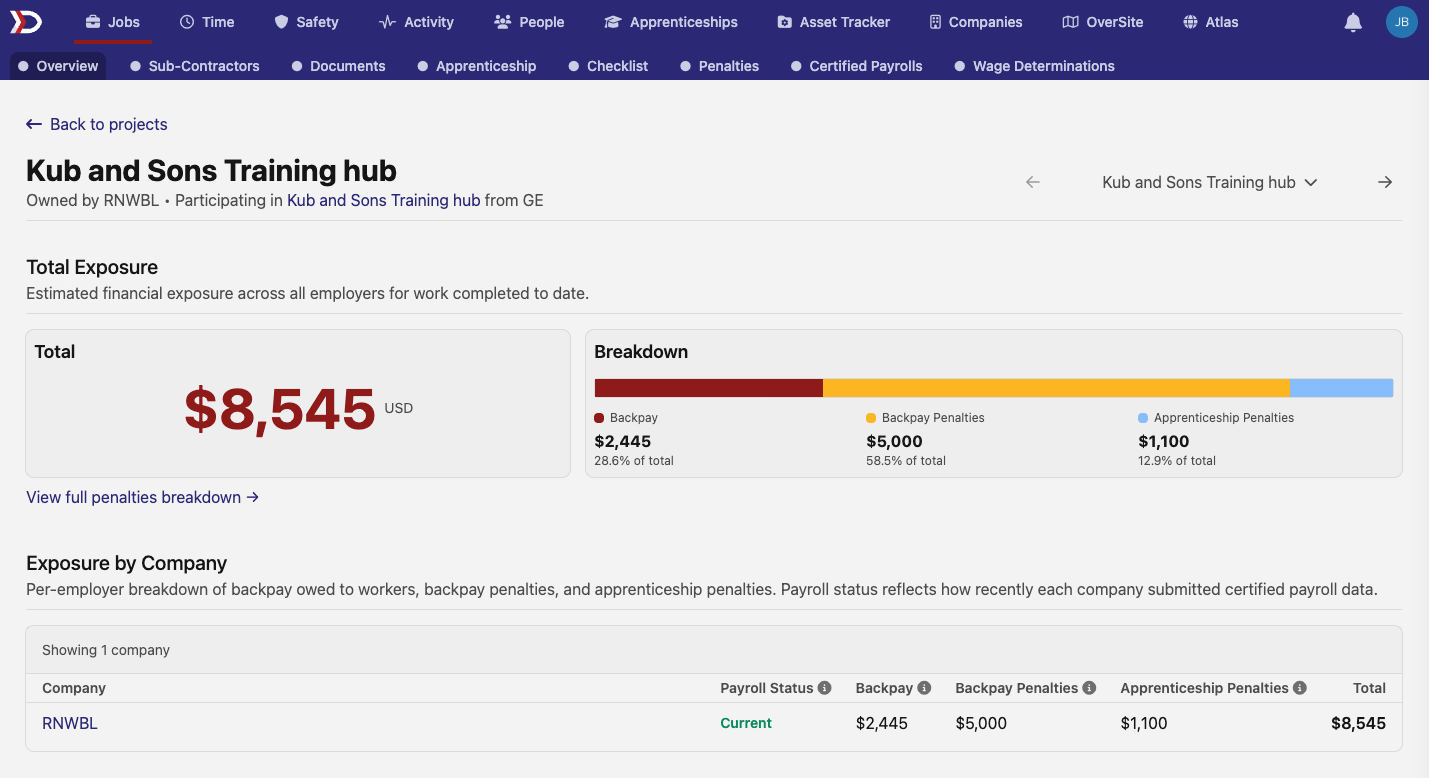
Federal prevailing-wage projects get a new Total Exposure dashboard on the overview page: a single dollar total of estimated financial exposure, a stacked bar chart breaking it down into prevailing wage backpay, backpay penalties, and apprenticeship penalties, and a per-company table listing each participating company's payroll status and penalty amounts. A "View full penalties breakdown" link drills into the detailed view. Non-PWA projects are unchanged.
Company rows in the table are clickable links to the company page, the totals column is color-coded so positive balances stand out, and font sizing is consistent throughout.
💼 Job Overview — exposure summary and a refreshed details panel
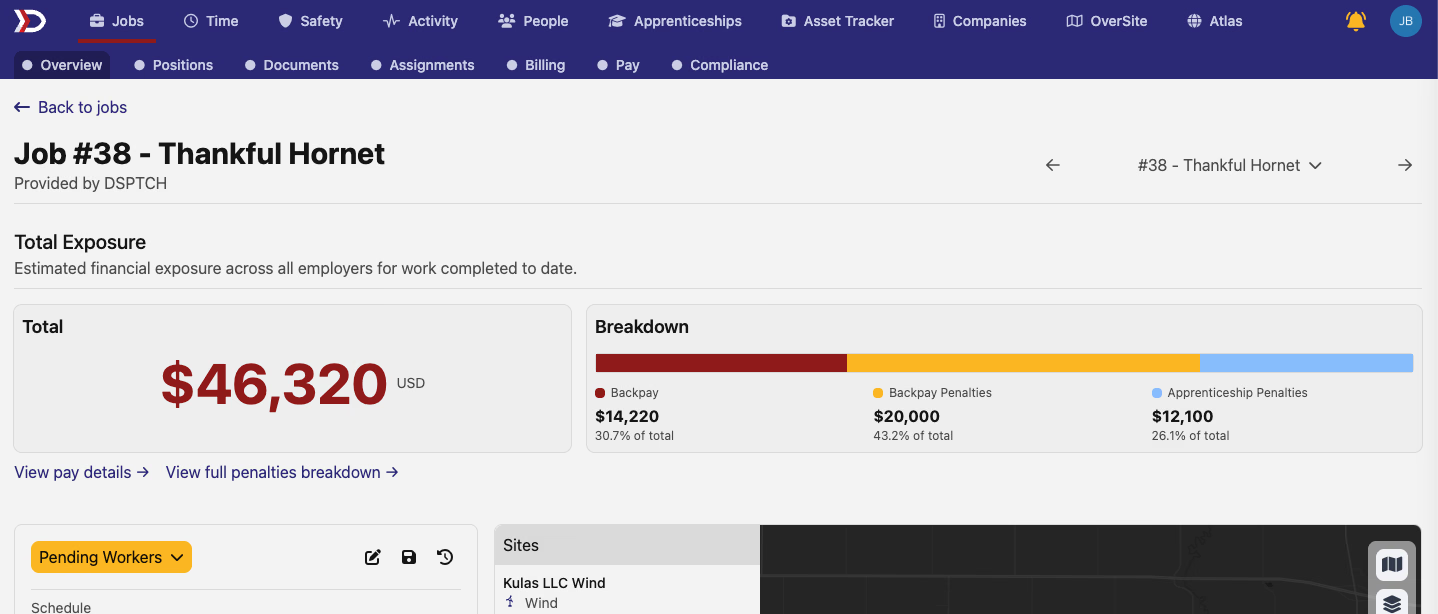
Federal prevailing-wage jobs pick up the same exposure dashboard at the job level: total backpay owed, backpay penalties, and apprenticeship penalties, with the breakdown chart and dollar amounts in the same shape as the project view. "View pay details" and "View full penalties breakdown" links are surfaced for users with financial access. The categories shown depend on the job's PWA mode — prevailing wage only, apprenticeship only, or both.
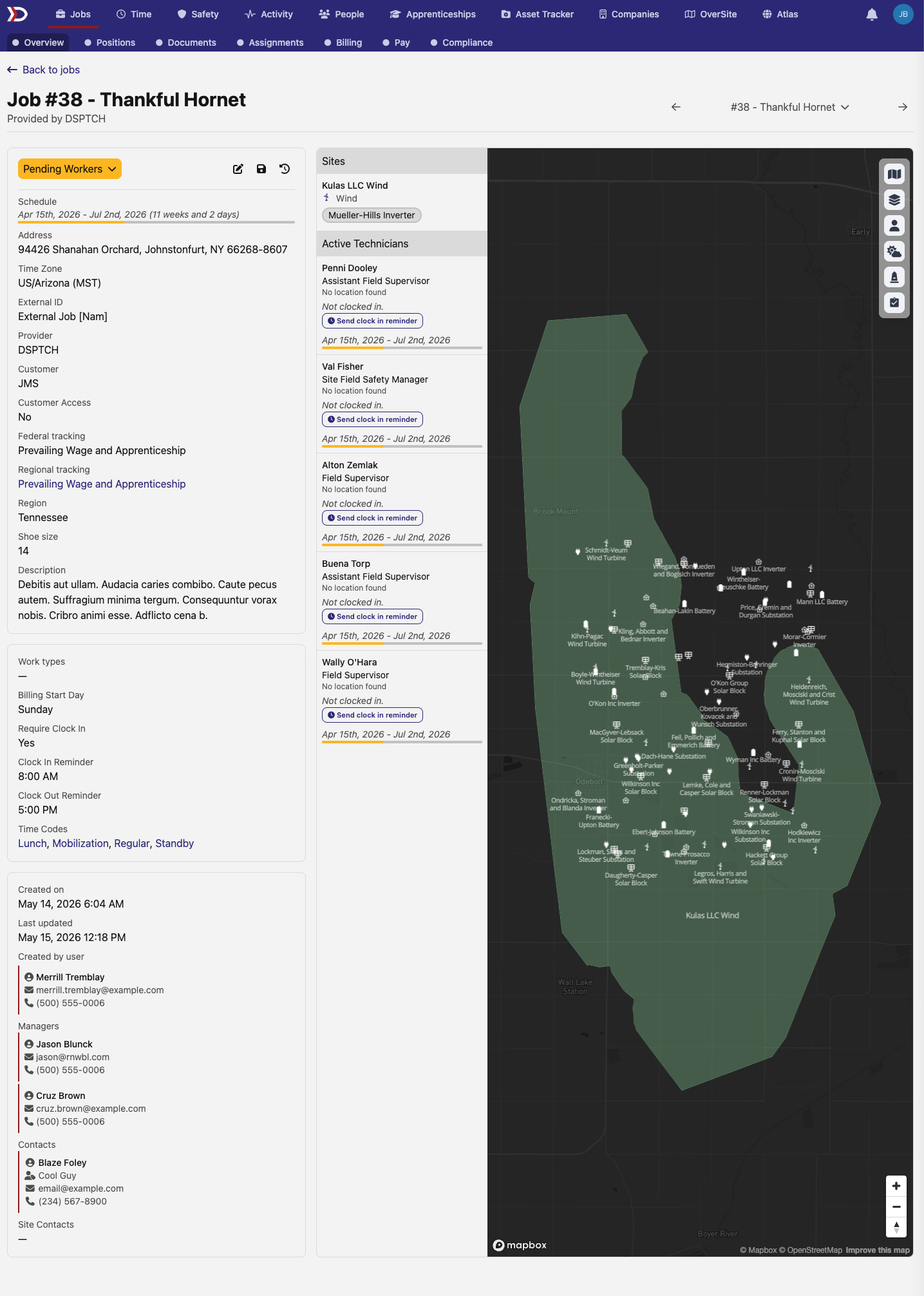
The job details panel has also been redesigned. Job information is now grouped into clearly labeled sections — core details (dates, description, external ID), scheduling and timekeeping settings, and people (creator, manager) — replacing the prior dense single block. Creator and manager names show hover cards with contact details, the status indicator is a colored pill badge, and the panel no longer has a fixed height so all details are visible without scrolling inside the panel.
Federal Backpay is now part of the Total Penalties summary card on both jobs and projects, loaded together with the rest of the penalty data instead of as a separately delayed section. Switching work years in the Federal Backpay detail section still updates that section independently.
📊 Pay Rate Definitions — early access
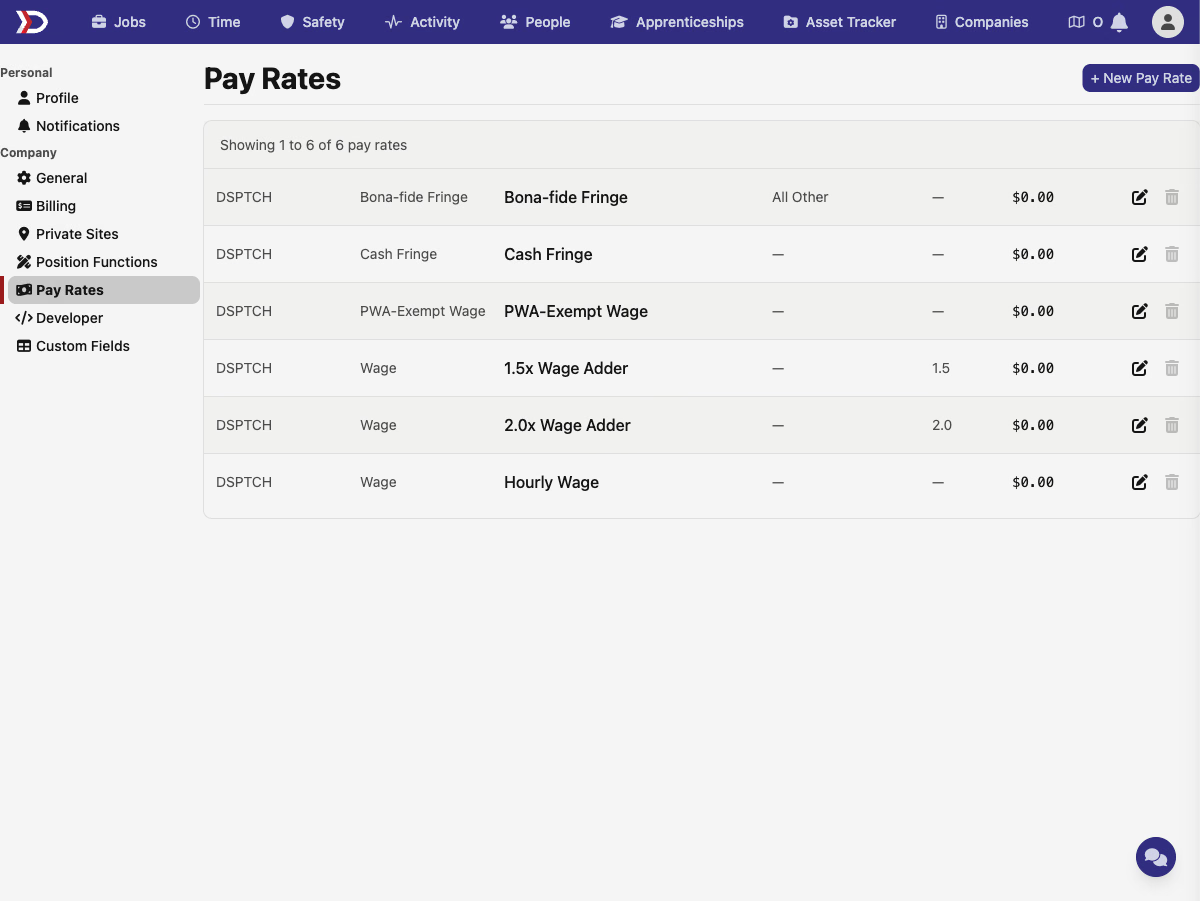
Company admins with early-access can now manage named pay rate definitions directly in Settings under a new Pay Rates section. Create entries like "NEBF Pension" or "IBEW Health & Welfare," pick the rate type, overtime tier, and employer contribution type, and set the amount. System baseline rates are listed but cannot be deleted; rate type and tier are locked after creation so historical data stays consistent.
On the time card, pay expectations gain a Bona-Fide Fringe Fund Contributions section listing each named fringe fund with the dollar amount accrued for the pay period and a total row. Individual time entry detail panels also show a per-fund accrual breakdown for admins. Both displays are hidden when no named fringe funds are configured.
📋 NY DOL XML and CA eCPR — multi-classification support
California DIR eCPR and New York DOL XML certified payroll exports now correctly handle workers who performed work under more than one wage classification during a pay period. Each classification appears as its own entry in the exported file, with hours and fringe rates calculated using the combined worker totals — matching what the respective state agencies expect. The same out-of-ratio apprentice treatment that landed in the WH-347 multi-classification work last release now flows through to the XML formats too.
📧 Weekly Summary email — todos
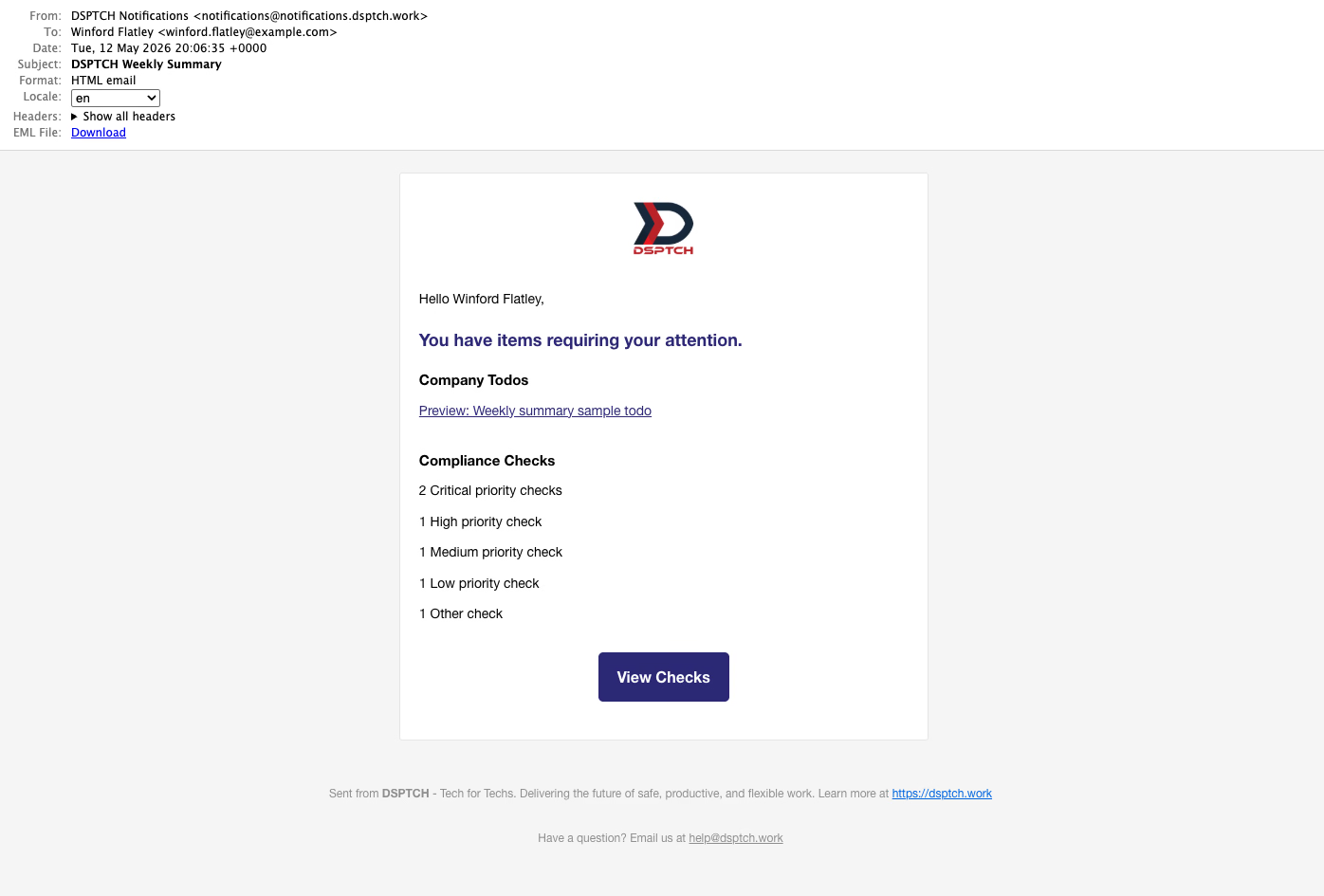
The weekly DSPTCH summary email now includes a Company Todos section listing incomplete to-do items assigned directly to you, alongside the existing compliance check failures. Users who have open todos but no failed checks now receive the weekly email when they previously didn't. The subject line is now "DSPTCH Weekly Summary" with a clearer "You have items requiring your attention" intro.
🛠️ Fixes
- Compliance check links for workers missing a wage determination now point to the wage determination page when one exists, or the position page when none is linked — rather than always going to the position page.
- Compliance check wage-determination expiry — workers are no longer incorrectly flagged for a missing wage determination when a valid determination existed during the pay period but has since expired.
- Site check-in form drops the confusing "CIP Exceptional Circumstance" toggle; non-NERC check-ins no longer strictly require a site contact to be present.
- WH-347 export filenames now use the job's readable display ID (e.g.,
JOB-001) instead of an internal UUID, making it obvious which file belongs to which job at a glance.
Production Tracking is the big lift this release — early-access partners can flip it on per job from the Job edit form. As always, reach out with feedback or questions.
The DSPTCH Team