May 12, 2026 Release Notes

Most of this release lands in the Wage & Hour / WH-347 export — multi-classification rows, accurate out-of-ratio apprentice reporting, fringe math that reconciles on the form, and an end to blank cells when a worker has no cash fringe across the week. Position and Company Document pages pick up the shared Comments card, the Compliance Requirements page adds a Requisite filter, and pay period worker search switches to fuzzy matching.
📤 Wage & Hour: multi-classification, out-of-ratio, fringe math
The certified-payroll export gets the most attention in this release.
Multi-classification workers. When the same worker has more than one labor classification in a single week, the export now reports worker-level totals — gross pay, deductions, fringes, net pay — once on the primary row only. Subsequent rows for that worker show the per-classification hours and rates without double-counting the worker-level totals. Each row also picks up a classification-specific cash-fringe rate so the rate column reflects what was paid for that classification.
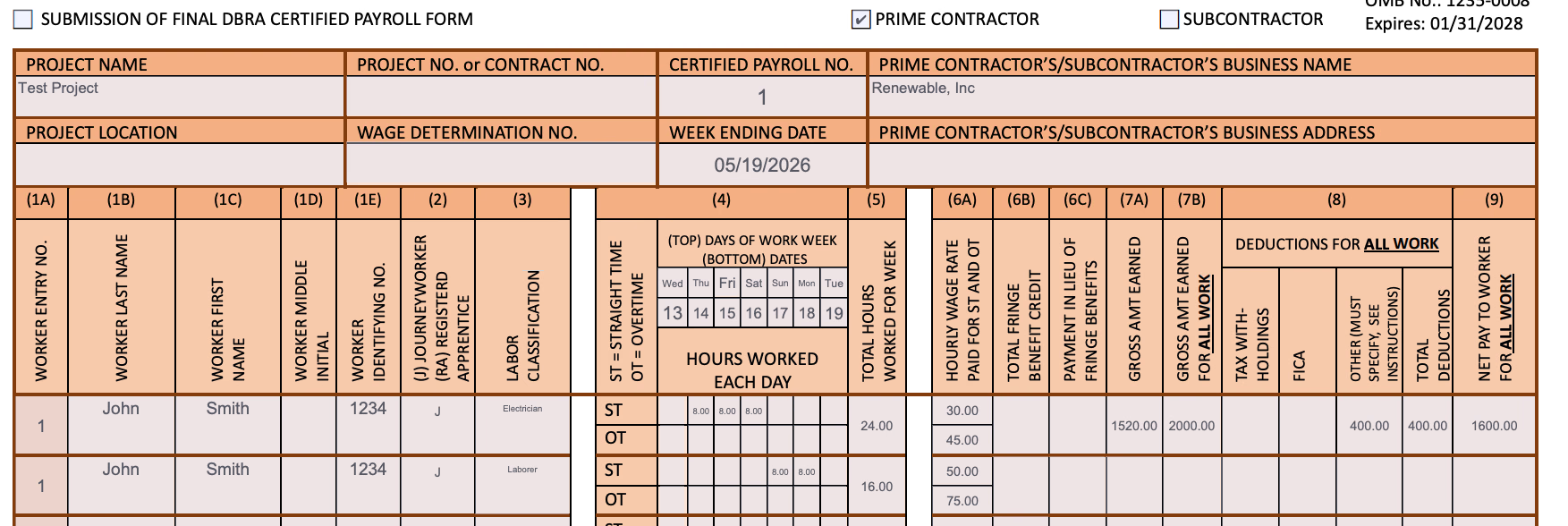
Out-of-ratio apprentices. When an apprentice works hours that exceed the daily apprentice-to-journeyworker ratio, those hours now appear on a separate row, paid at the full journeyworker rate. The "RA" (Registered Apprentice) designation stays on both rows per Davis-Bacon requirements — the in-ratio hours at the apprentice rate, the out-of-ratio hours at the journeyworker rate.
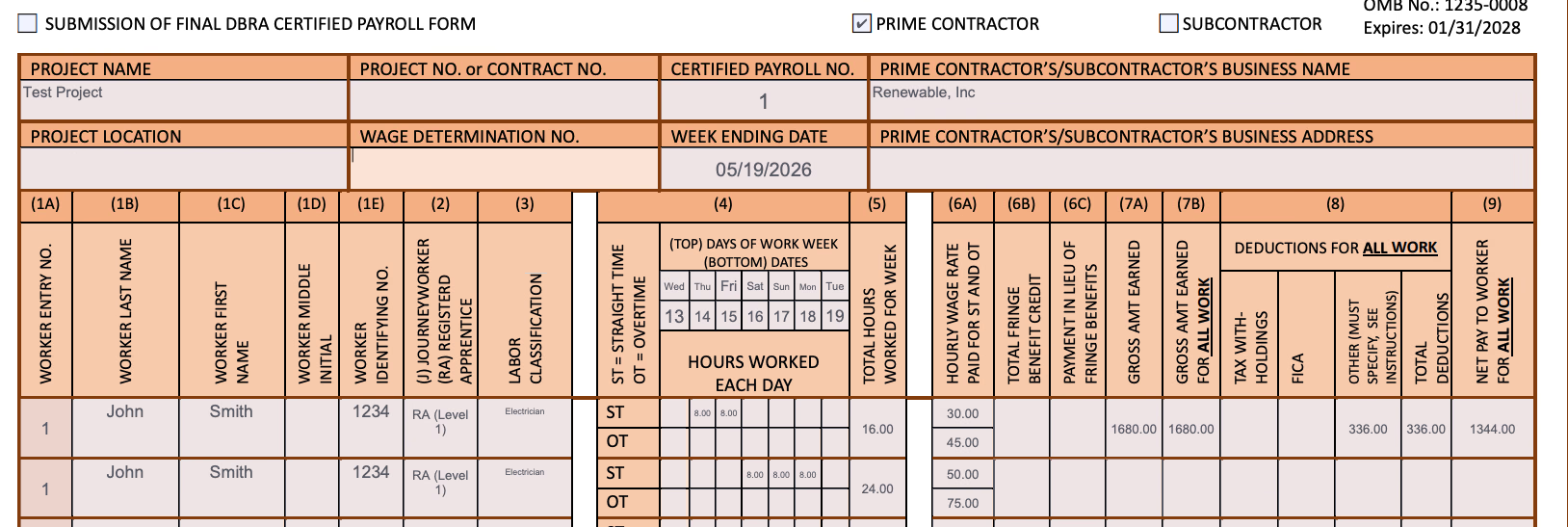
Fringe math that reconciles. The displayed total hourly fringe rate now equals the sum of the displayed per-fringe rates, and Column 6B equals displayed hours × displayed rate. Individual fringe rates round down to two decimals (conservative, never over-reporting plan contributions) and Column 6B is computed from those displayed values, so the math on the form ties out.
No more blank cells. Wage & Hour / LCP Tracker exports for workers who had no cash-fringe contribution and no PWA shortfall across an entire week were rendering the Total Paid, All Projects, In Lieu Payment Rate, and Wages Paid in Lieu of Fringes columns blank. They now report 0 correctly, regardless of whether the source actuals were ever populated.
🧾 Requisite filter on Compliance Requirements
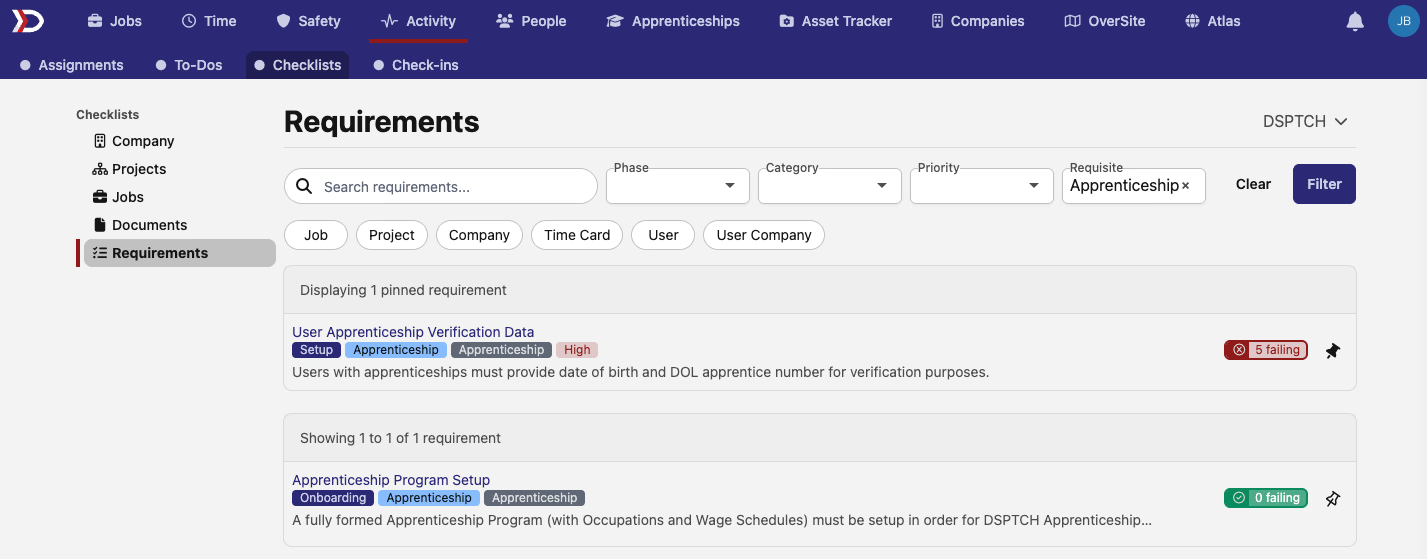
The Requirements page under Activity → Compliance picks up a Requisite filter, joining the existing phase, category, priority, target-type, and title-search controls. Filter to a specific requisite — Apprenticeship, Federal PWA, Regional PWA, IRA, IRA Tax Credit, PWA, Payroll, Timekeeping, WH-347, DSPTCH, or Best Practice — and the requirement list narrows to just the ones tagged with that requisite.
💬 Comments on positions and company documents
The shared comments card — same rich-text editor, same permissions model already used on time cards and wage determinations — lands on two more pages.
Position detail pages now show comments above the activity timeline. Useful for crew leads to leave context on a specific worker's assignment without it being lost in time-card notes.
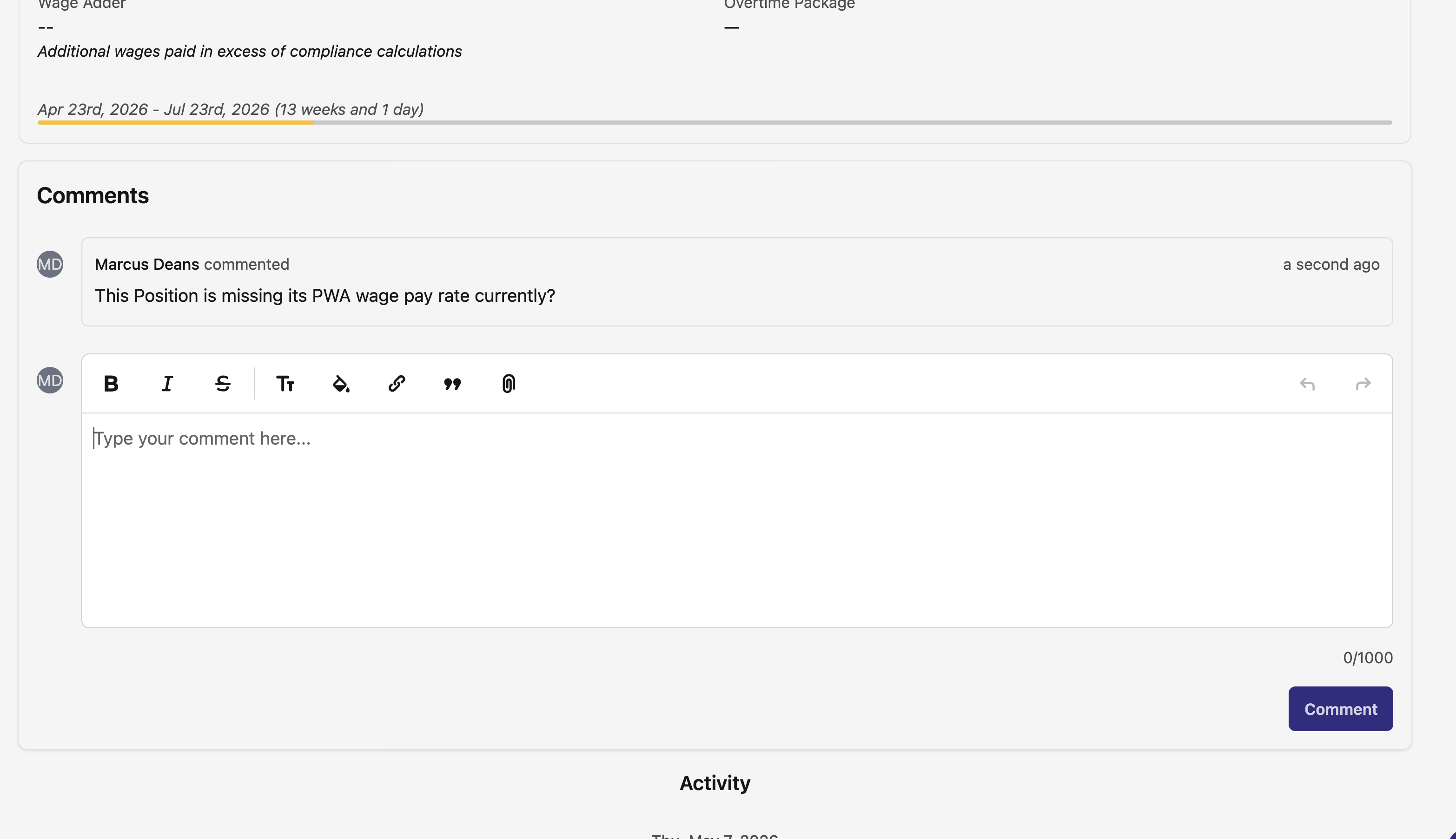
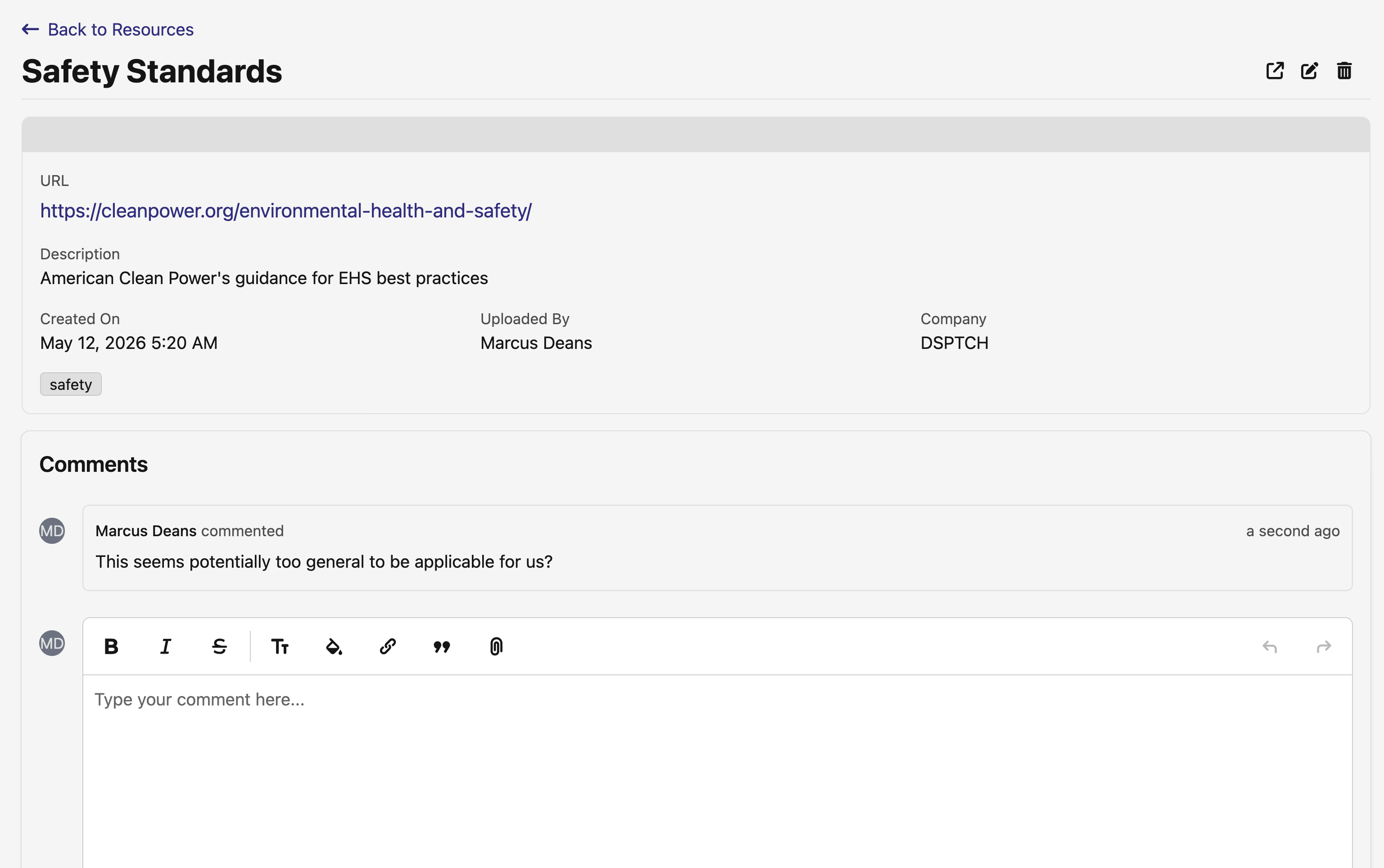
Safety → Company Documents picks up a comments card alongside the existing document details. Notes about a policy revision, a missing signature, or an upcoming renewal stay attached to the document itself.
🔍 Pay period worker search: fuzzy matching
The worker search bar on a pay period now does fuzzy matching across worker names — a misspelled name still surfaces the right time card, instead of requiring an exact match. Useful for quickly jumping to a worker without having to remember exactly how their name is entered.
🏗️ Project overview: refreshed layout
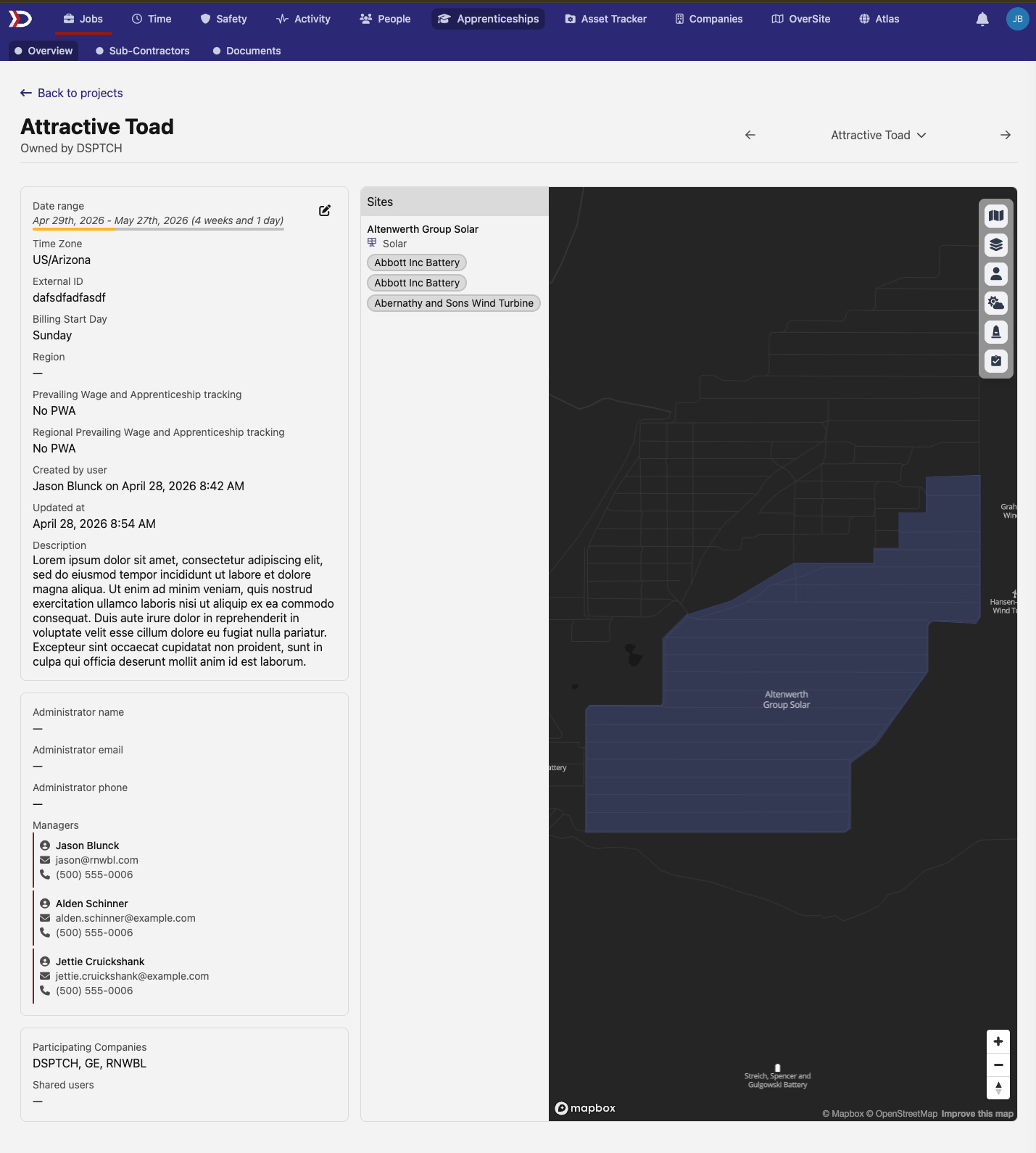
The general details section on a project's overview page is now grouped into bordered cards — project details, administrator info, shared users, and key dates — replacing the single dense block. Labels come from the same source as the rest of the project surface, so what you see here matches the edit form and other project pages.
🏷️ Priority-failed indicators on more checklists
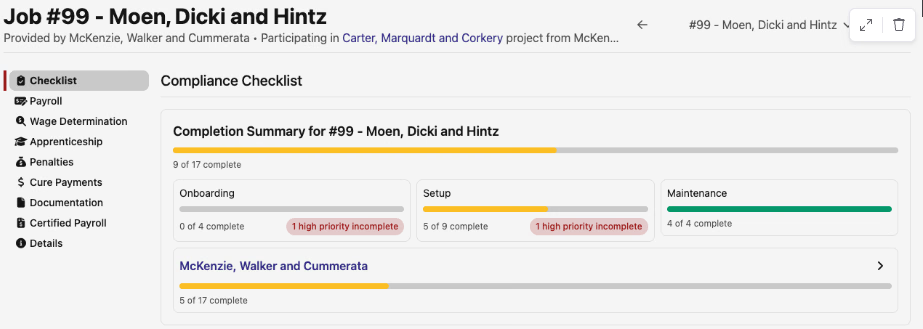
Compliance checklist displays that were missing them now show priority failed counts alongside the completion count, so a checklist that's mostly green but hiding a high-priority failed item surfaces that immediately. Matches the existing priority-failed treatment on the time card and pay period checklists.
🛠️ Fixes
- Apprenticeship ratio recompute on time entry date moves — Editing a time entry's start time to move hours from one date to another now correctly clears the previous date's ratio status instead of leaving it stale. Downstream PWA obligations and Wage & Hour export amounts reflect reality after a date move.
- Rate accuracy for historical edits and apprentice wage-period boundaries — Cash-fringe and apprentice rates on PWA obligations now use the wage determination effective at the time of the work, not the one effective today. Apprentices crossing a wage-period boundary are priced correctly day-by-day instead of being pinned to their position start date.
- Cash fringe rate no longer empty on newly-eligible PWA time entries — Time entries that switched to a PWA time code on a PW-tracking job after being created without one now correctly populate the cash fringe rate. Previously the rate could be left empty, leading to $0 cash fringe in the app and undercounted certified payrolls.
- Regional Company Details checks now run per job — a CA eCPR export no longer fails to ship because of missing IL fields on a company that operates in both regions; the check fires only on the job's own region.
- User page headers no longer error when a user's display name is empty.
- Payroll Runs and Paystubs page headers share a consistent layout with the rest of the app.
- Time card comments section spacing aligns with the rest of the card.
A larger-than-usual Wage & Hour overhaul, a couple of new comment surfaces, and the usual round of fixes. Reach out with any questions!
The DSPTCH Team