May 4, 2026 Release Notes

A big release: OverSite, Private Sites, and Project Overview maps all roll over to the new map with full drawing tools and filter panels. Project Wage Determinations pick up a dedicated management page, including the ability to schedule future changes by effective date. NY DOL XML exports get the same dashboards as the other certified payroll formats, in beta. Plus a round of compliance-check, todo, and jobs-grid polish across the app. 🗺️
🗺️ OverSite, Private Sites & Projects: Map Refresh
The map on /sites/:id (OverSite) and /settings/sites/:id (Private Sites) gets a refresh. It ships with the full drawing toolbar, reshape and decommission flows, and the suggest-edits overlay — and when you draw, edit, or delete a feature, the map updates in place without a manual refresh.
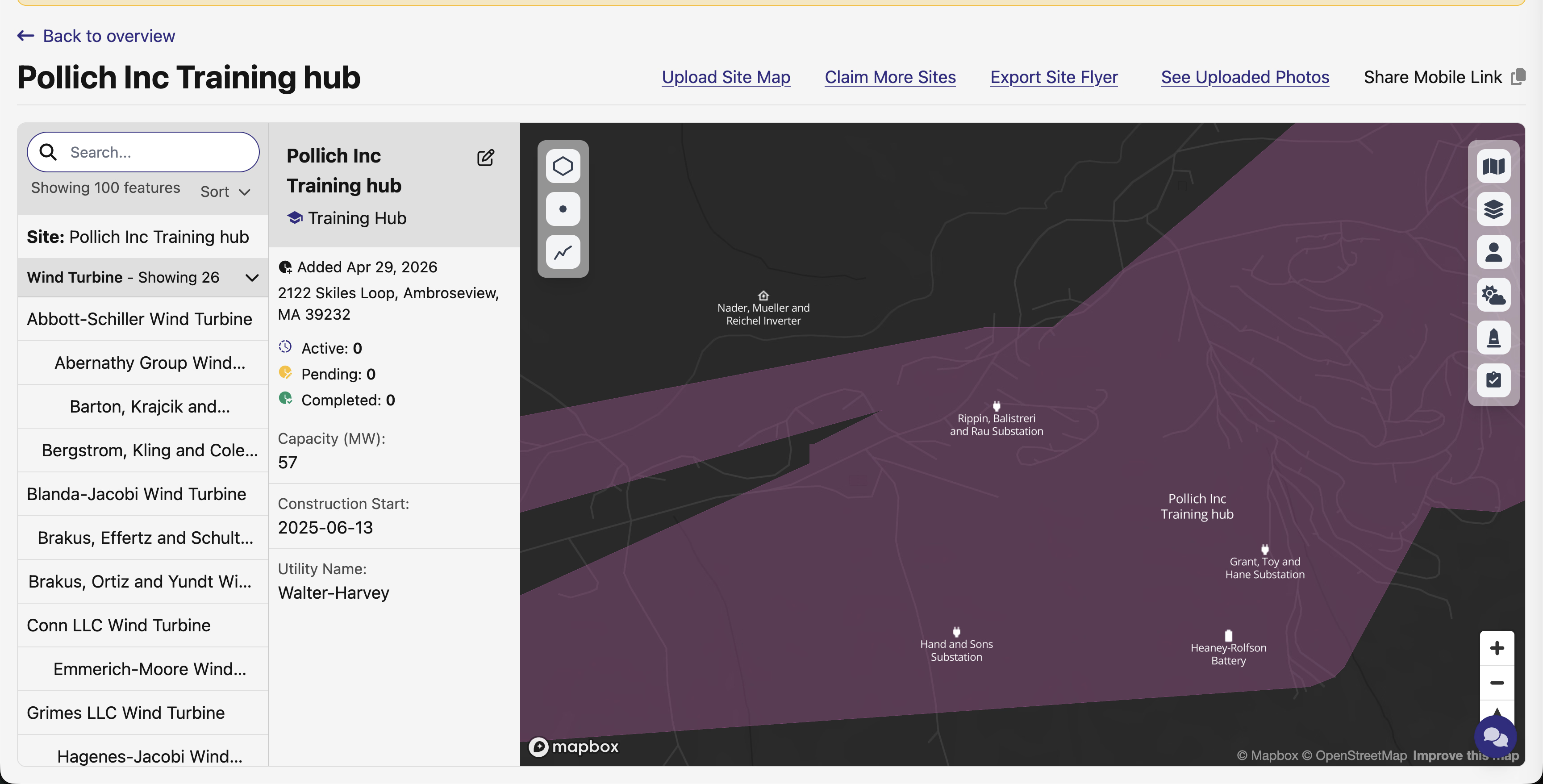
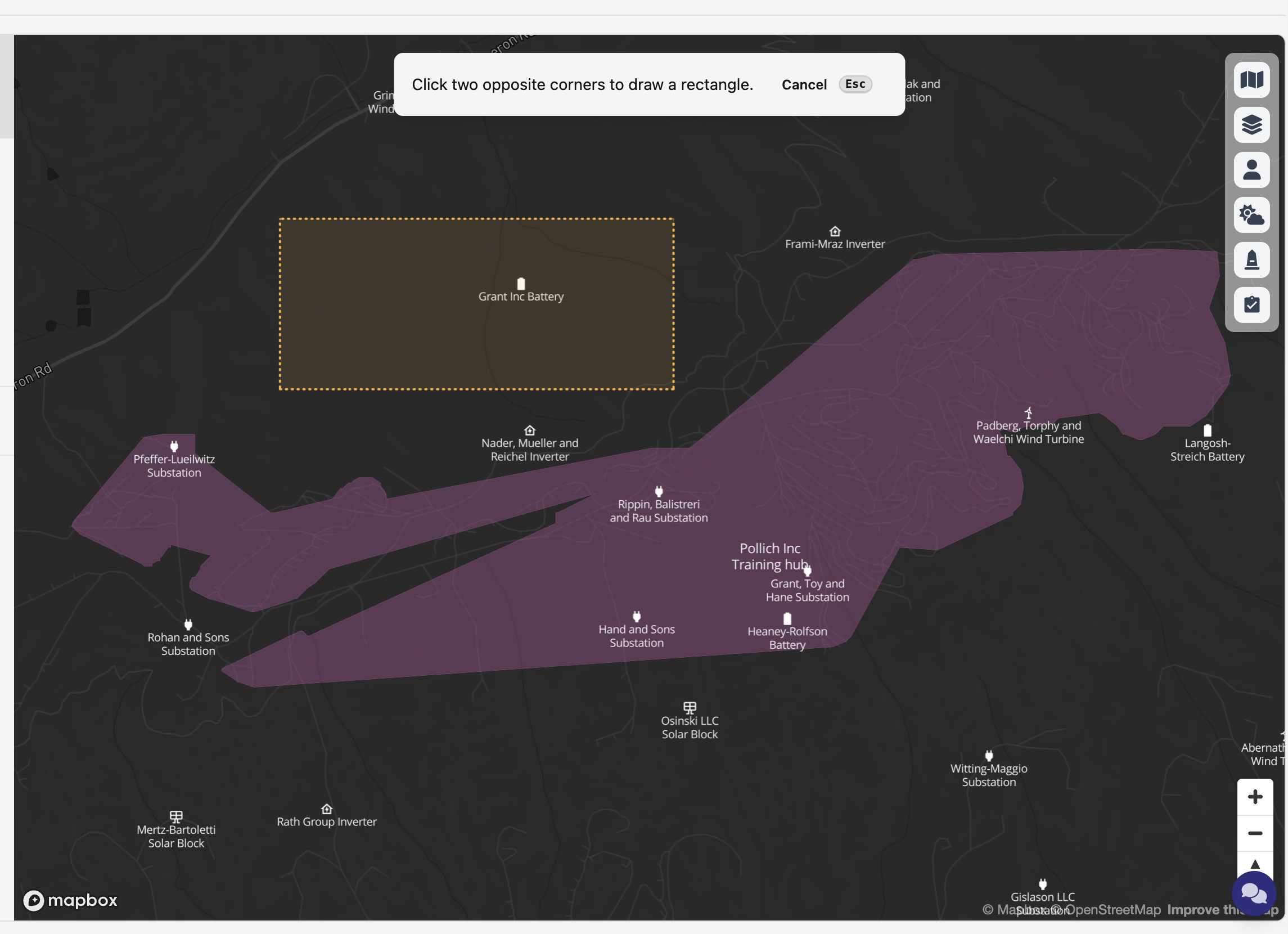
The drawing toolbar covers polygon, point, line, and rectangle — the rectangle button is back after a brief disappearance. Each tool has a keyboard shortcut, and rectangles are click-click (corner 1, then corner 2), not click-and-drag — the instruction overlay matches.
Private Sites also picks up a layout fix as part of the refresh — /settings/sites/:id was rendering inside the narrow settings sidebar layout, which left the map cramped. It now renders full-width like OverSite.
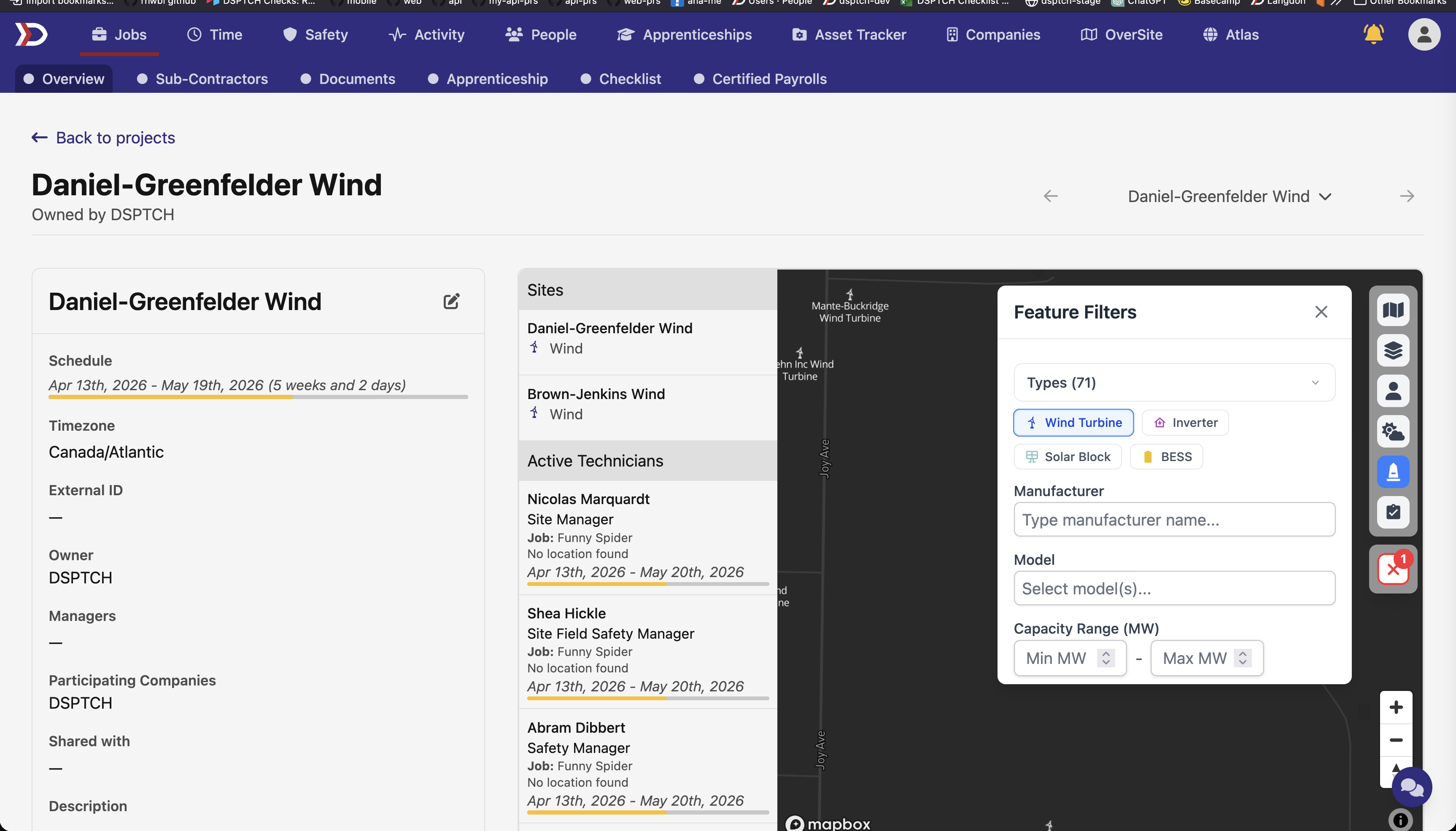
The Project Overview map at /projects/:id/overview gets the same refresh — read-only, but with the full toolbar (Style, Weather, Feature, User, Form Submission filter panels). User and form-submission layers now show alongside sites and features, and the Active Technicians sidebar lists positions across every job in the project with the parent job name on each card.
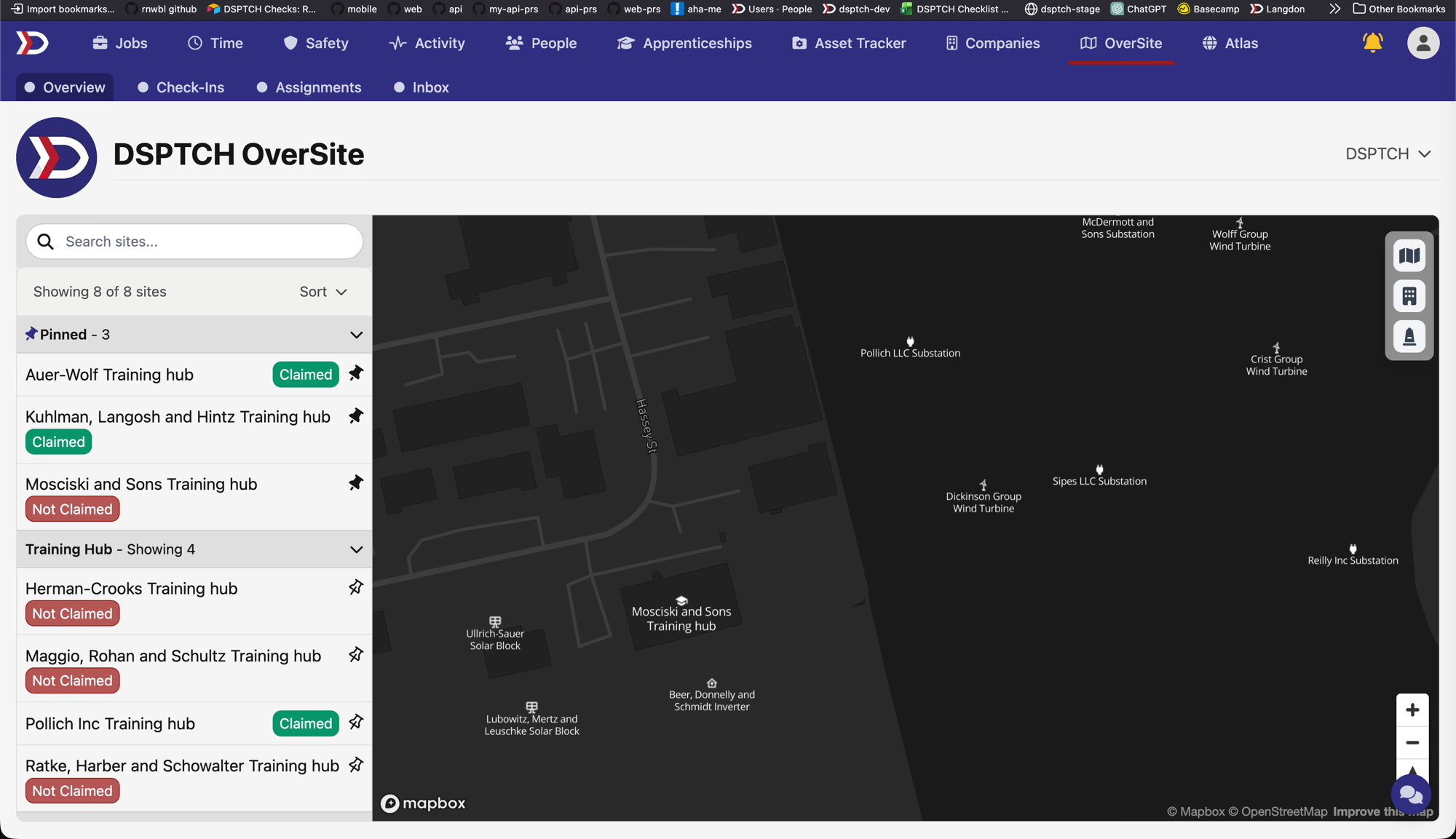
📌 Pinned Sites in OverSite
Sites can now be pinned to the top of the OverSite sites index. Click the pin icon on any site row to toggle it; pinned sites get their own collapsible "Pinned" section above the standard grouped list, scoped to your user.
📐 Project Wage Determinations
Project Wage Determinations (PWDs) now have a dedicated management page under each project. The new Wage Determination tab lists the PWDs configured directly on the project, plus a separate list of PWDs inherited from parent projects.
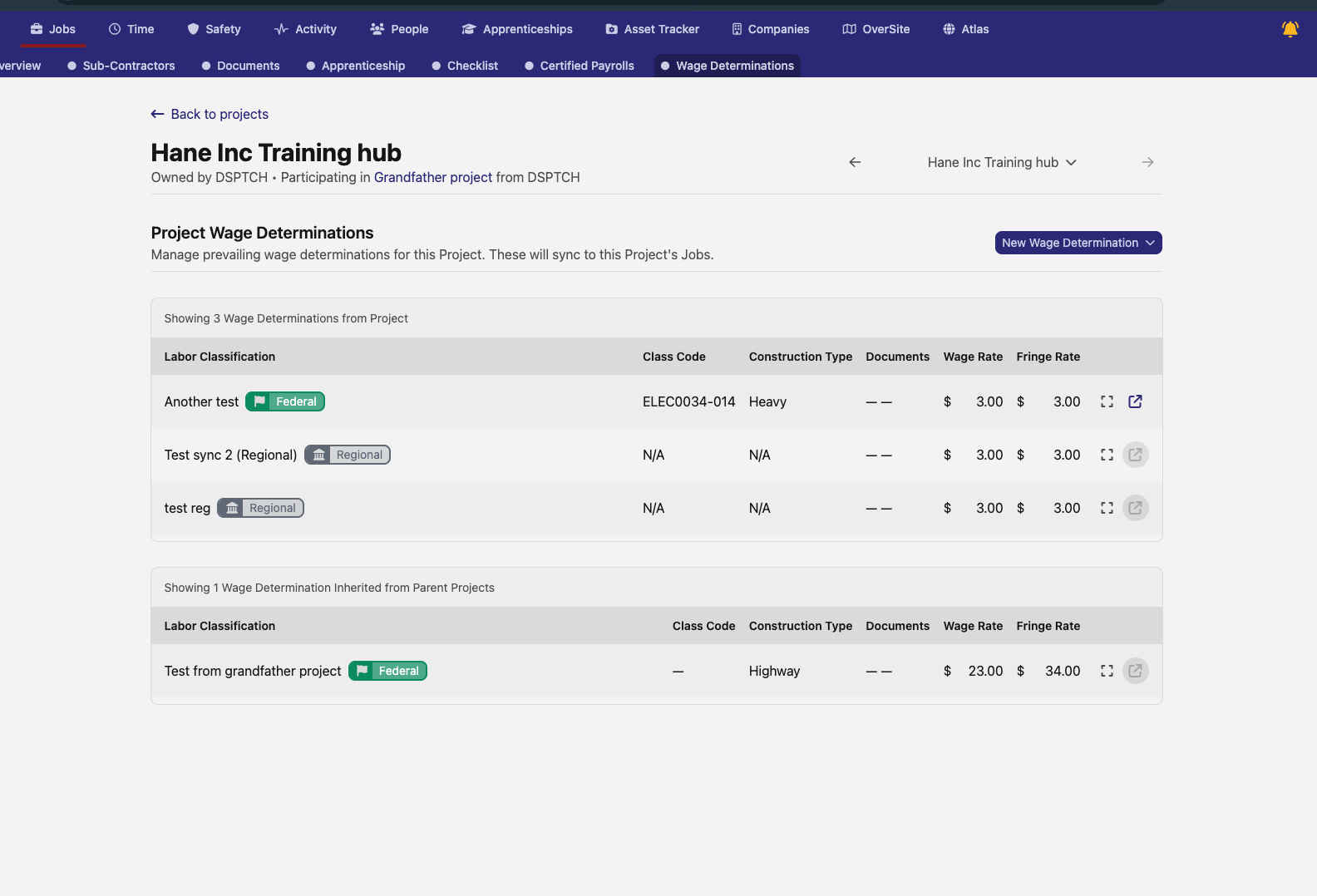
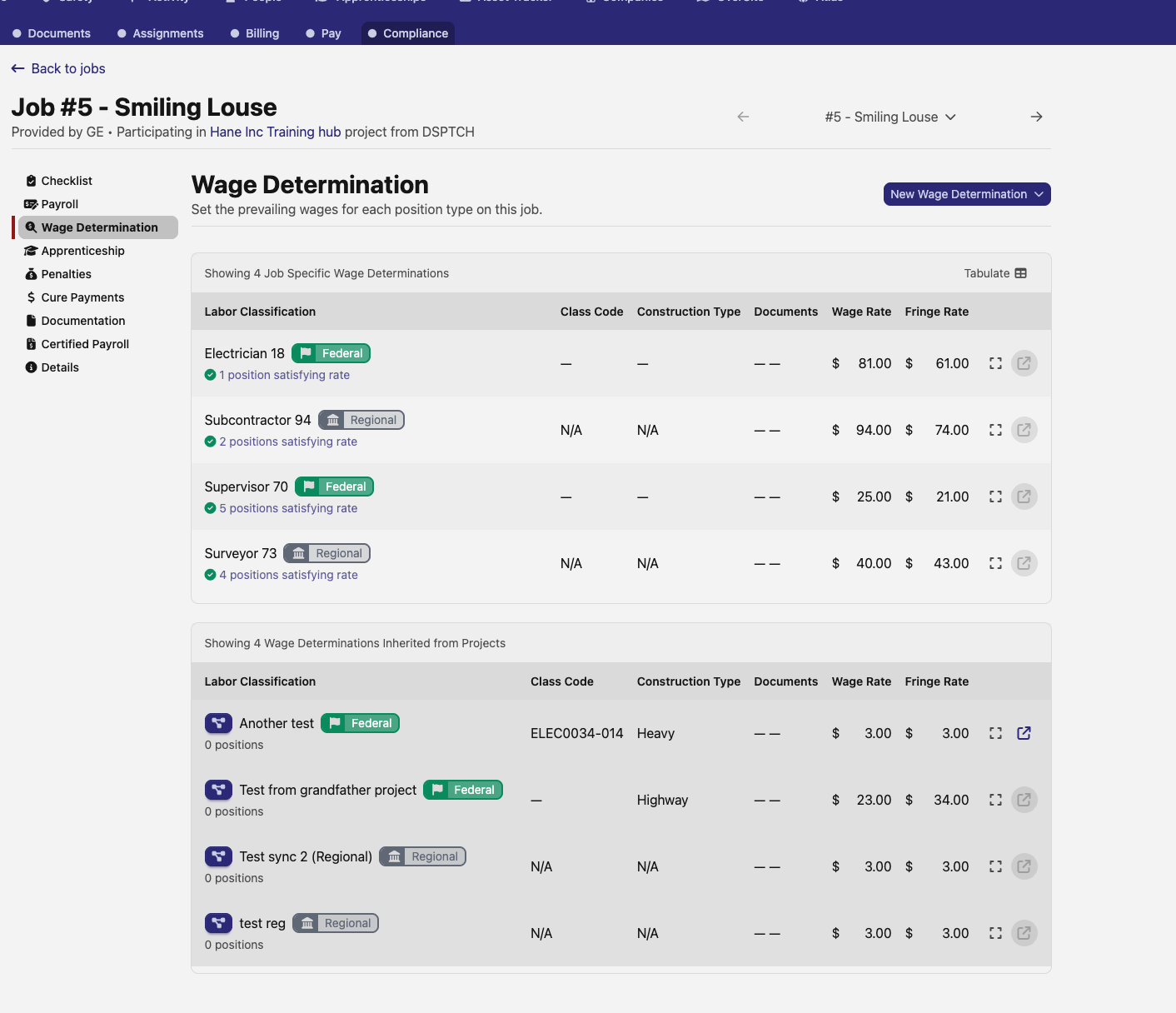
PWDs apply to all Job Wage Determinations underneath them — JWDs synced from a project show up in their own section on the JWD list with a project-sync indicator, and their action buttons are hidden since changes flow through the PWD.
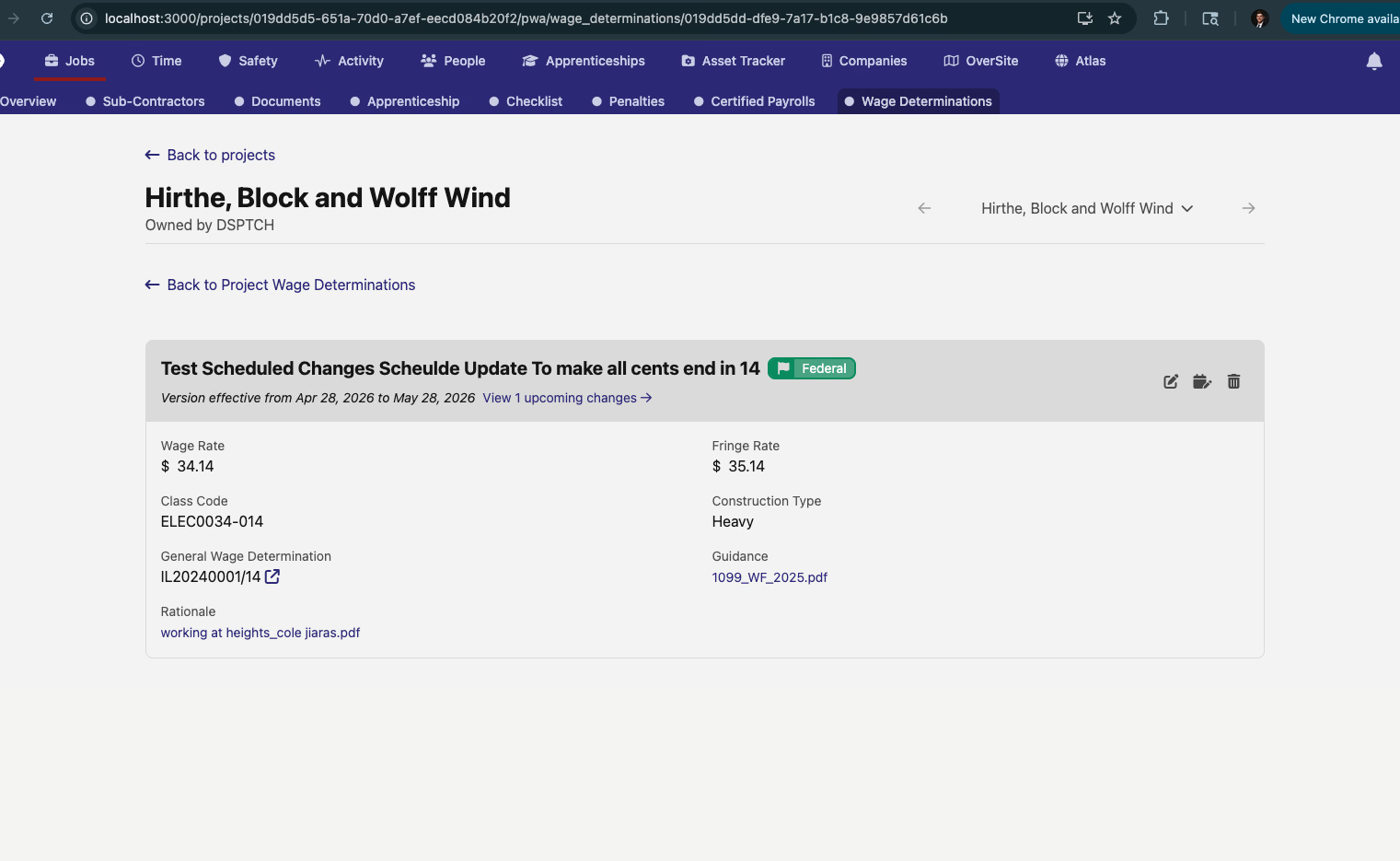
PWDs also pick up the same scheduled-change support that JWDs already have: edit the current version, or schedule a future change with an effective date. Versions and scheduled changes flow down to the synced JWDs automatically.
The User Information page on a user's Prevailing Wage tab also gets a small upgrade: the company switcher is now a searchable dropdown instead of a basic button list, which helps when a user is employed by many companies.
📄 NY DOL XML Exports (Beta)
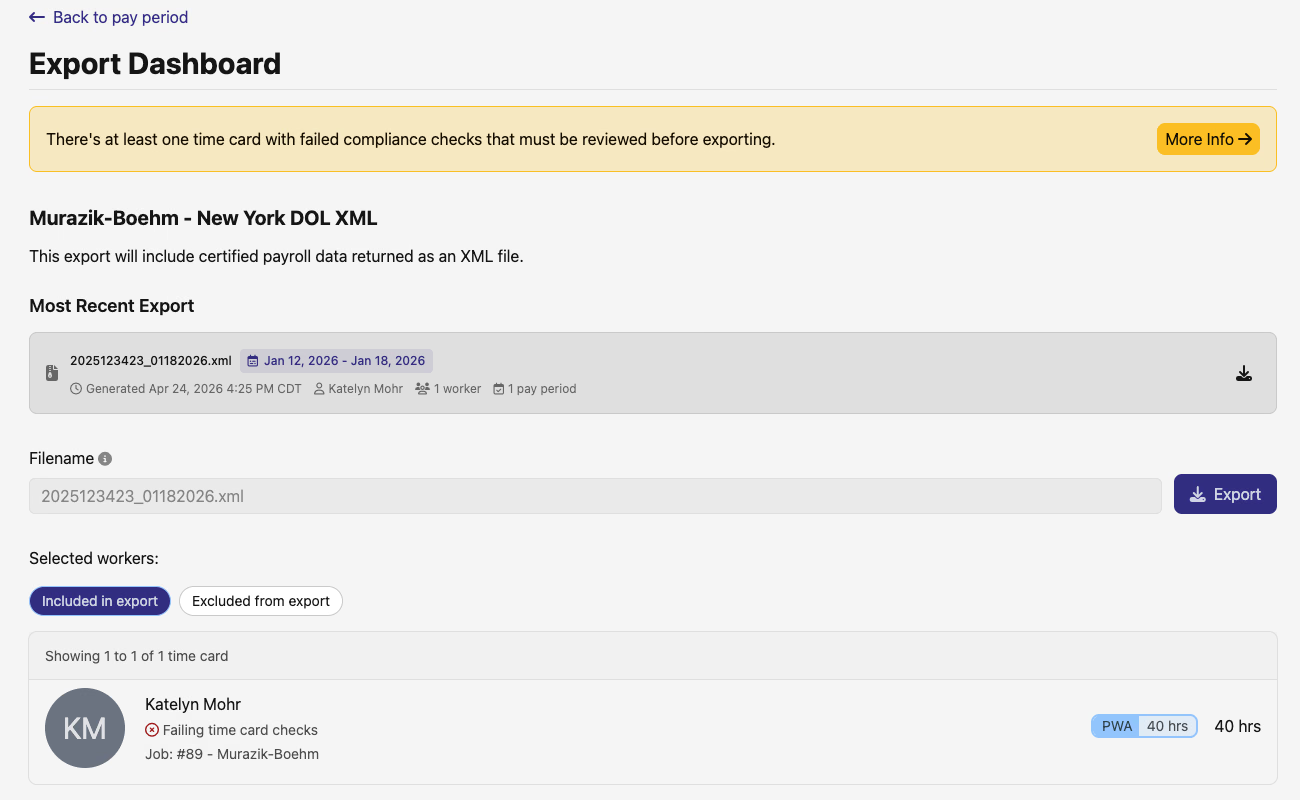
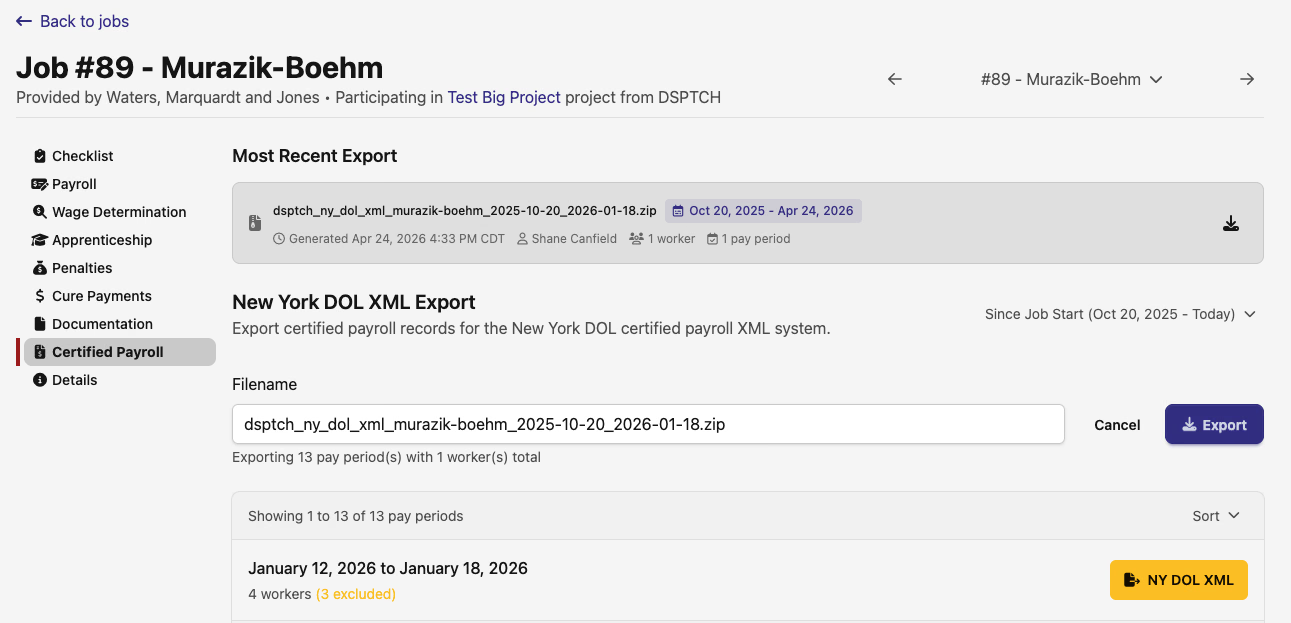
New York DOL XML exports get the same dashboards as the other certified payroll formats, available in beta. Each NY-PWA pay period gets a Pay Period Export Dashboard with a per-job export rollup, and each job gets a Certified Payrolls page where you can drill into and download the XML.
⚠️ Compliance Check Polish
A few touch-ups across the compliance-check views:
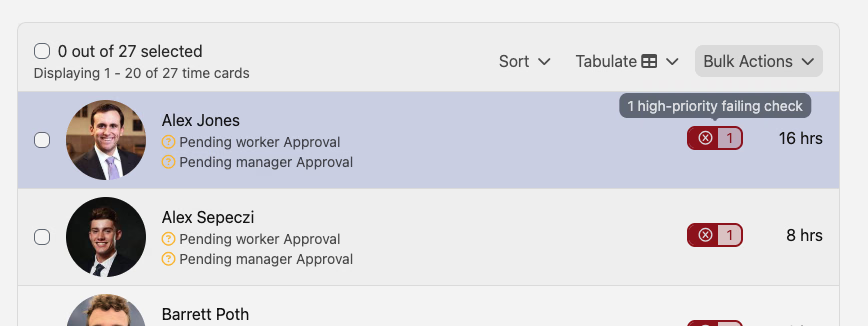
Failing-check pills on time cards — the single "failing checks" pill on pay-period time card rows is now split into two: a red Error pill for priority failures and an amber Warning pill for standard failures, each with a tooltip. Easier to triage at a glance which time cards need urgent attention.
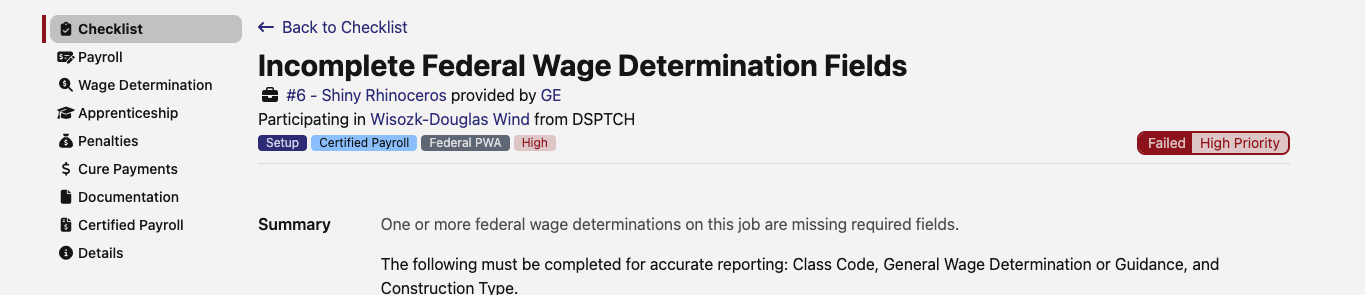
Phase, Category, Requisite, and Priority tags on compliance-check detail pages — compliance-check detail pages now surface all four tags inline next to the priority pill, matching what the index already showed.
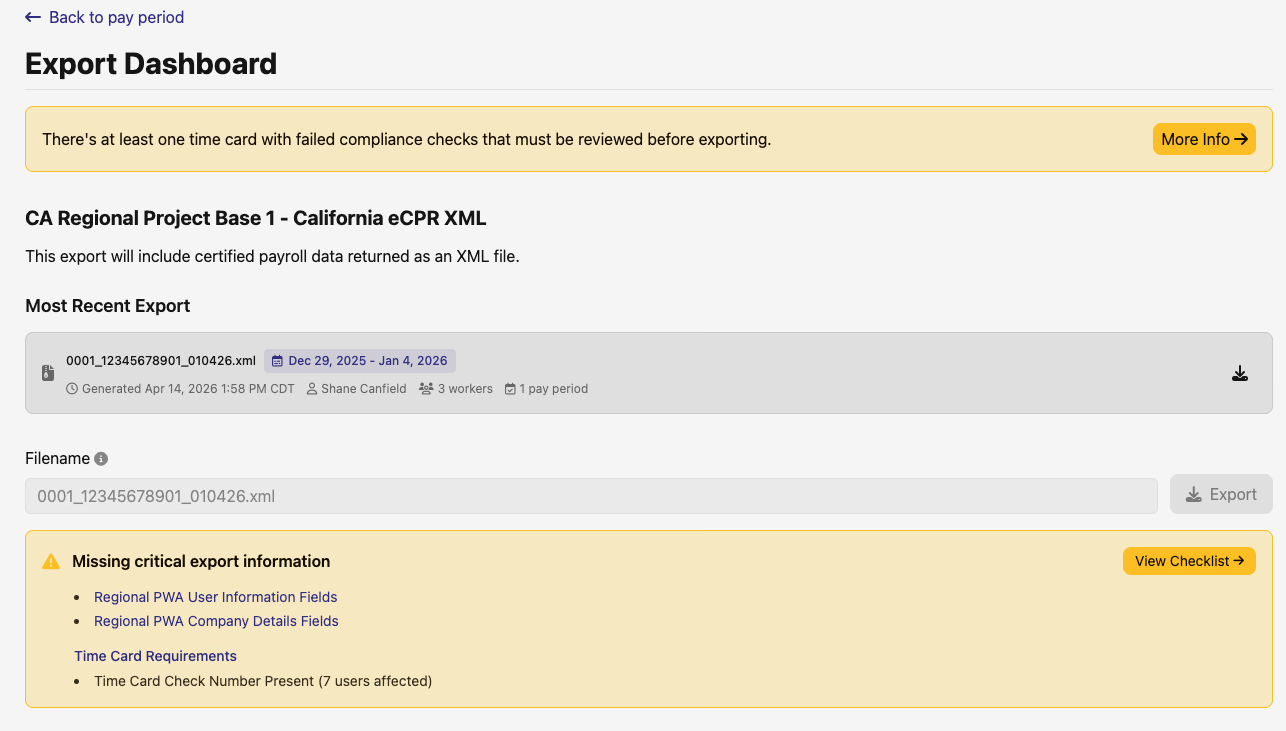
Regional CPR missing-requirements warnings — the banner that surfaces failing checks on Regional CPR pay-period and job export pages is sharper. Pay-period and job-level pages now show the same warning, surfacing only the requirements that actually block the export — each with a direct link to fix it. The previous job-page banner used to list every failing PWA/regional-PWA requirement regardless of relevance; that's gone.
✅ Company Todos: Assignees & Past-Due Filter
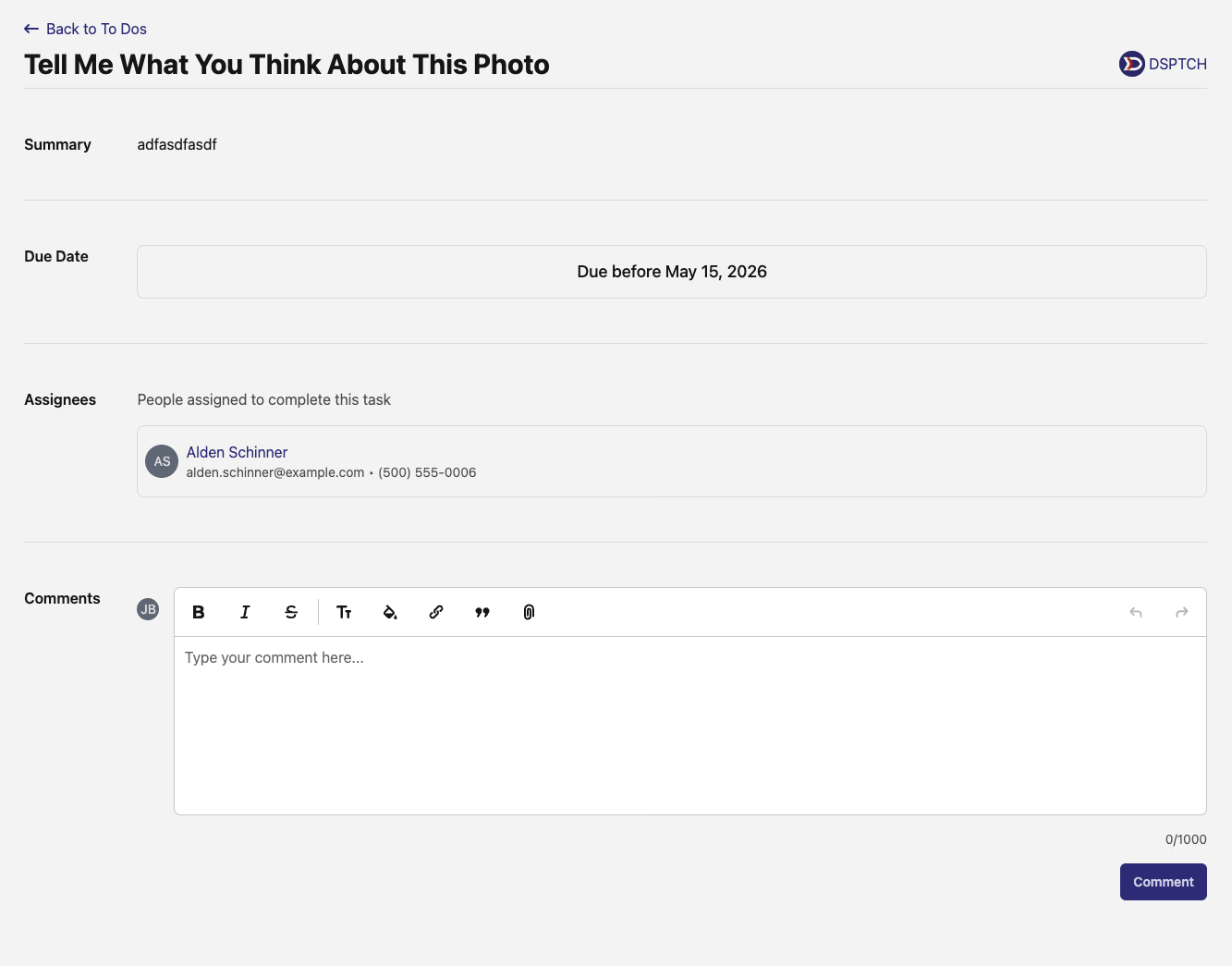
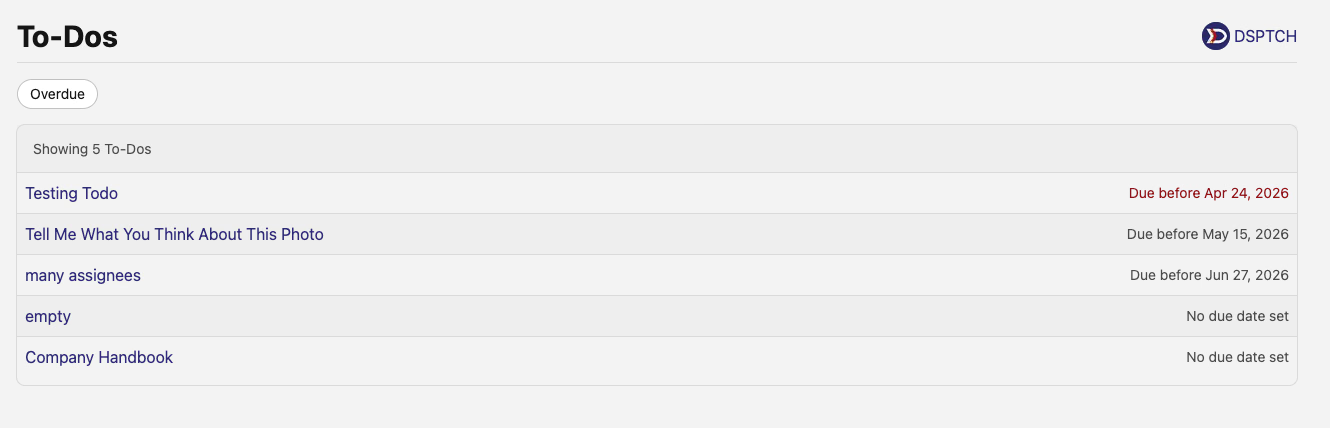
Company todos now show assignees in two places: the index list shows up to two assignee names with a +N overflow indicator (or "No assignees"), and the todo detail view has a dedicated Assignees section with each user's avatar, name, email, and phone number.
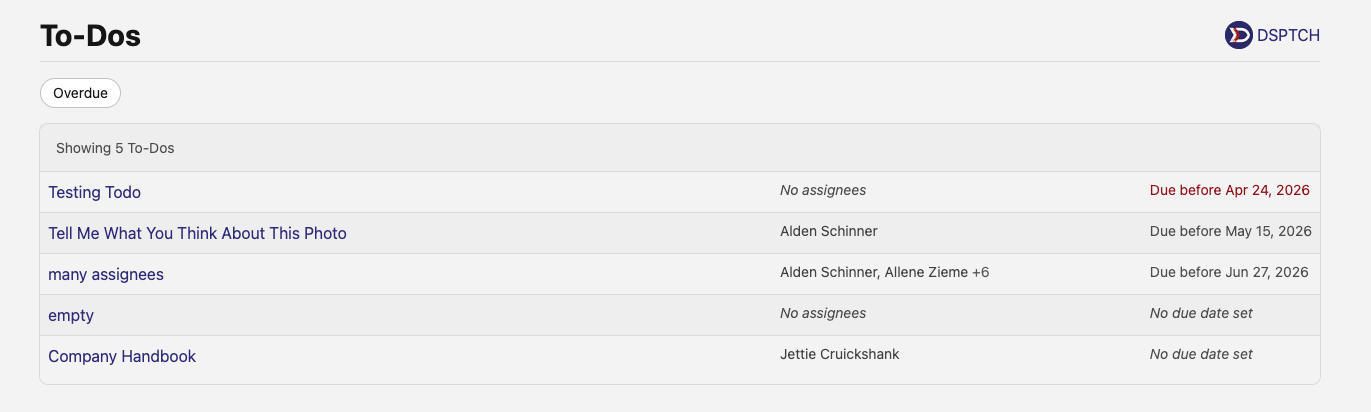
There's also a new Overdue quick filter on the Company Todos index — toggle it on to narrow down to past-due todos and compliance checks combined, sorted by due date.
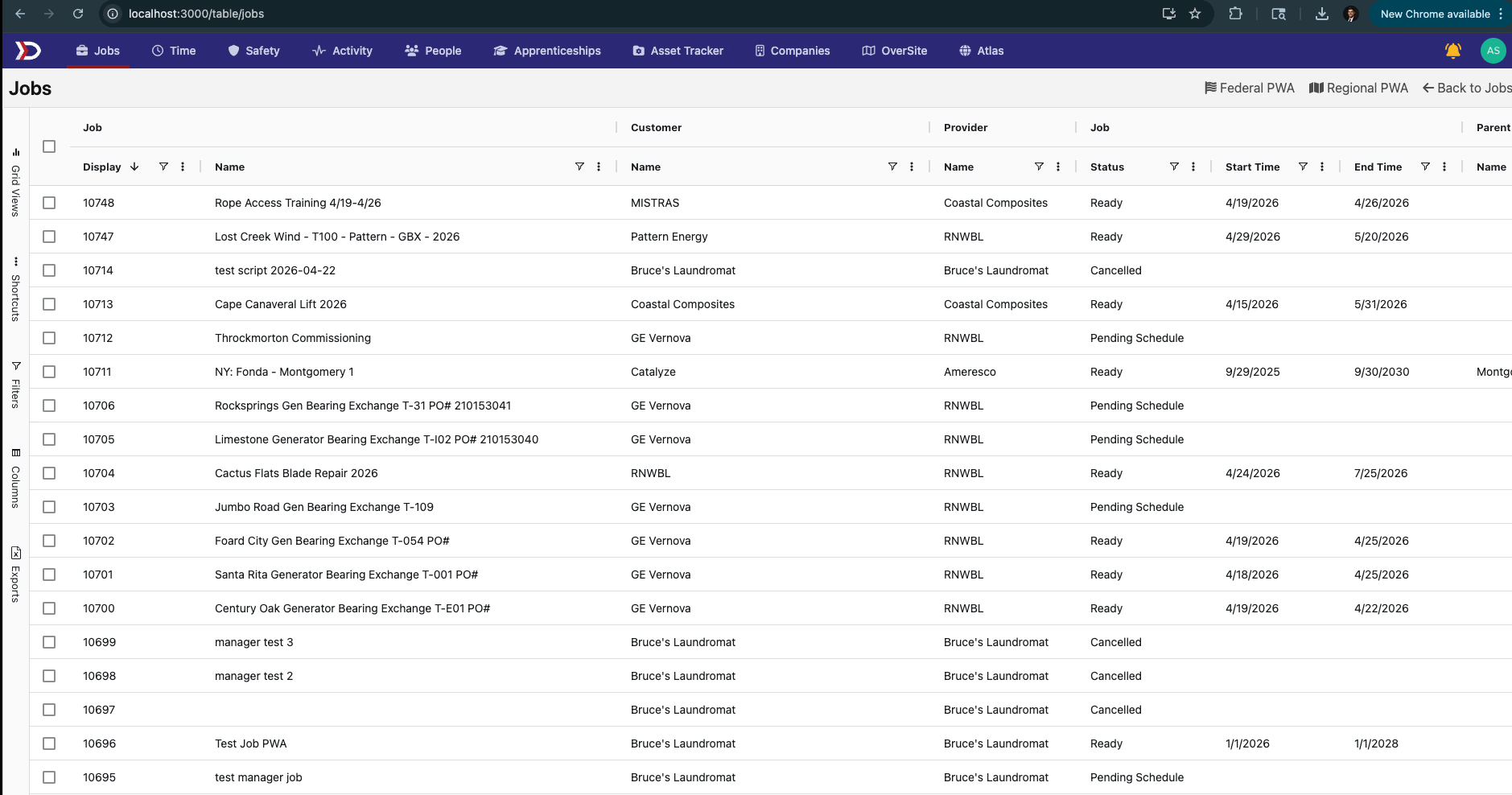
📊 Jobs AgGrid
A new Jobs AgGrid view that lets you list jobs across the company in a grid with the same export-and-tabulate workflow as the other AgGrid pages. Federal-PWA and Regional-PWA filter presets are baked in, so pulling "all federal PWA jobs" or "all regional PWA jobs" is a single click.
📚 Public Docs & LLM-Friendly Access
The DSPTCH documentation at /support/* is now publicly accessible to logged-out users and search engines (API docs at /support/api/* stay behind auth as before). robots.txt is updated and a sitemap is published at /support/sitemap.xml.
The docs site also adopts the llms.txt standard — /llms.txt, /llms-full.txt, and per-page .md variants are emitted at build time, so AI tools can ingest the docs corpus directly.
A heavy round on the map and on PWA tooling, with a NY DOL XML beta and a batch of usability polish across todos, checks, and the new jobs grid. As always, reach out if you have any questions!
The DSPTCH Team