May 5, 2026 Release Notes

A trim release: Asset Tracker Products move to a card grid with an activity history panel, the Sites management map picks up its remaining pieces, and the user hovercard gets a redesign with sharper permission scoping.
📦 Asset Products: Cards & Activity Log
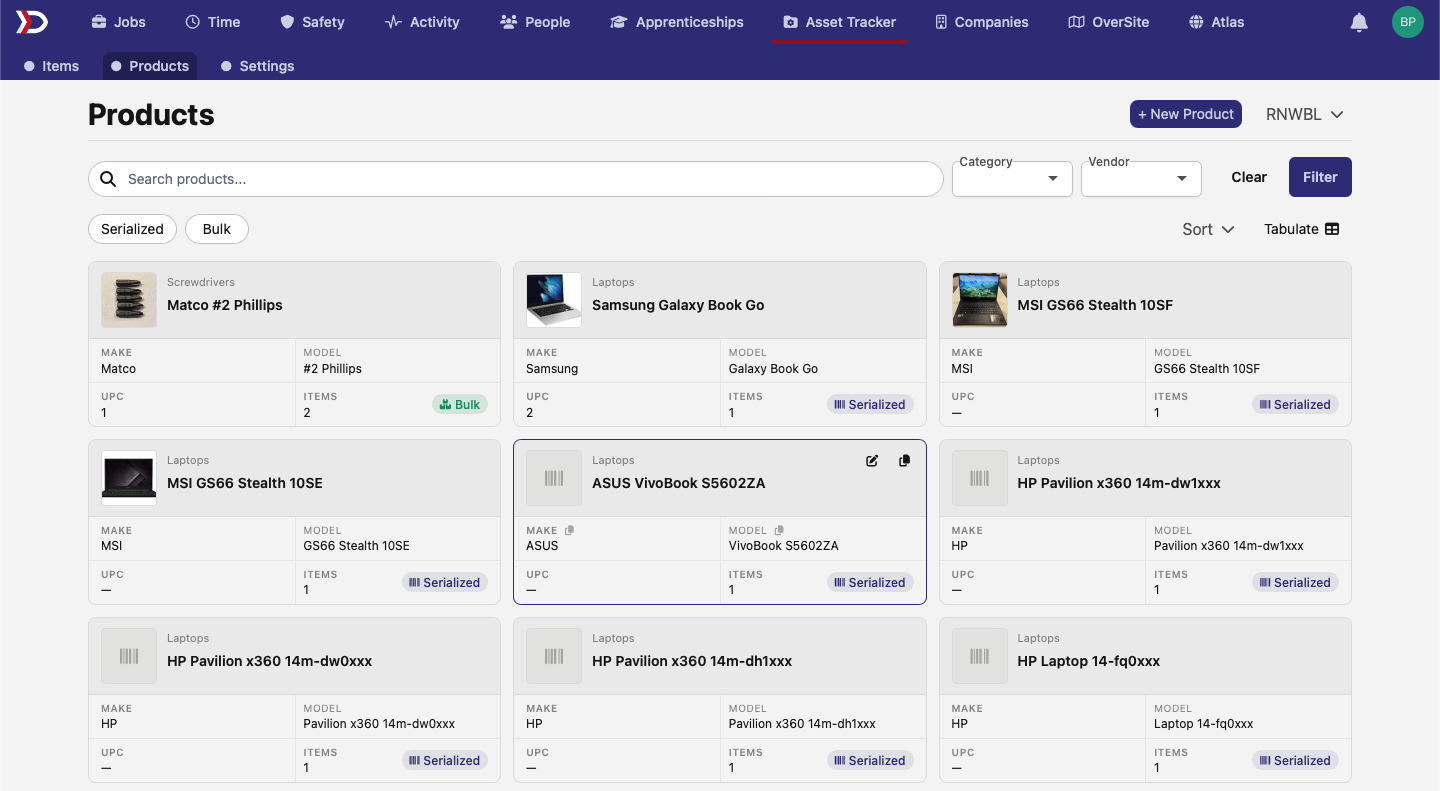
The Asset Tracker → Products page swaps its row layout for a card grid. Each card surfaces the product category (Laptops, Screwdrivers, …), make, model, UPC, item count, and a Serialized or Bulk badge — easier to scan inventory at a glance than a dense row table. The toolbar still filters by category and vendor, and the existing tabulate toggle flips back to the dense grid view when you need columns and exports.
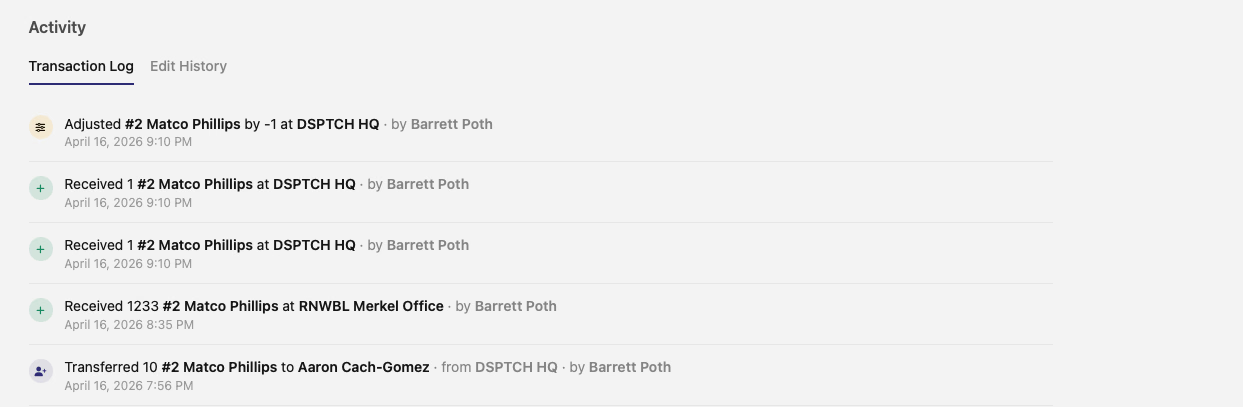
Each product also picks up an Activity panel with two tabs. Transaction Log lists every adjust, receive, and transfer for that product — actor, timestamp, quantity, and counterparty all on one row, so you can see at a glance who moved what and where. Edit History is the audit trail for changes to the product record itself.
🗺️ Private Sites Map: Refresh Wraps Up
The Private Sites refresh covers the remaining two pages. The sites index at /settings/sites now uses the same map as /settings/sites/:id, with a map preview alongside the list of sites and the same fit-to-bounds behavior when you click a row. The new-site page at /settings/sites/new goes full-bleed so the draw toolbar has room to work — click points to draw the boundary, fill in the modal that appears once you submit, and the new site lands.
👤 User Hovercard
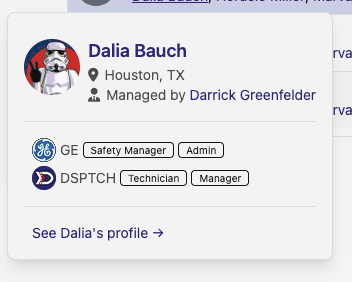
Hover over a user anywhere in the app and the popup is redesigned with a sectioned, divided layout: profile photo, location, manager link, and a per-company list of role badges with each company on its own row.
The apprenticeship section now shows the employer company on each line — previously it surfaced the sponsor company, which made apprentices employed across multiple companies harder to read at a glance.

Visibility on the hovercard now respects your permissions per company: company rows, the "See profile" link, and GPS data each appear only on companies where you have the role to view them. You'll only see another user's GPS data on a company where you have a manager-or-above role.
A polish-heavy release across Asset Tracker, the Sites management map, and the user hovercard. Reach out with any questions!
The DSPTCH Team