April 22, 2026 Release Notes

This release rounds out the Atlas site and feature pages with a big batch of improvements, adds project-level Statement of Non-Performance exports, and layers in new OverSite aggregate views and time card filters. 🗺️
🗂️ OverSite: Multi-Site Inbox & Assignments
OverSite picks up two new aggregate tabs that roll everything up across your sites into a single view.
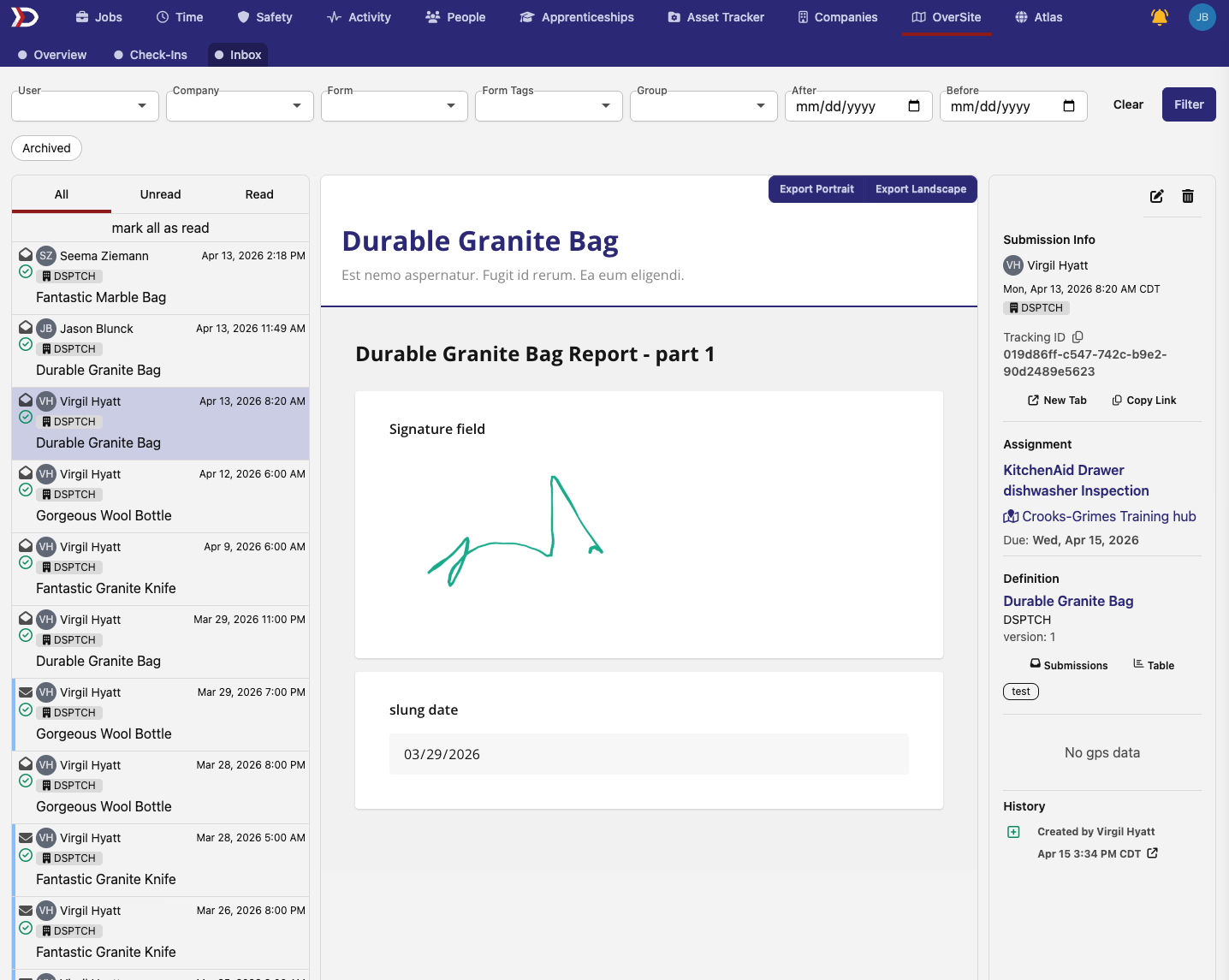
The new Inbox tab surfaces form submissions across every site in the company in one list — both site-level and feature-level submissions show up together, so you're not bouncing between site pages to see what's come in.
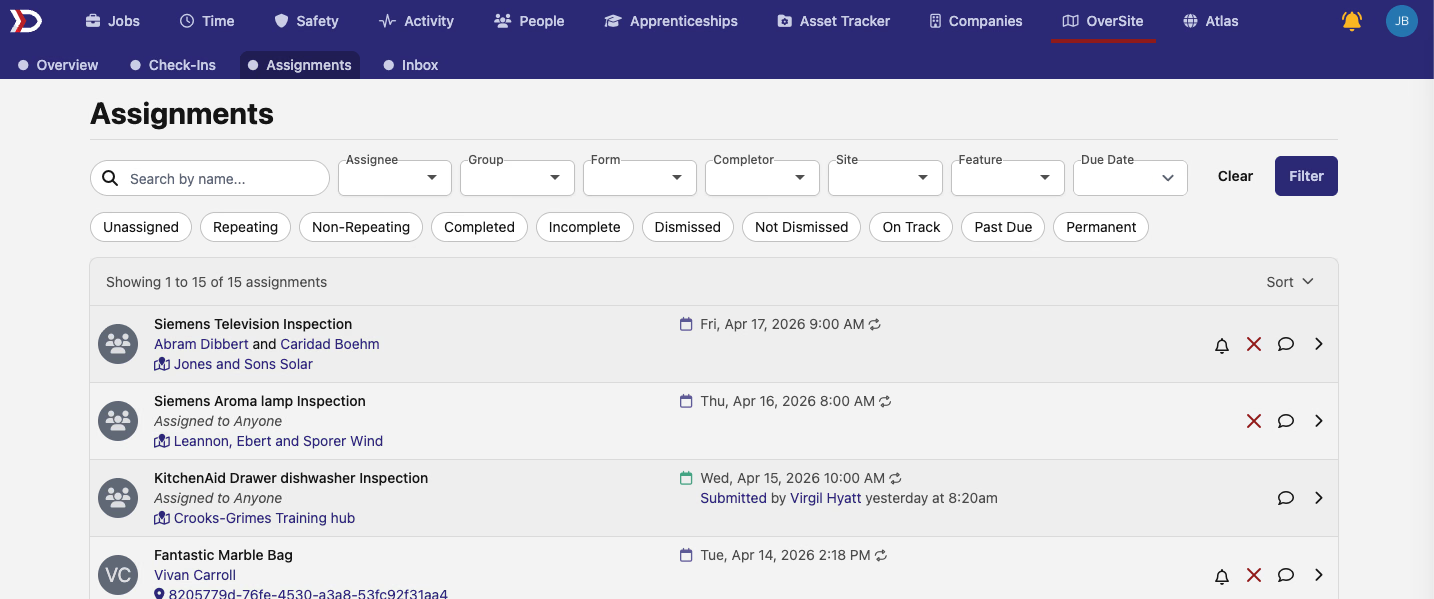
The new Assignments tab does the same for form assignment tasks — every assignment across every site, with pagination, search, and the full set of filters you already know (assignee, completor, definition, site, feature, group, date range).
🗺️ Atlas: Site & Feature Pages
The Atlas site and feature show pages got a lot of attention this round. The short version: both pages are now proper destinations with geographic context, composition summaries, consistent navigation, and better filtering on their listing pages.
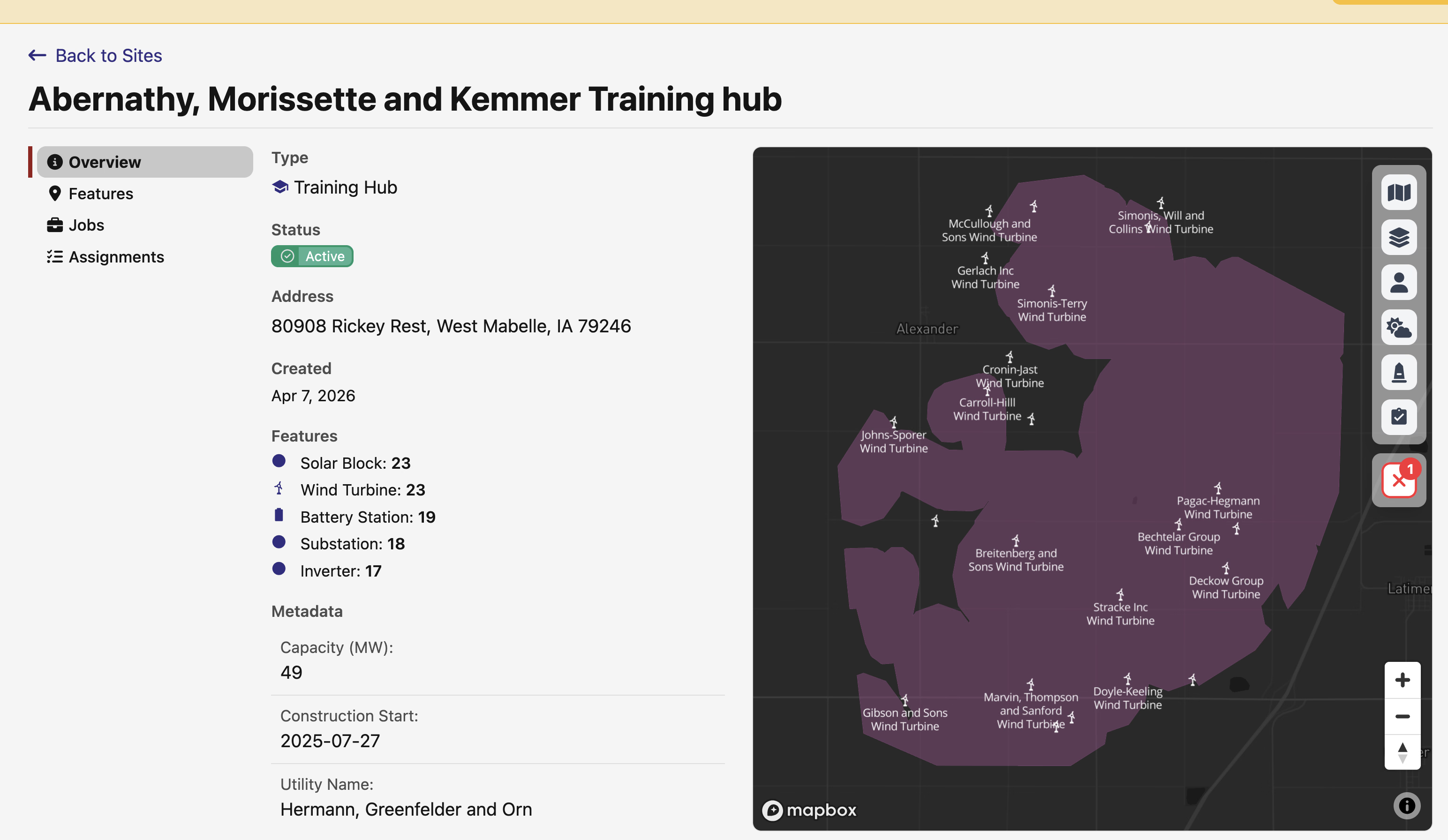
Interactive mini-maps now embed alongside the details on both the site show and feature show pages, so you get geographic context without clicking through to the full map. The site mini-map pins the site and shows ambient features, users, and form submissions around it; the feature mini-map pins the feature and narrows the users layer to a 30km radius so the page isn't flooded with people who happen to be elsewhere. On wider screens the layout splits 2-column — details scroll in the left column while the map stays parked on the right — and each page has a ↗ Full map corner overlay that deep-links straight into /map pre-centered on the record.
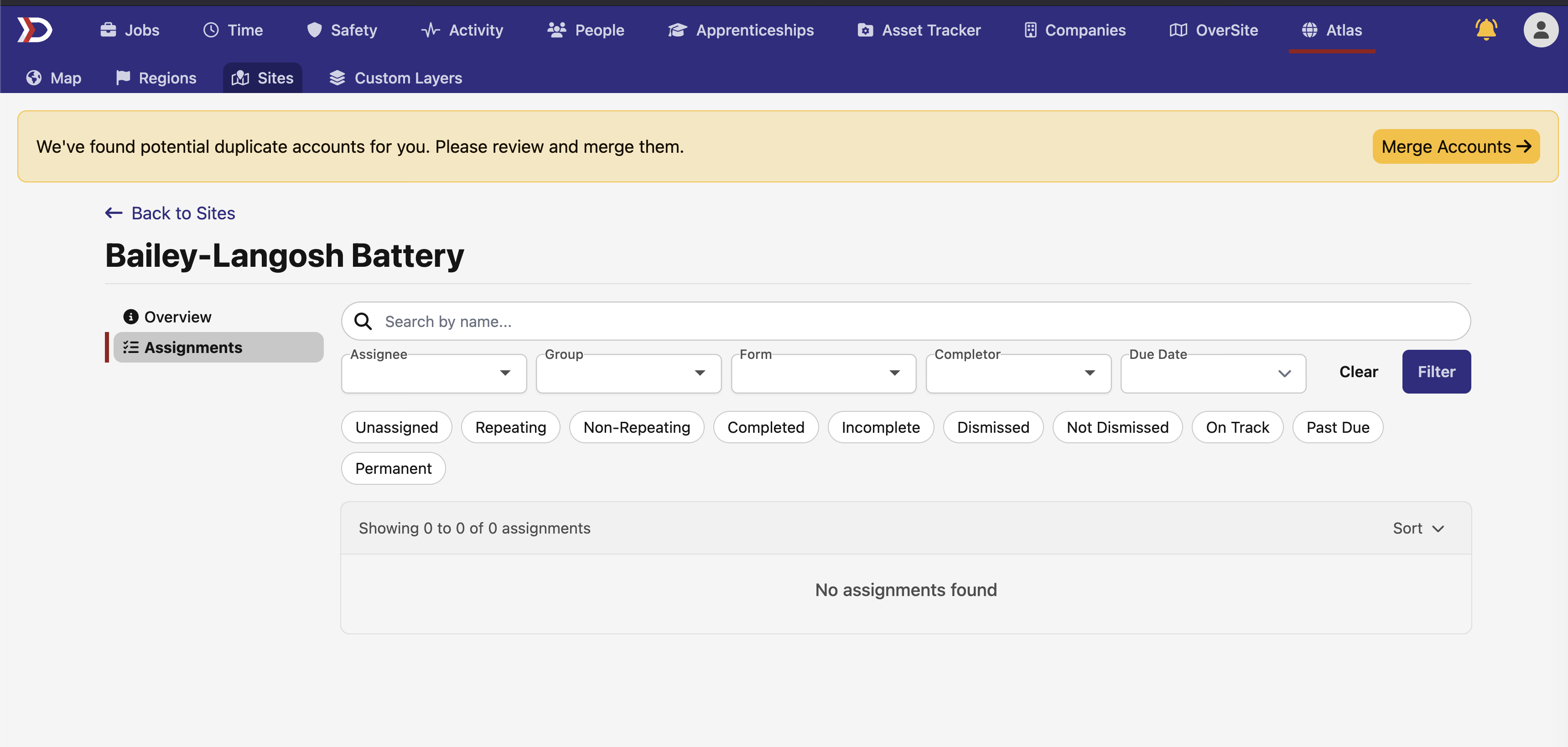
The feature page now mirrors the site page — the sub-navbar correctly highlights Sites instead of defaulting to Map, there's a proper sidebar with Overview and Assignments tabs, and the new feature-scoped Assignments tab lists form assignment tasks tied to the feature you're viewing.
Composition summaries and status pills — both show pages now carry an Active status pill that surfaces whether the record is within its active time window. On the site show, two new grids replace the "click into the tab to see what's here" workflow: a feature summary grouped by type (Solar Block: 26, Wind Turbine: 22, etc.) and a jobs summary counting active, pending, and completed jobs.
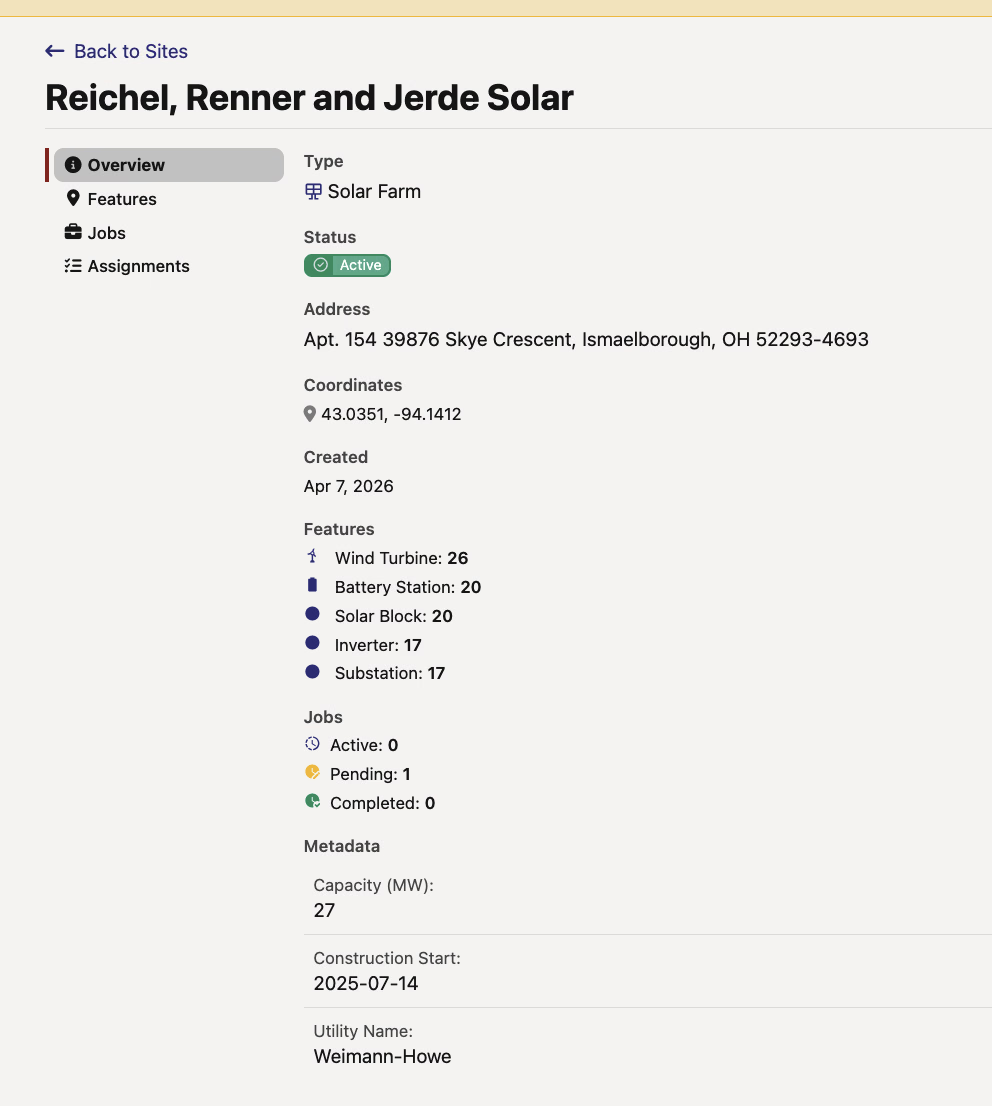
Coordinates and company polish — coordinate rows pick up a copy-to-clipboard icon, associated companies render with logos and clickable names that jump to the company page, and linked site names on the feature page now have proper hover underlines to match the rest of the app.
New filters on the listing pages — an Active quick-filter toggle on the Atlas Sites index and the site-scoped Features index hides expired or future-only records, and a new Constructor typeahead on all Atlas Sites listings narrows by EPC (alongside the existing Owner and Operator filters).
📜 Project-Level SONP Exports
Project-level certified payroll exports now support Statement of Non-Performance output alongside WH-347. Previously, project-level exports only surfaced pay periods with exportable rows — so pay periods where a job had no work were dropped entirely. Now eligibility is computed per job's schedule within the selected date range, and those "no work" pay periods correctly produce an SONP. The upshot is that running the export at the project level now gives you the same results as running it job-by-job for every job in the project.
⏱️ Time Card Filters: Apprentice, Federal PWA & Regional PWA
The pay periods time card list picks up three new quick filters:
- Apprentice — time cards whose worker has an active apprenticeship overlapping the pay period
- Federal PWA — time cards with at least one federal PWA obligation
- Regional PWA — time cards with at least one regional PWA obligation

Handy for narrowing a big pay period down to just the rows that need apprenticeship or prevailing-wage attention.
A big round of Atlas polish, plus a new project-level export. As always, reach out if you have any questions!
The DSPTCH Team