April 15, 2026 Release Notes
This release brings form assignment tasks to Atlas site pages and adds a requirement filter across compliance checklists. 🗺️
🗺️ Atlas: Site Form Assignments
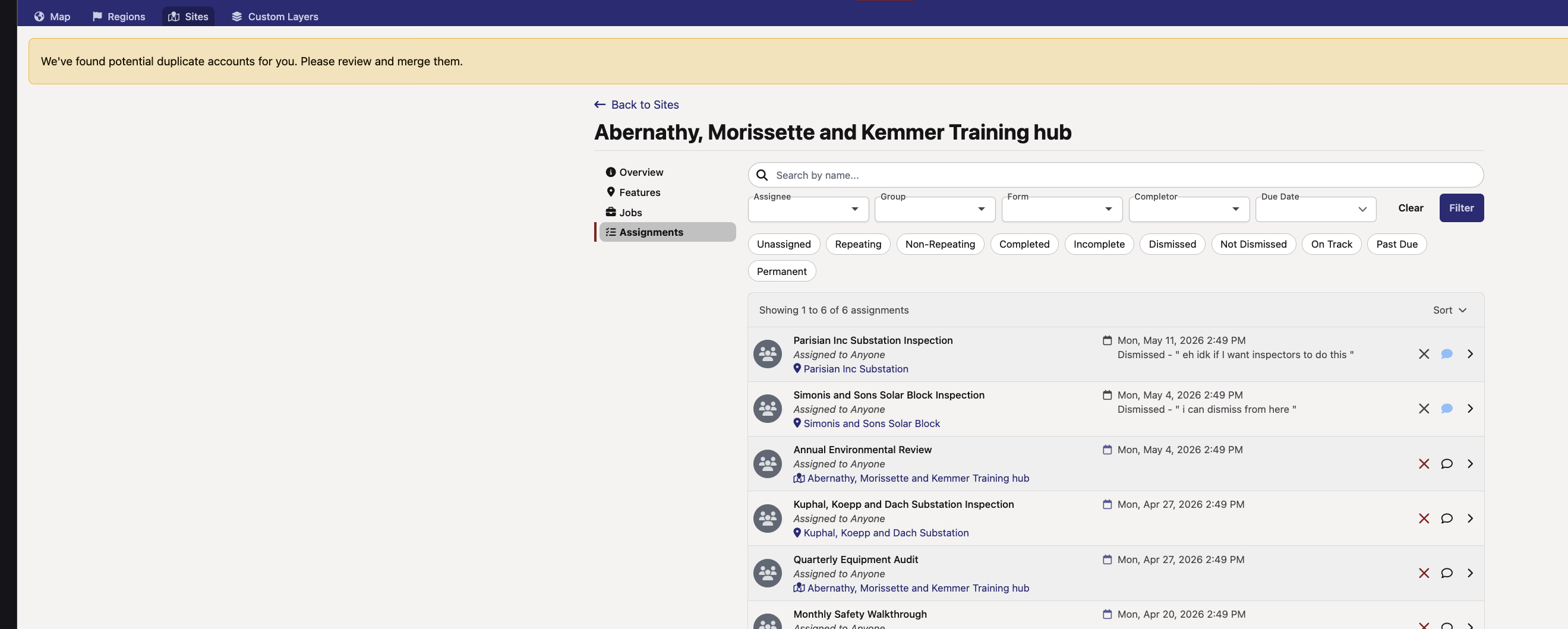
Atlas site pages now include an Assignments subtab that surfaces form assignment tasks for the site — both site-level and feature-level tasks show up together in one list. Assignee avatars, status, due dates, and context (site or feature) all render inline, and you can comment, dismiss, or send reminders right from the Atlas view without bouncing over to Oversight.
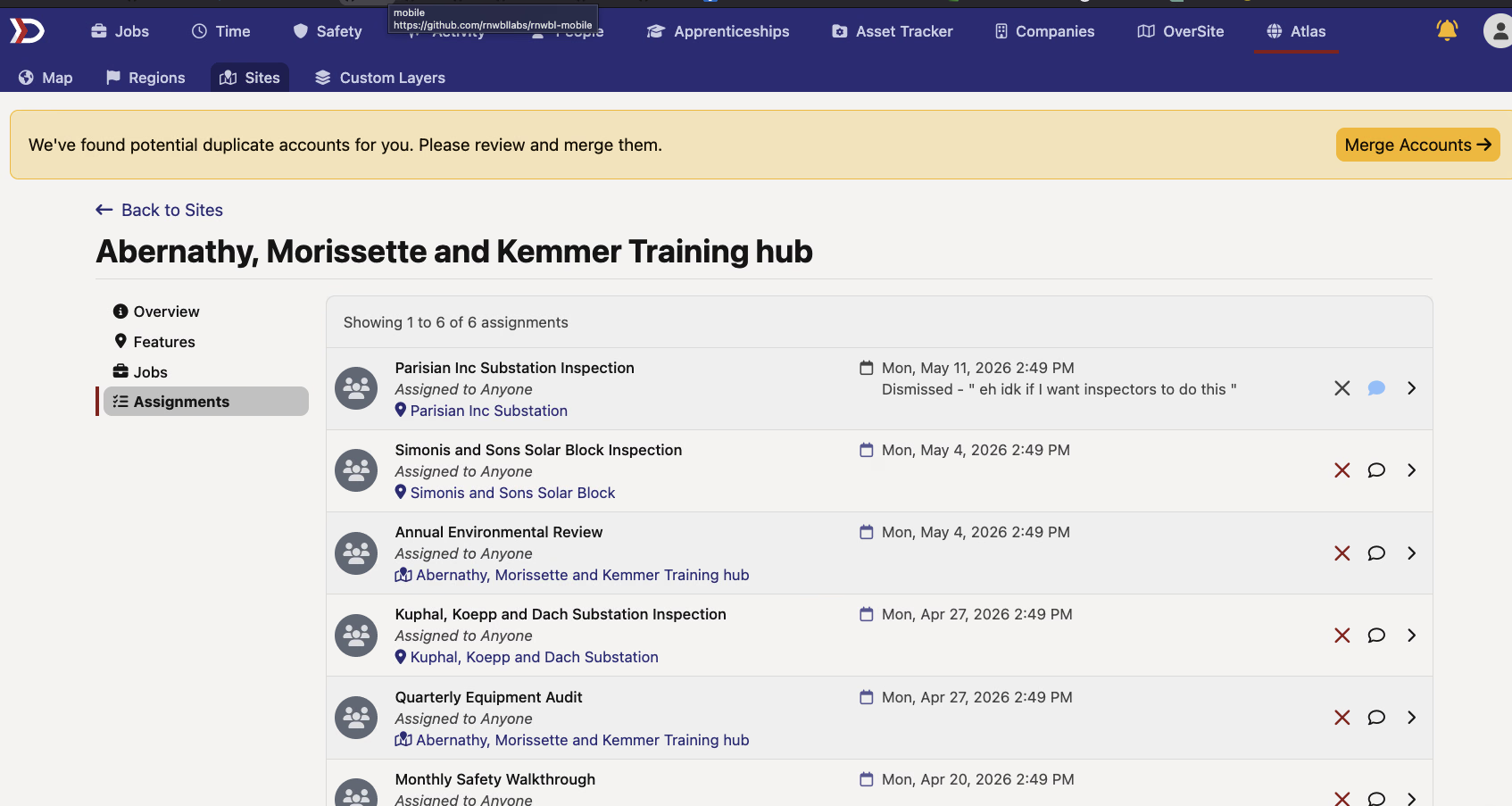
The Assignments subtab also has the full search, sort, and filter experience you already know from Oversight. Search by task name, sort by due date, name, or completion, and narrow things down with quick filters (unassigned, recurring, completed, past-due, etc.) or the collapsible dropdowns for assignee, group, form definition, completor, and date range.
✅ Filter Compliance Checklists by Requirement
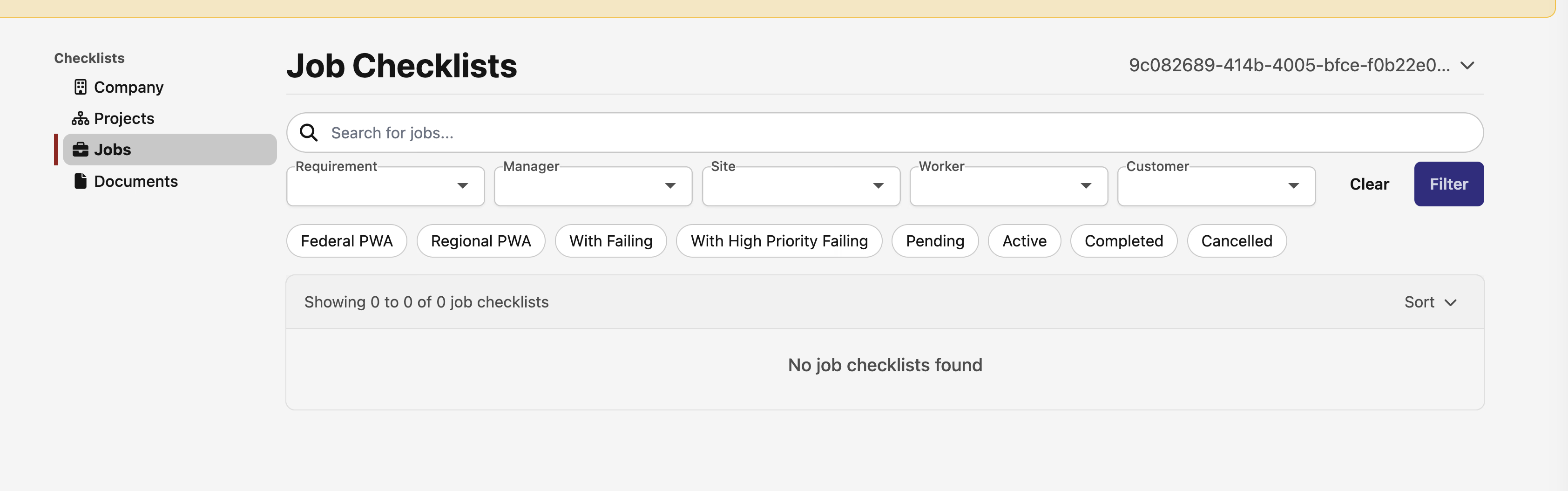
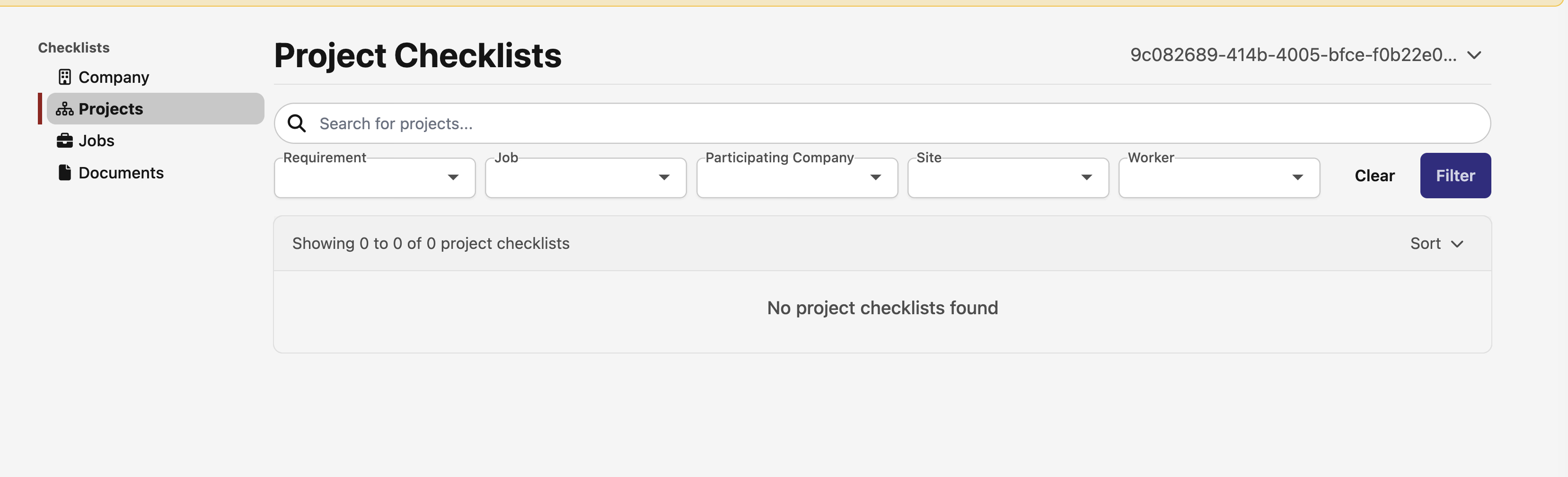
Compliance checklists now have a Requirement filter in the collapsible filter bar. It's a searchable typeahead — handy since there are 50+ requirements in production — so you can jump straight to something like "Workers Comp Coverage" without scrolling through a long dropdown.
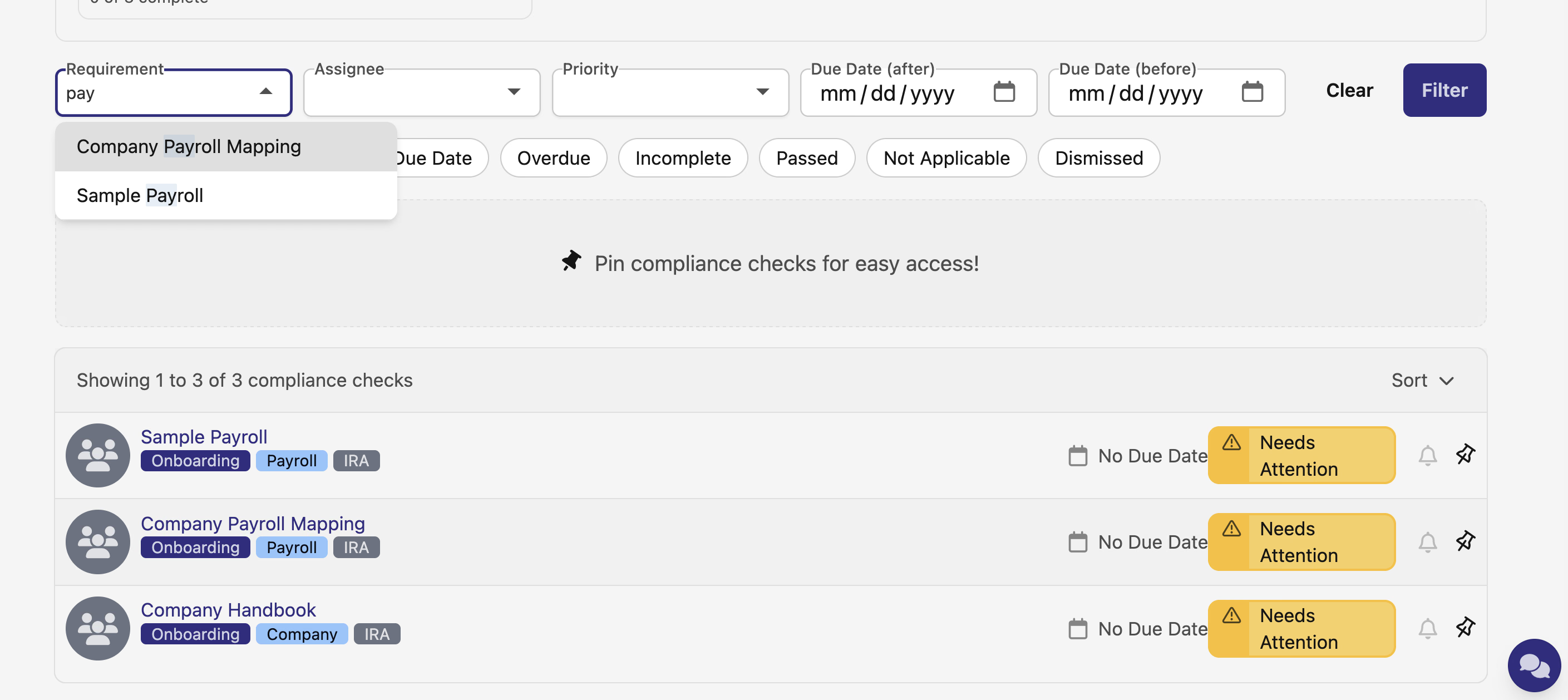
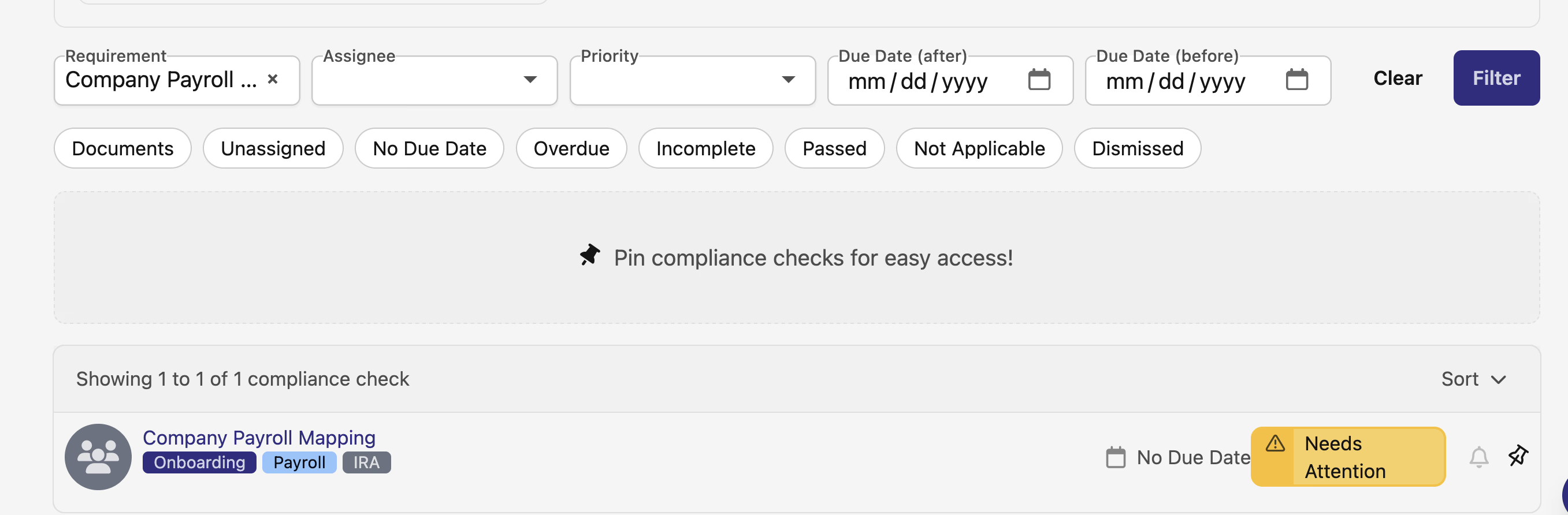
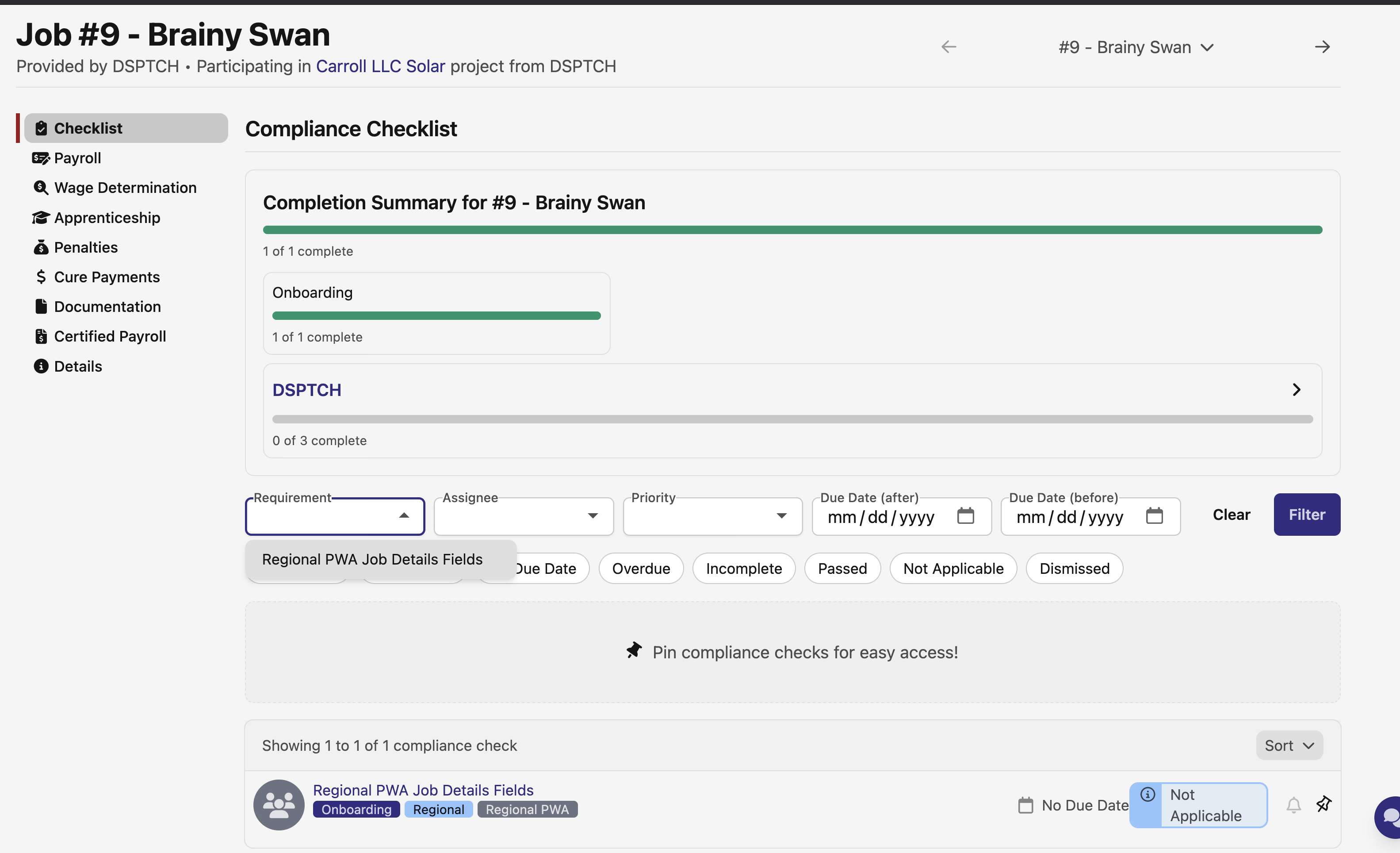
The filter is available across every checklist view, including Time Card checklists, Job PWA checklists, Project and Activity compliance checks, User compliance checks and assigned checks, and the aggregate checklist views under Activity (Project Checklists, Job Checklists).
A focused release on making it easier to find what you need. As always, reach out if you have any questions!
The DSPTCH Team