January 08, 2026 Release Notes
We're excited to release a set of improvements focused on time tracking, compliance management, and data visualization! This release brings significant enhancements that will make your daily workflows more efficient and give you better insights into your project operations. 🚀
⏰ Enhanced Job Time Tracking
New Job Time Tab
Jobs now include a dedicated Time tab that gives you detailed visibility into time tracking data with flexible viewing options. This powerful new interface lets you analyze time data by user or by day, with pay period filtering to focus on exactly what you need.
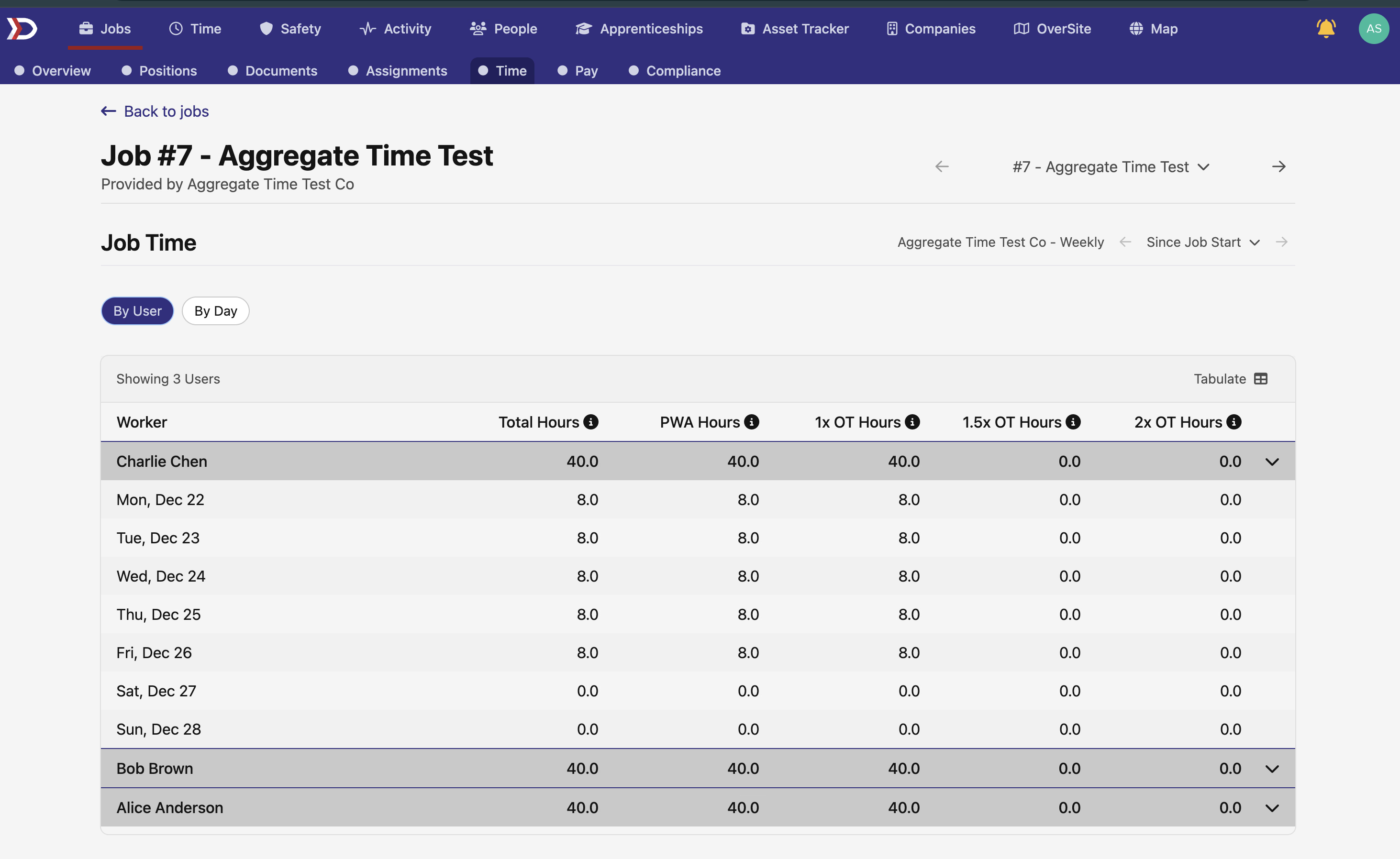
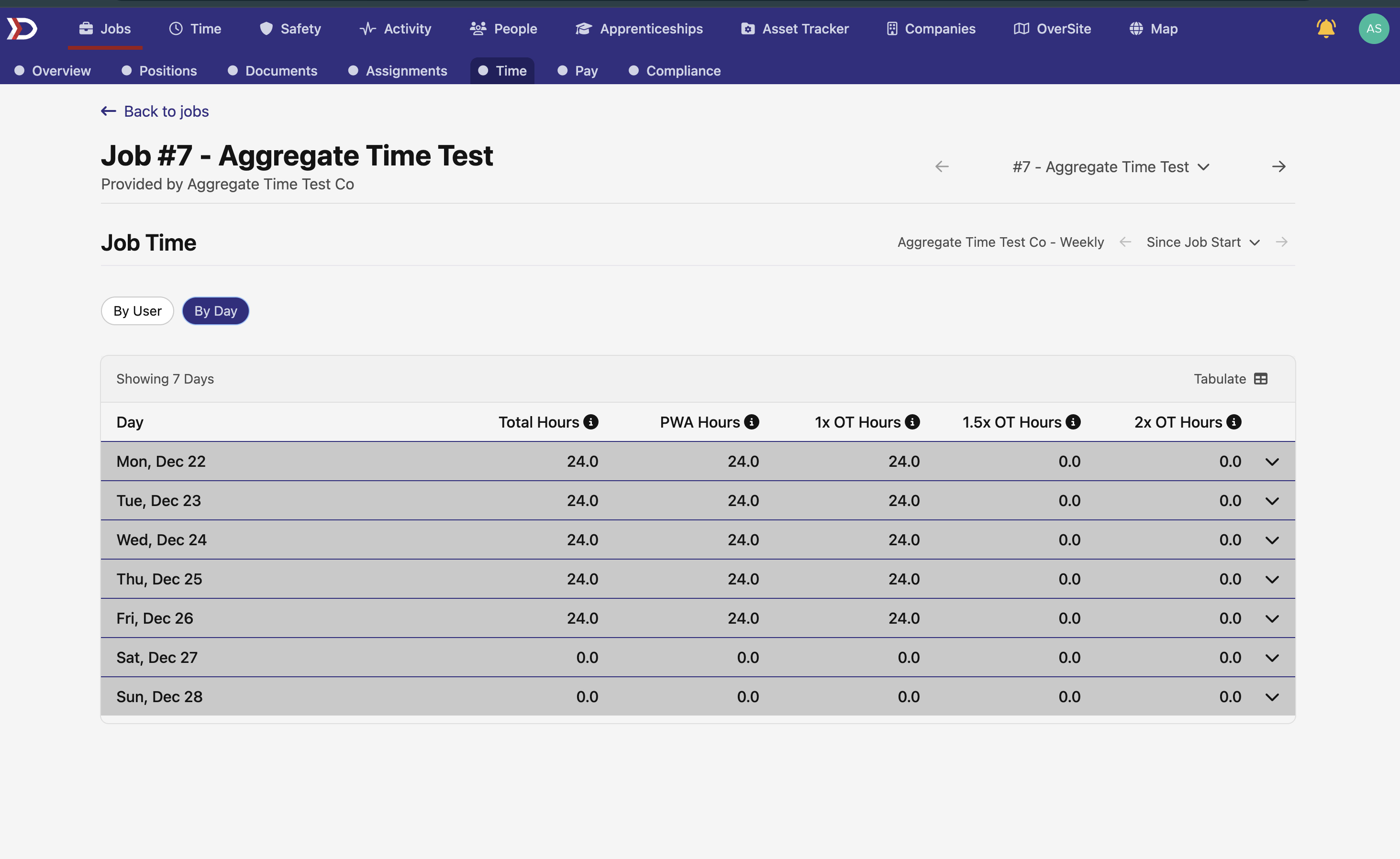
The new time tracking interface includes:
- By User View - See all workers on the job with expandable time details
- By Day View - View time data organized by date for timeline analysis
- Pay Period Selection - Filter data to specific pay periods for focused analysis
- Sortable Data - Workers are sorted alphabetically for easy navigation
- Expandable Rows - Click to see detailed time breakdown for each user or day
This makes analyzing job-level time data much more intuitive and gives project managers better insight into workforce allocation and project timelines.
📊 Enhanced Data Management
Pay Quarter Time Card Column
We've added a new pay quarter column to the time card grid that provides additional context for payroll analysis. This column is hidden by default but can be enabled when you need quarter-based reporting and analysis.
Apprenticeship Wage Progression Grid
We've introduced a powerful new grid for managing apprenticeship wage schedule progressions, making it much easier to track and analyze apprentice development across your organization.
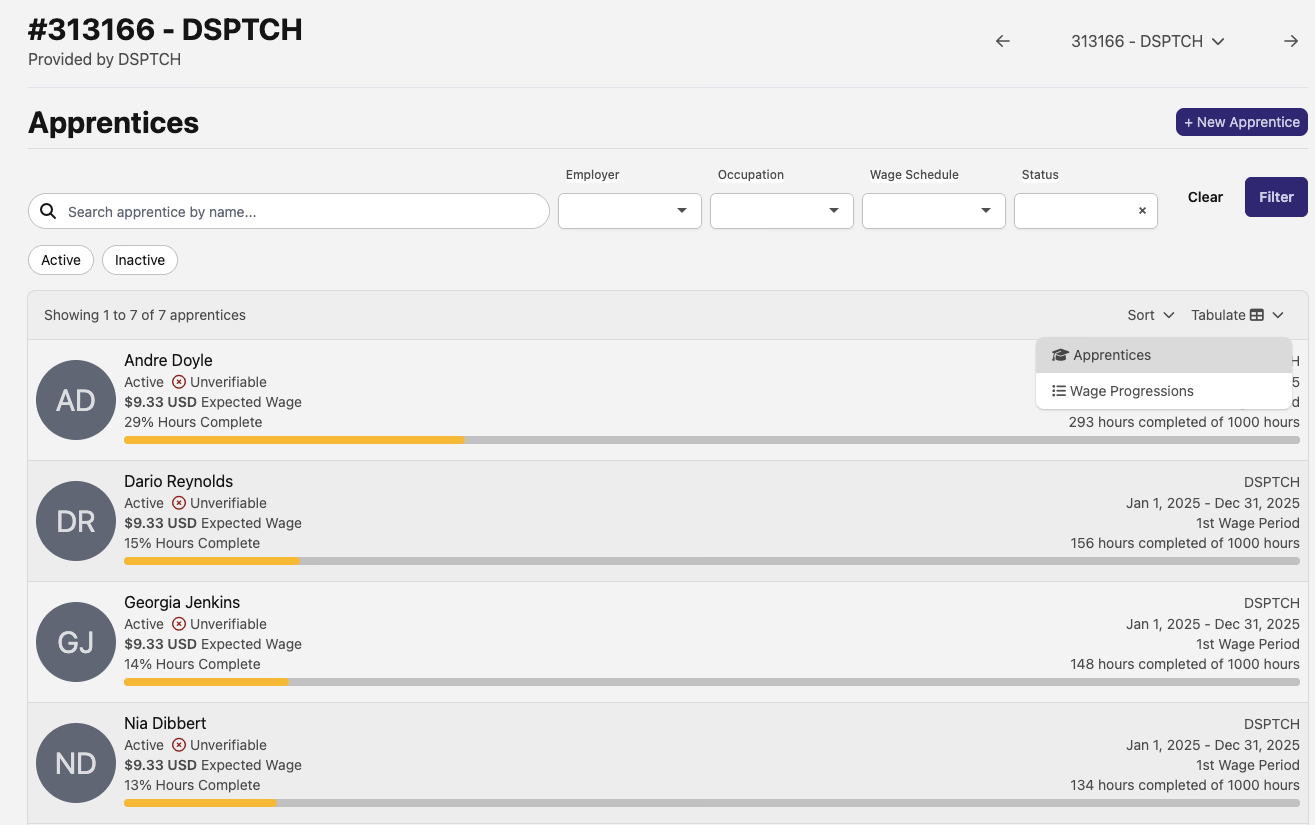
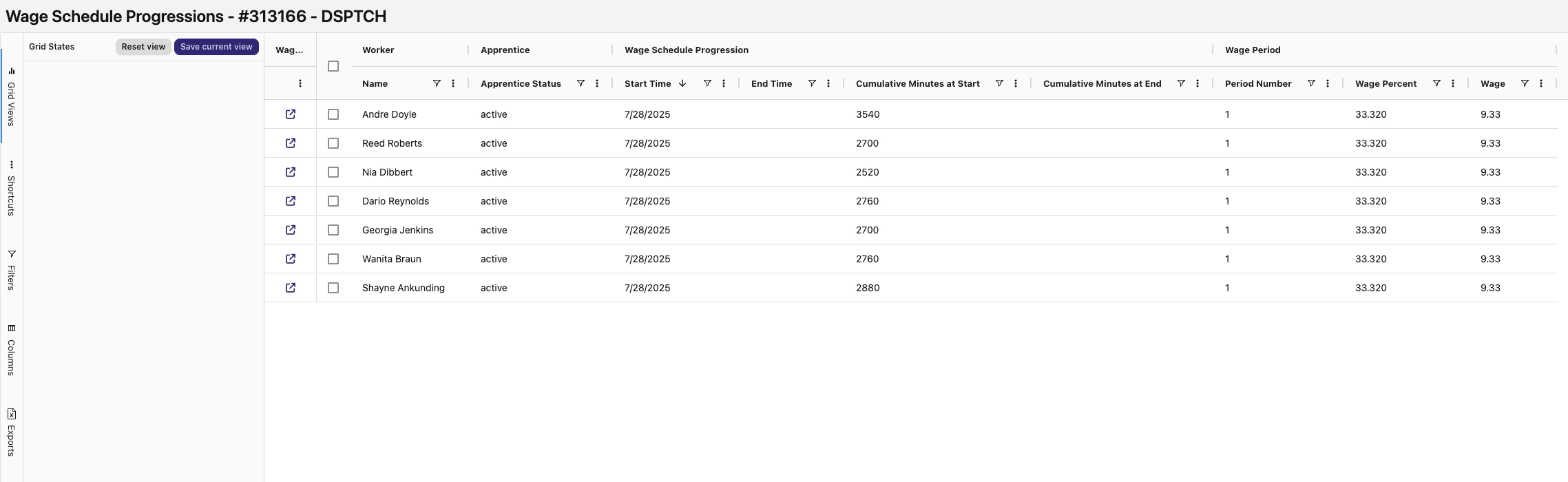
Features include:
- Advanced Filtering - Search and filter by worker name and other criteria
- Export Capabilities - Export progression data for reporting and analysis
- Performance Optimized - Handles large datasets efficiently
- Comprehensive View - See all apprentice progression data in one place
🏛️ California eCPR XML Export Dashboard
California users now have access to a dedicated export dashboard specifically designed for Electronic Certified Payroll Report (eCPR) submissions to California DIR.
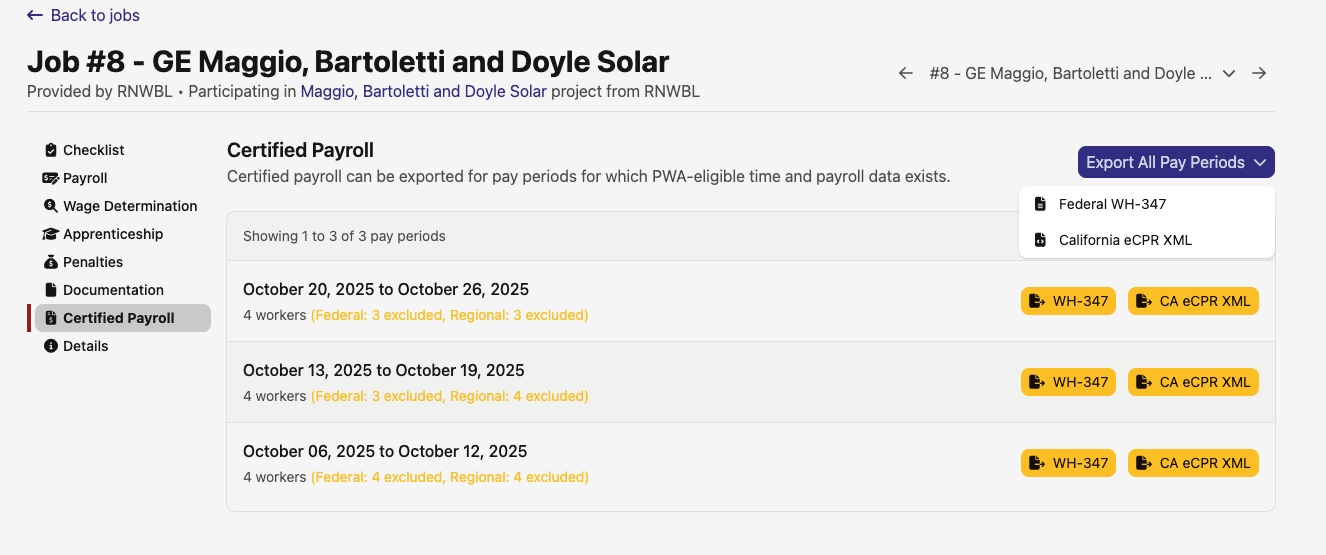
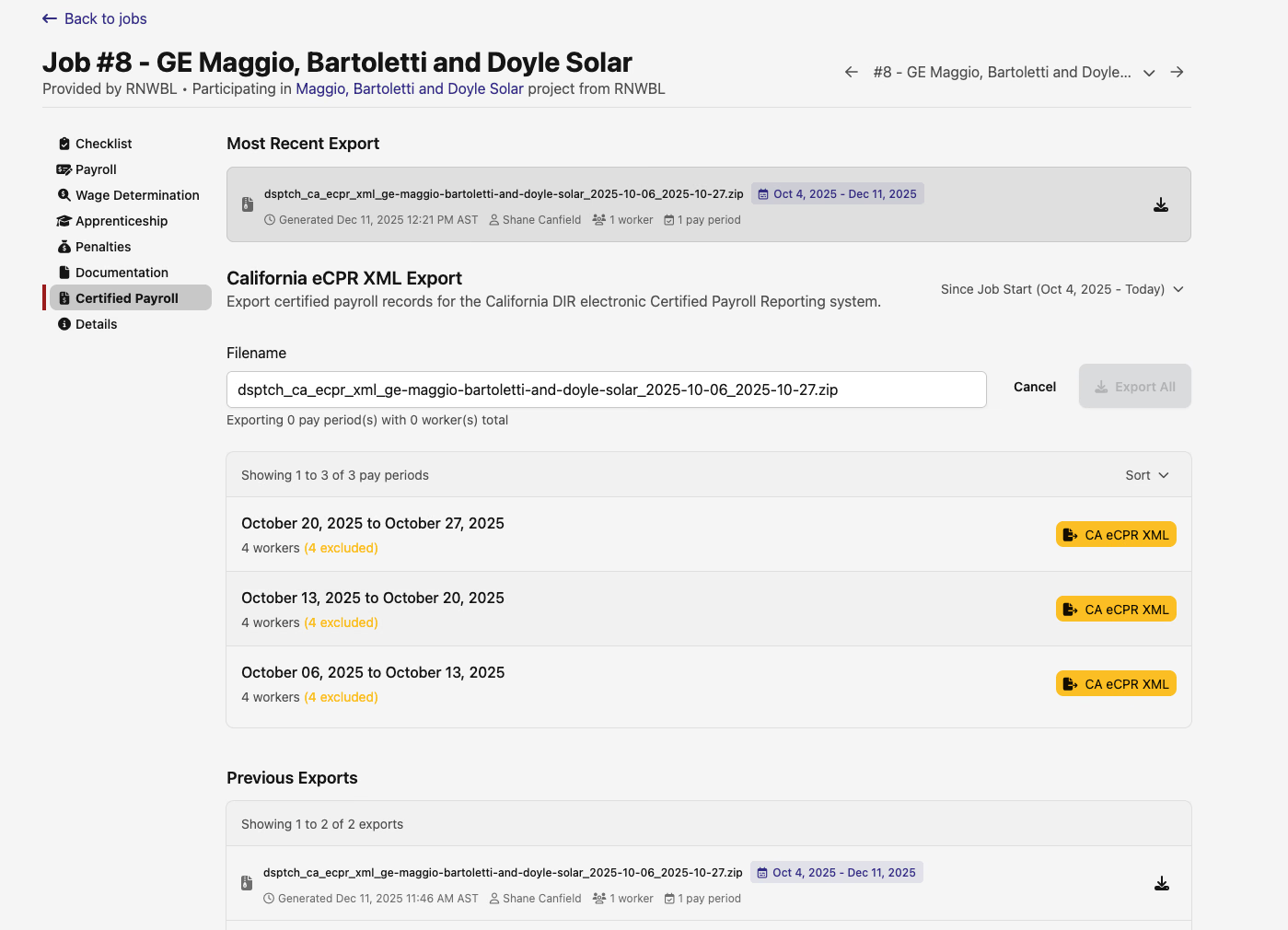
The new dashboard provides:
- Streamlined Export Process - Dedicated interface for California eCPR XML generation
- Real-time Status Updates - Live feedback on export job progress and completion
- Multi-Period Exports - Export multiple pay periods in a single operation
- Export History - Track previous submissions and their status
- Enhanced Data Validation - Built-in checks to ensure compliance with CA requirements
When multiple export types are available (Federal WH-347 + California eCPR), the export button now expands to a dropdown for easy selection.
📧 Smart Compliance Notifications
Weekly Compliance Check Summaries
Stay on top of compliance requirements with our new intelligent notification system that sends weekly email summaries of failed compliance checks.
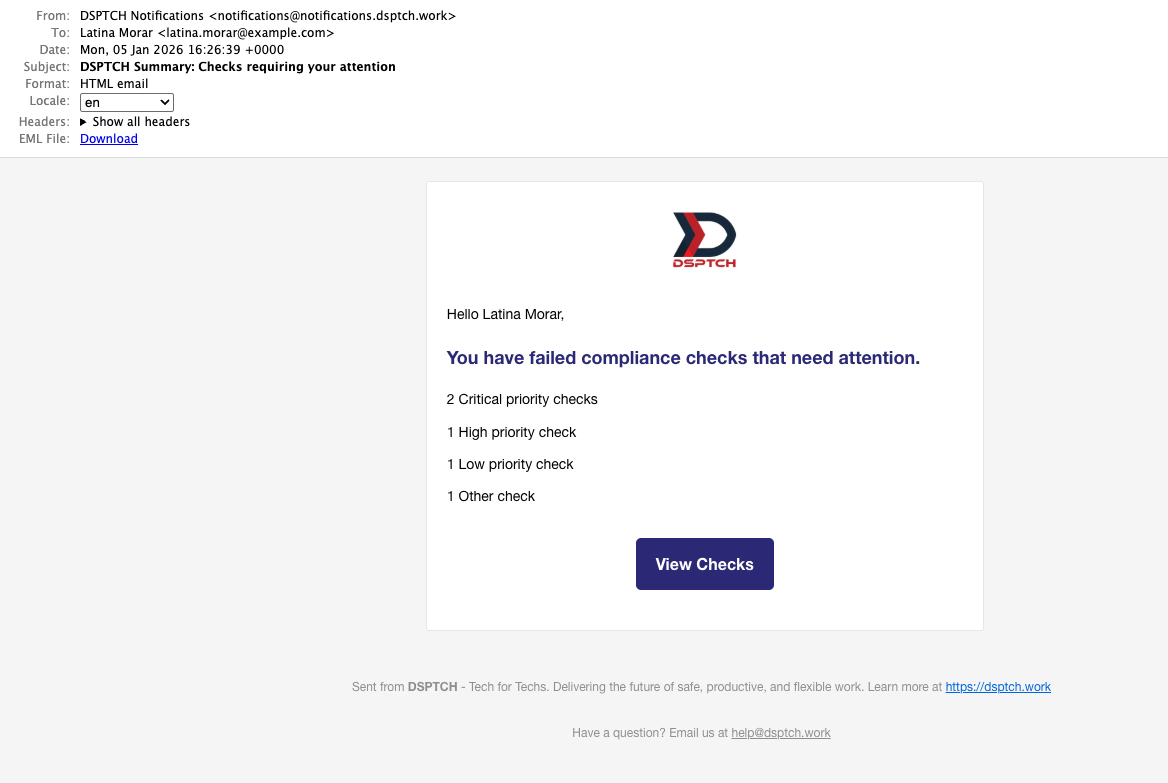
The notification system includes:
- Priority-Based Grouping - Checks are organized by priority level (Critical, High, Medium, Low)
- Smart Scheduling - Emails are delivered at 9 AM in your local timezone on weekdays
- Targeted Notifications - Only users with assigned critical or high-priority failed checks receive emails
- Clean Interface - Easy-to-scan email format that highlights what needs attention
This ensures important compliance issues don't slip through the cracks and helps teams stay proactive about compliance management.
🎯 Improved User Interface Organization
Reorganized User Compliance Views
We've improved the organization of user-related compliance information with better sidebar navigation and clearer section groupings.
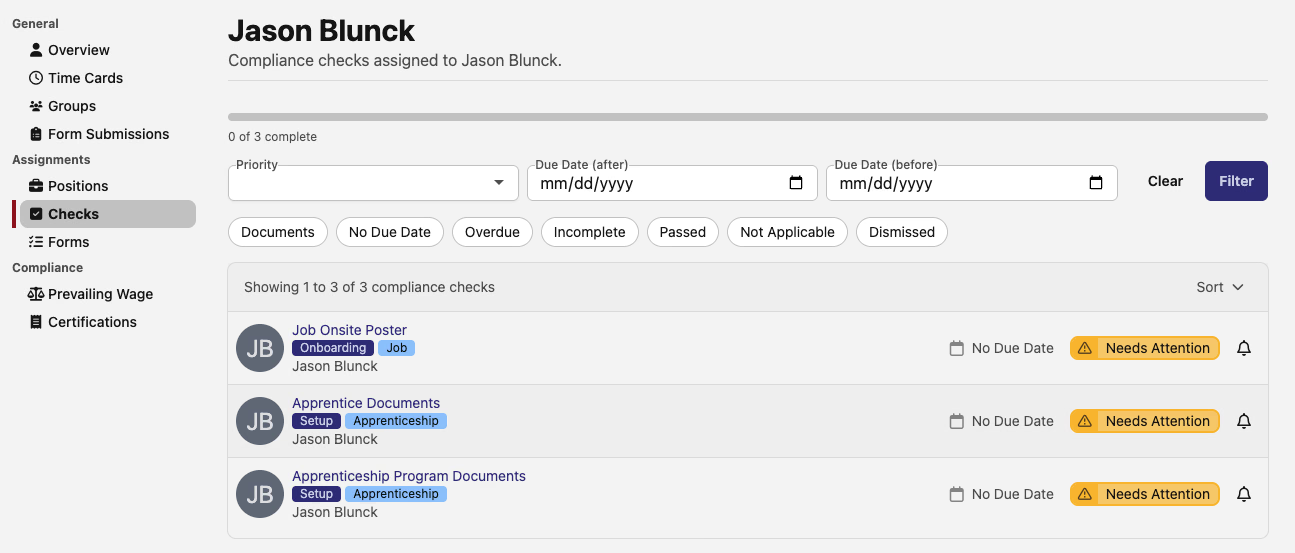
Updates include:
- Sectioned Navigation - Sidebar is now organized into General, Assignments, and Compliance sections
- Clearer Naming - "Assigned Checks" instead of generic "Checks" for better clarity
- Improved User Experience - More intuitive navigation between different user management areas
- Better Visual Hierarchy - Enhanced layout makes it easier to find what you're looking for
These improvements represent our continued commitment to making compliance management and project oversight as efficient as possible. We're excited about the enhanced visibility and control these features provide!
As always, our team is here to help if you have any questions about these new features or need assistance getting started.
The DSPTCH Team