January 7, 2026 Release Notes
We're excited to kick off 2026 with an exciting set of improvements that will make your daily workflows more efficient and intuitive! This release brings significant enhancements to time tracking, better data clarity, and improved user experience across the platform. 🚀
⏰ Enhanced Time Tracking
Direct Time Card Day Editing
You can now edit individual job time card days directly from the time card summary view! This powerful new feature gives you precise control over hours and pay details without leaving the summary page (for those who upload time rather than clocking in/out).
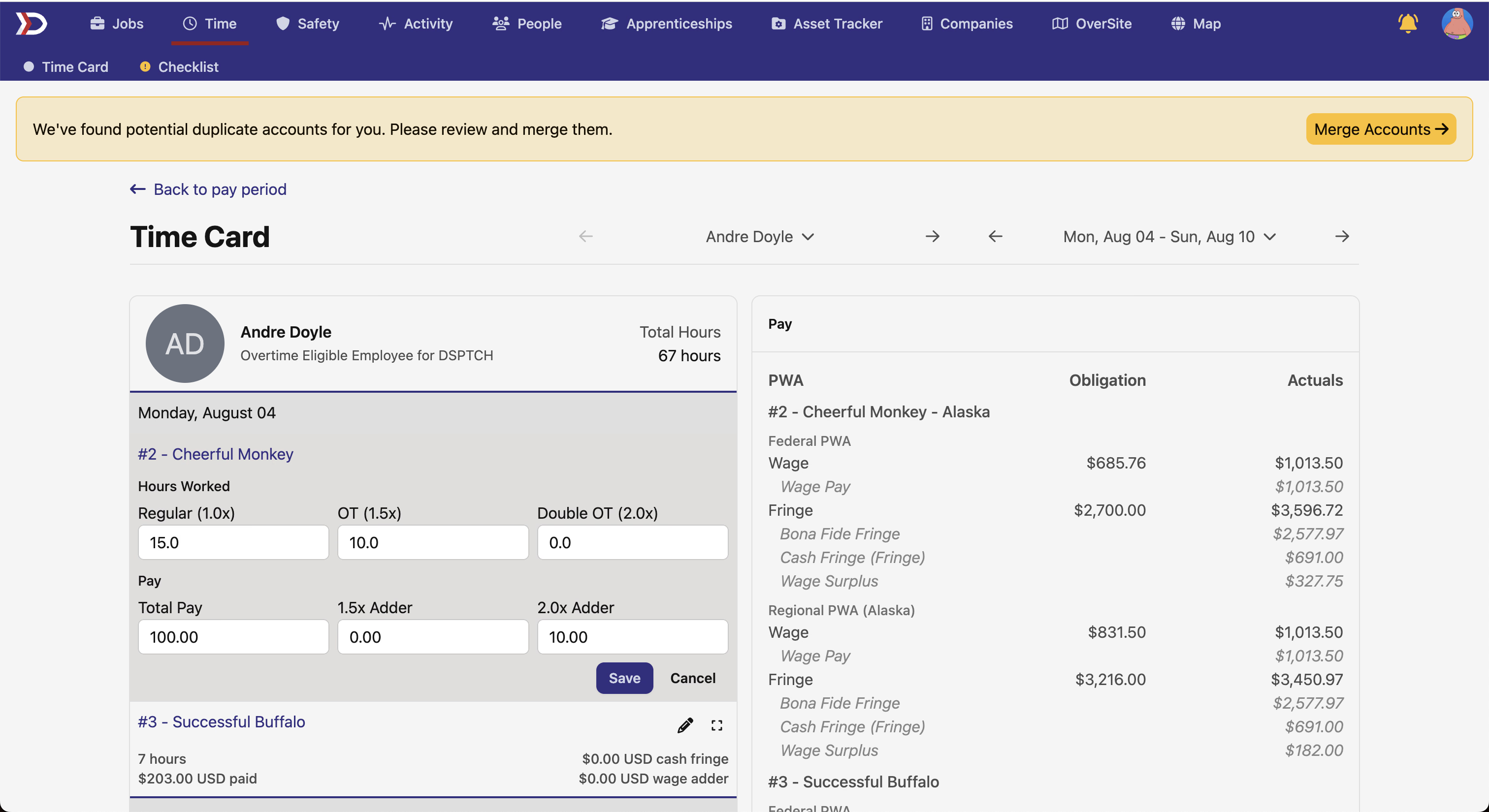
The new editing interface includes:
- Quick edit access - click the edit button on any job time card day
- Comprehensive hour fields - regular, overtime, and double overtime hours
- Pay detail controls - total pay and overtime adder adjustments
- Automatic recalculation - time card aggregates and PWA records update instantly
This makes correcting timesheet data much faster and gives you the flexibility to make precise adjustments when needed.
📅 Better Date Navigation
Pay Period Names Include Year
Pay period dropdowns and time card selectors now display the year when you're looking at periods from previous years, making it much easier to navigate historical data.
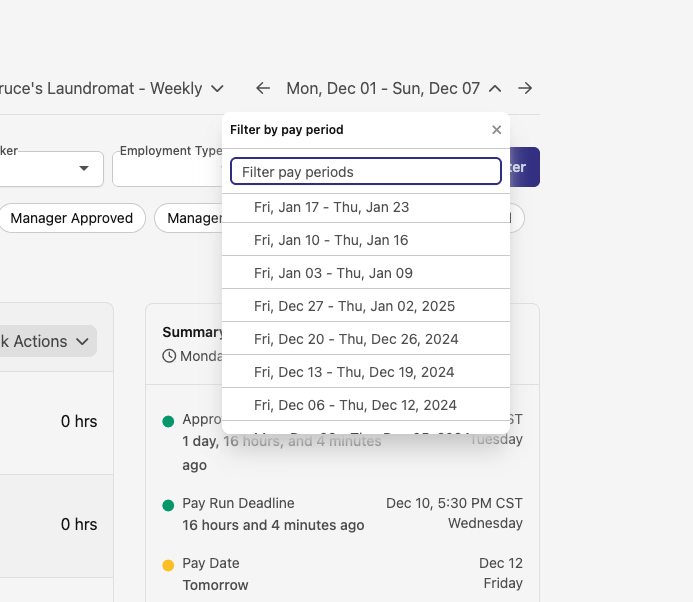
Before: Pay periods only showed month and date ranges After: When scrolling to other years, the year is clearly displayed
This simple improvement eliminates confusion when working with multi-year projects or reviewing historical payroll data.
📄 Enhanced Document Management
Improved Document Viewer in Compliance Checks
We've upgraded the document viewer interface in compliance checks to provide a much better experience when reviewing and managing documents. The new design matches our other document displays throughout the platform and makes it easier to work with your compliance documentation.

Key improvements include:
- Better file thumbnails - visual previews for images and documents when available
- Clearer file type icons - appropriate icons for different document types
- Preview functionality - magnifying glass icon for quick document preview
- Improved layout - better grid organization that accommodates file information and actions
- Consistent styling - standardized document history view with uniform design
- Enhanced download controls - clearer download icons and better visual consistency
This update makes managing compliance documents more intuitive and efficient, especially when you're working with multiple files or need to quickly identify specific documents.
Thank you for reading, we're always working to improve your experience based on your feedback. Happy new year!
The DSPTCH Team