New Features & Improvements - July 10th, 2025
Hey everyone! We've been busy shipping some exciting updates to make your DSPTCH experience even better. Here's what's new in this release:
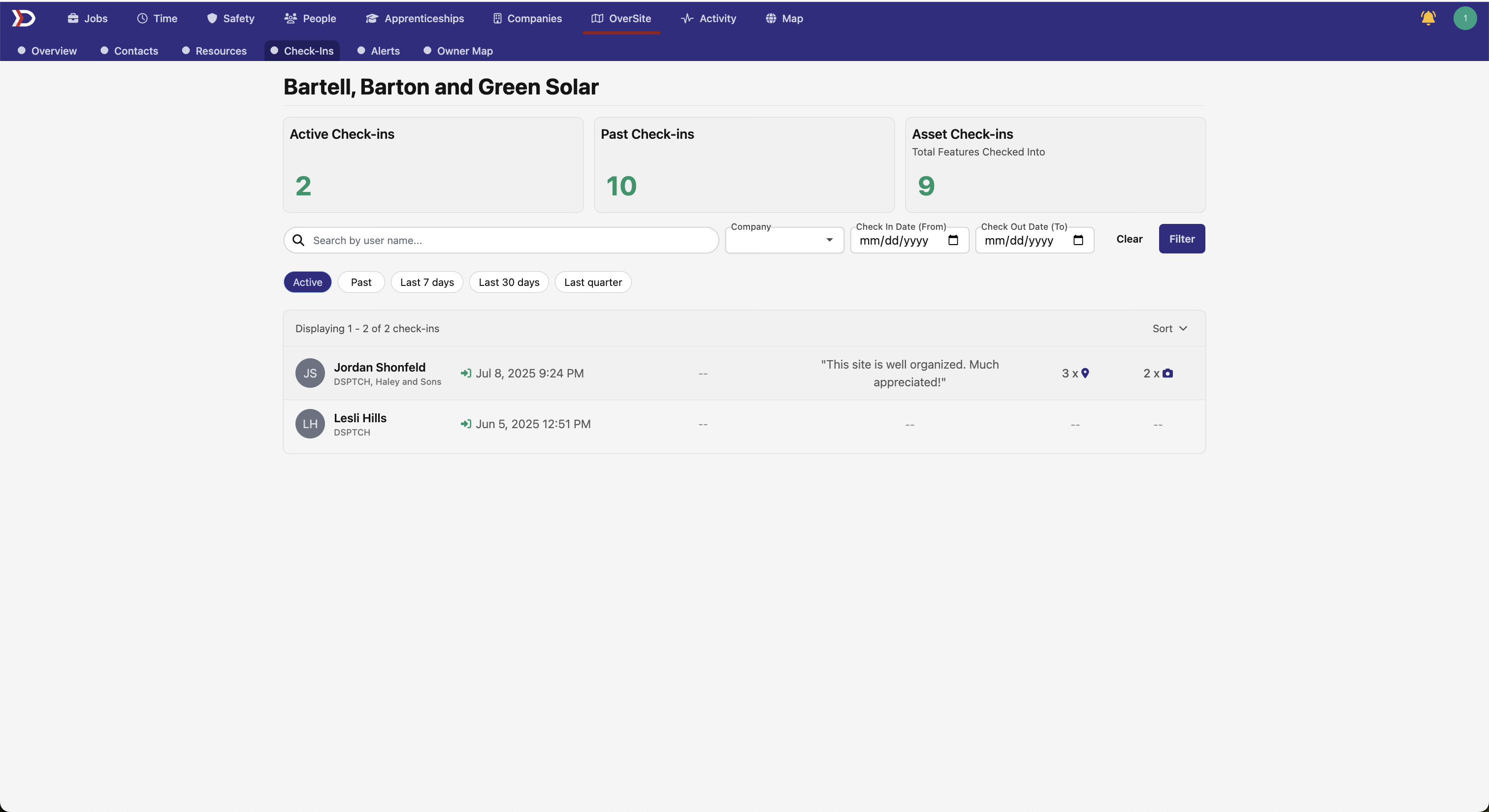
Site Check-ins: Track Who's Where 📍
We're launching a new check-ins dashboard for our OverSite users that helps you keep tabs on who's at your job sites! You'll now see a shiny new "Check-ins" tab that shows:
- Active check-ins - See who's currently on-site in real-time
- Past check-ins - Review historical check-in data to understand site activity patterns
- Features visited - Track which specific site features workers have checked into
This feature is perfect for site managers who need to monitor site activity and ensure proper coverage. You'll get a clean overview with stats cards showing active workers, past visits, and total features checked.
Additional Map Upgrades 🗺
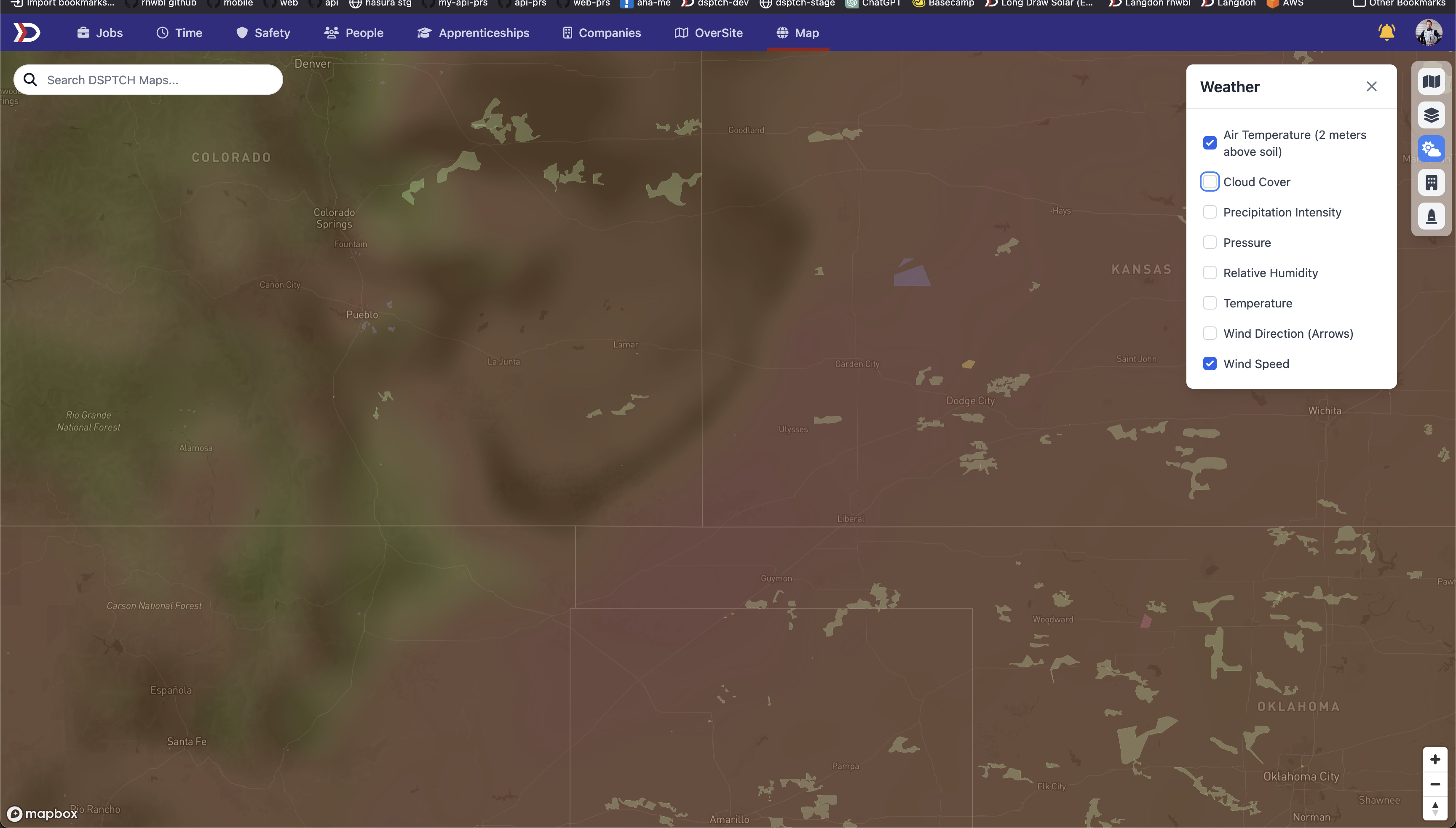
Weather Layers on Maps
Keep an eye on the weather conditions at your job sites! We're rolling out weather overlay support on the map view. You'll be able to toggle different weather layers to see real-time conditions that might affect your field operations.
Filter Sites by Job Customer
Easily visualize which sites are being worked on for different customers using our new Customer filtering capabilities on the map. This full integration with DSPTCH jobs allows you to easily identify geographic proximity and schedule more effectively.
Multi-Document Compliance Requirements 📄
Managing compliance just got easier! Requirements can now accept multiple documents instead of just one. This is huge for requirements that need several pieces of documentation - like certifications that require both a license AND training records.
API Improvements
API Scopes
DSPTCH's API now has the ability to scope API keys specifically to the needs of your external developers. This helps keep sensitive data safe and protected from any undesired changes, while still allowing you to carefully allow external consumers to access the data they need.
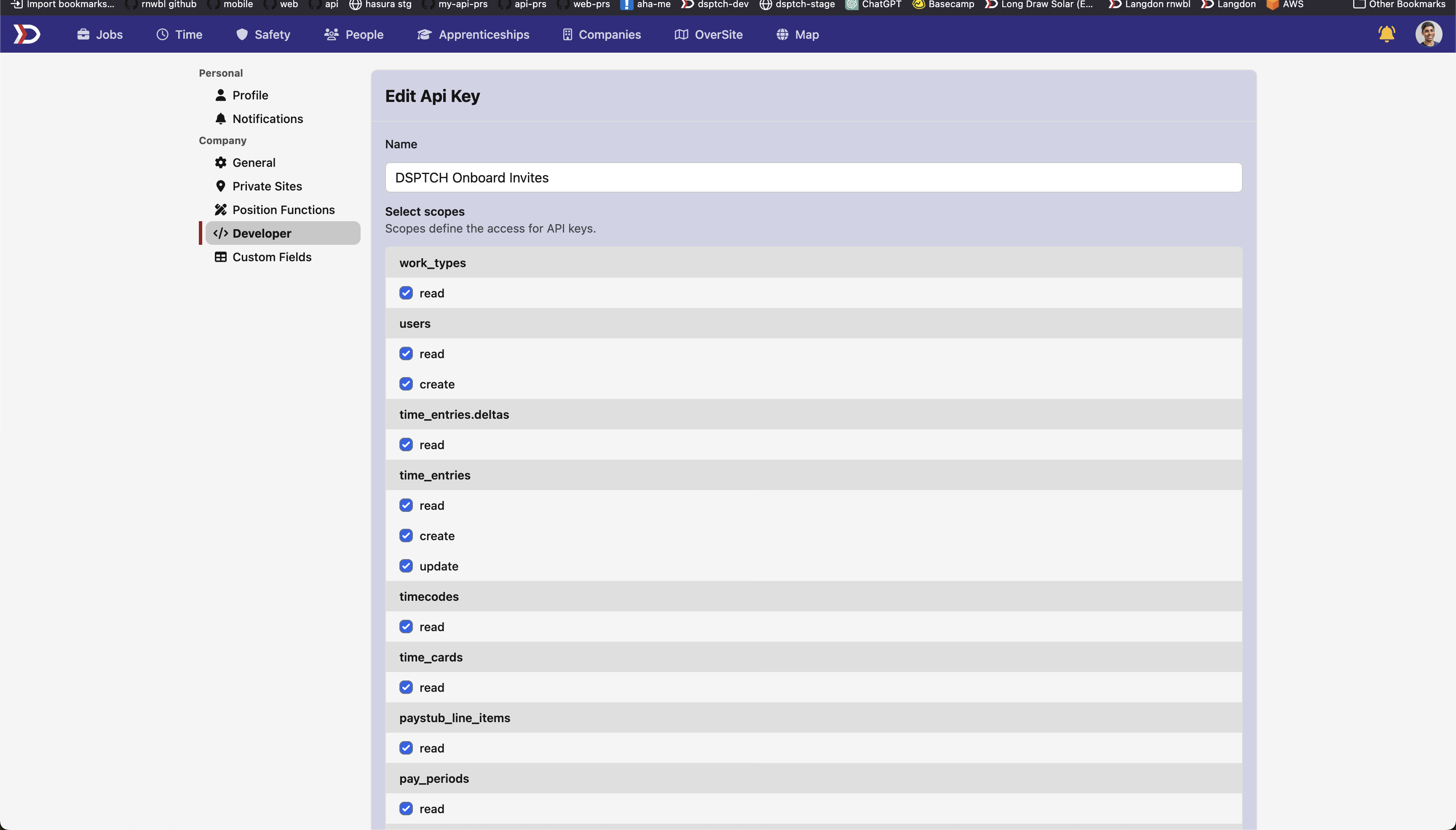
Add API Scopes to your API keys today from the Developer tab in Settings.
API Docs
We've added comprehensive API docs to give intuitive guidance on how to interact with our API. Complete with code guidance, supported parameters, and detailed return type specifications, these docs allow your developers to easily integrate with DSPTCH.
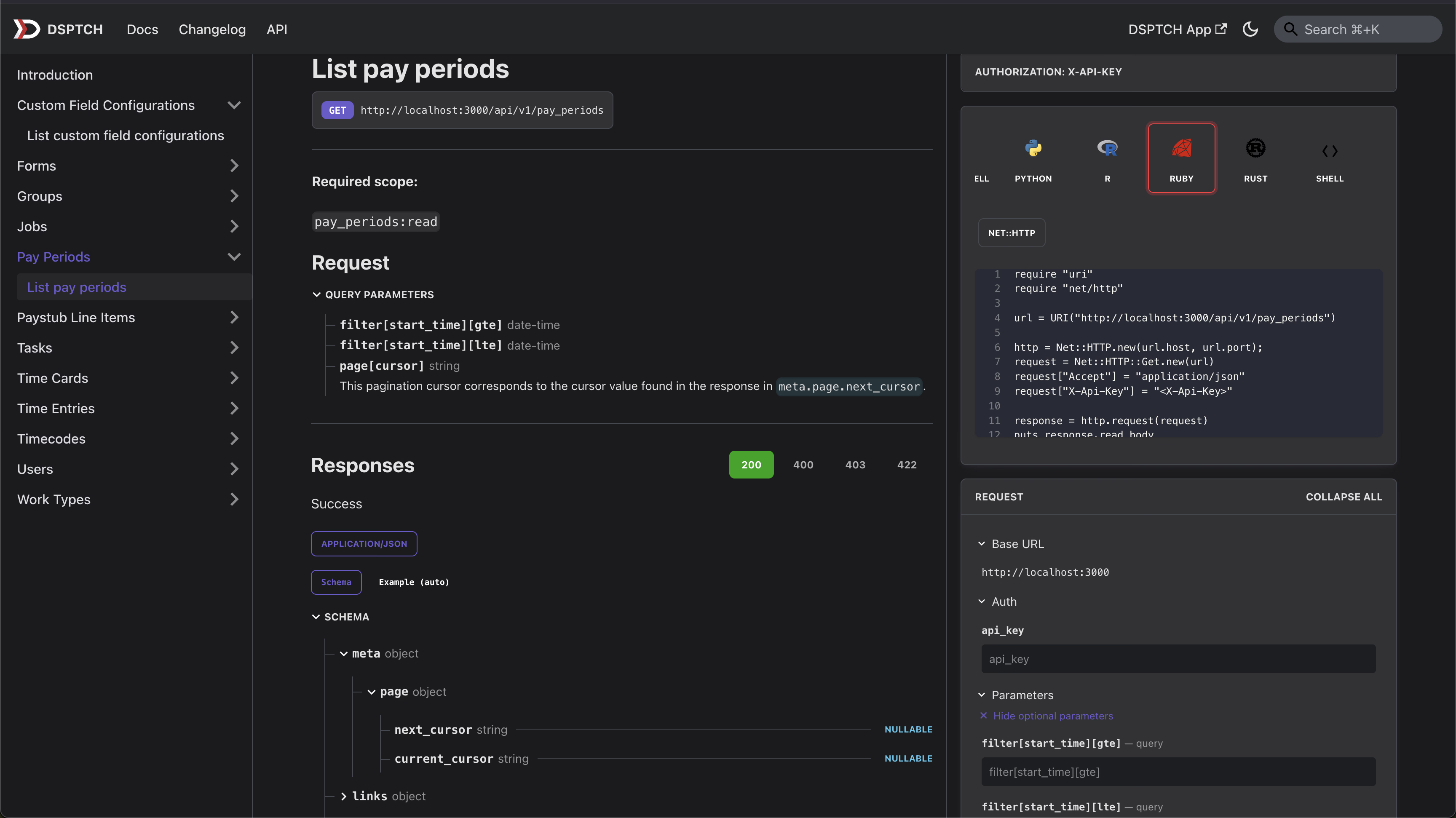
Access our new API docs by navigating to the standard Docs tab, then selecting Api from the top navigation bar.
Better Time Entry Filtering 🕐
For those using our API, we've upgraded the time entries endpoint with powerful new filtering options:
- Filter by start time and end time ranges
- Improved pagination for better performance
- Cleaner response format following our latest API standards
Fixes & Improvements 🔧
- Fixed issues with address autocomplete returning empty results
- Improved handling of time zones in CSV uploads
- Better error messages when geofences can't be created
- Various performance improvements across the board
That's all for this release! As always, we're listening to your feedback and working hard to make DSPTCH the best field operations platform out there.
Got questions or suggestions? Hit us up! 🎉