March 16, 2026 Release Notes
A handful of quality-of-life improvements this week focused on making compliance checks easier to manage, giving you better visibility into job history, and cleaning up how pay information is displayed on time cards. 🛠️
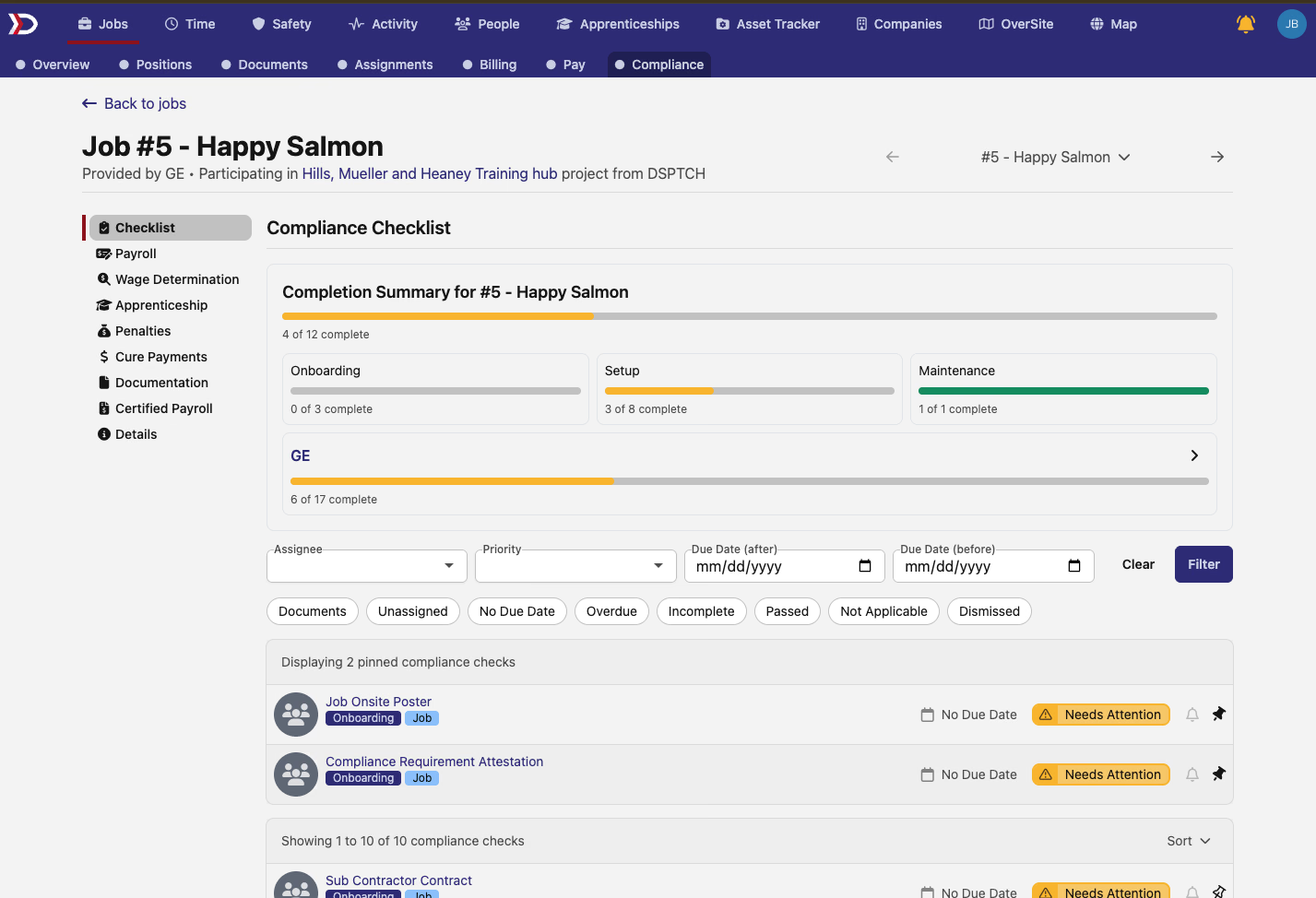
📌 Pinnable Compliance Checks
You can now pin your most important compliance checks to the top of any checklist view. Whether you're looking at checks for a job, project, time card, or user — just click the pin icon and that check stays front and center.
This works across all compliance check lists:
- Job PWA checklists
- Project compliance checks
- Time card checklists
- User-level compliance views
- Company-level checks under Activity
Pinned checks are per-user, so your pins won't affect anyone else's view.
📋 Job Activity Timeline
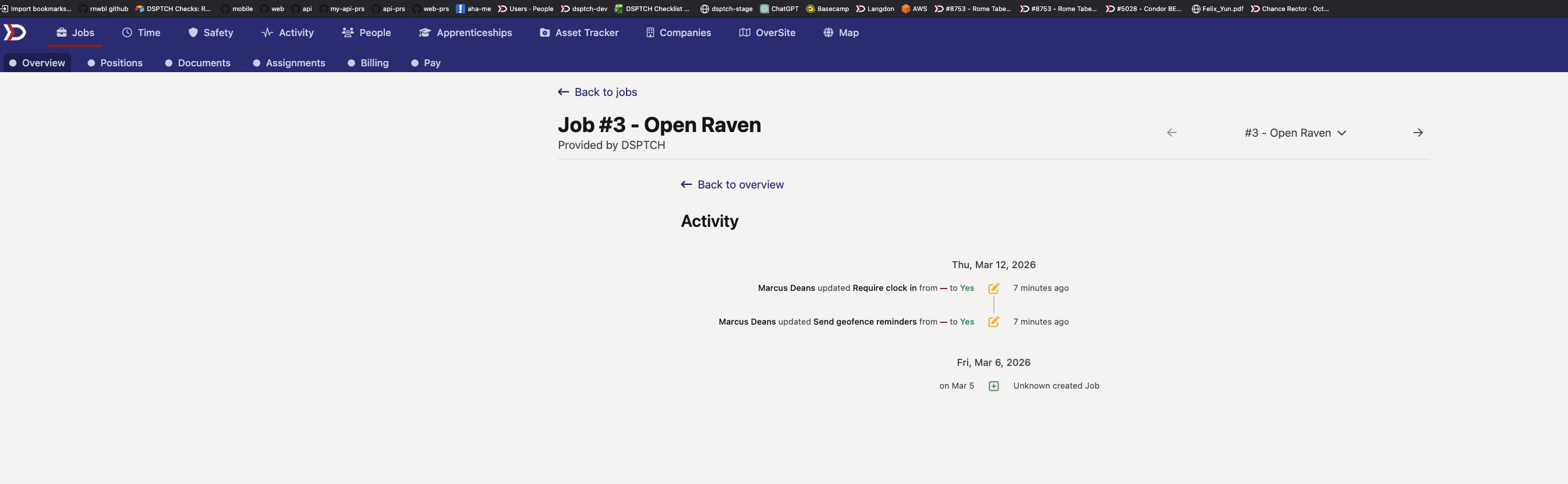
Jobs now have a dedicated activity timeline that shows a history of changes made to the job over time. You can access it from the kebab menu (three-dot menu) on the Job Overview page.
The timeline displays meaningful attribute changes in a clean, chronological format — handy for understanding when and how a job's configuration has evolved without digging through individual fields.
💰 Clearer Wage & Fringe Breakdown on Time Cards
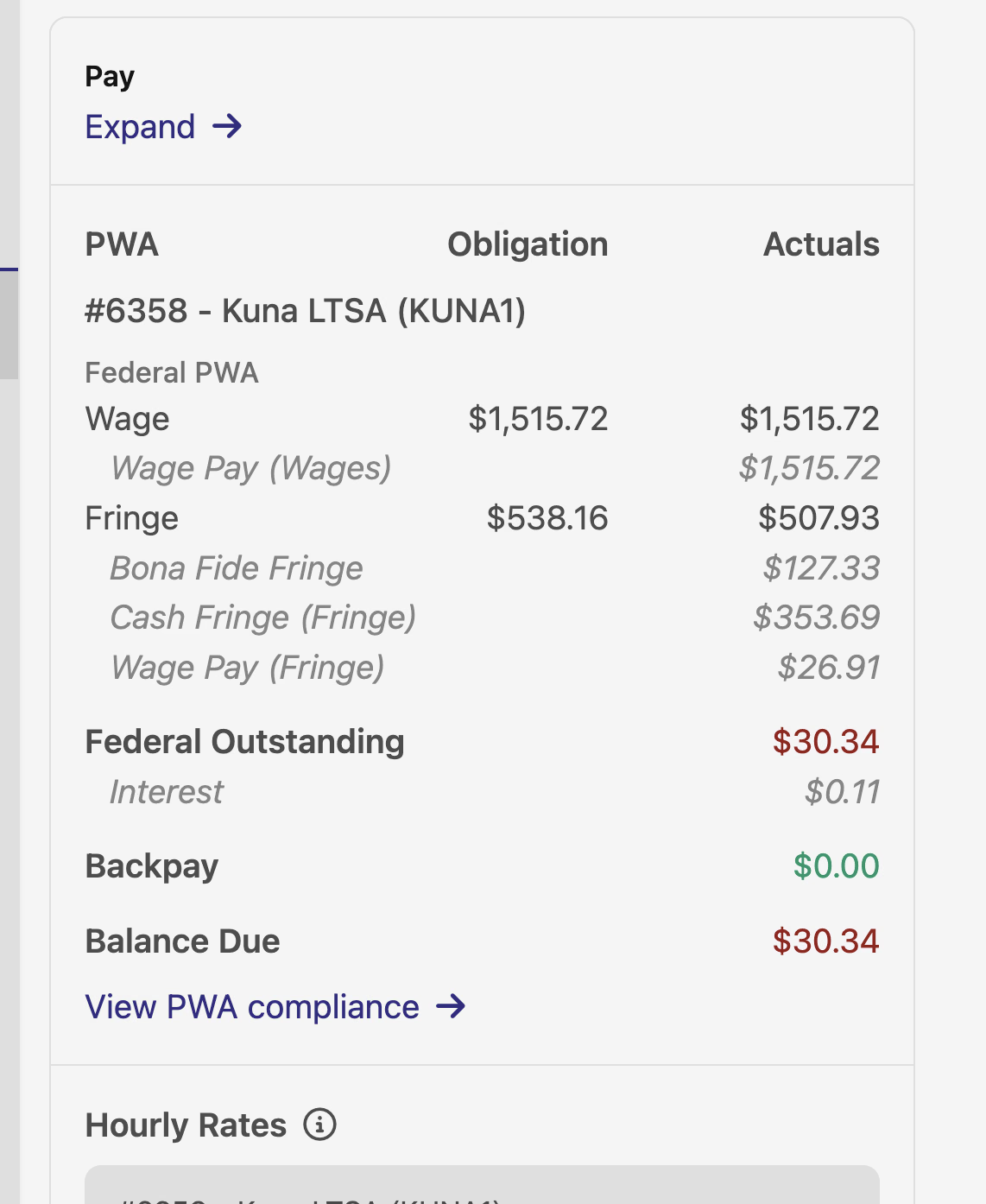
The pay section on time cards now separates wage-derived amounts into Wage Pay (Wages) and Wage Pay (Fringe), rather than showing a single combined number. This makes it much easier to see exactly where the money is going and avoids the appearance of double-counting when a wage surplus covers fringe obligations.
No changes to how anything is actually calculated — just a clearer label and breakdown so you can read pay information at a glance.
🔗 Clickable Timecode Names
Timecode names on time entries are now clickable links that navigate directly to the corresponding timecode's settings page. This applies everywhere time entries appear — on time card detail views and job billing views. Hover styling matches the existing link patterns you're already used to.
Some nice usability wins this week. The pinnable checks and job timeline in particular should help folks who are managing a lot of compliance activity stay organized and informed.
As always, our team is here to help if you have any questions about these updates!
The DSPTCH Team