March 3, 2026 Release Notes
We're excited to deliver powerful improvements that make compliance management more intuitive and keep your teams better informed! This release introduces inline editing across all compliance checks, automated notifications for apprentice wage transitions, and workflow enhancements that eliminate unnecessary navigation. 🚀
✏️ Inline Compliance Check Editing
Edit Requirements Without Leaving the Page
Managing compliance checks just became significantly faster! You can now edit requirement fields directly from the compliance check page without navigating away to separate forms.
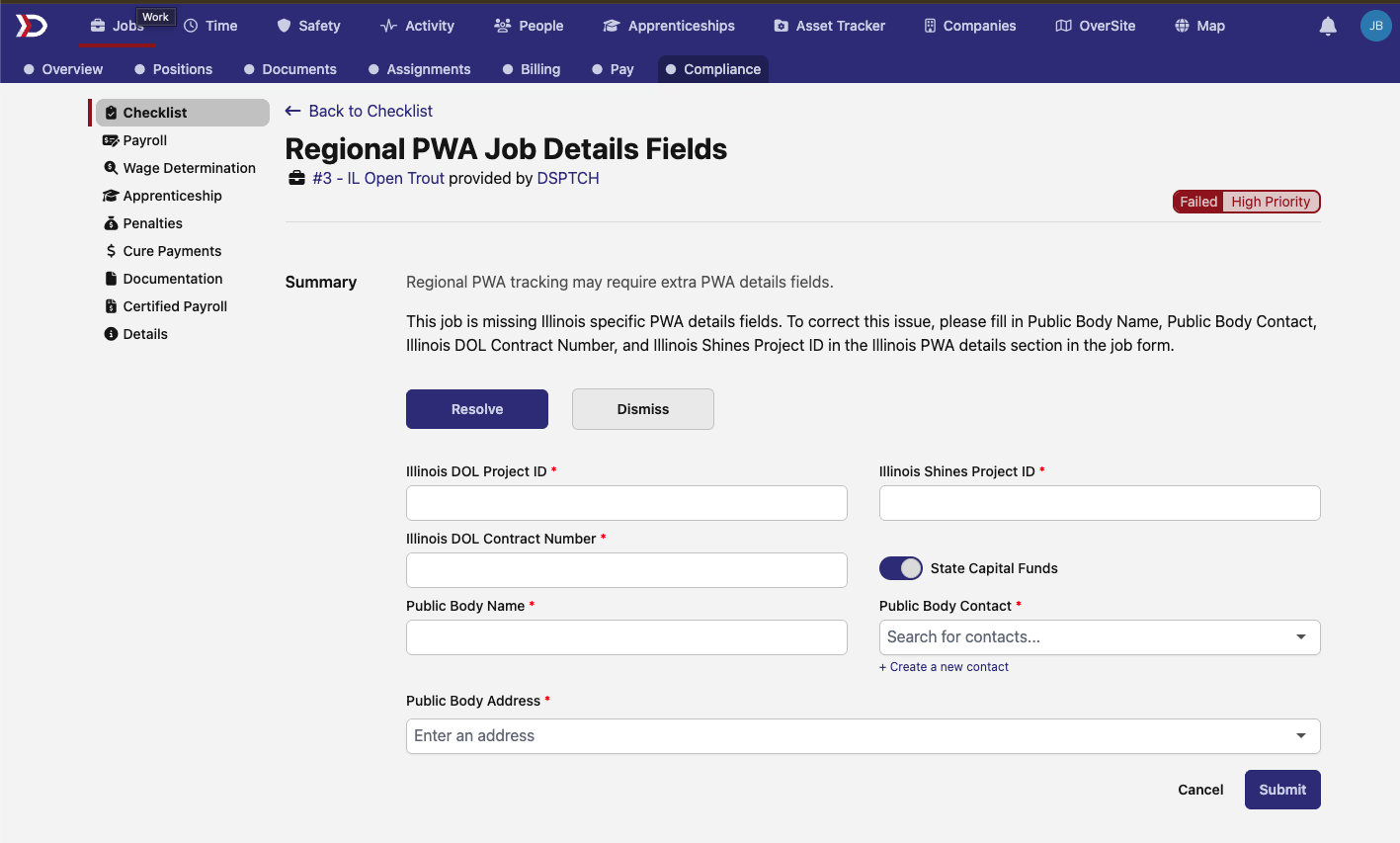
The new inline editing system includes:
- Stay in Context - Edit fields directly on the compliance check page, maintaining your workflow focus
- Instant Updates - Changes save and reflect immediately without page refreshes
- Visual Feedback - Clear indicators show which fields are editable and required
- Streamlined Process - Eliminate the back-and-forth navigation between compliance checks and edit forms
This enhancement is available across multiple compliance requirement types:
Regional Job Details Fields
Edit location-specific compliance fields for jobs based on regional requirements. The system now supports inline updates for state-specific fields like California and Illinois job details.
Key improvements:
- State-Specific Fields - Edit California, Illinois, and other regional requirements in place
- Address Validation - Enhanced address typeahead with required field indicators
- Smart Validation - Fields now properly validate for nil values rather than just blank entries
PWA Contractor Fields
Managing contractor information for Inflation Reduction Act compliance is now seamless with inline editing capabilities.
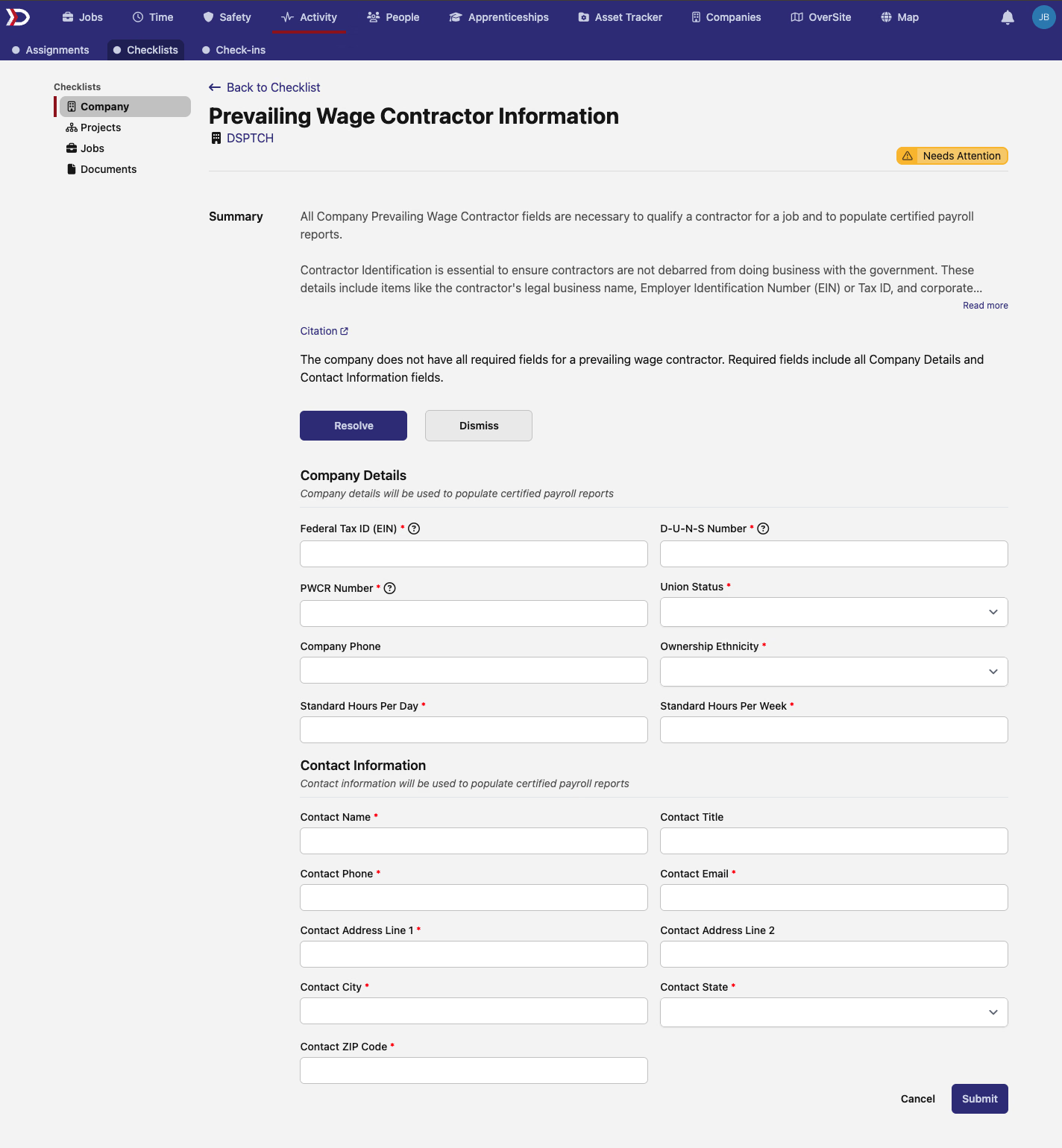
Features include:
- Contractor Information - Update contractor type, license details, and contact information
- Contact Details - Edit company contact information without leaving the compliance view
- Focused Fields - Only the required PWA contractor fields are shown, reducing clutter
IRA Project PWA Fields
Project compliance management gets a major upgrade with inline editing for PWA project fields.
Enhanced capabilities:
- Administrator Details - Update project administrator information inline
- Key Dates Management - Edit lock-in dates, construction start dates, and placed-in-service dates
- Document Attachments - Upload supporting documents directly from the compliance check
- Budget Information - Modify project budget and asset owner status without navigation
Apprentice Verification Fields
Apprentice compliance verification is now more efficient with dedicated inline forms.
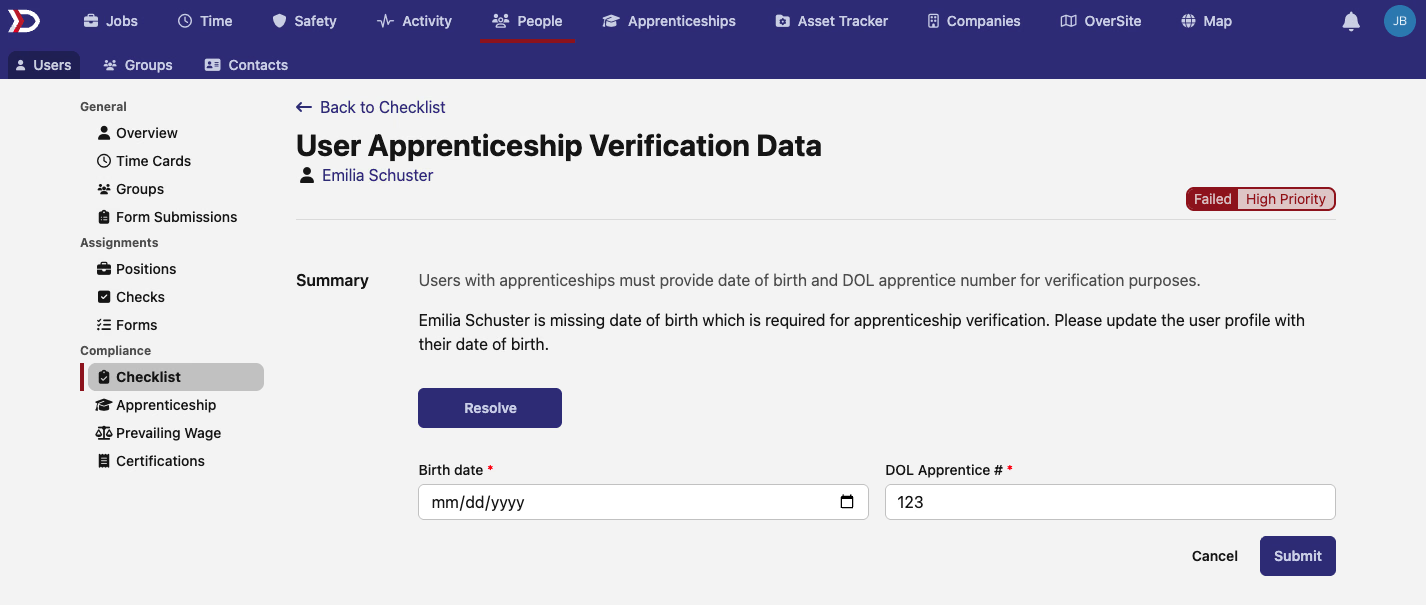
Improvements include:
- Verification Data - Edit birth dates and DOL apprentice numbers in place
- Quick Updates - Make corrections to apprentice information without disrupting your workflow
- Compliance Integration - Seamlessly update verification fields as part of your compliance review
🔔 Automated Apprentice Wage Period Notifications
Keep Managers Informed of Wage Transitions
Managers now receive automatic notifications when their apprentices transition to new wage schedule periods, ensuring everyone stays informed about compensation changes.
The notification system provides:
- Real-Time Updates - Managers are notified immediately when an apprentice moves to a new wage period
- Smart Triggers - Notifications only fire for actual wage period changes, not routine updates
- Recent Changes Only - System tracks changes within the last 90 days to avoid retroactive notification spam
- Manager-Focused - Notifications are sent specifically to the apprentice's designated manager
This feature helps organizations maintain transparency around apprentice progression and ensures managers can properly track and support their apprentices' development through wage schedule transitions.
These enhancements represent our continued focus on making compliance management more efficient and keeping your teams better connected. The inline editing capabilities will save countless clicks and page loads throughout your day, while the apprentice notifications ensure important transitions don't go unnoticed.
As always, our team is here to help if you have any questions about these new features!
The DSPTCH Team