November 7, 2025 Release Notes

Compliance checks pick up inline document signing, and the Actual Earnings card on PWA job pay pages now includes prior-period adjustments in the total.
✍️ Inline document signing for compliance checks
Compliance checks that require a signed document now have a Sign Now button directly on the check page. Clicking it opens an embedded signing form in the browser — no downloading, printing, or re-uploading required.
Once signed, the document is attached to the check automatically and the check status updates accordingly. The inline signing path is available on checks configured with a signing template; checks without one continue to use the document upload flow.
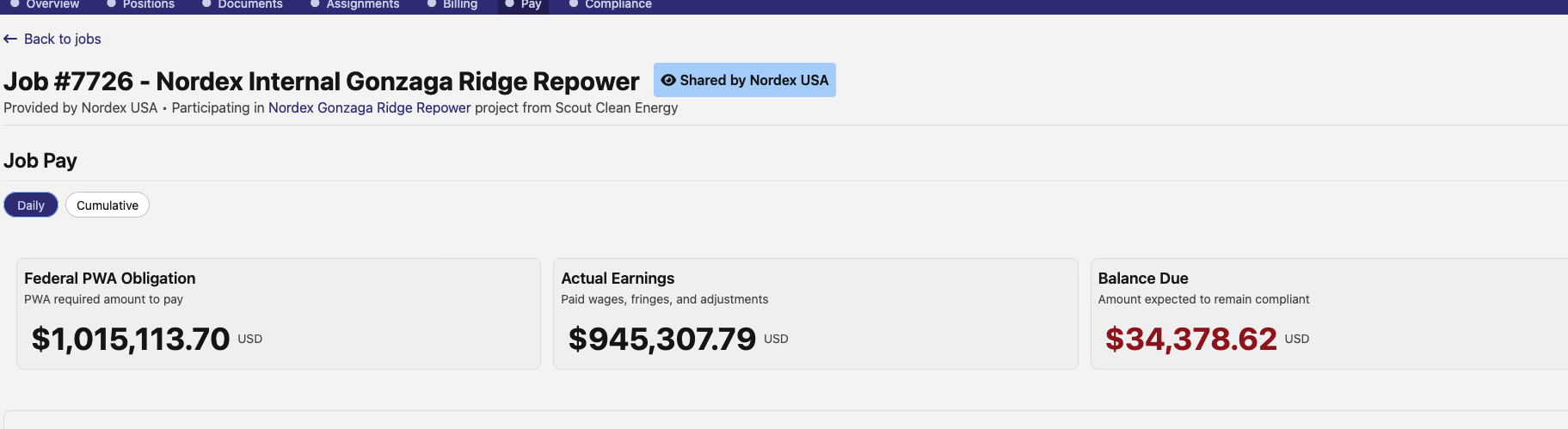
💰 PWA Actual Earnings now includes adjustments
The Actual Earnings card on a PWA job's Pay page previously reflected base wages and fringes. It now also includes prior-period adjustments, giving a more complete picture of what's actually been paid.
The card subtitle reads Paid wages, fringes, and adjustments to reflect this. If the adjusted total changes the balance due, that updates alongside it.
🛠️ Fixes
- Excel time card imports with date-type start time cells now use the pay period's timezone instead of defaulting to UTC — resolving incorrect shift times for imports from common Excel tools
- Job position form wage determination rates now load reliably on open, resolving a race condition that could leave rate fields blank
As always, reach out if you have any questions.
The DSPTCH Team