September 17, 2025 Release Notes

Illinois prevailing wage user-details forms gain Illinois Shines fields, the overtime breakdown on time cards picks up an unpaid-hours row, bulk user import goes live in the People area, and task filtering gets a meaningful upgrade. ⚙️
📋 Prevailing Wage: Illinois Shines fields
The User Information form on a user's Prevailing Wage tab picks up an Illinois Fields section with two new inputs: Equity Eligible Person Qualifiers (categories that qualify someone as an Equity Eligible Person under Illinois Shines) and Other Illinois Shines Programs (additional Illinois programs to report under). Both let you start typing and add multiple values as chips, like the existing Race field.
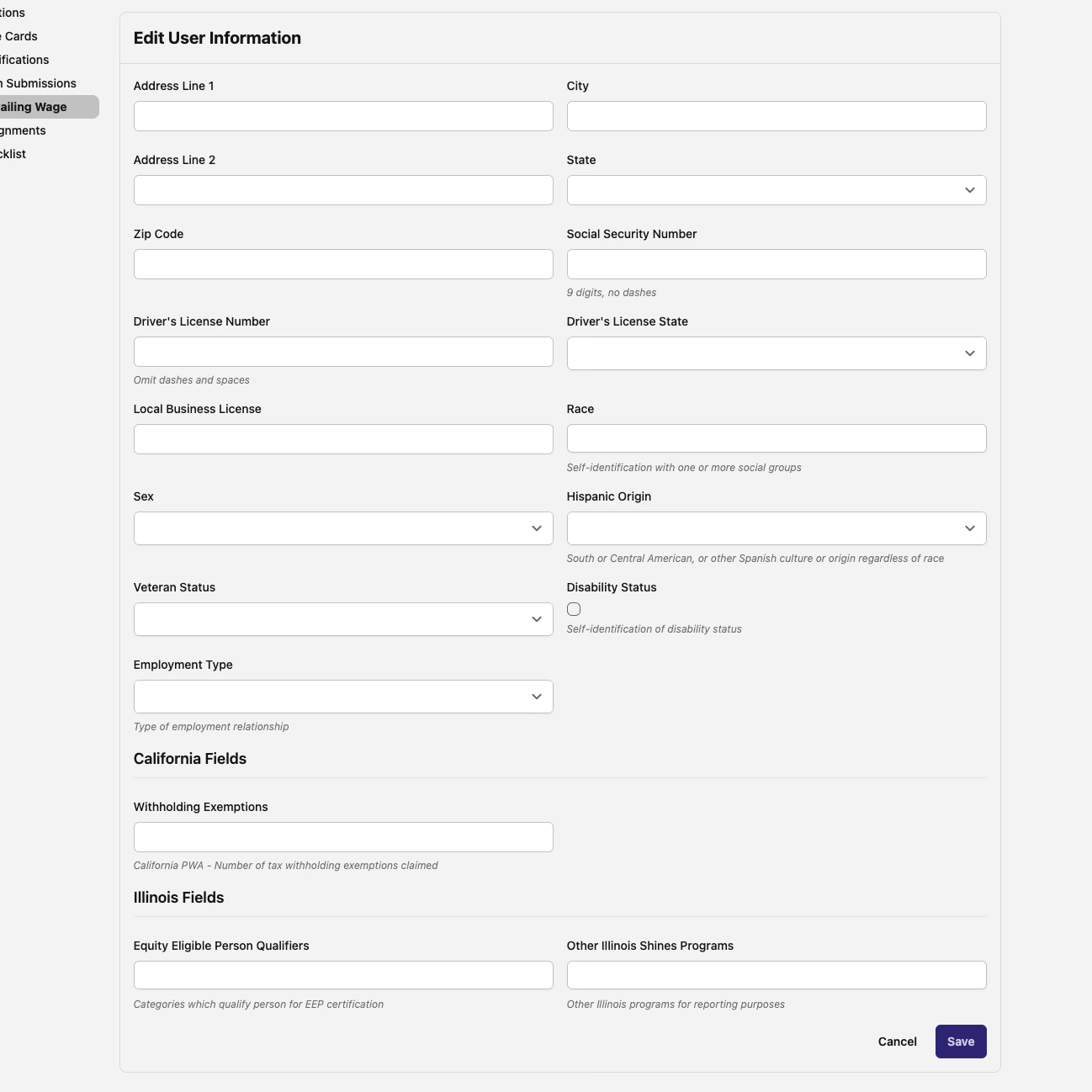
The same form also picks up a generic Employment Type dropdown (Part-time, Full-time, Seasonal, Independent Contractor) and a Disability Status checkbox, alongside a few additional Race options. State-specific sections like California Fields and Illinois Fields only appear if the company has those regions configured, so the form stays clean for users in unrelated states.

⏱️ Unpaid hours row on the overtime chart
The Hours Worked widget on each time card now includes an Unpaid row alongside the 1.0×, 1.5×, and 2.0× rate buckets. It shows the difference between total minutes worked and paid minutes — useful for catching unrecorded breaks or missed approvals before payroll cuts.

📥 Bulk user import
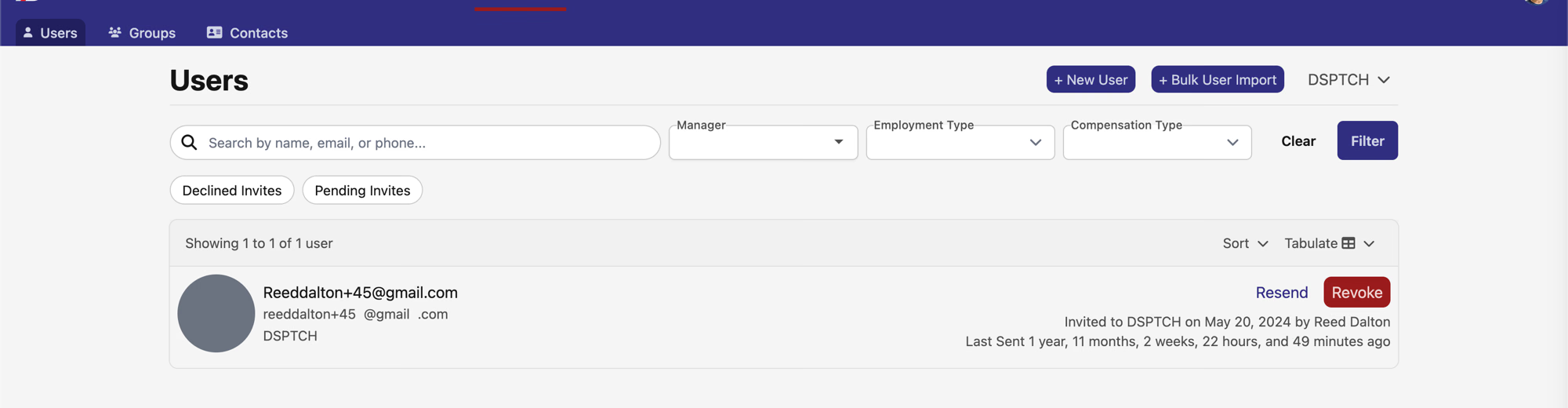
A new + Bulk User Import button on the Users page (People → Users) opens an import workflow for creating or updating users in bulk from a CSV. The form starts with a downloadable template; once you upload a filled-in copy, it surfaces clear, per-row validation errors when something doesn't match — including PWA-field formatting issues that would otherwise only surface later when exporting certified payrolls.
✅ Task filters: a bigger filter set across the app
Task filtering picks up a meaningful expansion:
- Asset filtering — filter tasks by associated asset, with typeahead lookup
- Date range filtering — standardized date-range options across every task view
- Task search — find a specific task by name or ID
- New quick filters — recurrence, dismissal status, and record type joined the existing categories
- New sort options — completed-tasks ascending or descending
- Alphabetized — quick-filter options are now in alphabetical order for consistency
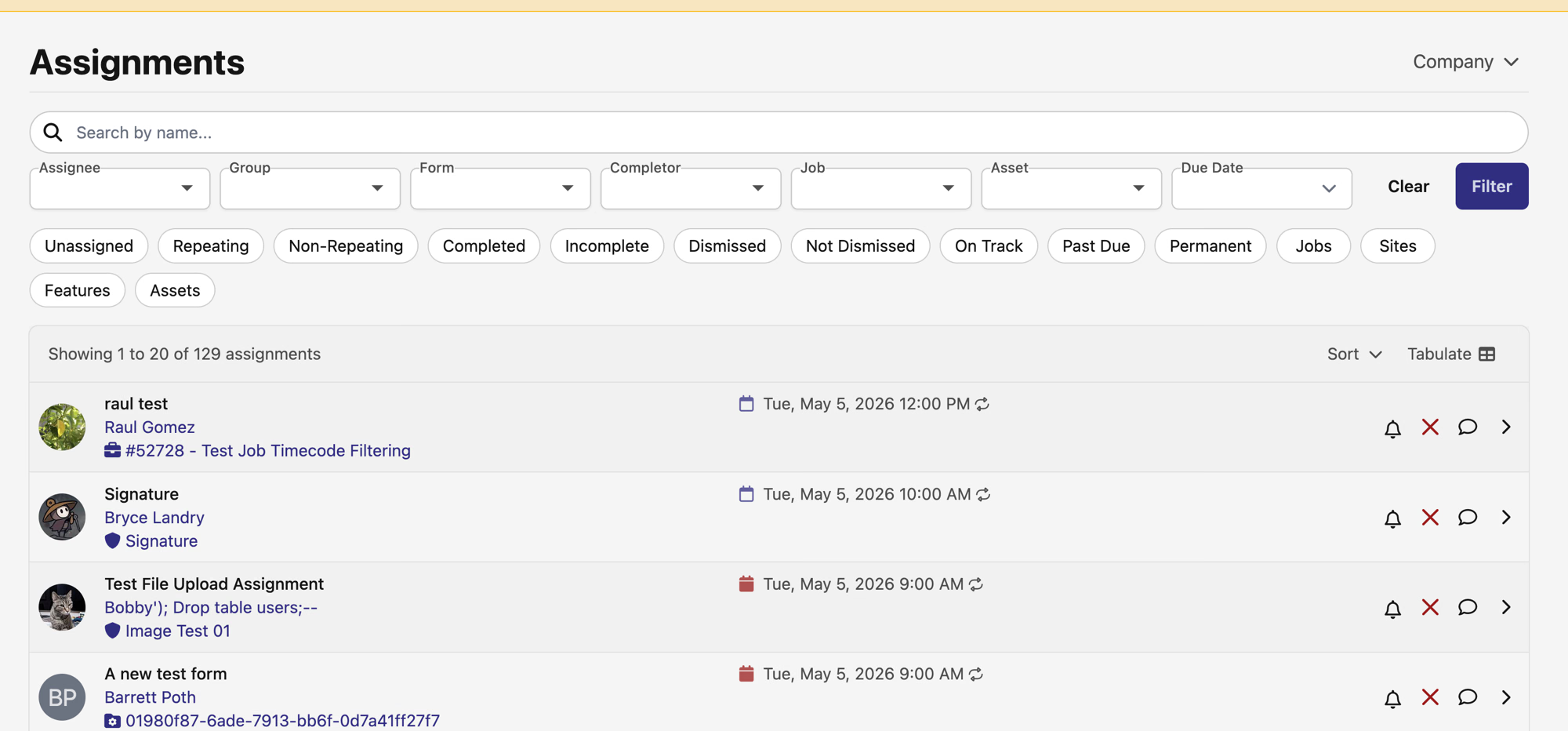
Beyond the new filter set, the task index also gets a couple of related refinements. The row preview now reflects the relevant task from a chain (e.g. the next due item) rather than always the most recent, so what you see on the row lines up with the active filter. The time-due display also shows both the previous and next due date when both apply.
A focused PWA + timekeeping + people release with a useful task-filtering expansion on top. As always, reach out if you have any questions.
The DSPTCH Team