New Features & Improvements - August 14th, 2025
🎉 What's New: Enhanced Map Search & Filter Experience
Hey everyone! We've been hard at work making your map experience smoother and more intuitive. This release brings some powerful new features that we think you're going to love.
📍 Introducing the Results Panel
Ever wished you could see all your search results in one place? We've added a sleek new results panel that slides out from the left side of the map. When you apply filters to find specific sites or features, the panel automatically expands to show you a clean, organized list of everything that matches your criteria.
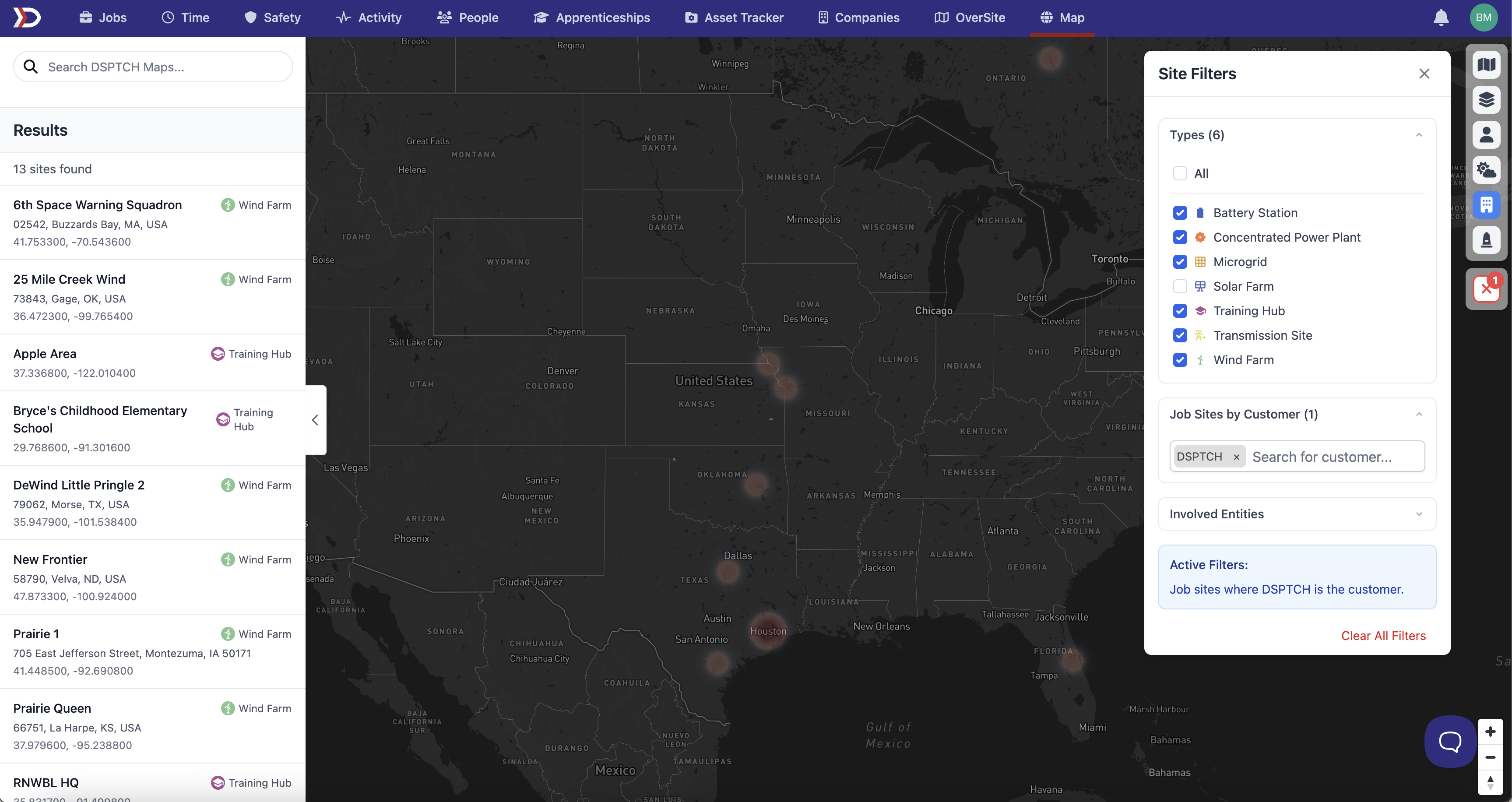
The results panel includes:
- A complete list of all sites matching your current filters
- Easy pagination to browse through larger result sets
- Click any result to zoom directly to it on the map
- See key details like site name, type, address, and coordinates at a glance
🧹 One-Click Clear All
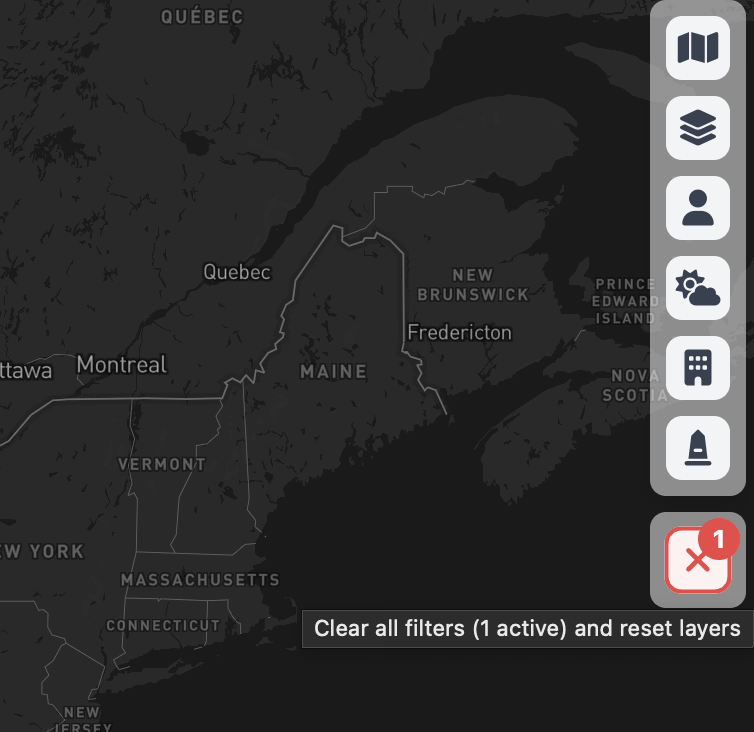
We heard you! Managing multiple filters could get a bit overwhelming, so we've added a prominent "Clear All" button to the toolbar. This handy button:
- Shows you exactly how many filters are currently active
- Clears all filters with a single click
- Resets layer visibility to defaults
- Gets you back to a clean slate instantly
💾 Your Filters Now Remember You
No more re-applying the same filters every time you load the map! We now automatically save your:
- Active filters and search criteria
- Layer visibility preferences
- Weather layer settings
- Site and feature type selections
Everything is restored exactly as you left it when you come back. Need a fresh start? Just hit that Clear All button!
Happy mapping! 🗺️