July 21, 2026 Release Notes

This release helps you see more of your fleet and your projects at a glance: trucks now leave a route trail on the map, and a project's production completions gather into a sortable grid. Forms pick up easier tagging and customer visibility, and dark mode now reaches the pages you see before you sign in.
🚛 See where a truck has been on the fleet map
The live fleet map in Atlas shows your trucks and their current status. Now, when you select a truck, DSPTCH traces its recent drive as a line that follows the roads — dim where the trip started and brightening toward the truck's current position, so you can read its path at a glance. A truck that's been parked still shows its most recent drive, and one that hasn't moved shows no line.
📊 Tabulate a project's production completions
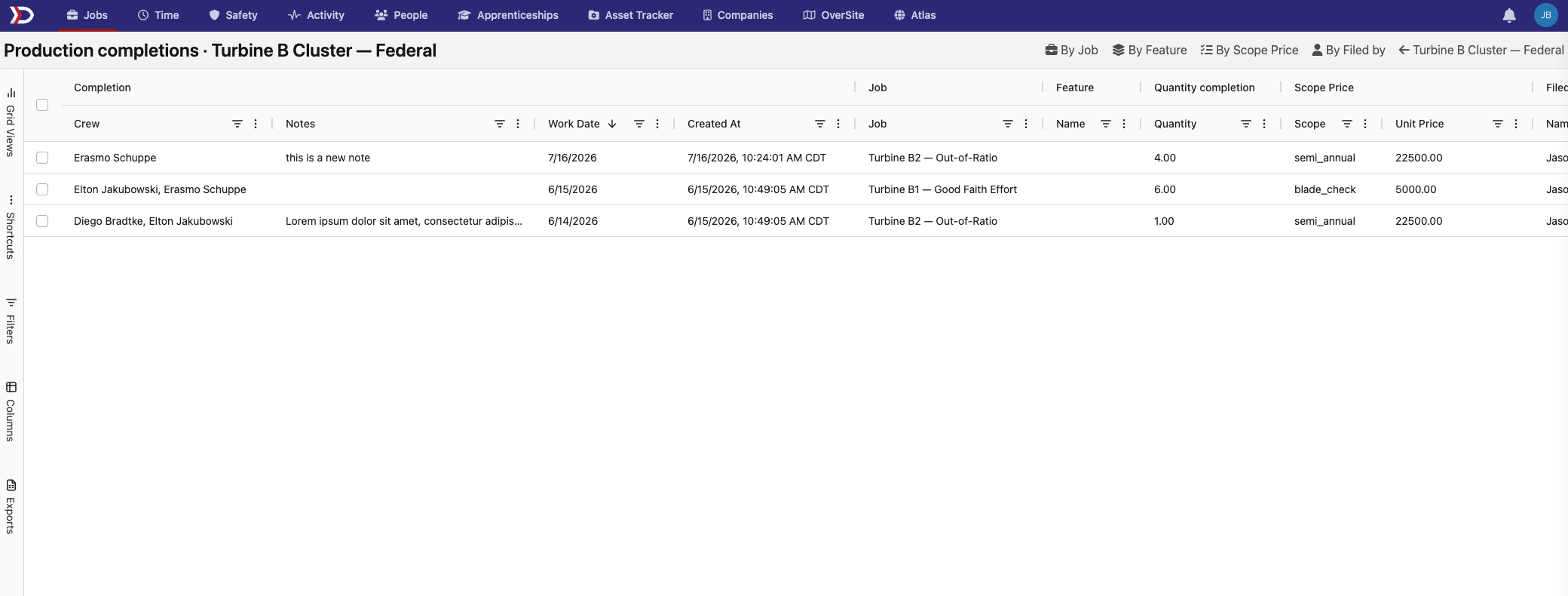
Last release added a Production tab that gathers completion activity from a project's jobs into one place. That page now has a Tabulate button that opens the whole set as a spreadsheet-style grid — every completion across the project's jobs, with columns for the job, feature, quantity, scope and unit price, crew, and who filed it. Group the grid four ways — by job, by feature, by scope, or by who filed the entry — to total the work however you need to review it.
🏷️ A friendlier way to tag forms
Tagging a form is easier. The Tags field in a form's settings is now a select-or-create picker: your company's existing tags appear as suggestions as you type, the tags you choose show as chips you can remove with a click, and you can still create a brand-new tag on the spot. No more remembering to separate everything with commas.

🗺️ Clear form submissions from the map in one click
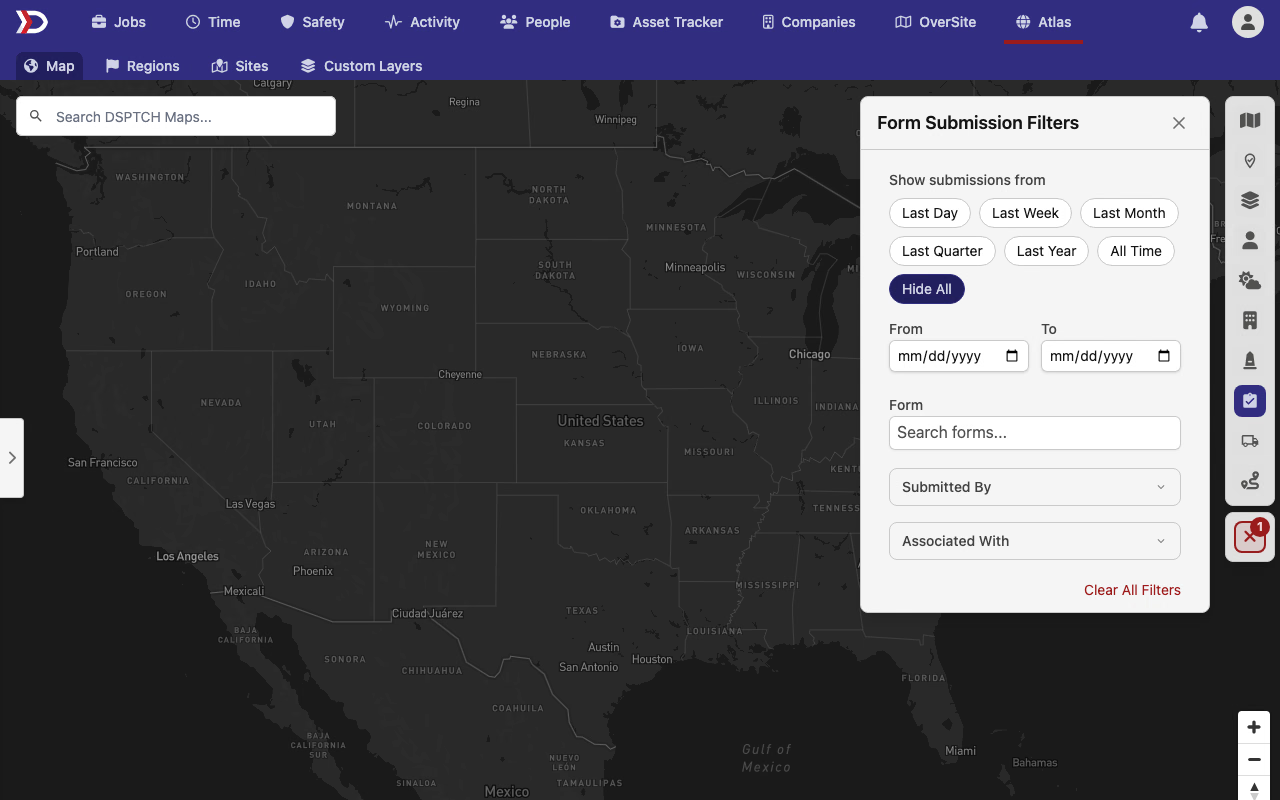
The map's Form Submission Filters panel already lets you show submissions from a chosen time range. It now includes a Hide All option that clears every submission off the map at once — handy for a clean site view when you're printing a map or focusing on something else. Choose any time range again to bring them back, and a Clear All Filters shortcut resets the panel in one step.
👀 Customers can see a job's forms
When you share a job with the customer company working on it, their team can now see that job's form assignments — and its submissions, once the job is shared with them — alongside the rest of the job. Safety forms stay private and are never shown to customers.
🕓 Change history on project wage determinations
The Project Wage Determination page now has an activity timeline showing who changed the determination and when — the same history view already available on a job's wage determination. It's an easy way to see how a project's prevailing-wage details have evolved over time.
🌗 Dark mode reaches more of DSPTCH
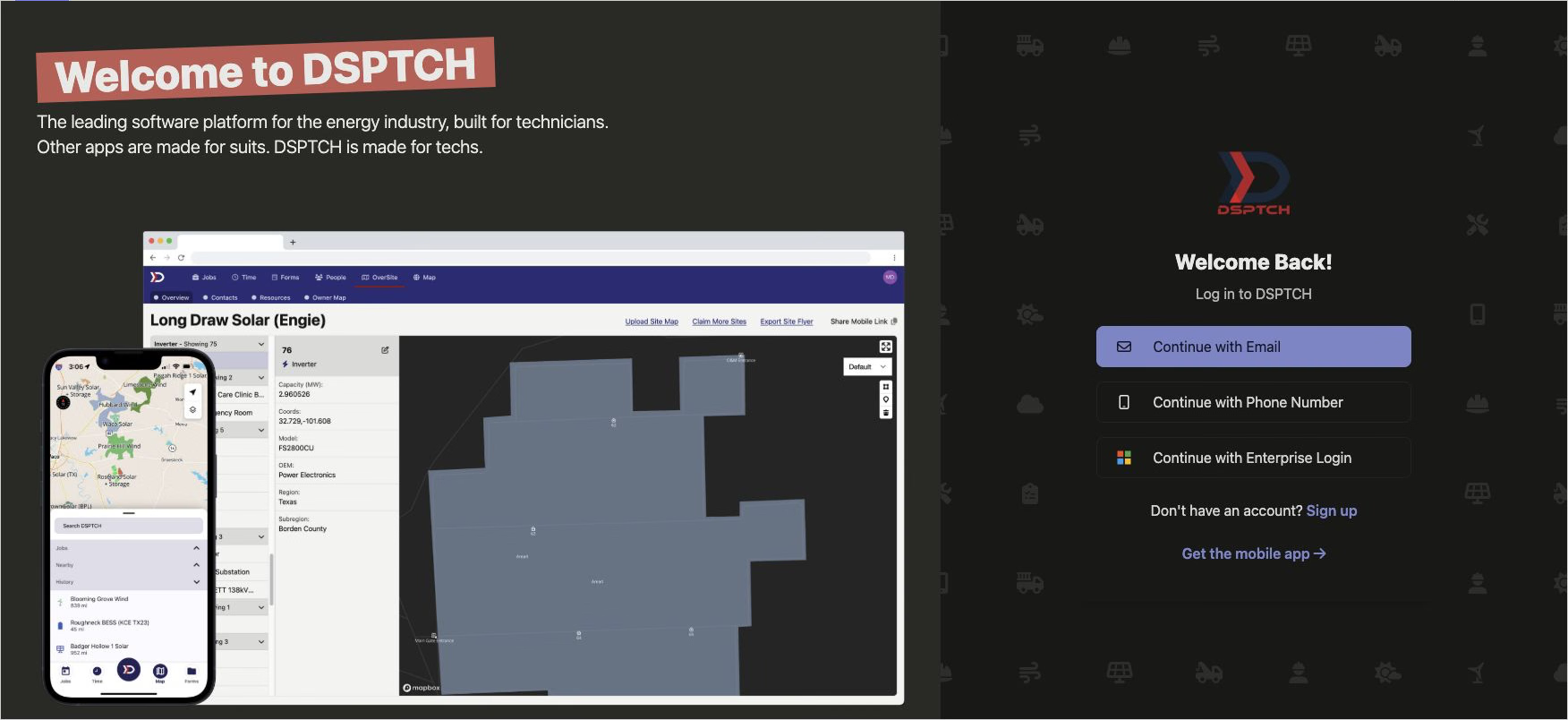
Dark mode now follows you before you even sign in. The login and error pages match your system's light or dark setting automatically, so DSPTCH no longer flashes a bright screen at you in a dark room; once you sign in, your saved theme takes over. The sign-in screen's welcome panel also picks up a softer, muted tone in dark mode instead of a bright blue.
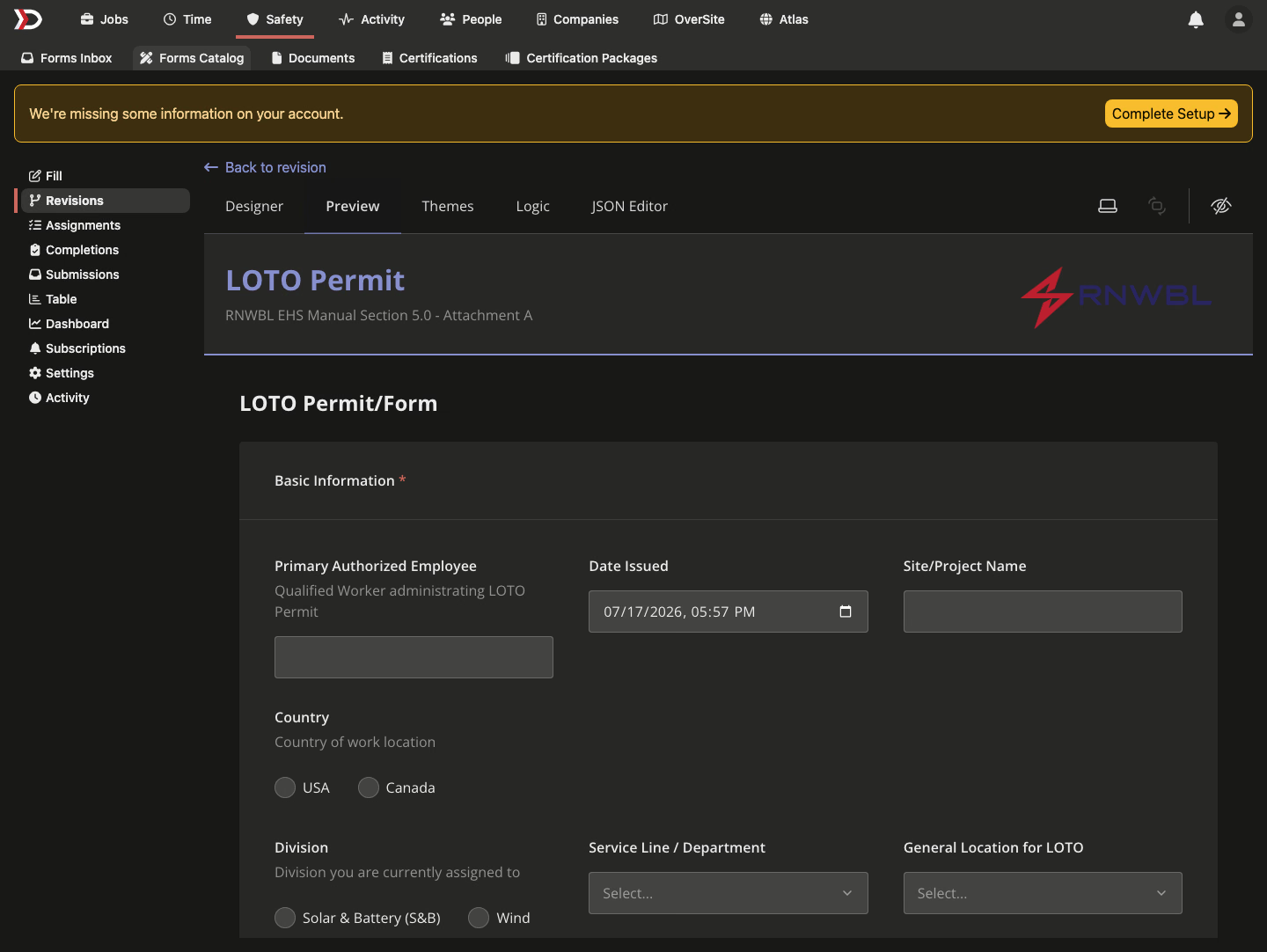
Inside the form builder, the live Preview and the JSON Editor now render in dark mode too, with readable contrast. Switching the preview between light and dark keeps any answers you've already filled in.
🔌 API additions
- PWA trades —
POST /api/v1/jobs/{job_id}/pwa/tradesandPOST /api/v1/projects/{project_id}/pwa/tradesnow create a trade in a job's or project's prevailing-wage trade pool, complementing the existing read endpoints. The request resolves the owning pool automatically — a standalone job to itself, a job within a project to the project. - User filtering — the users list endpoint replaces
filter[include_terminated]withfilter[membership_status], which acceptsactive(the default),terminated, orall. You can now request terminated members on their own, and a rehired member is correctly counted as active. This replaces the old boolean, so update any integration that passedinclude_terminated=trueto sendfilter[membership_status]=all. - Stricter filter validation — enum-based list filters across the v1 API now reject an unrecognized or mis-cased value with a
422and a clear message, instead of silently returning an unfiltered or empty list. Each filter accepts the exact values the endpoint documents (for example, the asset item list'sfilter[type]acceptsserialorbulk).
🛠️ Fixes
- Site details — editing only a site's name no longer clears its saved address; the address changes only when you edit it directly.
- Time imports — a labor classification that differs from your wage determination only by punctuation or spacing (a dash in place of a hyphen, an extra space, a stray invisible character) now matches instead of failing with a "classification not found" error.
- Map popups — a feature's popup reliably shows its own data: a slower earlier request can no longer overwrite a newer popup, and clicking quickly between features opens only your most recent selection.
- Map drawing — drawing and copy mode clean up correctly when you cancel or leave the map, with no leftover shortcuts firing twice.
- Site flyer PDF — if a flyer export fails or stalls, the Generate PDF button comes back instead of spinning indefinitely, and the download keeps the right filename.
- Missing labels — several screens that briefly showed raw "translation missing" text now show the intended wording, including permission tooltips, an empty dropdown state, export-failure messages, and the asset-category Required badge.
- 401(k) fringe credit — for plans that contribute a set percentage, prevailing-wage fringe compliance now credits that rate against eligible earnings, clearing small phantom fringe balances that could make it look like cure pay was owed.
- Shared map links — opening a map link with an out-of-range location now falls back to the default view instead of failing to load.
That wraps a release focused on clearer project reporting, steadier maps, and dark mode that reaches every corner of DSPTCH.
The DSPTCH Team