April 9, 2026 Release Notes
This release leans into feature-level workflows — you can now assign forms directly to features, pull up a dedicated Atlas page for any feature, and group form responses by question type with a single click. 🛠️
📋 Feature Form Assignments
Form assignments can now be scoped to individual features (turbines, inverters, substations, and so on), not just to sites and jobs. From a site's tasks index, the new assignment button gives you the option to create either a site-level or feature-level form assignment, and the assignment form lets you pick which feature the task belongs to.
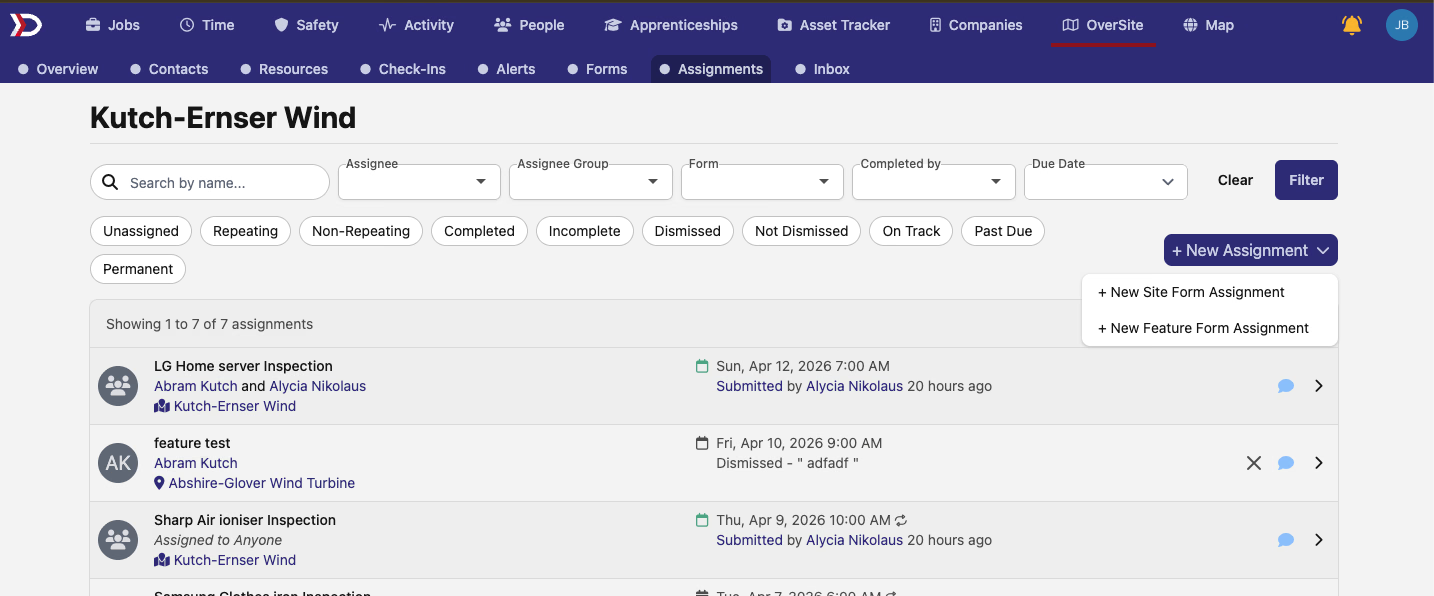
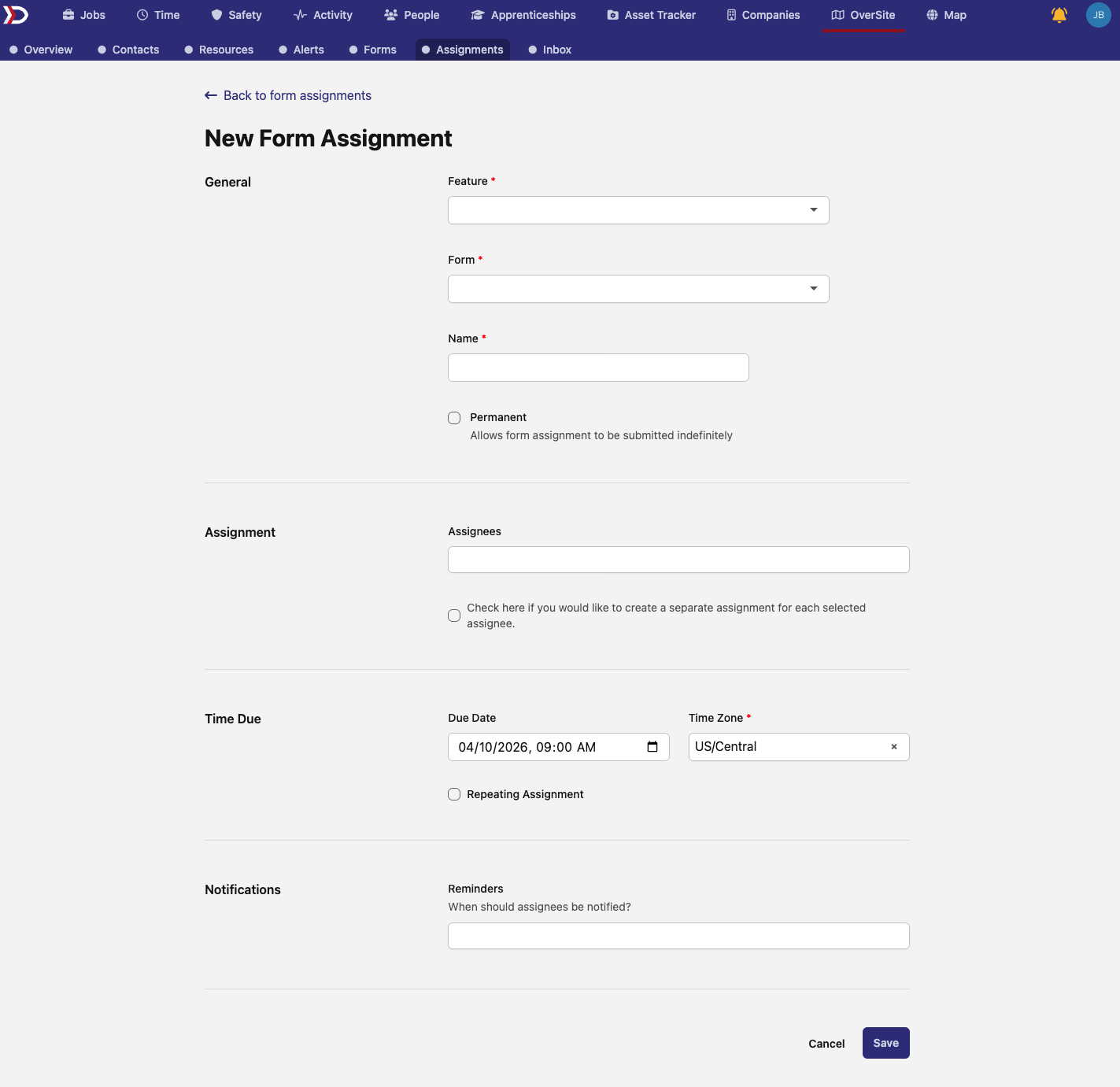
Feature-scoped tasks show up in the site's tasks list alongside site-level tasks, with the associated feature surfaced directly in the row.
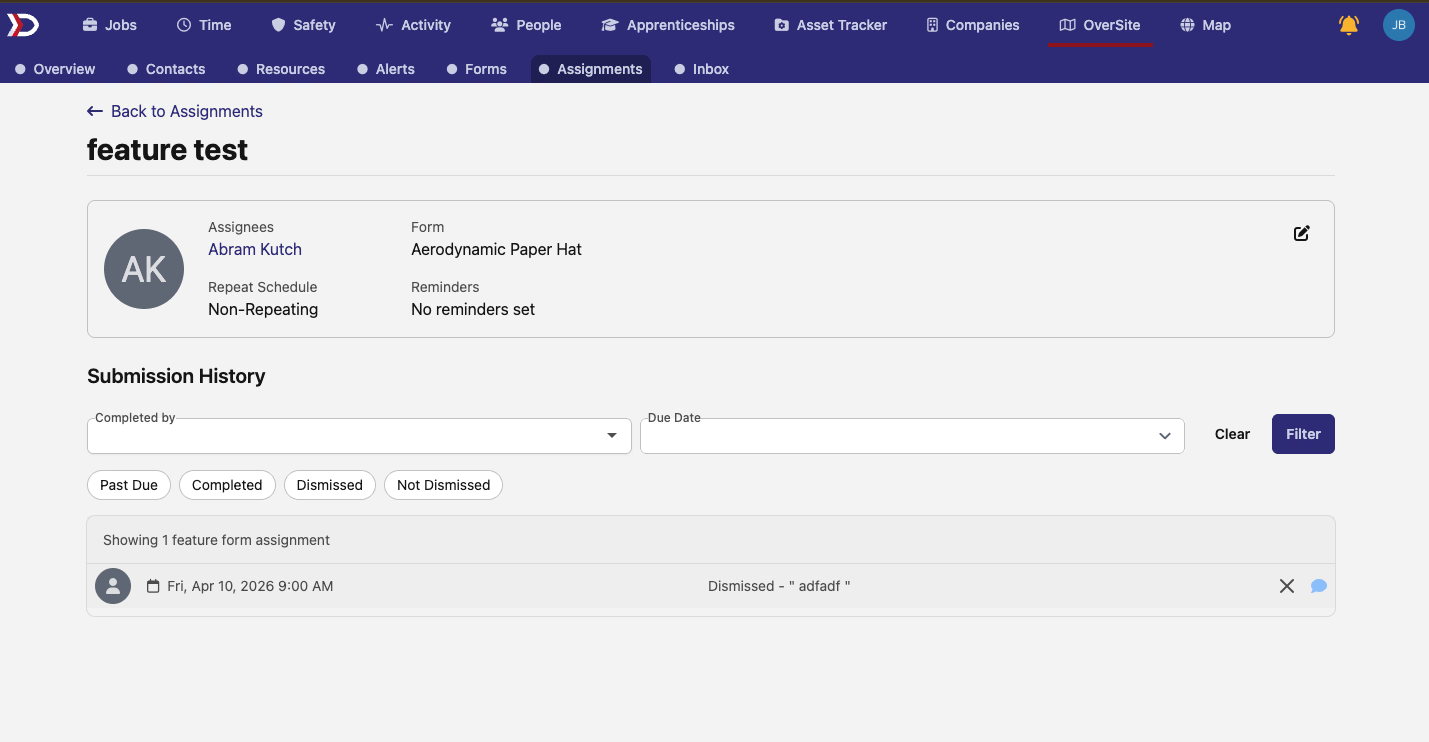
Feature form assignments also now show up in the SFAT grid, so they're searchable and exportable right alongside site-level assignments.
🗺️ Atlas: Feature Show Page
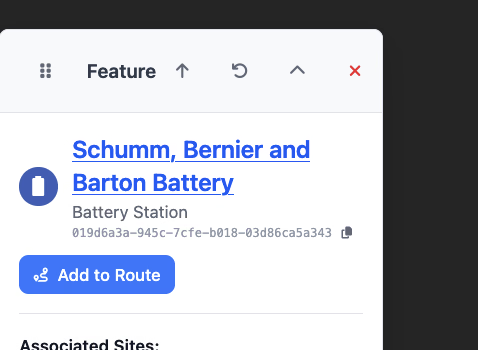
Features finally have their own page. Until now, you could only see a feature through a map popup or inside the OverSite edit panel. The new read-only Atlas feature page at /atlas/features/:id gives you a proper linkable destination with the feature type, address, centroid coordinates, associated sites and companies, metadata, and attribution.

Feature names in map popups now link straight to this page, so you can jump from the map into a full feature view with one click.
📊 Form Responses: Group-By Question Presets
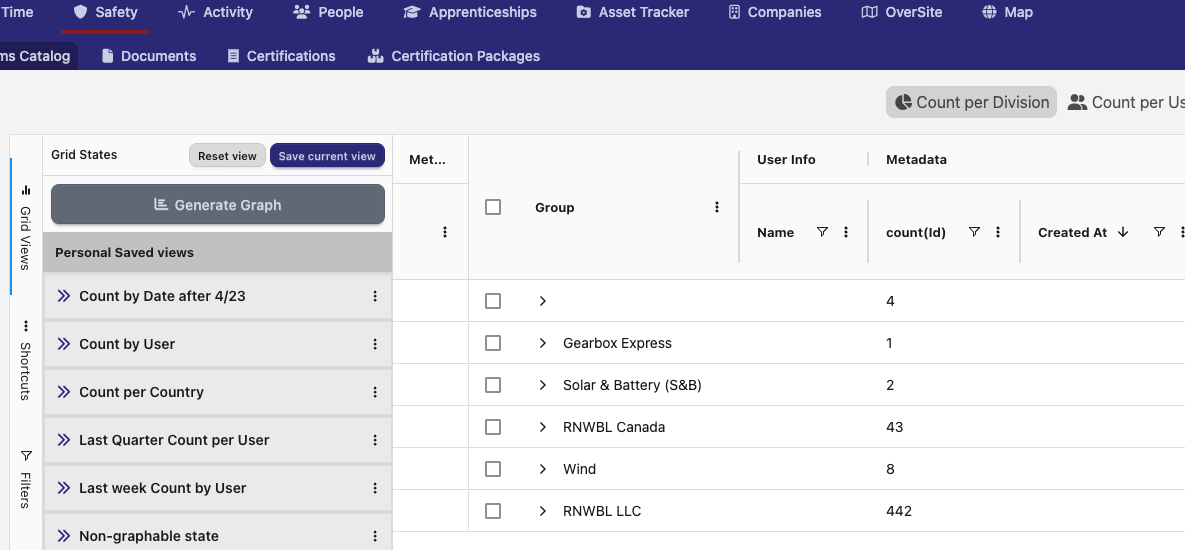
The form response grid now has a one-click group-by preset for each question in the form. Instead of manually configuring a grouping, you can pick a question from the new dropdown and the grid rebuilds itself with responses grouped and counted by that question's answers.
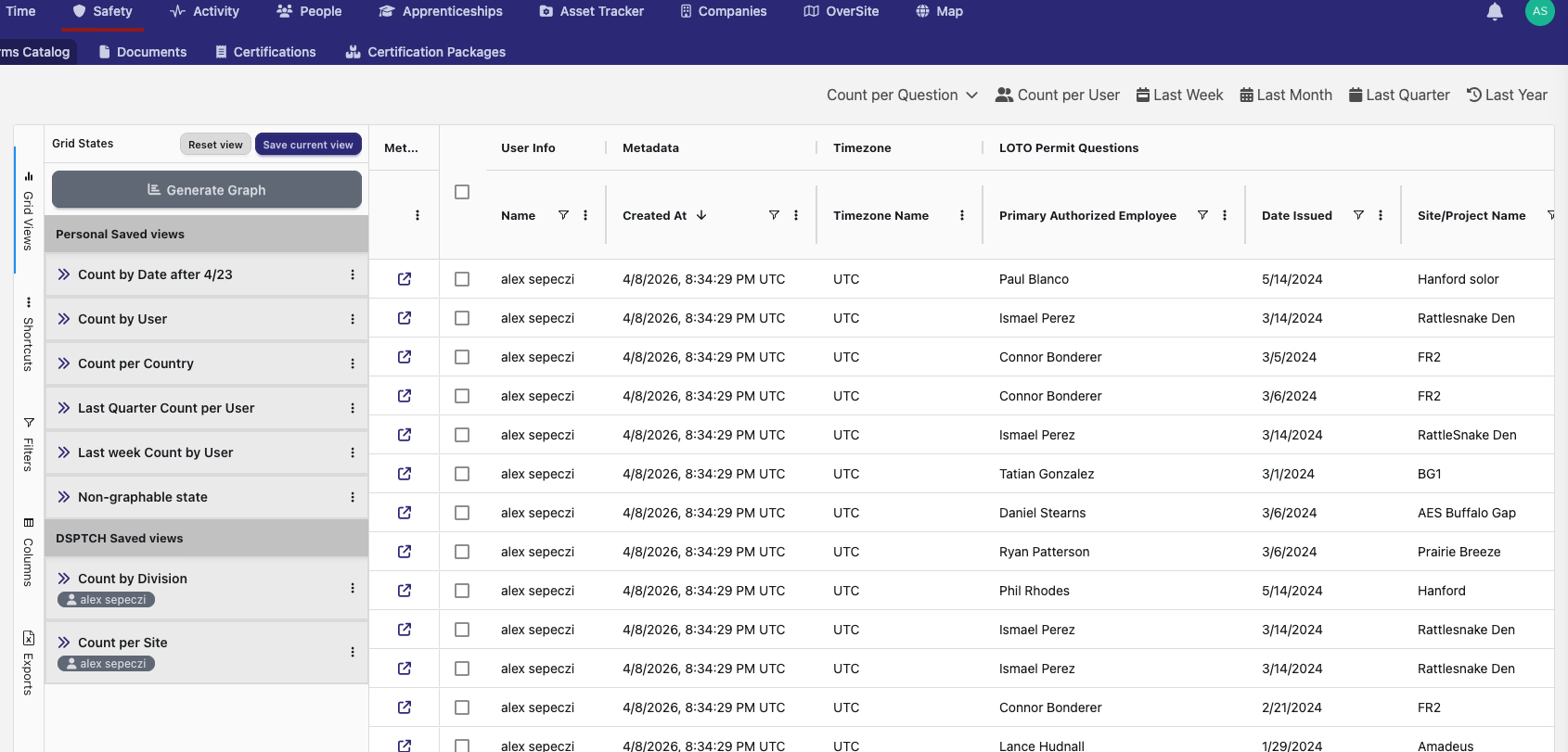
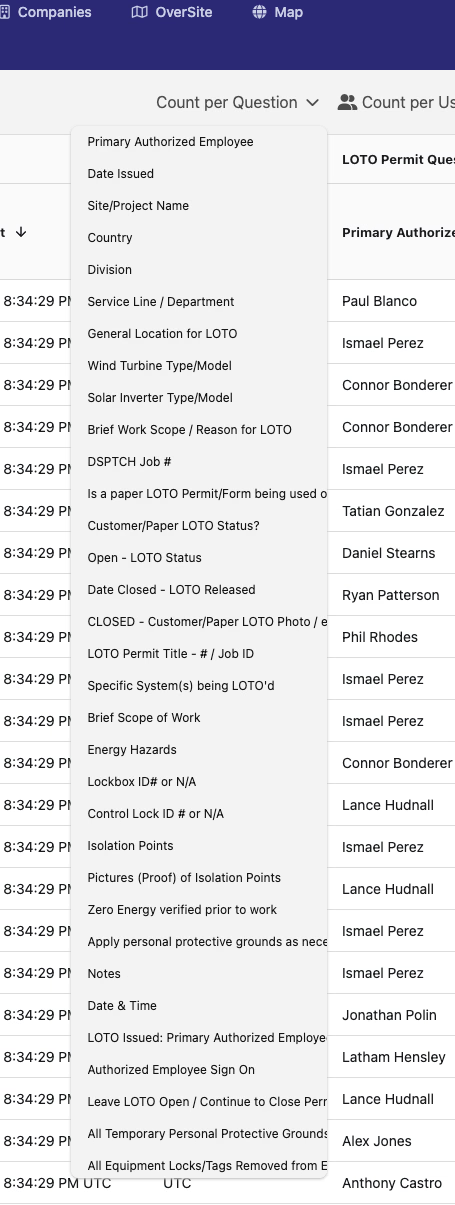
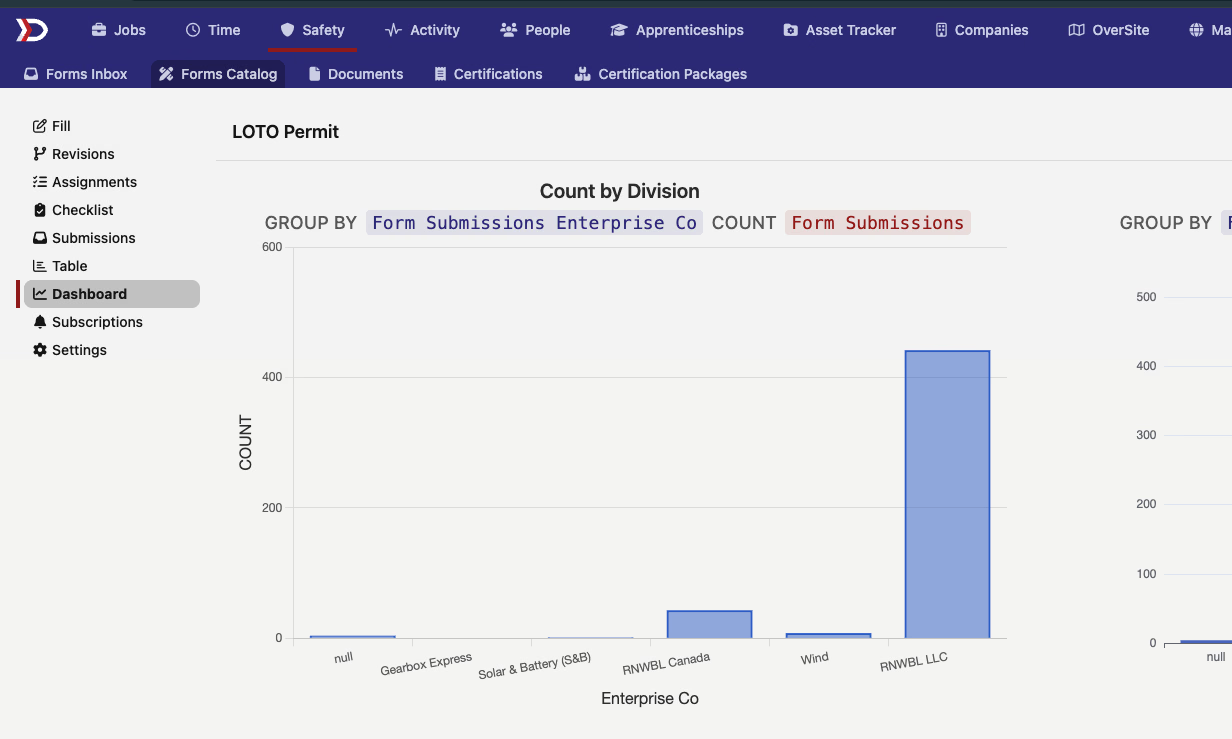
The preset drops you straight into a grouped, counted view, which you can then send to the graph view with a default chart type and pin to a dashboard.
🧭 Activity Tasks: Site & Feature Icons
Tasks in the Activity list now show clearer icons for their linked records — site and feature icons make it easier to tell at a glance what a task is attached to, and the links take you to the right destination for the underlying record type (job, asset, site, feature, or safety form).
🐛 Map: Point Sites Now Respect Zoom Levels
Point sites (sites represented as a single point rather than a polygon) were briefly showing at every zoom level on the map, cluttering zoomed-out views. They now behave like the rest of the point geometry and only appear at higher zoom levels.
A good batch of feature-layer work this round — if you manage assets across sites, the new feature form assignments and Atlas feature page should make that a lot smoother. As always, reach out if you have any questions!
The DSPTCH Team