User Compliance Checklist
The Checklist Tab houses information regarding compliance checklist items that have been assigned to a specific user.
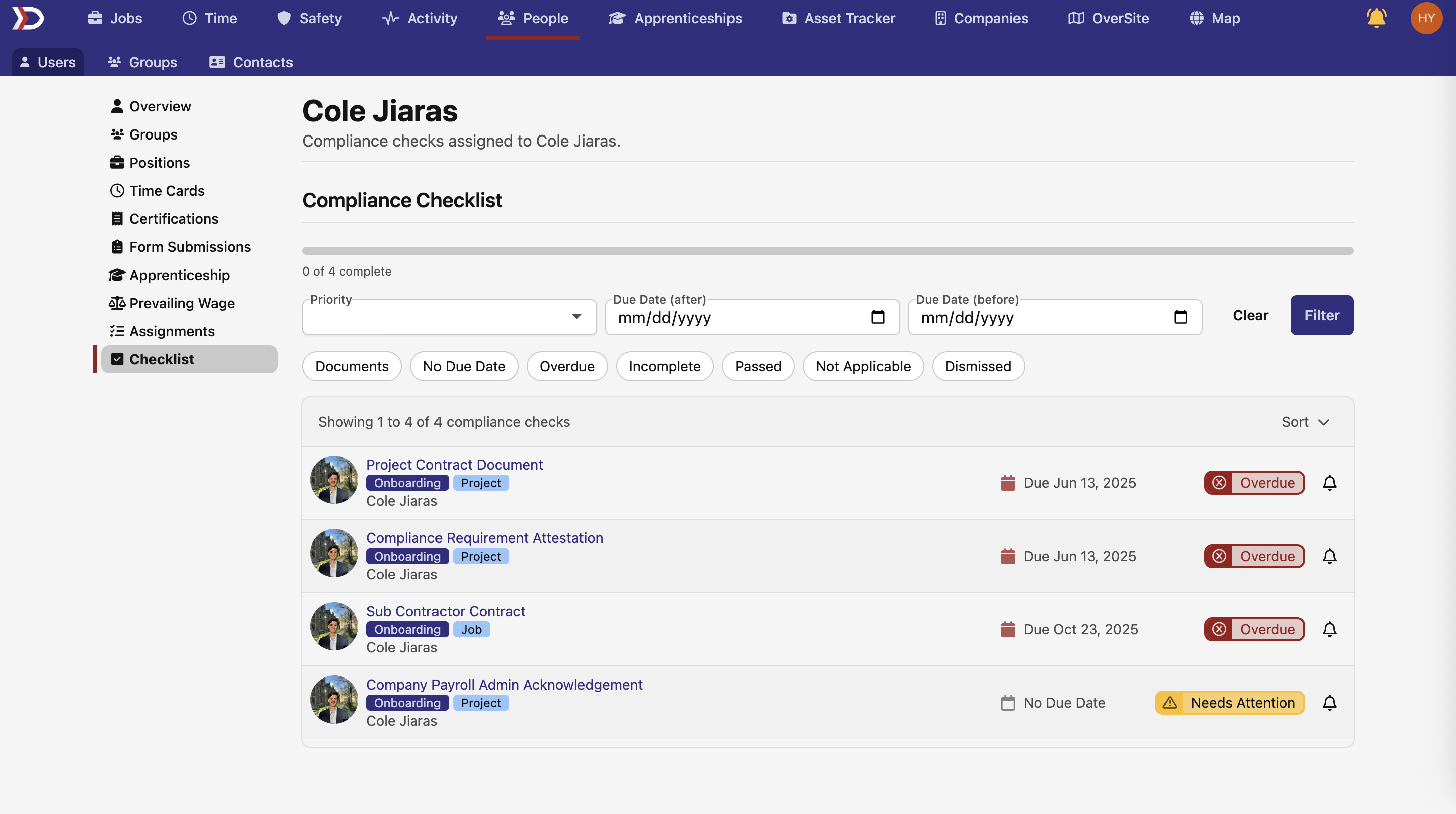
Checklist items can be filtered by these options:
- Priority:
- Filters all items to display those that have been assigned a certain priority, which include Critical, High, Medium, and Low.
- Due Date (after):
- Filters all items to display those that have a due date after a specified date.
- Due Date (before):
- Filters all items to display those that have a due date before a specified date.
- Documents:
- Items relating to required documents and forms.
- No Due Date:
- Items that do not have a specific due date.
- Overdue:
- Items that have a due date which has passed.
- Incomplete:
- Items that have not been completed.
- Passed:
- Items which have been completed.
- Not Applicable:
- Items which have been marked as "Not Applicable".
- Dismissed:
- Items which have been dismissed.
For more information on compliance checks, please read our Jobs Compliance Tab and Projects Compliance Tab help documents.