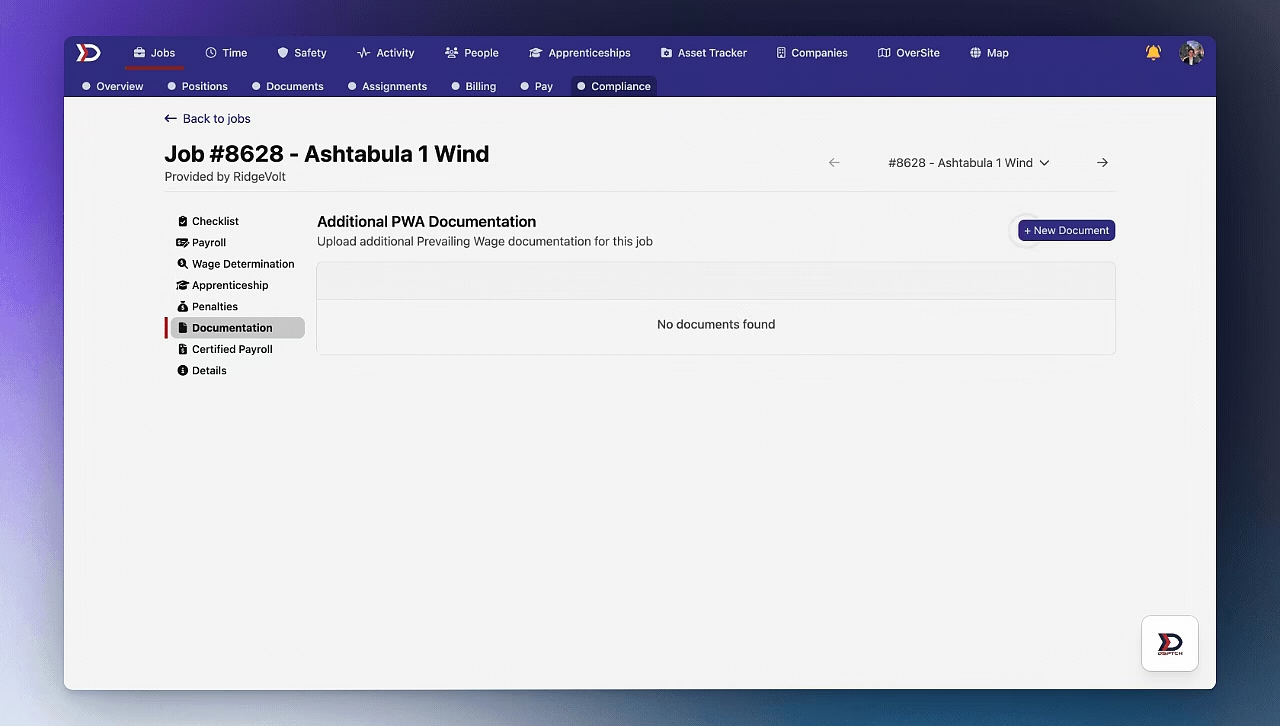
Compliance Documentation
Navigating to the Compliance Documentation Tab
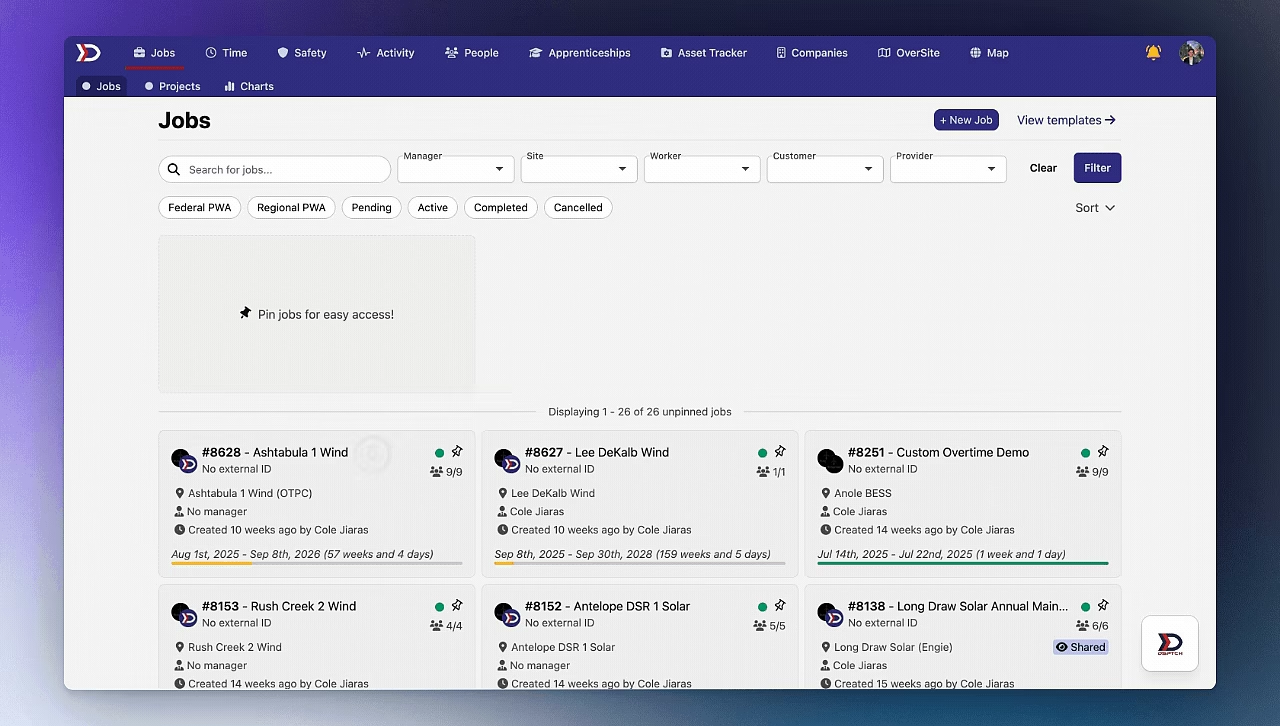
Start by clicking on the relevant Job Card that compliance documentation needs to be added for. Then, click the "Compliance" tab from the sub-navigation bar near the top of the screen.
Lastly, click the "Documentation" tab from the dropdown menu on the left-hand side of the screen.
This will open the Compliance Documentation Tab.
Please see the video below for a demonstration:
Upload Files to the Compliance Documentation Tab
From the Compliance Documentation Tab, click the "+ New Document" Button near the top right of the screen.
This will open the New Document Upload Form (pictured below):
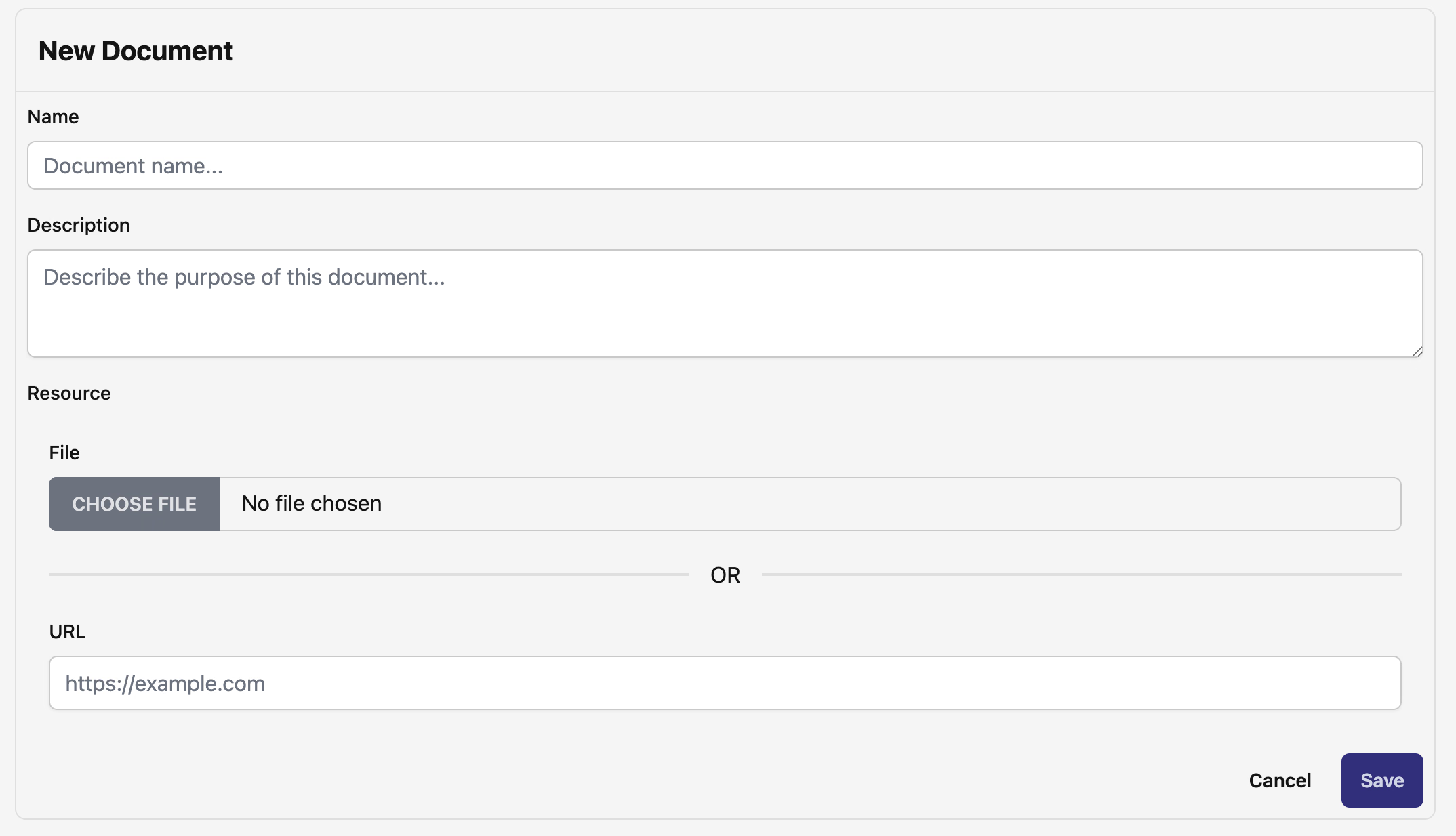
Upload the file by clicking the "Choose File" Button or provide a link in the "URL" field.
Then, set a name for the file and click the "Save" Button.
The file will then be added to the Compliance Documentation Tab.
Please see the video below for a demonstration: