April 3, 2026 Release Notes
This release brings WH-347 signing at the pay-period level, a new Statement of Non-Performance option for CA eCPR exports, activity timelines for employment records, and a few quality-of-life touches across the board. 🛠️
📝 WH-347 Pay-Period Signing
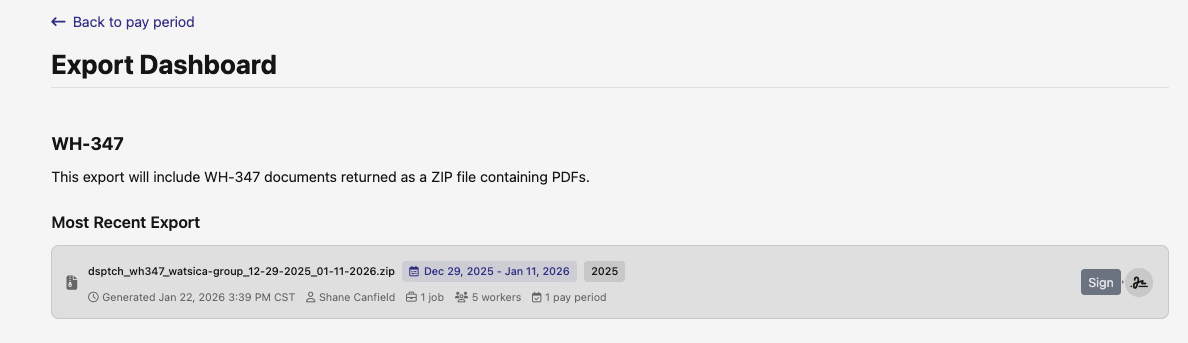
WH-347 certified payroll reports can now be signed at the pay-period level, not just per-job. The signing UI on the pay period export dashboard lets you initiate and track signatures scoped to the entire pay period, with real-time status updates as signatures are processed. Navigation context is preserved throughout the signing flow, so you land back right where you started.
📄 CA eCPR: Statement of Non-Performance
California eCPR XML exports now support Statement of Non-Performance (SONP) generation. When applicable, you can include an SONP from both the pay period and job-level export pages — the XML output picks it up automatically.
📋 Employment Details Activity Timeline
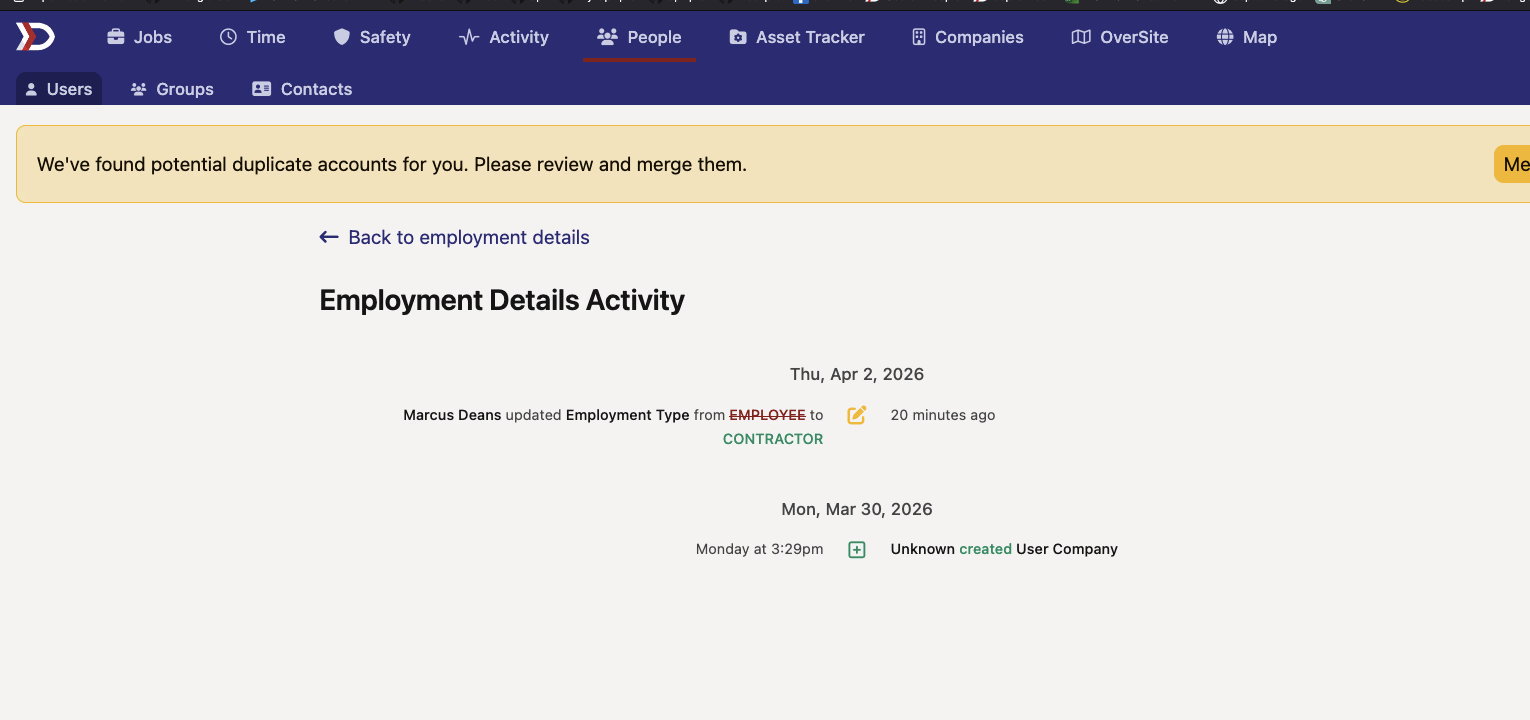
Employment records now have a dedicated activity timeline showing who changed what and when. Title updates, hourly rate changes, manager reassignments, overtime setting adjustments, and custom field modifications all show up chronologically — accessible via the history icon on the Employment Details page.
💰 PWA Rate Change History
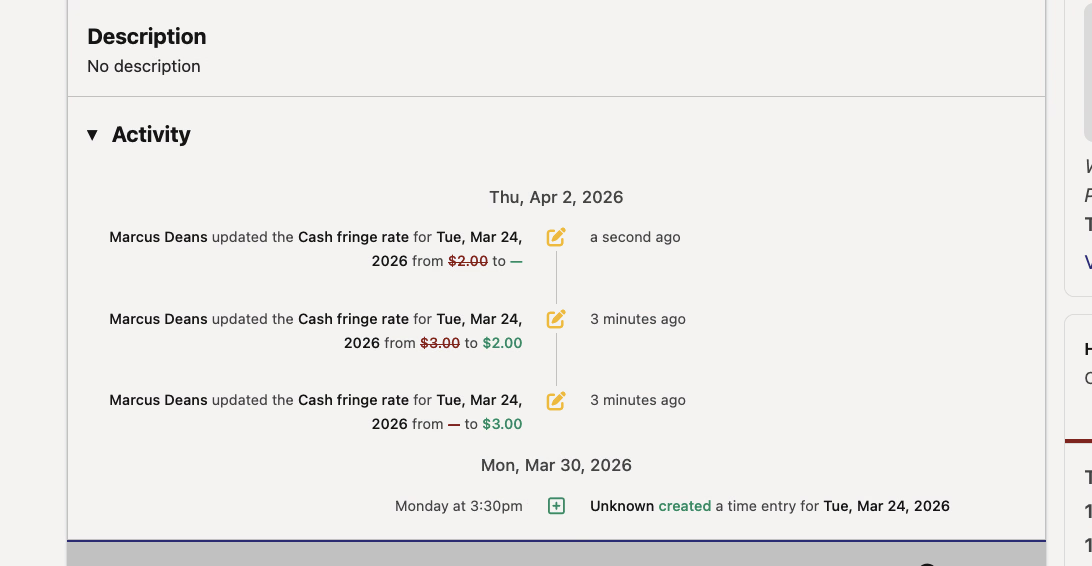
PWA rate changes on time entries — cash fringe, wage adders, bona fide fringe — now appear in both the time entry detail view and the time card activity timeline. Admins see specific rate values (from/to), while non-admin users see that a rate was updated without the dollar amounts.
🔍 Improved Job Card Tooltips
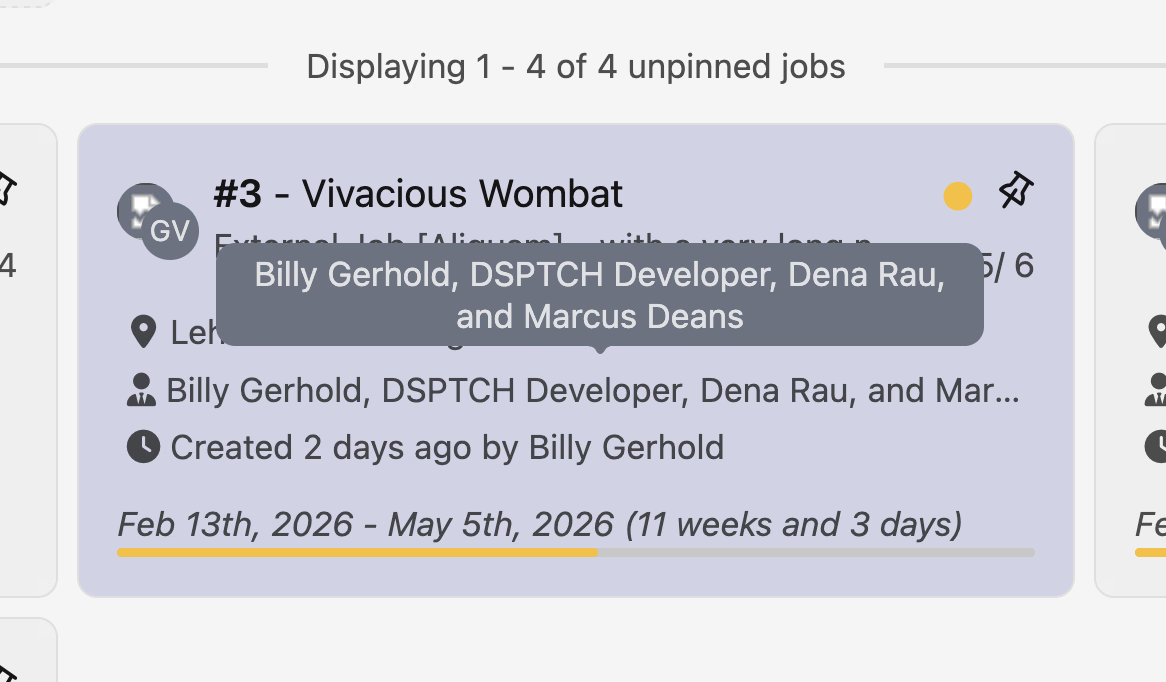
Job card tooltips got a polish. Site tooltips now show the site type icon and address instead of just repeating the site name. Manager tooltips use the "First + N" pattern — a single manager skips the tooltip entirely, and multiple managers list all names on hover. Tooltip hit areas are also tighter now, so they only fire when you're hovering the actual text.
A solid mix of compliance workflow additions and usability improvements. As always, reach out if you have any questions!
The DSPTCH Team