March 31, 2026 Release Notes
The main focus of this release is a significant upgrade to timecodes — they now support scheduled changes, effective dates, and full version history. We've also added apprentice detail tooltips on positions and a new time card changes export dashboard. 🗓️
⏱️ Timecode Scheduled Changes
Timecodes now support temporal versioning, which means you can schedule changes ahead of time, backdate corrections, and keep a full audit trail of what changed and when.
Schedule Future Changes
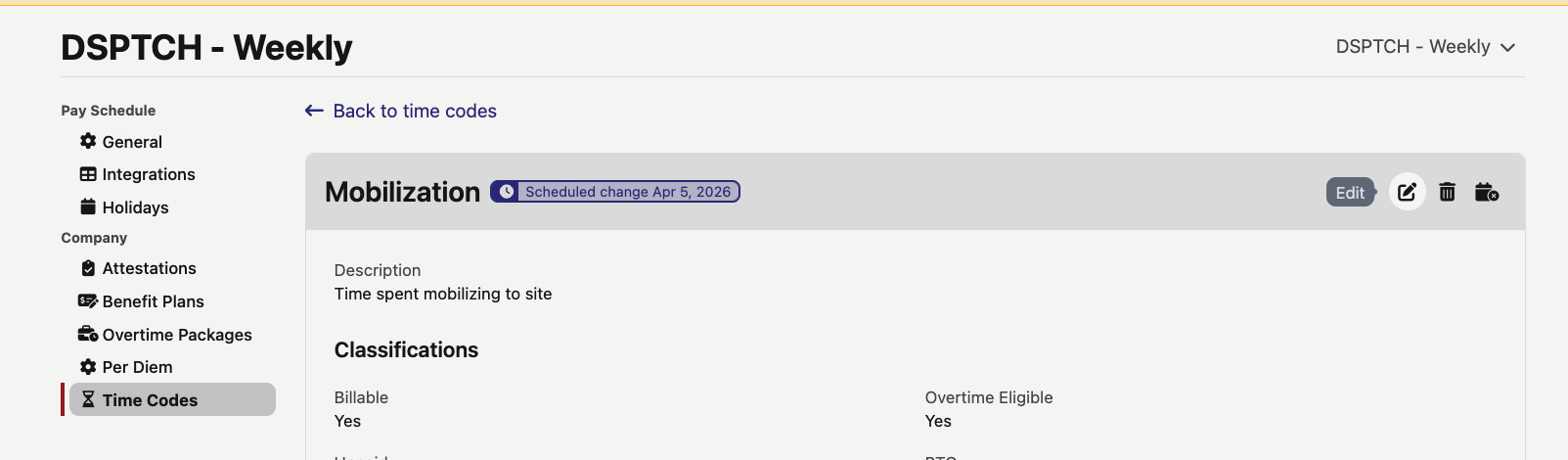
From a timecode's detail page, you'll now see two distinct actions: Edit (for an in-place correction to the current version) and Schedule Change (for a change that takes effect on a specific date). Scheduled changes show up as a purple pill on the timecodes index so you can see at a glance which timecodes have pending updates.
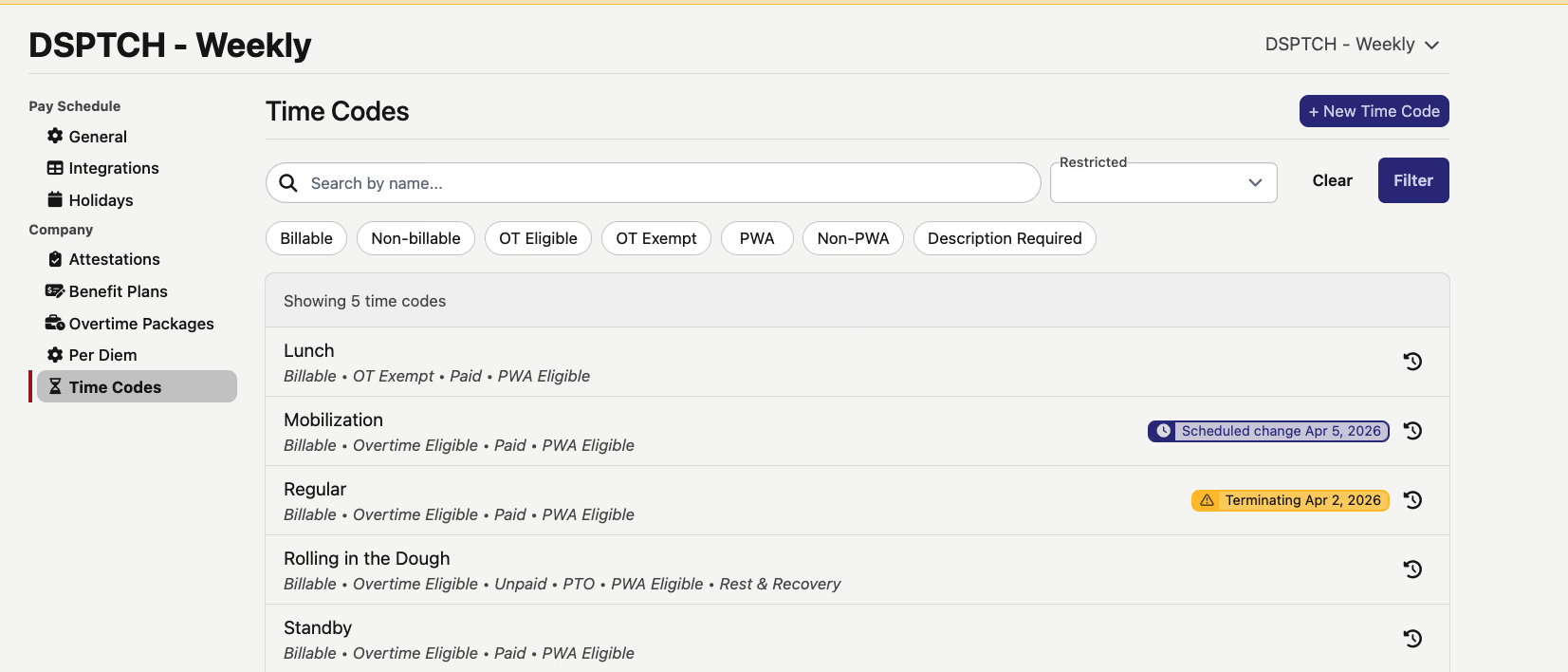
If a timecode already has a scheduled change, the edit button is disabled (with a tooltip explaining why) and a cancel button appears so you can remove the pending change if needed.
Edit with Effective Dates
When editing a timecode, you now pick an effective date for when the change should apply. Dates in the past apply retroactively, and dates in the future are queued as scheduled changes. The show page displays the timecode's temporal status — whether it has a scheduled change or is set to terminate — right in the header.
Create Timecodes with Past Dates
New timecodes can now be created with a custom effective date. This is useful when you need to add a timecode that should have been in the system earlier — just set the effective date to when it should have started, and DSPTCH handles the rest.
Timecode Termination
Instead of the old active/inactive toggle, timecodes now support proper termination with a scheduled date. You can terminate a timecode immediately or schedule a future termination, and cancel a pending termination if plans change.
Version History & Corrections
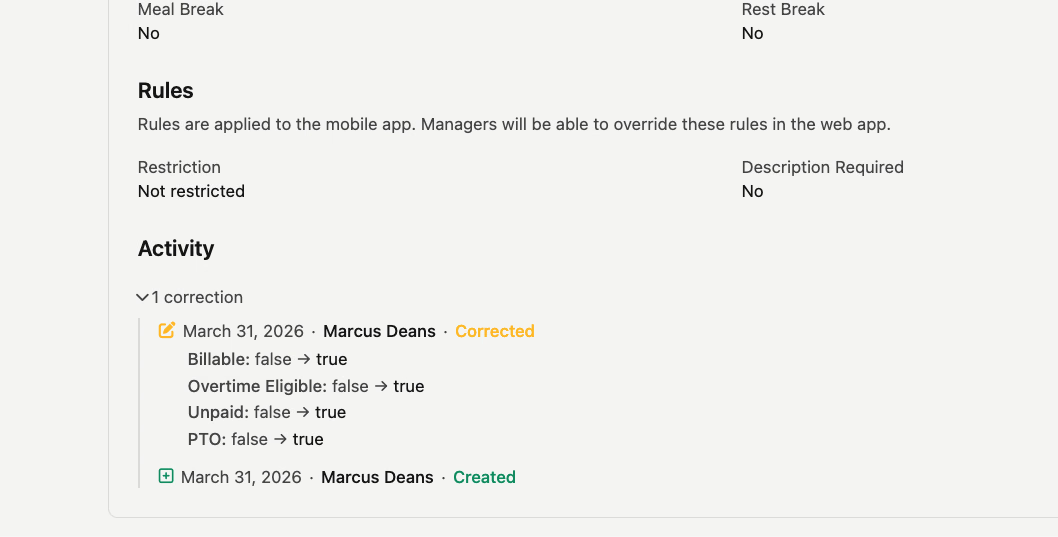
A history icon on the timecodes index page opens the full version timeline, showing current, scheduled, and historical versions. Each timecode's detail page also now has an Activity section that displays correction history — showing exactly which fields changed, the old and new values, who made the change, and when.
👷 Apprentice Detail Tooltips on Positions
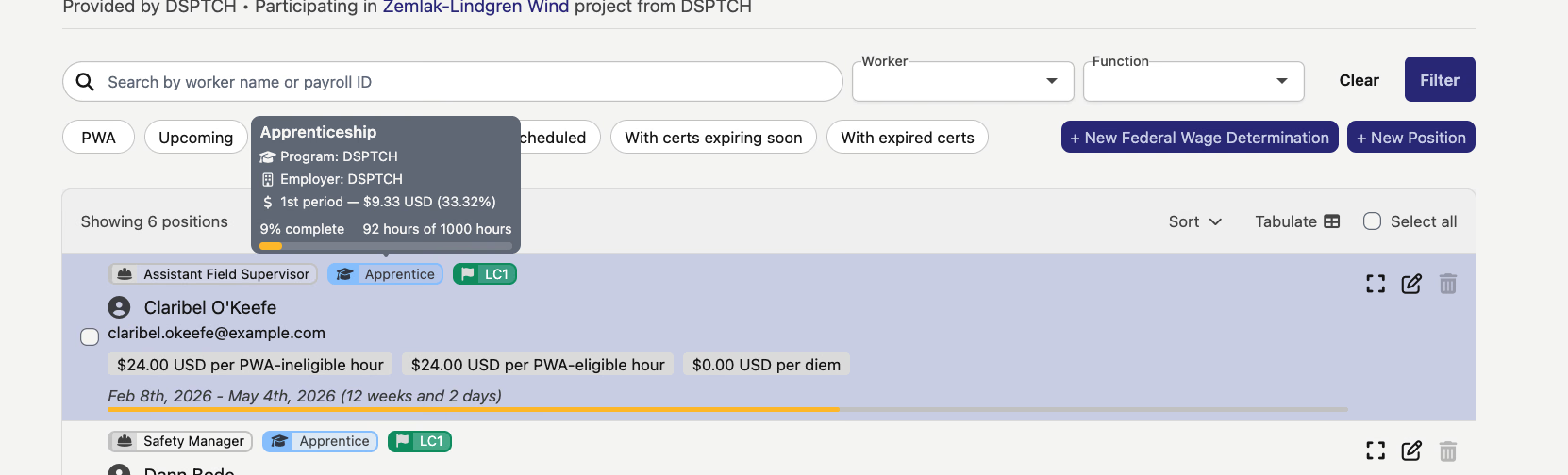
Hovering over an apprentice pill on the positions list now shows a tooltip with the apprentice's program details — including occupation, employer, current wage period and percentage, and a progress bar showing how far along they are. A quick way to check apprentice status without navigating away from the page.
📥 Time Card Changes Export
There's a new export dashboard for time card changes. You can access it from both the pay period bulk actions menu and individual time card action menus — making it easy to pull a report of what changed across time cards for a given period.
A timecode-heavy release this time around, but the scheduled changes and version history capabilities add a lot of flexibility for managing timecode configurations over time. As always, reach out if you have any questions!
The DSPTCH Team