March 27, 2026 Release Notes
A few nice additions this week -- a new activity timeline for tracking user changes, a benefits grid for company-level benefit management, and some visual refreshes to wage determination displays and change history views. 🛠️
👤 User Activity Timeline
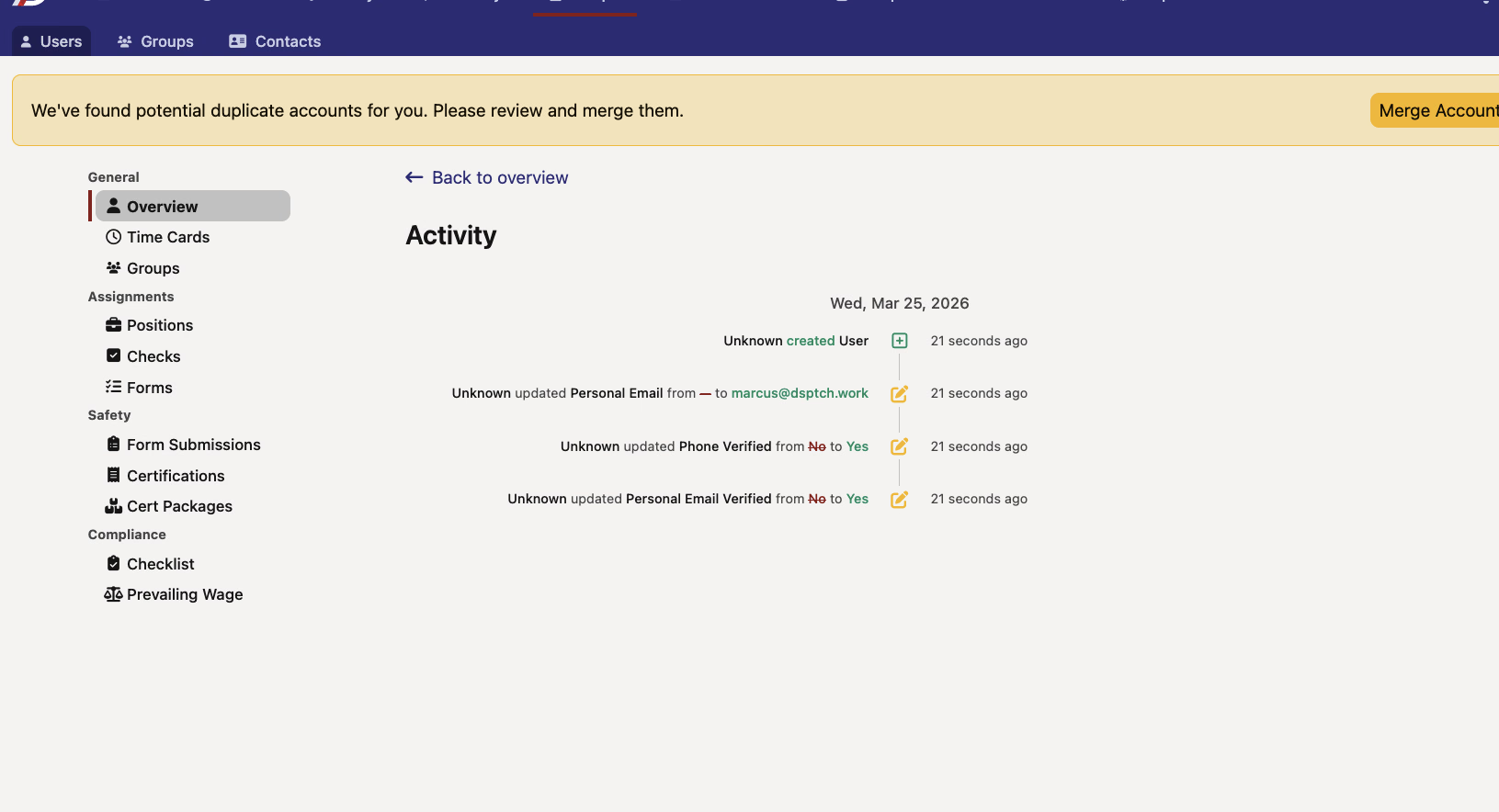
Users now have a dedicated activity timeline that tracks changes made to their profile over time. You can access it from the user profile overview via the new activity icon in the header.
The timeline shows:
- Profile changes — When fields like name, email, phone number, and other user details were updated, along with who made the change
- Role history — When roles are created, updated, or removed, with the associated company and role type
📊 Company Benefits Grid
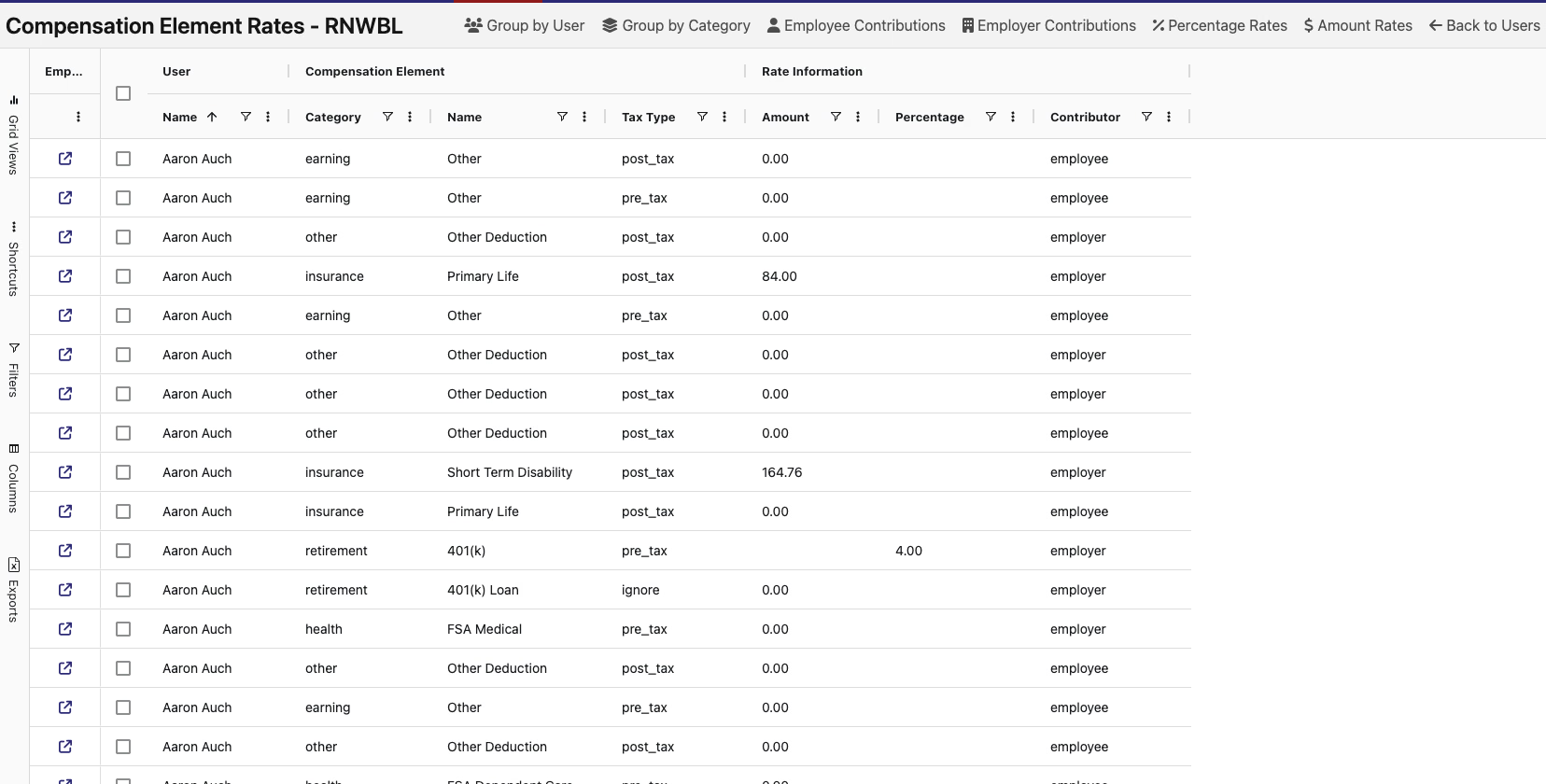
There's a new Benefits grid under company management. It gives you a full view of employee benefits data in a searchable, sortable grid — with CSV export for pulling data into external tools.
💼 Wage Determination UI Refresh
A couple of improvements to how wage determinations look and feel:
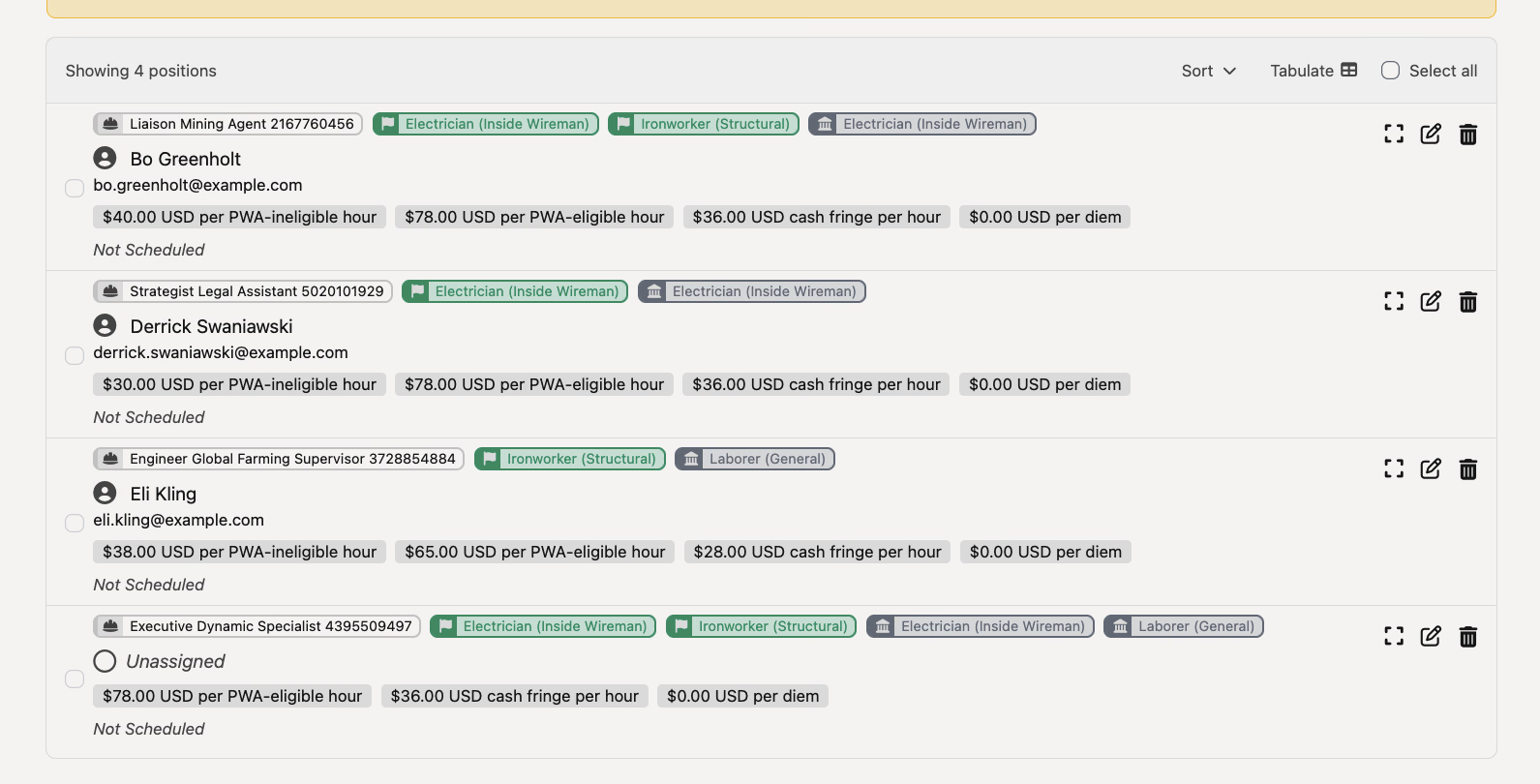
- Modernized form layout — The job wage determinations form has been cleaned up with a simpler layout, updated field components, and clearer disabled states
- Standardized badges — Wage determination badges on positions and job views now use consistent pill-style tags with color coding — green for federal determinations, neutral for regional — along with icons for quick identification
📝 External Payroll Mappings: Redesigned Change History
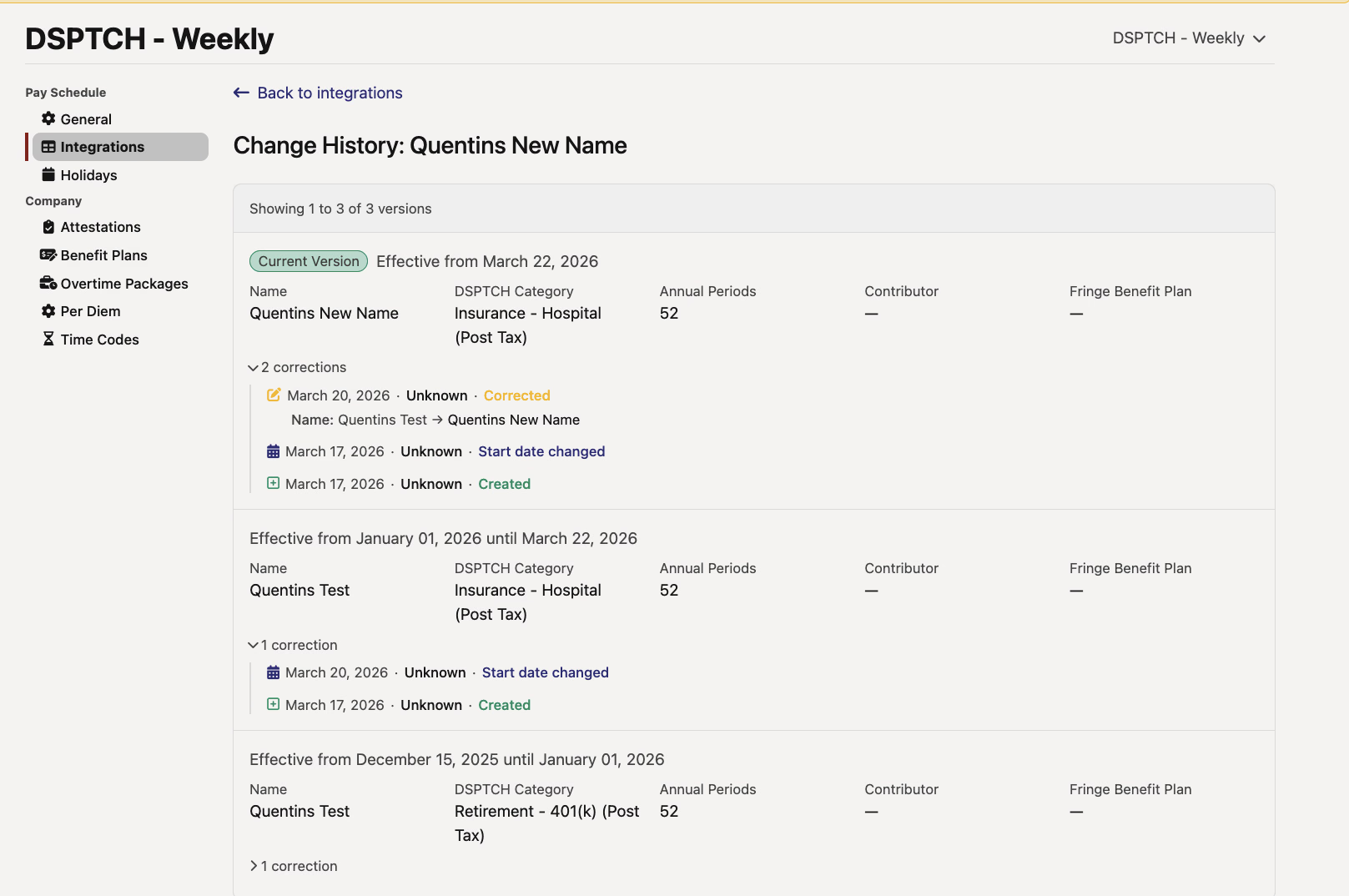
The change history view for external payroll mappings has been refreshed. It now displays version cards with status badges, field grids, and expandable correction history timelines — replacing the previous flat row layout. Makes it easier to see what changed, when, and whether any corrections were made.
🏷️ Project Type Badges
Project types now display as badges on boundary rows in the project hierarchy, making it quicker to identify what type of project you're looking at without clicking into it.
A nice mix of new views and visual polish this time around. The user activity timeline in particular should help admins and managers keep tabs on important profile and role changes. As always, reach out if you have any questions!
The DSPTCH Team