March 23, 2026 Release Notes
This release introduces certification packages — a new way to group and track certification compliance — along with company todos, schedule quick-fill buttons across forms, map filtering by user group, and a handful of navigation and UI improvements. 🛠️
📦 Certification Packages
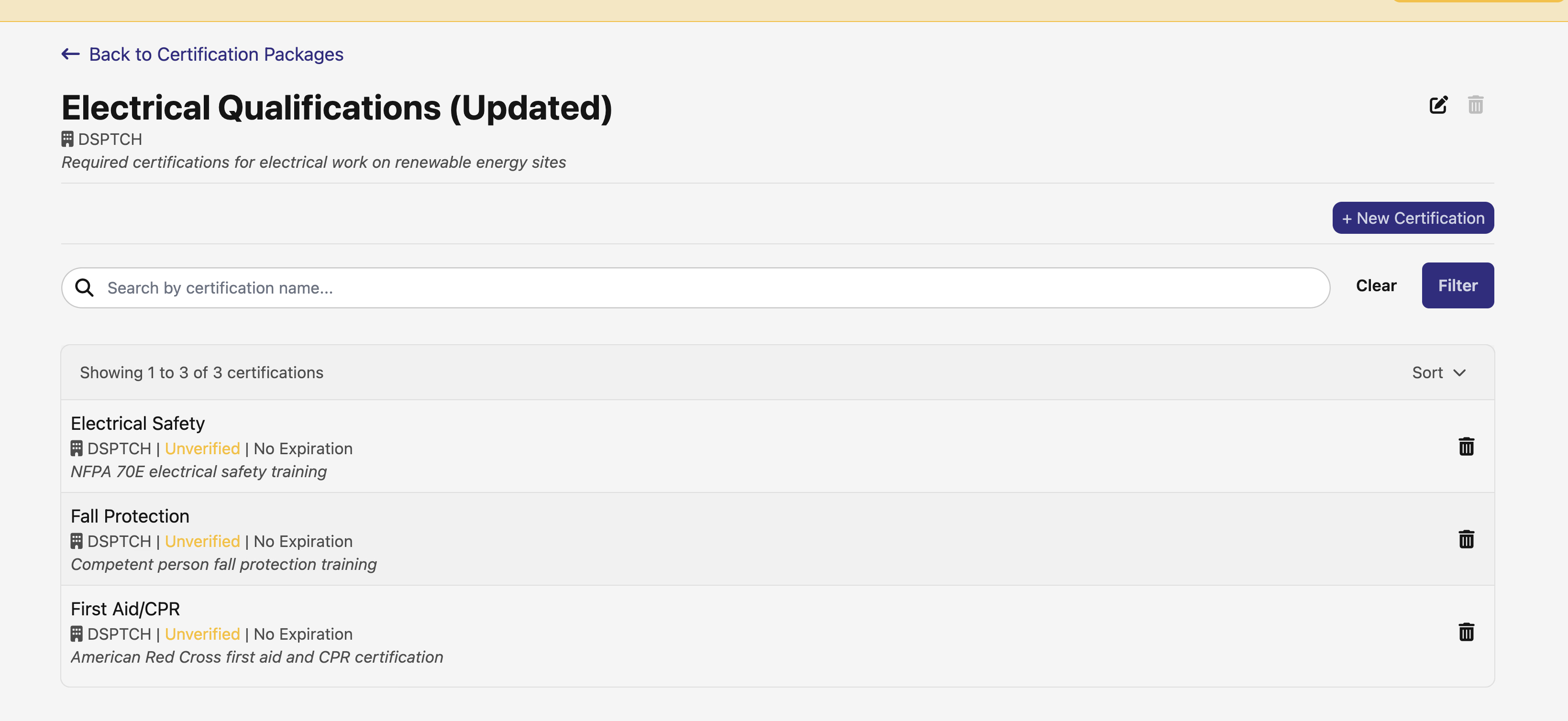
A new way to organize and track certifications is here. You can now create certification packages — named groups of related certifications — and assign them to positions to keep tabs on who's compliant and who needs attention.
Package Management
Under Safety, there's a new Certification Packages tab where you can create packages, add or remove individual certifications, and organize them by company. Packages and certifications both have new filtering and search options so you can quickly find what you're looking for.
Position Compliance Tracking
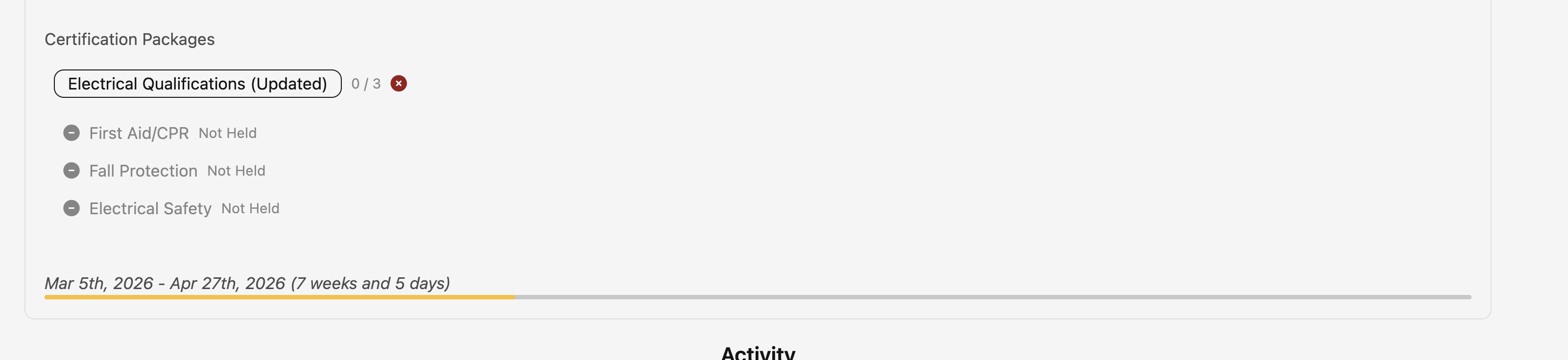
Positions can now be assigned certification packages through a typeahead selector. Once assigned, compliance cards on the position detail page show whether the assigned user holds all required certifications — with clear status indicators for active, expiring soon, expired, or missing certs.
User Compliance View
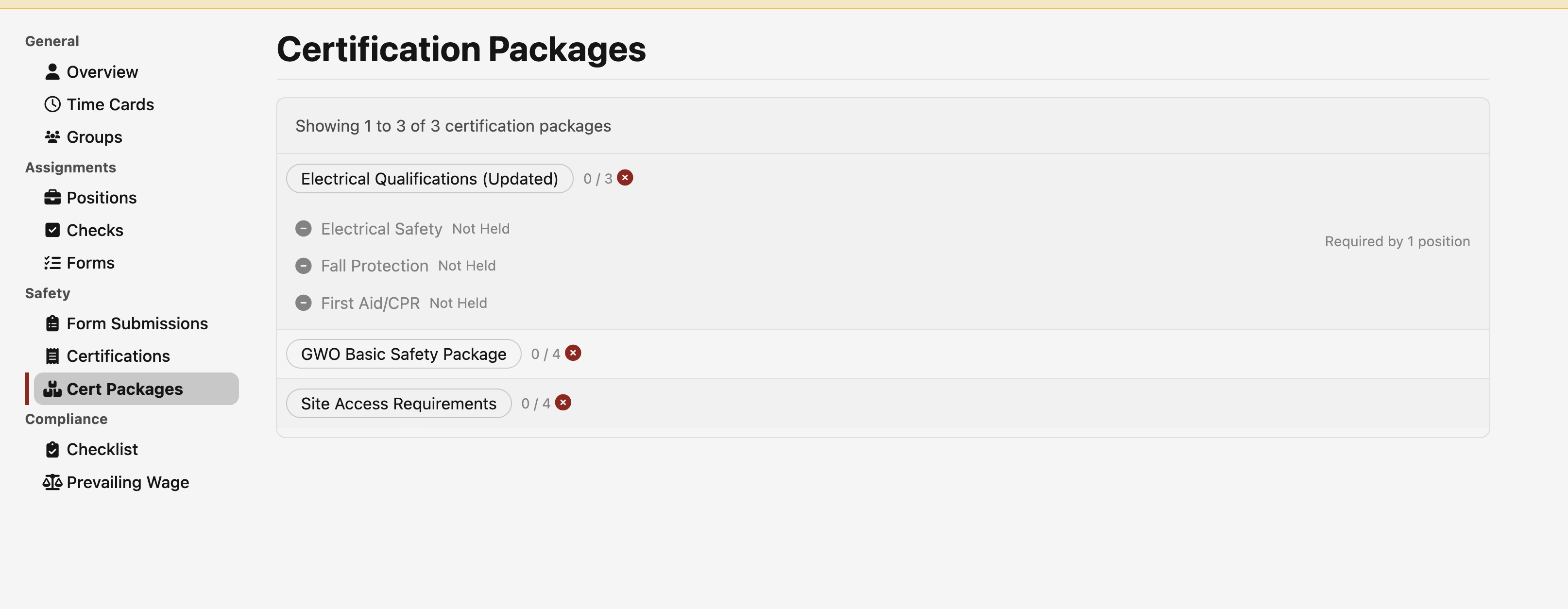
A new Safety section on user profiles shows which certification packages are required by the user's current positions and their overall compliance status. This makes it easy to see at a glance whether someone is up to date across all their assignments.
Certification Filtering & Search
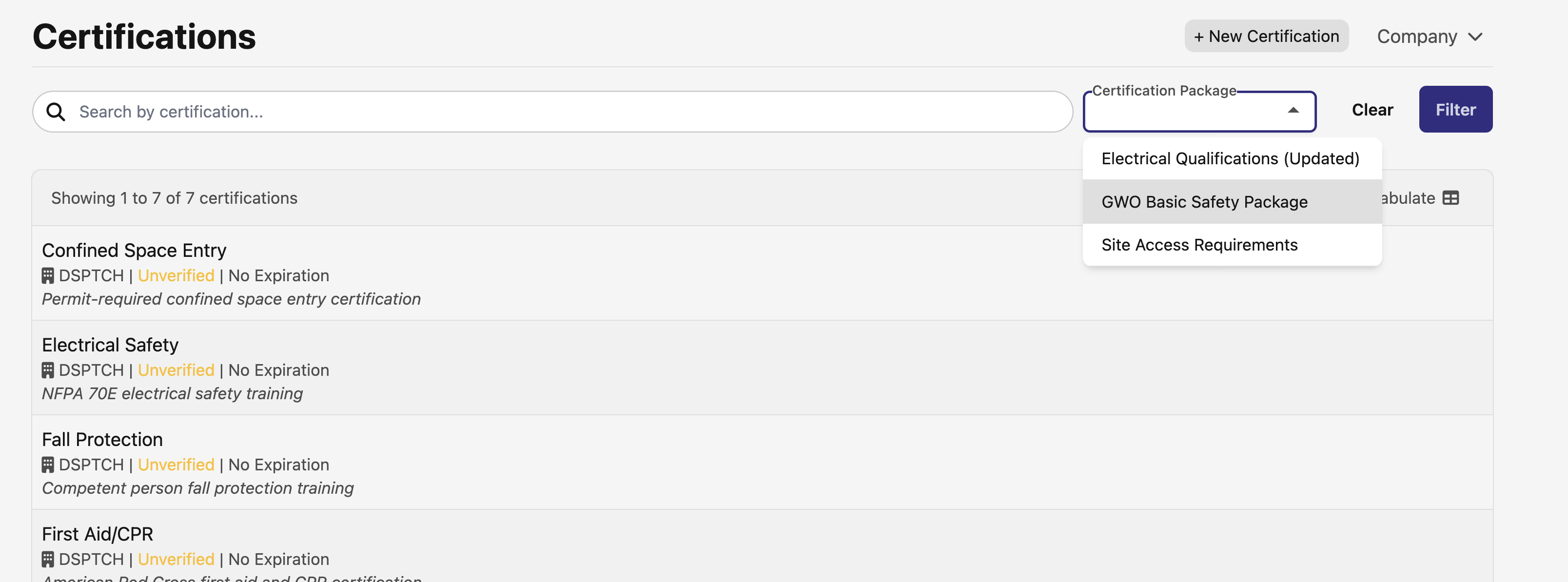
- Filter certifications by their associated packages on the certifications index page
- Filter certification packages by specific certifications
- Search and filter user certifications by package from user profiles
- Certification detail pages now show associated packages as clickable pills
✅ Company Todos
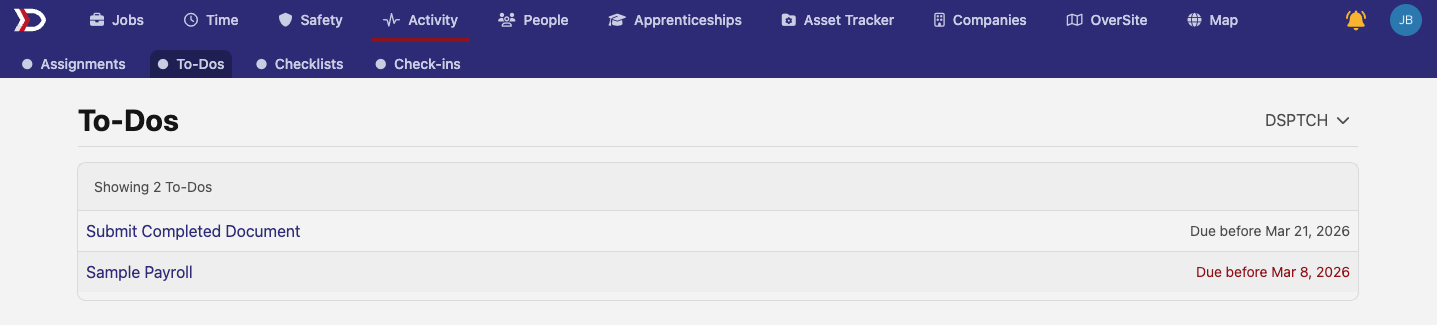
There's a new Todos section under Activity for companies where it's been enabled. This gives you a single view of company-level todo items alongside highlighted compliance checks flagged by your customer success team.
- View todos and highlighted compliance checks in one list
- Open individual todos for details and leave comments
- Accessible to admins, managers, safety leads, field leads, and assigned users
⚡ Schedule Quick-Fill Buttons
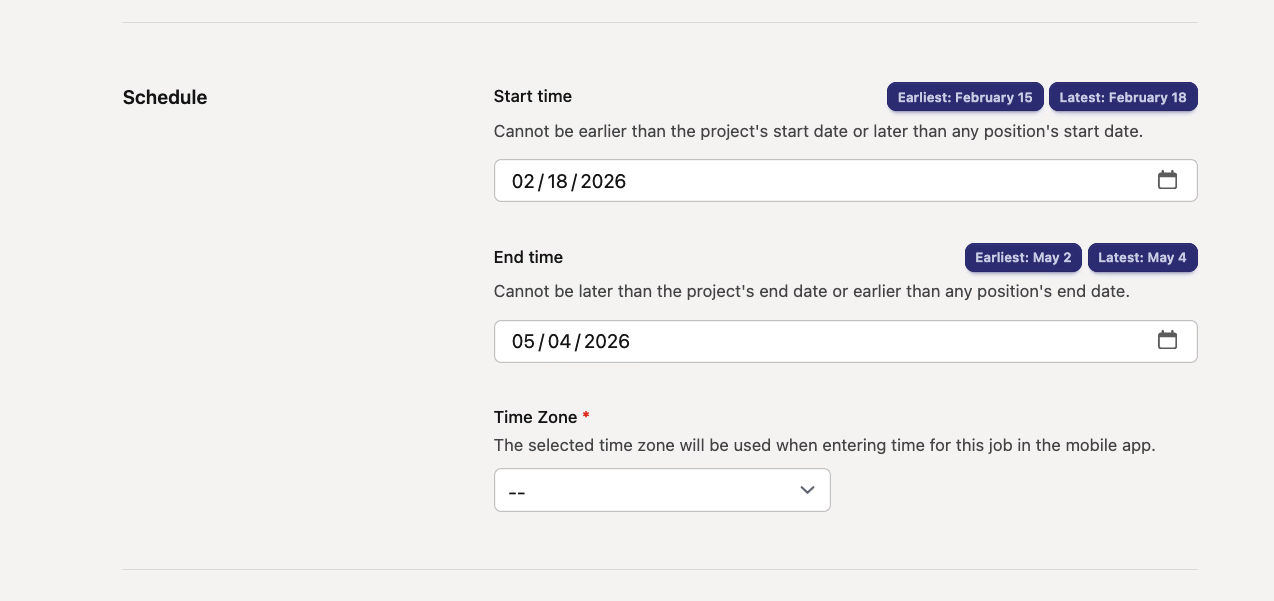
Setting dates on jobs, projects, and positions just got faster. New quick-fill buttons now appear next to date fields, showing the earliest and latest allowed dates based on parent constraints. One click fills the field — no more hopping between pages to check boundaries.
- Job forms — Quick-fill based on the parent project's date range
- Project forms — Quick-fill based on parent project, child project, and job date bounds
- Position forms — Separate earliest and latest buttons based on job schedule bounds
🗺️ Map: Filter Users by Group
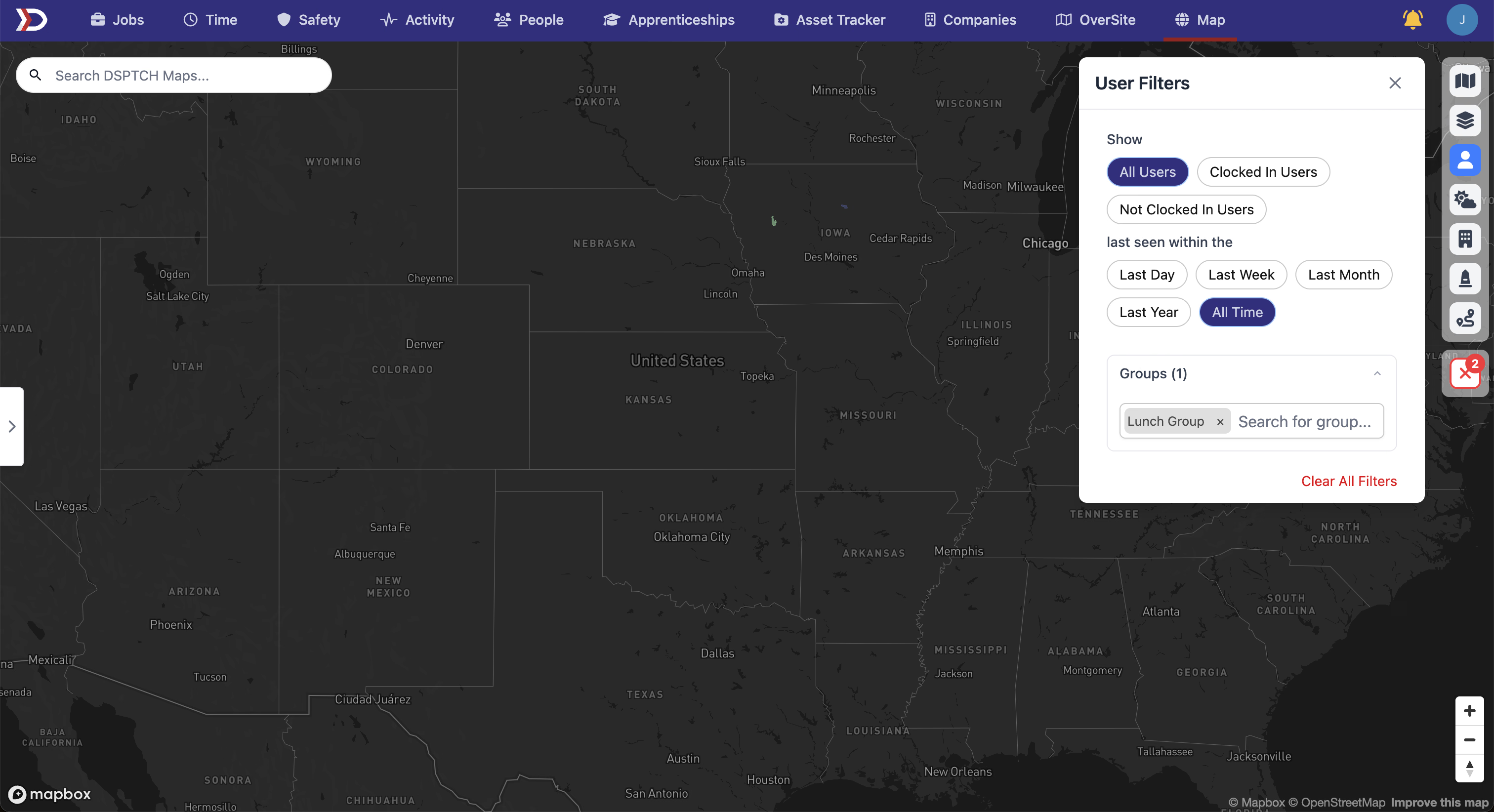
You can now filter users on the map by group. A new Users by Groups section in the filter panel lets you search and select groups to narrow down which users are displayed, with a count of active filters shown in the section header.
🔍 Searchable Navigation Dropdowns
We've been rolling the searchable dropdown component out across more pages for a faster, more consistent navigation experience:
- Project navigation — The project header dropdown is now searchable, matching the job navigation pattern
- OverSite company selector — Company selection on the sites page now uses the searchable dropdown
- Activity Check-ins — The company selector has moved into the page header as a searchable dropdown
- Billing page — The billing week selector is now searchable with a "Current" indicator for the active week
📊 PWA Compliance Export: Fringe Breakdown
The PWA compliance CSV export now includes a detailed fringe benefit breakdown. Instead of a single fringe rate column, you'll see fringe rates and obligation amounts at 1x, 1.5x, and 2x multipliers — helpful for more granular compliance reporting.
🔗 PWA Wage Determination Tooltips
Hovering over a labor classification link in time entries now shows a tooltip with job wage determination details, so you can check classification info without navigating away from the page.
A nice mix of new functionality and quality-of-life improvements this time around. Certification packages in particular opens up a lot of flexibility for managing safety compliance across your workforce. As always, reach out if you have any questions!
The DSPTCH Team