June 18, 2026 Release Notes

Your fleet's live positions now show up on the Atlas map — filterable, and clickable for per-truck stats. Two new beta workflows join them: typing a worker's certified payroll directly instead of importing a CSV, and filtering technicians on the job scheduler. 🚛
🚛 Your fleet, live on the Atlas map
The Atlas map now plots your Motive vehicles in real time. Each truck carries a colored status halo — green for active, yellow for idle, red for stale — so you can read fleet activity at a glance, and a toolbar toggle shows or hides the fleet. Trucks only appear once you've zoomed in far enough, so a nationwide view stays readable instead of piling into a blur.
Open the Vehicle Filters panel to narrow the fleet by make, model, and year, or search by truck number or driver name. Selecting a make trims the model list to match, and a live count shows how many trucks are in view.
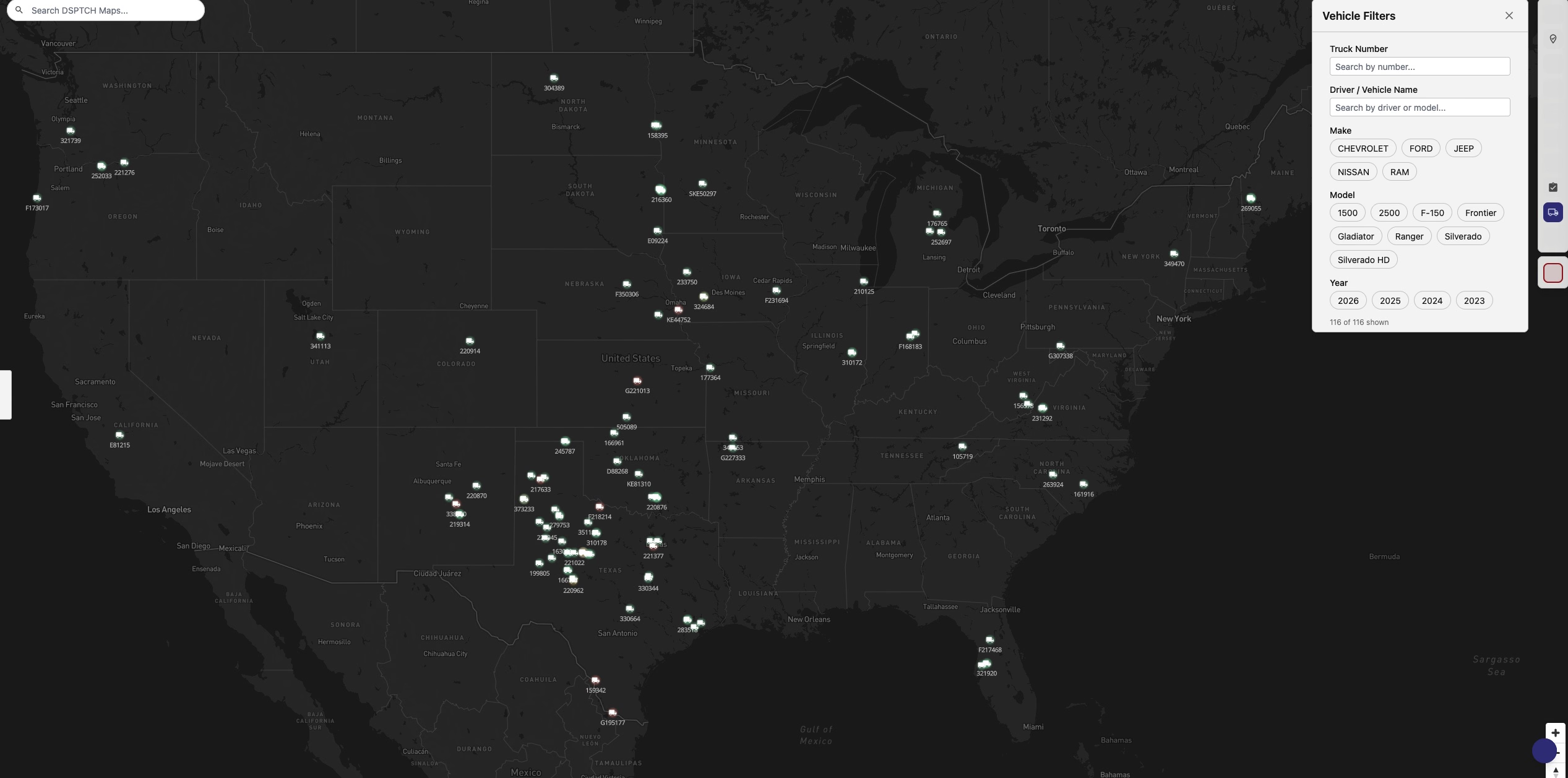
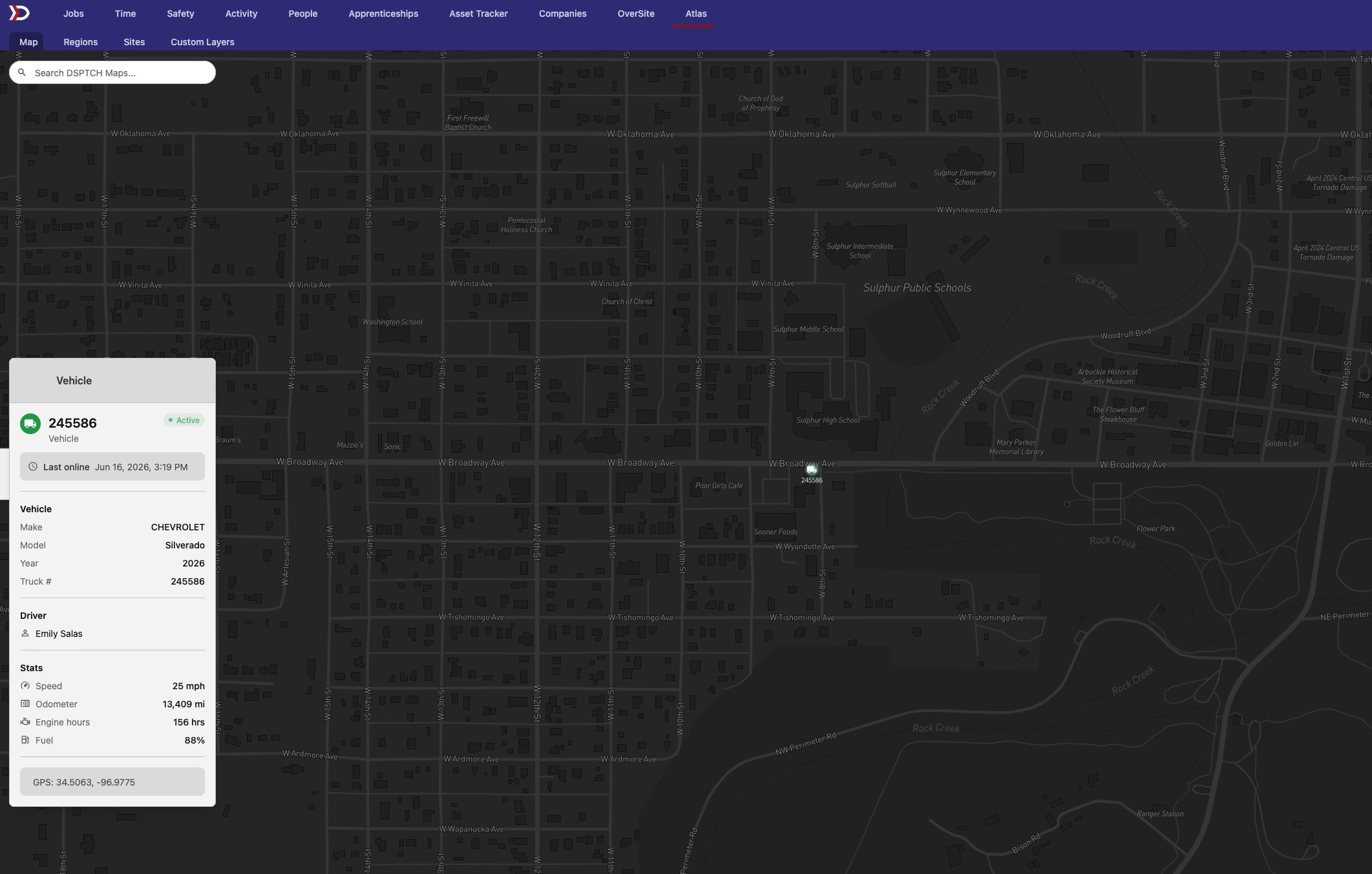
Click any truck to open its stats popup — driver and vehicle details alongside live telemetry: odometer, engine hours, and fuel level.
🧾 Structured payroll capture (beta)
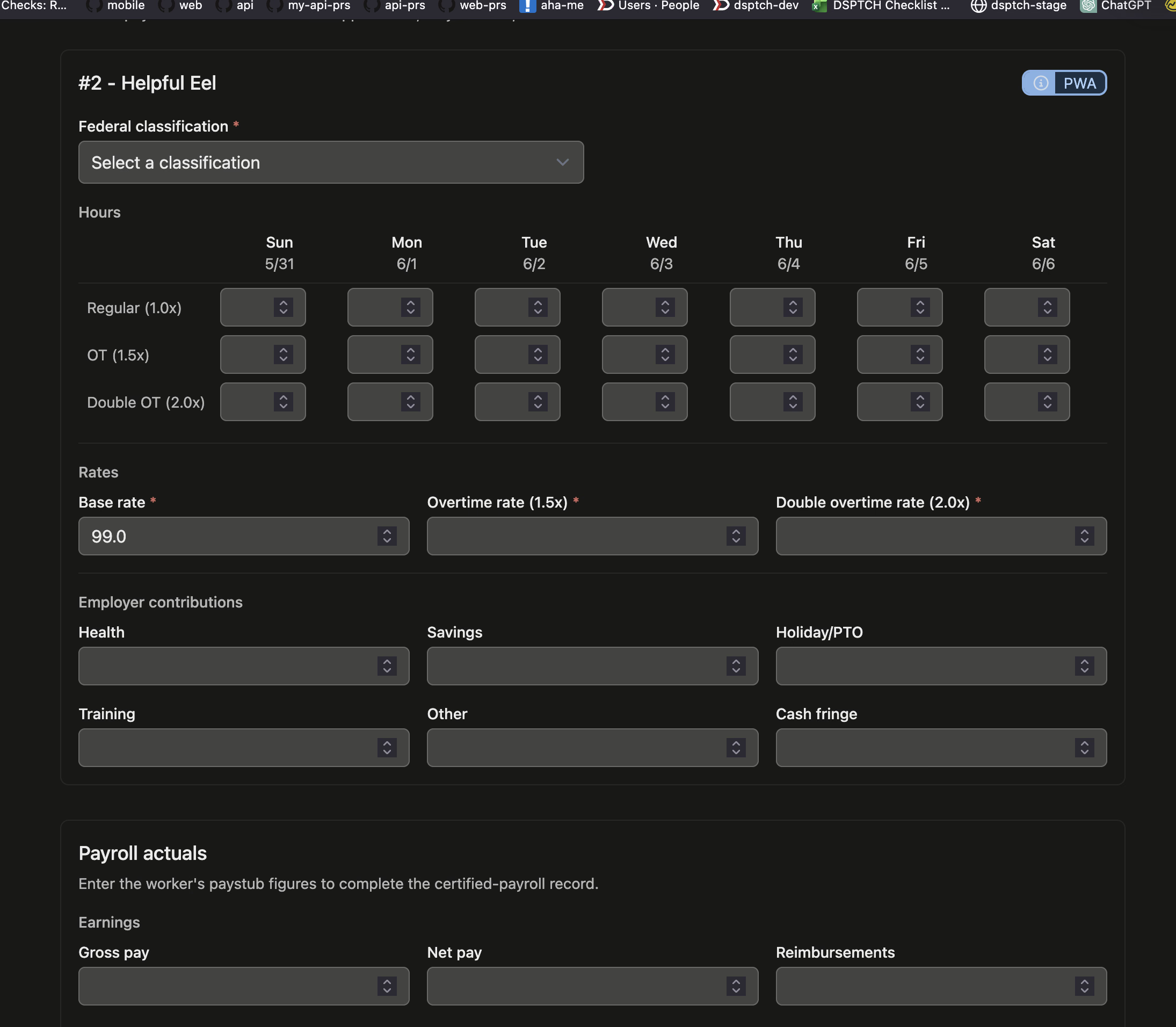
A new way to record certified payroll: instead of importing a CSV, an admin can type a worker's full payroll record straight into a web form. Each worker gets one form covering the whole pay period — hours by overtime tier across each day, pay rates, employer fringe contributions, and the paystub actuals (gross, net, deductions) that complete the certified-payroll record.
Start capture from the Enter payroll record link beside a worker on the pay-period page, or from the prompt on an empty time card's summary. On prevailing-wage jobs the classification picker is a searchable type-ahead, and overtime rates pre-fill from the worker's position — so you're confirming figures rather than calculating them.
This one is in beta — reach out if you'd like it switched on for your team.
📆 The job scheduler (beta)
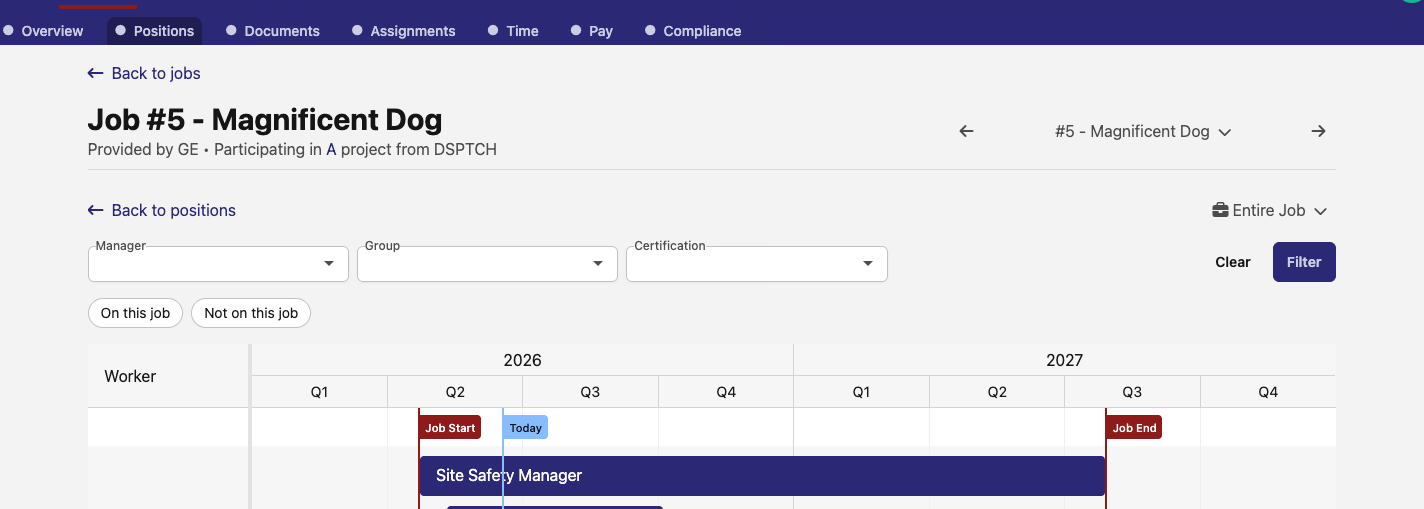
If you haven't run into it yet, jobs now have a Scheduler — a timeline view of a job's positions across its scheduled dates. Open it from the Scheduler button on a job's Positions tab (the job needs a start and end date set). Positions lay out as bars between the Job Start and Job End markers with a Today line, and you can zoom the timeline from a single week up through month, quarter, year, or the entire job at once. Unassigned positions show alongside filled ones, and you can create or remove positions right on the timeline.
New in this release: user filtering. The scheduler now opens with every technician whose employment overlaps the job's scheduled dates, and you can narrow that list — by whether they're already on the job, their manager, their group, or the certifications they hold. From a filtered list — say, everyone with a given certification who isn't on the job yet — you can create positions and add those workers to the job.
The scheduler is in beta — reach out if you'd like it turned on for your team.
🛠️ Fixes
- Site check-ins — the New Check-In button on the check-ins page works again, opening the new check-in form instead of erroring.
- Time card navigation — the previous/next arrows on a time card's Summary and Checklist views now keep you on that view, instead of bouncing back to the main time card.
- Notification times — subscription pages and notification emails now show timestamps in your configured time zone rather than UTC.
More visibility into your fleet, a faster path to certified payroll, and sharper scheduling. As always, let us know what you'd like to see next!
The DSPTCH Team