June 9, 2026 Release Notes

This release focuses on making company settings and personal navigation easier to scan and use, while beta dark-theme work reaches more of DSPTCH's heavier form and grid surfaces. It also adds beta PWA rate-override controls on time entries and fixes a couple of notification links.
⚙️ Cleaner company settings pages
Company settings get a broad cleanup across General, Private Sites, Position Functions, Pay Rates, Developer, and Custom Fields. The pages now use a more consistent settings layout, with clearer headers, standard new/edit flows, back buttons on forms, and direct company selection from the settings sidebar.
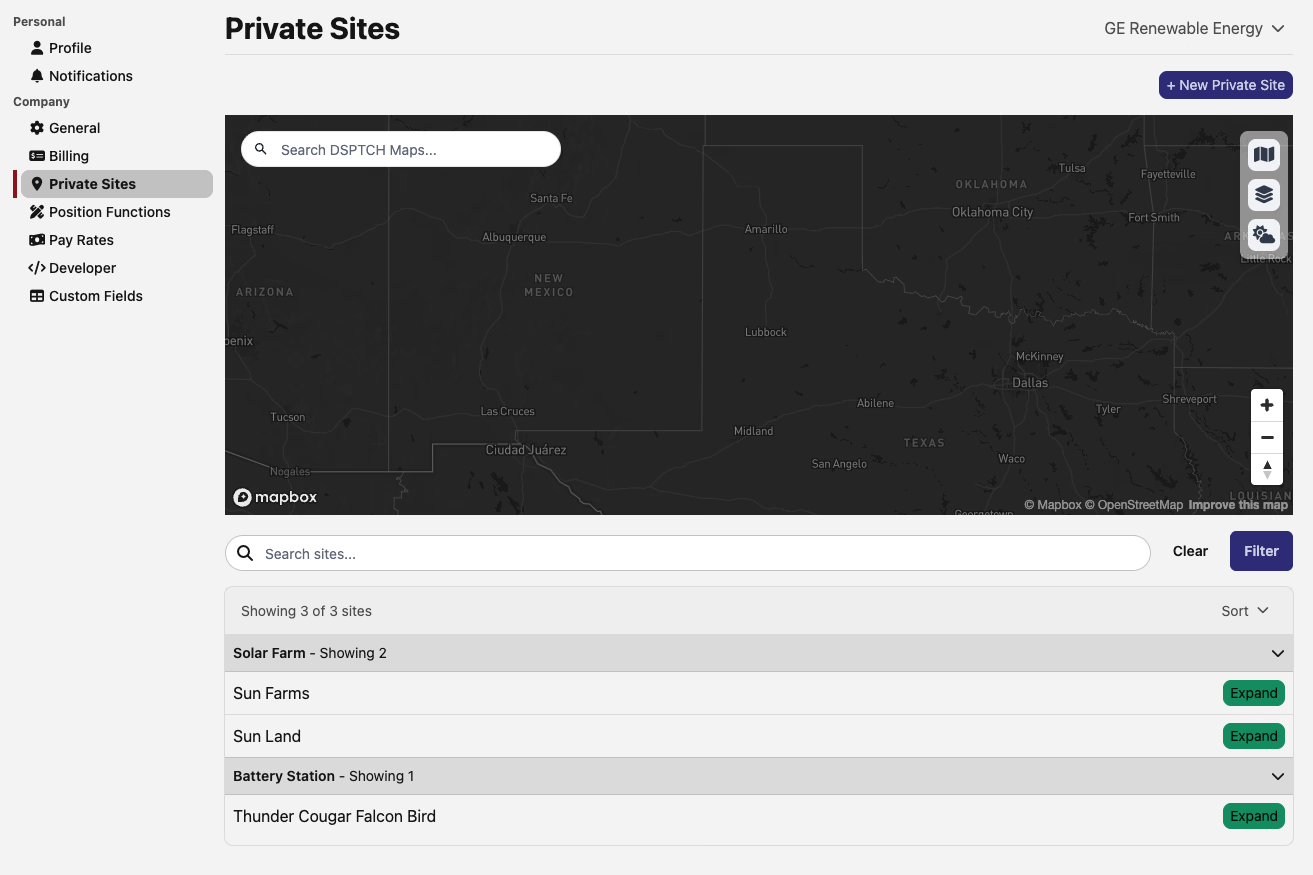
Private Sites now has a search and filter bar, a site count, sorting, and collapsible groups by site type. Position Functions, Developer/API Keys, and Custom Fields also move toward cleaner index pages with straightforward edit and remove actions, while API keys reveal a newly generated key once after creation before hiding it again.
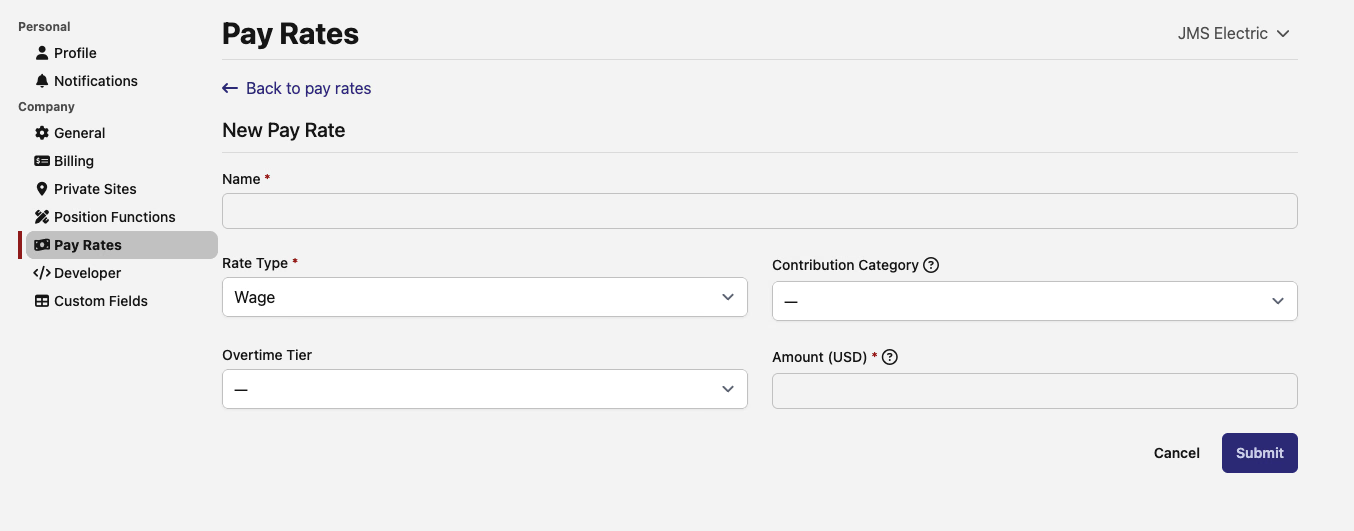
Pay Rates also gets a more approachable form. Amounts are entered in dollars instead of cents, locked fields display as read-only inputs, and the new/edit pages line up with the rest of the company settings experience.
👤 Profile menu and notification subscriptions
The avatar menu now points to the places people use most: Company Settings, Documentation, Help Center, Changelog, and Logout. The personal profile entry now resolves to the user's People profile, keeping user details under the same People area as the rest of the team.

Notification subscriptions also move out of the company settings sidebar. Changelog subscription controls now live with the current user's profile under a personal Notifications tab, so company settings stay focused on company-level configuration.
💸 Beta PWA rate overrides on time entries
Companies in the beta pay-rates workflow can now set Bona-Fide Fringe overrides directly on a PWA time entry. Company admins with the beta enabled can enter a per-hour override for each user-defined bona-fide fringe fund, remove an existing override, or leave the field blank to keep using the rate-sheet default.
The section appears alongside the other rate fields and follows the same PWA eligibility behavior as cash fringe and wage-adder rates, so it shows only when the selected job and time code call for it.
🌙 Dark-mode beta polish for forms and grids
The dark-theme beta now covers more app surfaces: standard form inputs, native select menus, search/filter fields, searchable dropdowns, selected pills, rich-text comment editors, SurveyJS forms, and AG Grid tables. The same cleanup also keeps light-mode SurveyJS forms aligned with DSPTCH's current colors.
This is especially visible in Safety forms, where the form builder and form submission viewer now stay legible in dark mode. Timekeeping grids also follow the active theme now, so Tabulate-style tables no longer stay in a light-only grid style when the rest of the app is dark.
🛠️ Fixes
- Clock reminder notifications now link to the recipient's relevant time card when one is available, with the pay-period list as a fallback.
- Dismissed form assignment notifications now open the correct comments page for safety form, job form, asset item, and feature assignments.
Questions or feedback on anything here? We'd love to hear from you.
The DSPTCH Team