September 11, 2025 Release Notes

PWA time cards now surface interest on outstanding obligations with a unified Balance Due, compliance checks gain a comment thread, attestation statements can be scoped to a specific state, and managers get automatic rate sync when editing time entries.
💰 PWA time cards: interest and Balance Due
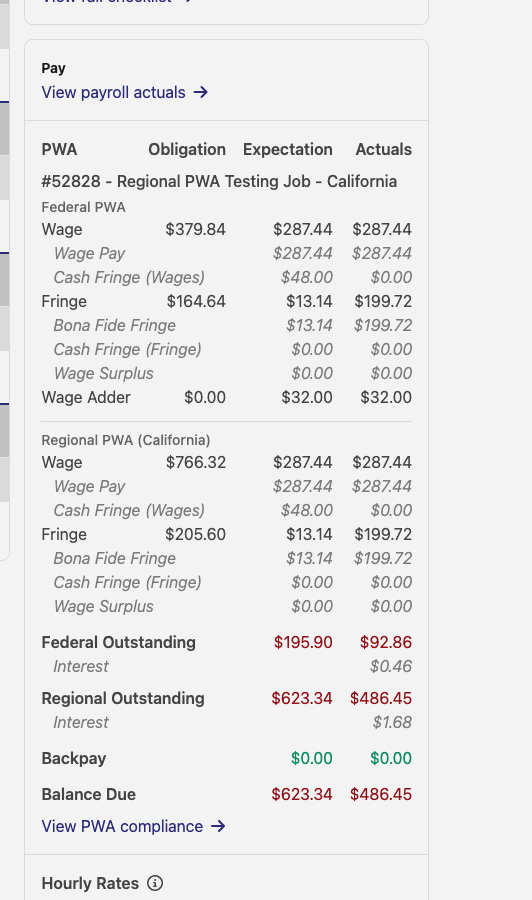
The PWA panel on each time card now surfaces interest accrued on outstanding wage obligations. Federal obligations accrue at the AFR rate plus 6%; regional obligations at AFR plus 3%. Both figures appear inline under their respective outstanding rows — so you can see exactly how much of the balance is base obligation versus accrued interest.
The separate Federal Outstanding and Regional Outstanding rows still appear, but the bottom line is now a single Balance Due — the higher of the two — rather than two independent totals. This makes the number you owe immediately clear without mental arithmetic.
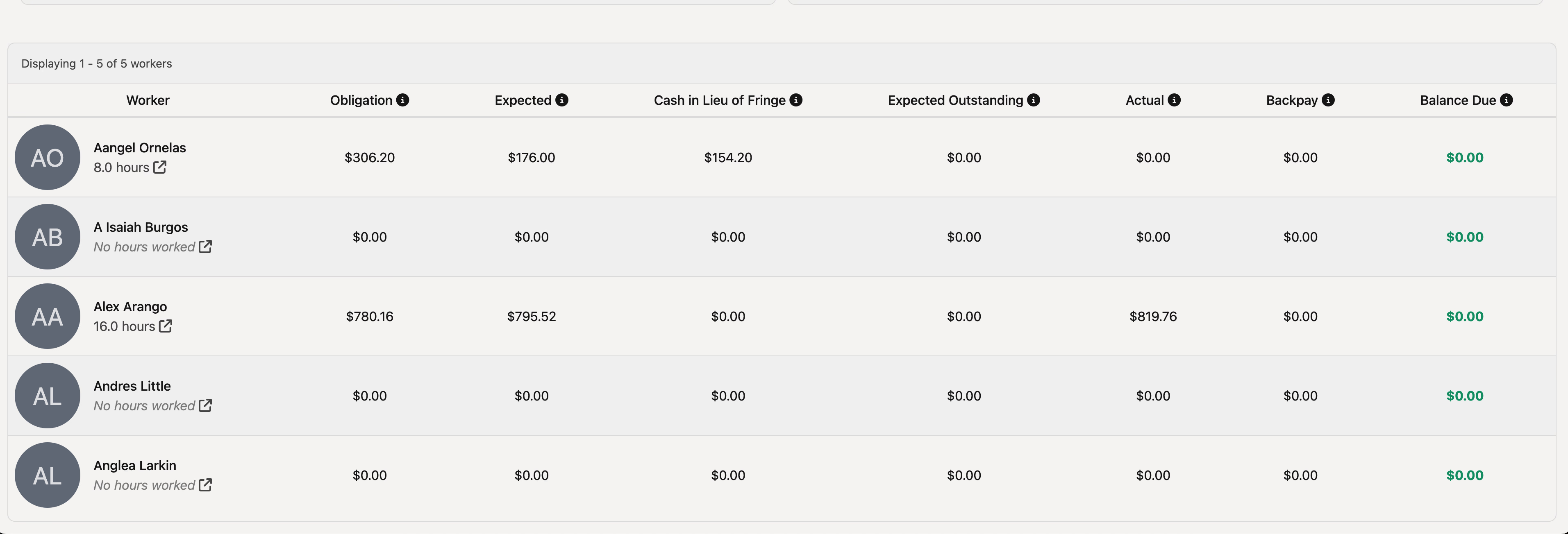
The Job Pay summary table also reflects this: each worker row now shows a single Balance Due column in place of the previous separate federal and regional amounts.
💬 Comments on compliance checks
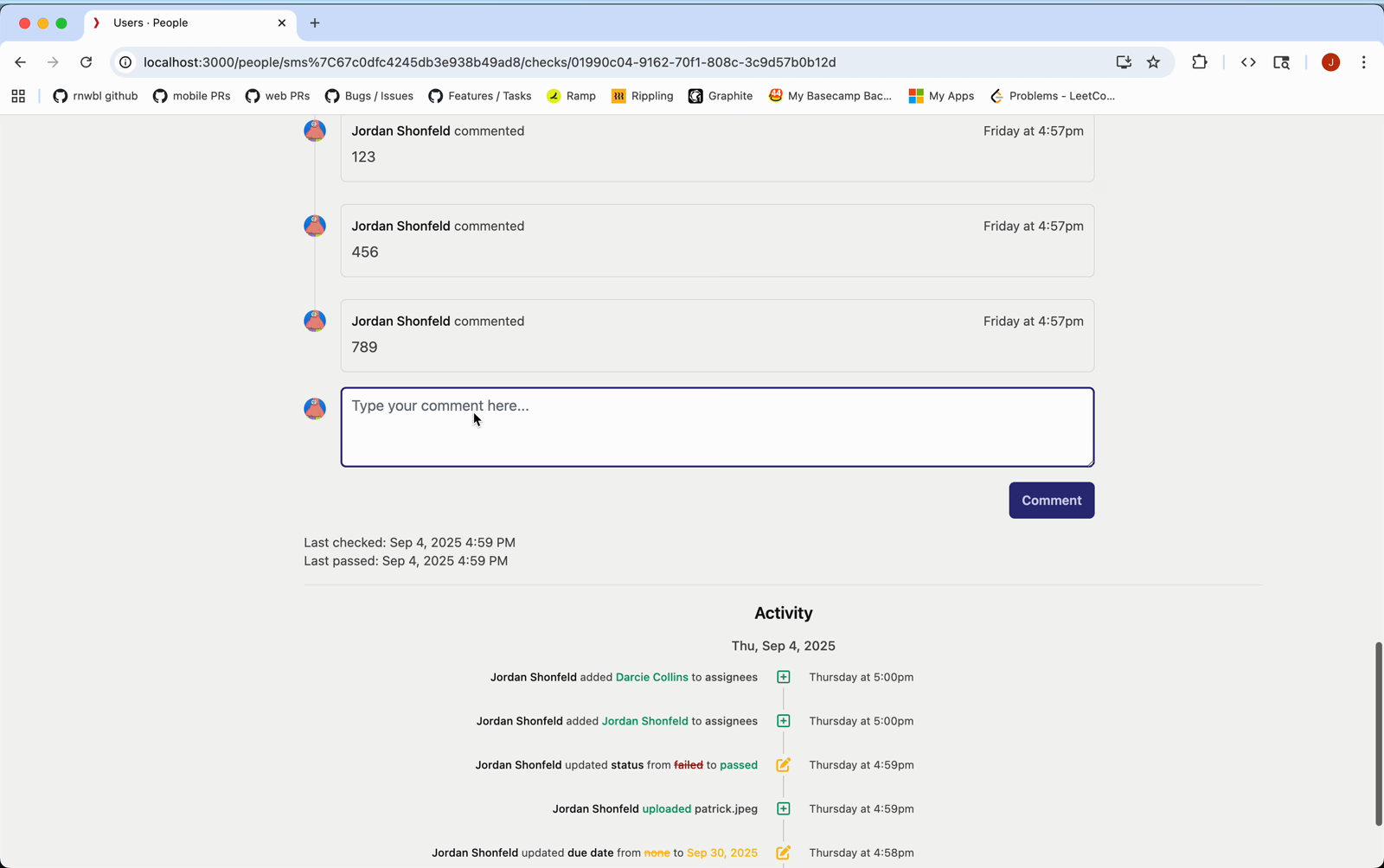
Compliance checks now support a comment thread. From any check's detail page — whether you're looking at it from the Activity → Checklist view or from a user's Checklist tab — you can post a comment and see the full comment history alongside the check's activity log.
Check rows in the list views show a comment icon when a check has at least one comment, so you can quickly spot which checks have notes without opening each one.
📋 State-scoped attestation statements
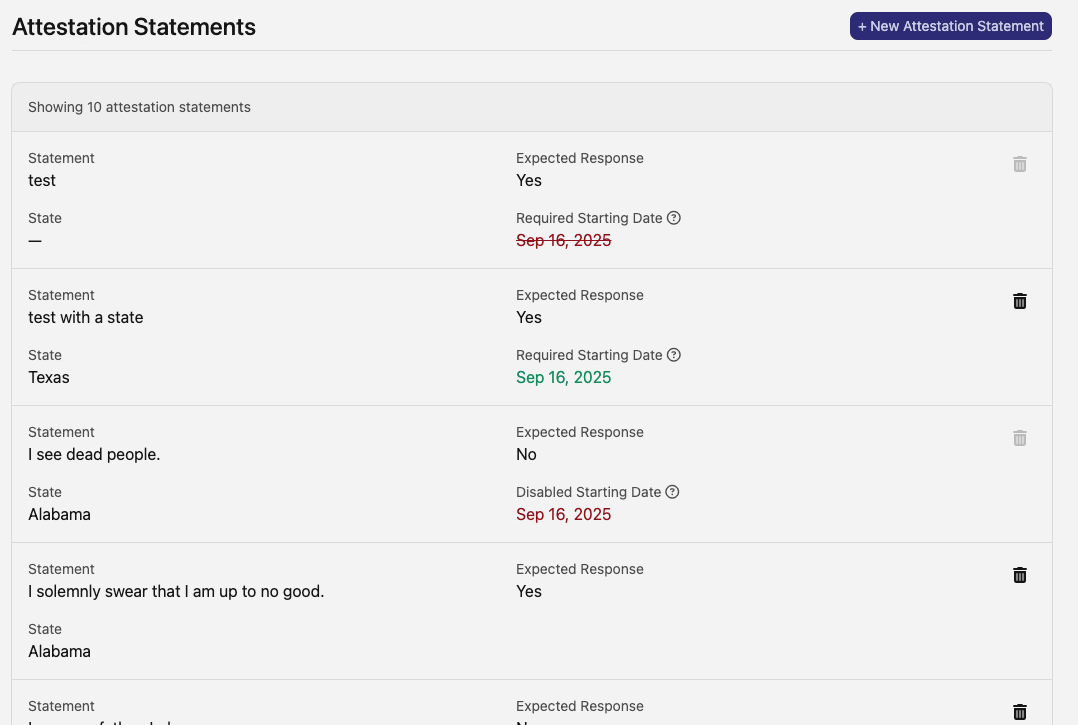
Attestation statements (Time → Settings → Attestation Statements) can now be tied to a specific US state. When a statement has a state set, it only applies to time entries worked in that state — so a California-specific attestation won't appear for workers logging time in Texas.
The statements list shows the State field on each row alongside the expected response and required starting date, making it easy to see which statements are general and which are state-specific.
⏱️ Automatic rate sync for manager time entry edits
When a manager changes the job or timecode on an existing time entry, the hourly rate now updates automatically to match the expected rate for that assignment. For PWA entries, the cash fringe rate and wage adder rate update as well. Previously, changing the job or timecode left the original rates in place, requiring a manual correction.
🛠️ Fixes
- Project apprentice percentage now calculates correctly for projects with multiple sub-projects — the previous calculation was averaging per-job percentages rather than computing from total hours across the project tree
- WH-347 overtime rate (2025 edition) no longer includes fringe rates in the OT rate section, matching the updated WH-347 form specification
- WH-347 fringe rates now report the correct per-hour rate — the previous calculation divided fringe amounts by PWA hours only rather than all job hours, inflating the reported rate
- Bulk import error messages now surface the correct description for all error codes, rather than falling back to a generic message for certain validation failures
As always, reach out if you have any questions.
The DSPTCH Team