July 27, 2026 Release Notes

This is a big one: project and job time gain new ways to review where hours landed, department filters reach three busy pages, and scheduling tools help you close out stale work. Apprenticeship penalties, form accessibility, payroll mapping search, and a newly public TypeScript client round out the release.
Added
⏱️ Review project and job time from new angles
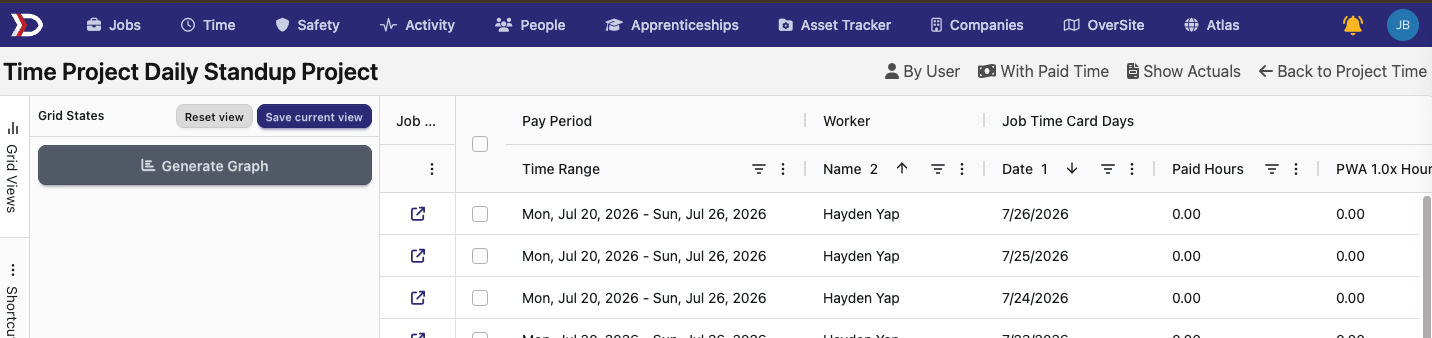
Project Time now has a Tabulate option. It opens time from the project's jobs in a spreadsheet-style grid, with the same grouping presets and paid-time controls available on job time grids. Financial columns still follow each viewer's permissions.
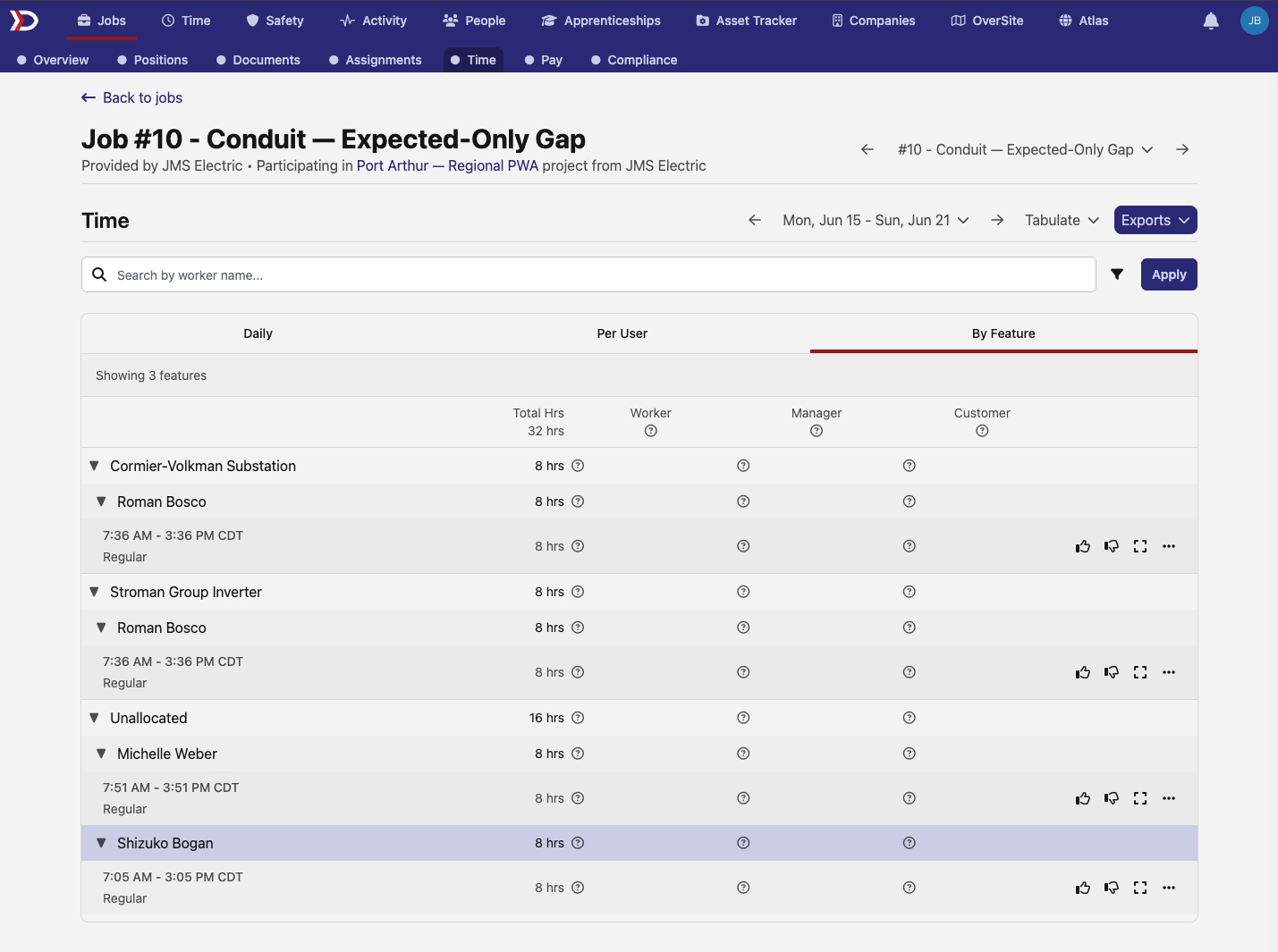
Jobs that track feature allocations also gain a By Feature tab on the Time page. It groups entries under each site feature, keeps unallocated time visible, and lets you inspect the same entries without opening each worker's time card.
🧭 Keep long-running positions under control
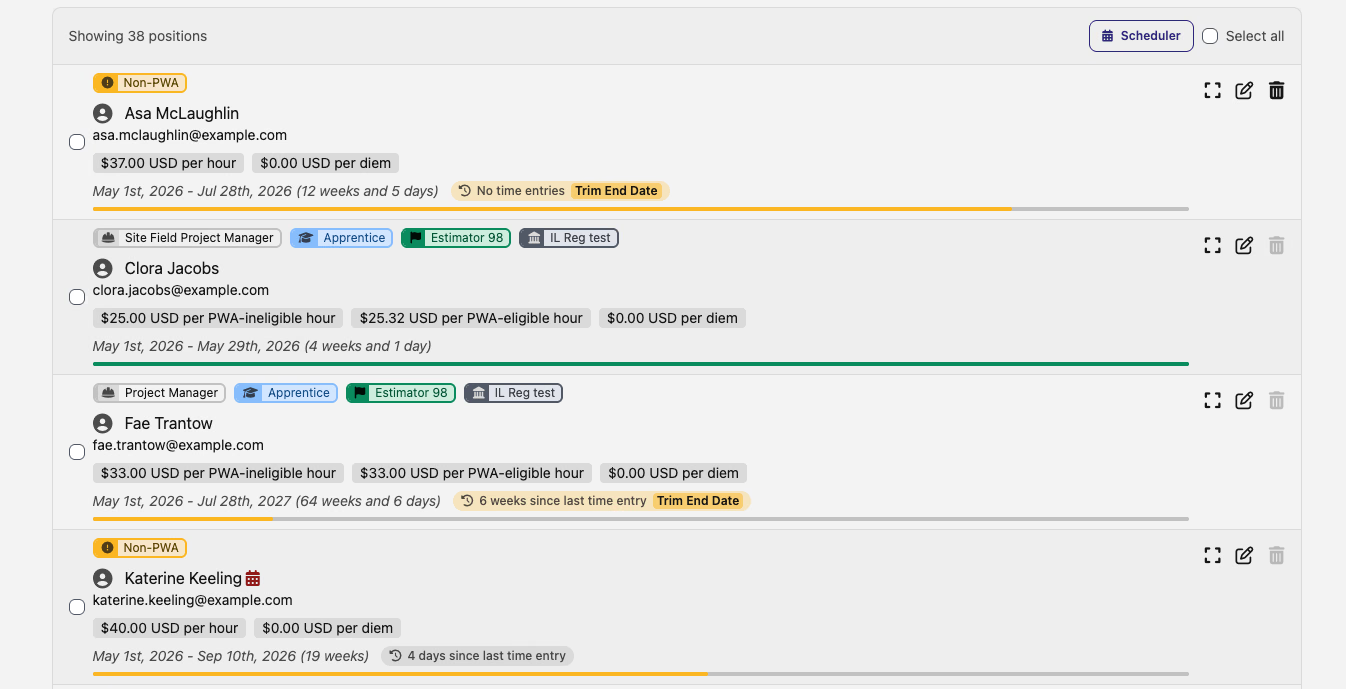
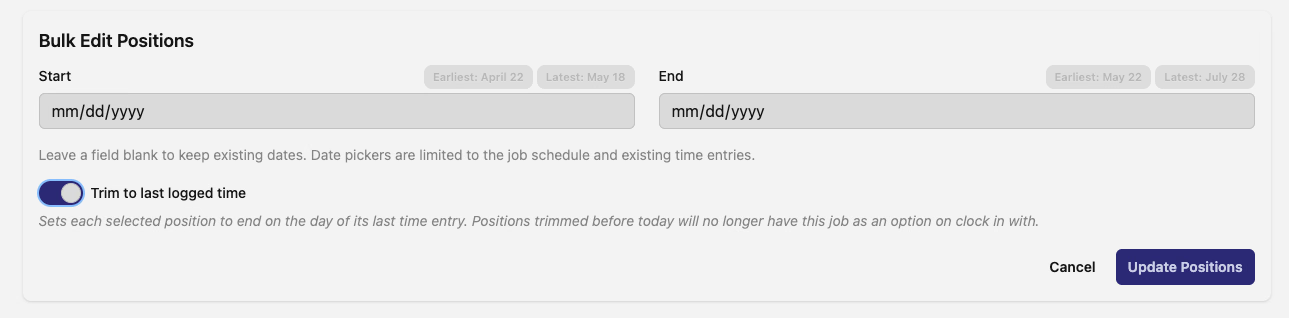
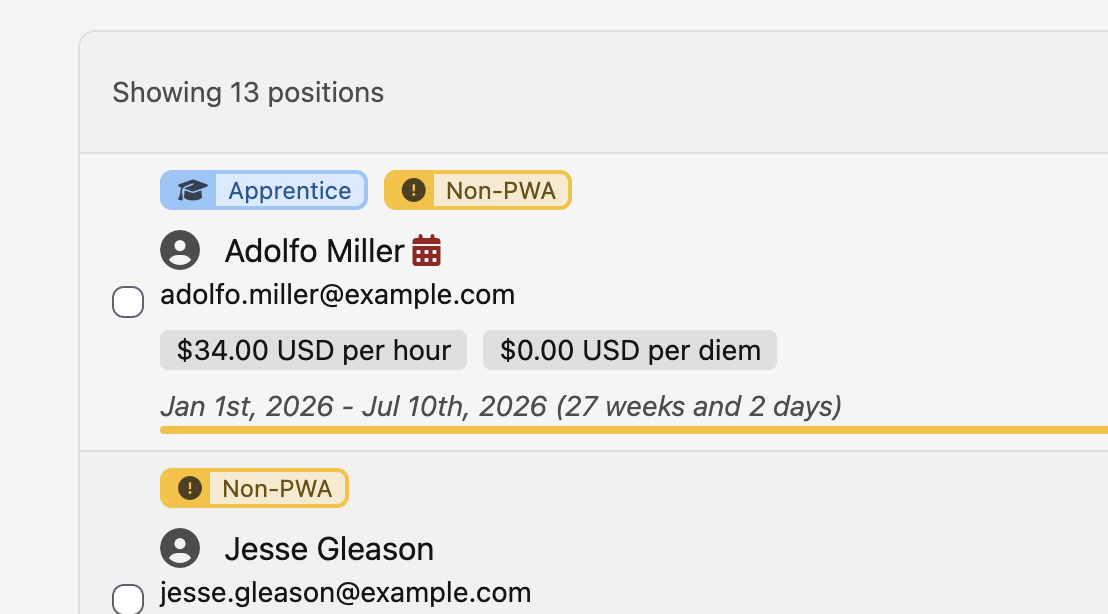
Ongoing positions now show when they last recorded time. Positions that have gone unused for more than two weeks stand out with a warning and a Trim End Date action, while bulk editing lets you trim several selected positions to the end of their last active day.
🗂️ Filter People, Time, and Forms by department
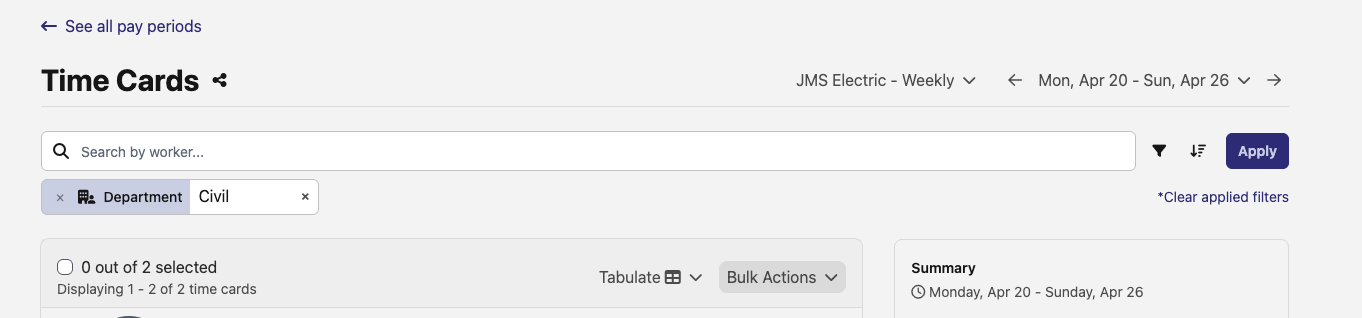
The People page, pay-period Time page, and Forms Inbox now share a Department filter. Use it to focus on one crew or business unit without scanning names individually; Time uses the department each worker belonged to during the selected pay period.


💵 Schedule pay-rate changes ahead of time (beta)
In the Pay Rates admin beta, custom rates on a rate sheet now have a Schedule a rate change action alongside immediate editing. Choose today or a future effective date, review the pending value in the rate's history, and cancel the scheduled change before it takes effect. System-resolved rates remain read-only.
🧰 See apprenticeship-only penalties
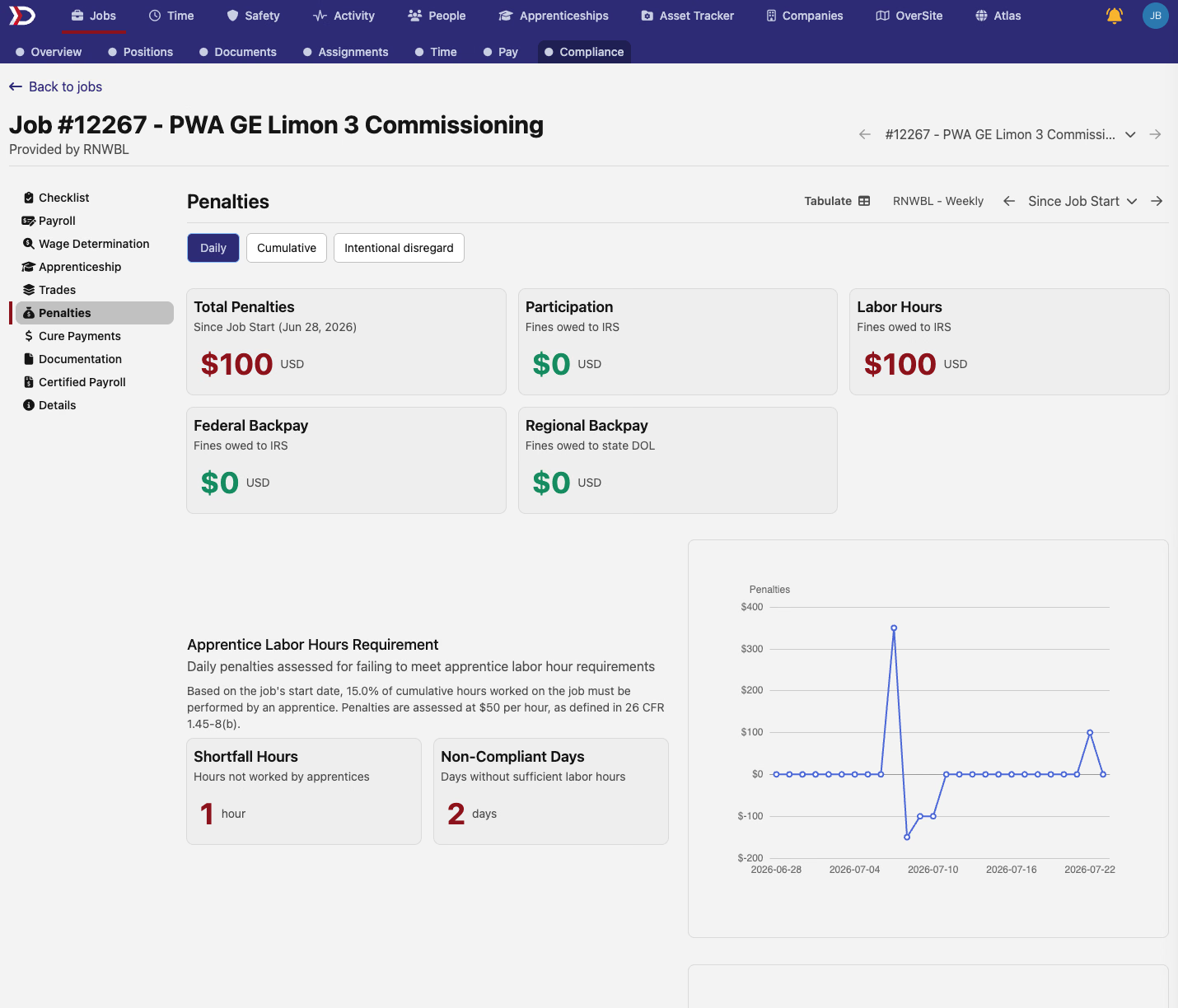
Jobs and projects that track apprenticeship requirements without prevailing wage now have access to the Penalties dashboard. The page shows participation and labor-hours exposure while leaving out federal and regional backpay cards that do not apply.
📦 Use the public TypeScript client
The generated DSPTCH API client is now publicly available on npm as @dsptch-work/api-client. Install it with npm install @dsptch-work/api-client—no GitHub account or package-registry token required—and use its typed operations and request/response models with your DSPTCH API key. The new TypeScript Client guide covers installation, authentication, a first request, and pagination.
🔌 API
- Company directory —
GET /api/v1/companieslists company profiles with name search and pagination, andGET /api/v1/companies/{id}reads one profile. Sandbox-company visibility stays tenant-scoped. - Historical reads — versioned External Maps, Timecodes, Pay Schedules, Job Wage Determinations, and Rate Rules now accept
as_of[valid]; bitemporal External Maps and Timecodes also acceptas_of[transaction]. - Job status filtering — the jobs list gains a multi-value
filter[status]that accepts concrete or grouped statuses. - Pagination controls — paginated lists now document
page[limit], with a default of 20 and a server cap of 100.
Changed
🧭 Close completed jobs safely
Completing a job now closes its schedule at the end of the current day and shortens any positions that extend beyond it. DSPTCH blocks completion when time has already been recorded in the future, preventing the job from closing before its existing entries.
♿ Clearer forms for assistive technology
Form fields now connect tips, helper text, validation errors, and unavailable-action explanations to screen readers. Hours and minutes are announced as one related group, and toggle switches use a single clear label. Visual layouts stay familiar while keyboard and assistive-technology users receive more of the context already visible on screen.
🔎 Search payroll mappings by the details you know
Compensation mapping search now looks beyond the payroll provider's raw code. You can search by the mapped DSPTCH element's name, category, or tax treatment, so terms such as "health" or "pre-tax" find the mappings that use them. Common name searches across People, Forms, Certifications, and Contacts also handle accented names more consistently.
🔌 API
- Breaking: lifecycle filters — lifecycle-aware lists now use
filter[state]instead of their previous filter names. - Breaking: list response envelopes — seven previously unpaginated list operations now use the standard
meta,links, anddataresponse envelope.
See the API changelog for the full contract delta, including required fields, renamed parameters, stable UID routes, and schema corrections.
Fixed
- Company founding year accepts historical years back to 1000 instead of rejecting organizations founded before 1800.
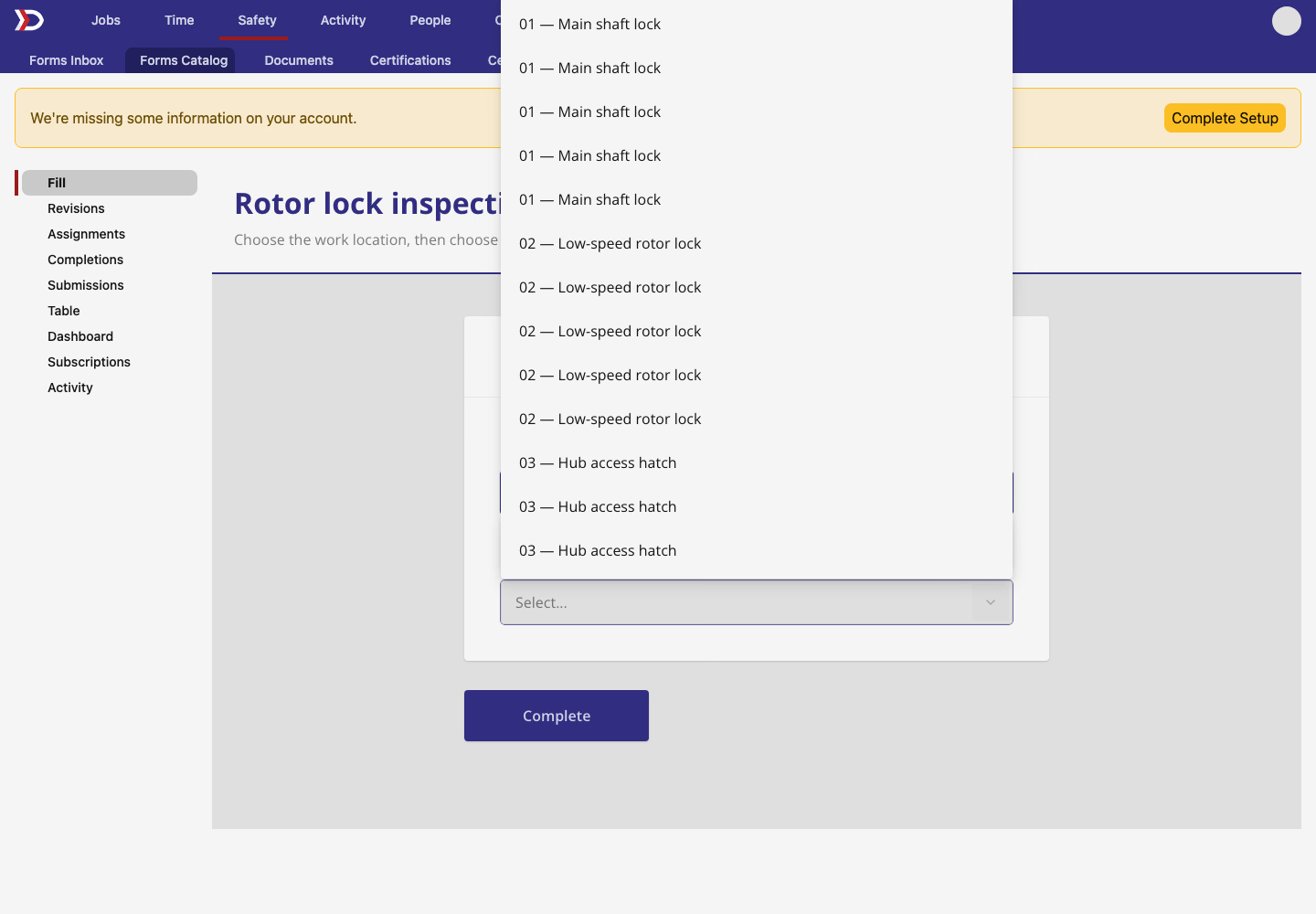
- Form feature choices appear once per feature instead of repeating for every matching job, position, or employer.
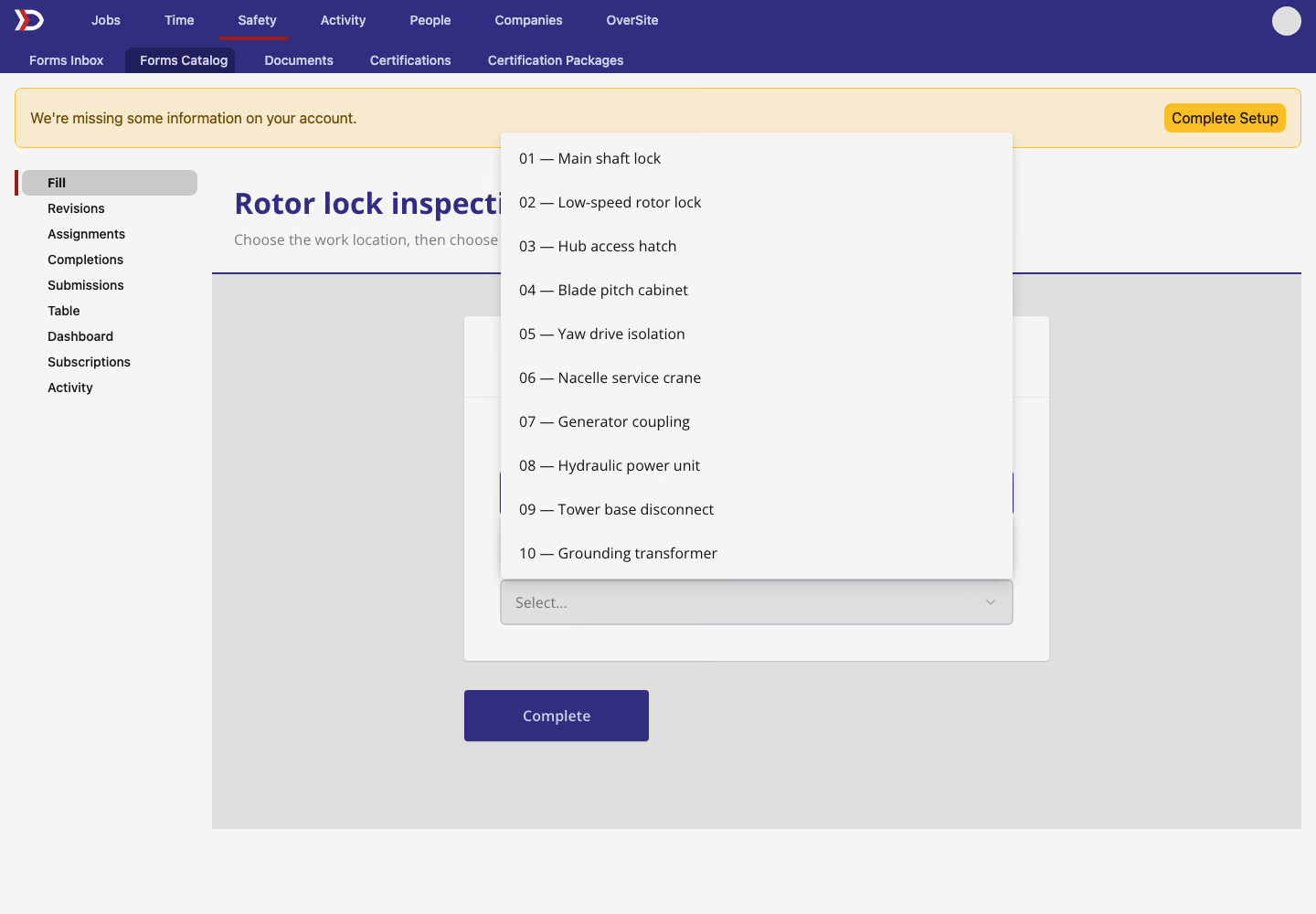
- Single-select fields keep the text caret beside the selected value instead of stranding it at the far edge of the field.
- Compact Atlas maps keep the base-map and filter controls at their own widths, and the Full map link stays clear of the map attribution.

- PWA actuals now use the same per-job outstanding, interest, backpay, and balance figures on time cards, compliance pages, and CSV exports. An overpayment on one job no longer hides a shortfall on another.
- PWA forecasts floor and total expected balances per job, so federal and regional obligations from different jobs no longer offset each other on a time card.
- Legacy PWA cards omit wage- or fringe-line compliance tooltips when that detailed split is unavailable, while keeping their combined outstanding and balance figures.
- Current wage determinations no longer include a determination whose effective date is still in the future.
- Verified contact details cannot be replaced through an ordinary API profile update. Verified email addresses and phone numbers remain locked to their confirmation flows.
This release brings clearer time review, safer scheduling, and more consistent compliance figures across DSPTCH.
The DSPTCH Team