July 2, 2026 Release Notes

Last release brought apprentice rate schedules to individual jobs; this one extends them to project-wide wage determinations. The scheduler beta keeps maturing — bench and utilization views, color-coded status dots, and chip filters — and the refreshed filter bar reaches the last lists that hadn't switched over yet. 🎓
🎓 Apprentice rate schedules come to project wage determinations
Last release, an apprentice classification could carry its own rate schedule when you set prevailing wages on a single job. Now the same option is available on project wage determinations — the ones you manage once at the project level that flow down to every job in the project.
On a new project wage determination, check Separate apprentice rate schedule and the trade selector swaps, in place, for a Journeyworker rate definer picker. Pick which of the project's journeyworker determinations the apprentice is repaid at when a crew falls out of ratio; the determination then keeps its own apprentice base and fringe rather than deriving them from the journeyworker rate. That journeyworker's craft also becomes the apprentice's ratio pool, so the two stay grouped for ratio tracking.
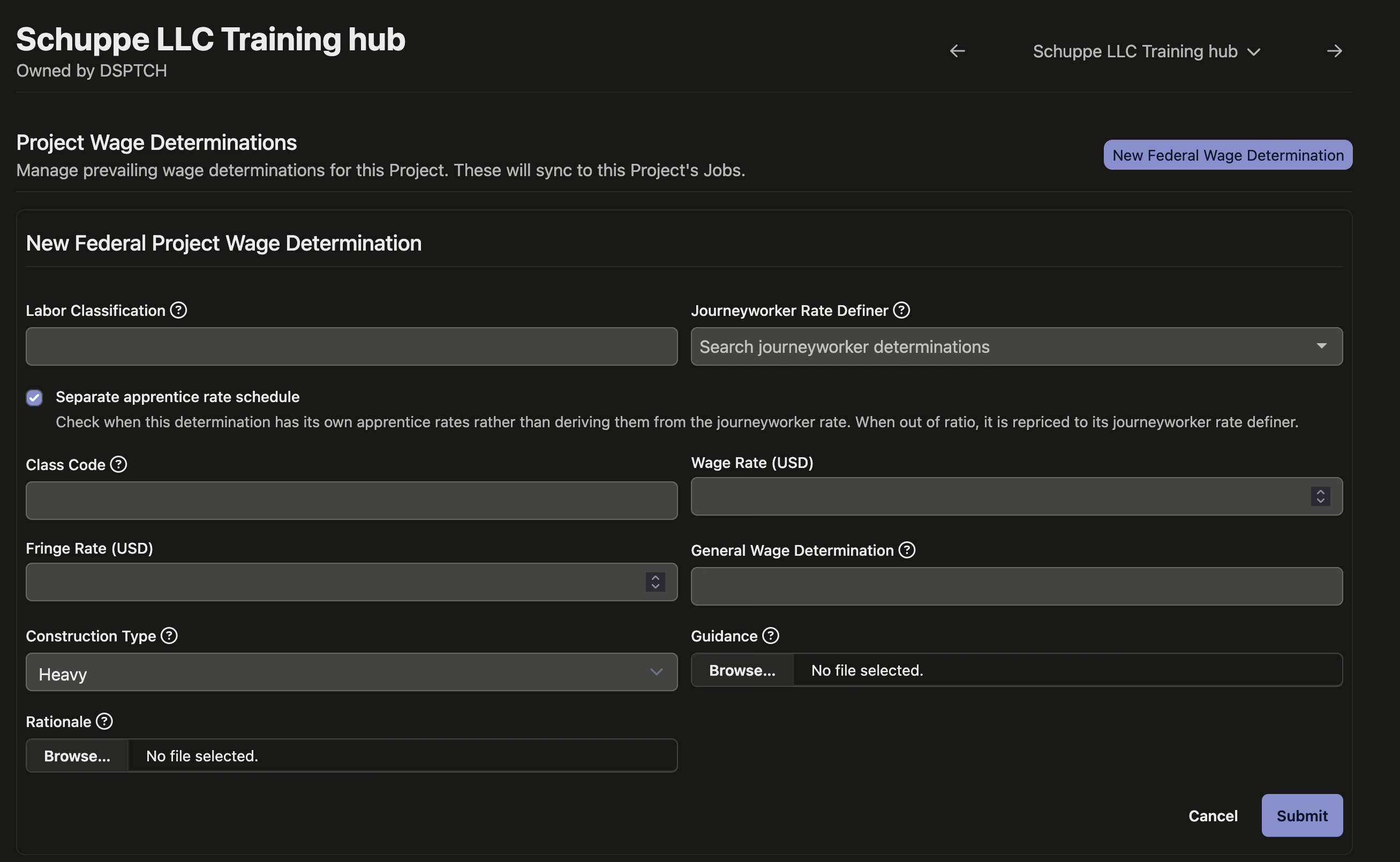
As on the job side, you choose the rate basis, rate definer, and trade when you first create the determination.
📅 Scheduler updates (beta)
The job scheduler — still in beta — keeps getting easier to read. Its filter bar switches to the same chip-style layout as the rest of the app, with quick filters to pull up everyone scheduled next week or on the bench next week, and Manager, Group, and Certification filters grouped alongside. The view selector (Week, Month, Quarter, Year) becomes a searchable dropdown.
Each worker now carries a color-coded status dot — green when scheduled, yellow when not — matched to the colors in the utilization row at the top of the board, and their name links straight through to their record. Unassigned positions are hidden by default to cut the noise, with a Show unassigned toggle to bring them back when you need them.
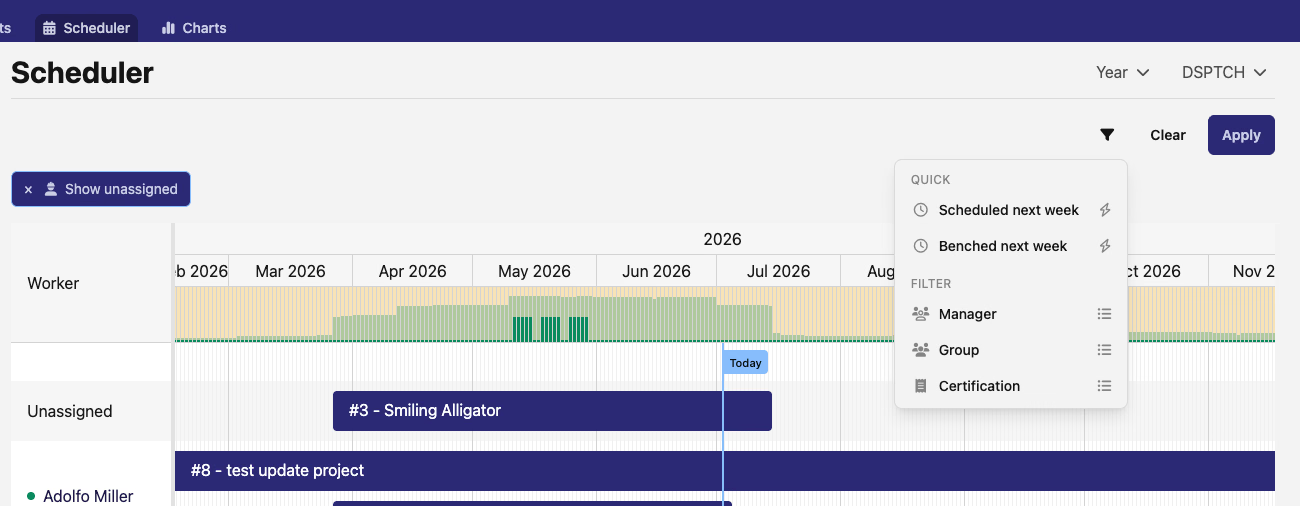
These pieces are early and still evolving — expect the flow to keep changing as the scheduler matures.
🧰 The filter refresh reaches the last lists
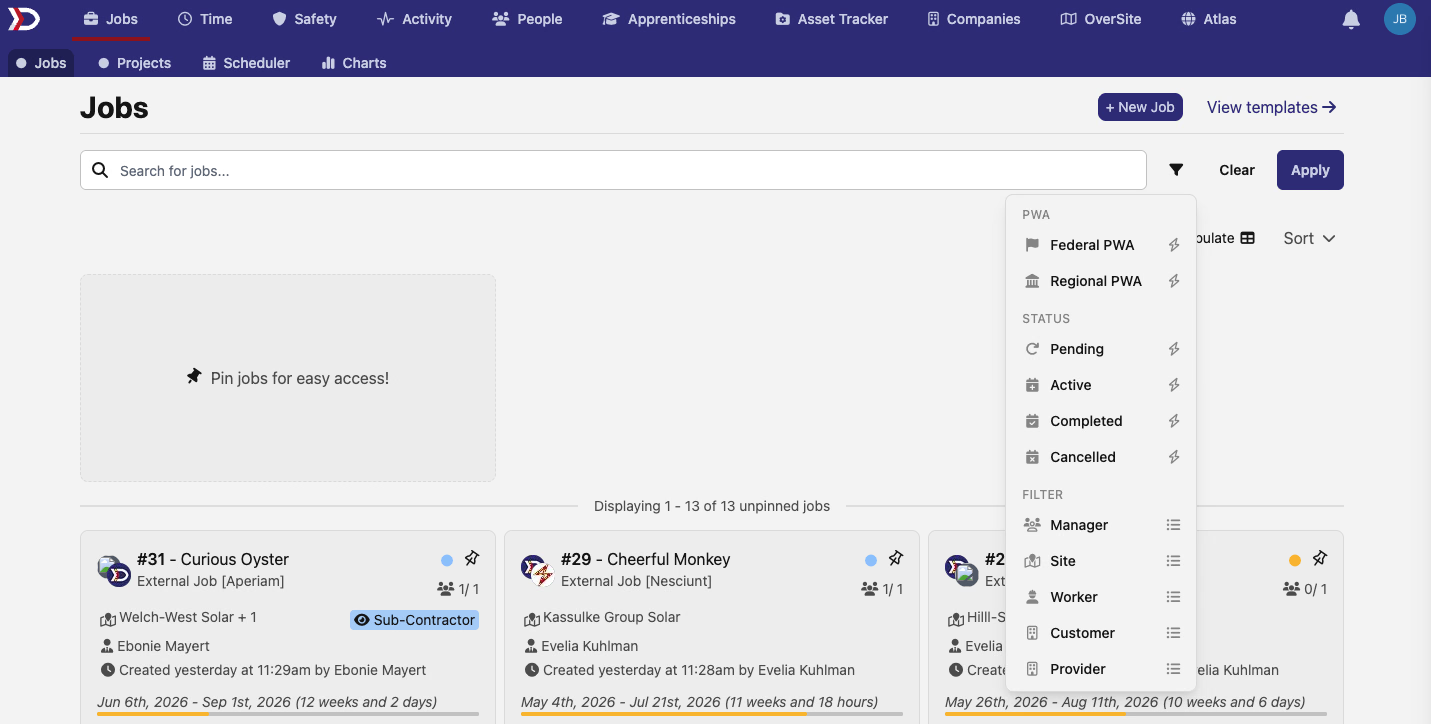
Last release rebuilt the filter bar into a chip-based layout across nearly every list in DSPTCH. This release finishes the job: the jobs list and its charts, job positions, apprentices, company documents, the safety certification detail page, and job scope prices now use the same chip filters, grouped quick toggles, and search box as everywhere else. Wherever you filter a list, it now looks and works the same way.
🔌 API additions
- Per diems — create, update, and remove a company's per-diem catalog (the reusable per-diem rates attached to positions and time cards) at
/api/v1/per_diems, which the API could previously only list. Removing a per diem deactivates it, so it stays intact on the time cards that already reference it. - Shift attestation questions — add or retire the attestation questions a pay schedule asks workers at shift start or end (like "Are you fit and well enough to work this shift?") under a pay schedule's
attestation_configs. Retiring one keeps it in effect through the end of the current pay period. - User groups — create, rename, and delete a company's groups (the crew and team groupings) at
/api/v1/groups. Membership is still managed through the existing group-members endpoints. - Custom fields — create, update, and delete a company's custom field definitions — the extra fields you attach to jobs, workers, apprentices, or the company itself — at
/api/v1/custom_field_configs. A definition can't be deleted while any record still holds a value for it.
🛠️ Fixes
- Claiming a site in OverSite works again — anyone signed in can claim an unclaimed public site, instead of being told they aren't authorized. This affected the great majority of sites on the map.
- Project wage determination packages — rate and overtime packages attached to a project's wage determination now apply across all of its scheduled versions and flow down to the jobs under the project, instead of being left off some versions and the jobs they should have reached.
That's it for this release — as always, reach out with questions or feedback. 🚀
The DSPTCH Team