June 3, 2026 Release Notes

Project wage determinations can now carry their own overtime rules — effective-dated, and inherited by the jobs that sync from them — and form approvals come out of beta for every company. This release also folds Illinois and New York penalties into your headline exposure total, adds federal overtime hours to the Rippling compliance export, brings wage-period alerts to apprentices, and lets production crews record the day work was actually performed.
⏱️ Overtime rules on project wage determinations
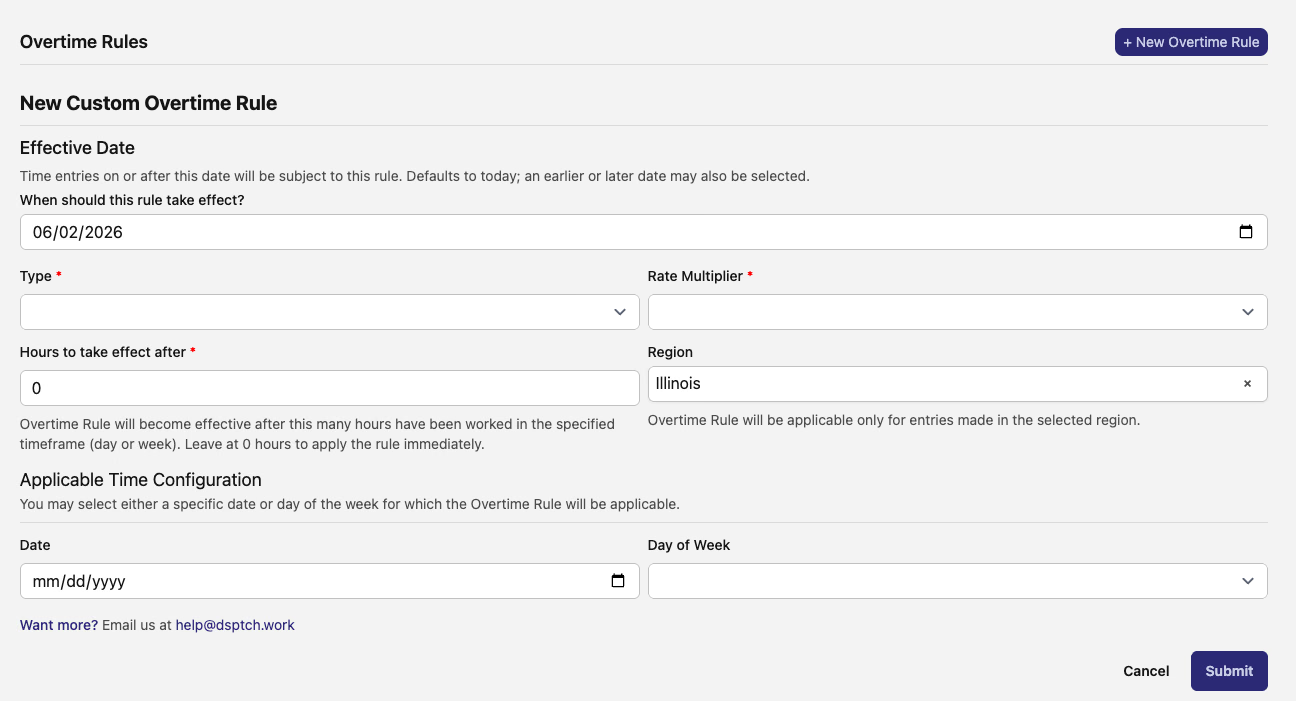
You can now attach overtime rules directly to a project's wage determination. Open the Overtime Rules section on a project wage determination, choose + New Overtime Rule, and define how overtime kicks in: a daily or weekly threshold (for example, 1.5× after 8 hours in a day, or 2× past 40 hours in a week), the rate multiplier, the region the rule applies to, and the days or dates it covers.
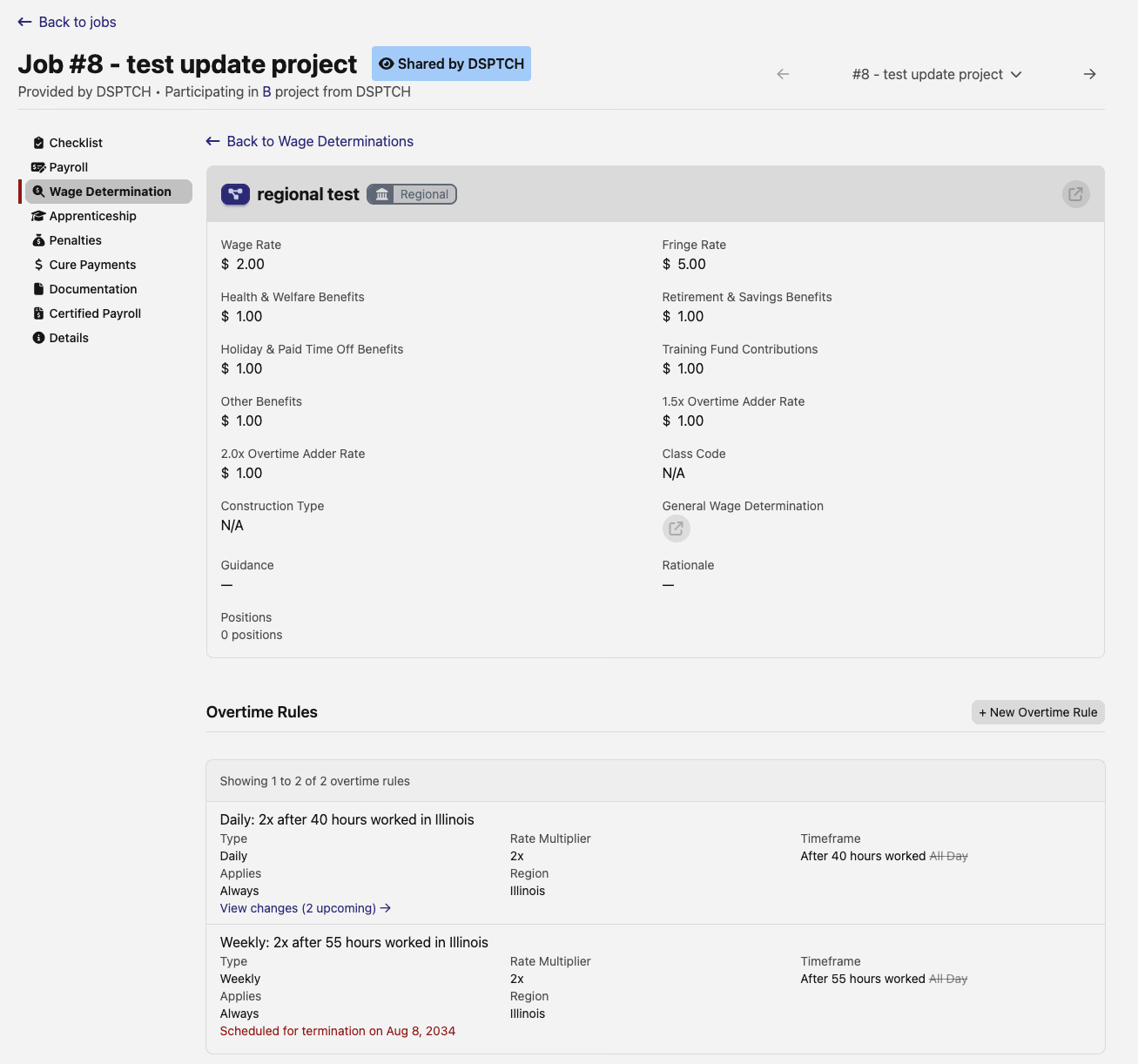
Like custom wage rates, these overtime rules are effective-dated. Add a Schedule Change to have a rule take effect on a future date, or schedule a termination to end one — each rule keeps a timeline of its current and upcoming versions. The rules also flow down automatically to the job wage determinations that sync from the project, where they show read-only alongside a link to any upcoming changes.
⚖️ More for Illinois and New York prevailing wage
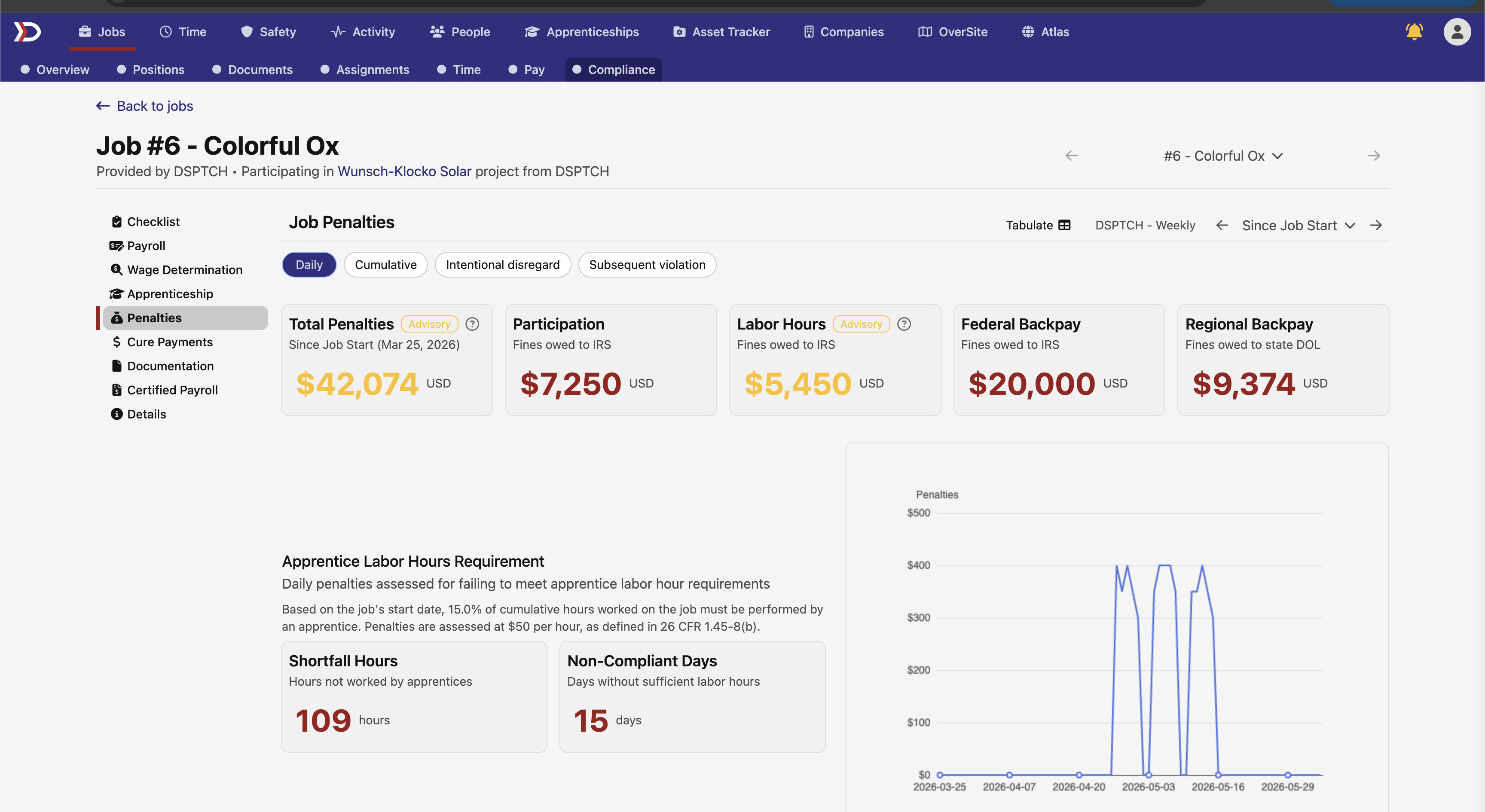
The Penalties page headline now reflects your full exposure. The Total Penalties card — which previously summed only the federal participation, labor-hours, and backpay penalties — now folds in the regional civil penalty owed to the state, and a dedicated Regional Backpay card breaks that figure out next to the federal cards. Jobs and projects with no regional prevailing-wage work simply show $0 there, with nothing added to the total.
Illinois Shines contractors can also pull the Minimum Equity Standard (MES) workforce report at the project level now, not just per job. The project view rolls up worker demographics — race, gender, disability, employment status, ZIP code, EEP qualifier, and training program — across every job in the project, with the same count-by breakdowns and the EEP Qualified Only filter, so you can compile the Master Election Sheet data for a whole project at once.
📸 Screenshot needed — the IL Shines MES project-level workforce report table, showing demographic breakdowns (race, gender, EEP qualifier) rolled up across jobs.
✅ Form approvals are on for everyone
Form approvals are no longer behind a beta flag — every company can now require sign-off before a form draft goes live. On a form's Revisions page, the Required Approvals section lists each designated approver with Approve and Reject buttons (each can carry a comment), and a draft can't be promoted until the required approvals are in. The approver list is now limited to admins, managers, safety managers, and field leads.
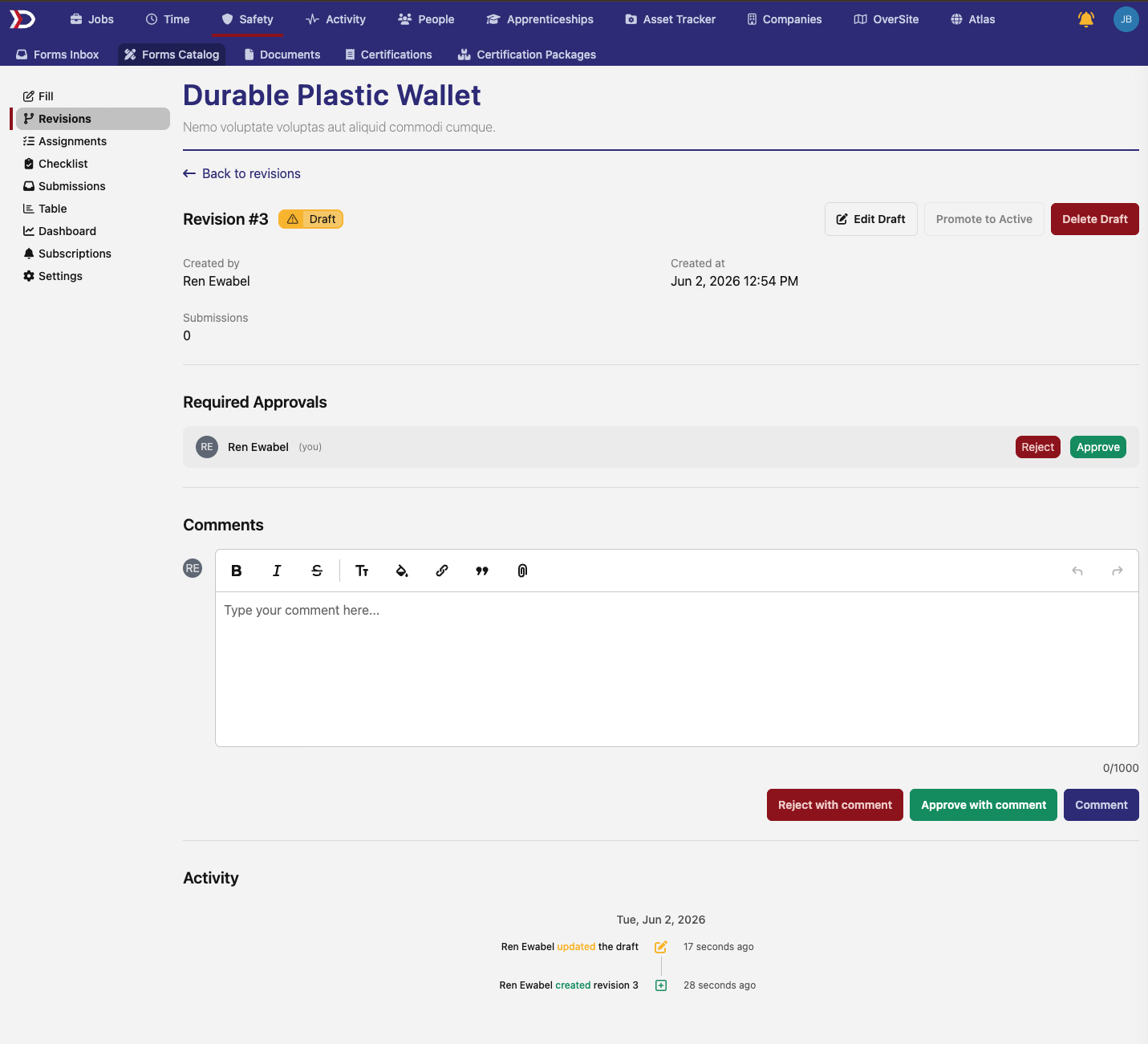
Every change to a draft, its required approvers, and its approvals is now recorded in the revision's activity history, so there's always a clear trail of who changed what and when.
🧮 Federal overtime in the Rippling compliance export
The Expected Compliance Export for Rippling picks up two new selectable columns: FLSA Qualified Overtime Hours and FLSA Qualified Overtime Rate. Together they report each worker's total federal overtime across every job they worked — the hours beyond 40 in a workweek — and the blended time-and-a-half rate that applies, calculated as the weighted-average regular rate across all of the week's work. That puts the federal overtime figures in your hands for the new overtime tax deduction, separate from any state-level overtime already in the export.
📸 Screenshot needed — the Expected Compliance Export column-selector with the FLSA Qualified Overtime Hours and FLSA Qualified Overtime Rate columns visible.
🎓 Wage-period alerts for apprentices
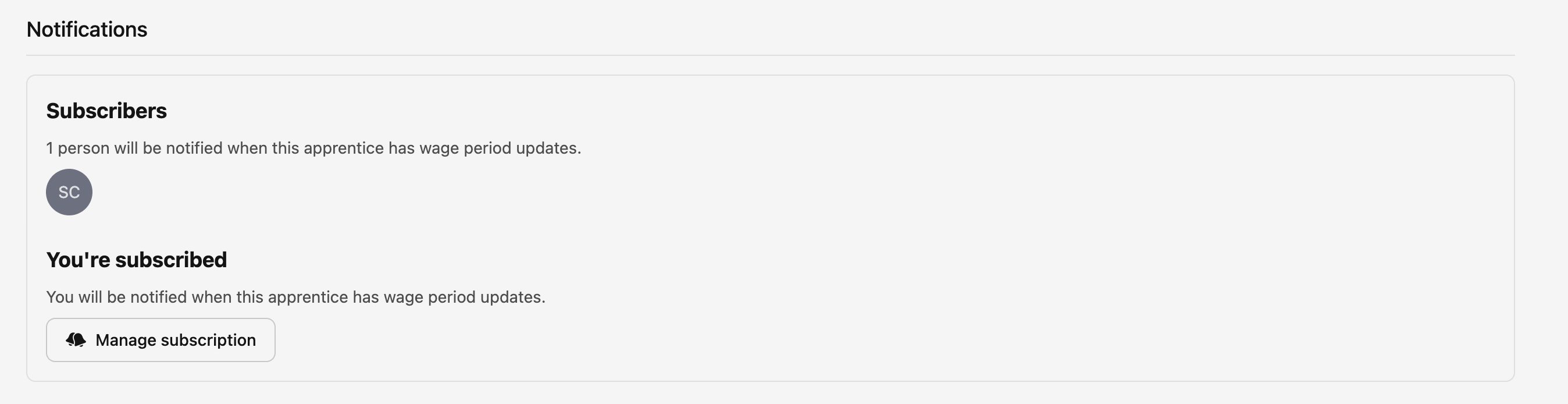
Managers can now be notified as their apprentices move through wage periods. An apprentice's page has a new Subscribers card showing who'll be alerted, and a Manage subscription button to opt in or out. Subscribers get a heads-up both when an apprentice comes within 100 hours of their next wage period and when they actually transition — so a scheduled raise never sneaks up on you. New apprentices automatically subscribe their manager.
🗓️ Work dates for production completions
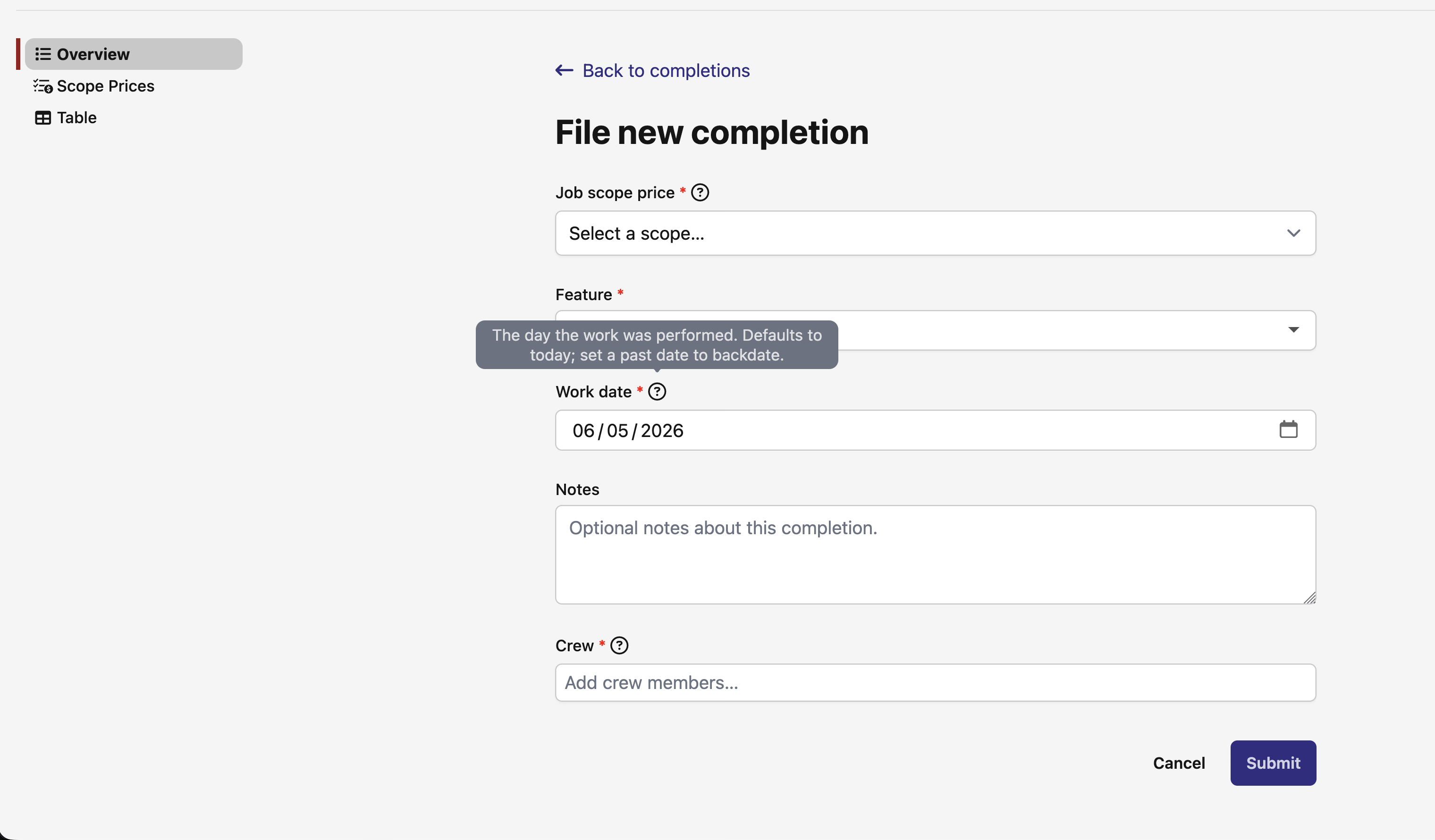
When you file a production completion, you can now record the Work date — the day the work was actually performed — rather than relying on when it was entered. The field defaults to today, and you can set a past date to backdate a completion. The completions list and grid sort and filter by work date by default (the filed-on date stays available as a secondary sort and column), so a backdated entry lands in the right place on the timeline.
✉️ Email alerts for to-do assignments
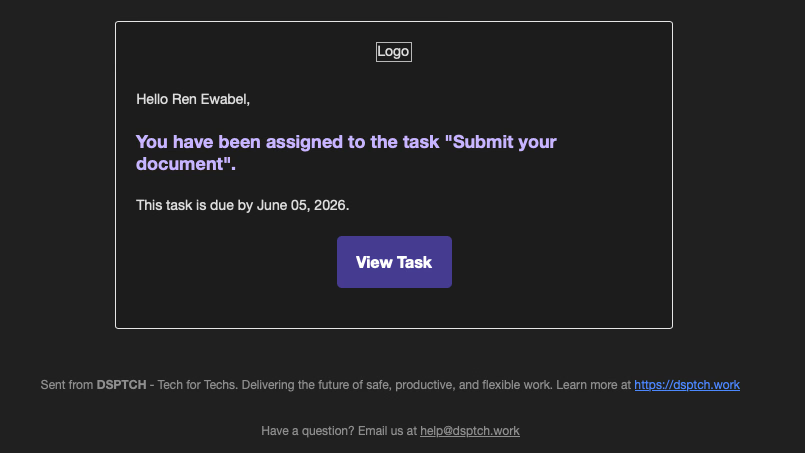
Assign someone a company to-do and they'll now get an email about it, on top of the existing in-app notification. The email names the task, includes the due date when there is one, and links straight to the to-do. For now this is scoped to company to-do tasks.
📥 Import paystubs from a spreadsheet
Companies that import paystubs can now upload them from a spreadsheet right on the pay-period Imports panel. When paystub importing is enabled for your company, a spreadsheet-import button for paystubs appears alongside the other on-cycle imports and walks you through mapping your columns and uploading the file — the same flow already used for time-entry imports.
📸 Screenshot needed — the pay-period Imports panel with the spreadsheet-import button for paystubs visible.
🔌 API additions
- Job Wage Determinations — Job wage determinations are now accessible via the REST API, letting you read and create wage determination entries on a job programmatically.
- Asset Products — Asset product records are now readable via the REST API.
- IL Shines User Information — Company user details used for IL Shines reporting can now be created and updated via the REST API.
- Scheduled Changes — The
department_idfield is now included in user-company scheduled-change responses from the API. - Production Completions — The
work_datefield is now included in production completion responses and available as a filter parameter.
🛠️ Fixes
- WH-347 certified payrolls no longer list a worker twice when their work maps to both a federal and a regional wage classification — each worker shows once per week again.
- Regional prevailing-wage interest now calculates correctly on the time card and in the PWA compliance export, reconciling with the figure shown in the Tabulate grid.
- Creating a private site no longer errors out when you save it; naming and saving a new site works again.
- The time card location trace filter now redraws the map to the entry you select, instead of just zooming in on the points already shown.
- User hovercards no longer load for people you don't have permission to view — their name shows as plain text instead.
- Site check-in reason is now labeled "Reason for Visit" instead of "Entry Rationale," for clearer language.
Questions or feedback on anything here? We'd love to hear from you.
The DSPTCH Team