April 13, 2026 Release Notes
This release adds character limits to comments, brings apprentice ratio status visibility to time cards, and rolls out new filtering options across tasks and Atlas site features.
💬 Comment Character Limits
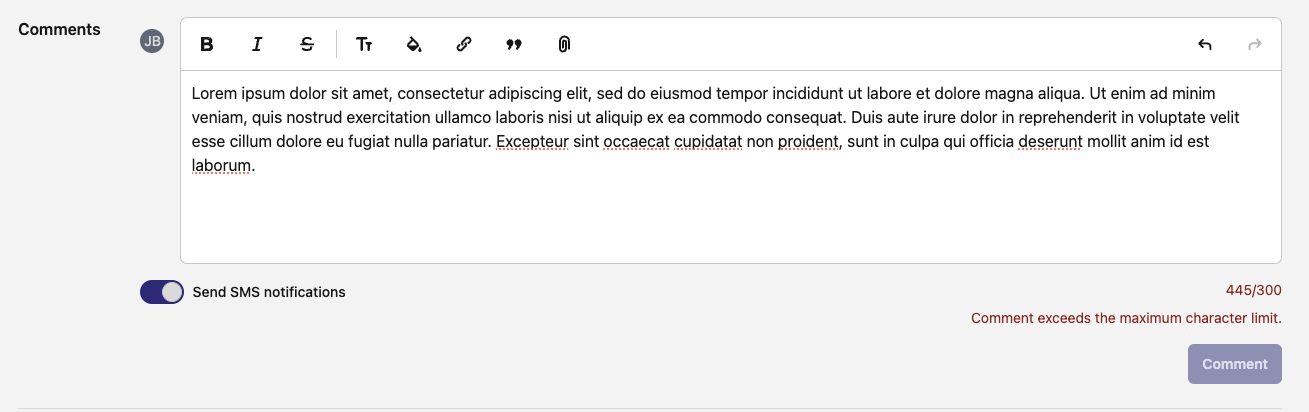
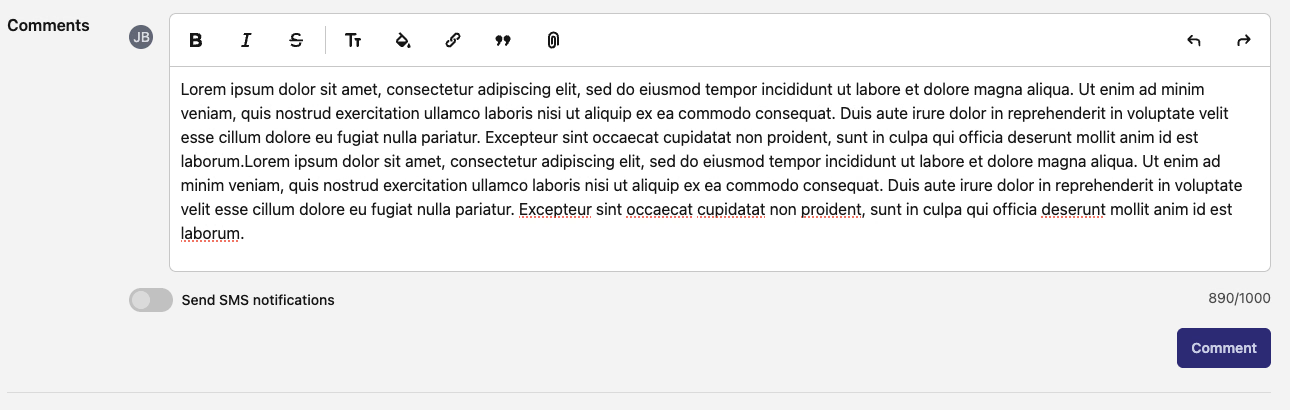
Comments now show a real-time character counter so you know exactly how much space you have. The default limit is 1,000 characters, but if you toggle on Send as SMS, the limit drops to 300 characters to fit within SMS constraints.
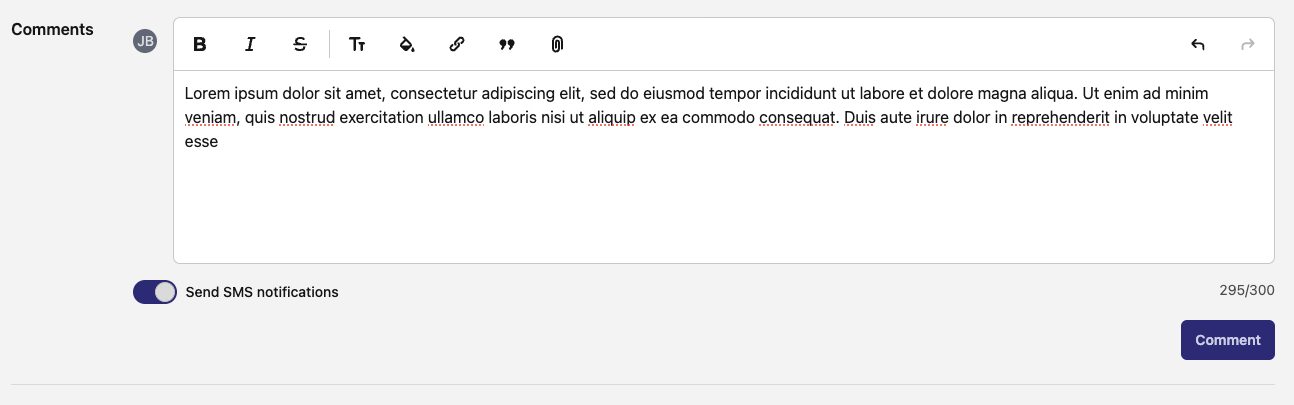
When you exceed the limit, the counter turns red and the submit button is disabled until you trim things down. The SMS toggle makes it easy to switch between the two modes depending on how you want the comment delivered.
📝 Form Builder: JSON Editor Save Button
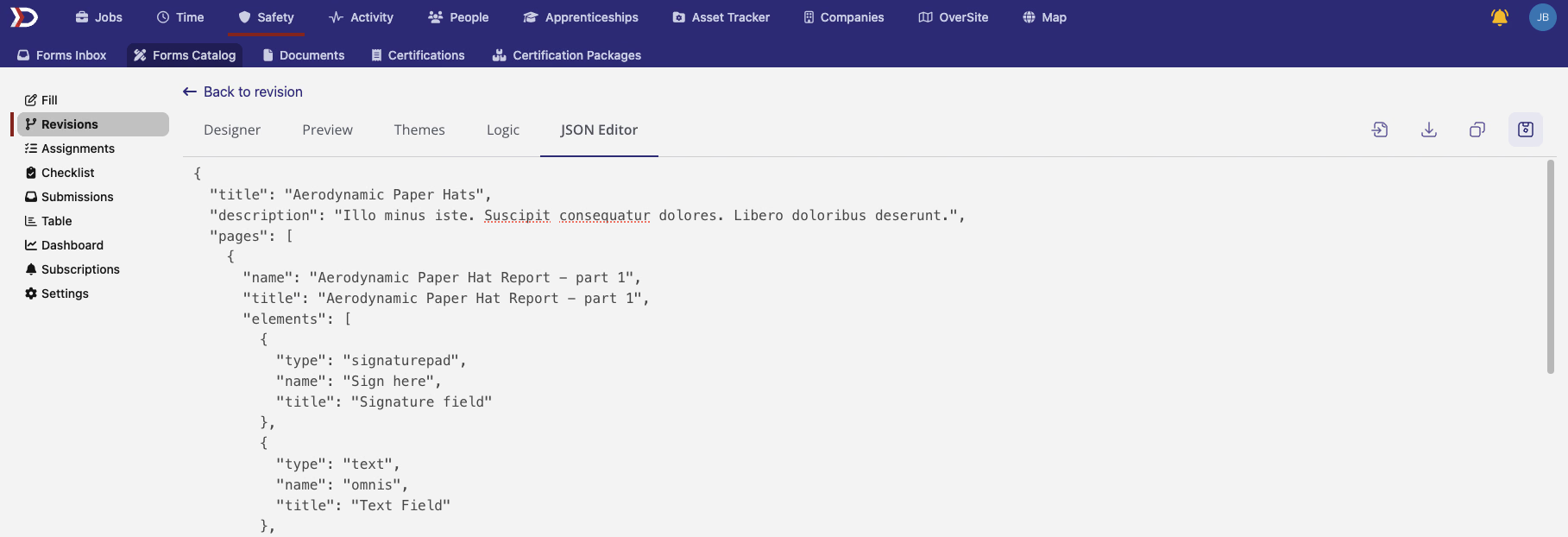
The JSON editor tab in the SurveyJS form builder now has a dedicated Save button. Previously, edits made directly in the JSON tab didn't have a clear save action -- now the button appears when you're on the JSON tab and enables as soon as you make changes. The editor also has proper scrollbar behavior for easier navigation through longer form definitions.
📊 Apprentice Ratio Status on Time Cards
Time cards now display the apprenticeship ratio status for each day as a colored pill next to the date. This gives you immediate visibility into whether an apprentice is within the required supervision ratio on any given day without having to dig through compliance reports.
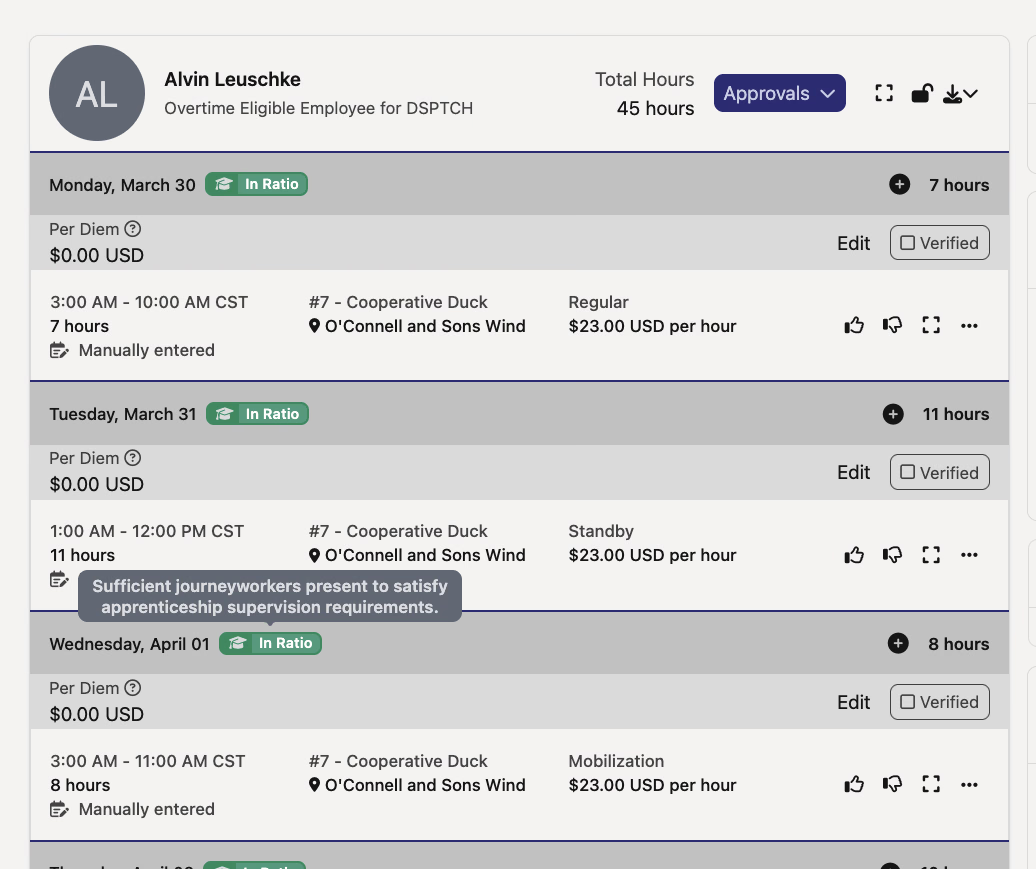
- Green (In Ratio) -- apprentice is within the required supervision ratio
- Red (Out of Ratio) -- apprentice exceeds the supervision ratio
- Gray (Pending) -- ratio hasn't been computed yet
The pill only appears on jobs that track apprenticeship compliance -- journeyworkers and non-AP jobs won't see it. Works in both base mode and summary/aggregate mode time card views.
🔍 Task Filters: Site & Feature
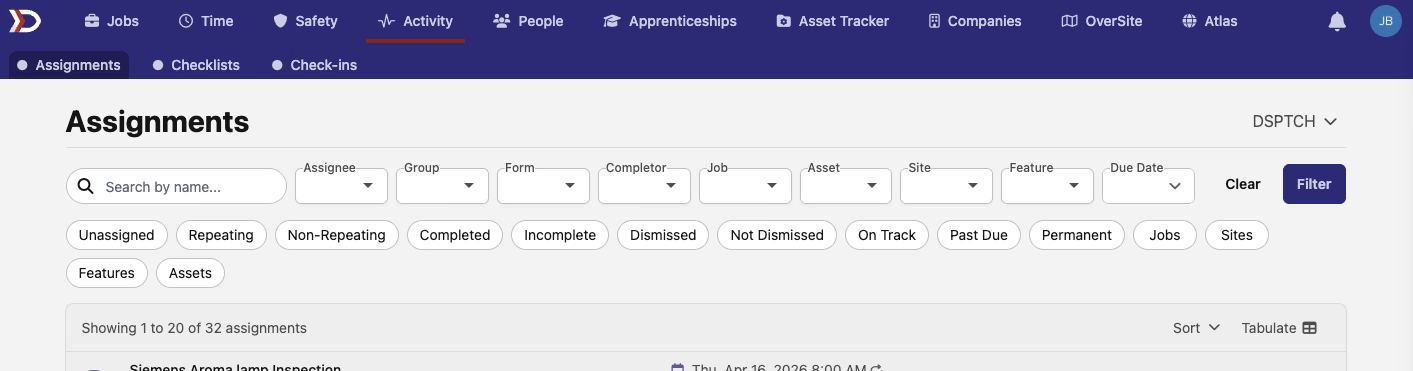
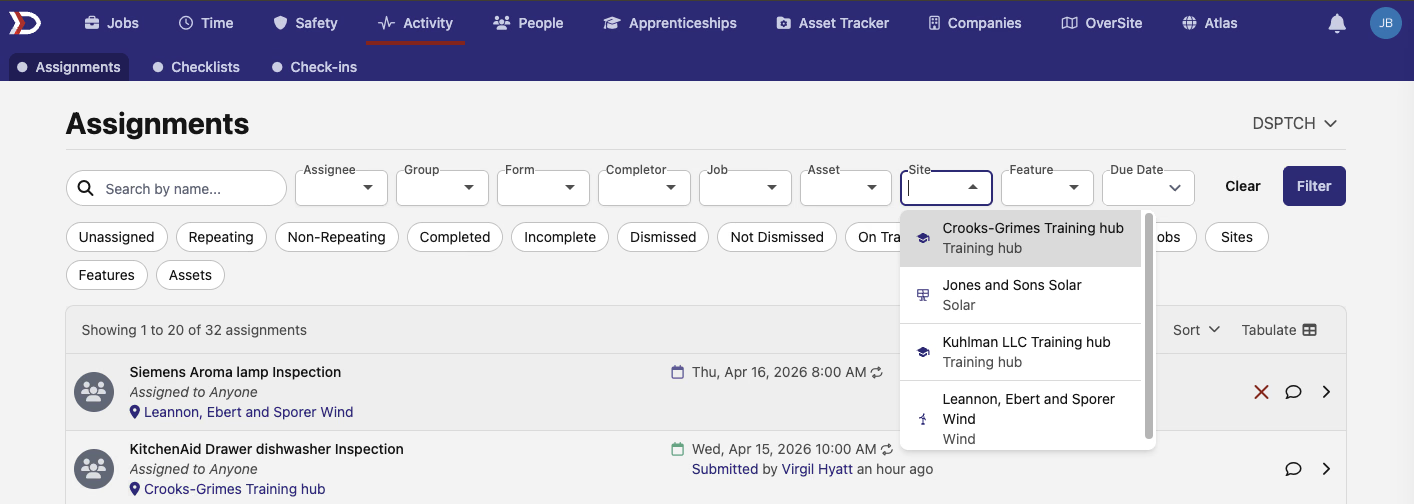
The tasks list under Activity now supports filtering by site and feature. Two new typeahead dropdowns let you narrow down tasks to those associated with specific sites or features that have form assignments. There's also a quick filter option for tasks with any feature attached.
🗺️ Atlas: Feature Search, Sort & Filtering
The Features subtab on Atlas site pages now has full search, sort, and filtering support. You can search features by name, sort alphabetically, and filter by feature type (grouped by industry), manufacturer, or model.
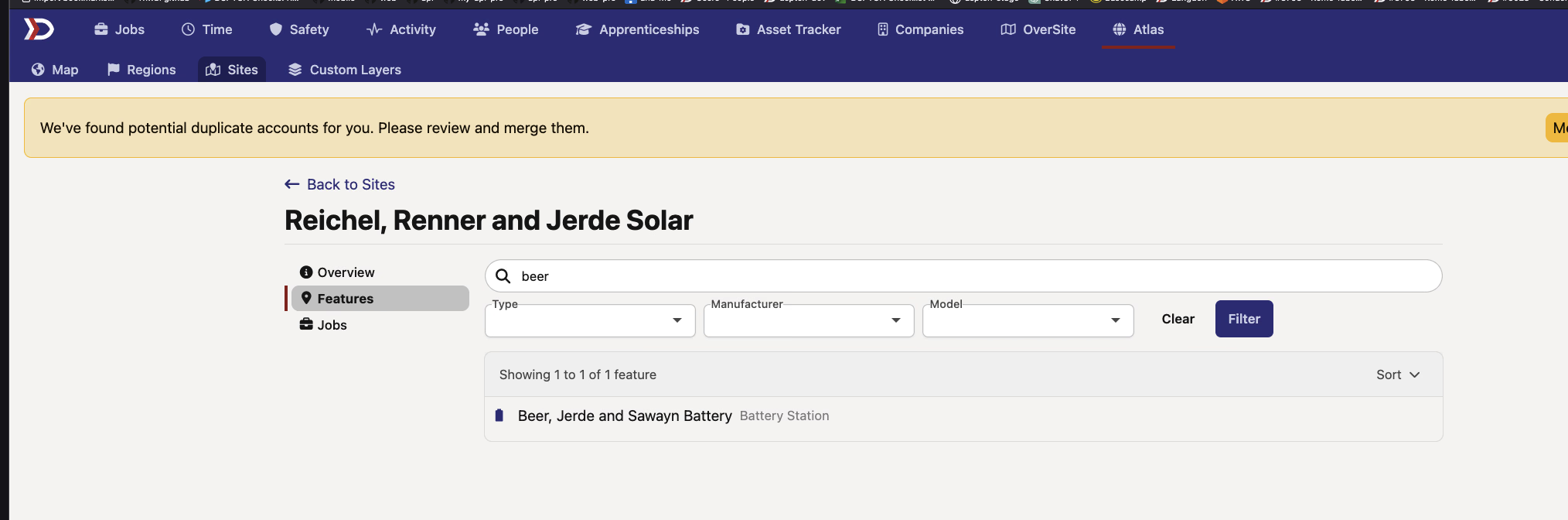
- Search -- find features by name
- Sort -- Name A-Z or Z-A
- Feature Type -- multi-select with industry groupings (e.g., Renewable Energy, Utilities)
- Manufacturer -- filter by the company that manufactured the feature
- Model -- filter by feature model
A good mix of usability improvements and new filtering tools this time around. As always, reach out if you have any questions!
The DSPTCH Team