March 10, 2026 Release Notes
We're thrilled to share a substantial set of improvements that will transform how you manage positions, communicate through comments, and visualize compliance data! This release brings powerful bulk editing capabilities, modern rich text formatting, intelligent route optimization, and enhanced data import workflows that will significantly streamline your daily operations. 🚀
✏️ Powerful Bulk Position Editing
Multi-Select Position Management
Managing multiple positions just got a whole lot easier! You can now select and edit multiple positions simultaneously, saving valuable time when making widespread updates to your workforce assignments.
The new bulk editing system features:
- Multi-Select Functionality - Click to select individual positions or use shift-click for ranges
- Bulk Date Updates - Modify start and end dates for multiple positions at once
- Smart Validation - Automatic validation ensures date consistency with job schedules
- "Use Job Date" Shortcuts - Quick buttons to populate dates directly from job settings
- Visual Feedback - Clear indicators show which positions are selected for editing
- Accessibility Enhancements - Improved screen reader support with proper aria-labels
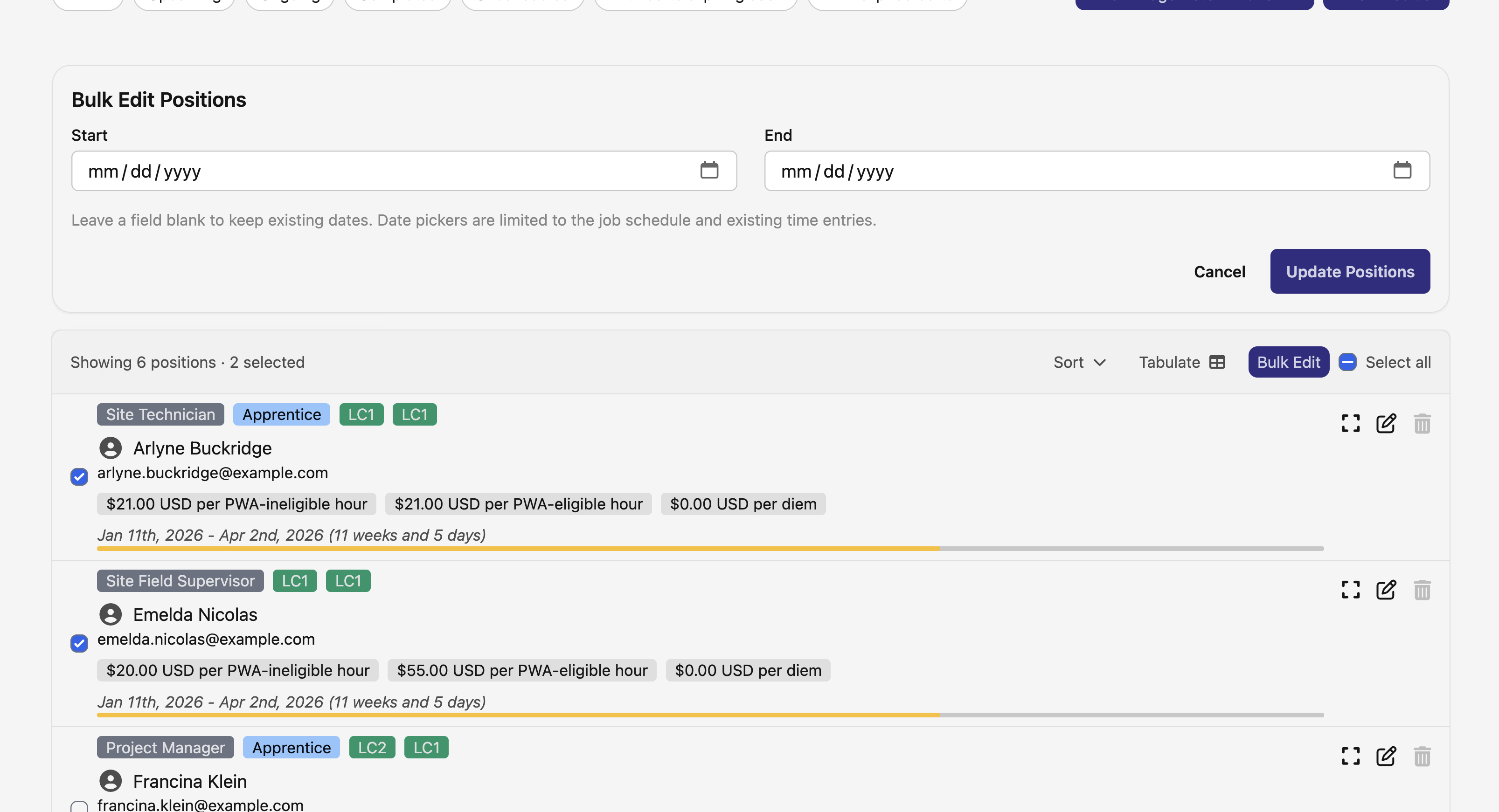
This feature is especially valuable for project managers handling large crews or making seasonal adjustments across multiple positions.
💬 Rich Text Comments & Communication
Modern Comment Editor
Comments throughout DSPTCH now support rich text formatting, transforming how teams communicate and document important information.
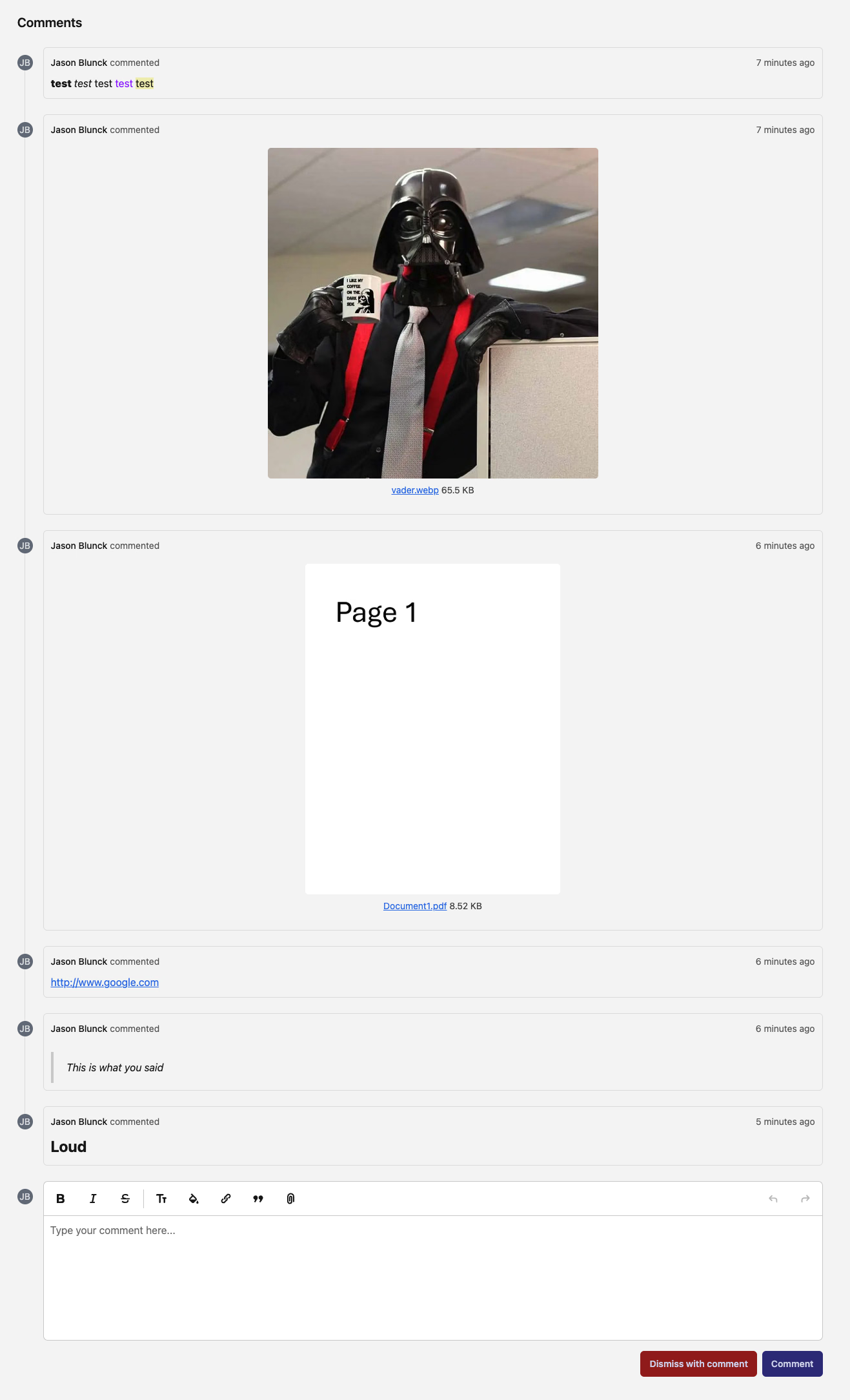
The enhanced commenting system includes:
- Rich Formatting Options - Bold, italic, lists, and more formatting tools at your fingertips
- Better Readability - Structured comments with proper formatting for clearer communication
- Responsive Editor - Works seamlessly across desktop and mobile devices
- Preserved Formatting - All your formatting is maintained when viewing and editing comments
🗺️ Intelligent Route Optimization
Smart Route Planning
Route planning now includes powerful optimization capabilities that automatically calculate the most efficient path for your field teams.
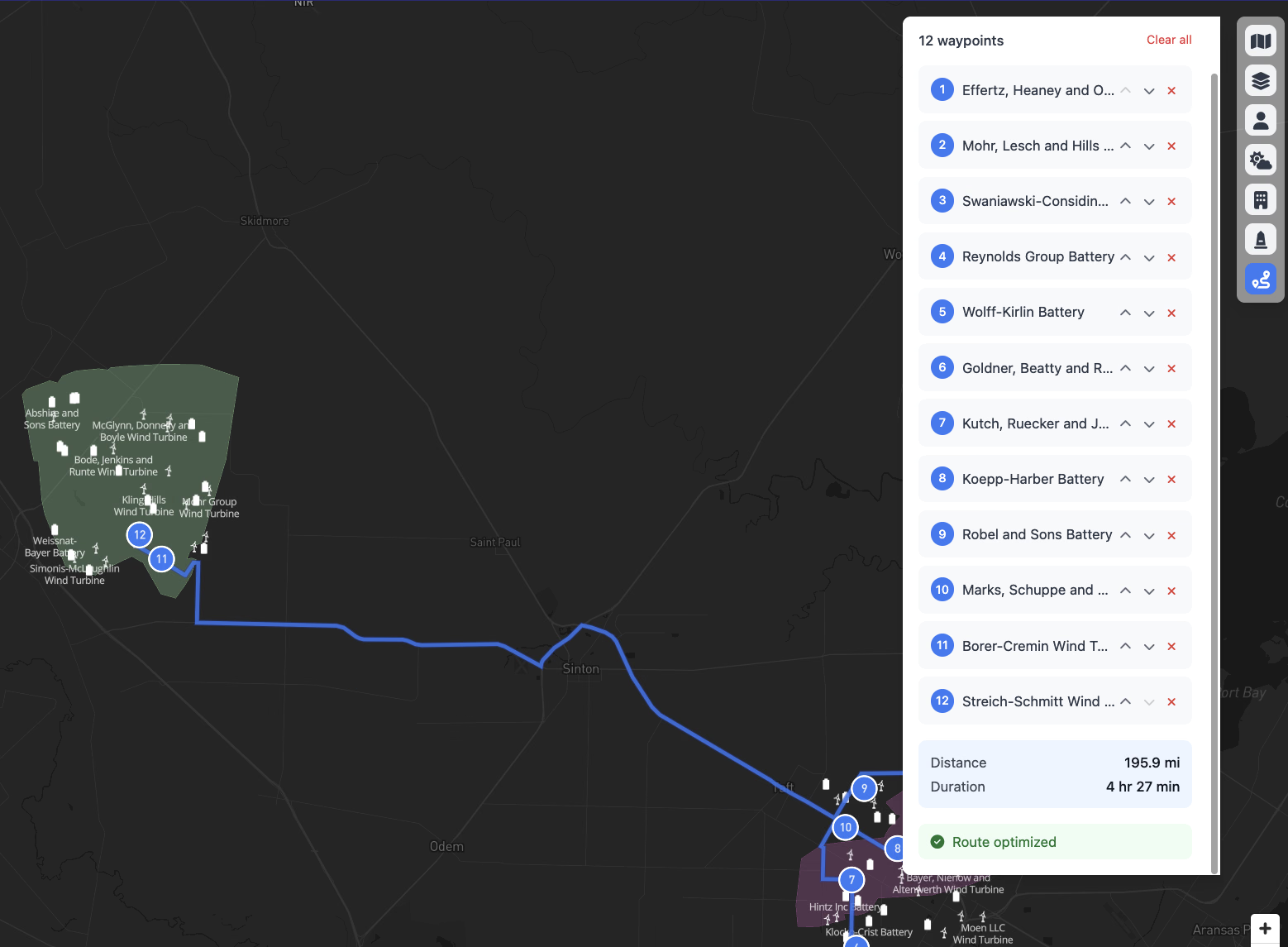
Key features include:
- One-Click Optimization - New "Optimize Route" button instantly reorganizes stops for efficiency
- Visual Loading States - Clear feedback while the system calculates optimal routes
- Success Indicators - Confirmation when optimization is complete
- Time Savings Display - See estimated time saved with the optimized route
- Mapbox Integration - Leverages industry-leading mapping algorithms for best results
📊 Enhanced Time Card Visualizations
PWA Compliance Charts
Time cards now feature comprehensive visual charts that make understanding PWA compliance obligations intuitive and immediate.
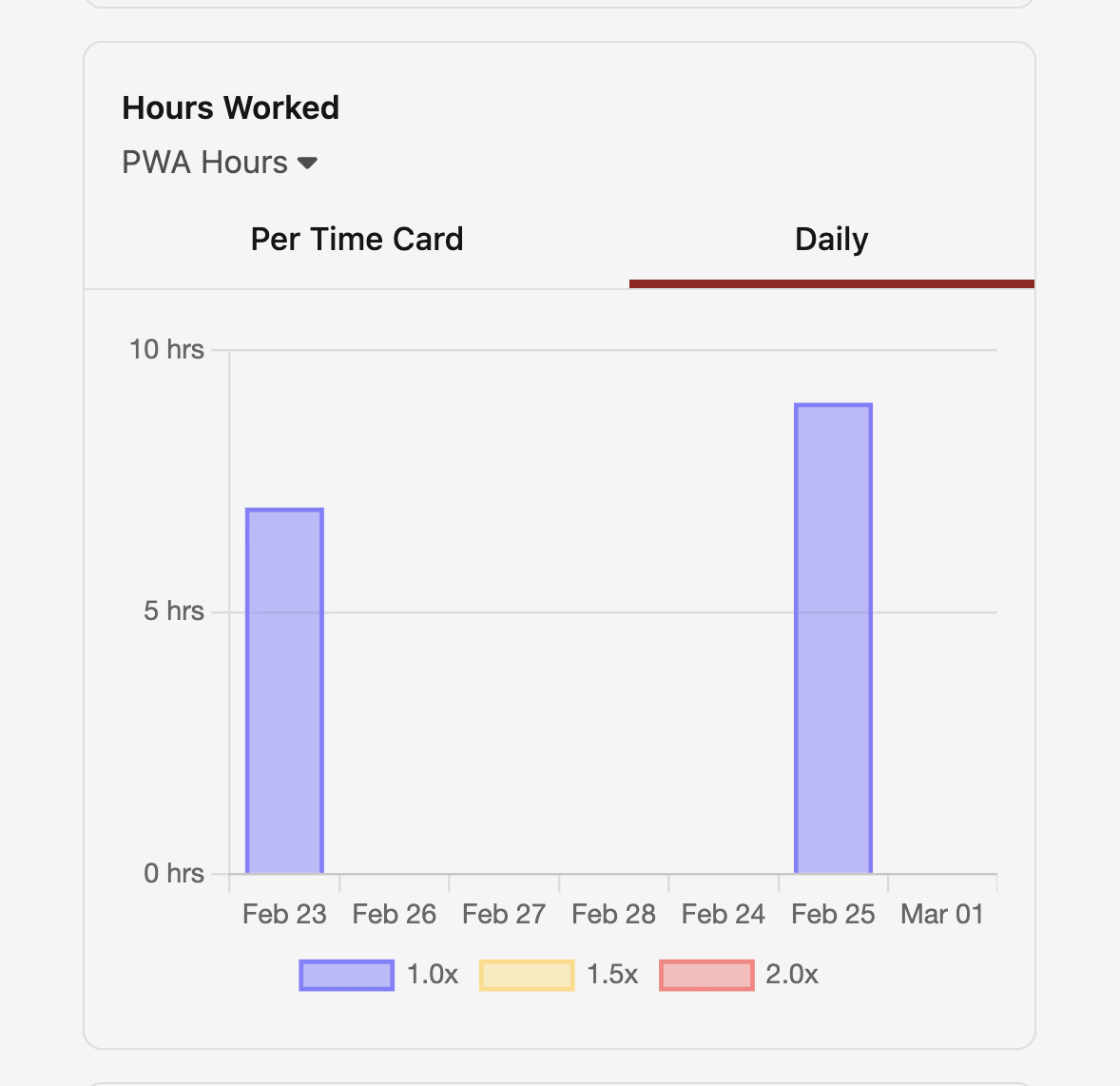
New visualization capabilities:
- PWA Hours Charts - Visual breakdown of prevailing wage hours worked
- Federal Obligation Tracking - Clear display of federal wage requirement fulfillment
- Regional Obligation Monitoring - Separate visualization for regional PWA requirements
- At-a-Glance Compliance - Instantly understand compliance status without diving into details
- Interactive Charts - Hover for detailed information about specific data points
📥 Streamlined Data Import Workflows
CSVBox Integration for Aggregate Time
Importing wage and time data is now more flexible with our new CSVBox integration, providing a modern interface for data uploads.
Import enhancements include:
- User-Friendly Upload Interface - Drag-and-drop or click to upload CSV files
- Optional Rate Headers - Support for custom pay rate overrides in your import files
- Temporal Wage Determination - Automatically handles wage determinations that change over time
- Import Tracking - Complete audit trail of all import operations
- Auto-Sync Capabilities - Time cards automatically update when user company data changes
🎨 Visual & Workflow Improvements
Job Status Color Coding
Job statuses now use intuitive color coding that makes understanding project status instant and clear.
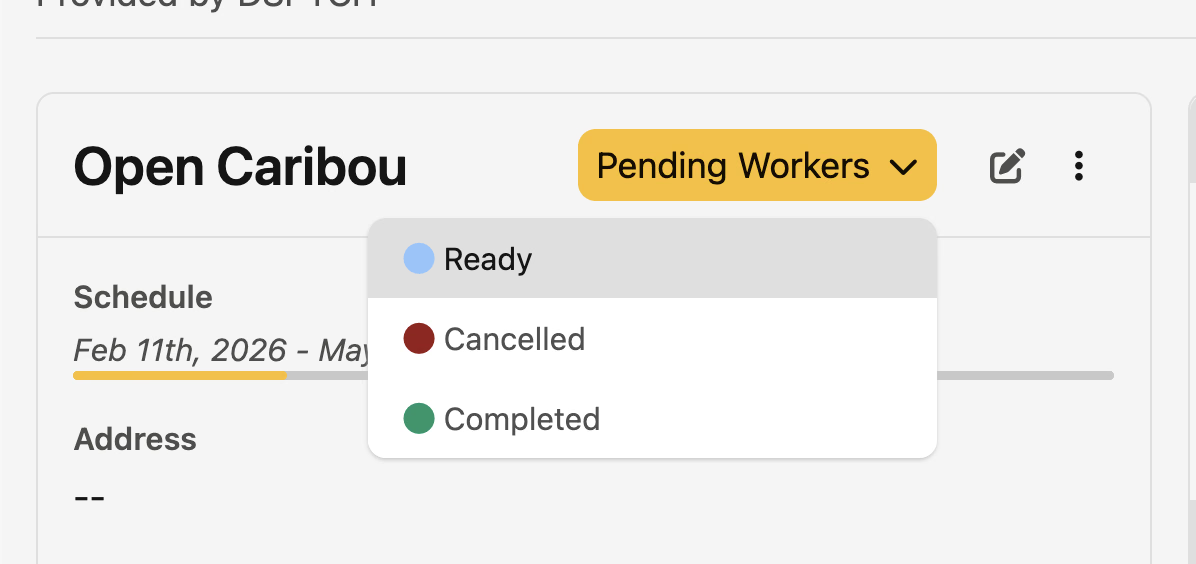
- Yellow for "Ready" - Jobs prepared but not yet started stand out
- Green for "Completed" - Finished jobs are clearly marked with success coloring
- Better Visual Hierarchy - Instantly scan job lists to understand project states
- Consistent Across Platform - Same color scheme everywhere jobs appear
External Payroll Map Management
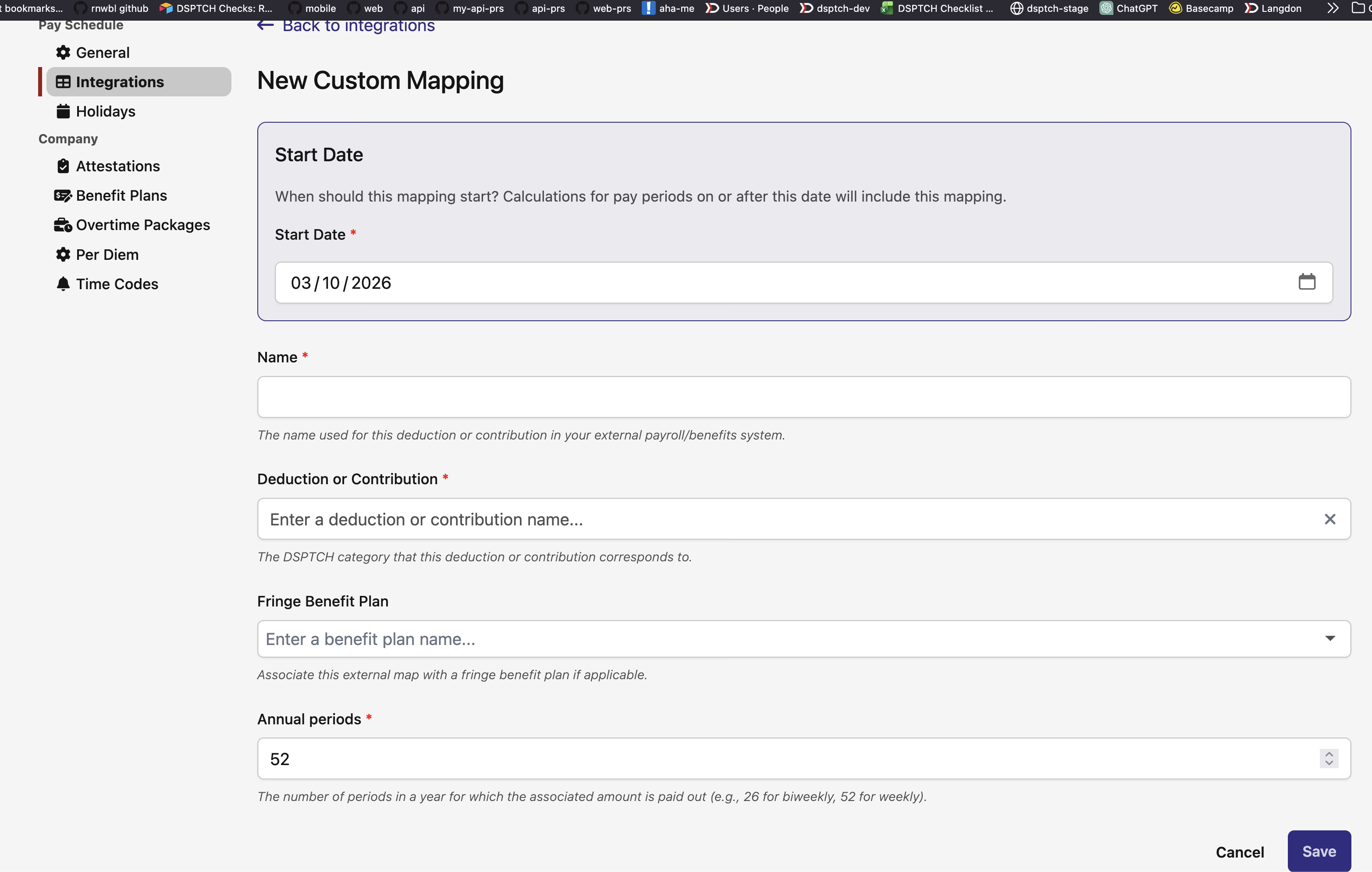
Managing external payroll integrations now features comprehensive controls for scheduled changes and historical tracking.
 >
>
New capabilities:
- Genesis Date Management - Track when external mappings were established
- Scheduled Changes - Plan future mapping updates that activate automatically
- Historical View - See how mappings have evolved over time
- Validation Controls - Ensure mapping integrity before changes take effect
🔧 PWA Compliance Enhancements
Fringe Increment Effects
Pay rate rules now support sophisticated fringe benefit calculations with toggle controls between wage and fringe increment types.
- Toggle Increment Types - Switch between applying increments to base wage or fringe benefits
- Visual Indicators - Clear display of which increment type is active
- Compliance Accuracy - Ensures correct application of prevailing wage requirements
- Rule Flexibility - Create complex pay scenarios while maintaining compliance
This release represents a significant step forward in making complex workforce management tasks more efficient and intuitive. The bulk editing capabilities alone will save project managers hours each week, while the rich text comments and enhanced visualizations improve team communication and compliance monitoring across the board.
As always, our team is here to help if you have any questions about these new features!
The DSPTCH Team