May 8, 2026 Release Notes

A wide release: one big new page (Compliance Requirements), a couple of broadly visible additions on time cards, OverSite map panels, and flexible past/future scheduling for rate and overtime rules.
🧾 Compliance Requirements page
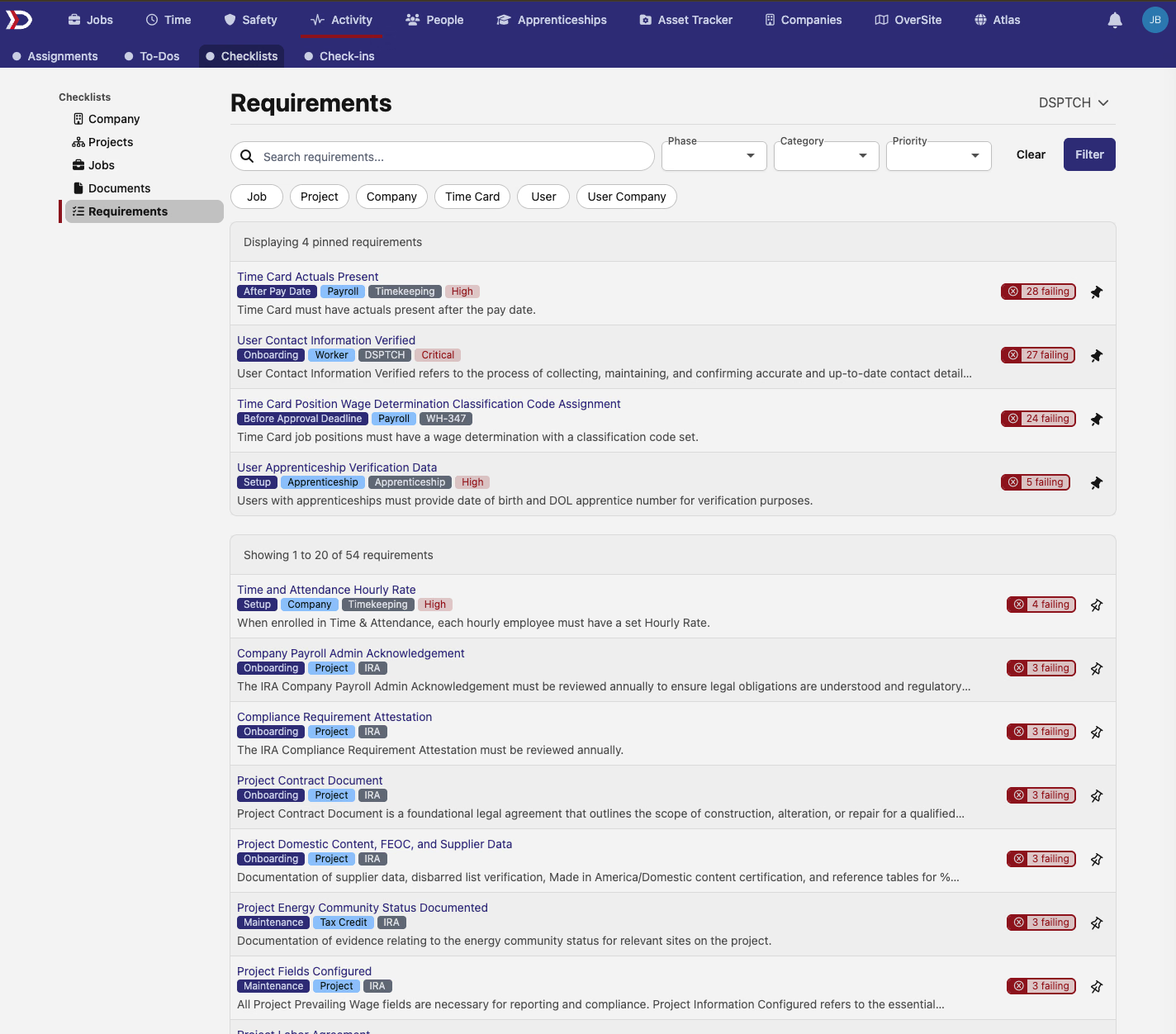
The Activity → Compliance area picks up a dedicated Requirements tab. The new page lists every compliance requirement with at least one check for the selected company, sorted by failing-check count so the requirements that need attention sit at the top.
Filters across the toolbar cover the basics — phase, category, priority, title search — plus quick filters for the entity type a check applies to: Job, Project, Company, Time Card, User, or User Company. Pin a requirement and it floats above the paginated list, scoped per user.
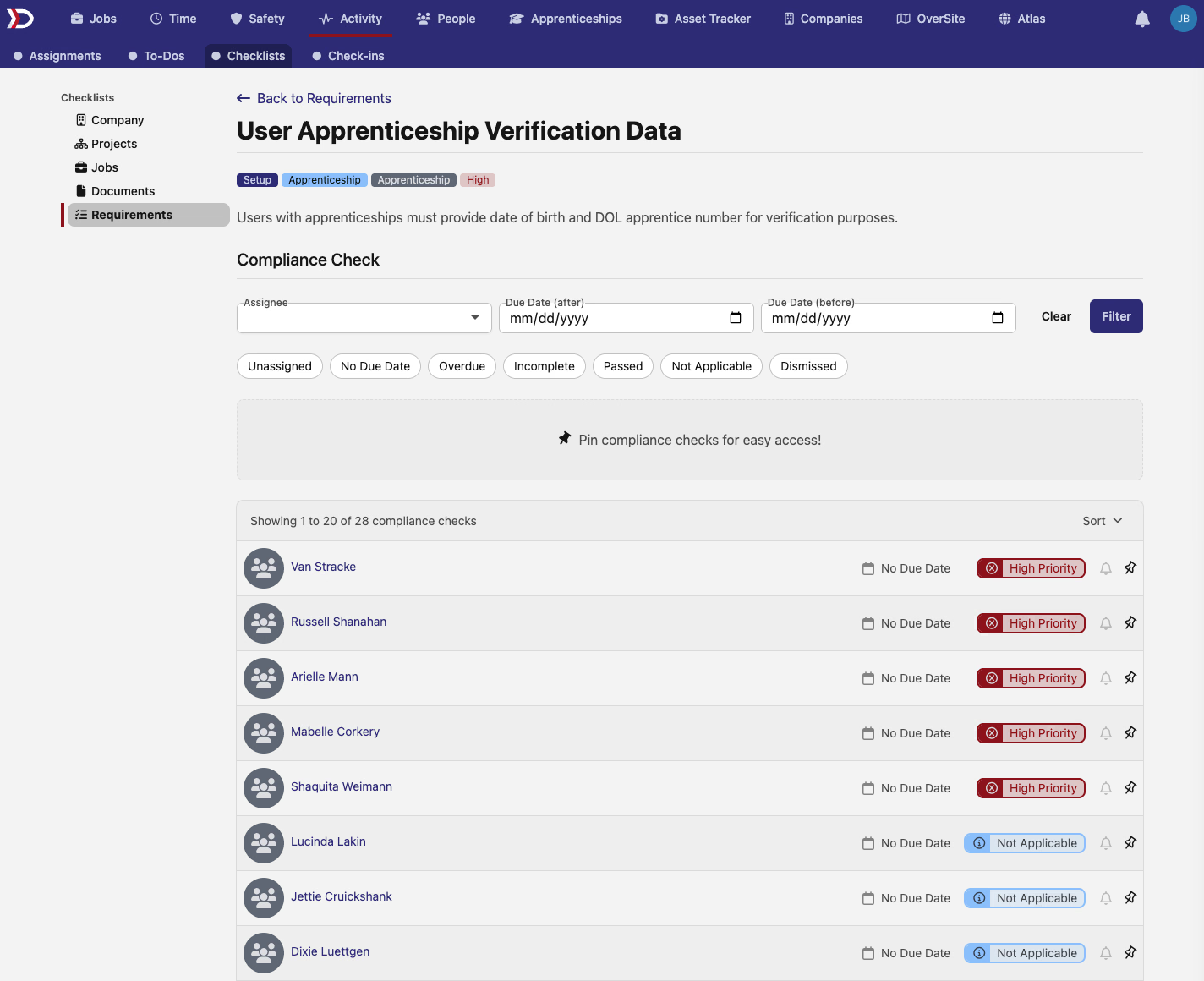
Click into any requirement and you land on a per-requirement page with the same check table scoped to that one requirement. Same filtering shape — assignee, due-date range, status quick filters — plus pinning at the check level so individual checks can be promoted alongside the requirement itself.
📅 Flexible effective dates for rate and overtime rules
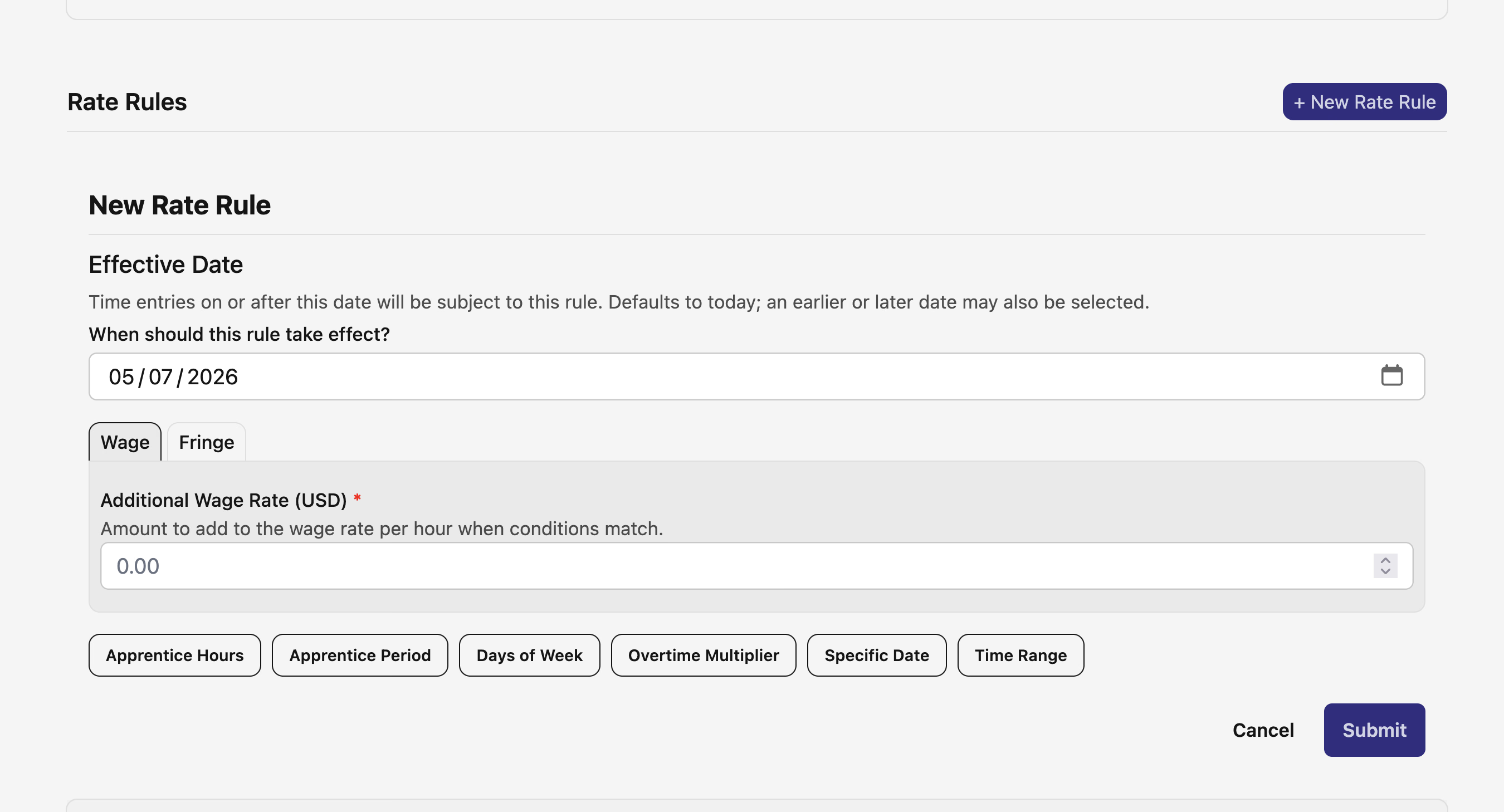
Both New Rate Rule and New Custom Overtime Rule forms now lead with an Effective Date input. It defaults to today and accepts any past or future date — the only constraint is the package's earliest applicable wage determination start, when one exists.
The same flexibility extends to scheduled changes. A scheduled change can now be inserted anywhere from the rule's start date forward, not just after the most recent version. The previous "today or tomorrow, whichever is later" helper text is replaced with the actual earliest effective date.
The motivating workflow is importing historical data: when clients bring rate or overtime actions from another system that span the past, DSPTCH now records the history exactly as it happened instead of forcing it forward to today.
🗺️ OverSite map: weather, boundary layers, and check-ins
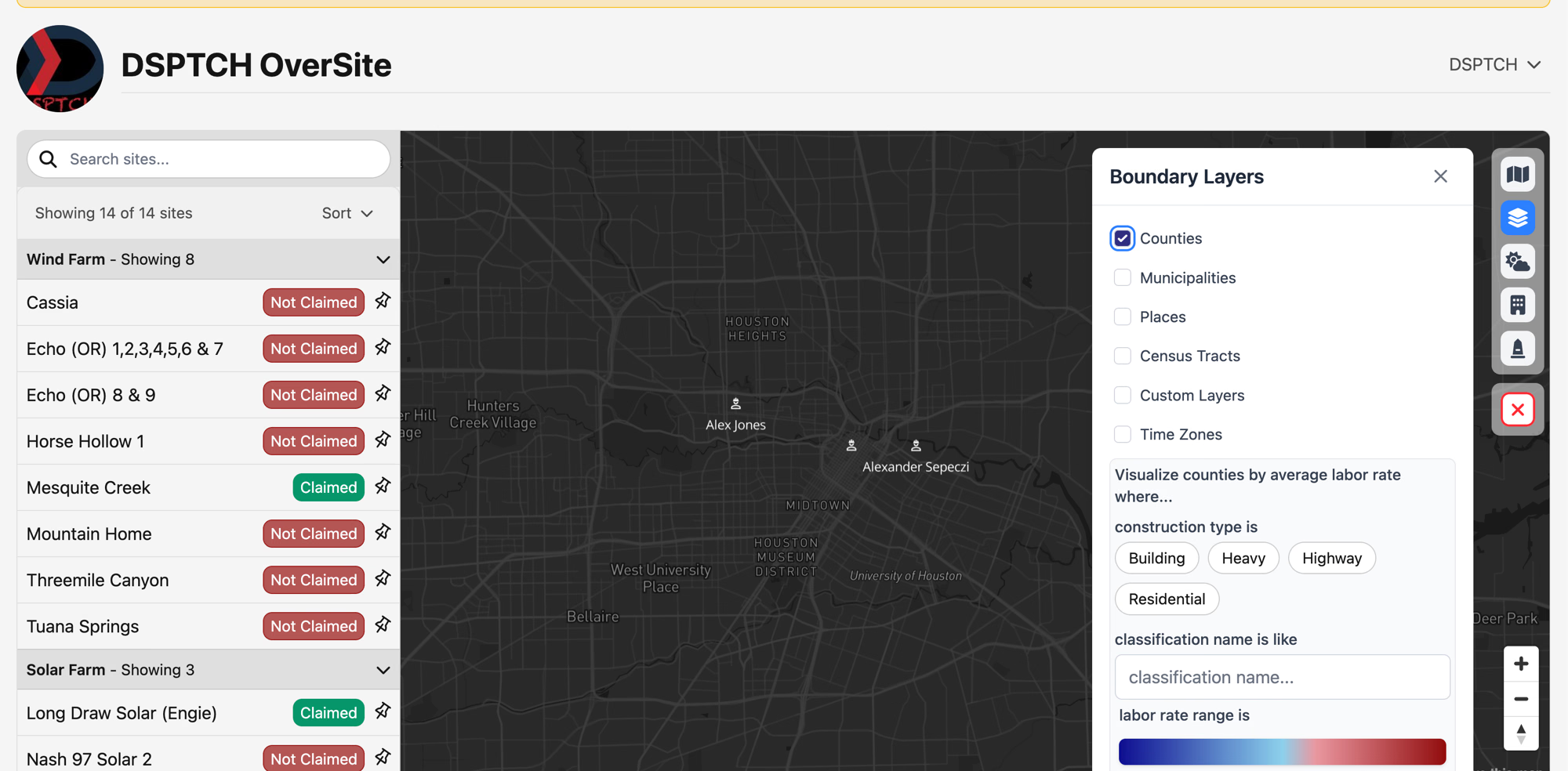
The OverSite map at /oversite picks up two new toolbar panels — Weather and Boundary Layers — alongside markers for the workers currently checked in to each site and feature, shown directly on the map.
Boundary Layers toggles geographic overlays (counties, municipalities, places, census tracts, time zones, and custom layers) and ships with a labor-rate heatmap: visualize counties by average labor rate, filtered by construction type, classification, and rate range. Useful for prevailing-wage scoping without leaving the map.
💬 Comments on time cards
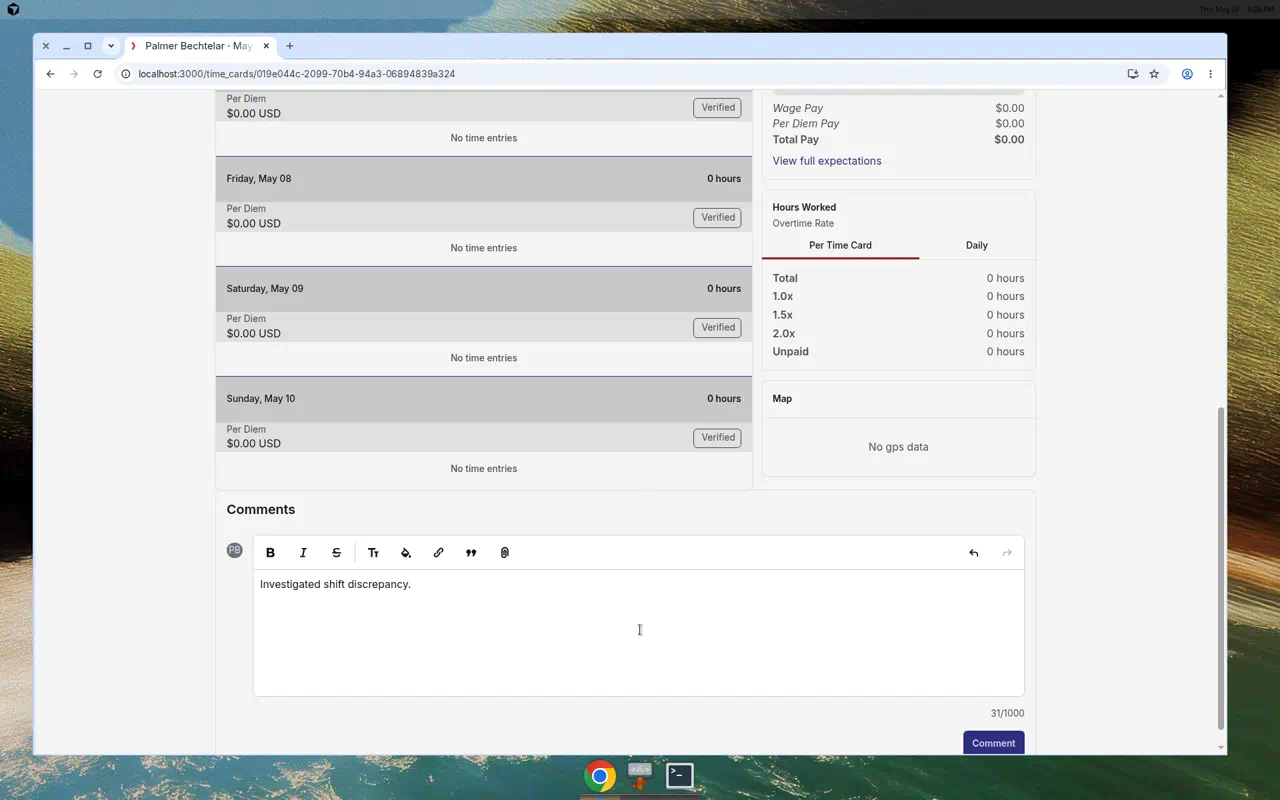
Time cards now have a Comments section at the bottom — present on both the base time card view and the aggregate summary view. The same rich-text editor used elsewhere in the app handles bold, italic, lists, and links, so notes about a shift, a discrepancy investigation, or a payroll question stay attached to the card itself.
Visibility follows the existing time card permissions: anyone who can view the card can read the comments and post.
💼 Position overtime packages
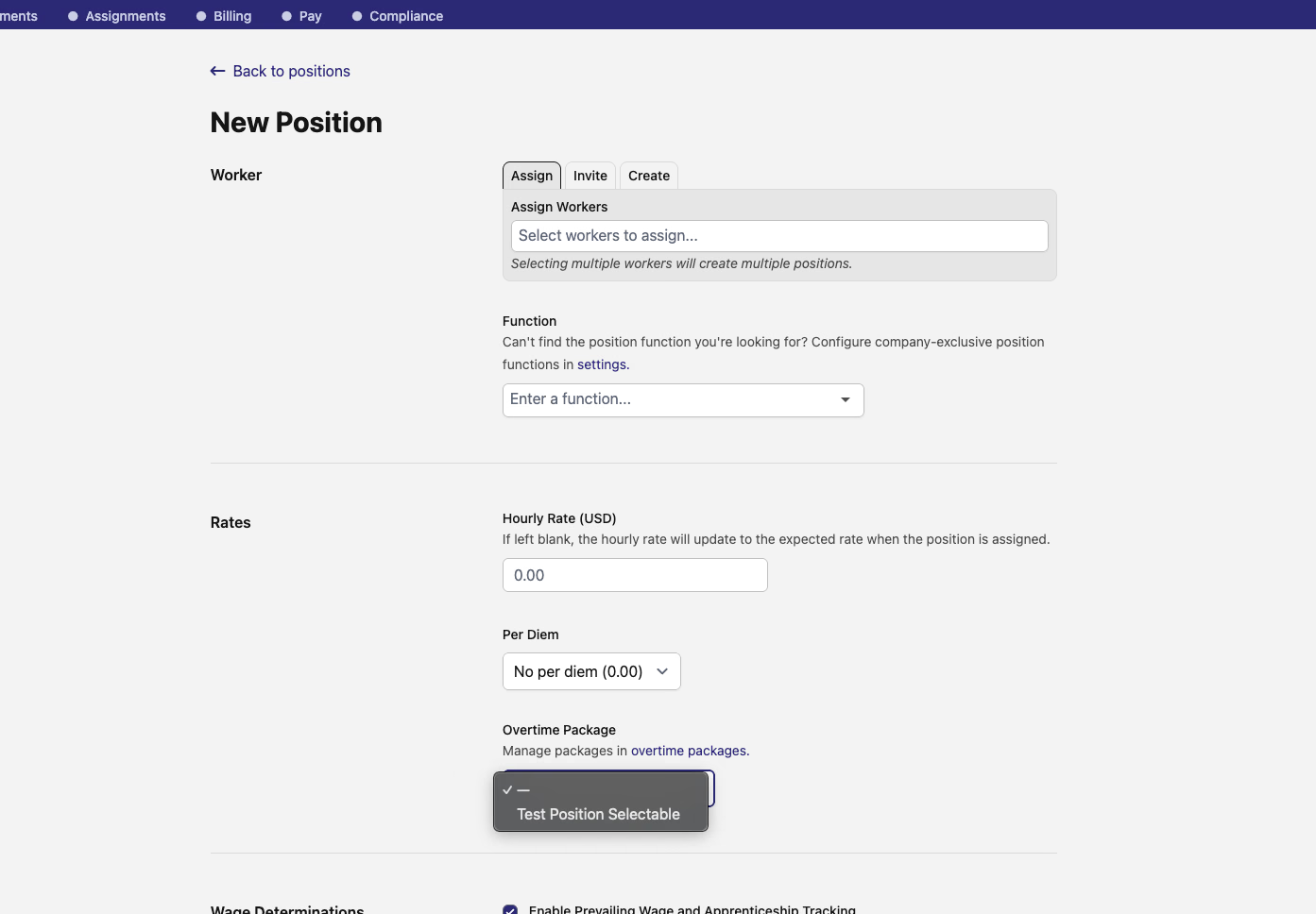
The New Position form picks up an Overtime Package field for assigning the position to a configured package — the same packages managed under Time → Settings → Overtime Packages. Each position card on the job's position list now displays its assigned package as a badge alongside per diem and rate info.
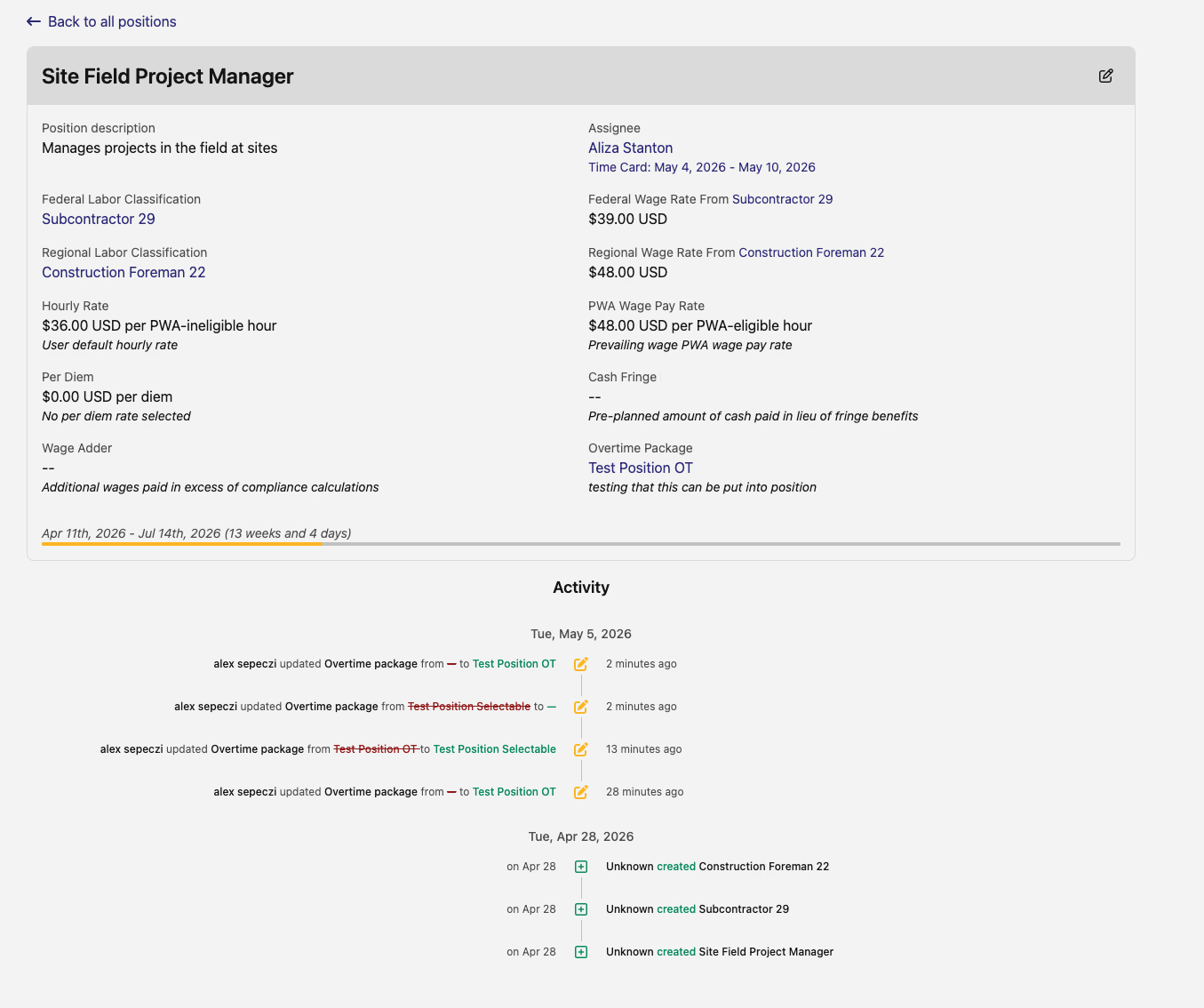
When the assigned package changes — directly or via a scheduled change — the change shows up in the position's Activity timeline alongside the other entries.
🔍 Time card checklist: phase filter and high-priority tags
The Compliance Checklist on the time card and pay period now treats its phase tiles as clickable filters. Click the Before Approval Deadline or After Pay Date tile and the check list below filters to that phase only. The active tile gets a highlighted treatment so the current filter state is obvious at a glance.
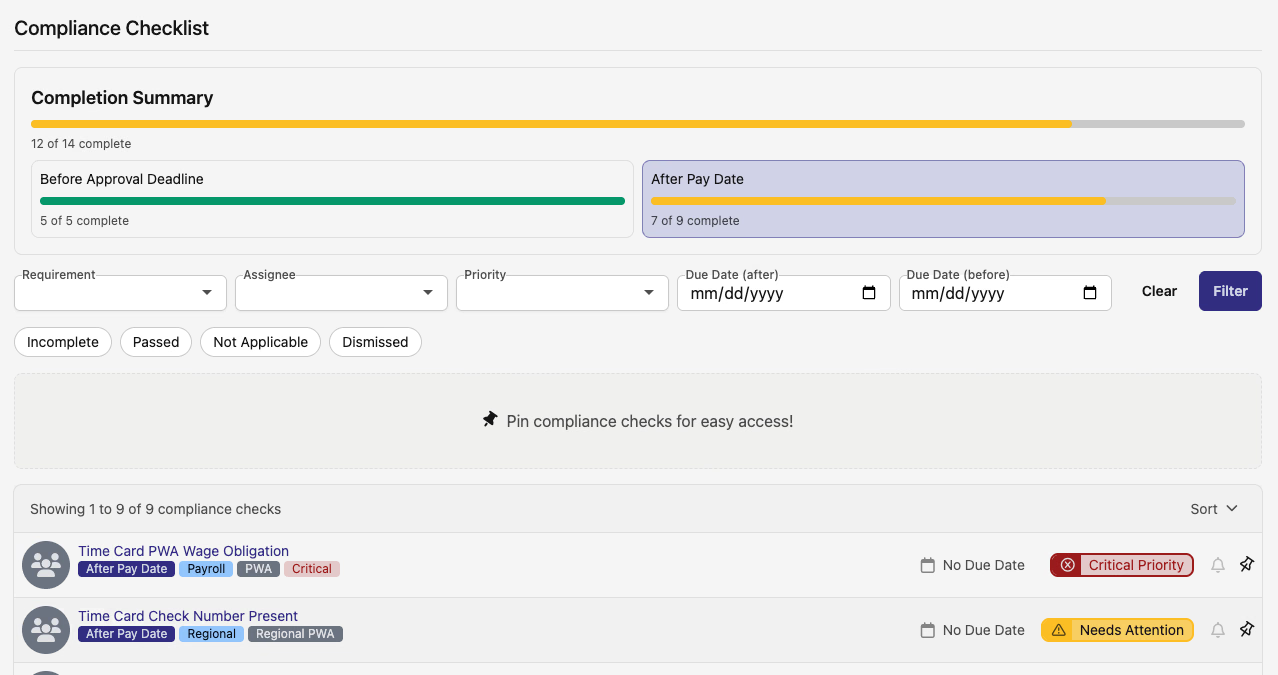
Each phase tile, the pay period checklist's phase pills, and the job payroll checklist also pick up a red "X high priority incomplete" pill when there are unresolved high-priority items in that phase. A quick way to see whether a partially-complete phase is hiding anything urgent.

📤 Compliance export: interest calculation date
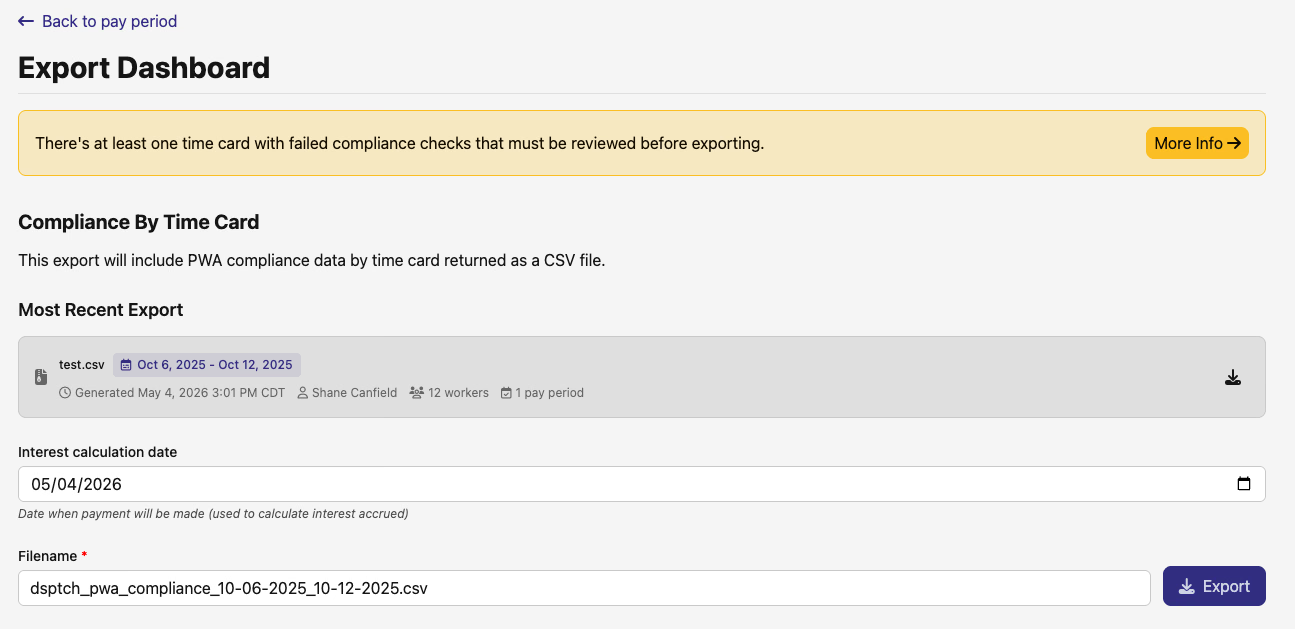
The Compliance By Time Card export on the pay-period Export Dashboard picks up an Interest calculation date field. Set the date payment will be made and the export uses it to calculate accrued interest on any underpayment. Filename customization works the same as before.
📦 Asset Tracker: bulk items hidden, products refreshed
Bulk items are no longer surfaced as a separate management layer. All bulk inventory is managed at the product level — a single On Hand count per bulk product, the same way serialized products work, just without per-unit serial numbers. Custody and inventory still track underneath, so nothing changes about how transactions move bulk goods around; the UX just stops asking you to think about it.
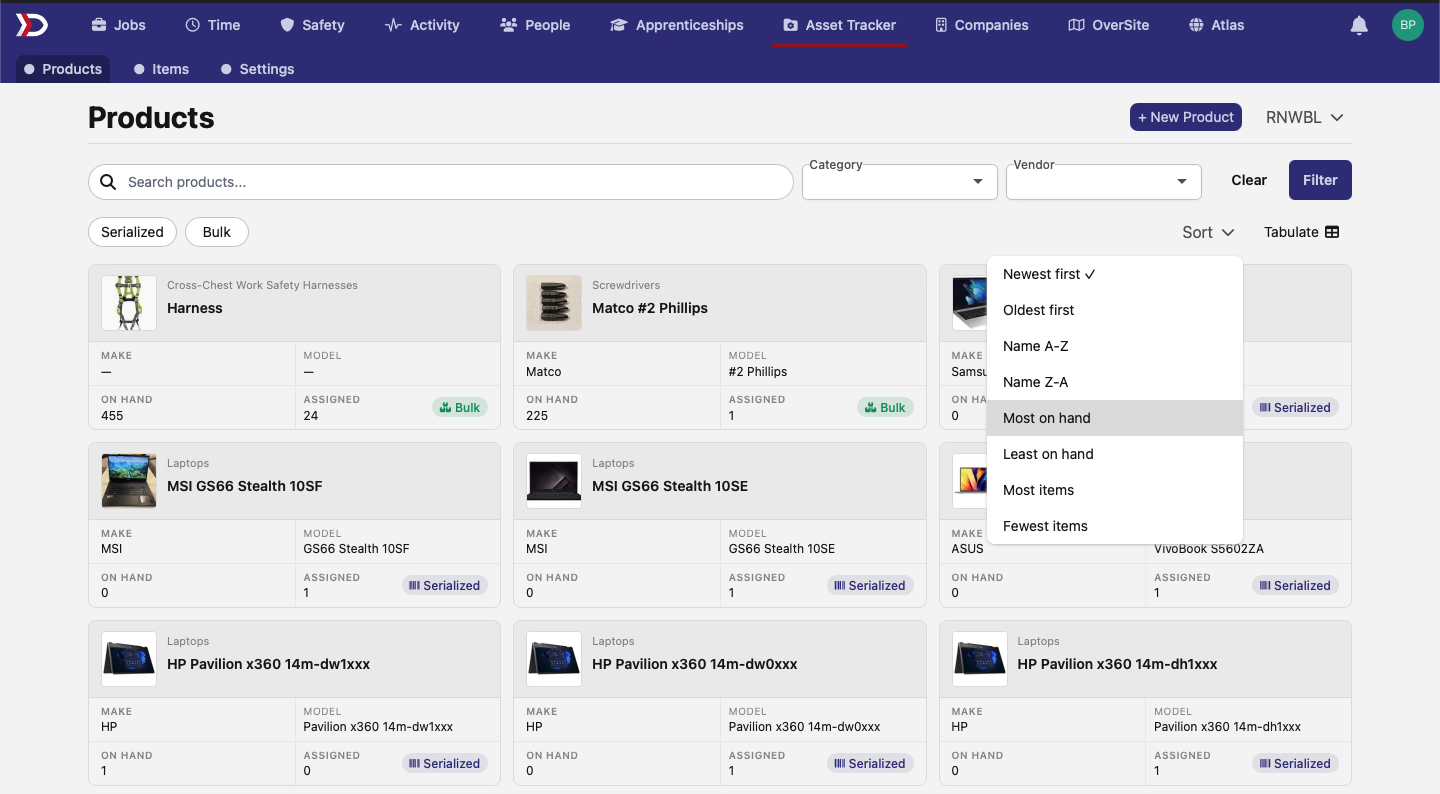
A few Products page polish touches landed alongside:
- The Products tab is now the default landing page when you click into Asset Tracker.
- Each product card swaps its bottom-row cells: On Hand and Assigned counts replace the UPC and item-count cells.
- A new Most on hand / Least on hand sort joins the dropdown, and the existing item-count sort now works on bulk products too.
Plenty here across compliance, time cards, OverSite, and Asset Tracker. Reach out with any questions!
The DSPTCH Team