Digital Signing & Enhanced Time Tracking - December 10th, 2025
We've been busy shipping some exciting improvements to make your workflow smoother and more efficient. Here's what's new in DSPTCH this release!
🖊️ WH-347 Digital Signing
The big news this release is our new digital signing capability for WH-347 forms! No more printing, signing, and scanning - you can now sign your certified payroll documents right in DSPTCH.
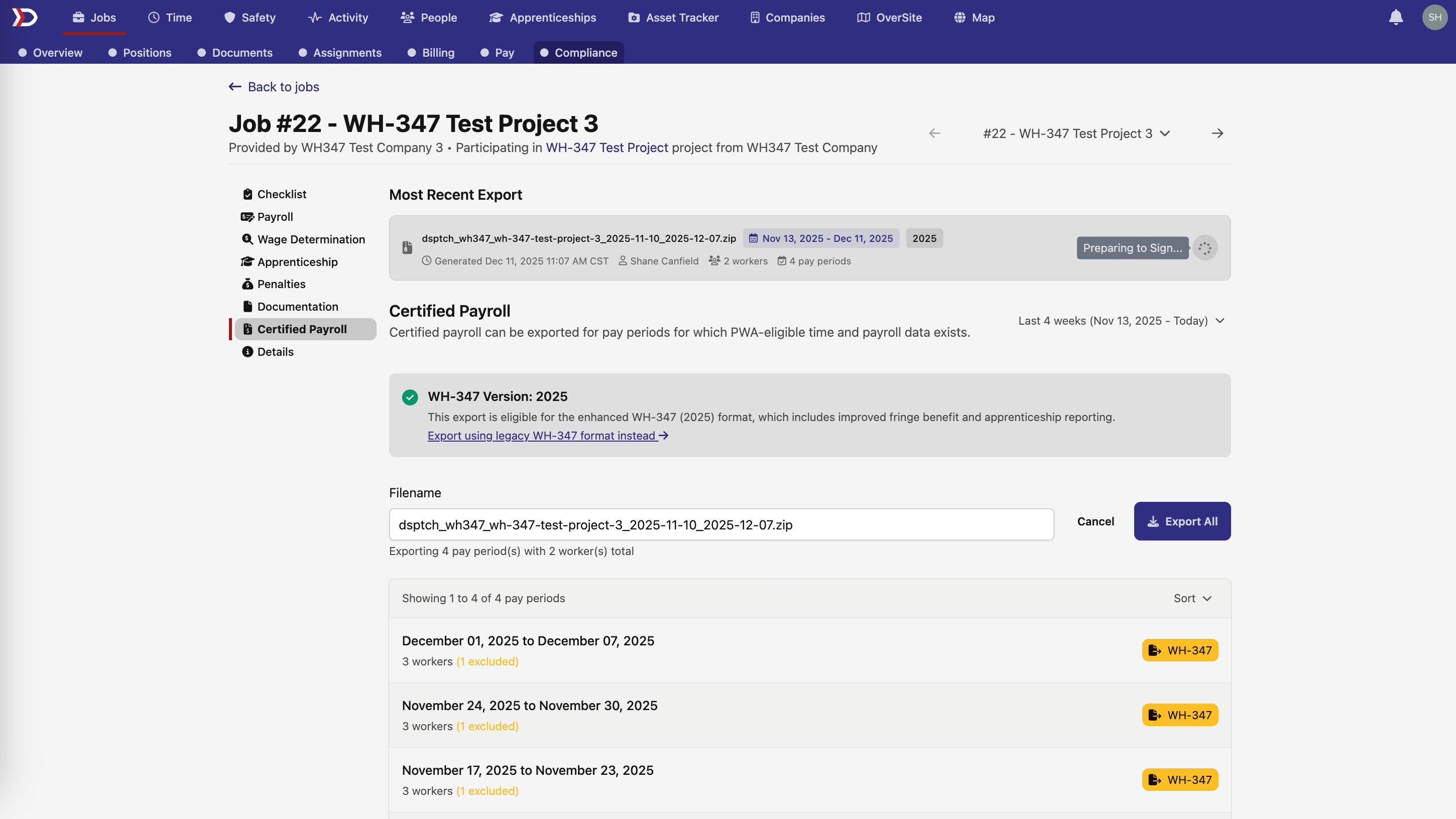
Here's how it works:
- Export your WH-347 as usual from the Job Certified Payrolls page
- Click the new "Sign" button to start the signing process
- Preview and sign your documents digitally using DocuSeal integration
- Download the signed, certified documents when complete
We've also improved the signing experience to prevent any confusion during the process. The UI now clearly shows when documents are being prepared, ready for signing, or being certified, so you always know exactly where you stand in the workflow.
📊 New Job Time Tracking Interface
We've introduced a powerful new Job Time grid that becomes your primary time tracking interface, while keeping the legacy billing page accessible when you need it.
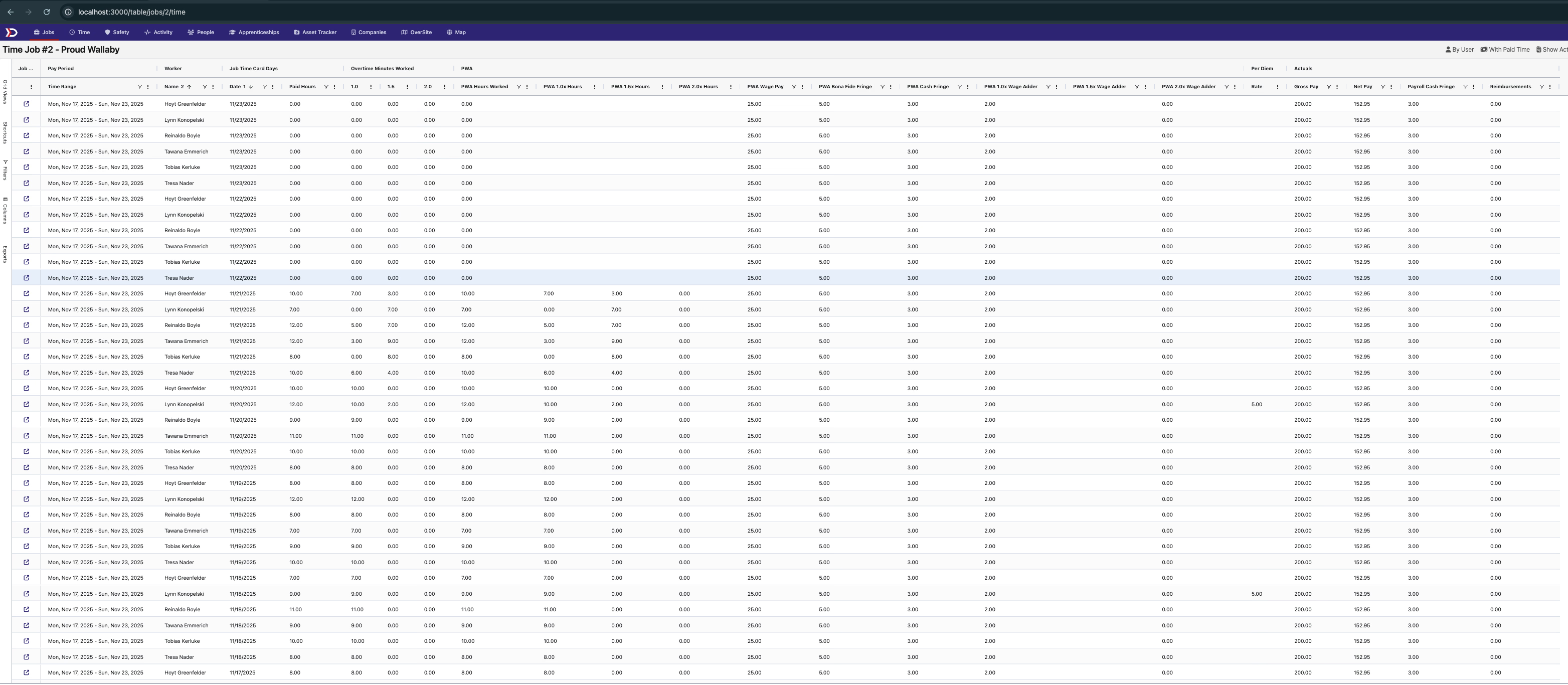
The new interface includes:
- Better visibility into actual vs. planned hours worked
- Preset filters to quickly view time entries with paid hours
- Group by user functionality for easier payroll review
- Detailed actuals columns showing comprehensive time breakdowns
This makes it much easier to track and analyze time across your projects, giving you the insights you need for accurate billing and payroll.
🎨 Form Assignment Redesign
Task form assignments got a fresh new look! We've redesigned the form assignment interface to be more intuitive and user-friendly.
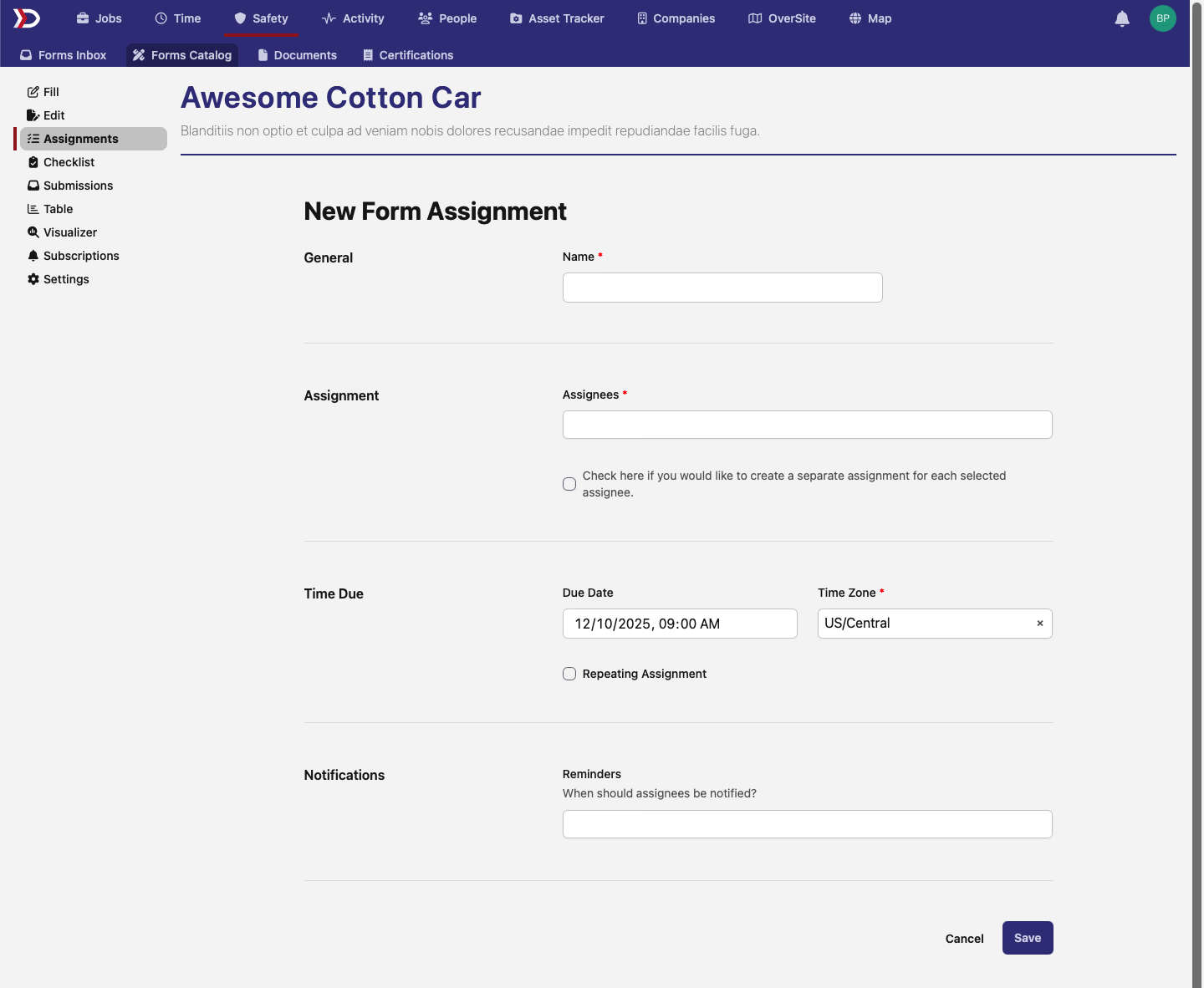
The new design provides better organization and makes it easier to create and edit form assignments for your team.
✅ Improved Compliance Checklist
Your compliance workflow just got smoother with our updated checklist interface:
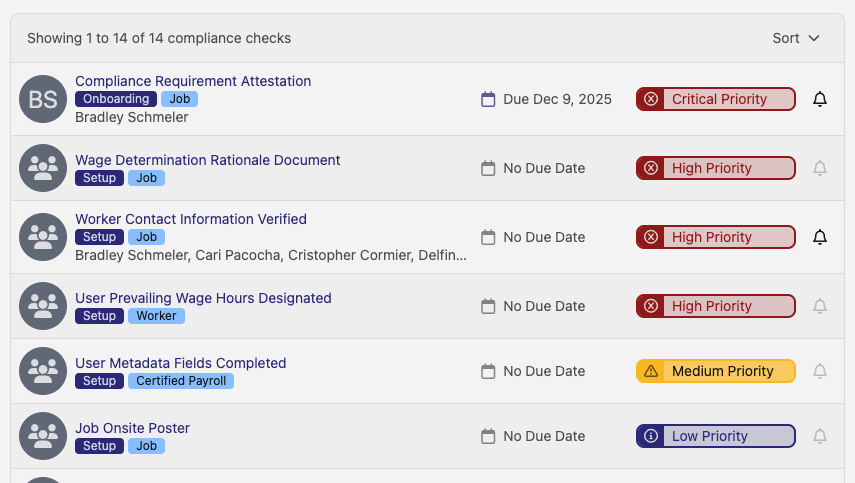
- Fully clickable rows - click anywhere on a compliance item to open it
- Better visual design with improved spacing and layout
- Fixed display issues that were affecting some browsers
These changes make reviewing and managing compliance requirements much more efficient.
💡 Better Export Guidance
We've enhanced the tooltip information on WH-347 export buttons to give you better guidance on what each export option does and when to use it. The new tooltips provide clearer explanations and help guide you to the right export option for your needs.
📝 Enhanced Survey Forms
Survey forms now support comment boxes more seamlessly! When you enable comment functionality in your SurveyJS forms, those comments now appear as dedicated columns in the form grid, making it easier to review and analyze survey responses.
🖱️ Small But Helpful: Clickable Profile
A small but nice quality-of-life improvement - your name in the profile dropdown is now clickable and takes you directly to your personal profile page. It's the little things that make navigation just a bit smoother!
As always, we're constantly working to improve DSPTCH based on your feedback. Have ideas for what you'd like to see next? Reach out to our team - we love hearing from you!
Happy time tracking! 📈