New Features & Improvements - November 12th, 2025

We've been working hard to improve your experience with DSPTCH, and we're excited to share what's new! This release focuses on enhanced certified payroll workflows, a powerful new data grid, and UI improvements across the platform. 🎉
Enhanced Certified Payroll & PWA Compliance
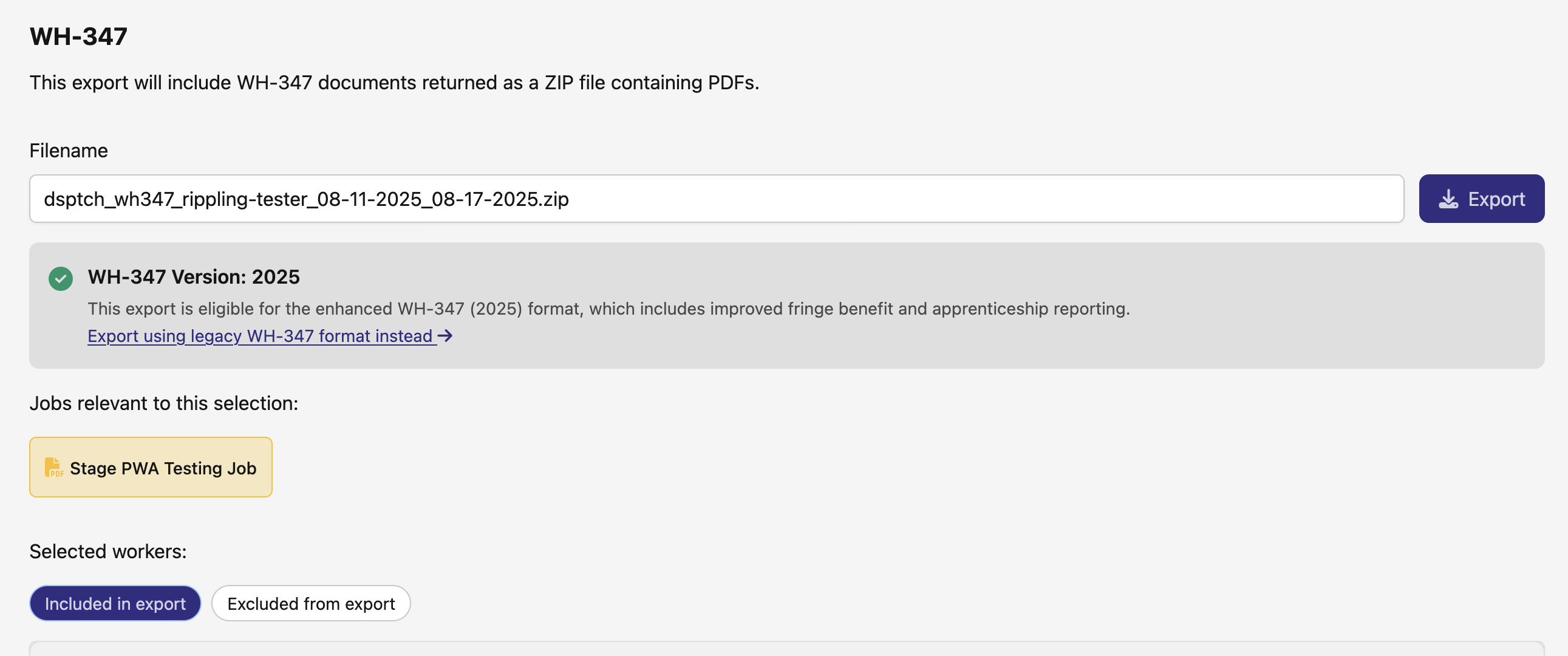
Improved V2 Export Eligibility
Your job-level WH-347 exports just got smarter. We've implemented intelligent V2 eligibility checking that automatically determines which export format to use based on your job configuration. This means you'll now see the modern V2 export format whenever your data supports it, making certified payroll submissions more accurate and efficient.
Expanded Fringe Benefit Management
We've opened up benefit category configuration for non-aggregated pay schedules. Previously limited to aggregated schedules, you can now specify benefit categories for all your fringe benefit plans. This gives you more flexibility in managing fringe benefits across different payroll structures and improves accuracy for compliance reporting.
PWA Warnings Now Included in Exports
Your exported certified payroll packages now include comprehensive warning information. When you download a ZIP file, you'll consistently see detailed warnings about any compliance issues, helping you catch and resolve problems before submission. The warnings page clearly displays outstanding amounts and matches what you see in individual time card UIs.
New Positions Data Grid
We've introduced a powerful new data grid for managing positions on your jobs. 📊 This flexible view adapts to your permissions and job configuration:
- Smart column visibility based on PWA mode and job type
- Financial data appears only for authorized users
- SSN display (last 4 digits) for admins
- PWA-specific fields shown only when relevant
- Fast performance with built-in filtering and presets
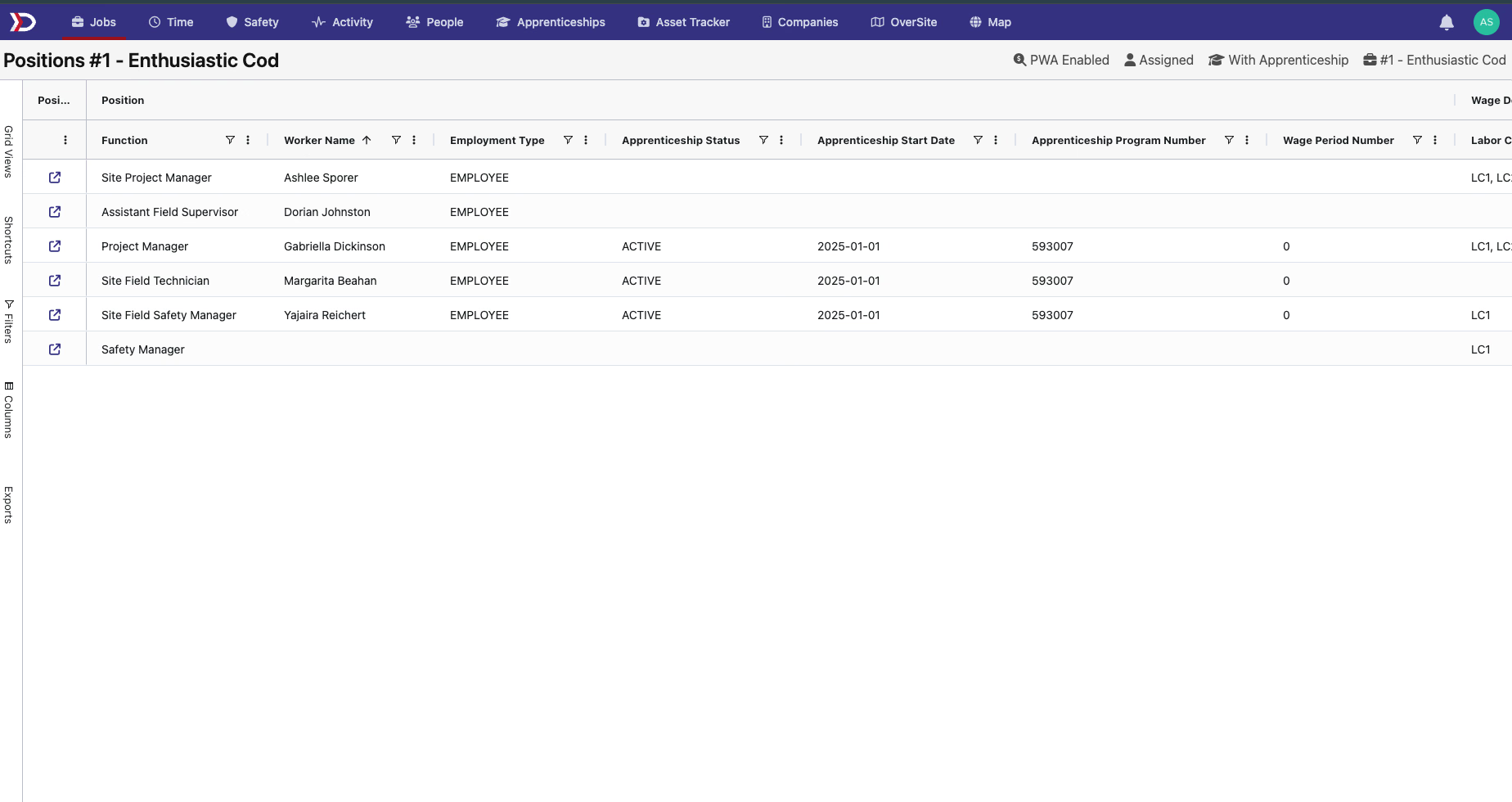
The grid intelligently shows you exactly what you need to see based on your role, making position management more efficient than ever.
UI Refinements Across the Platform
We've updated company filtering across multiple areas to provide a more consistent and polished experience. Our more intuitive, searchable company selector is now in use on:
- Forms Catalog
- Safety Documents
- Groups
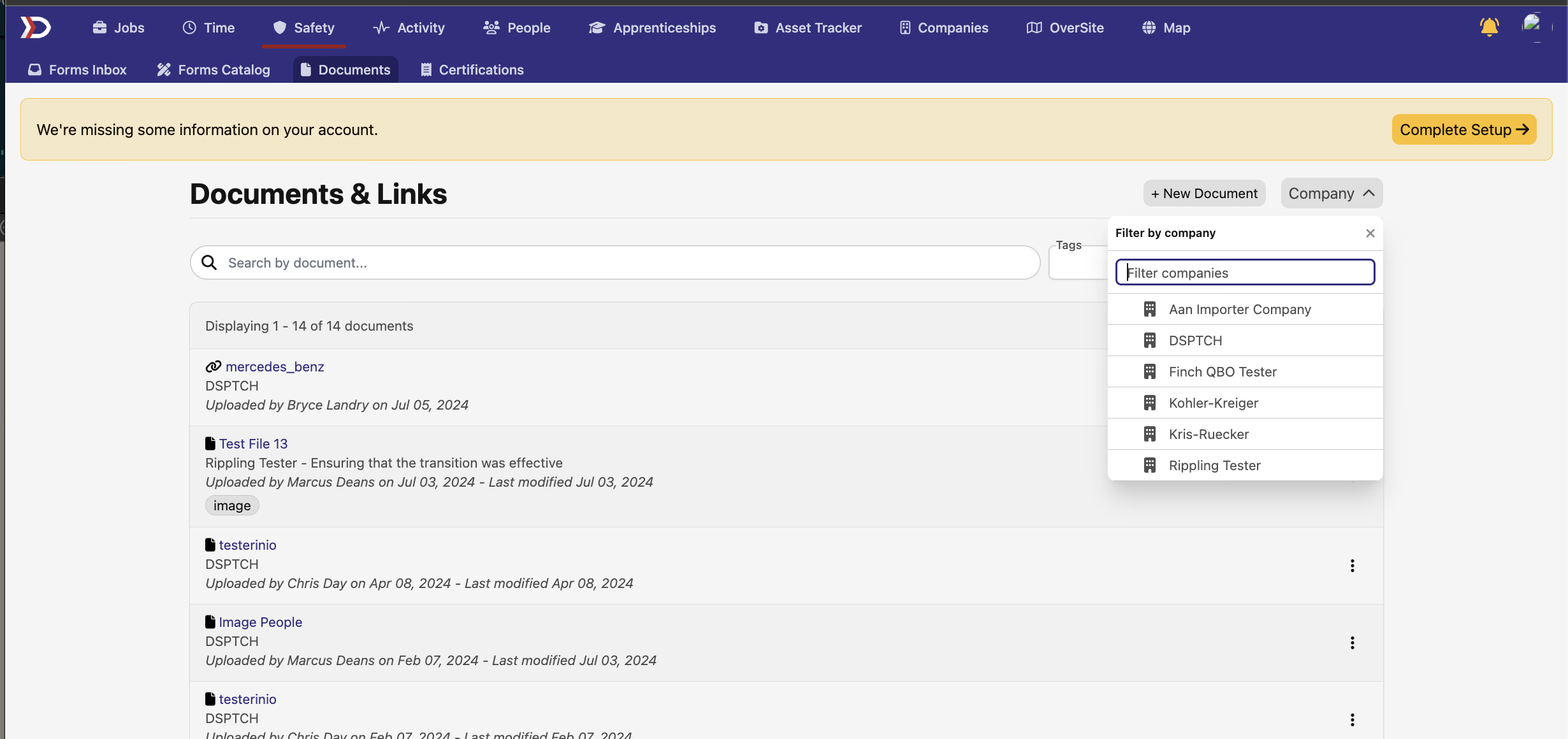
These updates bring a unified look and feel while improving performance and usability.
Better Context in Pay Period Imports
When viewing your pay period imports, you'll now see the pay period configuration name and specific pay period displayed right at the top of the page. This makes it easier to confirm you're working with the correct payroll data at a glance.
That's a wrap for this release! As always, we're here to help if you have questions about any of these updates.