New Features & Improvements - November 6th, 2025

We've been hard at work improving your certified payroll workflow and prevailing wage compliance tools. Here's what's new 📋
Enhanced Certified Payroll Transparency
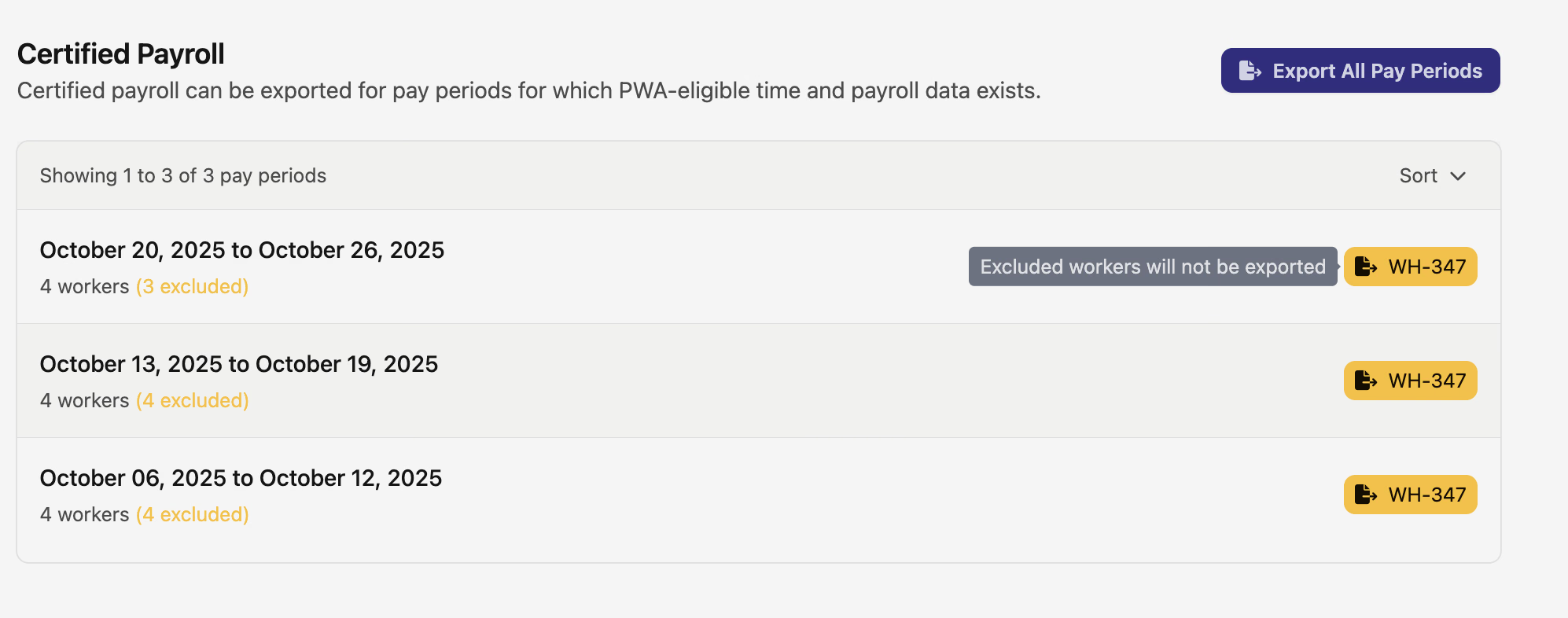
Managing certified payroll exports just got a whole lot clearer. We've completely revamped the Jobs Certified Payrolls page to give you full visibility into your workforce data and any potential issues before you export.
What's new:
Previously, the certified payrolls page only showed you how many workers were ready to export, leaving you guessing about any excluded workers. Now you'll see the complete picture with total worker counts alongside excluded worker counts, making it immediately obvious if there are any issues to address.
The WH-347 export button has also gotten smarter. Instead of only appearing when there are exportable workers, it's now always visible with intelligent color coding. When it's blue, you're all set with no exclusions. When it turns yellow, you'll know there are workers who've been excluded and need attention.
Even better, all worker time cards now flow into the Pay Periods Export Dashboard, so you can easily investigate exclusion reasons and fix any issues before generating your certified payroll reports.
This update also brings improved timezone handling for pay period displays, ensuring your date ranges are always accurate regardless of your project's location.
Improved Time Card Navigation
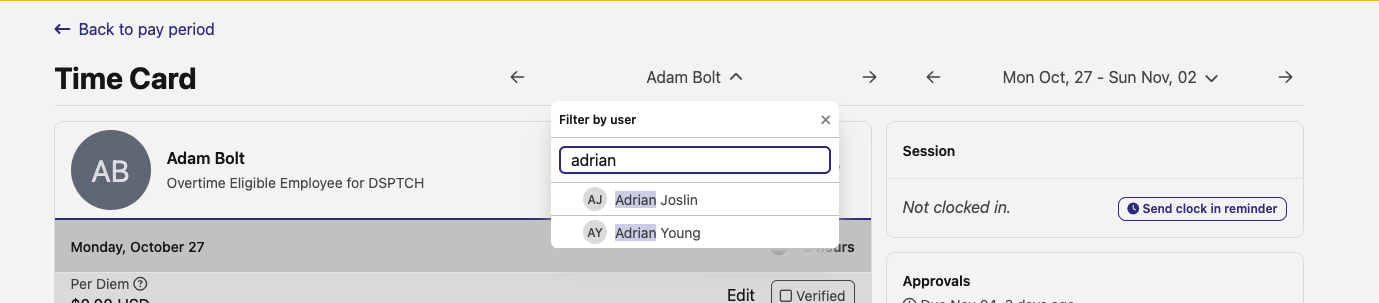
Switching between workers' time cards just got easier. The time card interface now features a searchable dropdown with user avatars and initials, making it faster to find and navigate to specific workers within a pay period. No more scrolling through long lists – just start typing a name to quickly jump to any worker's time card.
Detailed PWA Obligation Breakdowns
Understanding prevailing wage obligations just got easier with our new fringe breakdown component. When viewing PWA obligations, you'll now see a detailed breakdown of fringe information directly in the interface, making it simple to understand exactly how wage rates, fringe rates, and cash rates combine into total obligations.
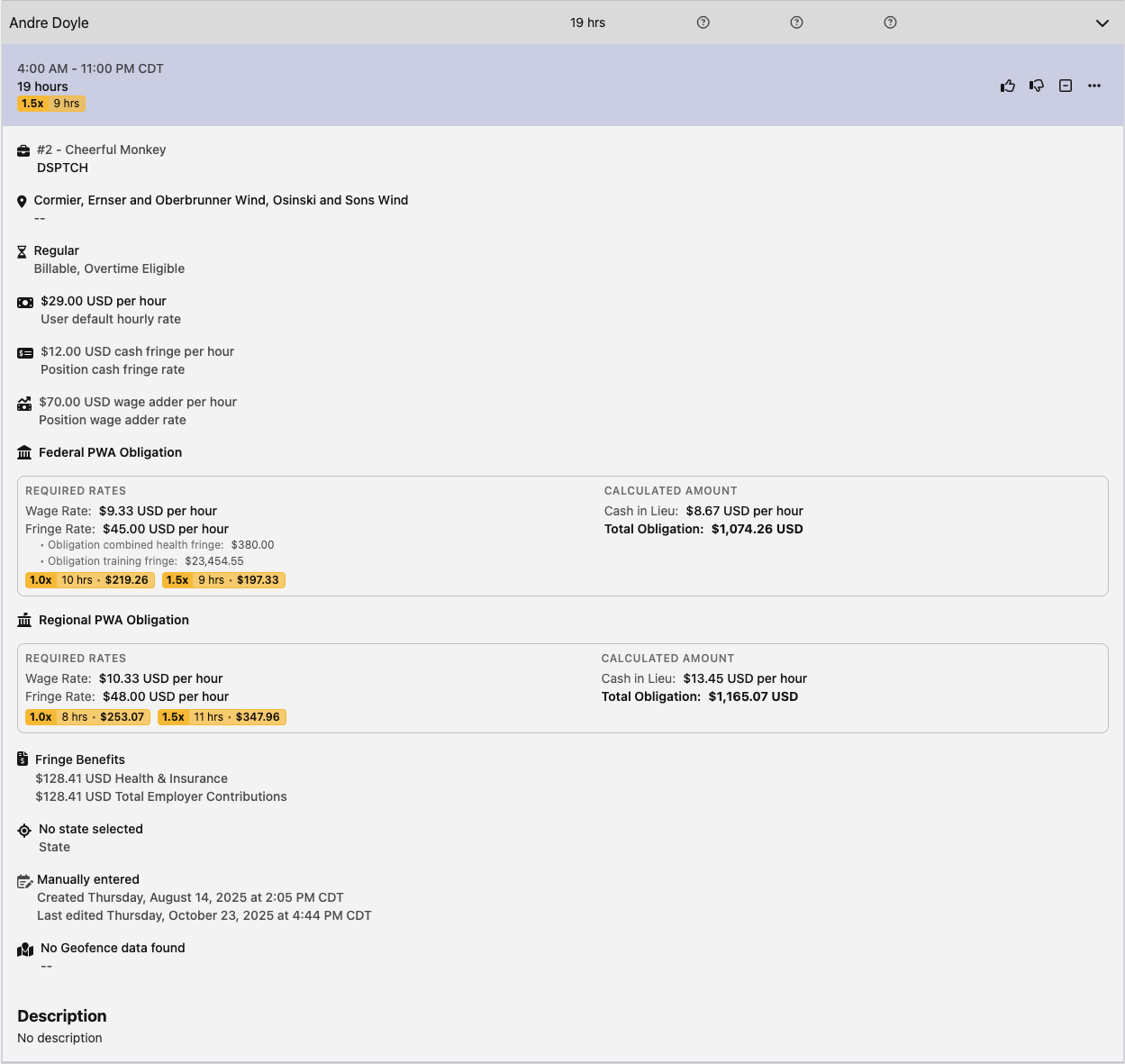
The improved layout and spacing creates a cleaner visual hierarchy, helping you quickly scan and understand complex prevailing wage calculations at a glance.
Streamlined User Management
When importing users into Dsptch, any users without a specified role will now automatically default to the technician role, simplifying your bulk import process and reducing the need for manual role assignment after import.
That's it for this release! These improvements are all about giving you better visibility and control over your certified payroll workflow. As always, we'd love to hear your feedback on these updates.