New Features & Improvements - November 4th, 2025

We've been hard at work making your compliance tracking and reporting workflows smoother and more intuitive. Here's what's new in this release.
Enhanced Compliance Check Status Display ✨
We've completely refreshed how compliance check statuses appear throughout the platform. You'll now see clearer, more informative status indicators that make it easier to understand what needs your attention.
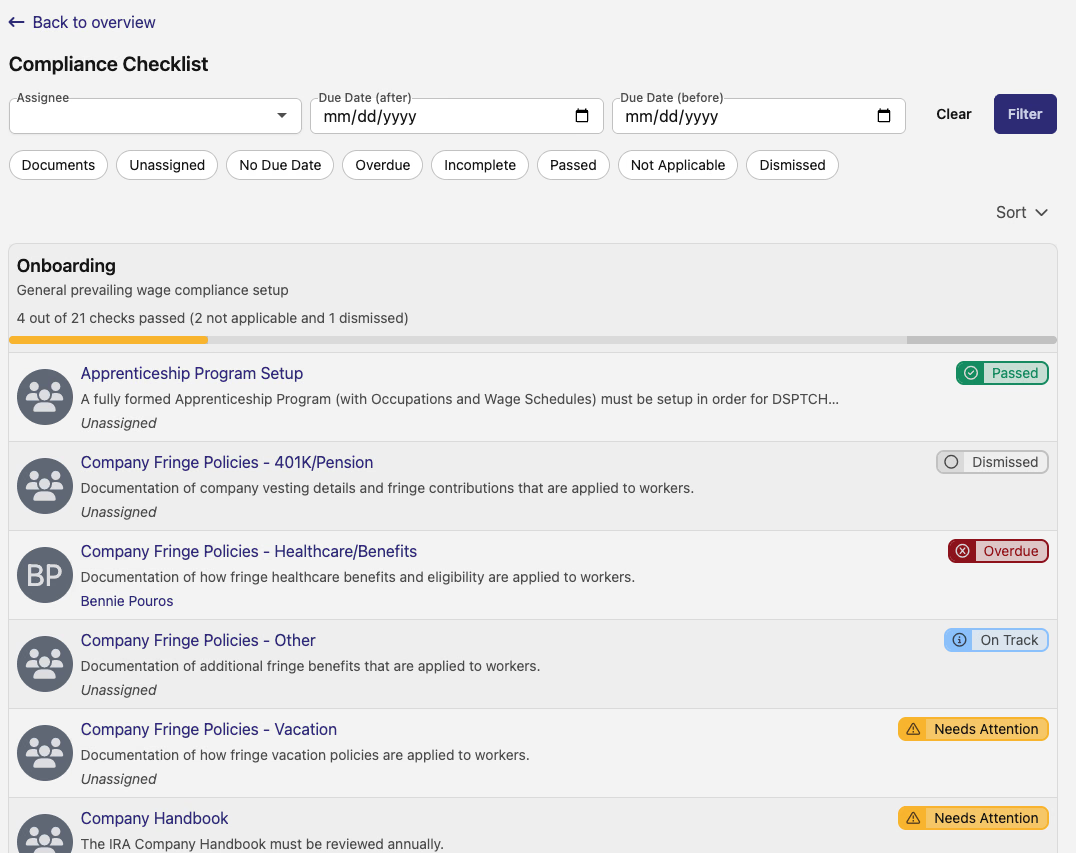
The new status system uses color-coded pills that give you instant visibility into check priorities. We've also updated some terminology to be more clear – for example, "Past Due" is now "Overdue" and "Failed" is now "Incomplete." These changes make it easier to scan your compliance checklists and quickly identify what needs action.
New Job Penalties Interactive Display 📊
Managing prevailing wage penalties just got a whole lot easier. The new penalties grid gives you a comprehensive view of days where jobs are out of ratio, cumulative shortfalls, and intentional disregard tracking.
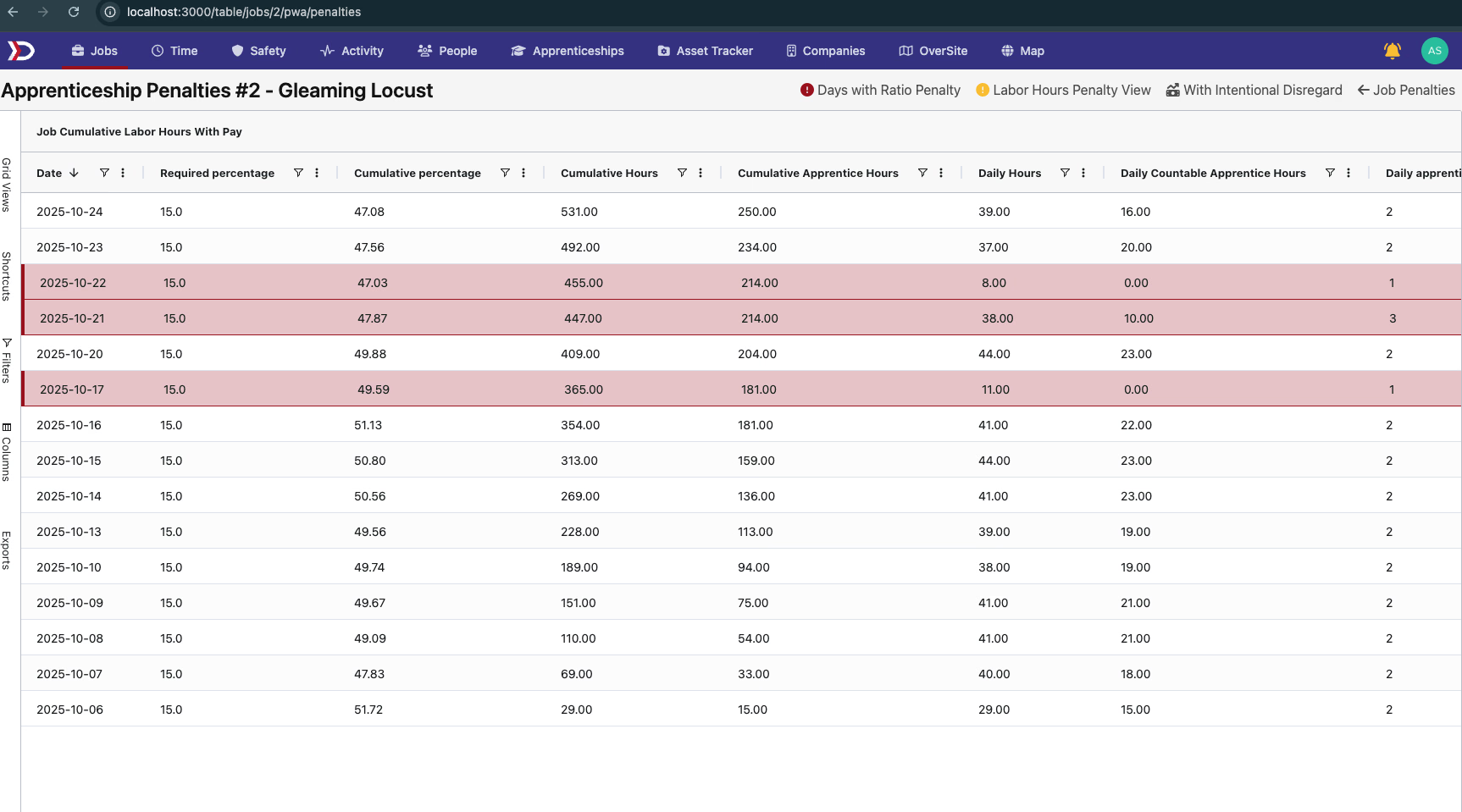
You can toggle between different preset views to focus on exactly what you need:
- Days with ratio penalties
- Labor hours penalty view
- Intentional disregard columns
The grid highlights issues with visual cues, making it simple to spot compliance concerns across your workforce. There's also a handy tabulate button to help you quickly summarize penalty data.
Timezone Flexibility for Time Entries 🌎
If you're managing work across multiple time zones, this one's for you. Time entries can now be displayed in either the pay schedule timezone or the job timezone.

Simply use the new preset button to switch views. This is especially helpful when your jobs span different regions – no more mental math to figure out when shifts actually started or ended in the job's local time.
Smarter Export Dashboards
The export workflow now shows more accurate job counts at every level, from the project dashboard down to individual pay period exports. We've tightened up the logic so you'll only see jobs that are actually ready to export, with clearer exclusion reasons when something can't be exported yet.
This means less confusion about why certain jobs aren't appearing in your exports, and better visibility into what needs to be addressed before you can finalize payroll.
IRA Asset Owner Support 🔋
For projects involving Inflation Reduction Act tax credits, you can now designate projects as having an asset owner. This ensures the proper compliance requirements are tracked for IRA-specific tax credit documentation.
When you mark a project as having an asset owner, the compliance system automatically applies the right requirements and checks specific to IRA tax credits. This helps you stay compliant with federal requirements while keeping your compliance workflow organized.
That's what's new! As always, we're continuously working to make managing prevailing wage compliance simpler and more efficient. If you have questions about any of these features, reach out to your account manager or contact support.