September 24, 2025 Release Notes

Job compliance checklists pick up two new automated checks for regional and IRA requirements, PWA compliance exports now run at the pay-period level with an interest column, and tasks gain a reminder bell that lets you nudge assignees without leaving the page.
📋 Compliance checklist: regional and IRA attestation checks
Two new items appear in the Compliance Checklist on jobs for companies with the relevant configurations.
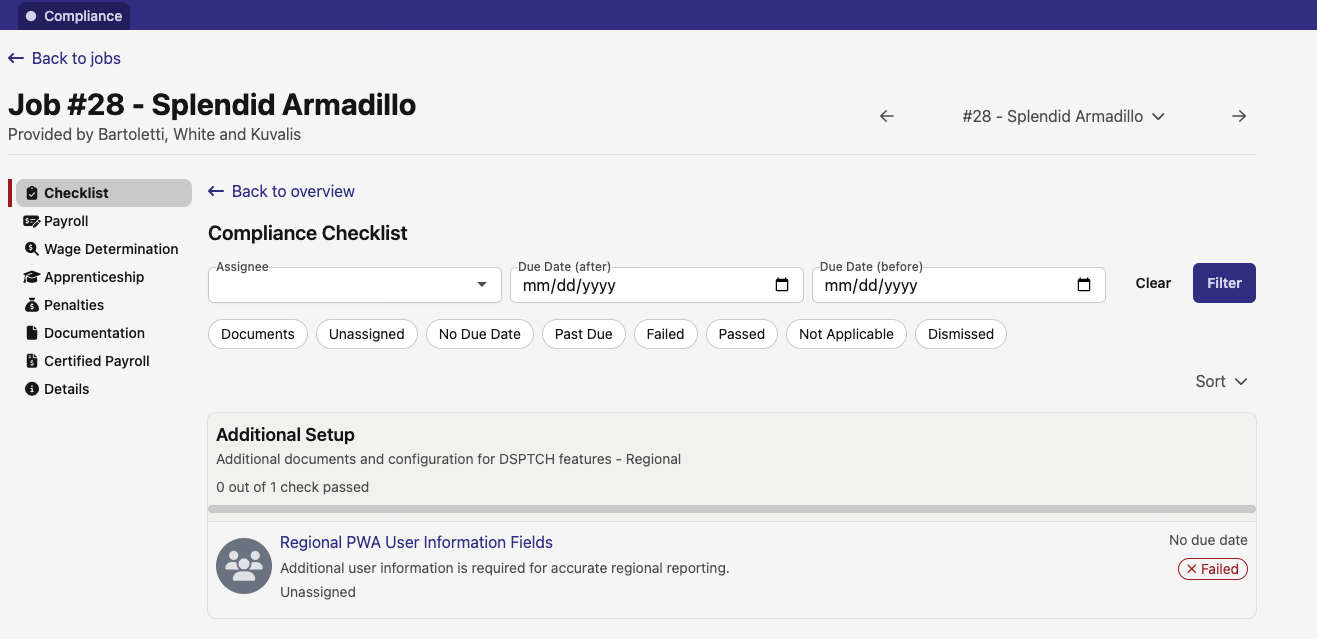
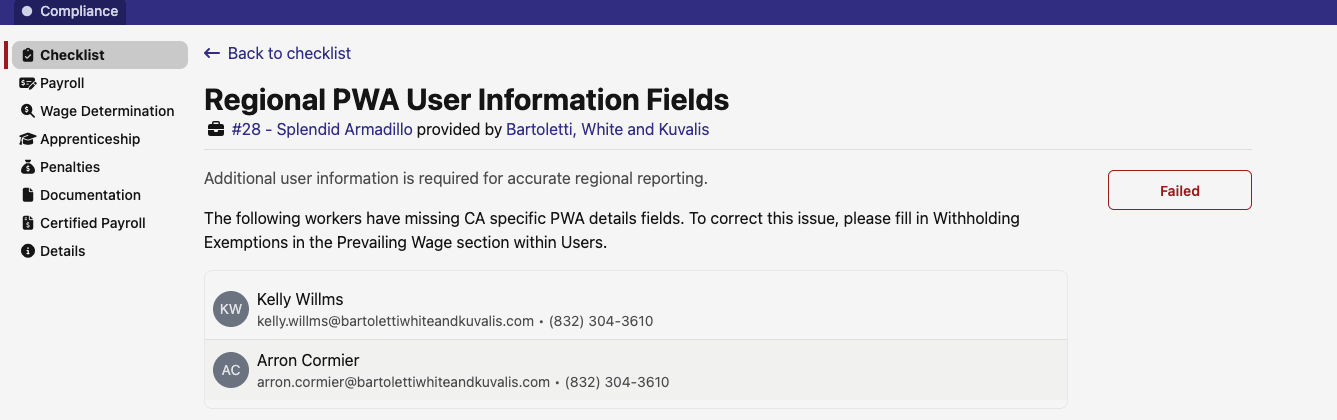
Regional PWA User Information Fields surfaces under Additional Setup → Regional for jobs in California and Illinois. When any worker on the job is missing state-required prevailing wage details — California withholding exemptions or Illinois Shines fields — the check fails and lists exactly which workers need attention, with a link to the relevant field in their user record.
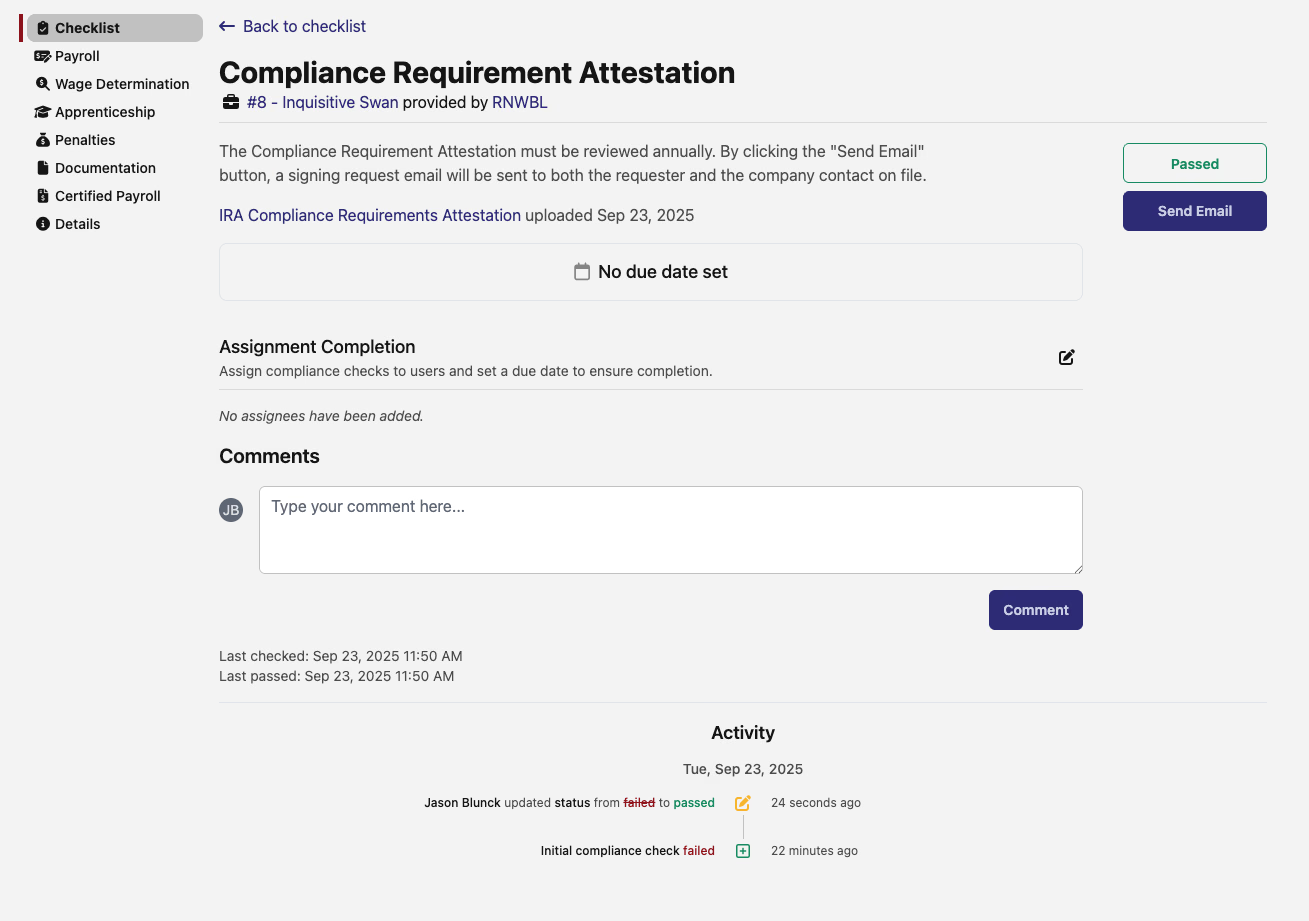
Compliance Requirement Attestation appears on IRA jobs. It requires annual review, and clicking Send Email dispatches a signing request to both the requester and the company contact on file. The requirement tracks its own pass/fail status and activity log.
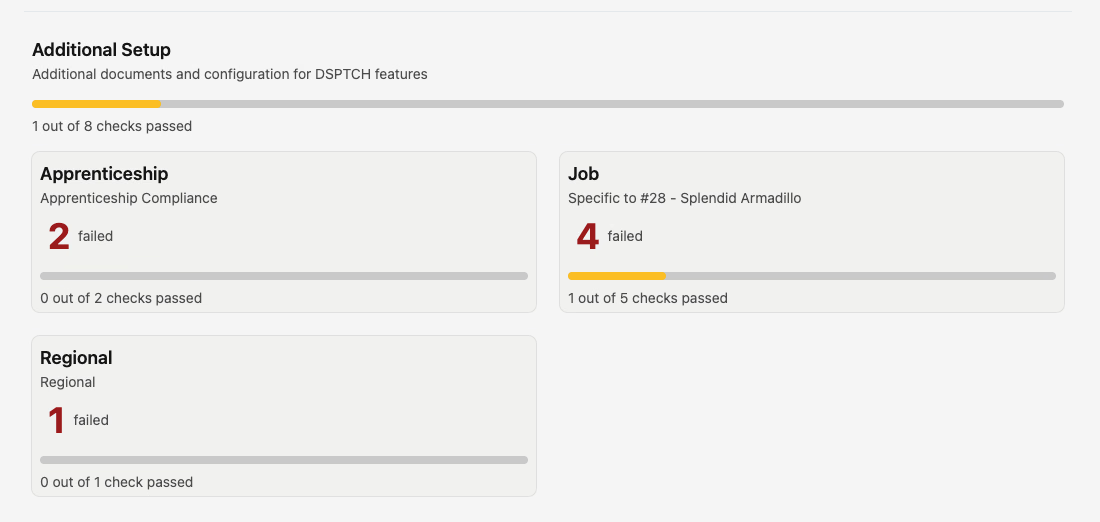
The Additional Setup overview card now shows a Regional category tile alongside Apprenticeship and Job, so you can see how many regional checks remain at a glance.
📊 PWA compliance export: pay-period level and interest
The PWA compliance export has two additions this release.
A new Export option in the pay-period bulk actions menu generates a compliance CSV covering every applicable job time card in the pay period at once, rather than requiring you to export each time card individually. The option only appears once the pay date has passed. Time cards without actuals are skipped automatically.
The export itself picks up an Interest column, which adds accrued interest to the outstanding amount calculation for any underpayment.
🔔 Task reminders
Every task now has a bell icon in the task header. Clicking it sends a reminder notification to the task's assignee. The icon updates immediately to show that a reminder was sent, so you can tell at a glance whether a nudge has already gone out. The reminder is available across all task surfaces — activity, jobs, assets, safety forms, and user task lists.
💲 Benefit Plans: jointly managed flag
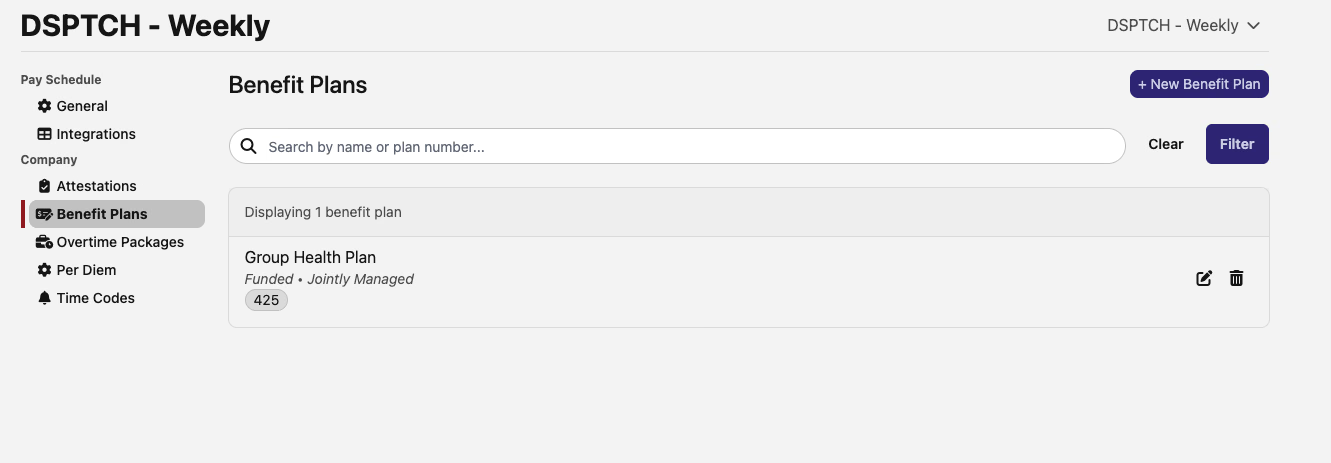
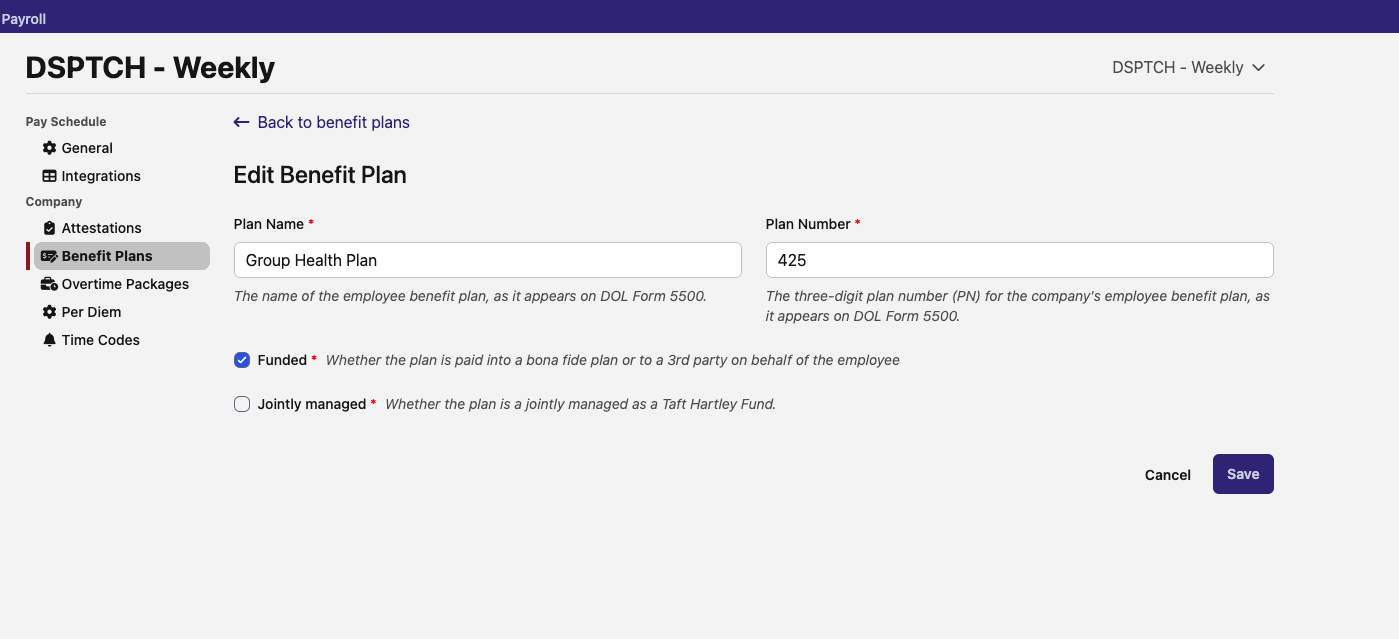
The Edit Benefit Plan form (Payroll → Benefit Plans) picks up a Jointly managed checkbox, with helper text explaining that this identifies plans administered as a Taft Hartley Fund. The Benefit Plans list shows Jointly Managed as a secondary label beneath the plan name when the flag is set. The field feeds through to Illinois certified payroll exports.
🛠️ Fixes
- Bulk user import now accepts a CSV row that supplies any one contact method (work email, personal email, or phone number) rather than requiring more than one. The import also respects each company's PWA configuration when validating regional fields, and the template picks up new annual health and savings benefit columns.
- PWA compliance export amounts now consistently round hourly rates down (e.g., $64.845 → $64.84) and recalculate all wage totals from the rounded rate, so the line items and totals stay mathematically consistent.
- Safety checklist now shows only workers from companies the current user has access to. Previously, workers from out-of-scope companies could appear in the checklist list.
- Groups sort by Date Added now orders by when the user was added to the group, not when they first joined the app.
- Task assignee links navigate correctly again — clicking a user's name on a task page now opens their profile rather than erroring out within the page frame.
As always, reach out if you have any questions.
The DSPTCH Team