February 2, 2026 Release Notes
We're excited to share some powerful improvements that will streamline your export workflows, enhance data management capabilities, and make everyday tasks more efficient! This release brings significant upgrades to export processing, better data visualization tools, and several important interface improvements. 🚀
📊 Asynchronous Export Processing
Enhanced WH-347 Export Dashboard
The WH-347 Pay Period Export Dashboard now features asynchronous processing and comprehensive export history, making large exports much more reliable and user-friendly.
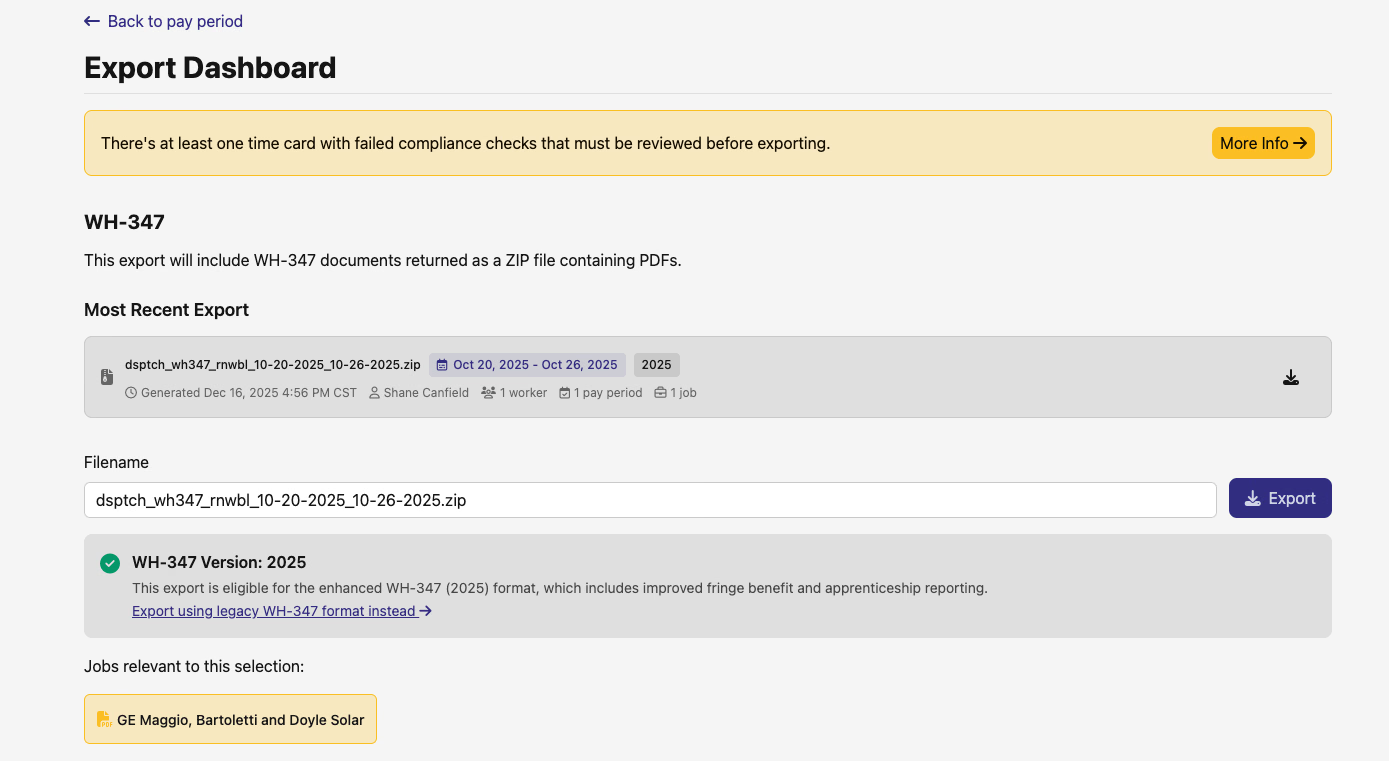
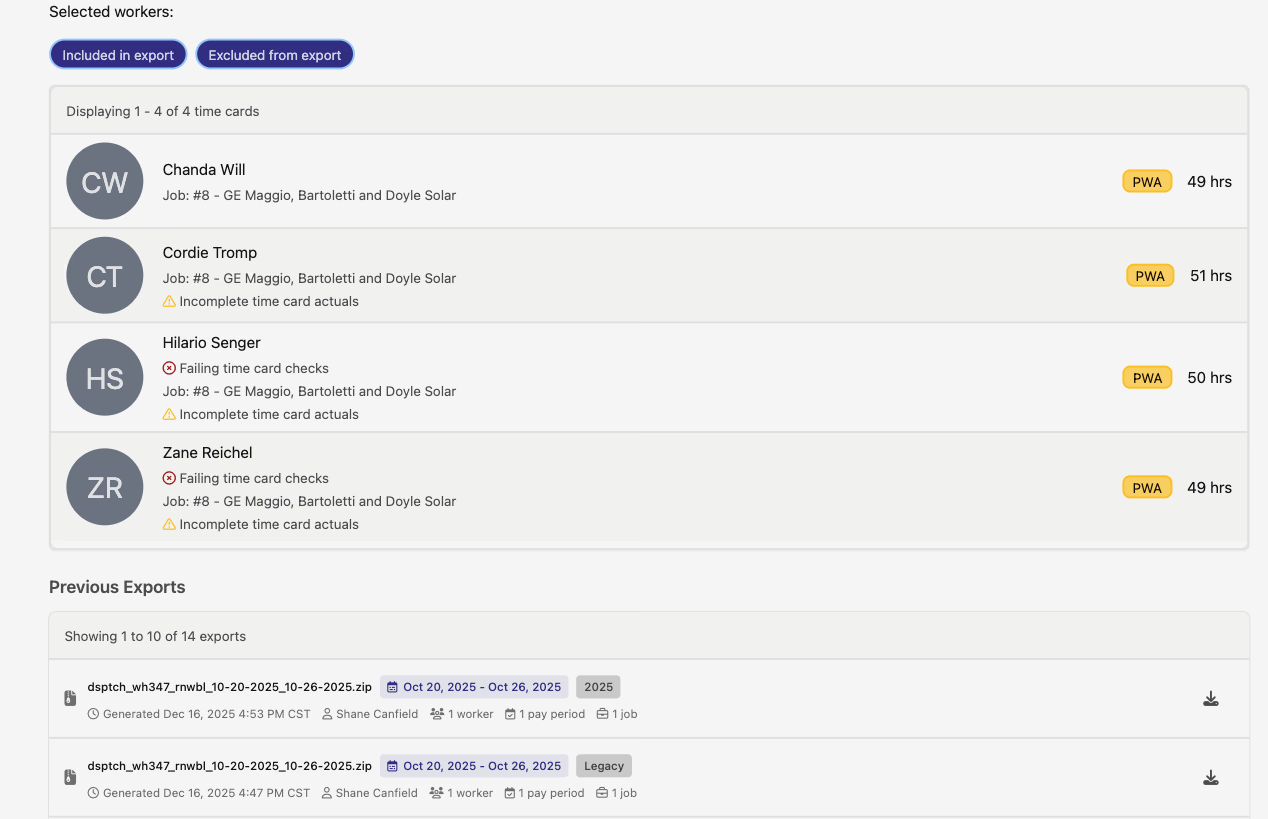
Key improvements include:
- Asynchronous Processing - Large exports no longer block your browser or timeout
- Export History Display - View all previous exports with status tracking
- Enhanced File Organization - Multi-job exports now create job-level directories with per-job summaries
- Real-time Status Updates - Live feedback on export progress and completion
- Improved Reliability - Background processing eliminates timeout issues for complex exports
California eCPR Asynchronous Exports
California eCPR XML exports now also feature asynchronous processing with enhanced user experience and export management.
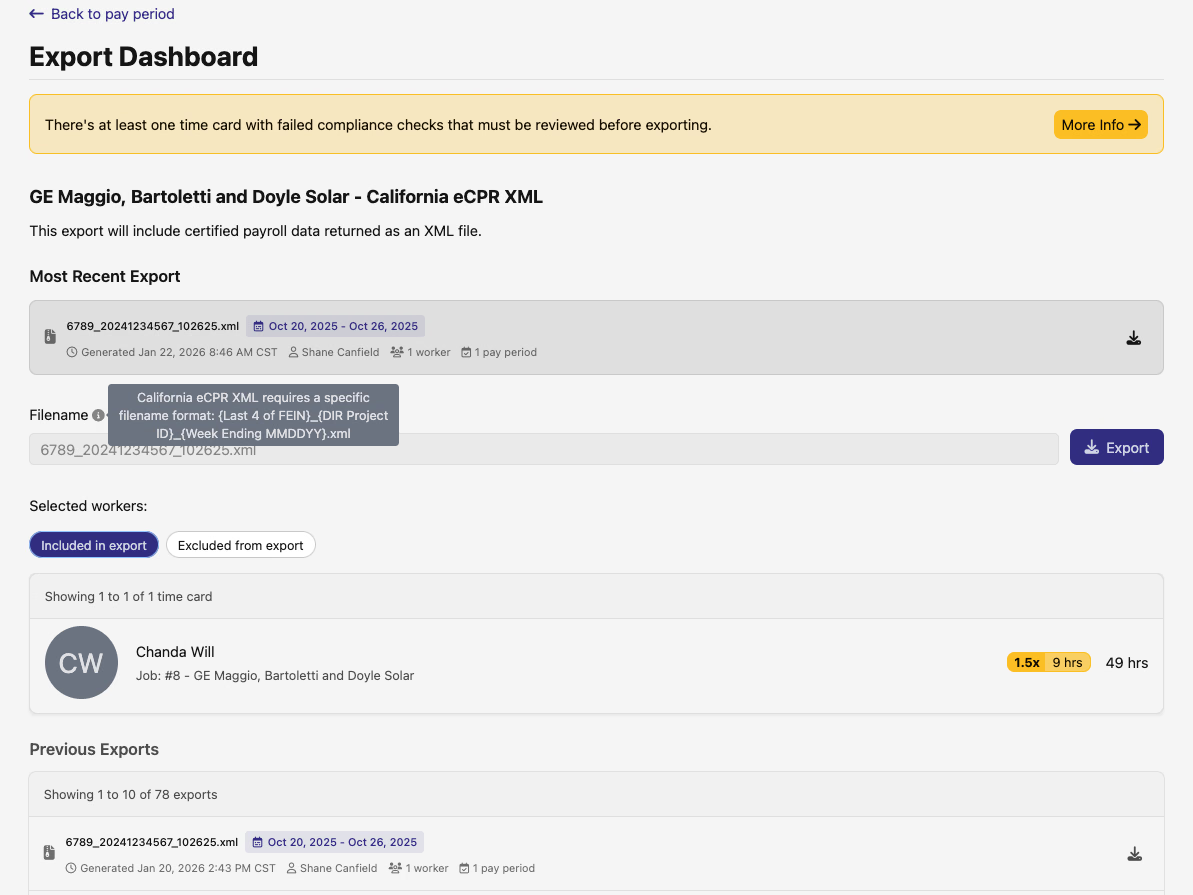
The enhanced system provides:
- Background Processing - XML generation happens asynchronously for better performance
- Export History Tracking - Complete audit trail of all previous exports
- Smart Filename Handling - Automatic file extension management (.xml or .zip for biweekly exports)
- Visual Progress Indicators - Clear feedback on export status and completion
Enhanced Export Compliance Checks
California eCPR exports now include intelligent compliance validation to prevent failed exports when crucial data is missing.
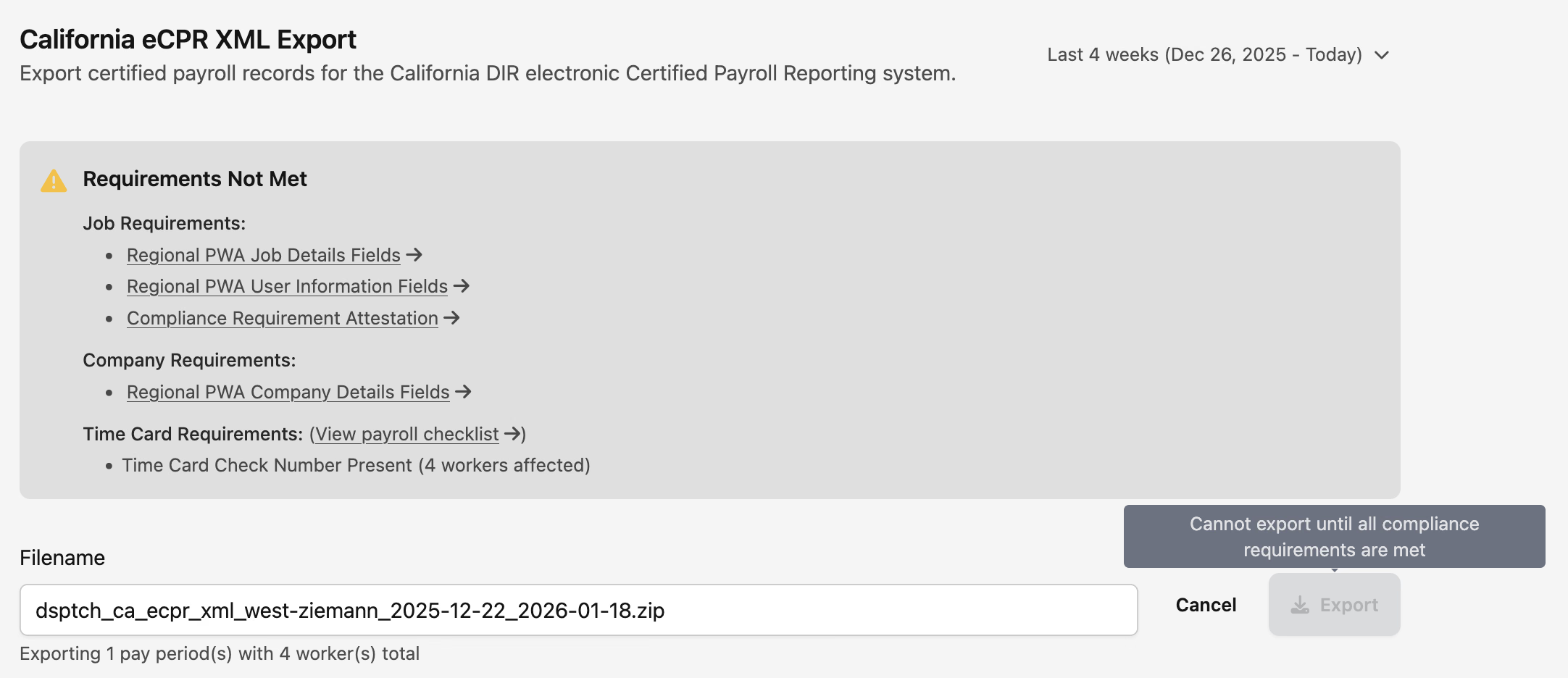
Features include:
- Pre-export Validation - Checks for complete PWA and regional PWA requirements before allowing export
- Clear Error Messaging - Helpful guidance on what needs to be resolved before exporting
- Prevented Failed Exports - Blocks exports that would result in incomplete or invalid files
📈 Enhanced Data Management Tools
Improved Wage & Hour Grid
The Wage & Hour interface has been significantly improved with better organization, enhanced accuracy, and expanded data coverage.
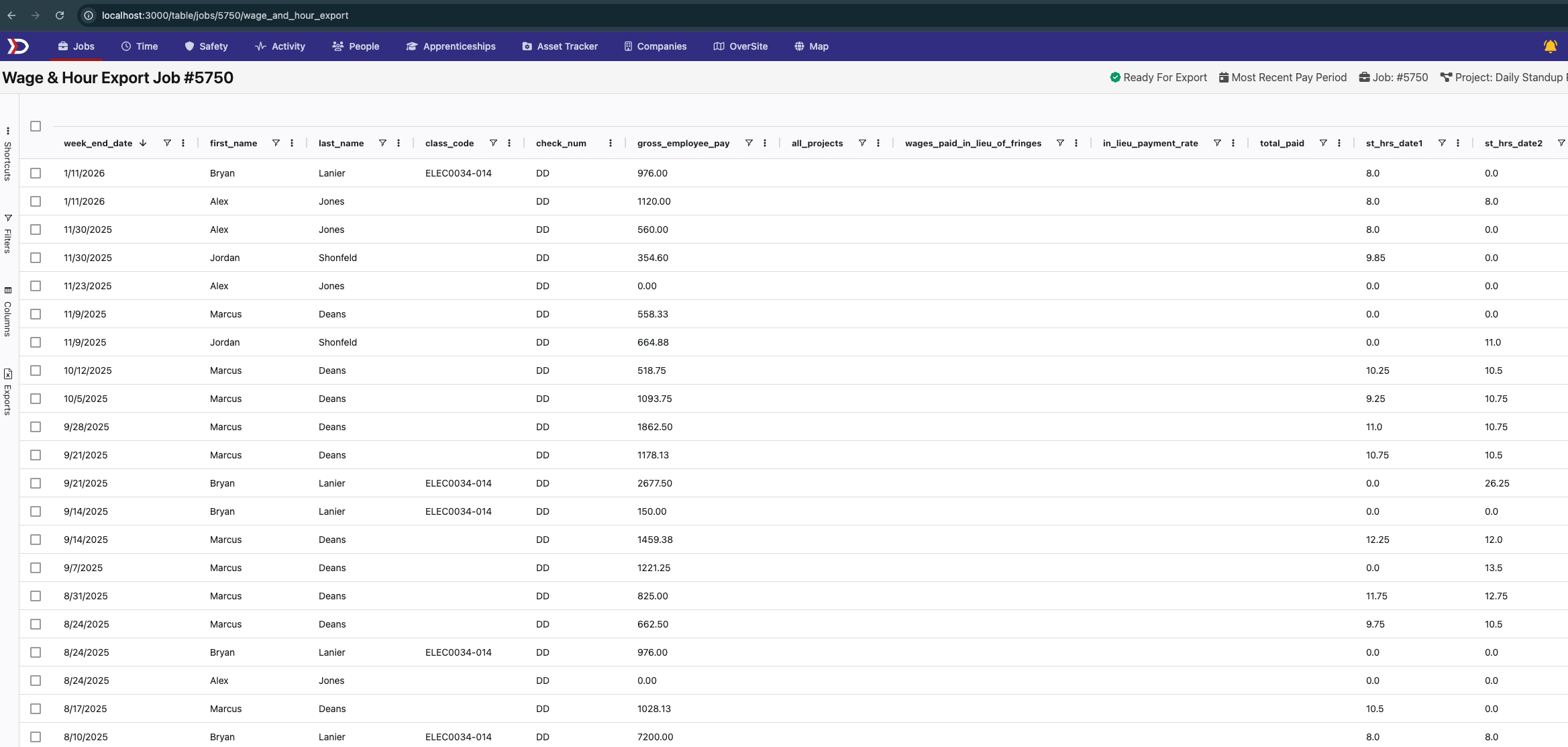
Major improvements include:
- Reordered Columns - Better logical flow with user names prominently displayed
- Cleaner Interface - Removed unused columns for a more focused view
- Better Export Quality - Fixed extra blank rows in selected row exports
🎨 User Interface Improvements
Enhanced Rate Rules Form
Rate rule configuration now features a modern tabbed interface that shows only relevant fields based on the selected condition type.
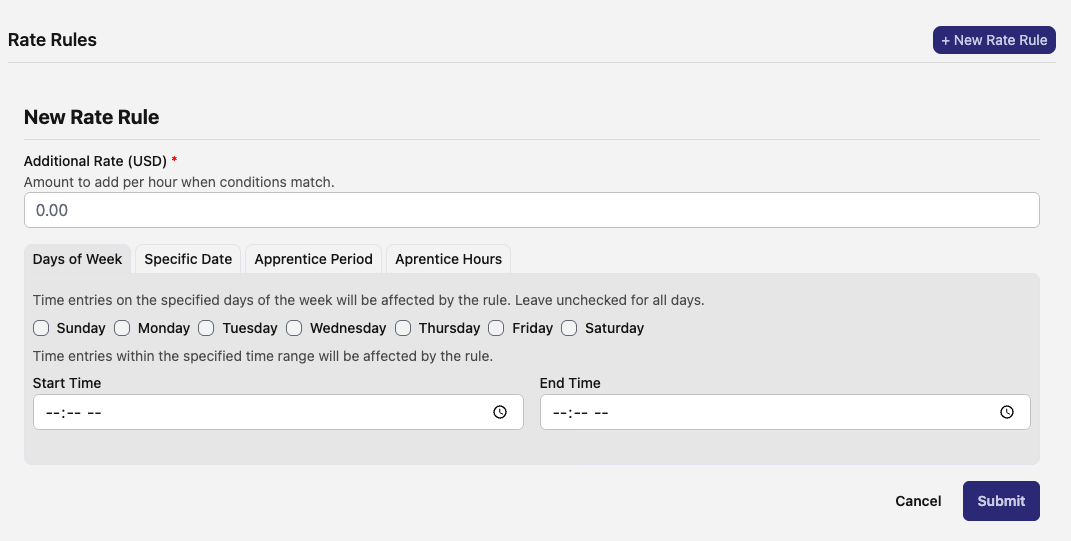
The new interface includes:
- Dynamic Field Loading - Shows only fields relevant to the selected condition type
- Tabbed Organization - Clear separation between Days of Week, Specific Date, Apprentice Period, and Apprentice Hours
- Improved Responsiveness - Better mobile and tablet experience
- Streamlined Workflow - Reduces visual clutter and makes form completion more intuitive
🗺️ Map Navigation Enhancements
Improved Wage Determination Access
Map boundary popups now include smarter filtering when navigating to wage determination pages, showing only currently valid determinations by default.
- Pre-filtered Results - Boundary links now show valid wage determinations first
- Faster Navigation - Skip manual filtering steps when accessing wage determination data from map boundaries
- Better Context - More relevant results when navigating from geographic boundaries
⏰ Enhanced Time Tracking
Rest and Recovery Time Codes
Timecodes now support a rest and recovery designation, providing better categorization for specialized work time tracking.

New capabilities include:
- Rest and Recovery Flag - Mark timecodes specifically for rest and recovery periods
- Export Integration - Rest and recovery designation appears in time entry and billing CSV exports
- Enhanced Reporting - Better visibility into different types of work time for compliance and analysis
These improvements represent our ongoing commitment to making your workflows more efficient and reliable. The asynchronous export features will be especially valuable for users working with large datasets, while the interface improvements make daily tasks more intuitive.
As always, our team is here to help if you have any questions about these new features!
The DSPTCH Team